FIBRUS CUSTOMER SERVICE REVIEW

Fibrus customer service: How good is it?

Fibrus customer service is one of its clearest strengths. Customers get plenty of direct contact routes, a detailed complaints process, extensive accessibility support and remarkably positive public feedback. This review explains where that help excels and where its online tools still leave room for improvement.
By Data checked  Checked weekly
Fibrus customer service hero with FibreDog wearing a support headset

Fibrus customer service scorecard

Six key areas. One overall score. All calculated using our transparent methodology.

Customer experience

What customer data says about satisfaction, complaints, call waits, review sentiment and how the provider performs when judged from outside.

9.6/10

Contact options

How easy it is to get help, including phone, live chat, messaging, account tools, accessibility routes and fault-support channels.

8.6/10

When something goes wrong

How faults and outages are handled, including checking tools, reporting routes, updates, compensation and backup options.

7.1/10

Help for vulnerable customers

How well extra support is provided, including accessibility routes, alternative formats, priority help, financial difficulty and nominated contacts.

8.5/10

Complaints policy

How clear the complaints process is, including response times, escalation steps, ADR access and specialist complaints support.

9.5/10

Online help and account support

How useful the digital support setup is, including apps, account portals, help articles, diagnostics, fault reporting and tracking.

6.7/10

Customer experience

Fibrus has built an unusually impressive customer record. Its Trustpilot score has risen steadily as the review count has grown into the tens of thousands. Recent reviewers repeatedly praise helpful staff, tidy installations and problems being sorted quickly. More than 20,000 people have now reviewed Fibrus, although Trustpilot feedback remains voluntary.

Key takeaways

Years of improvement, not a sudden spike

Fibrus rose from 3.8 on Trustpilot in 2022 to 4.5 in 2026, while its review count grew from 1,082 to more than 20,000. The 2023 figures are estimates based on the available 2022 and 2024 results, but the wider direction is clear.

What recent customers actually report

Ofcom does not publish a usable customer-service series for Fibrus, so Trustpilot is the main public source available. More than 20,000 reviews provide a broad view of customer experiences, although the feedback is voluntary and Fibrus invites customers to leave it.

INTERACTIVE CHART

Compare customer experience by provider

Choose two broadband providers, then use the buttons below to compare Ofcom and Trustpilot customer experience data.

Overall service satisfaction

Ofcom satisfaction with service overall

5-year view
Latest valueN/AMost recent data point
Five-year changeN/AOldest to newest
Best yearN/ABest point shown
Worst yearN/AWeakest point shown

Sources: Ofcom, Trustpilot.

Trustpilot score

4.5/5

Previous sample: 4.4/5

Trustpilot reviews

20,839

Up 5,288 since previous sample

Five-star reviews

72%

Previous sample: 70%

One-star reviews

11%

Previous sample: 12%

What people love about Fibrus

Installation teams receive the most consistent praise. Recent reviewers repeatedly describe engineers as punctual, friendly and efficient, with the work completed quickly, explanations given clearly and rooms left clean and tidy afterwards.

Customers also consistently praise the people answering phones and handling support. Reviews mention advisers who listen, explain the next step in plain English and solve faults without making the customer repeat the whole story.

Fast, reliable broadband appears frequently in positive reviews, often alongside a noticeable improvement over the customer’s previous connection. Several reviewers also value the two-eero setup because coverage reaches rooms that previously struggled.

The joining process earns plenty of credit too. Customers describe clear updates, quick appointments and engineers arriving within the promised window. When everything goes normally, switching to Fibrus sounds pleasantly quick and uneventful.

Five-star reviews make up 72% of the current profile, with another 9% awarding four stars. Together, four- and five-star reviews account for 81% of Fibrus’s current Trustpilot profile at the latest check.

What negative reviews complain about

Eleven percent of reviewers give Fibrus one star. Their complaints most often concern installations, billing, broadband speeds and the support they received afterwards. One-star reviews remain a minority of the overall profile.

Some customers report missed or delayed appointments, installations placed differently from what they expected, or equipment left without enough explanation. These cases can turn an otherwise quick installation into a frustrating first week.

Lower-star reviews also describe speeds or Wi-Fi coverage falling short of what was expected. The recurring frustration is not always the fault itself, but having to make several contacts before receiving useful help.

Billing complaints include unexpected charges, delayed credits and sharp rises after an introductory contract ends. These reports are relatively uncommon, but unfamiliar charges can be expensive, so customers should check every change and query one promptly.

Fibrus replies publicly to both positive and negative reviews, often within a few days. Replies acknowledge the specific issue and usually direct unhappy customers back to support, although a public reply does not prove the underlying problem was resolved.

Fibrus has an excellent customer record. Its Trustpilot score has improved steadily, five-star reviews dominate a profile containing more than 20,000 reviews, and recent customers repeatedly praise installers, support advisers and quick problem solving. Recurring complaints concern installation mistakes, billing disputes and faults that require several contacts to resolve, but the overall picture remains overwhelmingly positive.

9.6 /10
Overall score

Customer experience score

This score is based on Ofcom service-quality metrics and Trustpilot review trends over time, giving a balanced view of the overall customer experience.

Contact options

Fibrus makes it unusually easy to reach a person. Phone, human Live Chat, WhatsApp and a web form cover most needs, with customer and fault support open every day.

Four direct routes, including weekends

Customers can call Fibrus, use human Live Chat, send a WhatsApp message or submit a web form. That choice is excellent for a regional provider, particularly because it includes both immediate conversations and a written route you can keep for your records.

General email and social-network support are not advertised. Use the web form when you want a written message rather than hunting for an inbox that Fibrus does not publish.

Customer service and fault lines open from 8am to 8pm on weekdays and 9am to 5pm at weekends, giving 76 hours of telephone support each week. Sales keeps different hours and closes on Sundays, but existing customers can still report a fault or ask for help seven days a week.

Online help can diagnose and report faults

My Fibrus handles bills and package management, while the support site provides guided troubleshooting, online diagnostics and fault tickets. Routine account work and the first fault checks therefore do not have to begin in a phone queue.

The eero app provides router diagnostics. It can recognise an offline network and help check the internet connection, Ethernet cable, IP address and DNS settings before you contact Fibrus. There is no public area-outage checker, so a widespread fault may still require a call, Live Chat or WhatsApp message to confirm.

Extra help is clearly documented

Fibrus documents priority fault repair, Text Relay, nominated contacts and information in large print, Braille or audio. It also provides specific help for bereavement, financial difficulty and customers who need somebody else to manage the account with them.

A social tariff gives eligible households a lower-cost option. There is no published BSL contact route or general alternative-format billing service, but the support that is documented covers a wide range of practical needs.

Phone, Live Chat, WhatsApp, a web form and My Fibrus cover the main routes. Accessibility help is available separately when ordinary contact methods are not enough.

Contact options

Support channels at a glance

Fibrus gives customers several ways to get help. This view shows which practical contact, account and fault-support routes are recorded in the fibredog dataset.

Phone Real-person route Available
Live chat Human agent listed Available
WhatsApp Messaging route Available
Email Written support Unavailable
Community forum Peer help route Unavailable
Accessibility support Extra-help routes Available
Online account tools Self-service tools Available
Online fault tools Diagnosis and reporting Available

Checked from live provider data. Fibredog tracks contact routes, account tools and fault-help options separately, so this information updates soon after anything changes.

What stands out

Real choice of contact

Choose phone or Live Chat for an immediate conversation, WhatsApp for messaging, or the web form when you want to explain the issue in writing.

Practical accessibility help

Text Relay, nominated contacts, priority fault repair and information in large print, Braille or audio are all documented.

Check the router before calling

The eero app and Fibrus support site can diagnose common connection problems before you contact an adviser.

*Hours may vary on public holidays

Fibrus offers an excellent range of useful contact routes. Customers can call, use human Live Chat, message through WhatsApp or send a web form, while service and fault support remain open seven days a week. My Fibrus and the eero app add account tools and diagnostics. General email and social-network support are absent, but few customers should struggle to find a suitable route.

8.6 /10
Overall score

Contact options score

This score is based on the range, quantity and quality of provider contact routes, support tools, and the availability and ease of use of the various means available.

When things go wrong

Fibrus gives customers useful ways to diagnose and report a fault, including connection checks in the eero app. However, there is no public outage checker or guaranteed repair deadline, so customers may need to contact Fibrus for updates when a problem continues.

Use the eero app

The supplied eero app can tell when the network is offline and guide you through checks for the internet connection, Ethernet cable, IP address and DNS settings. These are real diagnostics, not merely a green or red status light, and they may solve a home-network problem without contacting Fibrus.

The support site also provides guided troubleshooting, but it does not show a public service-status page or area-outage map.

Report it two ways

If the checks do not fix the fault, raise a ticket online or call the fault line directly.

Telephone fault support opens every day, including weekday evenings. Keep the ticket number, dates and test results so the next adviser can see what has already been tried.

Compensation starts after 48 hours

Fibrus does not promise to repair every fault within a fixed number of hours. Its terms instead start compensation after a service interruption has lasted more than 48 hours.

That 48-hour point is not a repair deadline. It means a prolonged total loss can qualify for a bill credit while the fault continues, provided the customer did not cause the problem.

Fibrus is not part of Ofcom’s Automatic Compensation Scheme, and delayed installation or missed appointments are not covered by an equivalent automatic promise.

Report a complete loss promptly and keep the fault reference. Compensation depends on Fibrus knowing about the interruption and being able to establish when it began. Ask for the applicable credit in writing if the service remains down beyond 48 hours.

A sensible five-step fault route

Check the connection, run the guided diagnostics, report the fault, keep the reference and follow up until Fibrus confirms the outcome.

1. Check

Confirm the eero has power and that cables are firmly connected.

2. Diagnose

Use the eero app and follow the Fibrus troubleshooting steps.

3. Report

Raise an online fault ticket or call Fibrus fault support directly.

4. Record

Keep the fault reference, test results, contact dates and adviser names together.

5. Follow up

Confirm that the repair works and ask about any compensation due.

Fibo investigating a website bug or mistake

No public outage map

You must contact Fibrus to confirm a wider area fault.

Guided connection checks

The support site and eero app walk through common faults.

Report online or by phone

Online fault tickets and seven-day telephone fault support are both available.

Limited automatic compensation

Total loss can earn credit after 48 hours, but other failures may not.

Plan for longer outages

With no fixed repair deadline, keep mobile data available if being online is essential.

Fibrus handles faults reasonably well. Customers can run useful diagnostics in the eero app, follow guided online checks and report problems online or by phone seven days a week. Compensation can start after 48 hours of total loss. There is no public outage checker, mobile backup or fixed repair deadline, so prolonged or widespread faults still require more effort from the customer.

7.1 /10
Overall score

When things go wrong score

This score reflects how well Fibrus helps you spot the fault, report it, keep tabs on the repair and stay protected if the outage keeps going.

Help for vulnerable customers

Fibrus provides unusually thorough help for customers who need extra support. Its published policy covers communication, account management, faults, bereavement and financial difficulty, with only a few specialist routes missing.

Ask Fibrus to record your needs

Tell Fibrus what adjustment would help and ask for it to be recorded on the account. Support can include priority fault repair, a nominated contact, Text Relay and information in large print, Braille or audio.

A nominated person can help manage the account, while bereavement and financial-difficulty teams provide more appropriate support when the general contact routes are not enough.

The published support covers real situations

Fibrus goes beyond a generic promise to be understanding. It names practical adjustments for sight, hearing, communication and account-management needs, and it explains help for bereavement, money problems and faults affecting vulnerable customers.

There is no documented BSL contact route or general alternative-format billing service. Those are gaps, but the overall provision remains extensive.

Bereavement and money problems receive their own support routes

Customers facing bereavement can reach a dedicated support route rather than repeatedly explaining the situation to general customer service. Fibrus also documents help for financial difficulty and offers a social tariff for eligible households, giving people a practical way to reduce costs.

These policies matter most when a standard script would be insensitive or unhelpful. Contact Fibrus early, explain the circumstances plainly and ask which adjustment or affordable package is available.

At a glance

What does Fibrus do to help vulnerable customers?

Here’s a quick look at the extra-help routes available from this provider, covering everything from accessibility support, alternative formats, nominated contacts, money worries and social tariffs.

Vulnerable customer policy Published extra-help policy Available
Accessibility support Accessible support routes Available
Priority fault repair Priority repair help Available
Nominated contact Trusted person support Available
Alternative-format billing Bills in other formats Unavailable
Braille, large print or audio Accessible document formats Available
Text relay Relay UK-style support Available
Sign language support BSL or signed support Unavailable
Financial difficulty support Help if bills become hard Available
Bereavement support Support after a death Available
Social tariff Lower-cost eligible tariff Available

Checked from customer-support data. Fibredog tracks the extra-help features of all providers, so this boxout updates when anything changes on the provider end.

Illustration of Fibo asleep beside an unanswered customer support message

How to arrange accessible support with Fibrus

  1. Choose a comfortable route

    Choose phone, Live Chat, WhatsApp, the web form or Text Relay according to how you prefer to communicate and the help you need.

  2. Request accessible information

    Ask for information in large print, Braille or audio when standard text is unsuitable.

  3. Describe the adjustment needed

    Explain the practical difficulty and what would make contact or account management easier.

  4. Ask for specialist help

    Request bereavement, financial-difficulty or vulnerable-customer support when general customer service cannot meet the need.

  5. Keep support in place

    Ask Fibrus to record continuing needs and nominate another person where helpful.

Fibrus provides excellent support for vulnerable and disabled customers. Priority fault repair, Text Relay, nominated contacts, accessible information, bereavement help, financial-difficulty support and a social tariff are all documented. The absence of a published BSL route and general alternative-format billing keeps it from being completely comprehensive, but most customers who need an adjustment have a clear place to start.

8.5 /10
Overall score

Help for vulnerable customers score

This score reflects the support available for vulnerable customers, including accessibility help, priority repairs, alternative formats, financial difficulty support and social tariffs.

Complaints policy

Fibrus has an exceptionally clear complaints policy. It tells customers how to complain, when to expect a response, how to escalate and when independent help becomes available.

The complaints route is clearly mapped

Make it formal

Tell Fibrus clearly that you are making a complaint, describe the problem and say what outcome would put it right. Keep the reference and copies of any written messages.

Expect a response

Fibrus aims to resolve initial complaints within 48 working hours and targets a substantive written response within ten working days.

Escalate if the complaint remains unresolved

Ask for the complaint to be escalated when the first response does not fix the problem. Record every contact and proposed solution.

Deadlock or six weeks

Request a deadlock letter when Fibrus cannot agree a solution, or wait until the complaint has been open for six weeks.

Independent review

Take the unresolved complaint to Communications Ombudsman. The service is independent and free for customers.

Send the complaint history, bills, fault references and Fibrus responses. A tidy record makes it easier for the ombudsman to understand what happened and what outcome you are seeking.


Illustration of a disappointed Fibo representing broadband complaints

Clear enough to follow without guesswork

Fibrus publishes a complaints code and provides routes for making a complaint, rather than hiding the process behind its general contact page.

The policy explains response targets, escalation and deadlock, then points unresolved cases towards independent review. Customers therefore know what should happen next and when they are entitled to move beyond Fibrus. Keep in mind that its older complaints PDF still mentions eight weeks and Ombudsman Services; the current six-week rule and Communications Ombudsman name take precedence.

Escalation has dates and a destination

The ten-working-day response target gives customers a useful point at which to chase progress instead of waiting indefinitely for a vague update.

If Fibrus cannot agree a solution, a deadlock letter allows the customer to take the complaint to Communications Ombudsman. Otherwise, the six-week threshold provides a clear deadline for independent review.

Independent help arrives after six weeks

Communications Ombudsman can consider an unresolved complaint after six weeks or sooner when Fibrus issues a deadlock letter. Customers do not have to pay to use it.

The scheme can examine the evidence independently rather than asking Fibrus to mark its own homework. Prepare a short timeline and attach the most useful bills, messages and fault references.

Independent ADR provider

If Fibrus can’t resolve your broadband complaint, the Communications Ombudsman is the approved ADR scheme for its services.

Help making a complaint

Customers can make or discuss a complaint using Text Relay. Fibrus can also provide information in large print, Braille or audio when needed.

What happens after you complain

Published complaints code

The written code explains the complete route.

Clear contact routes

Phone and written complaint routes are available.

Response within ten working days

Fibrus sets a clear target for its substantive response.

Escalation or closure

Accept the proposed solution or request escalation and a deadlock letter.

ADR after six weeks

Communications Ombudsman can then review the unresolved complaint.

Accessible complaint help

Adjustments are available when standard contact is unsuitable.
Fibrus has an outstanding complaints policy. It publishes the route, sets a ten-working-day response target, explains escalation and deadlock, and allows unresolved cases to reach Communications Ombudsman after six weeks. Accessible complaint handling is documented too. The only confusion comes from an older PDF retaining superseded wording, while the current terms and Ofcom rules provide the correct route.

9.5 /10
Overall score

Complaints policy score

This score reflects how clear and useful Fibrus’s complaints process is, including response times, escalation options, ADR access and support for vulnerable customers.

Online help and account support

Fibrus provides capable online account and fault tools, but they are divided between My Fibrus, the support site and the eero app. Most routine jobs are covered, although customers may have to switch between different sites and apps to get things done.

My Fibrus handles everyday account jobs

The online account lets customers view bills and manage their package without calling. That covers the routine jobs customers need throughout the life of the account.

There is no general Fibrus mobile app, so account management happens through My Fibrus in a web browser.

The support site leads to people

Fibrus provides a help centre, chatbot, online contact form and Live Chat. Customers can begin online and move to a person when a guide or automated answer is not enough.

Help articles are not presented through a dedicated searchable interface, which makes browsing less convenient than it could be.

The eero app can diagnose connection problems

The eero app detects an offline network and guides checks for the connection, Ethernet, IP address and DNS settings. It can therefore solve common router problems rather than merely displaying network information.

Fault tickets start online

Customers can diagnose and report a broadband fault online, then keep the ticket reference for follow-up. Telephone fault support remains available when the online checks do not solve the problem.

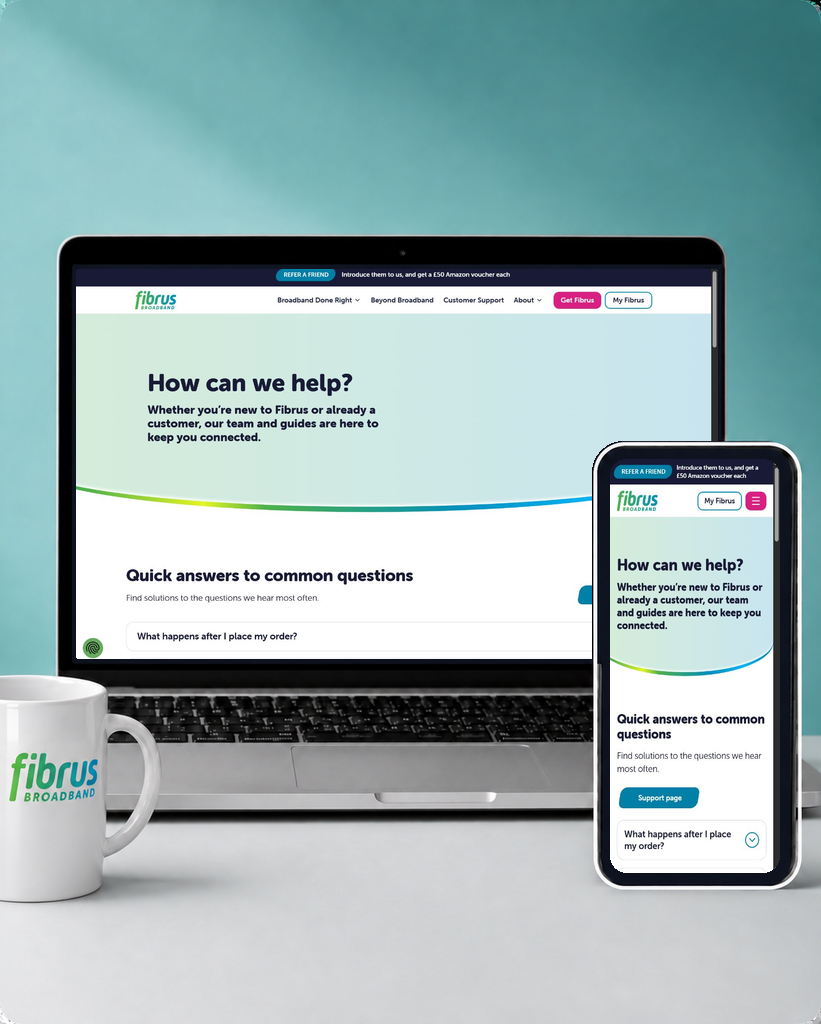
Fibrus online support centre shown on separate laptop and mobile screens

No general support email

Fibrus does not advertise a general customer-service email address. Use the web form when you need a written message, or WhatsApp and Live Chat for a quicker exchange that still leaves a written record.

How Fibrus online support fits together

  1. Sign in

    Open My Fibrus to check bills, account details or manage the package.

  2. Check support

    Use the help centre or chatbot for a first answer.

  3. Run diagnostics

    Run the Fibrus troubleshooting steps and the eero app network checks.

  4. Contact Fibrus

    Move to Live Chat, WhatsApp, the web form or phone support.

  5. Keep the reference

    Save the fault ticket and use it for every follow-up.

The eero app is for the network

Fibrus supplies eero routers, and the accompanying app controls and monitors that home network. It is not a general Fibrus account app.

See whether the network is online and which devices are connected.

Work through guided checks when the internet connection, Ethernet cable or network settings appear to be causing the fault.

Bills, package changes and general customer-service conversations sit elsewhere. Use My Fibrus for the account and the Fibrus support site for help or fault reporting. The split is manageable once understood, but a single provider app would be simpler.

My Fibrus covers the account

Sign in to view bills and manage the package. It is a working account portal, not simply a page of contact details.

The support site adds guided troubleshooting, a help centre and chatbot.

Faults can be diagnosed and reported online, while Live Chat, WhatsApp and the contact form provide routes to support when self-service stops helping.

There is no public area-outage checker or community forum.

No Fibrus community forum

Fibrus does not provide a customer forum where users can help one another with broadband, router or account questions.

Without one, customers cannot search previous discussions for solutions to unusual device or setup problems.

Use the help centre, chatbot or eero support material first, then contact Fibrus directly. Those support routes can answer individual questions, but they do not create a searchable history of solutions from other customers.
Fibrus online help is useful but fragmented. My Fibrus covers bills and package management, the support site provides troubleshooting and fault reporting, and the eero app offers guided network diagnostics. A help centre and chatbot are included. There is no general mobile app, public outage checker, searchable article interface or community forum, so customers sometimes have to move between several places or contact support directly.

6.7 /10
Overall score

Online help and account support score

This score reflects the quality and range of self-service tools, account management, help content, diagnostics, digital support routes and written support options.

Some links on this page may earn us a small commission if you click through and buy. This never affects either what you pay, or our scores and recommendations. If, however, you’d rather bypass affiliate links, use this direct Fibrus link instead.

Illustration of Fibo representing direct links to broadband providers