4TH UTILITY VALUE FOR MONEY REVIEW
4th Utility value for money: How good is it?
The price on 4th Utility’s package page is only the starting point. To work out what you’ll really spend, you need to know what comes with the broadband, what you’ll have to buy elsewhere and what happens to the bill later. We’ve done that arithmetic here.

4th Utility Value for Money Scorecard
Six key areas. One overall score. All calculated using our transparent methodology.
What you get as standard
The features, equipment and services included as standard, before paid add-ons, premium tiers or optional upgrades are added.
Included router quality
How much value the included router adds to the package, including Wi-Fi standard, ports, coverage and overall hardware quality.
Annual price rises
How clearly annual price rises are explained, how predictable they are, and how much they add during the minimum term.
Cost of upgrades and extras
Which useful extras cost more, which are bundled in, and whether upgrades feel sensible or too easy to overspend on.
End-of-contract pricing
What happens when the minimum term ends, whether the price jumps, and how easy it is to avoid poor rollover value.
Service guarantees
The service guarantees, speed promises, compensation rules and fault protections that apply when the connection underperforms.
Fibredog Router Comparison Tool
Compare this provider’s routers with each other, or with any other national provider.
Fibredog Annual Price Rise Comparison
See how much each of these provider’s packages will go up every April and compare that to any other provider.
Fibredog Rollover Price Calculator
Tell us who you’re with and what you’re paying and we will tell you how much your price will go up when your contract ends.
Fibredog Speed Guarantees Test
Tell us who you’re with and we will check if they’re delivering you the minimum speed they promised.
Included router value
4th Utility supplies one of three routers rather than giving every customer the same model. Here, we’re looking at what changes between them, whether the router can handle the speed you’re buying and what happens if you’d rather use your own equipment.
Wi-Fi and wired speed depend on the router
The newer two routers are the ones we’d want
4th Utility currently supplies the Icotera i4850-25, i4862 and i4882. The i4862 and i4882 use Wi-Fi 6 and WPA3 security, while the older i4850-25 uses Wi-Fi 5 and WPA2. All three include guest Wi-Fi, parental controls, automatic updates and several Ethernet ports. The model decides which Wi-Fi standard you get and how fast one wired device can go.
You can’t choose or pay for a better model
4th Utility chooses the router, and you won’t be told which model you’ll get when you order. You can’t pay to upgrade it, either. That shouldn’t cause a speed problem on packages up to 900Mbps, but it’s harder to accept on the 2.3Gbps service. Only the i4882 has the 2.5Gb Ethernet port needed to give one suitably equipped computer more than 1Gbps.
The bridge gives you an alternative
If the router 4th Utility sends does everything you need, there’s nothing else to buy. The i4862 and i4882 give you Wi-Fi 6, while even the older i4850-25 has four Gigabit Ethernet ports, guest Wi-Fi and parental controls. For most packages, that’s enough.
On the 2.3Gbps service, an i4850-25 or i4862 limits every wired device to 1Gbps. 4th Utility doesn’t promise the i4882, but it will provide a free bridge and the connection details needed for your own router. We’d rather see the right model guaranteed at checkout. Letting you replace it without another provider charge is a decent second-best answer.
Sources: 4th Utility
INTERACTIVE TOOL
Compare routers from any provider
This provider’s routers are pre-selected for comparison with one another. However, you can use this tool to compare any router from any major provider using the dropdown menus below.
| Feature | Icotera i4850-25 | Icotera i4862 |
|---|---|---|
| Fibredog rating | ||
| Router included as standard | Yes; Icotera i4850-25 is one of the Icotera models named by 4th Utility in a February 2026 notice about provisioning new-customer routers. Exact property and package allocation is not published, and customers cannot select the model at signup. | Yes; Icotera i4862 is one of the Icotera models named by 4th Utility in a February 2026 notice about provisioning new-customer routers. Exact property and package allocation is not published, and customers cannot select the model at signup. |
| Router manufacturer | Icotera | Icotera |
| Router model | i4850-25 | i4862-00 |
| Wi-Fi standard | Wi-Fi 5 | Wi-Fi 6 |
| Wi-Fi bands | Dual-band | Dual-band |
| 2.4GHz supported | ✓Yes | ✓Yes |
| 5GHz supported | ✓Yes | ✓Yes |
| 6GHz supported | ×No | ×No |
| Beamforming | ✓Yes | ✓Yes |
| Antenna count | 6 | 7 |
| Maximum connected devices | Up to 32 | Up to 32 |
| Stated coverage | No provider coverage figure published | No provider coverage figure published |
| Total Ethernet ports | 5 | 4 |
| MU-MIMO | ✓Yes | ✓Yes |
| OFDMA | ×No | ✓Yes |
| WPA3 security | ×No | ✓Yes |
| Guest network | ✓Yes | ✓Yes |
| Antenna type | Internal | Internal |
| Gigabit Ethernet ports | 5 | 4 |
| 2.5Gb Ethernet ports | 0 | 0 |
| 5Gb Ethernet ports | 0 | 0 |
| 10Gb Ethernet ports | 0 | 0 |
| WAN port speed | 1Gbps | 1Gbps |
| USB ports | 0 | 0 |
| Telephone ports | 0 | 0 |
| ONT Ethernet input | ✓Yes | ✓Yes |
| Coaxial input | ×No | ×No |
| Power connection | External 12V power adapter | External 12V 3A power adapter |
| Mesh support | Open mesh standard | Open mesh standard |
| Provider mesh product | Icotera i3550 access point (manufacturer-compatible; not sold as a 4th Utility add-on) | Icotera i3560 access point (manufacturer-compatible; not sold as a 4th Utility add-on) |
| Third-party router use | You can use your own router | You can use your own router |
| Modem mode | ✓Yes | ✓Yes |
| Compatible broadband technology | Full Fibre only | Full Fibre only |
| App management | ×No | ×No |
| Parental controls | ✓Yes | ✓Yes |
| QoS | ✓Yes | ✓Yes |
| Automated QoS | ×No | ×No |
| Device prioritisation | ×No | ×No |
| Anti-bufferbloat controls | ×No | ×No |
| Manual queue management (SQM/CAKE) | ×No | ×No |
| Smart channel selection | ✓Yes | ✓Yes |
| Security features | WPA2; guest network; firewall; manufacturer remote-management capability | WPA2/WPA3; guest network; firewall; manufacturer remote-management capability |
| Gamer mode | ×No | ×No |
| Game traffic prioritisation | ×No | ×No |
| Gaming QoS profiles | ×No | ×No |
| Server ping routing tools | ×No | ×No |
| Latency dashboards | ×No | ×No |
| Per-device gaming presets | ×No | ×No |
| Gaming VPN routing features | ×No | ×No |
| Work from home mode | ×No | ×No |
| Automatic firmware updates | ✓Yes | ✓Yes |
| Firmware update notes | The Icotera platform supports remote firmware and configuration management; 4th Utility does not publish a customer-facing update cadence. | The Icotera platform supports remote firmware and configuration management; 4th Utility does not publish a customer-facing update cadence. |
| Router height | 215mm | 234mm |
| Router width | 215mm | 177mm |
| Router depth | 50mm | 53mm |
| Router weight | 500g | 844g |
| Power consumption | 27W | 36W |
| Router orientation | Vertical | Vertical |
| Wall mountable | ✓Yes | ✓Yes |
| Router colour | White | White |
| Self-installation | ✓Yes | ✓Yes |
| Browser admin interface | ✓Yes | ✓Yes |
| WPS | ✓Yes | ✓Yes |
| Status light control | ✓Yes | ✓Yes |
| Reset button | ✓Yes | ✓Yes |
| Wi-Fi on/off button | ×No | ×No |
| Where would you like to go next? | See all tools | See all tools |
| Compare all broadband deals | ||
How 4th Utility handles the router choice
Every broadband package
Includes one Icotera router.
4th Utility offers three different routers and decides which one you receive.
Can you upgrade?
There's no paid router upgrade.
Buying a faster package doesn't let you select the i4882, even though it's the only model with a 2.5Gb Ethernet port.
Need another model?
Use your own router.
4th Utility supplies the bridge for free and puts the connection details in your online account, but you set up the replacement router and deal with any problems yourself.
The value depends on which router 4th Utility sends
You aren't charged separately for the router, and each model has guest Wi-Fi, parental controls, automatic updates and enough Ethernet ports for several nearby devices. The two newer models also add Wi-Fi 6 and WPA3. For packages up to 900Mbps, we'd be comfortable using any of the three. We wouldn't replace one just because the older model arrived.
On the 2.3Gbps package, an i4850-25 or i4862 stops every wired device at 1Gbps. Only the i4882 has a fast enough Ethernet port, but 4th Utility won't promise to send it. The free bridge gives you a way out without paying 4th Utility for another box, although you must buy the replacement router yourself. We don't think customers should have to solve that mismatch.
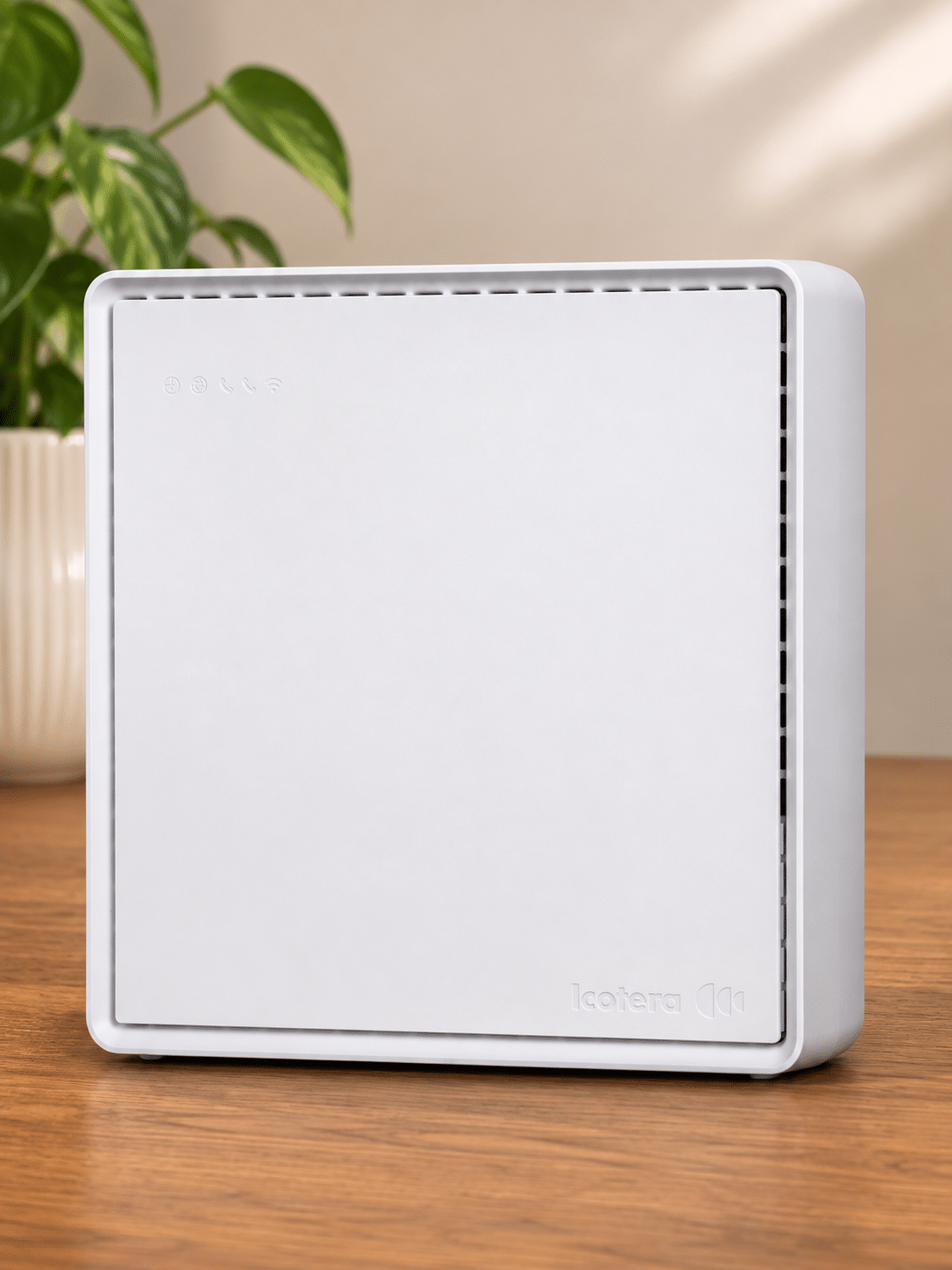
There's no paid router upgrade
4th Utility chooses one of three included Icotera routers. You don't pay extra at checkout, but you also can't select the model that best suits your package or home.
One router is included
All three models provide guest Wi-Fi, parental controls, automatic updates and several Ethernet ports. Two also use Wi-Fi 6.
You won't pay an upgrade fee, but you also can't choose the model that arrives.
Only the i4882 handles the fastest wired speed
Only the i4882 has a 2.5Gb Ethernet port for a computer. 4th Utility doesn't guarantee that model with its 2.3Gbps broadband.
If another model arrives, the free bridge lets you install a faster router without paying 4th Utility for another box. You still buy and set up the replacement yourself.
What to do before your 4th Utility deal rolls over
-
Read the new price
Use the exact standard price in your notice, not the reconstructed average from our calculator.
-
Check the end date
Find the date your minimum term ends in your contract, online account or end-of-contract notice.
-
Set a reminder
Give yourself time to compare before your price changes, rather than rushing into another minimum term.
-
Compare available deals
Check 4th Utility's renewal against other providers that serve your building.
-
Decide before rollover
Renew, switch, cancel or keep the monthly service. Whatever you choose, check the price first.

Compare first, then decide whether to renew
4th Utility lets you renew online, so you don't have to phone just to see another offer. Check the price, speed and new minimum term together. A smaller bill is less attractive if it ties you in for longer than you want.
Compare that offer with the standard monthly price and with other providers available at your address. Availability can vary by building, so a deal advertised elsewhere only counts if you can actually order it.
Don't treat the first renewal offer as your only option. The service continues monthly, which gives you room to check the market before accepting another minimum term. If 4th Utility still offers the best combination of speed, price and service, renew. If it doesn't, use the notice period to move instead of paying the standard price just because staying is easier.

What 4th Utility promises when broadband goes wrong
The protection changes depending on whether the problem is speed, Wi-Fi, an outage or an appointment.
The problem
The service is slow, the Wi-Fi won't reach a room, an engineer is late or the connection has stopped completely.
What the contract gives you
4th Utility must provide the service with reasonable care and deal with faults you report. It also has a complaints process and your statutory rights still apply. It publishes no fixed repair target or automatic payment when an installation is delayed, an appointment is missed or the broadband goes down completely.
The wired speed threshold
The minimum is 50% of the advertised download speed over a wired connection. Report the fault and let 4th Utility investigate. We found no clear promise that you can leave without an early-exit fee if the repair fails. 4th Utility can instead move you to a slower, cheaper package.
There's no Wi-Fi guarantee
If the wired broadband is working but Wi-Fi is poor upstairs or through several walls, 4th Utility makes no room-by-room speed promise. It doesn't include an extender or sell a provider mesh package. You can buy compatible Wi-Fi equipment or use the free bridge with your own mesh system, but you must pay for it and get it working yourself.
What this means
Work out what's gone wrong first. Test a computer by Ethernet for a speed complaint, test the affected room for Wi-Fi, and keep records of outages or missed appointments. You may need that evidence because 4th Utility doesn't promise an automatic payment or explain a simple way to claim for these problems.

Some links on this page may earn us a small commission if you click through and buy. This never affects either what you pay, or our scores and recommendations. If, however, you’d rather bypass affiliate links, use this direct 4th Utility link instead.
