4TH UTILITY ROUTERS AND EQUIPMENT REVIEW
4th Utility routers review: How good are they?
4th Utility doesn’t give every customer the same router. It offers three different models, and the faster the package, the more important those differences become. We’ve looked at what each router offers, how far its Wi-Fi is likely to reach and what happens if you’d rather use your own router.

4th Utility routers and equipment scorecard
Six key areas. One overall score. All calculated using our transparent methodology.
Wi-Fi quality
How good the standard routers’ Wi-Fi is in everyday use, looking at specifications, Wi-Fi bands/type, and how many devices they can support.
Wi-Fi range
How far the router’s Wi-Fi should reach around the home, with consideration given to local factors like large homes or thick walls.
Whole-home Wi-Fi
Whether the provider offers a mesh router system or extra help for larger homes, whether it’s good, and whether it’ll cost you extra.
Wired connectivity
How well the router supports Ethernet and wired devices, looking at number of ports, their speeds, and how accessible they are.
Router controls
How much control you get through the app, admin page and any controls you might have on the router itself.
Using your own router
How easily you can use your own third-party router or mesh hardware – whether you can use anything you like or if it’s limited in any way.
Fibredog Router Comparison Tool
Compare this provider’s routers with each other, or with any other national provider.
Fibredog Router Range Estimator
Provides a visual mock-up of how Wi-Fi is likely to behave in your home with this provider’s routers.
Fibredog Whole Home Wi-Fi Calculator
Calculates whether you need additional mesh routers, how many, and even where you should put them.
Wi-Fi quality
The router affects how well broadband works around your home, especially when several people are online at once. 4th Utility supplies three models that differ in their Wi-Fi standards, antennas and Ethernet ports. You don’t choose which one arrives, even though the Wi-Fi and wired connections aren’t the same.
Key differences
4th Utility chooses which of three routers you get
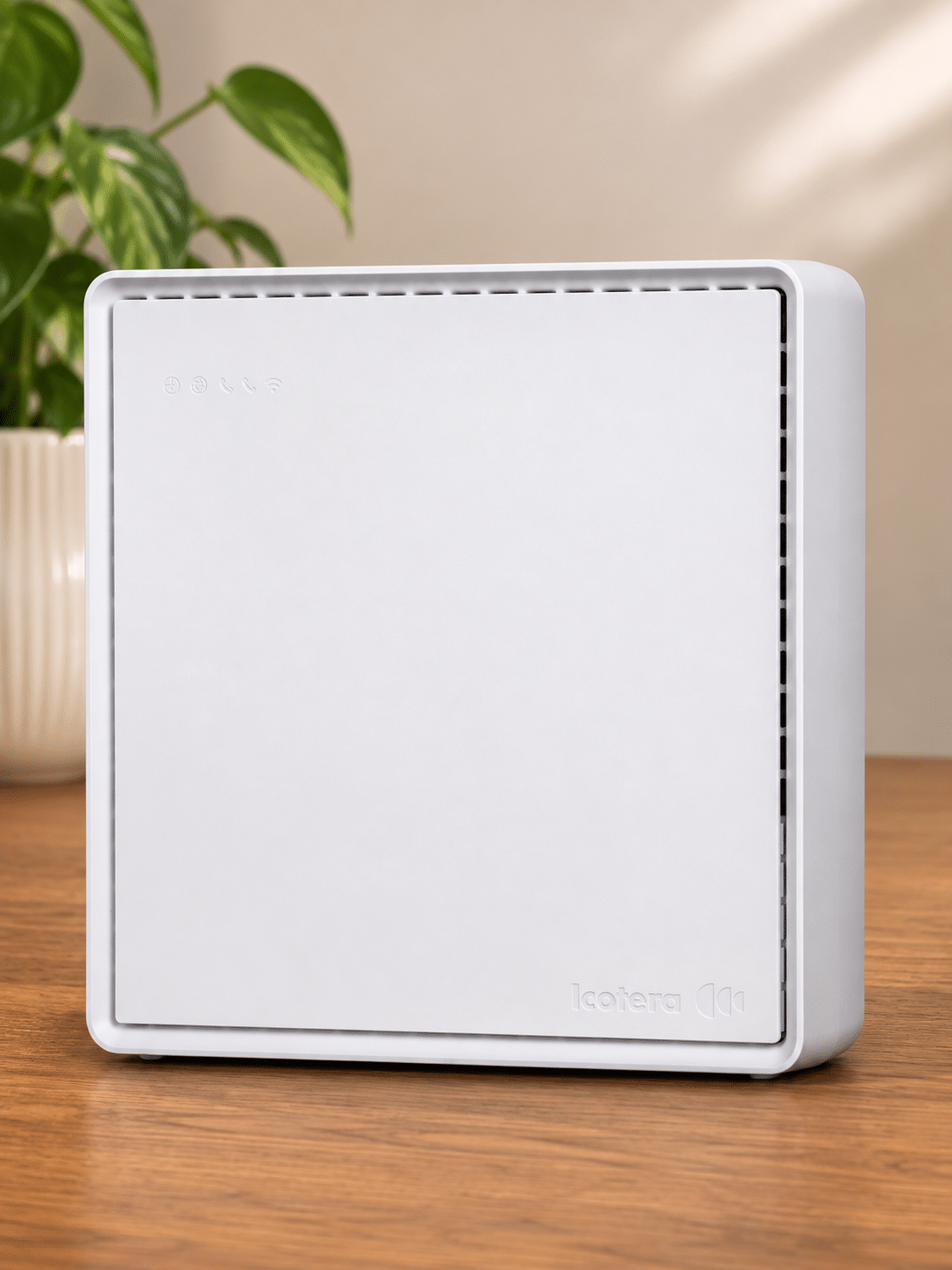
4th Utility currently supplies the Icotera i4850-25, i4862 and i4882. The router is included, but you don’t pick the model and the package page doesn’t tell you which one you’ll receive. These aren’t three names for much the same thing: the Wi-Fi standard, number of antennas and maximum wired speed all change with the model.
Two routers use Wi-Fi 6 and one is older
The i4862 and i4882 use Wi-Fi 6 and support the newer WPA3 security standard. The i4850-25 uses Wi-Fi 5 and WPA2. It still handles everyday browsing, streaming and calls, but it’s a generation behind the other two. None uses the newer 6GHz band, so all three are limited to the 2.4GHz and 5GHz bands.
The i4882 is the best router of the three
The i4882 has 12 internal antennas, Wi-Fi 6 and one 2.5Gb Ethernet port for a computer or network switch that also has a 2.5Gb port. It’s the only router in the range that can give one wired device more than 1Gbps. The i4862 has seven antennas and three Gigabit Ethernet ports, while the Wi-Fi 5 i4850-25 has six antennas and four Gigabit Ethernet ports. We’d be happier if 4th Utility promised the i4882 with its fastest package, but it doesn’t.
You buy any extra Wi-Fi equipment
The routers work with extra Icotera Wi-Fi points, but 4th Utility doesn’t sell them, include an extender with any package or promise a minimum speed in every room. If the supplied router doesn’t cover your home, you have to choose, buy and set up the extra equipment yourself.
Sources: 4th Utility
INTERACTIVE TOOL
Compare routers from any provider
This provider’s routers are pre-selected for comparison with one another. However, you can use this tool to compare any router from any major provider using the dropdown menus below.
| Feature | Icotera i4850-25 | Icotera i4862 |
|---|---|---|
| Fibredog rating | ||
| Router included as standard | Yes; Icotera i4850-25 is one of the Icotera models named by 4th Utility in a February 2026 notice about provisioning new-customer routers. Exact property and package allocation is not published, and customers cannot select the model at signup. | Yes; Icotera i4862 is one of the Icotera models named by 4th Utility in a February 2026 notice about provisioning new-customer routers. Exact property and package allocation is not published, and customers cannot select the model at signup. |
| Router manufacturer | Icotera | Icotera |
| Router model | i4850-25 | i4862-00 |
| Wi-Fi standard | Wi-Fi 5 | Wi-Fi 6 |
| Wi-Fi bands | Dual-band | Dual-band |
| 2.4GHz supported | ✓Yes | ✓Yes |
| 5GHz supported | ✓Yes | ✓Yes |
| 6GHz supported | ×No | ×No |
| Beamforming | ✓Yes | ✓Yes |
| Antenna count | 6 | 7 |
| Maximum connected devices | Up to 32 | Up to 32 |
| Stated coverage | No provider coverage figure published | No provider coverage figure published |
| Total Ethernet ports | 5 | 4 |
| MU-MIMO | ✓Yes | ✓Yes |
| OFDMA | ×No | ✓Yes |
| WPA3 security | ×No | ✓Yes |
| Guest network | ✓Yes | ✓Yes |
| Antenna type | Internal | Internal |
| Gigabit Ethernet ports | 5 | 4 |
| 2.5Gb Ethernet ports | 0 | 0 |
| 5Gb Ethernet ports | 0 | 0 |
| 10Gb Ethernet ports | 0 | 0 |
| WAN port speed | 1Gbps | 1Gbps |
| USB ports | 0 | 0 |
| Telephone ports | 0 | 0 |
| ONT Ethernet input | ✓Yes | ✓Yes |
| Coaxial input | ×No | ×No |
| Power connection | External 12V power adapter | External 12V 3A power adapter |
| Mesh support | Open mesh standard | Open mesh standard |
| Provider mesh product | Icotera i3550 access point (manufacturer-compatible; not sold as a 4th Utility add-on) | Icotera i3560 access point (manufacturer-compatible; not sold as a 4th Utility add-on) |
| Third-party router use | You can use your own router | You can use your own router |
| Modem mode | ✓Yes | ✓Yes |
| Compatible broadband technology | Full Fibre only | Full Fibre only |
| App management | ×No | ×No |
| Parental controls | ✓Yes | ✓Yes |
| QoS | ✓Yes | ✓Yes |
| Automated QoS | ×No | ×No |
| Device prioritisation | ×No | ×No |
| Anti-bufferbloat controls | ×No | ×No |
| Manual queue management (SQM/CAKE) | ×No | ×No |
| Smart channel selection | ✓Yes | ✓Yes |
| Security features | WPA2; guest network; firewall; manufacturer remote-management capability | WPA2/WPA3; guest network; firewall; manufacturer remote-management capability |
| Gamer mode | ×No | ×No |
| Game traffic prioritisation | ×No | ×No |
| Gaming QoS profiles | ×No | ×No |
| Server ping routing tools | ×No | ×No |
| Latency dashboards | ×No | ×No |
| Per-device gaming presets | ×No | ×No |
| Gaming VPN routing features | ×No | ×No |
| Work from home mode | ×No | ×No |
| Automatic firmware updates | ✓Yes | ✓Yes |
| Firmware update notes | The Icotera platform supports remote firmware and configuration management; 4th Utility does not publish a customer-facing update cadence. | The Icotera platform supports remote firmware and configuration management; 4th Utility does not publish a customer-facing update cadence. |
| Router height | 215mm | 234mm |
| Router width | 215mm | 177mm |
| Router depth | 50mm | 53mm |
| Router weight | 500g | 844g |
| Power consumption | 27W | 36W |
| Router orientation | Vertical | Vertical |
| Wall mountable | ✓Yes | ✓Yes |
| Router colour | White | White |
| Self-installation | ✓Yes | ✓Yes |
| Browser admin interface | ✓Yes | ✓Yes |
| WPS | ✓Yes | ✓Yes |
| Status light control | ✓Yes | ✓Yes |
| Reset button | ✓Yes | ✓Yes |
| Wi-Fi on/off button | ×No | ×No |
| Where would you like to go next? | See all tools | See all tools |
| Compare all broadband deals | ||
Three routers, but 4th Utility chooses yours
Three different routers
4th Utility chooses which one you receive.
The oldest uses Wi-Fi 5. The other two use Wi-Fi 6, with different antennas and Ethernet ports.
The best of the three
Icotera i4882
It combines Wi-Fi 6, 12 internal antennas and a 2.5Gb Ethernet port, making it the best fit for the fastest package.
4th Utility makes the choice
You can't choose the router model.
The order doesn't tell you which router you'll receive, so you won't know which Wi-Fi standard or maximum wired speed you're getting.
How the three supplied routers differ
The i4850-25 is the oldest of the three. Its Wi-Fi 5, six internal antennas and four Gigabit Ethernet ports are enough for everyday browsing, streaming and calls. What you miss are the newer Wi-Fi and security features found on the other models.
The i4862 uses Wi-Fi 6, supports WPA3 and has seven internal antennas. Its three Gigabit Ethernet ports are enough for a television, games console and computer. For most homes, this is the model we'd choose. Wi-Fi 6 copes better when several phones, laptops and televisions are online together. It has no faster Ethernet port, though, so one wired device can't receive more than 1Gbps.
The i4882 is the clear leader. It uses Wi-Fi 6, has 12 internal antennas and is the only model with a 2.5Gb Ethernet port. That faster port is important on the 2.3Gbps package because a computer with a 2.5Gb Ethernet port can receive more than 1Gbps. The other two routers can't do that.
You don't get to choose between them. 4th Utility says it chooses the model to suit your home and the installation, but doesn't explain how it decides. Any of the three can handle packages up to 900Mbps. The 2.3Gbps package is different, because only the i4882 can give one wired device more than 1Gbps. Paying for that speed without knowing which router will arrive is a poor deal.
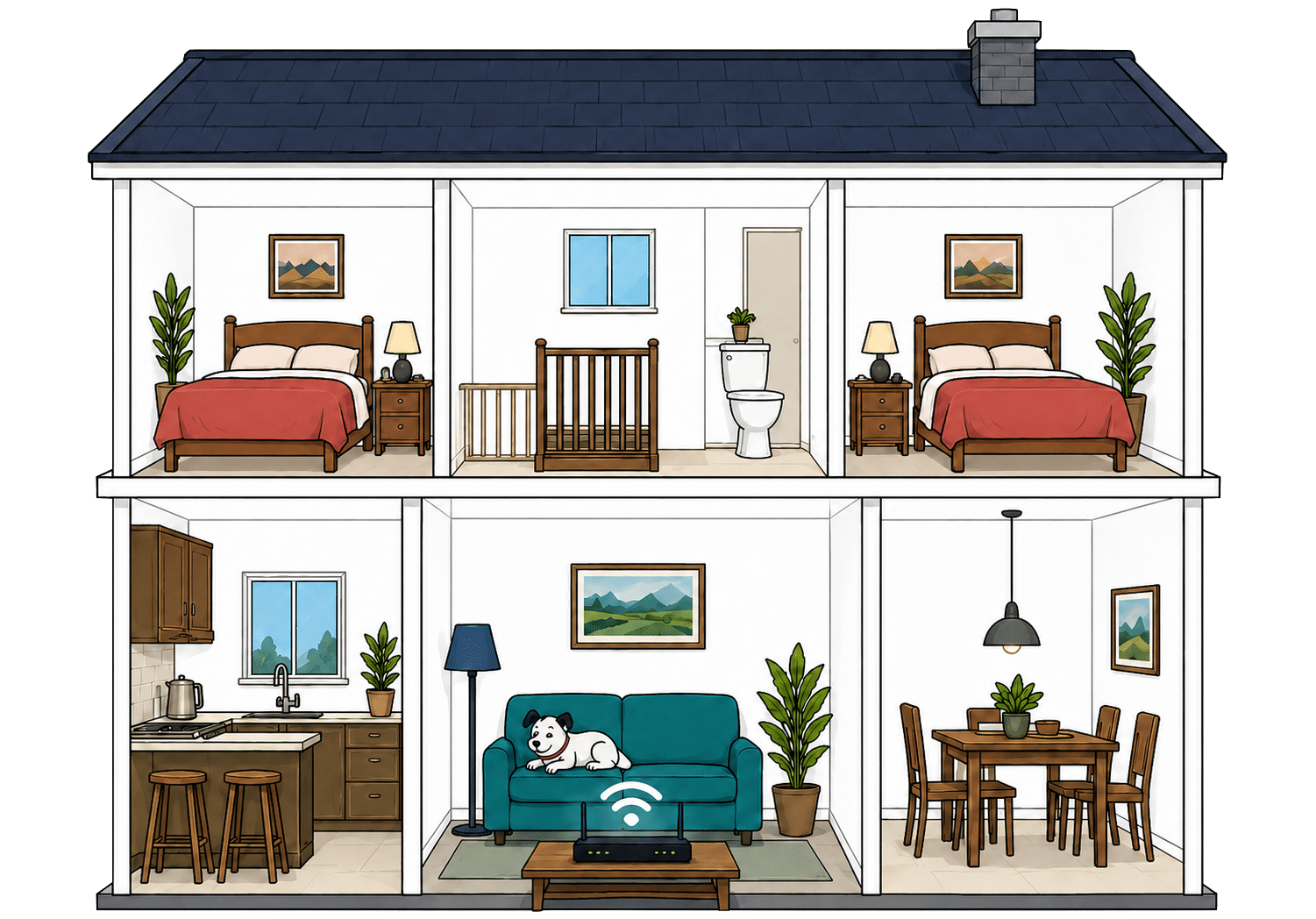
INTERACTIVE TOOL
Router range estimator
See how wall materials and router choice affect the quality of Wi-Fi around a typical home.
Where would you like to go next?
Using the Router Range Estimator
Choose the Icotera router 4th Utility sent you, then select the main material used in the internal walls. The result is a rough estimate of how far Wi-Fi will reach, not a promise.
Neighbouring Wi-Fi, mixed wall materials, furniture and the router's position can all change the result. Use the estimate to spot likely problem rooms, then test those rooms once the service is running.
Getting the best range from your router
-
Start with position
Keep the router out in the open and as close to the middle of the home as the installed connection allows. Avoid cupboards and floor-level corners.
-
Test every room
Run a speed test where people actually use phones, televisions and laptops. A fast result beside the router doesn't prove the signal reaches upstairs.
-
Open the browser controls
4th Utility has no router app. The browser admin page shows connected devices and router settings, which helps you check which Wi-Fi band a phone, television or computer is using.
-
Clear nearby obstacles
Move the router away from televisions, mirrors, large metal objects and anything that boxes it in. Keeping the space around it clear gives the signal fewer obstacles.
-
Add your own mesh
If one router doesn't reach important rooms, add compatible mesh Wi-Fi or use a different router system. 4th Utility doesn't offer a mesh package of its own.

The two Wi-Fi bands behave differently
The 2.4GHz band travels further and passes through walls more easily, but it's slower and often busier because many household devices use it. It's useful for rooms further from the router and for devices that don't need much speed.
The 5GHz band is faster when you're near the router, which makes it a better fit for streaming, downloads and gaming. It loses more strength as it passes through walls, so a device in a distant room may fall back to 2.4GHz.
All three Icotera routers use those two bands. None uses the newer 6GHz band. That's no great loss for range because 6GHz has an even harder time crossing walls. It does mean newer devices can't use the quieter 6GHz band when they're close to the router.
Wired connectivity
Most devices connect by Wi-Fi, but a cable still gives a desktop computer or games console the fastest and most stable link to the router. How many devices you can plug in, and how fast they can go, depends on which model 4th Utility sends. On the 2.3Gbps package, only one of the three routers lets a single wired device use more than 1Gbps.
Two routers stop each wired device at 1Gbps
The i4850-25 has four Gigabit Ethernet ports you can use, while the i4862 has three. That's enough for several wired devices, such as a television, games console, desktop computer or network switch. Each port handles the full speed of packages up to 900Mbps.
A Gigabit Ethernet port can't deliver more than 1Gbps to one device. That won't matter on packages up to 900Mbps because the broadband itself is slower. It becomes important on the 1Gbps and 2.3Gbps packages, especially if you're buying the fastest service to move very large files on one computer.
Only the i4882 gives one device more than 1Gbps
The i4882 has one 2.5Gb Ethernet port for a computer or network switch and another that connects the router to 4th Utility's service. A computer with a 2.5Gb Ethernet port can receive more than 1Gbps. The other two routers can't do that, no matter which package you buy.
4th Utility doesn't promise the i4882 with the 2.3Gbps package. Several devices can share the package's full speed, but no single wired device can exceed 1Gbps if the i4850-25 or i4862 arrives. If you're paying for the fastest package, you shouldn't have to hope for the only router that lets one device use more than 1Gbps.

How a simple wired 4th Utility network works
Plugging devices directly into your router gives them a steadier connection than Wi-Fi. These router diagrams show the physical Ethernet ports, including any ONT or internet port used by the broadband connection itself.
Use a wired connection for TVs, consoles and computers that stay in one place.
Use the fastest spare LAN port for the device or switch that needs the most speed.
Ethernet still gives important devices the steadiest connection
A wired connection avoids the walls, distance and interference that make Wi-Fi speeds vary. Games consoles, work computers and network storage benefit most because a cable gives them a steady connection to the router.
You don't need to wire every device. Use the available ports for equipment that stays near the router, especially when a dropped connection would interrupt a game, call or large download. Phones and tablets are made for Wi-Fi, and most televisions work well over a reliable wireless connection.
The exact number of ports depends on the router 4th Utility sends you. The i4850-25 has four Gigabit Ethernet ports, the i4862 has three and the i4882 has two Gigabit ports plus one faster 2.5Gb Ethernet port.
If those ports aren't enough, an Ethernet switch adds more wired sockets. Every device connected to the switch still shares the speed of the one router port.
How to get the most from 4th Utility's Ethernet ports
-
Count the available ports
The model 4th Utility sends you has four, three or two Gigabit Ethernet ports, plus the i4882's single faster port.
-
Gigabit ports suit packages up to 900Mbps
Every supplied router can give one wired device the full speed of any 4th Utility package up to 900Mbps.
-
The 2.3Gbps package needs the i4882
Only the i4882 has a 2.5Gb Ethernet port. The other routers cap each wired device at 1Gbps, even on the fastest service.
-
Wire the busiest devices
Give the wired ports to a games console, desktop computer, work laptop dock or network storage before using one for equipment that already works reliably over Wi-Fi.
-
Add an Ethernet switch
A switch creates more wired sockets when every port on the router is occupied. The connected devices still share the speed of the original router port.
What changes when you use your own router
The free bridge connects your router to 4th Utility's broadband service. You can unplug the supplied Icotera router completely. Your own router then provides Wi-Fi and handles every wired and wireless connection in the home.
The bridge connects your router to broadband
The bridge connects 4th Utility's broadband service to your own router, so the supplied Icotera model no longer runs the home network.
Your router connects to the bridge by Ethernet and uses the PPPoE details from the 4th Utility online account.
Your router runs the home network
Your own router handles Wi-Fi, wired devices, guest access, parental controls, security updates and any specialist settings included by its manufacturer.
You gain control over those features, but you also become responsible for setting them up and fixing problems that don't come from 4th Utility's broadband service.
Some links on this page may earn us a small commission if you click through and buy. This never affects either what you pay, or our scores and recommendations. If, however, you’d rather bypass affiliate links, use this direct 4th Utility link instead.
