HYPEROPTIC ROUTERS AND EQUIPMENT REVIEW
Hyperoptic routers review: How good are they?
Hyperoptic’s Hyperhub is a Wi-Fi 6 router with four Gigabit Ethernet ports, and replacing it with your own router is unusually easy. Its whole-home Wi-Fi add-on is less appealing because it costs extra without guaranteeing the result. This review explains what the supplied router can do and when replacing it makes sense.
Hyperoptic routers and equipment scorecard
Six key areas. One overall score. All calculated using our transparent methodology.
Wi-Fi quality
How good the standard routers’ Wi-Fi is in everyday use, looking at specifications, Wi-Fi bands/type, and how many devices they can support.
Wi-Fi range
How far the router’s Wi-Fi should reach around the home, with consideration given to local factors like large homes or thick walls.
Whole-home Wi-Fi
Whether the provider offers a mesh router system or extra help for larger homes, whether it’s good, and whether it’ll cost you extra.
Wired connectivity
How well the router supports Ethernet and wired devices, looking at number of ports, their speeds, and how accessible they are.
Router controls
How much control you get through the app, admin page and any controls you might have on the router itself.
Using your own router
How easily you can use your own third-party router or mesh hardware – whether you can use anything you like or if it’s limited in any way.
Fibredog Router Comparison Tool
Compare this provider’s routers with each other, or with any other national provider.
Fibredog Router Range Estimator
Provides a visual mock-up of how Wi-Fi is likely to behave in your home with this provider’s routers.
Fibredog Whole Home Wi-Fi Calculator
Calculates whether you need additional mesh routers, how many, and even where you should put them.
Wi-Fi quality
The Hyperhub uses Wi-Fi 6 and includes the features needed to share the signal between several phones, laptops, televisions and consoles at once. You also get modern Wi-Fi security. Hyperoptic doesn’t offer a newer or more capable router with its fastest package.
Key differences
The Hyperhub handles a busy home’s Wi-Fi without a fuss
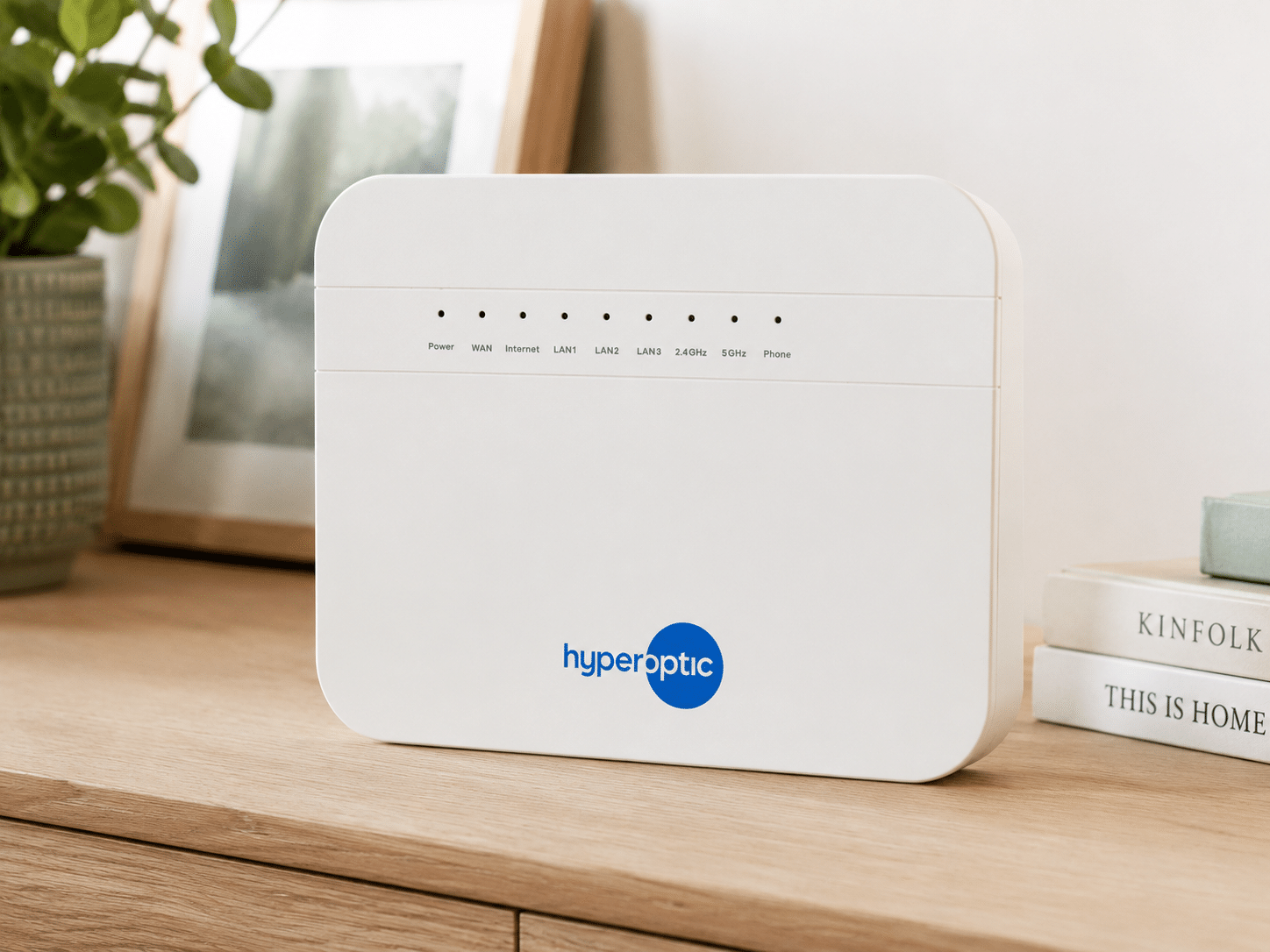
Hyperoptic’s current home router is the Zyxel EX3301-T0. It uses dual-band Wi-Fi 6, with four internal antennas and features called beamforming, MU-MIMO and OFDMA. In everyday use, they help the router aim and share its Wi-Fi when several devices are active. You also get WPA3 security and a separate guest network.
Wi-Fi 6 suits the devices most homes use
Wi-Fi 6 works well with the phones, laptops, televisions and consoles found in most homes. Hyperoptic says the Hyperhub can connect up to 64 wireless devices, but that doesn’t mean 64 busy devices will all fly at once. It doesn’t support the 6GHz band used by Wi-Fi 6E equipment. It isn’t a Wi-Fi 7 router either, so you don’t get the newer generation’s other upgrades.
Every package comes with the same Hyperhub
Hyperoptic doesn’t reserve a better router for its fastest package. The same Hyperhub supports the home range, from 159Mbps through to 900Mbps. That’s fair to customers on the cheaper tiers, and its wired sockets are fast enough for every current package. The 900Mbps service still doesn’t unlock newer Wi-Fi, a faster 2.5Gb Ethernet socket or easier controls. You’re paying for a faster Full Fibre connection rather than a better router. If you need those features, you can replace the Hyperhub with your own router.
Total Wi-Fi adds coverage, not speed
If one Hyperhub can’t reach the whole home, Total Wi-Fi adds a Minihub for an extra monthly charge. It’s a mesh Wi-Fi add-on rather than a faster main router, and Hyperoptic may provide a second Minihub after troubleshooting.
Sources: Hyperoptic
INTERACTIVE TOOL
Compare routers from any provider
This provider’s routers are pre-selected for comparison with one another. However, you can use this tool to compare any router from any major provider using the dropdown menus below.
| Feature | Choose router | Choose router |
|---|---|---|
| Fibredog rating | — | — |
| Router included as standard | — | — |
| Router manufacturer | — | — |
| Router model | — | — |
| Wi-Fi standard | — | — |
| Wi-Fi bands | — | — |
| 2.4GHz supported | — | — |
| 5GHz supported | — | — |
| 6GHz supported | — | — |
| Beamforming | — | — |
| Antenna count | — | — |
| Maximum connected devices | — | — |
| Stated coverage | — | — |
| Total Ethernet ports | — | — |
| MU-MIMO | — | — |
| OFDMA | — | — |
| WPA3 security | — | — |
| Guest network | — | — |
| Antenna type | — | — |
| Gigabit Ethernet ports | — | — |
| 2.5Gb Ethernet ports | — | — |
| 5Gb Ethernet ports | — | — |
| 10Gb Ethernet ports | — | — |
| WAN port speed | — | — |
| USB ports | — | — |
| Telephone ports | — | — |
| ONT Ethernet input | — | — |
| Coaxial input | — | — |
| Power connection | — | — |
| Mesh support | — | — |
| Provider mesh product | — | — |
| Third-party router use | — | — |
| Modem mode | — | — |
| Compatible broadband technology | — | — |
| App management | — | — |
| Parental controls | — | — |
| QoS | — | — |
| Automated QoS | — | — |
| Device prioritisation | — | — |
| Anti-bufferbloat controls | — | — |
| Manual queue management (SQM/CAKE) | — | — |
| Smart channel selection | — | — |
| Security features | — | — |
| Gamer mode | — | — |
| Game traffic prioritisation | — | — |
| Gaming QoS profiles | — | — |
| Server ping routing tools | — | — |
| Latency dashboards | — | — |
| Per-device gaming presets | — | — |
| Gaming VPN routing features | — | — |
| Work from home mode | — | — |
| Automatic firmware updates | — | — |
| Firmware update notes | — | — |
| Router height | — | — |
| Router width | — | — |
| Router depth | — | — |
| Router weight | — | — |
| Power consumption | — | — |
| Router orientation | — | — |
| Wall mountable | — | — |
| Router colour | — | — |
| Self-installation | — | — |
| Browser admin interface | — | — |
| WPS | — | — |
| Status light control | — | — |
| Reset button | — | — |
| Wi-Fi on/off button | — | — |
| Where would you like to go next? | See all tools | See all tools |
| Compare all broadband deals | ||
Every package comes with one router choice
Hyperhub
Included with every package
Zyxel EX3301-T0 with dual-band Wi-Fi 6, four internal antennas and four Gigabit LAN ports
No premium alternative
Same on every tier
The 900Mbps package doesn't come with a more advanced router or faster Ethernet connection.
Four
Gigabit Ethernet LAN ports for wired devices
Enough for every current Hyperoptic speed, but there's no multi-gigabit port for faster local networking.
How the Hyperhub copes with everyday use
For everyday use, the Hyperhub is unlikely to feel like a bargain-bin router. Wi-Fi 6 and its usual efficiency features give a mixed household a good starting point for streaming, calls, browsing and gaming.
Its four internal antennas help send the signal around your home. Features called beamforming, MU-MIMO and OFDMA then aim and share that signal when several devices are active. They can make busy Wi-Fi work more smoothly, but they can't send it cleanly through thick walls, over a long distance or from a router hidden inside furniture.
The router is slim, stands vertically and can be wall mounted. That makes it easier to place in the open instead of burying it inside a television cabinet, which may improve the result without spending anything.
If you own Wi-Fi 6E or Wi-Fi 7 devices, move large files around your home network or need more than Gigabit Ethernet, the missing features become easier to notice. Homes with several floors or thick walls may also need mesh Wi-Fi. Hyperoptic doesn't offer a better router for any of those jobs, but it does make replacing the Hyperhub unusually easy.
INTERACTIVE TOOL
Router range estimator
See how wall materials and router choice affect the quality of Wi-Fi around a typical home.
Where would you like to go next?
Use the estimator before buying more hardware
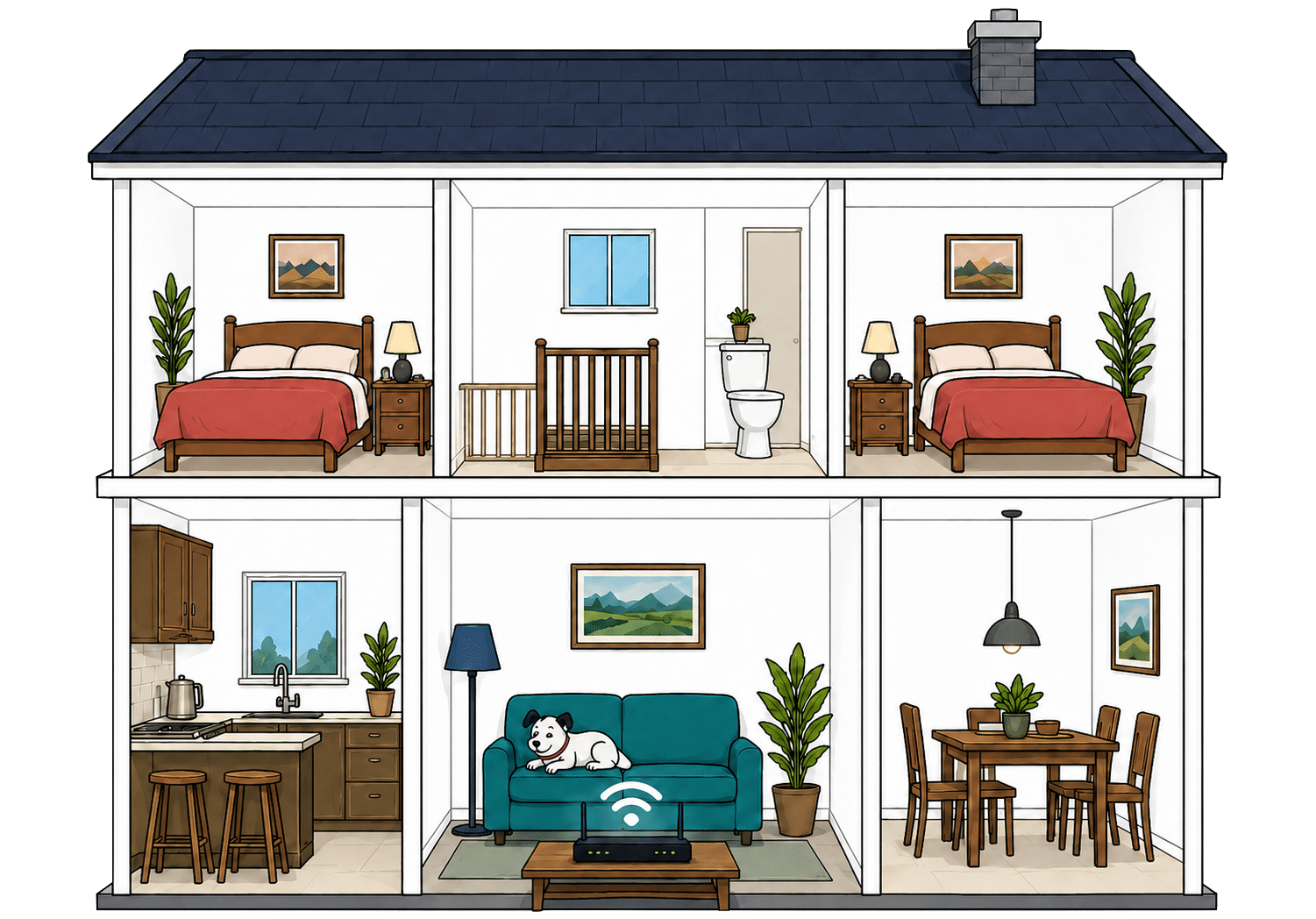
Tell the Router Range Estimator about your home's size, number of floors, wall materials and router position. It will show whether one well-placed Hyperhub is likely to reach the rooms you use.
Treat the result as a planning guide, then test the actual rooms once the service is installed. If only one room behind several walls struggles, moving the router may be enough. Several weak rooms point towards mesh Wi-Fi or Ethernet.
How to get more from your Hyperhub
-
Place it openly
Stand or mount the Hyperhub above floor level, away from cupboards, large metal objects and the back of the television.
-
Test the weak rooms
Run the same speed test beside the router and in each problem room. The difference reveals what the Wi-Fi is losing.
-
Use the browser controls
The Hyperhub has no management app. Log into its browser page to check connected devices, wireless settings and anything that may need changing.
-
Move obvious blockers
A cupboard, television, mirror or thick wall right beside the router can block more signal than a little extra distance through open space.
-
Add mesh only when needed
Try placement first. If several rooms remain weak, compare Total Wi-Fi with buying your own mesh system.

The two Wi-Fi bands do different jobs
2.4GHz normally travels further and gets through obstacles more easily. It suits distant rooms and low-demand devices such as smart plugs, although neighbouring networks and household equipment can make the band crowded. Don't worry if a faraway device settles here.
5GHz gives modern phones, laptops and televisions more speed when they're near the Hyperhub. It loses that speed more quickly through floors and solid walls. Paying for a faster package can't push the Wi-Fi signal through those obstacles.
Let the router steer devices automatically unless you're solving a specific problem. If a room remains slow, compare the same device beside the Hyperhub. A large improvement nearby points to coverage, not the Full Fibre connection. Repositioning, Ethernet or mesh Wi-Fi will help more than changing package.
Wired connectivity
The Hyperhub has plenty of sockets for Hyperoptic's current packages. Four Gigabit Ethernet sockets let you wire several important fixed devices, while a separate socket handles the Full Fibre connection. There's also a USB 2.0 port and two phone sockets. A single wired device can't go beyond Gigabit speed, but that won't restrict today's 900Mbps top tier.
Four Gigabit LAN ports suit every current Hyperoptic package
The Hyperhub has four Gigabit Ethernet LAN ports for your equipment, plus a separate Gigabit WAN port for the incoming connection. You can wire a computer, console, television and network storage without immediately adding another box.
Each LAN port can carry up to 1Gbps, which comfortably matches Hyperoptic's fastest advertised home average of 900Mbps. A wired device can therefore use the current top package without the router slowing it down. You won't need a faster port for internet use.
Faster packages would need a faster port
The Hyperhub has no 2.5Gb Ethernet connection. That doesn't matter while Hyperoptic's fastest advertised home average is 900Mbps. It would matter if Hyperoptic launched a package above 1Gbps, or if you wanted to move files between two devices at more than Gigabit speed.
A computer or network drive with multi-gigabit Ethernet can't use its full local speed through the Hyperhub. You can fix that by using your own router, but you'll have to buy it yourself. It only makes sense if you regularly move large files at home.
How a simple wired Hyperoptic network works
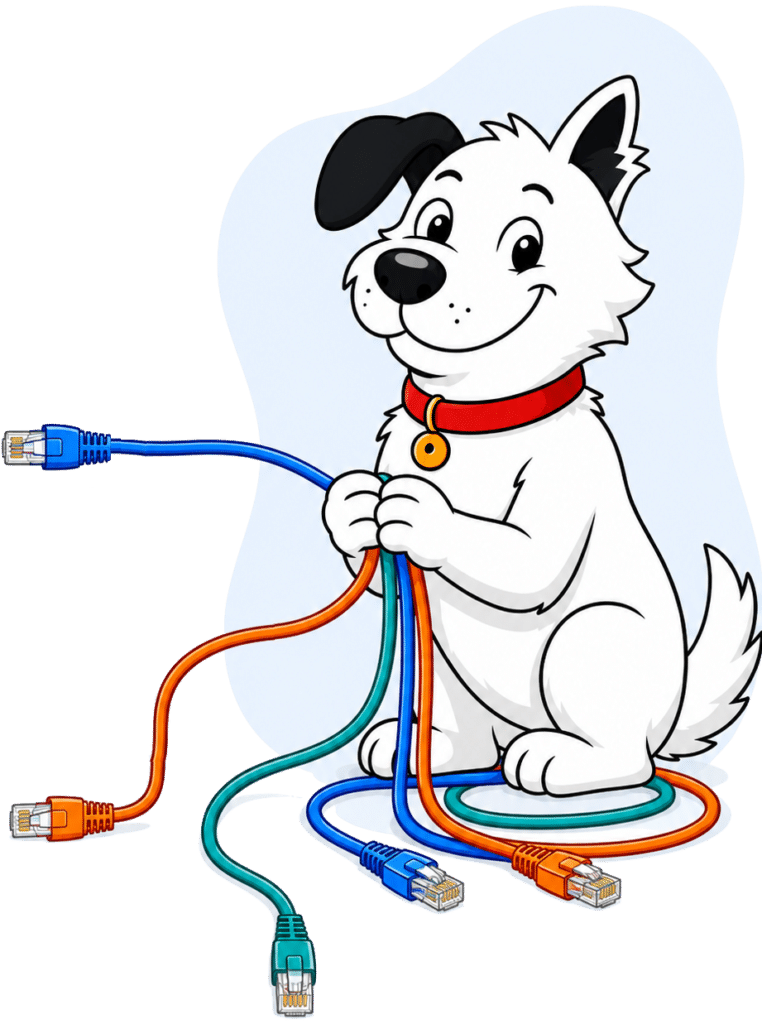
Plugging devices directly into your router gives them a steadier connection than Wi-Fi. These router diagrams show the physical Ethernet ports, including any ONT or internet port used by the broadband connection itself.
Use a wired connection for TVs, consoles and computers that stay in one place.
Use the fastest spare LAN port for the device or switch that needs the most speed.
Use Ethernet for consoles, work computers and televisions
A cable avoids the distance, walls and neighbouring networks that make Wi-Fi change from room to room. Use it for devices where consistency matters more than tidiness.
A gaming computer or console is the obvious first choice. Ethernet can't improve Hyperoptic's wider network, but it takes your own Wi-Fi out of the equation and makes a fault much easier to diagnose.
A work computer benefits for the same reason. Video calls and remote sessions need a stable connection more than an enormous speed-test result, especially when the desk is several rooms from the router.
Wire televisions, network storage and mesh points where you can. That leaves more Wi-Fi capacity for phones and tablets while giving fixed devices a stable connection.
How to use the Hyperhub's four Ethernet ports at home
-
Count the LAN ports
You have four Gigabit LAN ports. The separate WAN port connects the Hyperhub to Hyperoptic and isn't spare.
-
Gigabit covers the current top tier
A Gigabit port is fast enough for Hyperoptic's 900Mbps advertised average, although normal overheads mean tests may show slightly less.
-
Multi-gigabit equipment will need another router
There's no 2.5Gb Ethernet port. A different router is only worthwhile if you regularly move large files between devices at home.
-
Wire the devices that care
Give Ethernet to your main console, work computer, television or storage first. Leave phones and tablets on Wi-Fi.
-
Add a network switch
If four ports aren't enough, an inexpensive Gigabit Ethernet switch can add more without replacing the Hyperhub.
What changes when you replace the Hyperhub
The Hyperhub is disconnected. Your own router plugs into the existing Ethernet connection and takes charge of Wi-Fi, wired devices, parental controls and internet security settings.
The broadband connection stays the same
Hyperoptic's small fibre box on the wall, sometimes labelled ONT, stays in place and continues to bring broadband into your home.
Your package speed stays the same. Hyperoptic's CGNAT setup also stays in place, even though you've connected a different router.
Your router runs the home network
Your router takes over Wi-Fi names, passwords, guest access, parental controls, internet security settings and any feature for putting certain online activity first.
You'll also be responsible for setting it up, keeping its software updated and fixing router faults. Keep the Hyperhub in case Hyperoptic asks you to reconnect it.
Some links on this page may earn us a small commission if you click through and buy. This never affects either what you pay, or our scores and recommendations. If, however, you’d rather bypass affiliate links, use this direct Hyperoptic link instead.