HYPEROPTIC VALUE FOR MONEY REVIEW

Hyperoptic value for money: How good is it?

Hyperoptic keeps its broadband packages simple. Every package includes the same Wi-Fi 6 router and some of the best customer service we’ve seen, but Total Wi-Fi and other extras cost more. Prices rise by £4 a month each April and can jump again after the minimum term. The standard package is useful rather than generous.
By Data checked  Checked weekly
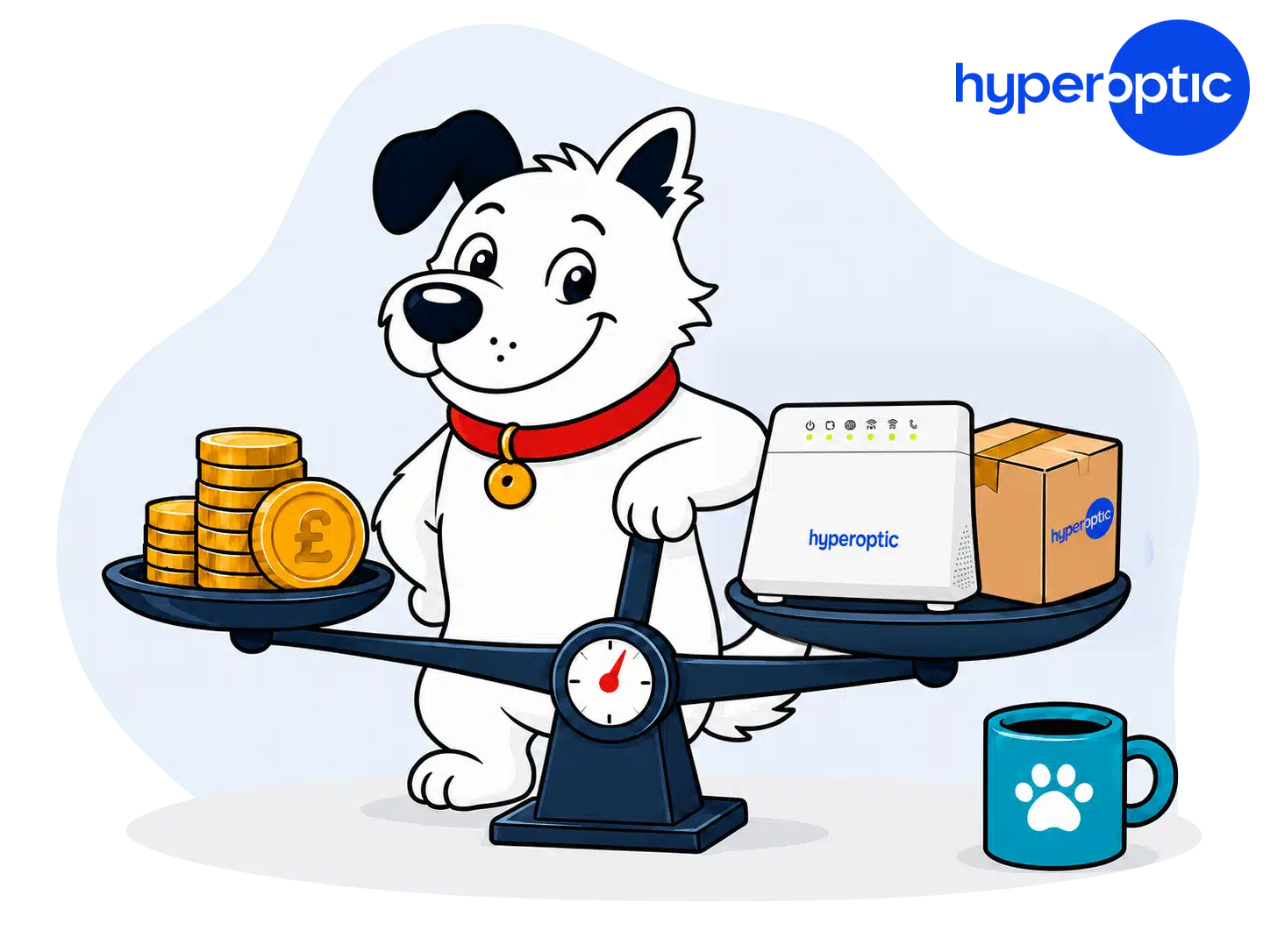
Fibredog balances pound coins against Hyperoptic equipment to assess value for money

Hyperoptic Value for Money Scorecard

Six key areas. One overall score. All calculated using our transparent methodology.

What you get as standard

The features, equipment and services included as standard, before paid add-ons, premium tiers or optional upgrades are added.

4.9/10

Included router quality

How much value the included router adds to the package, including Wi-Fi standard, ports, coverage and overall hardware quality.

8.0/10

Annual price rises

How clearly annual price rises are explained, how predictable they are, and how much they add during the minimum term.

6.5/10

Cost of upgrades and extras

Which useful extras cost more, which are bundled in, and whether upgrades feel sensible or too easy to overspend on.

4.2/10

End-of-contract pricing

What happens when the minimum term ends, whether the price jumps, and how easy it is to avoid poor rollover value.

5.8/10

Service guarantees

The service guarantees, speed promises, compensation rules and fault protections that apply when the connection underperforms.

7.2/10

What you get as standard

Every Hyperoptic package includes Full Fibre broadband, the current Hyperhub and excellent customer service. However, there is no router upgrade, security software or mobile broadband backup to add. Total Wi-Fi has a firm limit on extra mesh units. A paid static IP is a welcome exception because few home broadband providers offer one.

The Hyperhub and customer service are the package highlights

Every Hyperoptic package includes the broadband connection and the same Hyperhub. It’s a capable Wi-Fi 6 router with four wired ports, so most homes can get online without buying extra equipment. Hyperoptic also provides some of the best customer service we’ve seen from any broadband provider.

Beyond those two highlights, choice is limited. You can’t select a different router at checkout, buy a premium model from Hyperoptic, add security software or pay for mobile broadband backup. Total Wi-Fi is available, but you can’t keep adding extra mesh units beyond the supported maximum.

There are useful gaps you can’t pay to fill

Hyperoptic’s short extras list makes checkout easier, but some missing options matter. There is no provider router upgrade, no security suite and no mobile broadband backup to buy later. If your needs change, you may have to find your own solution rather than add something to the package.

The paid static IP is a genuine plus. Most home broadband providers don’t offer one at all, so people who need a fixed internet address can get it without moving to a business package. Call plans and Total Wi-Fi are also available, although the number of mesh units is capped.

Fair Fibre gives eligible homes a better safety net

Hyperoptic’s Fair Fibre Plan is the most meaningful extra in the wider offer. Eligible benefit recipients can get a monthly-rolling Full Fibre package without early exit fees, rather than being pushed into a long commitment.

It isn’t part of the standard package, so it doesn’t make every Hyperoptic deal more generous. It does give qualifying households a proper lower-cost route without dropping them onto an old or heavily restricted connection.

Paying for more speed doesn’t unlock more extras

Moving up Hyperoptic’s range mainly buys a faster connection. Every standard speed comes with the same Hyperhub, and faster packages don’t include Total Wi-Fi or a better router. That makes the range easy to compare because the only major difference between the packages is the broadband speed.

The faster speed therefore has to justify the extra monthly cost on its own. Don’t move up the range expecting a better router or more features to appear with it.

AT A GLANCE

What you get with Hyperoptic

Here's what's included as standard, what may cost extra, and what's included with premium packages.

Feature
On all standard packages
Paid extra
Included with premium packages
Landline
No
Yes
No
App management
No
No
No
Parental controls
Yes
No
Yes
Guest network
Yes
No
Yes
Router security features
Yes
No
Yes
Automatic firmware updates
Yes
No
Yes
Wi-Fi guarantee
No
No
No
Mesh devices
No
Yes
Yes
Security software
No
No
No
Provider email
No
No
No
Broadband backup
No
No
No

Standard kit versus paid extras

This table separates everyday included features from extras that may depend on package tier, router choice or paid add-ons.

✓

Good to know: Included features are easier to compare because you won’t need to budget for them separately.

✕

Worth checking: Some useful extras may only be included on selected packages or as paid add-ons.

Choose the speed your household will genuinely use, then check whether the standard router can cover your home. If it can, the basic Hyperoptic package may be all you need. If it can’t, include the cost of Total Wi-Fi before comparing the deal with another provider. Add call plans or a static IP only if your household actually needs them.

A simple package can be good value when the included router does the job. It becomes less competitive if you need to pay for several extras every month.

How to decide whether the standard Hyperoptic package is enough

  1. Choose your speed

    Pay for the speed your home will use. Faster packages don’t bring a better router or more included features.

  2. Check the router

    The included Hyperhub is good enough for many homes. Don’t add Total Wi-Fi unless coverage is likely to be a problem.

  3. Count the useful extras

    Add whole-home Wi-Fi, call plans or a static IP only when they solve a real need in your household.

  4. Check what Total Wi-Fi actually promises

    Total Wi-Fi adds Minihubs, but Hyperoptic doesn’t publish a guaranteed speed for every room in your home.

  5. Fix Wi-Fi before upgrading

    Higher broadband speeds won’t improve poor Wi-Fi coverage. Fix the coverage problem instead of buying speed your devices can’t reach.

Hyperoptic includes Full Fibre broadband, a decent Wi-Fi 6 router and exceptional customer service, but it gives you very little choice beyond them. You can’t upgrade the router, add security software, buy mobile broadband backup or keep adding mesh units. Faster packages use the same hardware. The paid static IP is a rare positive, but the overall package remains inflexible.

4.9 /10
Overall score

What you get as standard score

This score looks at the useful extras included before you start paying more, including router controls, security features, Wi-Fi help, backup options and everyday add-ons.

Included router value

The included Hyperhub adds useful value to every Hyperoptic package. It brings Wi-Fi 6, four wired ports and the features most homes need without an upfront router purchase. It isn’t cutting edge and Hyperoptic doesn’t offer a premium model, but most customers won’t need to replace it straight away.

The included Hyperhub earns its place in the package

Hyperoptic includes a capable Wi-Fi 6 router as standard

New home broadband customers should receive the Zyxel EX3301-T0 Hyperhub. It’s a dual-band Wi-Fi 6 router with four Gigabit Ethernet ports, beamforming and the usual features needed for streaming, video calls and gaming. It isn’t the newest router on the market, but it’s a useful step up from the older Wi-Fi 5 models that some providers still use.

There’s no premium Hyperoptic router option

Hyperoptic doesn’t ask home customers to choose between several router models. Every standard speed comes with the same current Hyperhub. That keeps checkout simple, although customers who want a newer Wi-Fi 6E or Wi-Fi 7 router can’t buy one from Hyperoptic. They’ll need to use their own router instead.

Simplicity comes with limits

The Hyperhub is included and has enough wired connections for an average home. Hyperoptic also makes it unusually easy to use your own router, which is helpful if you want better Wi-Fi or more controls.

The Hyperhub uses dual-band Wi-Fi 6 and doesn’t have a faster multi-gig wired port. Hyperoptic doesn’t sell a premium router either. Total Wi-Fi can extend the signal into rooms the main router can’t reach, but it costs extra each month. For most homes, the included Hyperhub is good value. Customers with newer devices or a multi-gig package may want more capable hardware.

INTERACTIVE TOOL

Compare routers from any provider

This provider’s routers are pre-selected for comparison with one another. However, you can use this tool to compare any router from any major provider using the dropdown menus below.

Feature Choose router Choose router
Fibredog rating — —
Router included as standard — —
Router manufacturer — —
Router model — —
Wi-Fi standard — —
Wi-Fi bands — —
2.4GHz supported — —
5GHz supported — —
6GHz supported — —
Beamforming — —
Antenna count — —
Maximum connected devices — —
Stated coverage — —
Total Ethernet ports — —
MU-MIMO — —
OFDMA — —
WPA3 security — —
Guest network — —
Antenna type — —
Gigabit Ethernet ports — —
2.5Gb Ethernet ports — —
5Gb Ethernet ports — —
10Gb Ethernet ports — —
WAN port speed — —
USB ports — —
Telephone ports — —
ONT Ethernet input — —
Coaxial input — —
Power connection — —
Mesh support — —
Provider mesh product — —
Third-party router use — —
Modem mode — —
Compatible broadband technology — —
App management — —
Parental controls — —
QoS — —
Automated QoS — —
Device prioritisation — —
Anti-bufferbloat controls — —
Manual queue management (SQM/CAKE) — —
Smart channel selection — —
Security features — —
Gamer mode — —
Game traffic prioritisation — —
Gaming QoS profiles — —
Server ping routing tools — —
Latency dashboards — —
Per-device gaming presets — —
Gaming VPN routing features — —
Work from home mode — —
Automatic firmware updates — —
Firmware update notes — —
Router height — —
Router width — —
Router depth — —
Router weight — —
Power consumption — —
Router orientation — —
Wall mountable — —
Router colour — —
Self-installation — —
Browser admin interface — —
WPS — —
Status light control — —
Reset button — —
Wi-Fi on/off button — —
Where would you like to go next? See all tools See all tools
Compare all broadband deals

How Hyperoptic decides which router you get

Home packages

You get the current Hyperhub.

The current home router is the Zyxel EX3301-T0. Your chosen speed doesn't change that model.

Want wider coverage?

Add Total Wi-Fi Minihubs.

The Minihubs extend coverage, but they are a paid monthly add-on rather than a premium replacement router.

Want more control?

Use your own router.

Hyperoptic makes that swap unusually easy, although you'll be responsible for setting up the new router and fixing any problems with it.

Is the Hyperhub good value for money?

Yes, within reason. It's included, uses Wi-Fi 6 and has enough wired ports for most homes. You can stream, work, play games and connect several wired devices without buying another router on day one. Hyperoptic also avoids the annoying habit of reserving the usable router for its most expensive package.

The Hyperhub looks less impressive beside the newest Wi-Fi 7 routers, and none of its wired ports can deliver a multi-gig connection to one device. That won't bother an average household. It matters more if you buy Hyperoptic's fastest package or want to keep the same router for many years. As an included router, it's genuinely good value. It just isn't premium hardware.
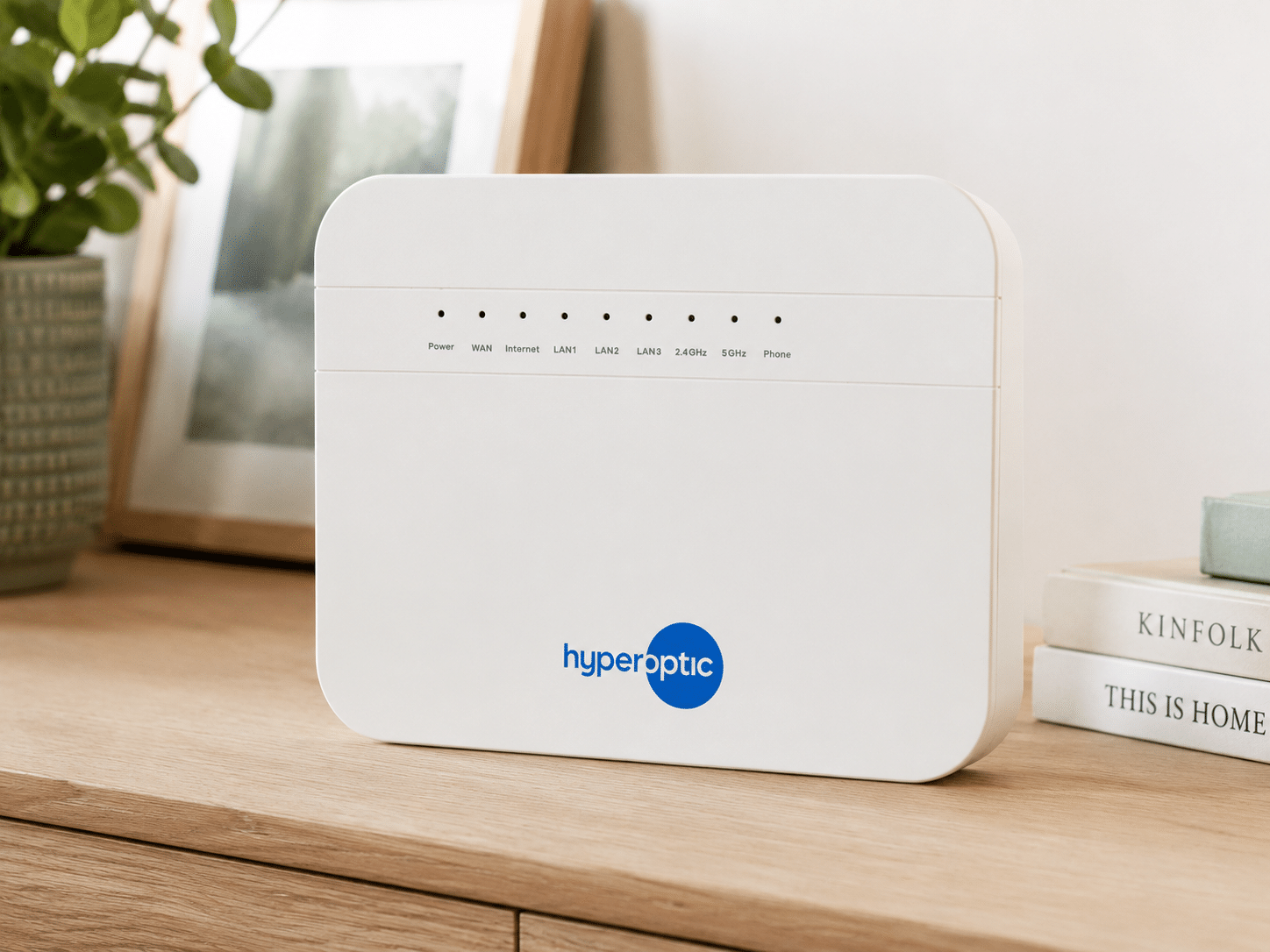
Hyperoptic router

Hyperoptic includes the same useful Wi-Fi 6 router with every speed. Four wired ports, everyday home controls and the option to use your own router make it a good starting point. There's no premium model, newer Wi-Fi standard or multi-gig wired port, so customers with the fastest package may want more. For most homes, the included Hyperhub adds real value.

8.0 /10
Overall score

Included router value score

This score looks at whether the router you get included feels fair for the package, including the router’s overall quality, Wi-Fi generation, frequency bands and whether the best kit is easy to get.

Annual price rises

Hyperoptic's annual rise is predictable, but it still makes a long contract more expensive. Standard customers pay £4 more a month each April, and Hyperoptic shows the rule before signup. That's easier to follow than a moving percentage, although the checkout price still isn't the amount you'll pay throughout the minimum term.

Why does the cost of Hyperoptic go up every year?

Because Hyperoptic puts an April rise in the contract

The monthly price shown at signup is the starting point, not a promise that the bill stays there. Hyperoptic adds £4 a month each April while you remain on a standard contract. A longer minimum term can cross more than one April, depending on the month you join.

The rule is clear enough to budget for. It still means the same broadband package costs more as the contract runs on.

Who gets the annual rise?

Standard customers who are still in contract when April arrives should expect the £4 monthly increase. Check any special or social tariff separately rather than assuming every Hyperoptic plan follows the same rule.

It's a scheduled change to the monthly bill, not a one-off fee for doing something wrong.

Clearer pricing still becomes more expensive each April

Hyperoptic deserves credit for showing the £4-a-month April rise clearly. You don't need inflation forecasts or percentage maths to see what will happen.

You still need to include the April increase when comparing a long contract. The opening price can make a deal look cheaper than the amount paid over the full term.


INTERACTIVE CHART

How much will your bill rise by?

This interactive chart shows how much this provider adds to its package prices each April, and lets you compare that with literally any other provider in our database.

Provider N/A Choose a provider
Provider average N/A The average April price rise among providers that apply one.
Compare provider N/A Choose another provider

Package annual price rises

April price rise shown package by package

Package view

The provider-average benchmark is calculated from each provider that applies an annual price rise. Fixed-price providers are shown in the chart but are excluded from the benchmark.

Hyperoptic makes its annual increase relatively easy to understand. Standard contracts rise by £4 a month each April, so customers can budget without guessing at future inflation. The advertised starting price still doesn't last for the whole minimum term. Compare the total contract cost, especially when a deal crosses more than one April.

6.5 /10
Overall score

Annual price rises score

This score looks at how a provider’s in-contract annual price rises compare with the wider market, and whether the rules are simple, consistent and easy to understand.

Cost of upgrades and extras

Hyperoptic doesn't sell a long list of upgrades. The main ones are Total Wi-Fi, home phone call plans, a static IP and a battery backup. Most homes won't need all of them, but Total Wi-Fi can add a regular cost if the standard Hyperhub can't cover every room. Check which extras you need before comparing the monthly price.

How to work out what your Hyperoptic package will actually cost

Start with the speed you need

Choose the Hyperoptic speed your household can use before adding anything else. Higher tiers mainly buy a faster connection.

Every standard speed uses the same current Hyperhub. A faster package won't unlock a premium router or more included features.

Include the annual rise in your comparison

Hyperoptic's price rises by £4 a month each April on standard contracts. The checkout price isn't the whole-term cost.

A long deal may cross more than one April. Compare what you're likely to pay across the full minimum term, not just the opening price.

Treat Wi-Fi coverage as a separate cost

Total Wi-Fi is the main extra for homes with dead zones. It supplies Minihubs to extend the signal beyond the standard Hyperhub.

Hyperoptic doesn't include a mobile backup connection. Its optional battery only keeps equipment powered during a power cut, so it won't rescue a failed broadband line.

Bring your own security software

Hyperoptic doesn't bundle a paid security suite with its standard broadband package, so use protection you already trust.

That isn't an invitation to buy the first security product you see. Check what your devices already include before adding another subscription.

Ignore upgrades Hyperoptic doesn't sell

Hyperoptic doesn't sell a premium home router or a paid technical support level to weigh up at checkout.

If you want better router hardware, you'll need to buy your own. Hyperoptic makes that swap easier than many providers do.

Choose the speed first, include the annual rise, then add only what your home needs. Total Wi-Fi is for rooms the standard router can't reach. Very few homes need a static IP, and a call plan only makes sense if somebody still uses the home phone. Unnecessary add-ons can make a simple deal expensive.

Total Wi-Fi is the extra most homes will consider first

Total Wi-Fi is Hyperoptic's answer to rooms the standard router can't reach. You get one Minihub first, with a second available after troubleshooting if the home still needs it. That gives customers an official route to wider coverage without replacing the Hyperhub or setting up a separate mesh system.

It's still a monthly extra, and Hyperoptic doesn't promise a particular speed in every room. You're paying for more Wi-Fi hardware and support, not buying a contractual guarantee that the back bedroom will hit a stated number. Homes with difficult layouts should keep that distinction in mind.

A static IP solves a very particular problem

Most customers won't need a static IP. It's mainly for people who already know that a particular device, service or work setup requires one. If everything you use works normally on Hyperoptic's standard connection, you can ignore this add-on.

If you know you need a static IP, include its monthly charge when comparing packages. Using a different router won't remove the need for it.

The battery backup covers power, not a broken connection

Hyperoptic's battery backup keeps its broadband equipment powered when the mains goes off. It may keep the service working during a short power cut, but only if Hyperoptic's network is still running. It isn't a second broadband connection and it won't switch your service onto a mobile network.

Buy it to keep the equipment powered, not as protection from every outage. If the broadband connection itself fails, a charged battery won't put you back online. Customers who need a second way to get online will have to arrange one separately.

Hyperoptic add-ons at a glance

The list is easy to understand. Total Wi-Fi extends the signal, a static IP is for the small number of people who need one, the battery helps during power cuts and call plans are for home-phone users. Add only what your household will use.

Most likely to matter

Total Wi-Fi

Minihubs extend coverage beyond the Hyperhub. The add-on doesn't come with a published minimum speed for every room.

Broadband backup

Hyperoptic doesn't sell a mobile backup service. The optional battery keeps equipment powered, but it can't replace a failed broadband connection.

Home phone and calls

Call plans are optional. Add one only if your household still uses the home phone enough to justify it.

Worth checking

Security software

No security suite is bundled with the standard package. Check the protection already built into your devices before paying elsewhere.

Premium support

Hyperoptic doesn't charge for a separate premium support tier. Its excellent customer service comes with the package, so there's no support upgrade to buy.

Your own router

Using your own router is unusually straightforward. You buy the hardware yourself, but Hyperoptic doesn't charge a provider fee for making the switch.

Dead ends

Static IP or premium router

A paid static IP is an uncommon option because most home broadband providers don't offer one. Hyperoptic doesn't sell a premium home router, so you'll need to buy better hardware elsewhere.

Hyperoptic router

Hyperoptic keeps router choice very simple

You don't choose between router models at checkout. Every standard home package uses the same current Hyperhub. That removes one confusing decision, but it also means you can't buy a better model from Hyperoptic.

Simple choice

Every home package gets the Hyperhub

The included router brings Wi-Fi 6 and four wired ports, which is enough for everyday streaming, calls, gaming and general home use.

Higher speeds don't unlock different hardware, so choose the package for its connection speed rather than expecting a router upgrade.

The limit

There's no Hyperoptic router step-up

Customers who want Wi-Fi 7 or a multi-gig wired port can't buy that router from Hyperoptic. The current Hyperhub is the only home model offered.

Total Wi-Fi adds coverage, not a more powerful main router. If the Hyperhub itself is the limit, using your own router is the relevant upgrade.

Hyperoptic's extras list is limited. Total Wi-Fi, call plans and battery backup cost more, while there is no mobile backup service or premium Hyperoptic router. A paid static IP is a genuine positive because few home providers offer one. Excellent customer service is included and using your own router carries no provider fee, but useful upgrade choices remain thin.

4.2 /10
Overall score

Cost of upgrades and extras score

This score looks at how close the advertised package price is likely to be to the price you actually pay once useful extras, paid add-ons and missing options are taken into account.

End-of-contract pricing

Hyperoptic doesn't switch your broadband off when the minimum term ends. The service continues monthly, but the discounted contract price normally ends with it. Every current package moves to a noticeably higher out-of-contract rate. Staying can still make sense, but only after you've checked the renewal offer and compared it with other deals.

Hyperoptic's post-contract jump is hard to ignore

Hyperoptic's current packages move to a higher standard rate after the minimum term. The size of the jump varies by speed, but none of the increases is small enough to ignore. The fastest package sees the sharpest percentage change.

The new rate starts after any April increases already applied during the contract. Your service becomes more flexible because it runs month to month, but you pay more for that flexibility. Unless you need a short period without a new commitment, renewing or switching is likely to cost less.

Hyperoptic has to warn you before the change

You should receive end-of-contract information before the minimum term finishes. It gives you time to see the next price, check renewal options and compare other providers before the higher rate begins.

Open the message when it arrives. It tells you when the contract ends, what the new price will be and what other options Hyperoptic offers. Doing nothing will normally cost more.

Your broadband keeps running after the contract

The end of the minimum term isn't a cancellation date. Hyperoptic carries the service on monthly, so you won't suddenly lose broadband while deciding what to do next.

That gives you time to organise a better deal without losing your broadband. Don't leave the account on the higher monthly rate for longer than you need to.

Inaction is the costly choice

Hyperoptic's standard out-of-contract rates sit well above the final in-contract prices across its current speed range. The increase is noticeable on every package. If you ignore the end-of-contract notice, you can pay much more without receiving faster broadband, a better router or any additional service.

Check Hyperoptic's renewal offer, then compare it with current deals elsewhere. Convenience is worth something, but it shouldn't be mistaken for value.

INTERACTIVE TOOL

What could your broadband bill roll on to?

Estimate what your monthly broadband price could look like by the end of your minimum term, and what it will jump to if you let the deal roll over.

Step 1: Choose your provider and package

Start by choosing your broadband provider, then select the package your contract is based on.

Provider
Package

Step 2: Tell us the starting month of your contract and what you pay

Use the first full monthly price before any mid-contract April increases.

Contract start month

Step 3: Estimate the rollover shock

This is an estimate. Your provider’s end-of-contract notice will be the exact figure.

Your estimate

    Where would you like to go next?

    How to use the Contract Rollover Estimator

    Choose Hyperoptic and your package, enter the month the contract began and use the first full monthly bill as the starting price. The estimator applies the scheduled annual changes and the expected rollover increase to show how the bill may develop. It's an estimate rather than a substitute for your end-of-contract notice, but it makes the cost of doing nothing much easier to see before the higher rate arrives.

    What to do before your Hyperoptic deal rolls over

    1. Estimate the new rate

      Use your first full bill in the calculator above, then compare its result with Hyperoptic's actual notice.

    2. Find the end date

      Check your contract, online account or end-of-contract message for the exact month your minimum term finishes.

    3. Set a reminder

      Put the date in your calendar early enough to compare deals and arrange a switch without rushing.

    4. Compare other deals

      Check Hyperoptic's renewal offer against equivalent speeds from other providers available at your address.

    5. Act before rollover

      Renew, change package or switch before the higher monthly rate has time to become an expensive habit.

    A renewal offer may cut the increase

    Hyperoptic may offer a new deal when the minimum term is ending. Taking another contract can bring the monthly cost back down, but it also starts a new commitment. Don't accept the first number simply because it looks better than the out-of-contract rate.

    Compare the renewal offer with the packages Hyperoptic is advertising now and with equivalent Full Fibre deals available at your address. The useful comparison isn't renewal against rollover. It's renewal against every realistic alternative you could choose.

    Ask Hyperoptic whether a better renewal is available, but be prepared to switch if the answer doesn't stack up. Staying saves the effort of changing provider and may avoid another installation. Switching can produce a better price or a service that suits you more closely. Use the end-of-contract notice as a prompt to make that choice deliberately, rather than paying the higher rate by accident.

    Hyperoptic warns you before the minimum term ends and keeps the service running monthly, so your broadband won't suddenly stop. The problem is the price. Every current package moves to a noticeably higher standard rate, with no extra speed or equipment in return. Use the notice to renew or switch before that higher price begins.

    5.8 /10
    Overall score

    End of contract pricing score

    This score looks at what happens when your minimum term ends, how much warning you get, and how easy the provider makes it to avoid sliding onto an expensive post-contract price.

    Service guarantees

    Hyperoptic gives customers useful protection when the broadband is too slow or certain service problems occur. Each package has a minimum guaranteed speed, and automatic compensation covers qualifying delays, missed appointments and complete service outages. However, there's no guaranteed speed for every room, no backup connection and no fixed repair deadline for every fault.

    Hyperoptic's speed promise covers the connection to your home

    Hyperoptic gives each package a minimum guaranteed speed. The relevant test is the broadband connection reaching the router, not whatever a phone happens to receive over Wi-Fi in a distant room. That separates a problem with the service from a problem with signal coverage inside the home.

    The minimum gives you a clear speed below which Hyperoptic needs to investigate. If repeated tests at the router fall below it, report the problem and keep the results. Weak Wi-Fi upstairs is different. Walls, distance and router position can slow the signal even when the broadband reaching your home is working as promised.

    Hyperoptic gets time to put a speed problem right

    One slow test doesn't give you an immediate right to leave. Report the problem, follow the checks Hyperoptic asks for and give the provider time to bring the speed back above the guaranteed minimum. Keep the messages and test results while the fault is being investigated.

    If the connection still can't meet its guaranteed minimum after Hyperoptic has tried to fix it, the contract gives you a route out without the usual early exit charge. That's worthwhile protection. It doesn't promise that every fault will be repaired by a fixed date, or that poor Wi-Fi in one room will qualify.

    INTERACTIVE TOOL

    Are you getting your minimum guaranteed speed?

    Choose your provider and package, then run a speed test. For the cleanest test of the broadband speed coming into your home, plug a laptop or desktop directly into your router with a LAN cable. You can also test on a phone or tablet to check Wi-Fi speed, but make sure mobile data is switched off first.

    Choose your provider and package

    Choose your provider and package so we can compare the test result with the package's minimum guaranteed download speed.

    Provider
    Package

    Before you test

    For an absolute line-speed check, use a computer connected to the router by Ethernet. If you test over Wi-Fi, the result may reflect your in-home Wi-Fi as much as the broadband line itself.

    Run the speed test

    Upload — Mbps
    Latency — ms

    Ready. Select a package, tick the data policy box, then run the test.


    Your result

    Result waiting Run the speed test to compare your download speed with the selected package’s minimum guaranteed speed.

      Where would you like to go next?

      This tool uses M-Lab’s open measurement platform. A single speed test is a useful check, but it is not a formal fault diagnosis.

      How Hyperoptic's service protections work in practice

      Start by working out whether the broadband connection or the Wi-Fi inside your home has failed.

      The problem

      The connection feels slow, a room keeps dropping out or the service has stopped working altogether.

      First: basic service rights

      Hyperoptic must provide the service with reasonable care and deal with reported faults. It also follows automatic compensation rules for qualifying delayed installations, missed appointments and complete losses of service. Those payments cover specific failures. They don't amount to a promise that broadband will never break or that every repair will finish within a set number of hours.

      Next: the minimum speed promise

      If the connection reaching the router stays below the minimum Hyperoptic gave you, report it and let the provider investigate. This protection is tied to the broadband line, not the signal reaching each room. If Hyperoptic can't restore the promised level after following its process, you may be able to leave without the normal early exit charge.

      Finally: Wi-Fi inside the home

      Weak Wi-Fi in a bedroom doesn't automatically mean Hyperoptic has broken its speed promise. Total Wi-Fi adds Minihubs to spread the signal further, but the add-on has no minimum speed for every room and no money-back coverage guarantee. It can improve coverage, but the router position and the shape of your home still affect the result.

      What this means

      A failed connection, slow speed reaching the router and weak Wi-Fi in one room are different problems. Test close to the router where possible, report the fault clearly and keep any appointment or outage records. What Hyperoptic needs to do next depends on which part of the service has failed.

      Fibo investigating a website bug or mistake

      Total Wi-Fi isn't a speed guarantee

      Total Wi-Fi can improve coverage by adding one Minihub, with a second available after troubleshooting where it's still needed. That's useful for a home with dead zones, and Hyperoptic supports the equipment as part of the add-on.

      Hyperoptic doesn't promise a stated speed in every room or a refund if the add-on falls short. Buy it for wider coverage, not for a guaranteed result.

      Hyperoptic gives every package a minimum speed promise and pays automatic compensation for qualifying service problems. If the speed reaching your router stays below the guaranteed minimum after Hyperoptic has tried to fix it, you may be able to leave without an early exit charge. There's still no fixed repair deadline, backup connection or guaranteed speed for every room.

      7.2 /10
      Overall score

      Service guarantees score

      This score reflects how much protection you get when your broadband speed, Wi-Fi, installation, repair or service reliability doesn’t meet expectations.

      Some links on this page may earn us a small commission if you click through and buy. This never affects either what you pay, or our scores and recommendations. If, however, you’d rather bypass affiliate links, use this direct Hyperoptic link instead.

      Illustration of Fibo representing direct links to broadband providers