KCOM CONTRACTS AND SMALL PRINT REVIEW

KCOM contracts and small print: How friendly are they?

KCOM gives you a genuine choice between a one-month rolling package and a longer deal. It also promises a minimum speed and lets you leave for free if it can’t put a persistent problem right. Some of the other terms aren’t nearly as friendly, particularly if you change package or move beyond KCOM’s network.
By Data checked  Checked weekly
KCOM contracts and small print hero with FibreDog signing beside the Grim Reaper

KCOM contracts and small print scorecard

Six key areas. One overall score. All calculated using our transparent methodology.

Contract commitment

How restrictive the core contract is, including minimum terms, rolling options, notice periods and what happens when the deal ends.

8.9/10

Price rise terms

How clearly price increases are explained, including fixed annual rises, inflation clauses, timing and any terms that could change the bill.

5.6/10

Early-exit fees

How expensive it can be to leave early, including calculation methods, remaining-contract charges, caps and whether future rises are included.

6.6/10

Speed guarantees

How meaningful the speed promises are, including minimum guaranteed speeds, fault routes, cancellation rights and any service-code protection.

6.1/10

Equipment ownership

What happens to supplied equipment, including ownership, return deadlines, packaging, collection options and any non-return charges.

7.3/10

Hidden catches

How many awkward details sit in the small print, including unusual restrictions, extra obligations and terms that are easy to miss.

5.9/10

Contract commitment

KCOM gives you far more freedom than providers that only sell 24-month deals. You can choose a one-month Roll package instead, although changing speed later can tie you in for two years.

KCOM lets you choose one month or 24 months

Power Fibre packages come with a 24-month minimum term. That’s a long commitment, but it isn’t your only option: Roll 300 and Roll 900 work on one-month contracts instead.

The Roll packages give you much more freedom. You can choose 300Mbps or 900Mbps without promising to stay for two years, which is useful if you rent, expect to move or simply dislike long contracts. They aren’t shorter versions of Power Fibre, though. They’re separate packages with their own prices and included routers, so compare the whole deal rather than choosing on contract length alone.

Your KCOM broadband continues after the minimum term ends

KCOM won’t disconnect you when a Power Fibre minimum term finishes. The service carries on as a rolling monthly contract until you switch or cancel it.

Your bill can still change. Power Fibre moves to KCOM’s higher out-of-contract price, while the Roll packages are already monthly and don’t have the same jump. KCOM must tell you before a fixed term ends, giving you time to compare a new KCOM offer with switching away. If you cancel directly, remember that KCOM asks for 30 days’ notice.

Contract loop explained

The KCOM contract loop

You get the lowest price from a new contract. When it ends, KCOM increases the monthly price by around 8%, a relatively small end-of-contract rise.

Your choice point

Switch, haggle, recontract, or roll on at the standard monthly price.

New deal Best monthly price, but the clock is now ticking.
Locked in The headline deal runs for 24 months. Shorter or rolling options are also available.
Term ends You should already have renegotiated or switched by now.
A small final rise The monthly rate rises by around 8% when the term ends, while annual increases can still add up.
Sign up or recontract Best value

During your first term, it's as cheap as it gets. Sometimes you can get close when negotiating a second term.

Switch or recontract Most flexible

Thanks to broadband buyout schemes, you can often switch up to six months before your contract ends.

Do nothing Not ideal

At the end of your contract you will roll onto a monthly rate around 8% higher, on top of any annual price rises already applied.

INTERACTIVE TOOL

When can I switch to a new provider?

See whether the provider you want to move to may cover your current broadband early exit fee.

Step 1: Which provider are you currently with?

Choose your current broadband provider.

Step 2: Which provider are you looking to move to?

Choose the provider you are thinking of switching to.

Step 3: How many months are left on your current contract with your current provider?

Enter the number of payments left, or tell us your minimum term has finished.

or

Step 4: How much are you paying per month?

Enter your current broadband monthly price.

£

Step 5: When can I switch to KCOM?

We calculate your current exit fee and compare it with the switching credit from the provider you want to move to.

Your switching result

    Where do you want to go next?

    You can choose another deal online if you want a lower price, but that starts a new minimum term. Don’t carry on without checking simply because the broadband keeps working. Read KCOM’s end-of-contract notice, check the new monthly price and decide whether you still want another long commitment.

    Changing your KCOM package starts another 24-month contract

    KCOM lets you move to a faster or slower package without charging a separate change fee, but either choice starts a new 24-month minimum term. We can understand that condition when you’re asking to downgrade partway through an agreement. Applying it to upgrades is much harder to defend. If you’re offering to pay more each month, KCOM should let you finish the contract you already have instead of using the change to secure another two years. Check the new end date before agreeing to anything.

    Illustration of Fibo checking the steps for joining

    One-month broadband is rare, and KCOM sells it at 300Mbps and 900Mbps alongside its 24-month Power Fibre packages. That gives renters, movers and anyone wary of long contracts a real alternative. Power Fibre carries on month to month when the contract ends, and you can choose another deal online. The rule we really dislike is that every package change starts a fresh 24-month term. That is understandable when someone wants to pay less, but forcing a customer who wants a faster and more expensive package into another two years feels unnecessary. Even with that complaint, KCOM offers much more freedom than most providers.

    8.9 /10
    Overall score

    Contract commitment score

    This score looks at how much commitment you’re taking on when you sign up, and whether you’ve got any realistic ways to choose a shorter or more flexible contract.

    Price rise terms

    KCOM doesn’t make you work out its annual increases from inflation. Every package has a fixed cash rise each year: £2 for Power Fibre 150 and £3 for the faster Power Fibre and Roll packages. Other parts of your bill can still change separately, though.

    KCOM makes its annual increases unusually easy to understand

    Power Fibre rises by either £2 or £3 each year

    KCOM states the annual increase as a cash amount rather than asking you to follow inflation and add another percentage on top. Power Fibre 150 rises by £2 a month each year, while Power Fibre 500 and Power Fibre 900 rise by £3. A 24-month contract can receive two increases before it ends, so you still won’t pay the starting price throughout.

    We’d much rather see fixed-price contracts, but this is at least honest and easy to budget for. KCOM shows the scheduled prices before you join, which means you can see what the bill will become without reaching for a calculator or guessing what inflation might do.

    Roll packages rise too, despite their shorter commitment

    Roll 300 and Roll 900 both rise by £3 a month each year. Their one-month commitment gives you much more freedom to leave than a Power Fibre contract, but it doesn’t freeze the monthly price. If KCOM’s new rate no longer suits you, the short term means you can switch without facing a large early-exit bill.


    KCOM can also change the price of extras, add-ons and other charges separately. The scheduled £3 rise tells you what will happen to a Roll package’s main monthly price, but it doesn’t freeze every possible item on the bill. Read any notice KCOM sends so you know whether it affects the package itself or something added to it.

    KCOM keeps other rights to change what you pay

    The fixed annual amount isn’t the only price that can change. KCOM can charge more when you alter the package, add or remove an extra, miss a payment or need replacement equipment. Some fees can also change when KCOM’s own costs go up.

    So the simple £2 or £3 rise doesn’t cover everything. It tells you what happens to the main package price, but the rest of the bill isn’t as predictable. Most customers won’t come across every fee, but there is more to check if you don’t pay by Direct Debit, ask for paper bills or need an engineer because the fault is with your own equipment or wiring.

    Ofcom offices in London, photographed from the bridge
    Ofcom Offices, London

    Where’s Ofcom on all this?

    Ofcom has tightened the rules, but it hasn’t made broadband contracts fully predictable.

    What Ofcom fixed

    Scheduled price rises must be shown upfront

    Since 17 January 2025, providers can’t use unknown future inflation to calculate in-contract price rises. If a price rise is written into your contract, it has to be shown clearly in pounds and pence before you sign up.

    That’s a real improvement. You should be able to see any planned increases before you’re locked into a deal.

    What’s still loose

    It isn’t a full ban on extra price movement

    Ofcom’s rules are mainly about making agreed price rises clear, not freezing every possible charge for the whole contract.

    If a provider raises prices beyond what you agreed, Ofcom says you should get notice and the right to leave penalty-free. That’s useful, but it still isn’t the same as a simple fixed-price contract.

    Sources: Ofcom, Guardian

    When your KCOM bill can still rise

    Your main package price is only part of the bill. These are the clauses that can push your bill up, plus the areas where you’re less exposed.

    Most likely to matter

    Add-ons and extras aren't protected by the April promise

    You can still see add-ons, admin costs, non-inclusive calls and other out-of-bundle charges change separately from the main package price.

    Changing your package can change your bill straight away

    Adding, removing or reducing services can change what you pay outside the main package price.

    Fee clauses

    Cost-based fees can move when costs move

    KCOM can change what you pay for charges linked to providing a service or carrying out a task, separate from the main package price.

    Missed payments can add extra charges

    If you pay late, miss a payment or a payment fails, you can face interest, default charges or bank-related charges separately from the main package price.

    Not returning kit can get expensive

    If you don't return equipment, you can face replacement, recovery or legal recovery charges outside the main package price.

    Outside KCOM's control

    Law, tax and regulator changes can still hit your bill

    If law, VAT, tax, government, regulator or legal obligations change, you can see charges rise outside the main package price.

    Some rates can follow wholesale costs

    If wholesale-linked rates change, such as international call rates, you can see those changes passed on separately from the main package price.

    Third-party services can change their own prices

    If you use a service from someone else, third-party charges or terms can change outside KCOM's control.

    Less likely to matter

    Home moves aren't stated as carrying a transfer fee

    KCOM doesn't state in its contract that moving home will trigger a transfer fee.

    Home moves aren't stated as starting a new minimum term

    KCOM doesn't state in its contract that moving home will start a new minimum term.

    Changes outside KCOM’s control can affect your bill too

    KCOM can also change prices when taxes, laws or the costs it pays to other companies change. Those increases would be separate from the yearly rise.

    That doesn’t mean another increase will definitely happen, but the stated £2 or £3 isn’t the most your bill could ever rise by. Keep your contact details up to date, read any notice KCOM sends and ask what it means for your contract before deciding whether to stay or switch.

    KCOM’s scheduled increases are easy to understand. Power Fibre 150 rises by £2 a month each year, while the faster Power Fibre packages and both Roll packages rise by £3. KCOM shows the future prices before you join, and Roll customers can leave much sooner if the new rate no longer suits them. It still isn’t a fixed-price promise. Extras, fees, package changes and costs caused by legal, wholesale or third-party changes can affect the bill separately.

    5.6 /10
    Overall score

    Price rise terms score

    This score looks at whether your main package price is fixed, how clearly any scheduled rise is explained and which other charges can still change.

    Early exit fees

    Leaving a Power Fibre contract early is expensive, but KCOM doesn’t normally charge you every penny you would have paid. Its published examples work out at roughly 60% of the bills you have left, and you can leave for free if KCOM can’t fix an ongoing problem with your guaranteed speed.

    Key takeaways

    Cancelling early still leaves a sizeable bill to pay

    If you cancel Power Fibre before its minimum term ends, KCOM charges for each month left on the contract. Cancelling the service doesn’t wipe out the agreement you made when joining.

    Roll packages are much safer if your plans may change because their minimum term is only one month. With Power Fibre, the size of the bill depends on the package and the time remaining. The earlier you leave, the more painful it will be.

    KCOM’s usual charge is well below the full remaining balance

    KCOM publishes a monthly early-exit amount for each Power Fibre package. Across the current range, those charges average about 60% of the usual monthly price for every month left. Your exact percentage depends on the package you chose.

    The 60% figure is an average, not a fixed percentage for every customer. KCOM’s contract says it can charge up to 90% of the bills you have left, but the package examples it publishes are much lower. It also leaves future annual price rises out of the calculation. Leaving still isn’t cheap, but the usual charge is much less severe than it would be with a provider that wanted nearly everything you would otherwise have paid.

    You can leave for free when KCOM fails its speed promise

    If your broadband stays below KCOM’s guaranteed minimum after you’ve reported it and given KCOM 30 days to put it right, you can end the contract without paying the early-exit fee. You must follow KCOM’s checks and let it use the full 30 days first.

    You can’t leave after one slow test. KCOM must have the chance to find and fix the problem first. Keep the original guarantee, follow the checks it asks for and write down the date you first reported the fault, along with any reference number it gives you.


    Illustration of Fibo relaxing in a first-class seat to represent a broadband upgrade

    Moving home is the unpleasant exception. KCOM serves a limited part of the country, yet it doesn’t waive the early-exit fee simply because your new address falls outside its network. You can therefore be charged for broadband KCOM is unable to provide after the move. If moving is a realistic possibility, a one-month Roll package is the safer choice from the start.

    COMPARISON CHART

    How much of your remaining contract could KCOM charge?

    This chart compares the percentage of remaining contract charges providers may use when calculating early exit fees.

    Provider N/A Percentage of remaining charges used by this provider.
    Provider average N/A The average percentage among providers with early exit fee data in our database.
    Providers N/A providers currently have percentage-based early exit fee data in our database.

    Early exit fee percentage by provider

    Percentage of remaining charges

    Provider view

    The provider-average benchmark only includes providers where an early exit fee applies during the minimum term and a percentage of remaining charges is held in our database.

    INTERACTIVE TOOL

    How much will I pay to leave my broadband contract early?

    Select your current provider, choose your package, then tell us how long you have left and what you pay each month. We'll estimate what your provider may ask you to pay if you leave early.

    Step 1: Which provider are you currently with?

    Choose your current broadband provider.

    Step 2: Choose your package

    Pick the package you are currently on.

    Step 3: How many months have you got left?

    Enter the number of payments left, or tell us your minimum term has finished.

    or

    Step 4: How much are you paying per month?

    Enter your current broadband monthly price.

    £

    Step 5: How much might I pay to leave early?

    We calculate your estimated fee from your remaining months, monthly cost and your provider's early-exit rules.

    Your early exit fee estimate

      Where do you want to go next?

      What KCOM leaves out

      40%

      of the remaining charges are usually waived by KCOM

      Monthly escape cost

      £18

      for every £30 monthly payment still left on your contract

      Ofcom ceiling

      100%

      is the absolute maximum allowed; the provider's own ceiling may be lower

      Future rises

      Left out

      KCOM doesn't record future price rises in the exit-fee calculation
      KCOM's early-exit terms aren't good, but they could be much worse. Its published Power Fibre charges average about 60% of the bills you have left, which is still expensive but considerably better than paying the full amount. Future annual increases aren't included, and you can leave for free if KCOM can't fix an ongoing problem with your guaranteed speed within 30 days. The worst part is moving home. If KCOM can't serve your new address, it can still charge you for ending the old contract. Roll customers only have a one-month commitment, so they avoid most of this risk.

      6.6 /10
      Overall score

      Early exit fee score

      This score looks at how much you may have to pay if you leave during your minimum term, and whether there are fair ways out when the service no longer works for you.

      Speed guarantees

      KCOM gives you a real minimum speed rather than a vague promise that the broadband should be fast enough. If the line keeps falling below that figure and KCOM can't fix it within 30 days, you can leave without an early-exit fee.

      KCOM gives you a clear minimum speed before you join

      Your order tells you the minimum download speed KCOM promises at your home. Across its Full Fibre packages, that figure is 50% of the advertised download speed, so you know exactly how slow is too slow.

      That gives you a number you can actually test against instead of leaving KCOM to decide whether a slow connection is acceptable. Keep the order confirmation somewhere safe because it records the minimum that applies to your home.

      KCOM gets 30 days to put the problem right

      You must report the low speed and let KCOM investigate. It then has 30 days to get the connection back above your guaranteed minimum. If it can't, you can leave without paying an early-exit fee. Keep a dated record of the report.

      A month is a long time to put up with broadband that is much slower than promised. The good news is that you can leave without paying an early-exit fee if KCOM still can't fix it by the end of those 30 days.

      The guarantee covers the line, not Wi-Fi in every room

      KCOM's minimum applies to the broadband reaching the home. It doesn't promise that every phone, television or laptop will receive the same speed over Wi-Fi, particularly in rooms far from the main eero or behind thick walls.

      Walls, distance and the position of your eero can all slow Wi-Fi even when the broadband entering your home is fast enough. KCOM talks about whole-home coverage, but it doesn't promise a particular Wi-Fi speed or give you an automatic right to leave because one room has a weak signal.

      You must let KCOM test the connection before leaving

      A single slow test isn't enough. KCOM can ask you to run more checks in a particular way and give its engineers a fair chance to find the fault.

      Follow the checks and keep a record of when you first reported the problem. If you cancel before the 30 days are up, KCOM may treat it as a normal early cancellation and charge you for leaving.

      COMPARISON CHART

      How does KCOM's minimum speed guarantee compare with other providers?

      This chart compares each provider's minimum speed guarantee as a percentage of its advertised download speed.

      Provider N/A Minimum guaranteed speed as a percentage of advertised download speed.
      Provider average N/A The average minimum-speed percentage among providers in our database.
      Providers N/A providers currently have minimum speed guarantee data in our database.

      Minimum speed guarantee by provider

      Percentage of advertised download speed

      Provider view

      Where do you want to go next?

      The provider-average benchmark only includes providers with a minimum speed guarantee and an average percentage of advertised download speed in our database. Providers that do not offer a speed guarantee are included in the chart but are not included in the average.

      INTERACTIVE TOOL

      Which KCOM speed is right for me?

      Tell us about your household and we will tell you the exact best-fit broadband package from KCOM.

      Start here. Adjust the numbers, then calculate your result.

      Step 1: Tell us what is in your home

      Use the buttons below to tell us how many people and connected devices your household has.

      People
      0
      TVs
      0
      Consoles / gaming PCs
      0
      Non-gaming computers
      0
      Mobiles
      0
      Smart devices
      0

      Step 2: Calculate your best-fit package

      Once you are happy with the numbers above, press calculate and we will match your household to the closest KCOM package.

      Your result

      Recommended package — Estimated need: — Includes — headroom
      Good fit

      This speed is ideal for:

        Where would you like to go next?

        How to use KCOM's minimum-speed guarantee

        1. Find your guaranteed speed

          Check the order confirmation for the personalised minimum KCOM gave you when you joined.

        2. Test and report the problem

          Run the checks KCOM asks for and report the fault as soon as the line stays below its minimum.

        3. Complete KCOM's checks

          Let KCOM test the line and arrange any engineer work it needs.

        4. Give KCOM 30 days

          You can leave for free only if the speed is still below the guarantee after KCOM has had 30 days to fix it.

        5. Leave without penalty

          If KCOM still can't meet the guarantee, ask it to end the contract without an early-exit fee.

        KCOM gives every Full Fibre package a minimum-speed guarantee set at 50% of its advertised download speed. If the connection stays below it after KCOM has had 30 days to fix it, you can leave without paying an early-exit fee. You must follow KCOM's checks first. The guarantee stops at the connection entering your home, so it doesn't promise a particular Wi-Fi speed in every room. Even so, a clear minimum and the right to leave put KCOM ahead of providers that offer neither.

        6.1 /10
        Overall score

        Speed guarantee score

        This score looks at how useful the provider's minimum speed guarantee is, how much speed it actually protects, and whether you can leave if the problem isn't fixed.

        Equipment ownership and returns

        KCOM owns the eero equipment it supplies, so you'll need to return it when the service ends or when an upgrade leaves you with an old unit. The 21-day deadline is fairly short, but KCOM provides free ways to send everything back.

        How KCOM equipment returns work

        Your KCOM eero is loaned, not given away

        KCOM keeps ownership of the eero router and any mesh units supplied with your package.

        Use them as normal, but don't sell them or throw them away.

        Return everything when the service ends

        KCOM asks for its router and mesh units back after cancellation.

        An upgrade can also mean returning the eero you've replaced, so check what KCOM expects each time.

        Look after the equipment

        You're responsible for keeping KCOM's equipment safe and in reasonable condition while it's in your home.

        Loss or damage can result in a charge, so keep every supplied unit together.

        Don't miss the 21-day deadline

        KCOM gives you 21 days to return its equipment after the service ends.

        Act promptly because failing to return it can lead to a non-return fee.

        Contact KCOM quickly if there's a return problem

        Don't ignore a missing return.

        Contact KCOM straight away if the packaging or label doesn't arrive, or if collection can't be arranged before the 21-day deadline.

        Keep proof that you handed the parcel over. It gives you something concrete to show KCOM if the return goes missing.

        KCOM's loaned equipment always belongs to KCOM

        The eero router is included with the package, but 'included' doesn't mean you own it. KCOM can ask for the equipment back after cancellation, replacement or an upgrade, and it can charge if you keep it, lose it or return it damaged.

        This applies to additional eero units supplied as part of KCOM Power Home too. If you move house, leave the fixed Full Fibre connection equipment at the property and take only the equipment KCOM tells you to move.

        KCOM gives you several free ways to return everything

        You shouldn't have to buy packaging or pay the postage yourself. KCOM provides return packaging and a label, and collection is available if sending the parcel back isn't practical. That makes the process much fairer than providers that leave you to arrange and fund the return.

        Pack every eero and any requested accessories together, attach the supplied label and keep the receipt or collection confirmation until KCOM marks the equipment as returned.

        You get 21 days before KCOM can charge you

        Twenty-one days isn't especially generous, particularly if you're moving home at the same time. Don't leave the router buried in a box while you deal with everything else.

        KCOM publishes charges for equipment that isn't returned, is lost or comes back damaged. The free packaging, label and collection options make those fees easier to avoid, but the deadline still puts the responsibility on you. Start the return as soon as KCOM confirms what it wants back.

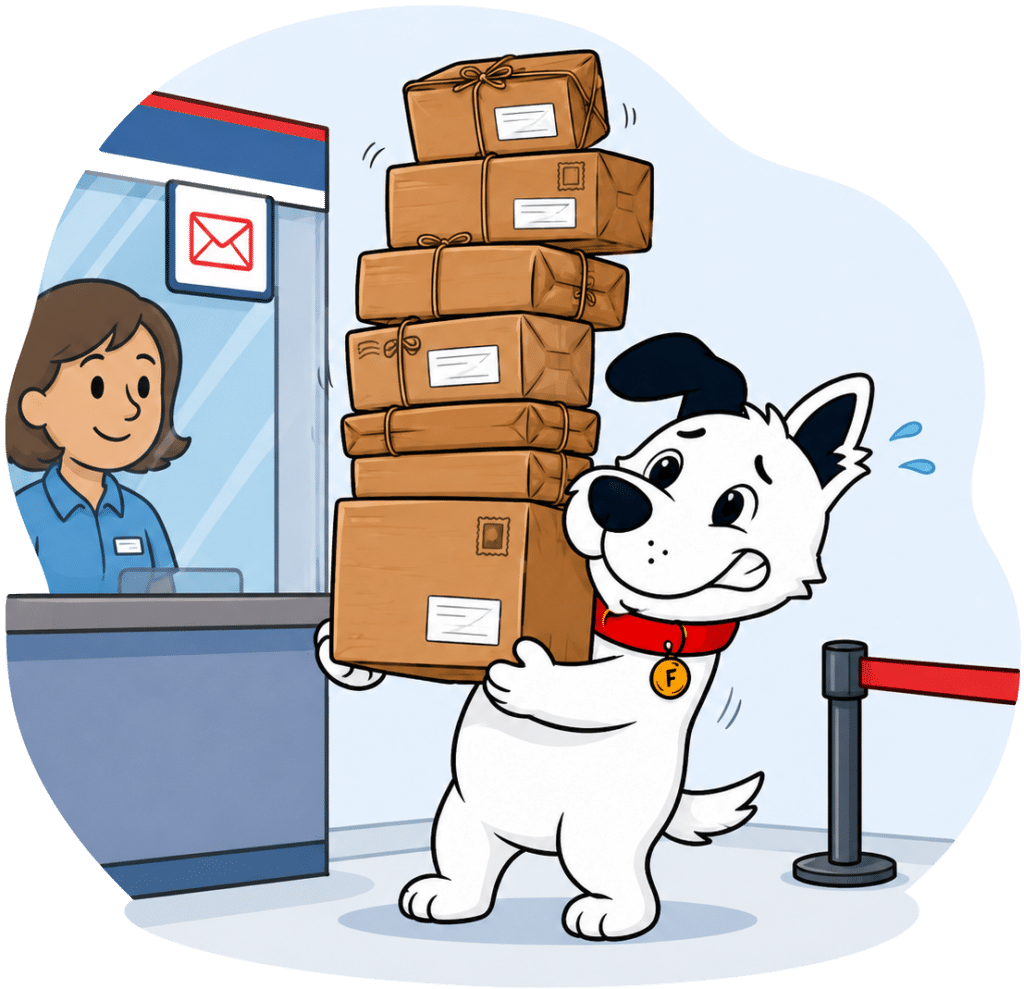
        Illustration of Fibo returning broadband equipment at a Post Office counter

        Twenty-one days is a fairly short deadline, but KCOM doesn't make the return difficult. The eero router and any supplied mesh units remain KCOM's property and must go back after cancellation, replacement or an upgrade. You can be charged for non-return, loss or damage. KCOM provides packaging and a return label, postage is free, and collection is available. You aren't left to organise or pay for the return yourself, which makes the deadline much easier to manage.

        7.3 /10
        Overall score

        Equipment returns score

        This score looks at how clear the provider is about borrowed equipment, how easy it makes returns, and how much fee risk sits around missing, lost or damaged kit.

        Restrictions, penalties and hidden catches

        Most of KCOM's less obvious terms are the sort you'll find in many broadband contracts: extra charges when payments fail, rules around installation and broad powers to deal with misuse. The two points worth remembering are its limited coverage when you move and the fresh contract created by a package change.

        Small mistakes can add several charges to your bill

        KCOM can charge for paper bills, paying outside Direct Debit, late or failed payments, missed appointments and engineer visits caused by a fault in your own equipment or wiring. Most customers won't run into many of these, but they mean the headline package price isn't the whole story.

        Changing the service can bring another charge or a fresh minimum term, and lost, damaged or unreturned equipment costs extra too. Keep Direct Debit active, tell KCOM quickly if a payment will fail and return every eero on time. Those simple steps avoid most of the fees you're realistically likely to encounter.

        Your order still depends on checks, access and permission

        Passing the postcode check doesn't make installation unconditional. KCOM can survey the property, check your credit and ask for a deposit or refuse the order under its credit policy. You'll also need permission from a landlord or anyone else whose property the work affects.

        Make sure an adult can let the engineer in and decide where the equipment should go. If the survey finds extra work, KCOM may need to change the plan or discuss further costs before continuing. Missing the appointment can also produce a charge, so rearrange it in good time if your plans change.

        KCOM home broadband is for your household, not a business

        KCOM's home broadband is for you and the people you live with. It isn't a substitute for a business service, and KCOM can restrict or suspend the connection if it's misused. If you need the extra protections that come with business broadband, KCOM sells that separately.

        KCOM's terms let it monitor or manage traffic and set a usage allowance, but we found no routine throttling on its current packages. Those powers are there for misuse or exceptional network conditions, not as evidence that KCOM normally slows busy households down.

        KCOM keeps broad control after you've joined the service

        KCOM can replace or update its equipment, change how parts of the service work and withdraw a package before moving you to an alternative. If it tells you something is changing, read the whole notice and ask how your price, package and contract end date will be affected.

        You're responsible for following reasonable instructions, protecting the account and paying charges created by third-party services you choose to use. KCOM also expects you to keep your contact details current and read the notices it sends. That sounds obvious, but ignoring an email can mean missing a deadline to reject a change.

        AT A GLANCE

        Everything hidden in your KCOM contract you need to care about

        A quick view of the charges, restrictions, provider powers and installation catches that can sit quietly in the small print.

        Rule
        Status
        Impact
        Extra charges
        Paper billing charge
        Yes
        Not ideal
        Non-Direct Debit payment charge
        Yes
        Not ideal
        Late payment charge
        Yes
        Not ideal
        Failed payment charge
        Yes
        Not ideal
        Service change fee possible
        Yes
        Not ideal
        Technician charge if fault is yours
        Yes
        Worth knowing
        Technician charge for missed appointment
        Yes
        Not ideal
        Usage rules
        Residential use only
        Yes
        Worth knowing
        Business use restricted
        Yes
        Worth knowing
        Acceptable use policy applies
        Yes
        Worth knowing
        Service suspension for misuse
        Yes
        Not ideal
        Traffic management or monitoring right
        Yes
        Worth knowing
        Data usage allowance possible
        Yes
        Not ideal
        Provider powers
        Can change equipment or services
        Yes
        Not ideal
        Can withdraw package and move you
        Yes
        Not ideal
        Third-party charges are your responsibility
        Yes
        Not ideal
        Installation catches
        You handle installation permissions
        Yes
        Worth knowing
        Installation subject to survey
        Yes
        Worth knowing
        Can refuse installation for credit policy
        Yes
        Worth knowing
        Can refuse installation for device compatibility
        No
        Good for you
        After cancellation and router extras
        Provider email lost after cancellation
        No
        Good for you
        Public Wi-Fi hotspot can be enabled
        No
        Good for you

        How to avoid being caught out by your KCOM contract

        1. Keep payments simple

          Use Direct Debit, pay on time and remember that paper bills or a failed payment can cost extra.

        2. Check before changing package

          Ask KCOM about the new price, any fee and the contract end date before you upgrade or downgrade.

        3. Prepare for installation

          Get any landlord permission beforehand, make sure an adult is home and rearrange the appointment early if you can't attend.

        4. Use it as home broadband

          KCOM's home broadband is for your household, not for resale or use as business broadband.

        5. Read KCOM's notices

          Keep your email and postal address current, then read contract-change and end-of-term messages before their deadlines pass.

        KCOM's hidden terms aren't outrageous, but there are enough to check. Paper bills, failed payments, missed appointments, engineer visits caused by your own equipment or wiring, and unreturned equipment can all cost more. Installation still depends on the property, permission and credit checks. We found no evidence that KCOM routinely slows customers down. The biggest catches are simpler: changing package starts another 24-month term, and moving outside KCOM's network doesn't wipe out an early-exit fee.

        5.9 /10
        Overall score

        Hidden contract catches score

        This score looks at how much cost, friction and provider control is tucked into the contract beyond the headline monthly price.

        Some links on this page may earn us a small commission if you click through and buy. This never affects either what you pay, or our scores and recommendations. If, however, you’d rather bypass affiliate links, use this direct KCOM link instead.

        Illustration of Fibo representing direct links to broadband providers