KCOM CUSTOMER SERVICE REVIEW

KCOM customer service: How good is it?

KCOM gives you plenty of ways to get help, tells you how quickly it aims to repair faults and offers excellent support if you need extra help. Its complaints process is excellent too. Customer reviews are very positive, but Ofcom found that callers waited more than seven minutes on average.

By Data checked  Checked weekly
KCOM customer service hero with FibreDog using a headset and laptop

KCOM customer service scorecard

Six key areas. One overall score. All calculated using our transparent methodology.

Customer experience

What customer data says about satisfaction, complaints, call waits, review sentiment and how the provider performs when judged from outside.

8.9/10

Contact options

How easy it is to get help, including phone, live chat, messaging, account tools, accessibility routes and fault-support channels.

7.4/10

When something goes wrong

How faults and outages are handled, including checking tools, reporting routes, updates, compensation and backup options.

8.5/10

Help for vulnerable customers

How well extra support is provided, including accessibility routes, alternative formats, priority help, financial difficulty and nominated contacts.

10.0/10

Complaints policy

How clear the complaints process is, including response times, escalation steps, ADR access and specialist complaints support.

9.5/10

Online help and account support

How useful the digital support setup is, including apps, account portals, help articles, diagnostics, fault reporting and tracking.

9.2/10

Customer experience

KCOM’s public reviews have improved dramatically, but Ofcom found one clear problem. Trustpilot now shows a very good result from thousands of customers, while Ofcom’s latest figure has callers waiting more than seven minutes on average. Ofcom doesn’t publish most of its other KCOM results, so there are still large gaps in what we can judge.

Key takeaways

KCOM’s Trustpilot recovery is hard to ignore

KCOM has a 4.4 TrustScore from 4,349 reviews. Of those reviewers, 61% give it five stars and another 8% give it four, which is very good by broadband-provider standards. The one-star share remains sizeable at 24%, but the result has improved year after year.

Ofcom and Trustpilot tell different stories

Ofcom publishes KCOM’s call-waiting figures, but not its results for overall satisfaction, reasons to complain, complaint handling or complaints per 100,000 customers. Trustpilot gives us far more customer reviews to look at, although people choose for themselves whether to leave one.

INTERACTIVE CHART

Compare customer experience by provider

Choose two broadband providers, then use the buttons below to compare Ofcom and Trustpilot customer experience data.

Overall service satisfaction

Ofcom satisfaction with service overall

5-year view
Latest valueN/AMost recent data point
Five-year changeN/AOldest to newest
Best yearN/ABest point shown
Worst yearN/AWeakest point shown

Sources: Ofcom, Trustpilot.

Trustpilot score

4.4/5

Previous sample: 4.1/5

Trustpilot reviews

4,349

Up 933 since previous sample

Average call wait

7m 09s

Industry avg: 2m 39s

Five-star reviews

61%

Previous sample: 56%

According to Ofcom

Ofcom’s latest KCOM result covers 2024 and records an average call wait of 429 seconds. That’s seven minutes and nine seconds before speaking to someone, which is a long time when your broadband or bill needs attention.

The wait has moved around sharply. It was 253 seconds in 2022, 533 seconds in 2021, 199 seconds in 2020 and just 54 seconds in 2019. KCOM improved after 2021, but hasn’t returned to its earlier level.

Ofcom doesn’t publish KCOM figures for overall satisfaction, reasons to complain or satisfaction with complaint handling in these tables. There weren’t enough suitable responses for Ofcom to publish those results. The blank spaces don’t mean KCOM scored zero.

The same gap applies to complaints per 100,000 customers. KCOM doesn’t appear in that national comparison, so we can’t compare its complaint rate with the largest providers using the same Ofcom measure.

Ofcom’s only published measure is worrying. An average phone wait of more than seven minutes is a genuine weakness. Without the other measures, we can’t tell whether that problem reflects KCOM’s wider customer service or phone queues alone.

According to Trustpilot

Trustpilot paints a happier picture. KCOM scores 4.4 from 4,349 reviews, with 61% giving five stars and 8% giving four. A combined 69% positive share is very good for a broadband provider.

The improvement has been steady and large. KCOM scored 3.2 from 562 reviews in 2022, 3.2 from 777 in 2023, 3.8 from 2,431 in 2024 and 4.1 from 3,416 in 2025.

One-star reviews have fallen from 54% in 2022 to 24% now. That’s a huge improvement, although almost one reviewer in four is still deeply unhappy. The positive trend shouldn’t make those customers disappear from the picture.

Trustpilot can’t represent every KCOM customer because people decide for themselves whether to leave a review. Even so, the growing number of reviews and the improvement each year make the change difficult to dismiss.

Taken together, the two sources suggest that KCOM has improved considerably but still needs to shorten its phone queues. Most of the usual Ofcom measures aren’t available, so neither source tells the whole story on its own right now.

KCOM’s Trustpilot score has improved from 3.2 in 2022 to 4.4 today, and 69% of current reviewers give it four or five stars. That’s excellent progress across thousands of reviews. Ofcom gives us much less to work with, but its latest average phone wait is a poor seven minutes and nine seconds. Trustpilot’s improvement is reassuring, but the missing Ofcom results mean we still don’t have the complete picture.

8.9 /10
Overall score

Customer experience score

This score uses the customer-experience evidence available for the provider, including long-term review trends and recurring themes in recent feedback.

Contact options

KCOM gives you several easy ways to ask for help. There is phone support, human Live Chat, email, an online form and a shop in Hull. Technical help runs well into the evening and throughout the weekend, although ordinary account support closes earlier and isn’t available on Sundays.

Several ways to reach a real person

Ordinary customer service opens from 8am to 7pm on weekdays and 9am to 1pm on Saturday, giving you 59 hours each week. It’s closed on Sunday, so a weekend billing or account question may have to wait.

Technical support is much more generous. It runs from 8am to 8pm on weekdays and 8am to 6pm at weekends, giving you 80 hours a week to report a connection problem by phone.

Human Live Chat is available for 76 hours each week. You can use email or the online form when the problem isn’t urgent and you want the answer in writing. KCOM has a shop in Hull too, which is genuinely useful if you prefer to speak to someone face to face.

Account help doesn’t have to mean a phone call

My Account and the My KCOM app cover bills, contact details, Direct Debit and package management. That means many routine jobs can be handled on your own without waiting for customer service to open.

When you do need staff, Live Chat, email and the online form give you alternatives to the phone. The app isn’t presented as a complete technical-support tool, so a complicated connection fault may still need help through Live Chat or a call.

Which support option should you use?

If your broadband is down, use the service-status page first and phone technical support if the online checks don’t fix it. Technical help has the longest opening hours.

Live Chat is useful for quick questions, while email or the online form is better when you want a written record. My Account and the app are the quickest choices for routine billing and account jobs.

KCOM doesn’t advertise WhatsApp, social-media or community-forum support. Use one of the contact options above instead. The Hull shop is also available when speaking to someone in person would make the problem easier to explain.

Contact options

Support channels at a glance

KCOM gives customers several ways to get help. This view shows which practical contact, account and fault-support routes are recorded in the fibredog dataset.

Phone Real-person route Available
Live chat Human agent listed Available
WhatsApp Messaging route Unavailable
Email Written support Available
Community forum Peer help route Unavailable
Accessibility support Extra-help routes Available
Online account tools Self-service tools Available
Online fault tools Diagnosis and reporting Available

Checked from live provider data. Fibredog tracks contact routes, account tools and fault-help options separately, so this information updates soon after anything changes.

What stands out

Ways to get help

You can phone KCOM, use Live Chat, send an email or visit the Hull shop.

Excellent accessibility help

KCOM provides specialist support, accessible contact options and practical account adjustments.

Check the regional status page

See whether KCOM already knows about a wider problem before calling.

New customers

Monday-Friday 8am-7pm; Saturday and Sunday 8am-6pm* Monday-Sunday

01482 602555

Customer service

Monday-Friday 8am-7pm; Saturday 9am-1pm; Sunday closed* Monday-Saturday

01482 602555

Fault support

Monday-Friday 8am-8pm; Saturday and Sunday 8am-6pm* Monday-Sunday

01482 606101

*Hours may vary on public holidays

KCOM gives you plenty of ways to get help, with technical support open for 80 hours a week and human Live Chat for 76. You can also use email, an online form or the Hull shop, while My Account and the app handle everyday jobs. The customer-service line opens for 59 hours and closes on Sundays, and there is no WhatsApp or social-media support. Even so, most people should find a practical way to get help.

7.4 /10
Overall score

Contact options score

This score is based on the range, quantity and quality of provider contact routes, support tools, and the availability and ease of use of the various means available.

When things go wrong

KCOM makes faults easy to check and report. You can look for a wider outage, try its suggested fixes and report the problem online or by phone. KCOM aims to repair faults covered by its promise within two working days, and it sometimes pays compensation. There is no broadband backup if the connection fails, though.

Wider outage or home?

When the internet stops working, start with KCOM’s regional service-status page. It tells you about known problems across the area, while the online guides take you through common checks for the router, Wi-Fi and connected devices before contacting support.

If every device has lost the connection, check the status page before changing settings or unplugging everything.

Report the fault

KCOM lets you report a fault online after working through its guided checks.

You can also phone technical support seven days a week. Online reporting is useful when you don’t want to wait in a queue, while a call makes sense when the checks are confusing or you need to explain an unusual problem.

What happens if the outage drags on

KCOM aims to repair faults covered by its promise within two working days. That doesn’t mean every problem will be fixed within exactly 48 hours, but at least you know when KCOM expects to have it sorted.

KCOM pays compensation for some complete outages, delayed service starts and missed appointments. It isn’t a member of Ofcom’s voluntary scheme, but that doesn’t stop KCOM making the payments set out in its own policy.

There is no broadband-backup connection built into the router. If you rely on broadband for work, medical support or home security, you’ll still need another way to get online while KCOM repairs the line.

Keep the fault reference and note when you reported it. The repair promise and compensation rules depend on what happened and when, so a clear record makes it easier to challenge a delay or missing payment.

How KCOM handles a reported fault

Check the regional status page, follow the guided fixes and report the fault online or by phone. Keep the reference afterwards so you can track the repair and any compensation.

Check the area

Look for a known regional outage before changing anything at home.

Try guided fixes

Follow KCOM’s online checks for the router, Wi-Fi and connected devices.

Report the fault

Send the details online or call technical support while it’s open.

Keep the reference

Save the fault number and the date because the repair and compensation rules depend on them.

Escalate a delay

Contact KCOM again if the two-working-day repair target passes without a proper explanation.

Fibo investigating a website bug or mistake

Regional service updates

Check whether KCOM has already identified a wider problem.

Guided broadband checks

Work through common fixes before reporting the fault.

Online and phone reporting

Report the problem online or speak to technical support.

KCOM’s own compensation

Some outages, missed appointments and delayed service starts can lead to an automatic payment.

No broadband backup

You’ll need your own alternative connection while KCOM repairs the line.

KCOM handles faults very well. You can check whether there is a wider outage, try the suggested fixes and report the problem online or by phone. Technical support is available seven days a week, KCOM aims to repair covered faults within two working days, and it pays compensation for some complete outages, delayed starts and missed appointments. It doesn’t provide broadband backup, so anyone who can’t afford to lose their connection will need another way to get online.

8.5 /10
Overall score

When things go wrong score

This score reflects how well KCOM helps you spot the fault, report it, keep tabs on the repair and stay protected if the outage keeps going.

Help for vulnerable customers

KCOM offers excellent support for vulnerable and disabled customers. It provides priority fault repair, nominated contacts, Text Relay, BSL interpreting and bills or letters in Braille, large print or audio. There is also practical help after a bereavement or when money is tight, including its cheaper social tariff.

Tell KCOM what would make things easier

KCOM can record the extra help you need, so staff can see it when you get in touch. The support can cover communication, bills, account management and what should happen when the broadband fails. Ask for it temporarily or keep it in place while you need it.

You can also nominate someone you trust to help manage the account. That is useful when phone calls, paperwork or important decisions are difficult to handle alone.

Several accessible ways to communicate

KCOM offers Text Relay and BSL interpreting, alongside bills and other communications in Braille, large print or audio. Those are practical choices rather than a vague promise that staff will try to help.

Eligible customers can receive priority repair when losing service would be particularly serious. Tell KCOM about those needs and register before relying on it.

Useful help after a bereavement or financial trouble

KCOM documents help after a bereavement, support when you’re struggling to pay and a social tariff for eligible customers. A nominated contact can deal with the account, while accessible formats and contact options reduce the need to keep explaining the same difficulty.

This is one of the most complete support packages offered by a UK broadband provider. You must qualify and register for priority repair, so contact KCOM before a fault happens if the connection is particularly important to you.

At a glance

What does KCOM do to help vulnerable customers?

Here’s a quick look at the extra-help routes available from this provider, covering everything from accessibility support, alternative formats, nominated contacts, money worries and social tariffs.

Vulnerable customer policy Published extra-help policy Available
Accessibility support Accessible support routes Available
Priority fault repair Priority repair help Available
Nominated contact Trusted person support Available
Alternative-format billing Bills in other formats Available
Braille, large print or audio Accessible document formats Available
Text relay Relay UK-style support Available
Sign language support BSL or signed support Available
Financial difficulty support Help if bills become hard Available
Bereavement support Support after a death Available
Social tariff Lower-cost eligible tariff Available

Checked from customer-support data. Fibredog tracks the extra-help features of all providers, so this boxout updates when anything changes on the provider end.

Illustration of Fibo asleep beside an unanswered customer support message

How KCOM’s accessible support works in practice

  1. Register the help you need

    Contact KCOM and ask it to record the adjustments that would make the account easier to manage.

  2. Use accessible contact

    Use Text Relay, BSL interpreting or request communications in a format you can read or hear.

  3. Explain what would help

    Tell KCOM about communication, billing, fault or account-management difficulties.

  4. Nominate someone you trust

    Give another person permission to speak to KCOM and help with important decisions.

  5. Keep the support current

    Update KCOM if your circumstances change or you need a different adjustment.

KCOM deserves full marks here. It offers priority repair, nominated contacts, Text Relay, BSL interpreting and information in Braille, large print or audio. It also helps customers who are struggling to pay or dealing with a bereavement. These are real services, not just a vague promise to care. You must qualify and register for priority repair, but KCOM provides every type of support we look for.

10.0 /10
Overall score

Help for vulnerable customers score

This score reflects the support available for vulnerable customers, including accessibility help, priority repairs, alternative formats, financial difficulty support and social tariffs.

Complaints policy

KCOM’s complaints process is excellent. You can complain online, by phone or by post. KCOM aims to answer within 10 days and explains how to ask it to look again or take the complaint further. If you still can’t agree, Communications Ombudsman can step in after six weeks or sooner with a deadlock letter.

From complaint to independent help

Raise the complaint

Complain online, by phone or by post. Explain what happened, what you’ve already tried and what you want KCOM to do. Keep copies of messages and every reference number.

A ten-day outcome target

KCOM says it will try to reach an outcome within 10 calendar days. That is a target for resolving the complaint, rather than simply confirming that it has arrived.

Ask for another look if needed

If the first answer doesn’t resolve the problem, ask KCOM to look at it again and explain what you still disagree with. You can also take the complaint to its Customer Experience team.

Deadlock or six weeks

For complaints raised from 8 April 2026, you can go to Communications Ombudsman after six weeks or sooner if KCOM sends a deadlock letter saying agreement can’t be reached.

Communications Ombudsman

Communications Ombudsman is independent of KCOM and can decide how an unresolved complaint should be put right.

Once the case is eligible, you don’t have to keep repeating the same argument to KCOM’s own complaints team.


Illustration of a disappointed Fibo representing broadband complaints

Ten days is a useful target

KCOM says it aims to reach an outcome within 10 calendar days, giving you a clear point at which to ask why the complaint is still open.

That doesn’t guarantee every complicated dispute will be settled in 10 days. KCOM may need longer when it has to investigate several parts of the account. Even so, a clear target tells you when it is reasonable to chase for an answer instead of being left guessing.

You can challenge the first decision

KCOM explains that you can ask it to look at the complaint again and take it to the Customer Experience team rather than simply accepting the first answer.

Keep the emails, letters and dates together. If the same billing problem or recurring fault comes back, that record helps the next person understand what has already happened and why the earlier answer wasn’t enough.

Independent help arrives after six weeks

Communications Ombudsman can consider a current complaint after six weeks, or sooner when KCOM issues a deadlock letter. The service is independent, so the final decision doesn’t come from the provider you’re arguing with.

KCOM’s own complaints page still refers to eight weeks, but that wording is out of date for complaints first raised from 8 April 2026. The current threshold is six weeks, so don’t wait an extra fortnight unnecessarily.

Independent ADR provider

If KCOM can’t resolve your broadband complaint, the Communications Ombudsman is the approved ADR scheme for its services.

Accessible complaints support

The complaints team can follow the support needs recorded on your account and deal with someone you’ve nominated, so you shouldn’t have to explain those arrangements again.

What happens after you complain

Published complaints process

KCOM explains each complaint stage and how to escalate it.

Online, phone, post

Choose the method that makes the complaint easiest to explain and prove.

Ten-day outcome target

KCOM aims to reach an outcome within 10 calendar days.

Take it further

You can ask KCOM to look at the complaint again.

Ombudsman after six weeks

A deadlock letter lets you go to Communications Ombudsman sooner.

Accessibility support

Recorded adjustments and nominated contacts can continue through the complaint.
KCOM’s complaints policy accepts complaints online, by phone or by post, aims to answer within 10 days and explains how to ask it to look again or take the complaint further. After six weeks, or sooner with a deadlock letter, Communications Ombudsman can step in. KCOM’s page mentions the old eight-week wait, but the six-week rule applies to complaints raised from 8 April 2026. Apart from that, the process is very clear.

9.5 /10
Overall score

Complaints policy score

This score reflects how clear and useful KCOM’s complaints process is, including response times, escalation options, ADR access and support for vulnerable customers.

Online help and account support

KCOM gives you useful online tools as well as human support. My Account and the My KCOM app cover bills, contact details, Direct Debit and package management, while the searchable help centre, status page and guided checks deal with common problems. The app can’t run every fault check, but most everyday jobs can be done without calling.

My Account covers the important everyday jobs

You can sign in online to view bills, update contact details, manage Direct Debit and make package changes. These are the routine tasks that save the most time when you don’t want to contact customer service.

The My KCOM app puts many of the same account tools on your phone, so checking a bill or changing account details doesn’t require a browser or a call.

Human help is still easy to reach

When self-service isn’t enough, you can phone, use human Live Chat, send an email, complete the online form or visit KCOM’s Hull shop.

Technical support is part of the normal broadband service. You don’t need to buy a separate support package before KCOM will investigate a connection problem.

Searchable help and guided checks

KCOM’s help centre is searchable and covers common account, billing, router and connection questions. Guided broadband checks take you through likely causes before you report a fault.

Report faults online

You can check whether there is a wider outage and report faults online. The My KCOM app can’t run every check, so you’ll need the website, Live Chat or phone support for more complicated connection problems.

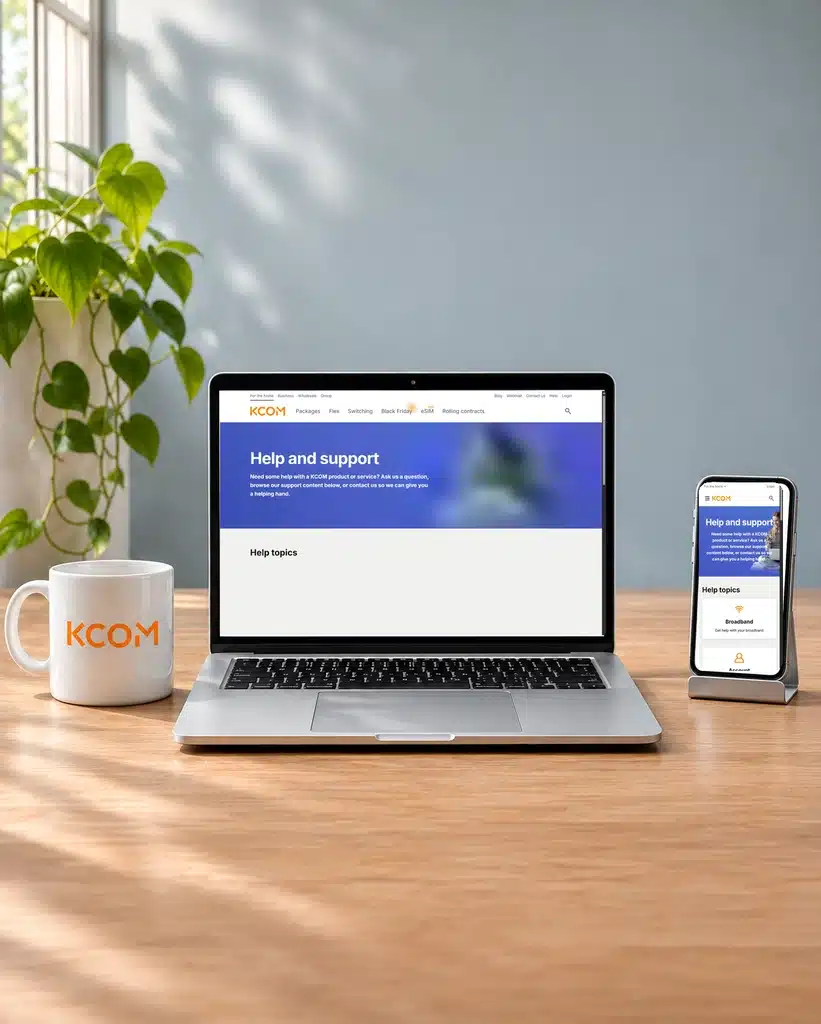
KCOM official help page shown on separate laptop and mobile screens

Email and Live Chat

Email gives you a written record for complicated billing or account problems, while human Live Chat is better for quick questions. KCOM also has a limited chatbot for pricing queries, but it isn’t a replacement for an adviser.

How KCOM’s digital support fits together

  1. Open My Account

    Use My Account or the app for bills, contact details, Direct Debit and package changes.

  2. Search the help centre

    Look for the account, router or connection question before contacting support.

  3. Message or call KCOM

    Use human Live Chat, email, the online form or phone when you need an adviser.

  4. Run guided checks

    Follow the website’s steps to test common broadband and Wi-Fi problems.

  5. Keep the reference

    Report the fault online or by phone, then keep the reference for any follow-up.

What the My KCOM app can do

The My KCOM app gives you mobile access to everyday account tools rather than forcing you to use the website.

You can view bills and keep your payment and contact details up to date.

Package management is available too, although a change can affect your price and contract term, so read the confirmation carefully.

The app can’t run every fault check. If the connection problem needs more than basic account access, use the website’s guided checks or contact KCOM through Live Chat or the technical-support phone line. An adviser can then investigate the fault with you.

What you can do on KCOM’s website

My Account handles billing, contact details, Direct Debit and package management without a phone call or a wait for customer service.

The searchable help centre covers common questions and explains practical fixes.

The service-status page and step-by-step checks help you find and report a broadband connection problem.

You can report a fault online and use human Live Chat when the written guidance isn’t enough.

No customer community forum

KCOM doesn’t run an official forum where customers can answer one another’s questions.

Its social-media accounts aren’t advertised as customer-support channels either, so don’t rely on a public post when you need help with the account or connection.

Use My Account, the app, Live Chat, email, the online form or phone support instead. A community can offer informal tips, but KCOM’s own help centre and advisers can see the account and fix a problem.

KCOM’s online support is excellent. My Account and the My KCOM app cover bills, contact details, Direct Debit and package changes, while a searchable help centre, status page and step-by-step checks help when broadband goes wrong. You can report faults online and use human Live Chat when an article isn’t enough. The app can’t run every check and there is no customer forum, but nearly every important job is covered.

9.2 /10
Overall score

Online help and account support score

This score reflects the quality and range of self-service tools, account management, help content, diagnostics, digital support routes and written support options.

Some links on this page may earn us a small commission if you click through and buy. This never affects either what you pay, or our scores and recommendations. If, however, you’d rather bypass affiliate links, use this direct KCOM link instead.

Illustration of Fibo representing direct links to broadband providers