NOW BROADBAND ROUTERS AND EQUIPMENT REVIEW

NOW Broadband routers review: How good are they?

NOW Broadband supplies the older Sky Broadband Hub as standard. Paying for WiFi Max gets you the newer Sky Max Hub, app controls and help with weak Wi-Fi, but the better equipment shouldn’t be an extra on a modern Full Fibre service.
By Data checked  Checked weekly
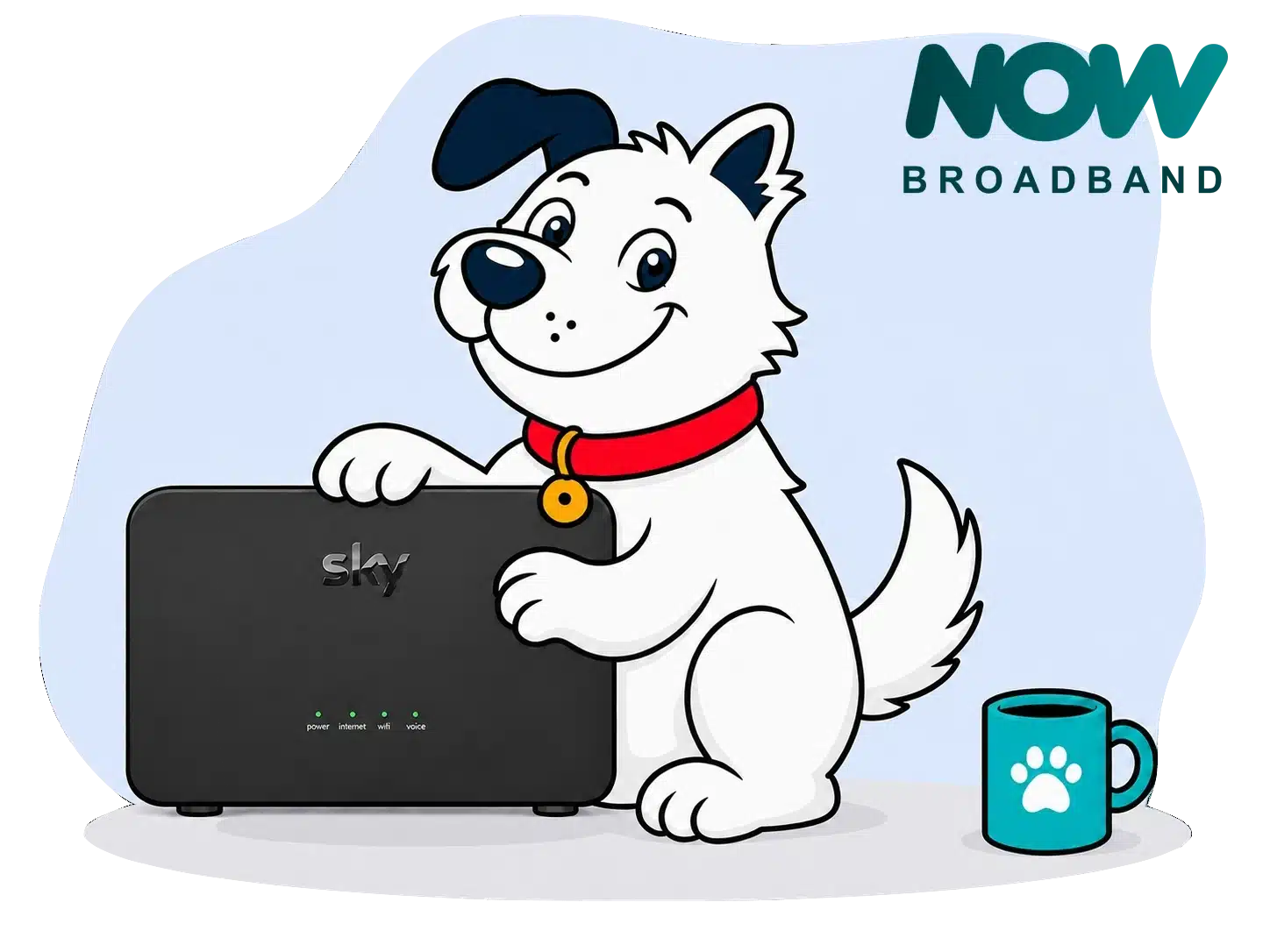
FibreDog holding the Sky Broadband Hub supplied with NOW Broadband

NOW Broadband routers and equipment scorecard

Six key areas. One overall score. All calculated using our transparent methodology.

Wi-Fi quality

How good the standard routers’ Wi-Fi is in everyday use, looking at specifications, Wi-Fi bands/type, and how many devices they can support.

6.6/10

Wi-Fi range

How far the router’s Wi-Fi should reach around the home, with consideration given to local factors like large homes or thick walls.

7.2/10

Whole-home Wi-Fi

Whether the provider offers a mesh router system or extra help for larger homes, whether it’s good, and whether it’ll cost you extra.

6.9/10

Wired connectivity

How well the router supports Ethernet and wired devices, looking at number of ports, their speeds, and how accessible they are.

7.9/10

Router controls

How much control you get through the app, admin page and any controls you might have on the router itself.

6.3/10

Using your own router

How easily you can use your own third-party router or mesh hardware – whether you can use anything you like or if it’s limited in any way.

9.8/10

Wi-Fi quality

NOW Broadband gives you one of two routers. Most customers receive the Wi-Fi 5 Sky Broadband Hub, while anyone adding WiFi Max gets the newer Wi-Fi 6 Sky Max Hub. That upgrade is worthwhile, but it shouldn’t take another paid subscription to bring the router up to date.

Key differences

The standard Sky Broadband Hub will cope, but it is dated

The standard Sky Broadband Hub uses Wi-Fi 5 and supports up to 64 connected devices. It has four Gigabit Ethernet ports, beamforming and automatic updates, so it can handle a typical home’s day-to-day broadband use. There’s no WPA3 security, 6GHz Wi-Fi, guest network or app management, though. Plenty of rivals now include Wi-Fi 6 without charging extra.

WiFi Max gives you the router NOW Broadband should include

Adding WiFi Max gets you the Sky Max Hub. It moves you to Wi-Fi 6 and adds WPA3 security, app management, device prioritisation and room for up to 120 connected devices. If the signal falls short, NOW Broadband can also lend you up to three Sky Max Pods. It’s a far better setup, but you’re paying extra to get it.

Neither router offers the latest Wi-Fi or wired speeds

The Sky Max Hub is modern enough for NOW Broadband’s current packages, but it isn’t cutting-edge. There’s no 6GHz band, Wi-Fi 6E or Wi-Fi 7, and every Ethernet port is limited to 1Gbps. That won’t hold back any current NOW Broadband package. It does mean the router leaves little room for a future faster service, and customers buying their own equipment today can find newer wireless technology and faster wired sockets.

Both routers leave out a useful guest network

Neither router lets you create a separate Wi-Fi network for visitors. You still get parental controls, security updates and the usual password protection, while the Sky Max Hub adds app controls and device prioritisation. Even so, a guest network is a basic convenience that many other routers provide.

INTERACTIVE TOOL

Compare routers from any provider

This provider’s routers are pre-selected for comparison with one another. However, you can use this tool to compare any router from any major provider using the dropdown menus below.

Feature Sky Broadband Hub Sky Max Hub
Fibredog rating 5.9/10 6.9/10
Router included as standard Yes, supplied as standard with NOW Full Fibre 75, NOW Full Fibre 100 and NOW Full Fibre 300 No, supplied when WiFi Max is added to an eligible NOW Full Fibre package
Router manufacturer Sky CP Limited Sky CP Limited
Router model SR203 SR213 / SR213A
Wi-Fi standard Wi-Fi 5 Wi-Fi 6
Wi-Fi bands Dual-band Dual-band
2.4GHz supported ✓Yes ✓Yes
5GHz supported ✓Yes ✓Yes
6GHz supported ×No ×No
Beamforming ✓Yes ✓Yes
Antenna count 8 8
Maximum connected devices Up to 64 Up to 120
Stated coverage Not stated Whole-home coverage when used with WiFi Max and any required Sky Max Pods
Total Ethernet ports 4 4
MU-MIMO ✓Yes ✓Yes
OFDMA ×No ✓Yes
WPA3 security ×No ✓Yes
Guest network ×No ×No
Antenna type Internal Internal
Gigabit Ethernet ports 4 4
2.5Gb Ethernet ports 0 0
5Gb Ethernet ports 0 0
10Gb Ethernet ports 0 0
WAN port speed 1Gbps 1Gbps
USB ports 0 0
Telephone ports 2 2
ONT Ethernet input ✓Yes ✓Yes
Coaxial input ×No ×No
Power connection DC barrel connector / external power adapter DC barrel connector / external power adapter
Mesh support Open mesh standard Provider mesh and some third-party systems
Provider mesh product N/A Sky Max Pods
Third-party router use You can use your own router You can use your own router
Modem mode ×No ×No
Compatible broadband technology Standard Fibre and Full Fibre Standard Fibre and Full Fibre
App management ×No ✓Yes
Parental controls ✓Yes ✓Yes
QoS ×No ×No
Automated QoS ×No ×No
Device prioritisation ×No ✓Yes
Anti-bufferbloat controls ×No ×No
Manual queue management (SQM/CAKE) ×No ×No
Smart channel selection ✓Yes ✓Yes
Security features WPA2; built-in firewall; Sky Broadband Shield; automatic security and firmware updates WPA2/WPA3; built-in firewall; Sky Broadband Shield; WiFi Max Advanced Security; malicious-site and phishing protection; security alerts and monitoring
Gamer mode ×No ×No
Game traffic prioritisation ×No ×No
Gaming QoS profiles ×No ×No
Server ping routing tools ×No ×No
Latency dashboards ×No ×No
Per-device gaming presets ×No ×No
Gaming VPN routing features ×No ×No
Work from home mode ×No ×No
Automatic firmware updates ✓Yes ✓Yes
Firmware update notes Firmware is delivered and managed automatically by Sky; no supported manual firmware-update process Firmware is installed and managed automatically by Sky; there is no supported manual firmware-update process
Router height 165mm 165mm
Router width 255mm 255mm
Router depth 63mm 63mm
Router weight 1100g 500g
Power consumption 10W 12W
Router orientation Vertical Vertical
Wall mountable ×No ×No
Router colour Black White
Self-installation ✓Yes ✓Yes
Browser admin interface ✓Yes ✓Yes
WPS ✓Yes ✓Yes
Status light control ×No ×No
Reset button ✓Yes ✓Yes
Wi-Fi on/off button ×No ×No
Where would you like to go next? See all tools See all tools
Compare all broadband deals

Which NOW Broadband router do you get?

Sky Broadband Hub

Included with NOW Broadband's standard Full Fibre packages.

It uses dual-band Wi-Fi 5, has four Gigabit Ethernet ports and supports up to 64 connected devices.

Sky Max Hub

Supplied when you add WiFi Max to an eligible package.

The upgrade adds dual-band Wi-Fi 6, WPA3, app management, device prioritisation and support for up to 120 devices.

WiFi Max

Available as a paid add-on across NOW Broadband's current Full Fibre range.

It includes the Sky Max Hub and can add up to three Sky Max Pods on loan if NOW Broadband finds that your home needs them.

Wi-Fi quality on NOW Broadband's two routers

The standard Sky Broadband Hub is usable, but Wi-Fi 5 now looks old. It has eight internal antennas, beamforming, automatic updates, four Gigabit Ethernet ports and support for up to 64 devices. Most homes can use it without trouble, but many competitors now include a newer Wi-Fi 6 router as standard.

The Sky Max Hub is the sensible option. Wi-Fi 6, WPA3, support for up to 120 devices and app management make it much more modern. It also works with Sky Max Pods and the WiFi Max guarantee. Unfortunately, you have to pay for WiFi Max to get it.

Both routers have four Gigabit Ethernet ports, although one port is used to connect the Full Fibre equipment installed in your home. Neither has a faster multi-gigabit socket, 6GHz Wi-Fi or Wi-Fi 7. Those omissions won't restrict NOW Broadband's current speeds, but they do limit how future-proof the routers are.

NOW Broadband's equipment is split too sharply between an ageing standard router and a good paid upgrade. The Sky Max Hub is more than capable for the packages on sale, but Wi-Fi 6 and app controls shouldn't sit behind an add-on. Customers who don't pay extra are left with older technology that several rivals have already replaced.
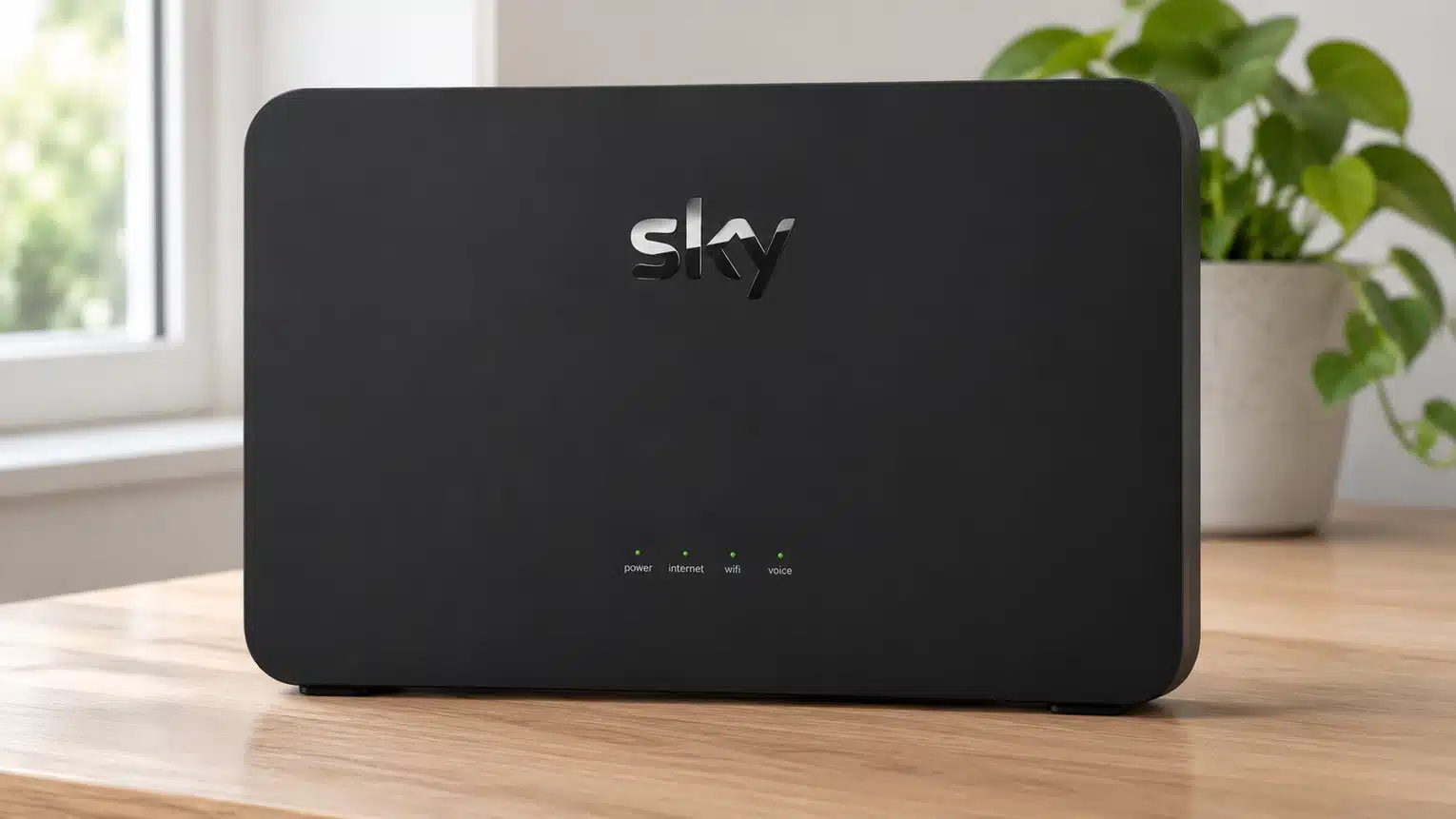
Now Broadband Sky Hub

The Sky Broadband Hub can manage normal home use, with four Gigabit Ethernet ports, eight antennas and support for up to 64 devices. Its Wi-Fi 5 technology, WPA2 security and browser-only controls are dated, though. WiFi Max fixes most of that by providing the Wi-Fi 6 Sky Max Hub, WPA3, app controls and device prioritisation. Charging extra for those improvements holds NOW Broadband back, particularly when Wi-Fi 6 is included as standard by many competitors.

6.6 /10
Overall score

Wi-Fi quality score

This score is based on the router’s Wi-Fi standard, frequency bands, device capacity and key wireless features such as beamforming, MU-MIMO and OFDMA.

Router range

A router’s Wi-Fi range decides how far its signal will travel before speeds begin to drop or the connection cuts out. Walls, floors, interference and where you place the hub all make a difference, so we’re looking at how well NOW Broadband’s routers cover the average home and what help is available where the signal falls short.

Both NOW Broadband routers have eight internal antennas

The antenna count is the same, but the wireless technology isn't. The standard Sky Broadband Hub uses Wi-Fi 5 and supports up to 64 devices. The Sky Max Hub uses Wi-Fi 6 and raises that limit to 120. It handles a busy home more comfortably, especially when several people are online at once, although neither router has a 6GHz band for the newest phones and laptops.

Your walls still matter more than the router

A better router helps, but it can't change the laws of physics. Thick walls, old brick, stone, insulation, mirrors and distance all make Wi-Fi work harder. The Sky Max Hub is a useful improvement over the standard hub, but a long home or one with lots of thick walls may still need Max Pods to get dependable Wi-Fi everywhere.

Missing 6GHz Wi-Fi isn't a serious problem for NOW Broadband

Neither NOW Broadband router has a 6GHz band. That means the newest compatible phones and laptops can't use a faster, less crowded band when they're close to the router. Most devices still use 2.4GHz or 5GHz anyway, so the omission is disappointing rather than a serious problem for NOW Broadband's current speeds.

The other limitation is range. 6GHz loses power through walls faster than 5GHz or 2.4GHz, so it’s best thought of as extra speed nearby rather than a whole-home coverage fix. Further away, even newer devices will usually fall back to one of the lower-frequency bands.

WiFi Max improves range, but costs extra

WiFi Max is NOW Broadband's answer to weak signals. It replaces the standard hub with the Wi-Fi 6 Sky Max Hub and adds a room-by-room speed promise. You don't receive Max Pods automatically. NOW Broadband can lend you up to three if its checks show that your Wi-Fi isn't meeting the promise. That's useful, practical help for a larger or difficult home, although the whole setup costs extra.

INTERACTIVE TOOL

Router range estimator

See how wall materials and router choice affect the quality of Wi-Fi around a typical home.
What are your internal walls mostly made from?
Which of these routers are you estimating?
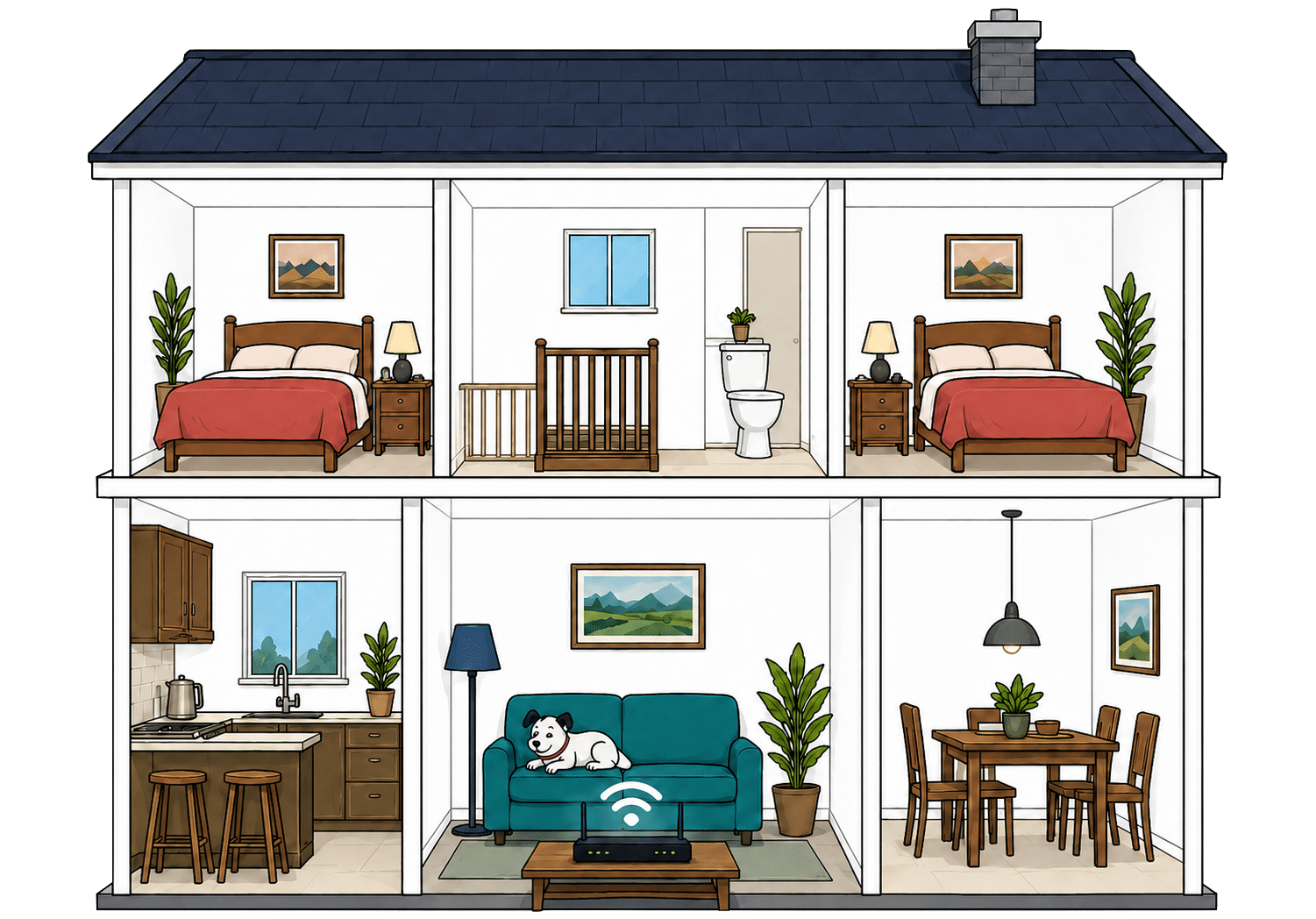
Cutaway illustration showing connected devices throughout a family home
Perfect reception – strong, reliable Wi-Fi. Average reception – slower speeds may happen. Poor reception – weak signal or drop-outs.

How to use the Router Range Estimator

Select your router and choose the material used for most of the internal walls in your home. The result gives you a useful starting point, but it is still an estimate.

Neighbouring Wi-Fi networks, unusual room layouts and homes with several wall types can all change the result. Use the estimate as a rough guide, then test the signal in the rooms where you actually need it.

How to maximise your NOW Broadband router's range

  1. Start with placement

    Put your NOW Broadband hub near the middle of your home if you can, out in the open and away from thick walls or cupboards.

  2. Test every room

    Run a speed test where you actually use Wi-Fi. Our Whole Home Wi-Fi Calculator further down this page is built for exactly that.

  3. Use the My Sky app

    WiFi Max customers can use the My Sky app to check the hub and connected devices. It can help identify a weak room before you move the router or add equipment.

  4. Move obvious blockers

    Keep the hub away from TVs, mirrors, metal objects, appliances and anything that boxes it in. Give the signal space to leave the router.

  5. Add WiFi Max if needed

    If some rooms still struggle, WiFi Max can provide up to three Max Pods when your Wi-Fi fails to meet NOW Broadband's room-by-room guarantee.

Higher-frequency Wi-Fi doesn't travel as far

Wi-Fi behaves exactly like sound. Ever notice how you hear the bass, meaning the low frequencies, a few rooms away, but can't hear the treble? It's the same here. The higher the frequency, the more detail there is in the signal, but lower frequencies make it through far more walls.

That's the difference between Wi-Fi bands. 2.4GHz is the slow old workhorse. It isn't glamorous or especially quick, but it's better at reaching the awkward room at the back. 5GHz is faster and better for streaming, gaming and newer devices, but it gives up sooner as you move away from the router.

Both hubs use the 2.4GHz and 5GHz bands. The lower-frequency 2.4GHz signal usually travels further, while 5GHz is faster at shorter distances. WiFi Max doesn't add a 6GHz band, but its Max Pods can carry the connection into rooms where the hub alone struggles.

Both routers have eight internal antennas, and either should cover plenty of average-sized homes when it's positioned sensibly. The standard hub's older Wi-Fi 5 technology is the weakness. WiFi Max upgrades you to the Wi-Fi 6 Sky Max Hub and can provide up to three Max Pods when checks show they're needed. It's a good way to fix poor room-to-room coverage, but only for customers willing to pay for the add-on.

7.2 /10
Overall score

Router range score

This score estimates how well the provider’s standard routers are likely to deliver usable Wi-Fi speeds around a typical home, not just whether a faint signal reaches the back bedroom.

Whole-home Wi-Fi

WiFi Max is NOW Broadband's answer to weak Wi-Fi. It gives you the better Sky Max Hub, a room-by-room speed promise and access to Max Pods where the hub can't reach. Standard Full Fibre packages don't include it, though, and buying faster broadband won't fix a room with a poor signal.

What is WiFi Max?

WiFi Max is NOW Broadband's paid whole-home Wi-Fi add-on. It replaces the standard router with the Wi-Fi 6 Sky Max Hub and adds app controls, device prioritisation, Advanced Security, more flexible technical support and a clear room-by-room Wi-Fi speed promise.

If NOW Broadband's checks show that the promised speed isn't reaching every room, it can lend you up to three Sky Max Pods. These work with the hub to carry the signal further around your home.

WiFi Max isn't included with NOW Broadband packages

NOW Broadband doesn't include WiFi Max or any Max Pods as standard. It costs extra, and subscribing doesn't mean three Pods arrive automatically. They're supplied only when troubleshooting shows that your home needs them.

That approach avoids sending out equipment unnecessarily, but it also means the better router, room-by-room Wi-Fi promise, app controls, device prioritisation and any help from mesh Pods are all locked behind a paid add-on.

WiFi Max extends the signal around your home

Adding WiFi Max replaces the dated Wi-Fi 5 hub with the much better Wi-Fi 6 Sky Max Hub. That gives your home a better starting point before any mesh equipment is added, particularly when several people and devices are online together. If the Max Hub still can't reach every room at the promised speed, NOW Broadband can then provide up to three Max Pods.

You can't buy NOW Broadband's Pods individually, and subscribing doesn't mean all three arrive automatically. NOW Broadband lends them as needed when its checks show that the Wi-Fi promise isn't being met. Support can provide up to three Pods without a separate equipment charge, but you must keep paying for the WiFi Max add-on every month.

WiFi Max gives you a better Wi-Fi 6 router, a room-by-room speed promise and up to three Max Pods where they're needed. That's a good whole-home setup once you have it. The disappointment is that none of it comes with a standard package, leaving NOW Broadband's best router and its help with weak signals behind another subscription.

INTERACTIVE TOOL

Whole Home Wi-Fi Calculator

Just follow these simple steps and we will calculate how many, if any, ‘Whole Home Wi-Fi’ pods you will need from your provider.

Start here. Work through the steps in order.

Upload — Mbps
Latency — ms

Step 1: Agree to M-Lab’s data policy

M-Lab stores test data, including your IP address. Tick to agree before testing.

Step 2: Connect to your home Wi-Fi

Make sure the phone, tablet or laptop you are using is connected to your home Wi-Fi network.

Step 3: Turn mobile data off

If your device has mobile data, turn it off before you start walking around the house.

Step 4: Test next to your router

Stand next to your main Wi-Fi router and press the button below. This gives us your baseline speed.

Recorded result Router baseline
— Mbps

Step 5: Test your ground floor corners

Walk to each corner of your ground floor and run a test. If your home is not a perfect rectangle, do not overthink it. Just pick four sensible far-apart spots and keep the same numbering if you add another floor.

Corner 1 — Mbps
Corner 2 — Mbps
Corner 3 — Mbps
Corner 4 — Mbps

Last step: Add another floor or calculate

If you have another floor to test, add it below. If you have tested every floor you care about, press calculate.

Your Whole Home Wi-Fi result

Result waiting Run your tests, then press calculate.


    WiFi Max: the basics

    Find the weak room

    WiFi Max is for the places where the signal from your NOW Broadband hub runs out of puff.

    Use our calculator above

    Check likely Wi-Fi blackspots before you pay for a faster package or extra equipment.

    Not standard on every package

    NOW Broadband's packages don't include WiFi Max or any Max Pods as standard.

    Always a paid extra

    WiFi Max costs extra every month, even when your home needs it to reach every room reliably.

    Coverage, not raw speed

    Max Pods help Wi-Fi reach distant rooms. They don’t make the broadband entering your home any faster.

    WiFi Max gives you a proper whole-home setup: the Wi-Fi 6 Sky Max Hub, a room-by-room speed promise and up to three Max Pods when they're needed. The Pods are supplied on loan after troubleshooting rather than handed out automatically, which is reasonable. The drawback is price. Standard packages include none of it, so customers must pay extra for the better router and any provider-backed help with weak Wi-Fi.

    6.9 /10
    Overall score

    Whole-home Wi-Fi score

    This score estimates how well the provider helps customers fix Wi-Fi weak spots around the home, including mesh support, mesh devices, app control, Wi-Fi guarantees and router capability.

    Wired connectivity

    Most people won't spend much time thinking about the sockets on the back of their router, and fair enough. Wi-Fi handles most everyday jobs. A cable is still useful when you want the steadiest possible connection for a games console, desktop computer, network switch or storage drive. Both NOW Broadband hubs give you the same number and speed of Ethernet ports.

    Both NOW Broadband hubs easily handle its current package speeds

    The Sky Broadband Hub and Sky Max Hub each have four Ethernet sockets. On Full Fibre, one connects the hub to the ONT, leaving three Gigabit Ethernet ports for your own devices. That means a television, games console and desktop computer can all plug in directly.

    NOW Broadband's fastest current package averages 300Mbps, so a 1Gbps connection leaves plenty of room. Even after allowing for the small amount of speed used to move data around the network, the router ports aren't a bottleneck for any package sold today. You can use the full connection without needing faster wired equipment.

    NOW Broadband would need faster ports before offering gigabit-plus speeds

    Both hubs are limited to 1Gbps Ethernet. That's more than enough for the current range, but it wouldn't suit a future package running beyond one gigabit. NOW Broadband would then need a router with a faster WAN socket, and preferably at least one matching LAN port for wired equipment.

    This is a future limitation, not a problem with the packages on sale. Even the 300Mbps service uses less than a third of what a Gigabit Ethernet port can carry, so current customers aren't losing speed because the routers lack multi-gigabit sockets.
    Illustration of Fibo comparing different wired network connections

    How a simple wired NOW Broadband network works

    Plugging devices directly into your router gives them a steadier connection than Wi-Fi. These router diagrams show the physical Ethernet ports, including any ONT or internet port used by the broadband connection itself.

    Sky Broadband Hub
    1 ONT / internet port 1Gbps
    3 usable ports 1Gbps 1Gbps each
    Sky Max Hub
    1 ONT / internet port 1Gbps
    3 usable ports 1Gbps 1Gbps each
    ★

    Use a wired connection for TVs, consoles and computers that stay in one place.

    ✓

    Use the fastest spare LAN port for the device or switch that needs the most speed.

    A cable is still best for a steady connection

    Even with good Wi-Fi, a wired connection is still the best option for anything that needs a steady connection. Gaming, large downloads, video calls, work computers and network storage can all benefit from being plugged in directly.

    You don't need Ethernet cables running around the house. If a television, games console or computer sits near the hub and needs the steadiest possible connection, plugging that device in is usually the simplest answer.

    Both hubs also have two phone sockets for NOW Broadband's internet-based home phone service. These are separate from the Ethernet sockets used by computers, televisions and games consoles.

    A phone socket on the router doesn't mean calls are included automatically. If you want a home phone, check the calls service when choosing your broadband package.

    How to make best use of your NOW Broadband router’s LAN ports

    1. Count the usable ports

      Both hubs have four Ethernet sockets. One connects to the Full Fibre box, leaving three Gigabit ports for your computers, televisions or games consoles.

    2. Gigabit ports easily cover NOW Broadband's current fastest package

      A Gigabit Ethernet port can comfortably carry NOW Broadband's current package speeds, even after allowing for the small amount used to move data around the network.

    3. Faster future packages would need different router hardware

      A 1Gbps port can't pass more than a gigabit to one wired device. That doesn't restrict current packages, but NOW Broadband would need multi-gigabit hardware before launching anything faster than that.

    4. Use cables where a steady connection counts

      Games consoles, work computers and network storage benefit most from a cable. Use the three available ports for the devices where a stable connection is most useful.

    5. Add a switch if needed

      If your wired sockets aren’t enough, add an Ethernet switch. It gives you more ports, not more speed per port.

    Both NOW Broadband routers have four Gigabit Ethernet sockets. One connects to the fibre box on a Full Fibre service, leaving three for your own wired devices. That's enough for a television, games console and computer without buying a network switch, and the 1Gbps port speed comfortably exceeds NOW Broadband's fastest current package. There are no multi-gigabit ports for future faster services, but that doesn't limit anything customers can buy today.

    7.9 /10
    Overall score

    Wired connectivity score

    This score looks at how useful the router is if you want to plug devices in with cables, including the number of Ethernet ports, port speeds, phone ports and whether the router has the right connection for the network it uses.

    Router controls

    The controls depend on which router you have. The standard Sky Broadband Hub gives you browser settings and parental controls, but no app management. The Sky Max Hub adds the My Sky app and device prioritisation through WiFi Max. Neither router offers a guest network or detailed gaming controls.

    WiFi Max adds useful controls through the app

    The standard Sky Broadband Hub doesn't offer app management. You use its browser settings for Wi-Fi changes and parental controls, while My Sky handles account help and line checks rather than turning the hub into an app-controlled router.

    The Sky Max Hub adds app controls for connected devices, profiles, schedules, parental controls and pausing access. These are useful everyday features, but you only get them after paying for WiFi Max.

    Sky Device Priority also comes with WiFi Max. It lets you give one phone, console or computer temporary priority when it needs a steady connection. It's useful, but it also shows how many of NOW Broadband's better controls are reserved for customers paying for the add-on.

    Browser controls remain available

    NOW Broadband still gives you a browser admin page for settings that don't sit in the app. You can see router information, change Wi-Fi details and reach some more technical options, although the exact controls differ between the two hubs. It covers the settings most people need without turning the router into a complicated networking project.

    Neither NOW Broadband router lets you create a guest Wi-Fi network

    A guest network gives visitors a separate Wi-Fi name and password, keeping them away from the devices on your main network. Neither the Sky Broadband Hub nor the Sky Max Hub lets customers set one up. That's a surprising omission from both routers.

    There are no dedicated gaming controls or detailed manual traffic settings either. WiFi Max includes device prioritisation, which can temporarily favour one phone, console or computer, but it doesn't offer the fine control found on enthusiast routers. Most households won't need those advanced settings; the missing guest network is the more noticeable gap.

    The standard hub gives you the basic settings needed to run a home network. WiFi Max adds easier device management and prioritisation through the app. The difference between the two routers is noticeable, but neither caters for people who want detailed control over every part of their network.

    Router controls

    NOW Broadband router controls at a glance

    Here’s a quick look at the router controls you can expect, including app management, browser admin tools, Wi-Fi settings, security features and the physical buttons on the router itself.

    App management App-based controls Unavailable
    Browser admin page Browser-based controls Available
    Parental controls Household controls Available
    Guest network Separate guest Wi-Fi Unavailable
    QoS Traffic priority controls Unavailable
    Device prioritisation Per-device priority Unavailable
    Smart channel selection Wi-Fi optimisation Available
    Security features Built-in security notes Available
    Automatic updates Firmware updates Available
    WPS Push-button pairing Available
    Reset button Physical reset control Available
    Wi-Fi on/off button Physical Wi-Fi control Unavailable

    Checked from manufacturer specifications. Fibredog tracks dozens of router specification parameters across dozens of provider routers. When a provider changes its router or features, this table is swiftly updated.

    What stands out

    • App controls vary

      The standard Sky Broadband Hub relies mainly on browser settings. The Sky Max Hub adds easier device management through the My Sky app.

    • Browser settings are still available

      You can use the router’s browser admin interface when you need settings or information that isn’t available through the app.

    • No guest Wi-Fi on any current hub

      Neither NOW Broadband router lets you create a guest network. Both also leave out manual traffic controls and gaming settings, although WiFi Max adds simple device prioritisation.

    The standard hub covers basic browser settings, parental controls, security and automatic channel selection. WiFi Max makes everyday management easier through the My Sky app and adds device prioritisation. However, the useful app controls are tied to a paid add-on, and neither router provides a guest network, manual traffic controls or a dedicated gaming mode. The essentials are present, but customers wanting much control over their home network will find the options limited.

    6.3 /10
    Overall score

    Router controls score

    This score looks at how easy the router is to manage, including app support, browser settings, parental controls, guest Wi-Fi, security features, updates and physical buttons.

    Using your own router

    NOW Broadband allows you to replace its hub with a compatible router connected directly to the Full Fibre box on your wall. That's excellent freedom for anyone who wants better Wi-Fi or more controls. You'll need to check compatibility, enter the connection settings yourself and keep the supplied hub in case support asks you to reconnect it.

    Using your own router with NOW Broadband explained step-by-step

    Check that your router is suitable

    Your router needs an Ethernet WAN socket and must support NOW Broadband's connection requirements. A standard Gigabit WAN port is fast enough for every package NOW Broadband currently sells. Check compatibility before buying anything, because setup and router faults become your responsibility.

    Disconnect the supplied hub from the Full Fibre box

    The Full Fibre box, also called an ONT, is where the fibre connection enters your home. The supplied hub normally connects to it with an Ethernet cable.

    You'll replace that connection. Neither supplied hub has a bridge or modem mode, so your own router connects directly to the ONT instead of sitting behind NOW Broadband's equipment.

    Connect your router by Ethernet

    Run an Ethernet cable from the ONT to the correct WAN or internet port on your own router.

    Your router will then become the main router for the home rather than sitting behind NOW Broadband’s hub as a second router.

    Enter the required connection settings

    Your router must be compatible with NOW Broadband’s broadband service and may need connection settings before it can get online.

    The requirements can vary by router and access network, so check the current instructions for your equipment rather than guessing.

    Test the connection in every room

    Check wired speed, Wi-Fi coverage, stability and every service you expect to use.

    Keep the supplied hub somewhere safe. Reconnecting it can make fault checks much easier if you later need NOW Broadband's help with the line.

    NOW Broadband allows third-party routers, but choosing compatible equipment and setting it up correctly are your responsibility. Some provider-managed features will no longer be available.

    NOW Broadband lets you replace its supplied hub easily

    NOW Broadband lets you use a compatible third-party router with its Full Fibre services. It can connect directly to the ONT and take over your home network, so you don't have to keep the Sky Broadband Hub or Sky Max Hub running alongside it.

    Your own router replaces the supplied hub completely rather than sitting behind it as a second router. That avoids double routing and lets your equipment handle the Wi-Fi, wired connections and network settings directly.

    You'll need NOW Broadband's connection settings

    Not every router will connect successfully just because it has a WAN socket. It must support the requirements of the NOW Broadband package delivered to your address, and you'll need to enter the correct connection settings yourself.

    A Gigabit WAN port is fast enough for NOW Broadband's current packages. Keep the supplied hub available, though, because support may ask you to reconnect it while diagnosing a line fault. You'll also lose provider-managed extras that depend on NOW Broadband's equipment.

    Do it for specific features, but not for the sake of it

    The supplied hubs can cover day-to-day home use, particularly the Sky Max Hub. If your router already gives you the speed, signal and controls you need, replacing it creates extra work without fixing a problem.

    Your own router makes more sense if you already have a good mesh system, need guest Wi-Fi or want detailed VPN, DNS, firewall, VLAN or traffic controls. You'll gain flexibility, but you'll lose some provider-managed features and become responsible for compatibility, setup and router faults.

    Why you might still want your own router

    You already own a good mesh system

    If you've spent good money on a mesh system, you may prefer to keep using it instead of starting again with whichever NOW Broadband hub your package provides.

    You want a different mesh system

    WiFi Max and Sky Max Pods can improve coverage, but you may prefer Eero, Deco, Orbi or equipment you already own.

    You need specialist controls

    Third-party routers can provide deeper tools for VPNs, DNS, VLANs, firewall rules and home-network tinkering.

    You want guest Wi-Fi

    Neither supplied hub has guest Wi-Fi. Many third-party routers do, keeping visitors away from devices on your main home network.

    You want your existing setup unchanged

    Keeping the same Wi-Fi details can save you reconnecting every phone, television, camera and smart device in the house.

    You want more traffic control

    Conventional QoS, detailed traffic rules and specialist gaming or home-lab features require equipment that offers them.

    Now Broadband Sky Hub

    What changes when you use your own router?

    Your compatible router connects to the ONT and replaces the supplied hub. It then runs your home network and provides the Wi-Fi, security and controls previously handled by NOW Broadband's equipment.

    The ONT

    Hands the connection to your router

    The ONT is the wall box where the Full Fibre connection enters your home. It stays in place and gives your router the Ethernet socket it needs to connect.

    Your own router connects to the ONT through a compatible WAN port instead of the supplied NOW Broadband hub.

    Your own router

    Takes over Wi-Fi and settings

    Your router handles Wi-Fi, wired devices, guest access and whichever VPN, DNS, firewall or traffic controls it provides.

    You also become responsible for compatibility, setup and router faults, while app controls and other features managed by NOW Broadband may no longer be available.

    NOW Broadband gives customers unusually broad freedom to use a compatible third-party router. It can replace the supplied hub completely and connect straight to the Full Fibre box, avoiding double routing or an awkward two-router setup. You'll have to check compatibility, enter the right connection details and deal with your own equipment if it fails. Keeping the supplied hub for fault checks is sensible, but NOW Broadband otherwise places very few barriers in the way.

    9.8 /10
    Overall score

    Using your own router score

    This score reflects how well the provider supports third-party router use, including ONT or modem-mode setup, WAN port speed, connection type and how cleanly your own router can take over the home network.

    Some links on this page may earn us a small commission if you click through and buy. This never affects either what you pay, or our scores and recommendations. If, however, you’d rather bypass affiliate links, use this direct NOW Broadband link instead.

    Illustration of Fibo representing direct links to broadband providers