
TALKTALK CUSTOMER SERVICE REVIEW
TalkTalk customer service: How good is it?
Still framing itself as the best choice for those who want reliability and value, we’re going to put that to the test here, with a deep dive into whether TalkTalk’s actual customer service offering measures up to its marketing.


Jump to a specific section…
Where would you like to go?
Jump straight to the part you most want to read about.
Having trouble choosing a broadband provider?
No single best provider or package exists – only the best pick for you personally. Fibredog’s YourMatch™ system uses thousands of provider metrics and a lot of maths to find you your perfect match.
TalkTalk customer service scorecard
Six key areas. One overall score. All calculated using our transparent methodology.
Customer experience
What customer data says about satisfaction, complaints, call waits, review sentiment and how the provider performs when judged from outside.
Contact options
How easy it is to get help, including phone, live chat, messaging, account tools, accessibility routes and fault-support channels.
When something goes wrong
How faults and outages are handled, including checking tools, reporting routes, updates, compensation and backup options.
Help for vulnerable customers
How well extra support is provided, including accessibility routes, alternative formats, priority help, financial difficulty and nominated contacts.
Complaints policy
How clear the complaints process is, including response times, escalation steps, ADR access and specialist complaints support.
Online help and account support
How useful the digital support setup is, including apps, account portals, help articles, diagnostics, fault reporting and tracking.
Customer experience
TalkTalk’s customer experience record is a bit of a mess. Complaints to Ofcom have fallen considerably, and complaint handling has improved, but TalkTalk still performs worse than average on several important measures. Overall satisfaction has barely moved in five reports, while its Trustpilot score has recently taken a nasty tumble.
Key takeaways
Fewer complaints, but still too many
TalkTalk’s complaints to Ofcom fell from 87 per 100,000 subscribers in 2020 to 48 in 2025. That’s a reduction of almost 45%, so it deserves real credit. Unfortunately, the latest result was still worse than the industry average of 41. TalkTalk is heading in the right direction, but it hasn’t caught up with everyone else yet.
Trustpilot has gone backwards
TalkTalk’s Trustpilot score fell from 2.9/5 in April 2025 to just 2.2/5 in July 2026. Its 89,436 reviews are heavily polarised, with 35% awarding five stars and 47% giving just one. Trustpilot isn’t a representative satisfaction survey, but this is a large sample and the recent decline is far too substantial to brush aside.
INTERACTIVE CHART
Compare customer experience by provider
Choose two broadband providers, then use the buttons below to compare Ofcom and Trustpilot customer experience data.
Overall service satisfaction
Ofcom satisfaction with service overall
Sources: Ofcom, Trustpilot.
Latest overall
satisfaction
77%
Industry avg: 82.8%
Complaints to Ofcom rate
48 per 100k
Industry avg: 47.2 per 100k
Average call wait
1m 08s
Industry avg: 2m 39s
Satisfaction with complaint handling
54%
Industry avg: 52.8%
According to Ofcom
Overall satisfaction has barely moved across TalkTalk’s five reports, sitting between 77% and 78% throughout. The latest result was 77%, while the five-report average was 77.6%. That consistency might sound reassuring, but TalkTalk appears at or towards the bottom of the provider comparison. It has been consistently mediocre rather than consistently good.
The proportion of people with a reason to complain has also remained high. It rose from 14% in 2020 to 24% in both 2021 and 2023, before landing at 23% in 2025. The five-report average was 21.2%, and the latest result is still considerably worse than where TalkTalk started.
Complaint handling is one of TalkTalk's better areas. Satisfaction rose from 46% in 2023 to 54% in 2025, its best result across the five reports. That’s a meaningful improvement, but not a triumphant one. TalkTalk still finished below the 58% industry average and behind every other measured provider in the comparison.
Complaints made directly to Ofcom have fallen in every report, dropping from 87 per 100,000 subscribers in 2020 to 48 in 2025. That’s easily TalkTalk’s clearest improvement. Even so, the latest figure remained above the industry average of 41, so this is more a case of closing the gap than fixing the problem.
Call waiting times have bounced around rather than following any clear pattern. The wait rose from 39 seconds in 2020 to one minute and 46 seconds in 2021, before falling to one minute and eight seconds in 2025. That’s much better than TalkTalk’s worst year, but still 29 seconds slower than where it began.
According to Trustpilot
TalkTalk’s Trustpilot score remained fairly steady for several years. It recorded 2.8/5 in both May 2022 and March 2023, climbed to 3.0/5 in April 2024, then slipped slightly to 2.9/5 in April 2025. By July 2026, however, it had fallen sharply to just 2.2/5.
The latest ratings are heavily split between delighted and furious. Five-star reviews account for 35% of the total, while 47% award TalkTalk just one star. Only 18% fall anywhere between those extremes, suggesting your experience may depend heavily on whether everything works or you need TalkTalk to sort out a problem.
There’s no shortage of feedback. TalkTalk’s review count rose from 65,760 in May 2022 to 89,436 in July 2026, increasing at every snapshot. That’s nearly 24,000 additional reviews, so the overall picture certainly isn’t being shaped by a tiny group of particularly noisy reviewers.
Trustpilot does need to be handled carefully because people generally need a reason to leave a review. Provider invitations and Trustpilot’s own scoring system can influence the result too, so you shouldn’t treat 2.2/5 as a direct measure of broadband satisfaction.
Even with those caveats, the latest decline is difficult to dismiss. TalkTalk’s score fell by 0.7 points between April 2025 and July 2026, while one-star reviews rose and five-star reviews fell. Ofcom shows some genuine progress with formal complaints, but Trustpilot suggests the wider experience has become worse, not better.
TalkTalk’s customer experience remains disappointing. Complaints to Ofcom have fallen considerably and complaint handling has improved, but both remain worse than the industry average. Overall satisfaction has barely moved, while its Trustpilot score has dropped sharply to 2.2/5. There’s progress here, but TalkTalk still has a lot of work to do.
Where would you like to go next?
Customer experience score
This score is based on Ofcom service-quality metrics and Trustpilot review trends over time, giving a balanced view of the overall customer experience.
How we calculate this score
This score looks at the provider’s Ofcom service-quality metrics and Trustpilot review trends over time.
We give extra weight to channels that are easy to access, available for longer hours, and useful when something has gone wrong.
Accessibility support, self-service tools and clear fault-status information also contribute to the final score. As does trajectory – whether a provider is in the process of improving or getting worse.
See all measurementsContact options
TalkTalk covers most of the important ways you might need to get help. Phone hours are unusually limited compared to most national providers, but live chat runs seven days a week, while its account tools, fault checks, complaint routes and accessibility support are all well developed.
Plenty of contact routes, but shorter phone hours
You can contact TalkTalk by phone, human live chat or email, manage your account online or through its app, ask the community, or use its official Facebook and X support channels. There’s no verified WhatsApp or Instagram support, but most practical routes are covered.
Phone support runs from 9am to 7pm Monday to Friday and 9am to 6pm on Saturday, giving you 59 staffed hours each week. That’s not great, with most national providers up in the 80s and 90s. Live chat makes up for some of that, operating from 8am to 9pm Monday to Saturday and 8am to 7pm on Sunday.
TalkTalk accepts complaints by live chat, email, phone and post, and aims to respond within 10 working days. You can escalate an unresolved complaint to a manager, then take it to CISAS after six weeks or sooner if TalkTalk issues a deadlock letter.
Its online fault tools cover everything important
TalkTalk gives you several ways to investigate a broadband problem before calling. TalkTalk's My Connection can run a live connection test, check your speed, look for outages or maintenance, and let you report and track a fault. There’s also a separate Service Status Dashboard for checking wider problems.
My Account and the TalkTalk app cover bills, payments and everyday package management, alongside access to fault diagnostics. These tools won’t magically repair every problem, but they give you a proper first step and should save you from joining a phone queue just to discover there’s an outage in your area.
Extra support is good, but there’s no social tariff
TalkTalk’s accessibility support includes priority fault repair for eligible people, nominated contacts, Text Relay and documents in large print, Braille, audio or on coloured paper. You can register your requirements through My Account or speak to its dedicated accessibility team.
There are also dedicated provisions for bereavement and financial difficulty, including help with payments and possible extensions. The glaring omission is a proper social tariff. TalkTalk talks extensively about affordable broadband, yet it doesn’t offer a standard benefit-linked package listed by Ofcom. That leaves a sizeable hole in an otherwise capable support service.
TalkTalk gives you phone and email support, seven-day human live chat, useful account tools and a complete set of online fault checks. Its accessibility and complaints support are well organised too. The phone lines could stay open longer, though, and the lack of a proper social tariff is particularly disappointing.
Support channels at a glance
TalkTalk gives customers several ways to get help. This view shows which practical contact, account and fault-support routes are recorded in the fibredog dataset.
Checked from live provider data. Fibredog tracks contact routes, account tools and fault-help options separately, so this information updates soon after anything changes.
What stands out
Live chat runs seven days a week
TalkTalk’s human live chat is open from 8am to 9pm Monday to Saturday and 8am to 7pm on Sunday, considerably longer than its phone lines.
Excellent online fault checks
My Connection can test your line and speed, check for outages, report a fault and let you track its progress without immediately calling support.
No proper social tariff
TalkTalk offers help if you’re struggling to pay, but it has no standard benefit-linked social tariff on Ofcom’s current list.
New customers
9am–7pm Monday–Friday; 9am–6pm Saturday; closed Sunday* Monday–Saturday
0800 0499 999Customer service
9am–7pm Monday–Friday; 9am–6pm Saturday; closed Sunday* Monday–Saturday
0345 172 0088Fault support
9am–7pm Monday–Friday; 9am–6pm Saturday; closed Sunday* Monday–Saturday
0345 172 0088*Hours may vary on public holidays
TalkTalk offers human live chat seven days a week, email support, useful account tools and excellent online fault checks. Its complaints, accessibility, financial-difficulty and bereavement services are clearly explained too. Phone hours are less generous, however, and the absence of a proper social tariff leaves an obvious gap.
Where would you like to go next?
Contact options score
This score is based on the range, quantity and quality of provider contact routes, support tools, and the availability and ease of use of the various means available.
How we calculate this score
This score looks at the number, range and usefulness of the provider's contact routes.
We give extra weight to channels that are easy to access, available for longer hours, and useful when something has gone wrong.
Accessibility support, self-service tools and clear fault-status information also contribute to the final score.
See all measurementsWhen things go wrong
When your broadband goes wrong, TalkTalk gives you a solid collection of tools for finding the cause, reporting the problem and tracking what happens next. The online side is particularly good, although the lack of broadband backup and fixed repair-time guarantee leaves room for improvement.
Finding the fault
TalkTalk’s Service Status Dashboard and My Connection tool give you a useful first look at the problem. You can check for known outages and maintenance, run a live connection test, test your broadband speed and investigate whether the fault is limited to your home.
The same features are available through TalkTalk’s app, alongside your bills and account information. No diagnostic tool can identify every fault, but this is a proper set of checks that may explain the problem before you need to contact anyone.
Getting the problem reported
If the automated checks don’t solve the problem, you can report and track the fault online through My Connection or call TalkTalk. Human live chat is available too, giving you several ways to get help without being forced into a phone queue.
Fault support by phone runs from 9am to 7pm Monday to Friday and 9am to 6pm on Saturday. The lines are closed on Sunday, although live chat remains available from 8am to 7pm. That makes TalkTalk’s online support considerably more flexible than its phone service.
If the outage drags on
TalkTalk belongs to Ofcom’s automatic compensation scheme, covering delayed activation, missed appointments and qualifying total losses of service. However, the position differs by network. Automatic payments for a total loss of service are documented for Openreach connections, while people using some alternative networks may need to request compensation.
You shouldn’t confuse automatic compensation with a repair deadline. TalkTalk doesn’t promise to repair every broadband fault within a fixed number of hours or days, although eligible vulnerable people can receive priority fault repair.
The other obvious omission is broadband backup. TalkTalk doesn’t provide an automatic 4G or 5G connection to keep you online during an outage, either as standard or as a paid extra. Its fault tools are very good, but if the connection itself fails completely, there’s no built-in safety net.
TalkTalk gives you excellent online tools for checking, diagnosing, reporting and tracking broadband faults. Human live chat runs seven days a week, and qualifying outages receive automatic compensation. But there are shorter phone hours than you might expect, no fixed repair deadline and no mobile broadband backup if your connection fails completely.
The TalkTalk fault process
TalkTalk combines its Service Status Dashboard with My Connection and app-based tools, followed by online fault reporting, tracking and human support when self-service is not enough.
1. Check
Use TalkTalk's Service Status Dashboard and My Connection to check for known outages or maintenance in your area.
2. Diagnose
Run My Connection tests online or through TalkTalk's app to check the line, connection and broadband speed.
3. Report
If the tools do not fix it, report the fault through My Connection or contact TalkTalk by live chat, email or phone.
4. Track
Follow the fault in My Connection and check TalkTalk's service-status information and updates while it is investigated.
5. Resolve
Automatic compensation can cover qualifying delays, missed appointments and some total losses of service, although network limitations apply and there is no universal fixed repair-time guarantee.

Service and area checks
TalkTalk's Service Status Dashboard and My Connection identify known outages and maintenance.
Online and app diagnostics
My Connection and TalkTalk's app can test the line, connection and broadband speed.
Report and track faults
Report online through My Connection, or contact TalkTalk by live chat, email or phone.
Automatic compensation
It can cover qualifying delays, missed appointments and some total losses, although network limitations apply.
No broadband backup
TalkTalk's battery unit provides temporary power resilience, not a second broadband connection.
TalkTalk handles faults well, with service-status checks, online and app diagnostics, fault tracking, phone support and seven-day human live chat. Automatic compensation covers qualifying failures, although some network users may need to claim. The lack of a fixed repair-time guarantee or mobile broadband backup prevents an otherwise outstanding result.
Where would you like to go next?
When things go wrong score
This score reflects how well the provider helps you spot the fault, report it, keep tabs on the repair and stay protected if the outage keeps going.
How we calculate this score
This score looks at how easy it is to check, diagnose, report and track broadband faults.
We give weight to service-status tools, area fault checkers, online and app-based diagnostics, and both online and phone fault-reporting routes.
We also score the safety nets that apply if a fault drags on, including automatic compensation, repair-time commitments and whether broadband backup is included, or available at all.
See all measurements
Having trouble choosing a broadband provider?
No single best provider or package exists – only the best pick for you personally. Fibredog's YourMatch™ system uses thousands of provider metrics and a lot of maths to find you your perfect match.
Help for vulnerable customers
TalkTalk’s support for vulnerable people is a mixture of genuinely useful safeguards and two conspicuous omissions. You can register accessibility requirements, arrange priority repairs and get help through bereavement or financial difficulty. However, there’s no verified sign-language contact route and no social tariff.
Registering unlocks meaningful help
You can record your accessibility requirements through My Account or contact TalkTalk’s dedicated accessibility team. Doing so isn’t just an administrative exercise. Eligible people can receive priority fault repair when losing their connection would put them at risk.
TalkTalk also provides additional help if you need to make a complaint, because accessibility support shouldn’t disappear the moment something becomes difficult or contentious. The provisions are clearly explained and connected to situations in which you might actually need them.
You don’t have to manage everything alone
One of TalkTalk’s most useful options is the ability to nominate a friend, family member or caregiver to help manage your account. If illness, disability or changing circumstances make dealing with broadband difficult, a trusted person can step in rather than leaving you to repeatedly explain the situation yourself.
TalkTalk can also provide bills, contracts and other communications in large print, Braille, audio or on coloured paper. Text Relay is supported as well. That’s a good range of workable alternatives, although we couldn’t verify any British Sign Language route for contacting TalkTalk itself.
Good crisis support, but no cheaper package
If you’re struggling to pay, TalkTalk has a separate support number and can discuss payment options or extensions where available. It also points people towards independent debt advice. Bereavement is handled by a dedicated team rather than being folded into the ordinary support queue, which is a nice touch.
What TalkTalk doesn’t offer is a proper social tariff. There’s no current, generally available discounted broadband package for people receiving benefits on Ofcom’s register. So TalkTalk may help you manage an unaffordable bill, but it doesn’t provide the most obvious long-term way to reduce it. That’s a substantial weakness in our opinion.
What does TalkTalk do to help vulnerable customers?
Here’s a quick look at the extra-help routes available from this provider, covering everything from accessibility support, alternative formats, nominated contacts, money worries and social tariffs.
Checked from customer-support data. Fibredog tracks the extra-help features of all providers, so this boxout updates when anything changes on the provider end.

How accessible help works with TalkTalk
-
1
Choose your support route
Start with Live Chat, phone, Text Relay or TalkTalk's dedicated accessibility support team.
-
2
Register your accessibility needs
Record your accessibility needs and preferred communication format in My Account or the TalkTalk app.
-
3
Choose formats and account help
Ask for large print, Braille, audio or coloured-paper communications, or appoint a nominated user to help with the account.
-
4
Get priority or specialist help
Eligible customers can receive Priority Fault Repair, while financial difficulty and bereavement support have dedicated routes.
-
5
Keep support in place
Saved accessibility preferences, alternative formats and nominated-user arrangements can remain on the account for future contact.
TalkTalk offers priority repairs, nominated contacts, accessible documents, Text Relay and dedicated help with financial difficulty and bereavement. These are practical services, not empty promises. However, the lack of a verified sign-language service and a proper social tariff keeps an otherwise great support package from scoring even higher.
Where would you like to go next?
Help for vulnerable customers score
This score reflects the support available for vulnerable customers, including accessibility help, priority repairs, alternative formats, financial difficulty support and social tariffs.
How we calculate this score
This score looks at the practical support available for vulnerable customers and customers with additional accessibility or financial needs.
We score vulnerable customer policies, accessibility support, priority repairs, nominated contacts, alternative-format billing, text relay, sign language support and bereavement support.
We also include financial difficulty support and whether the provider offers a social tariff for eligible customers.
See all measurementsComplaints policy
TalkTalk’s complaints policy is better than its reputation might suggest. It gives you several ways to complain, a clear response target, management escalation and access to an independent adjudicator after six weeks. The process is good on paper, although Ofcom’s figures show the results still need work.
TalkTalk complaints process explained step by step
Raise a complaint
Complain by live chat, email, phone or post. Explain what went wrong, provide the account details and say what outcome you want.
Get a response
TalkTalk aims to respond within 10 working days, although a complicated complaint may take longer to resolve.
Escalate if it is not fixed
If the first response does not solve the problem, ask TalkTalk to escalate the complaint to a manager.
Deadlock or six weeks
You can approach CISAS after a final-position or deadlock letter, or when the complaint has remained unresolved for six weeks.
Independent ADR
CISAS can independently review the dispute when TalkTalk's internal complaints process has failed to resolve it.
ADR is the final escalation method. TalkTalk's current complaints guidance allows CISAS access after a final-position or deadlock letter, or once the complaint has remained unresolved for six weeks.

Four ways to make yourself heard
TalkTalk accepts complaints by live chat, email, phone and post. That’s a genuinely useful spread. You can speak to someone, create a written record online or send a traditional letter, rather than being funnelled through one contact method that may not suit you.
It aims to respond within 10 working days. That’s a response target rather than a promise that every complicated dispute will be completely resolved by then, but at least you know when TalkTalk should acknowledge the problem and begin dealing with it.
The process is clearer than the results
If the first response doesn’t settle matters, TalkTalk explains that you can ask for the complaint to be escalated to a manager. Accessible complaint support is available too, so the process isn’t built entirely around people who can use an ordinary phone or standard written correspondence.
That said, a well-documented policy doesn’t guarantee a good experience. Satisfaction with TalkTalk’s complaint handling rose to 54% in Ofcom’s latest report, but that was still below the 58% industry average and behind every other measured provider. The route is clear. The destination remains less reliable.
Six weeks is the number that matters
TalkTalk uses CISAS as its independent dispute-resolution service. If your complaint remains unresolved for six weeks, you can take it outside TalkTalk and ask CISAS to examine it. That’s a shorter wait than the eight-week period still quoted in some older broadband complaints information.
You may be able to go sooner if TalkTalk issues a final-position or deadlock letter. Crucially, TalkTalk names the scheme, explains when you can use it and sets out how an internal complaint reaches that point. You’re not left to discover the escape route only after the process has failed.
Independent ADR provider
If TalkTalk can’t resolve your broadband complaint, CISAS is the approved ADR scheme for its services.
- CEDR Services Ltd., 100 St. Paul’s Churchyard, London EC4M 8BU
- 020 7520 3814
- cisas@cedr.com
- cedr.com/consumer/cisas
Accessible complaints support
TalkTalk supports accessible complaint handling through Text Relay and its accessibility support team, with bills and communications available in large print, Braille, audio and on coloured paper. A verified BSL complaints route is not available.
How TalkTalk deals with complaints
Code of practice
Publishes a complaints code and explains the escalation route
Complaint routes
Live chat, email, phone and post, with accessible support available
10-working-day target
TalkTalk aims to respond within ten working days
Internal escalation
Explains escalation and when a deadlock letter can be issued
ADR after 6 weeks
Final position, deadlock or six weeks opens the independent CISAS route
Accessibility support
Text Relay plus Braille, large-print, audio and coloured-paper formats

TalkTalk’s complaints policy is impressively clear. You can complain by live chat, email, phone or post, request management escalation and approach CISAS after six weeks or sooner with a deadlock letter. However, Ofcom satisfaction remains below average, showing that a well-explained process doesn’t always produce a satisfactory result.
Where would you like to go next?
Complaints policy score
This score reflects how clear and useful the provider's complaints process is, including response times, escalation options, ADR access and support for vulnerable customers.
How we calculate this score
This score looks at how clear, accessible and useful the provider’s complaints policy is.
We give weight to whether the provider publishes a complaints code of practice, provides clear complaint routes, explains its response times and sets out how customers can escalate unresolved complaints.
We also score independent ADR access, including whether the ADR scheme is named, when customers can use it, and whether accessible complaints support is available.
See all measurementsOnline help and account support
TalkTalk’s online support is well connected. My Account handles everyday admin, the app keeps bills and account details close to hand, and My Connection takes you from checking for an outage to testing, reporting and tracking an individual fault.
Manage your account and bills online
My Account covers most of the jobs you shouldn’t need an adviser to perform. You can manage bills and payments, change payment details or dates, view orders and control services, Boosts, calling features and billing preferences.
You can also arrange a home move and register accessibility requirements online. The TalkTalk app brings billing and account management onto your phone, so much of the routine maintenance can be handled without contacting support at all.
Online help still leads to a person
TalkTalk’s searchable Help Centre covers broadband, billing, account management and common technical problems. There’s also a community forum if you want advice from other users, alongside support through email, Facebook and X.
There’s no standalone chatbot, but that’s hardly a loss when human live chat is available from 8am to 9pm Monday to Saturday and 8am to 7pm on Sunday. TalkTalk’s digital support doesn’t stop at articles and automated answers.
Check the wider network before blaming your router
TalkTalk’s Service Status Dashboard lets you check for known problems and maintenance in your area. It’s a simple but useful first step because there’s little point restarting equipment and changing settings if the fault is already affecting half the neighbourhood.
My Connection follows the fault from start to finish
My Connection goes beyond displaying an outage notice. It can run a live connection test, check your broadband speed and investigate the service reaching your home. If the problem remains, you can report it online and track what happens next through the same journey.

Email support is available
TalkTalk publishes heretohelp@talktalkplc.com for customer-service queries and complaints. Email provides a useful written trail, although TalkTalk may ask you to call when it needs more information to resolve the issue.
How TalkTalk's digital support works
-
1
Sign in
Sign in to My Account online or through the TalkTalk app to manage bills, services and account details.
-
2
Check help articles
Search the TalkTalk Help Centre or community forum for account, broadband, router and fault guidance.
-
3
Message, email or call
Use human live chat, email or telephone support when self-service guidance is not enough.
-
4
Run diagnostics
Use the Service Status Dashboard, My Connection or the app to check outages and test the broadband line.
-
5
Report faults
Report and track a broadband problem through My Connection, live chat, email or phone.
What you can do on the app
The TalkTalk app gives you quick access to bills and everyday account information from your phone. It’s useful for checking what you’ve been charged and handling straightforward account jobs without opening the full website.
Broadband support is built in too. You can run diagnostics through the app, check your connection and investigate whether TalkTalk already knows about a problem affecting the service.
That makes the app more useful during a fault than many provider apps, which often amount to little more than a mobile bill viewer. You can at least begin investigating the problem before deciding whether you need further help.
The app doesn’t replace TalkTalk’s complete online service. More involved tasks, including reporting and tracking a fault, managing certain services and arranging a home move, are handled through its browser-based tools.
What you can do online
My Account is where TalkTalk puts the heavier account-management jobs. You can manage bills and payments, change payment details or dates, view orders, control services, Boosts and calling features, and update billing preferences.
You can also book a home move and register accessibility requirements online. Those aren’t minor extras. They remove the need to explain a complicated request from scratch to an adviser whenever your circumstances change.
For broadband problems, My Connection can check for outages or maintenance, run a live connection test and test your speed. If the fault remains, you can report it online and track its progress through the same service.
TalkTalk’s searchable Help Centre and Service Status Dashboard add further self-service support. If those don’t provide the answer, human live chat operates seven days a week, while email, phone and community support remain available.

TalkTalk Community
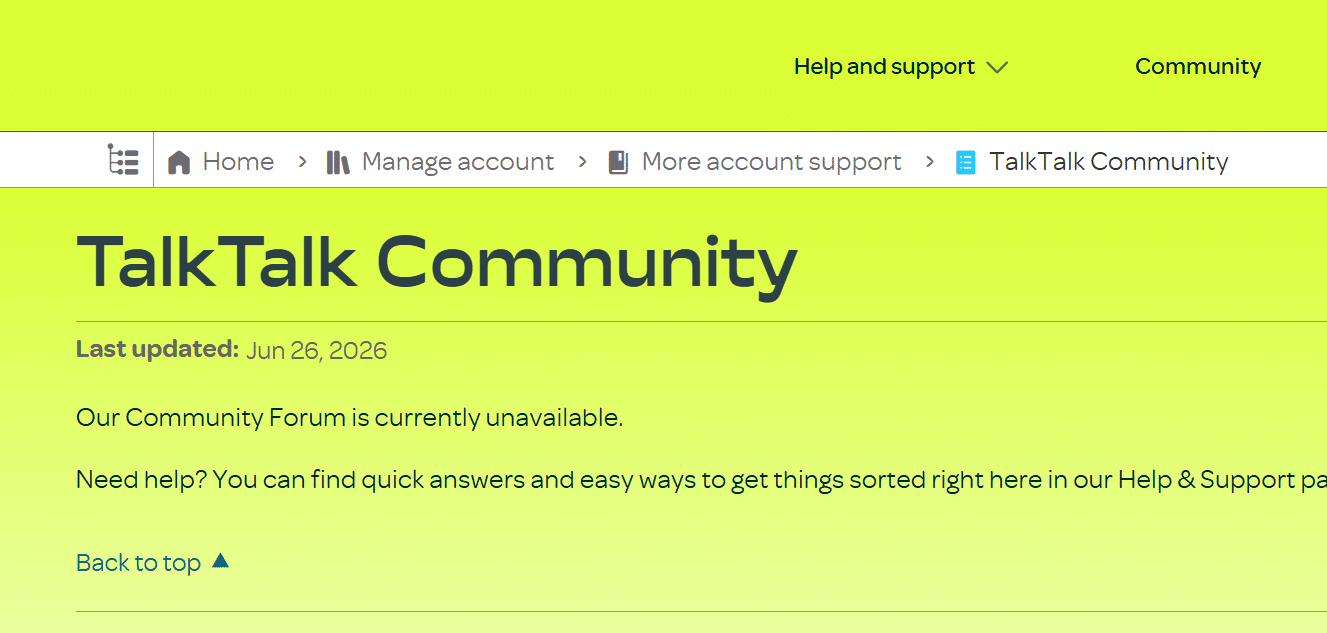
TalkTalk Community is useful when your broadband question is too specific for an ordinary help article. However, at the time of writing, it appears to have been taken offline.
When it is working, you can search existing discussions, ask other TalkTalk users and find practical help with broadband, Wi-Fi, equipment and account problems.
Available now: TalkTalk Community is a genuine additional support route. It can help with unusual questions, although faults still need to be reported directly to TalkTalk. Shame it's not currently up and running.
TalkTalk’s digital support is impressively complete. My Account and the app cover bills and everyday account changes, while its Help Centre, community and seven-day human live chat provide several routes to help. My Connection is the highlight, combining outage checks, line testing, speed testing, fault reporting and tracking in one place.
Where would you like to go next?
Online help and account support score
This score reflects the quality and range of self-service tools, account management, help content, diagnostics, digital support routes and written support options.
How we calculate this score
This score looks at how well a provider lets customers manage their account, find help, diagnose faults and report problems online.
We give the greatest weight to the broadly useful journey of finding help, diagnosing and reporting faults, and managing an account online.
Help articles, billing and package tools, mobile apps and community support all contribute. Email, live chat and chatbot support are useful additional routes without dominating the score.
See all measurements
Having trouble choosing a broadband provider?
No single best provider or package exists – only the best pick for you personally. Fibredog's YourMatch™ system uses thousands of provider metrics and a lot of maths to find you your perfect match.
Some links on this page may earn us a small commission if you click through and buy. This never affects either what you pay, or our scores and recommendations. If, however, you’d rather bypass affiliate links, use this direct TalkTalk link instead.
