
REBEL INTERNET ROUTERS AND EQUIPMENT REVIEW
Rebel Internet routers review: How good are they?
Rebel Internet offers one router across its three available packages, the Rebel R1, as well as any amount of Plume Pods, which will extend your Wi-Fi signal as needed, but at extra cost. So how good is it? Let’s find out.

Having trouble choosing a broadband provider?
No single best provider or package exists – only the best pick for you personally. Fibredog’s YourMatch™ system uses thousands of provider metrics and a lot of maths to find you your perfect match.
Rebel Internet routers and equipment scorecard
Six key areas. One overall score. All calculated using our transparent methodology.
Wi-Fi quality
How good the standard routers’ Wi-Fi is in everyday use, looking at specifications, Wi-Fi bands/type, and how many devices they can support.
Wi-Fi range
How far the router’s Wi-Fi should reach around the home, with consideration given to local factors like large homes or thick walls.
Whole-home Wi-Fi
Whether the provider offers a mesh router system or extra help for larger homes, whether it’s good, and whether it’ll cost you extra.
Wired connectivity
How well the router supports Ethernet and wired devices, looking at number of ports, their speeds, and how accessible they are.
Router controls
How much control you get through the app, admin page and any controls you might have on the router itself.
Using your own router
How easily you can use your own third-party router or mesh hardware – whether you can use anything you like or if it’s limited in any way.
Fibredog Router Comparison Tool
Compare this provider's routers with each other, or with any other national provider.
Fibredog Router Range Estimator
Provides a visual mock-up of how Wi-Fi is likely to behave in your home with this provider's routers.
Fibredog Whole Home Wi-Fi Calculator
Calculates whether you need additional mesh routers, how many, and even where you should put them.
Wi-Fi quality
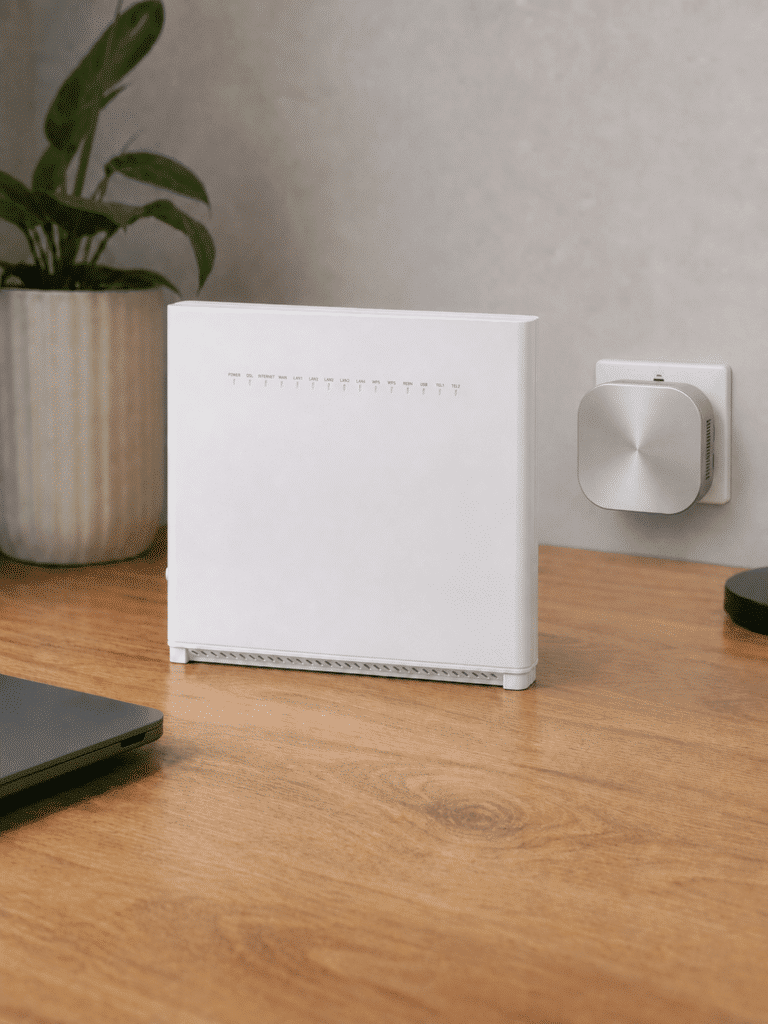
Rebel keeps things simple by supplying the same R1 Router with every broadband package. Fortunately, it’s an unusually capable Wi‑Fi 6 model with high wireless capacity, useful Plume controls and proper security features. There’s no Wi‑Fi 7 or 6GHz band, but you’re getting Rebel’s best equipment without paying for a premium package.
Key differences
Everyone gets Rebel’s best router
Rebel doesn’t reserve better hardware for its fastest or most expensive packages. Every household taking Rebel equipment gets the same R1 Router, whether buying Rebel 115, 550 or 1000. There’s no premium upgrade to chase and no danger of receiving an older router because you chose a cheaper speed.
The R1 has serious Wi‑Fi capacity
The R1 is an AX5400 Wi‑Fi 6 router, combining a 2×2 2.4GHz channel with a much more capable 4×4 5GHz setup. Beamforming, MU‑MIMO and OFDMA help it manage busy homes efficiently, while WPA3 gives you the current mainstream Wi‑Fi security standard.
Plume makes the controls genuinely useful
Rebel’s Plume system does more than show you a list of connected devices. It provides automatic optimisation, parental controls, guest Wi‑Fi, online protection and device prioritisation. You can even favour gaming traffic or a console while less urgent downloads wait, which is unusually useful on a standard provider router.
The SuperPods step back to Wi‑Fi 5
Rebel’s optional SuperPods form a properly integrated mesh with the R1, but the pods themselves use older tri-band Wi‑Fi 5 technology. The system can still extend coverage effectively, although you shouldn’t mistake it for Wi‑Fi 6 throughout. Each pod also costs extra each month and none are included as standard.
Sources: Rebel Internet, Heights Telecom
INTERACTIVE TOOL
Compare routers from any provider
This provider’s routers are pre-selected for comparison with one another. However, you can use this tool to compare any router from any major provider using the dropdown menus below.
| Feature | Choose router | Choose router |
|---|---|---|
| Fibredog rating | — | — |
| Router included as standard | — | — |
| Router manufacturer | — | — |
| Router model | — | — |
| Wi-Fi standard | — | — |
| Wi-Fi bands | — | — |
| 2.4GHz supported | — | — |
| 5GHz supported | — | — |
| 6GHz supported | — | — |
| Beamforming | — | — |
| Antenna count | — | — |
| Maximum connected devices | — | — |
| Stated coverage | — | — |
| Total Ethernet ports | — | — |
| MU-MIMO | — | — |
| OFDMA | — | — |
| WPA3 security | — | — |
| Guest network | — | — |
| Antenna type | — | — |
| Gigabit Ethernet ports | — | — |
| 2.5Gb Ethernet ports | — | — |
| 5Gb Ethernet ports | — | — |
| 10Gb Ethernet ports | — | — |
| WAN port speed | — | — |
| USB ports | — | — |
| Telephone ports | — | — |
| ONT Ethernet input | — | — |
| Coaxial input | — | — |
| Power connection | — | — |
| Mesh support | — | — |
| Provider mesh product | — | — |
| Third-party router use | — | — |
| Modem mode | — | — |
| Compatible broadband technology | — | — |
| App management | — | — |
| Parental controls | — | — |
| QoS | — | — |
| Automated QoS | — | — |
| Device prioritisation | — | — |
| Anti-bufferbloat controls | — | — |
| Manual queue management (SQM/CAKE) | — | — |
| Smart channel selection | — | — |
| Security features | — | — |
| Gamer mode | — | — |
| Game traffic prioritisation | — | — |
| Gaming QoS profiles | — | — |
| Server ping routing tools | — | — |
| Latency dashboards | — | — |
| Per-device gaming presets | — | — |
| Gaming VPN routing features | — | — |
| Work from home mode | — | — |
| Automatic firmware updates | — | — |
| Firmware update notes | — | — |
| Router height | — | — |
| Router width | — | — |
| Router depth | — | — |
| Router weight | — | — |
| Power consumption | — | — |
| Router orientation | — | — |
| Wall mountable | — | — |
| Router colour | — | — |
| Self-installation | — | — |
| Browser admin interface | — | — |
| WPS | — | — |
| Status light control | — | — |
| Reset button | — | — |
| Wi-Fi on/off button | — | — |
| Where would you like to go next? | See all tools | See all tools |
Which Rebel Internet router do you get?
Rebel R1 Router
Included with every Rebel broadband package.
The R1 is a dual-band Wi-Fi 6 AX5400 router with WPA3, four Gigabit LAN ports and automatic network optimisation.
Rebel SuperPods
Optional mesh units extend the R1's coverage around the home.
They work with the R1 through Rebel's Plume-managed system, but they improve coverage rather than replace the main router.
Bring your own router
You can decline the R1 and use compatible third-party equipment.
Rebel publishes the required setup details, although its SuperPods cannot be used with a customer-owned router.
Wi‑Fi quality from one very capable router
The Rebel R1 Router is comfortably better than the basic hardware supplied by almost any other national broadband provider, with perhaps only EE Broadband's 1.6Gbps package-only Hub 7 Pro giving it a run for its money. But even that router isn't as configurable or as ready to serve as many devices as Rebel's.
The R1's AX5400 Wi‑Fi 6 specification combines speeds of up to 600Mbps across 2.4GHz with up to 4.8Gbps across 5GHz. Those are theoretical figures, but they do reveal how much wireless capacity the router has available.
Its 5GHz channel uses a 4×4 design, giving it more capacity to communicate with several devices than an ordinary 2×2 router. Beamforming focuses the signal towards connected equipment, while MU‑MIMO and OFDMA divide airtime more efficiently when the house is busy.
The Plume platform adds much of what makes the R1 interesting. It automatically manages channels and traffic, provides parental controls and protects against malicious sites, phishing, malware and unsafe smart-home devices. Device and gaming prioritisation will also protect a console or video call from less urgent household traffic without turning the router into a complicated networking project.
The obvious omissions are Wi‑Fi 7 and the 6GHz band. The R1 is dual-band, so it can’t use the newer, quieter wireless spectrum available to compatible devices. Its optional SuperPods also use Wi‑Fi 5, creating an older wireless layer around a newer Wi‑Fi 6 router.
INTERACTIVE TOOL
Router range estimator
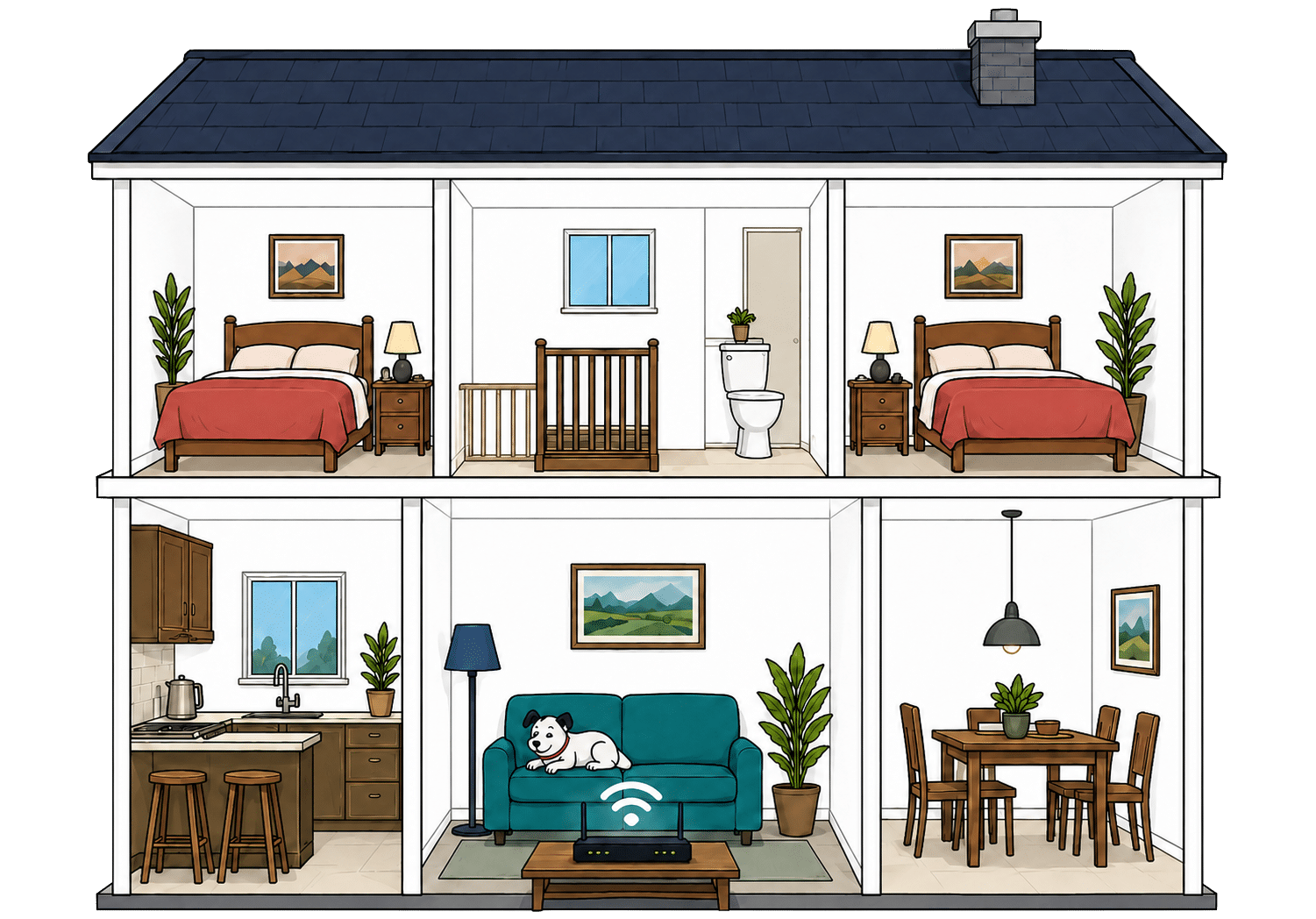
See how wall materials and router choice affect the quality of Wi-Fi around a typical home.
Where would you like to go next?
How to use the Router Range Estimator
It’s pretty straightforward. Select the router from this provider, and the main construction materials of your internal walls. It’s important to remember, though, that this is just an estimator.
It can give you a rough idea, but local factors like neighbouring network interference or mixed material wall set-ups can mean the results vary considerably from the estimate. It’s meant to give you a rule of thumb and only that.
How to maximise your Rebel router's range
-
Start with placement
Put the Rebel R1 near the middle of your home if you can, out in the open and away from thick walls or cupboards.
-
Test every room
Run a speed test where you actually use Wi-Fi. Our Whole Home Wi-Fi Calculator further down this page is built for exactly that.
-
Use the Plume app
Use Rebel's Plume or HomePass app to check connected devices, network performance and Wi-Fi conditions around the home.
-
Move obvious blockers
Keep the hub away from TVs, mirrors, metal objects, appliances and anything that boxes it in. Give the signal space to leave the router.
-
Add SuperPods if needed
If rooms still struggle, Rebel's optional SuperPods extend the R1 through the same managed mesh system; test first before ordering more than you need.

Faster Wi-Fi has shorter legs
Wi-Fi behaves exactly like sound. Ever notice how you hear the bass, meaning the low frequencies, a few rooms away, but can't hear the treble? It's the same here. The higher the frequency, the more detail there is in the signal, but lower frequencies make it through far more walls.
That's the difference between Wi-Fi bands. 2.4GHz is the slow old workhorse. It isn't glamorous or especially quick, but it's better at reaching the awkward room at the back. 5GHz is faster and better for streaming, gaming and newer devices, but it gives up sooner as you move away from the router.
Rebel's R1 uses dual-band Wi-Fi 6. Its 2.4GHz and 5GHz channels cover the usual range-versus-speed trade-off, with no 6GHz band. Optional tri-band SuperPods extend coverage through Rebel's managed Plume mesh system.
Having trouble choosing a broadband provider?
No single best provider or package exists – only the best pick for you personally. Fibredog's YourMatch™ system uses thousands of provider metrics and a lot of maths to find you your perfect match.
Wired connectivity
The Rebel R1 Router is well equipped for anything you’d rather connect with a cable. It gives you four sockets for computers, consoles, TVs and other wired devices, with a separate connection for the broadband line itself. That’s generous, although every socket has the same speed limit, which creates one awkward weakness on Rebel’s fastest package.
All four wired sockets are yours to use
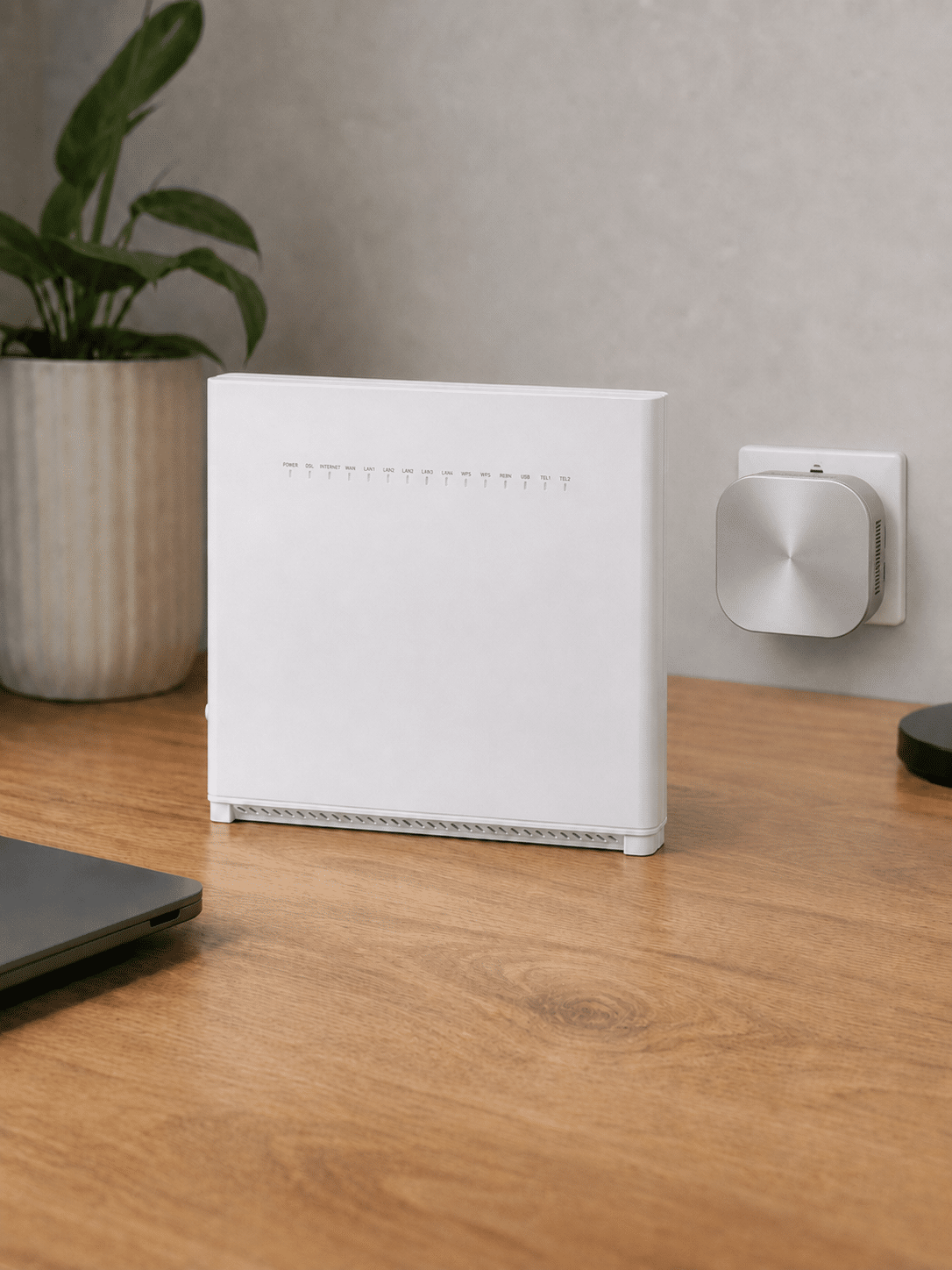
The R1 has four Gigabit Ethernet sockets for your devices. Its Full Fibre connection uses a separate internet socket, so you don’t lose one of those four when the router is connected to the box installed on your wall.
That leaves enough room to wire in a TV, games console, computer and network switch at the same time. Most homes won’t need anything more, and you can always add an inexpensive switch if four sockets somehow aren’t enough.
The fastest package exposes the router’s limit
Each wired socket can handle speeds of up to 1Gbps. That’s comfortably enough for Rebel 115 and Rebel 550, and far beyond what ordinary streaming, gaming or working from home will use.
Rebel 1000 is where the limitation becomes visible. The router has no faster 2.5Gbps socket, so one connected device may fall slightly short of the package’s headline speed because normal network overheads often see these sockets operating at around 900Mbps rather than the full 1000. That won’t trouble most people, but it could potentially annoy some.

How a simple wired Rebel Internet network works
Plugging devices directly into your router gives them a steadier connection than Wi-Fi. These router diagrams show the physical Ethernet ports, including any ONT or internet port used by the broadband connection itself.
Check which port is the internet input before counting how many wired device ports you have spare.
Use the fastest spare LAN port for the device or switch that needs the most speed.
A cable is still best for your most important devices
Even excellent Wi‑Fi can slow down or become less reliable as it passes through walls. A wired connection avoids most of that uncertainty, making it the better choice for gaming, large downloads, video calls and any computer that needs consistently dependable performance.
You don’t need to trail cables through every room. Plugging in the most important device near the router can free up Wi‑Fi capacity for phones, tablets and everything else that genuinely needs to be wireless.
The R1 also has two telephone sockets and a USB connection. Home phone service isn’t included with your broadband, however, so those telephone sockets only become useful if you choose to add it separately.
How to make best use of your Rebel R1's LAN ports
-
Count the usable ports
The Rebel R1 has four yellow Gigabit LAN sockets for devices, plus a separate red Gigabit WAN socket for the broadband connection.
-
Gigabit covers most packages
A Gigabit Ethernet connection comfortably covers Rebel 115 and 550 and can carry most of the speed available from Rebel 1000.
-
Rebel 1000 meets a hard limit
The R1 has no 2.5Gbps LAN port, so protocol overhead means one wired device may not see the full headline 1,000Mbps.
-
Wire the devices that care
Gaming PCs, consoles, work computers and network storage benefit most. TVs and printers can wait their turn for a wired port.
-
Add a switch if needed
If four LAN sockets aren't enough, add a Gigabit Ethernet switch. It gives you more ports, not more speed per port.
What changes when you use your own router?
Your compatible router connects to the ONT and replaces the Rebel R1. It then becomes responsible for the home network and the features Rebel's managed Plume system previously provided.
Hands the connection to your router
The ONT is the wall box where the Full Fibre connection arrives. It remains in place and provides the Ethernet hand-off.
Your own router connects to it through a compatible WAN port instead of the Rebel R1.
Takes over Wi-Fi and settings
Your router handles Wi-Fi, wired devices, guest access and whichever VPN, DNS, firewall or traffic controls it provides.
You also become responsible for compatibility, setup and router faults. Rebel's Home app integration, automated optimisation and SuperPods will no longer be available through the replacement router.
Having trouble choosing a broadband provider?
No single best provider or package exists – only the best pick for you personally. Fibredog's YourMatch™ system uses thousands of provider metrics and a lot of maths to find you your perfect match.
Some links on this page may earn us a small commission if you click through and buy. This never affects either what you pay, or our scores and recommendations. If, however, you’d rather bypass affiliate links, use this direct Rebel Internet link instead.
