THE BIG HYPEROPTIC REVIEW
Hyperoptic review: Is it any good?
Hyperoptic brings refreshingly simple Full Fibre packages, superb upload speeds and some of the best customer service we’ve seen. Its short contracts and excellent speed guarantees add reassurance, although moving home, leaving early and buying extras can be less friendly.

Hyperoptic overall scorecard
Six key areas. One overall score. All calculated using our transparent methodology.
Packages and speeds
Available speeds, package range, upload speeds, gaming features, working from home suitability and changing your package.
Joining, switching and cancelling
Ease of joining, credit checks, installation, compensation, switching from another provider, moving home and cancelling your service.
Customer service
Customer experience, contact options, when something goes wrong, complaints policy, help for vulnerable customers and online support.
Routers and equipment
Wi-Fi quality, Wi-Fi range, whole-home Wi-Fi, wired connectivity, router controls and using your own router.
Value for money
What comes as standard, included router value, annual price rises, the cost of upgrades and extras, end-of-contract pricing and service guarantees.
Contracts and small print
Your contract commitments, price rise terms, early-exit fees, speed guarantees, equipment ownership, restrictions, penalties and hidden catches.
Fibredog Package Speed Calculator
Enter the number of people, TVs, consoles and so on and we’ll match you with the right package speed.
Fibredog Upload Speed Comparison
Compare any provider's upload speeds with any other as absolute numbers or as a ratio of download speed.
Fibredog Package Change Rules Checker
Answer a few simple questions to see if you should upgrade, downgrade or switch.
Fibredog Interactive Customer Experience Chart
Use the buttons to examine this provider’s customer experience performance in every dimension.
Fibredog Router Comparison Tool
Compare this provider’s routers with each other, or with any other national provider.
Fibredog Whole Home Wi-Fi Calculator
Calculates whether you need additional mesh routers, how many, and even where you should put them.
Fibredog Router Range Estimator
Provides a visual mock-up of how Wi-Fi is likely to behave in your home with this provider’s routers.
Fibredog Exit Fees Calculator
Tell us who you’re currently with and how long there is left on your contract, and we will tell you your early exit fees.
Fibredog Broadband Buyout Calculator
Check whether you’re in the zone where you can make good use of this provider’s broadband buyout offer.
Fibredog Annual Price Rise Comparison
See how much each of these provider’s packages will go up every April and compare that to any other provider.
Fibredog Rollover Price Calculator
Tell us who you’re with and what you’re paying and we will tell you how much your price will go up when your contract ends.
Fibredog Speed Guarantees Test
Tell us who you’re with and we will check if they’re delivering you the minimum speed they promised.
Joining, switching and cancelling
Hyperoptic makes joining and switching unusually painless, with several ways to order, useful financial help for qualifying switchers and excellent installation protection. Moving home and leaving early are the parts that need much more care.
You can join online or ask a person for help
You can order through the website, call sales, use Live Chat or request a callback. That choice is excellent if you want to ask questions before committing rather than completing everything alone.
The postcode checker shows what is available at your address, but an accepted order can still depend on a successful survey and permission for any work. If Hyperoptic can't connect the property through no fault of yours, it refunds prepaid charges. Check access and landlord or building-manager approval before booking the engineer.
INTERACTIVE TOOL
What could your broadband bill roll on to?
Estimate what your monthly broadband price could look like by the end of your minimum term, and what it will jump to if you let the deal roll over.
Step 1: Choose your provider and package
Start by choosing your broadband provider, then select the package your contract is based on.
Step 2: Tell us the starting month of your contract and what you pay
Use the first full monthly price before any mid-contract April increases.
Step 3: Estimate the rollover shock
This is an estimate. Your provider’s end-of-contract notice will be the exact figure.
Your estimate
Where would you like to go next?
Credit checks are possible but the useful detail is missing
Hyperoptic says it may check your credit or use fraud-prevention services when you order. It doesn't explain whether that search is hard or soft, which makes the possible effect harder to judge beforehand.
A failed check can end the application, although Hyperoptic may accept a security deposit in some cases. It doesn't promise that option to everyone and offers no guaranteed no-check package. Fair Fibre gives eligible households a cheaper, shorter commitment, but Hyperoptic doesn't confirm it as a route around the checks.
Hyperoptic can help with your old provider's exit bill
Qualifying customers can receive a substantial account credit towards another provider's early-exit charge. That can remove one of the biggest barriers to moving before an old contract ends.
Eligibility depends on the address, package, contract length and sales route, and you must send proof within 30 days of activation. Hyperoptic applies the help as account credit rather than cash. Number porting is supported where available too. Read the conditions before ordering and keep the old provider's final bill.
COMPARISON CHART
How much will Hyperoptic pay to buy you out?
This chart shows which providers currently offer broadband contract buyout, and how much they may pay toward leaving your old contract.
Broadband contract buyout by provider
Maximum buyout amount by provider
Where would you like to go next?
The national average benchmark only includes providers that currently offer broadband contract buyout in our database.
Moving within a building is easy but another address can mean starting again
A move within the same building is normally simple and free. Hyperoptic can transfer the service without treating the change like a completely new household.
Moving to another building usually means opening a new account, accepting a new minimum term and possibly paying installation or activation charges. Coverage can disappear between neighbouring properties, and Hyperoptic doesn't publish a blanket promise to waive the old contract's exit fee. Check the new address and both sets of costs before committing to the move.
Cancellation is easy to request but leaving early can be expensive
You can cancel online, by phone or in writing, so Hyperoptic doesn't force everyone through a sales call. Its 30-day Satisfaction Period also gives new customers a useful chance to leave if the service isn't right for their home, without waiting for the normal contract end date.
After that period, leaving during the minimum term can cost about 95% of the payments still due. The router must normally be returned within 14 days using packaging you provide. Check the final bill and return instructions before arranging another service.
Cancelling Hyperoptic at a glance
A quick view of the routes, notice periods, fees and equipment-return rules you may need to deal with.
Installation protection is excellent once access and permission are sorted
Hyperoptic belongs to the automatic compensation scheme for qualifying delays and missed appointments. It also refunds prepaid charges when it can't supply the property through no fault of yours, giving an accepted order meaningful protection.
A later survey can still find that installation isn't possible. Renters and people in managed buildings may need approval for drilling, cabling or access to shared areas. Get that permission early and explain unusual access before the engineer arrives.
Customer service
Hyperoptic's customer service is exceptional. Tens of thousands of consistently glowing reviews support that verdict, while the contact choices, complaints process, online help and support for vulnerable people all stand comfortably above the norm.
Customers have praised Hyperoptic in huge numbers for years
Across five annual Trustpilot snapshots, Hyperoptic's rating stayed between 4.4 and 4.6 while the review total grew from 17,783 to 59,905. At least 85% gave five stars each time.
Recent praise repeatedly mentions patient advisers, quick help and smooth installations. Poor experiences are a small minority and most often concern delayed appointments, faults or slow updates during a complicated problem. Ofcom doesn't publish separate service results for Hyperoptic, so there's no equivalent independent survey of its customers, but the public feedback is unusually large and consistent.
Reaching a real person is refreshingly easy
You can call, use human Live Chat, send an email, complete a form or try social media. The main phone line opens seven days a week, and My Account handles plenty of routine jobs.
There isn't a customer app, WhatsApp support or interpreted BSL service for everyday help. Those would make an already excellent set of options more convenient, but the contact routes most people need are present and clearly explained.
Support channels at a glance
Hyperoptic gives customers several ways to get help. This view shows which practical contact, account and fault-support routes are recorded in the fibredog dataset.
Checked from live provider data. Fibredog tracks contact routes, account tools and fault-help options separately, so this information updates soon after anything changes.
Online fault checks give you a clear first step
My Account can check for a problem at your address, while the Help Centre covers the sensible fixes you can try at home. Live Chat, forms and phone support are available when those steps fail.
Automatic compensation covers qualifying outages, delays and missed appointments. Hyperoptic doesn't provide a backup connection, a fixed deadline for every repair or round-the-clock phone support, so a long or complicated fault can still leave you waiting.
Vulnerable customers get unusually thorough and practical help from Hyperoptic
Hyperoptic clearly explains priority fault repair, nominated contacts, accessible documents, Text Relay, financial help and bereavement support. These are useful services rather than a vague promise to be understanding.
The Fair Fibre Plan gives eligible households cheaper Full Fibre without a long contract. Interpreted BSL support for everyday service is the clearest omission, but the overall package of help is among the most complete we have seen.
Accessible complaints support
Alternative formats, Text Relay and nominated contacts help more people use the complaints process without relying on a standard phone call or document.
The complaints process never leaves you wondering what happens next
Hyperoptic publishes a ten-working-day response target and two clear escalation stages. If the first answer doesn't solve the problem, you know who should look at it next.
Independent review becomes available after a deadlock letter or six unresolved weeks. Keep reference numbers, dates and messages together, but you shouldn't have to guess how to move a complaint beyond the first adviser or outside Hyperoptic.

Independent ADR provider
If Hyperoptic can’t resolve your broadband complaint, the Communications Ombudsman is the approved ADR scheme for its services.
- Communications Ombudsman, P.O Box 730, Warrington WA4 6WU
- 0330 440 1614
- enquiry@commsombudsman.org
- commsombudsman.org/hyperoptic
My Account does most of what a good app should
My Account covers bills, payments, package details, appointments, service status and fault reporting. The Help Centre answers common questions, and human help is easy to find when the website reaches its limit.
A proper app, chatbot and customer forum would make online support feel more complete. Even without them, Hyperoptic's website gives customers a notably useful set of self-service tools rather than simply directing every question to a phone number.
Routers and equipment
The Hyperhub is a good Wi-Fi 6 router for most homes, with four wired sockets, useful browser controls and modern security. Hyperoptic also makes replacing it unusually easy. Whole-home coverage costs extra, and there's no premium router for the fastest package either.
The standard Hyperhub is capable rather than cutting edge
Every package gets the same dual-band Wi-Fi 6 router. It includes modern security, a guest network and the features needed to share the signal efficiently between several devices.
Hyperoptic doesn't offer a newer router with its fastest package or a paid premium model. There's no 6GHz band, Wi-Fi 7 or multi-gigabit wired socket. None of that makes the Hyperhub poor. It simply means people with unusually demanding wireless or home-network needs may want their own router sooner than everyone else.
INTERACTIVE TOOL
Compare routers from any provider
This provider’s routers are pre-selected for comparison with one another. However, you can use this tool to compare any router from any major provider using the dropdown menus below.
| Feature | Choose router | Choose router |
|---|---|---|
| Fibredog rating | — | — |
| Router included as standard | — | — |
| Router manufacturer | — | — |
| Router model | — | — |
| Wi-Fi standard | — | — |
| Wi-Fi bands | — | — |
| 2.4GHz supported | — | — |
| 5GHz supported | — | — |
| 6GHz supported | — | — |
| Beamforming | — | — |
| Antenna count | — | — |
| Maximum connected devices | — | — |
| Stated coverage | — | — |
| Total Ethernet ports | — | — |
| MU-MIMO | — | — |
| OFDMA | — | — |
| WPA3 security | — | — |
| Guest network | — | — |
| Antenna type | — | — |
| Gigabit Ethernet ports | — | — |
| 2.5Gb Ethernet ports | — | — |
| 5Gb Ethernet ports | — | — |
| 10Gb Ethernet ports | — | — |
| WAN port speed | — | — |
| USB ports | — | — |
| Telephone ports | — | — |
| ONT Ethernet input | — | — |
| Coaxial input | — | — |
| Power connection | — | — |
| Mesh support | — | — |
| Provider mesh product | — | — |
| Third-party router use | — | — |
| Modem mode | — | — |
| Compatible broadband technology | — | — |
| App management | — | — |
| Parental controls | — | — |
| QoS | — | — |
| Automated QoS | — | — |
| Device prioritisation | — | — |
| Anti-bufferbloat controls | — | — |
| Manual queue management (SQM/CAKE) | — | — |
| Smart channel selection | — | — |
| Security features | — | — |
| Gamer mode | — | — |
| Game traffic prioritisation | — | — |
| Gaming QoS profiles | — | — |
| Server ping routing tools | — | — |
| Latency dashboards | — | — |
| Per-device gaming presets | — | — |
| Gaming VPN routing features | — | — |
| Work from home mode | — | — |
| Automatic firmware updates | — | — |
| Firmware update notes | — | — |
| Router height | — | — |
| Router width | — | — |
| Router depth | — | — |
| Router weight | — | — |
| Power consumption | — | — |
| Router orientation | — | — |
| Wall mountable | — | — |
| Router colour | — | — |
| Self-installation | — | — |
| Browser admin interface | — | — |
| WPS | — | — |
| Status light control | — | — |
| Reset button | — | — |
| Wi-Fi on/off button | — | — |
| Where would you like to go next? | See all tools | See all tools |
| Compare all broadband deals | ||
Total Wi-Fi extends coverage but costs extra every month
Total Wi-Fi adds a compatible Minihub when the main router can't reach every room. Hyperoptic starts with one and may provide a second after troubleshooting shows it's needed.
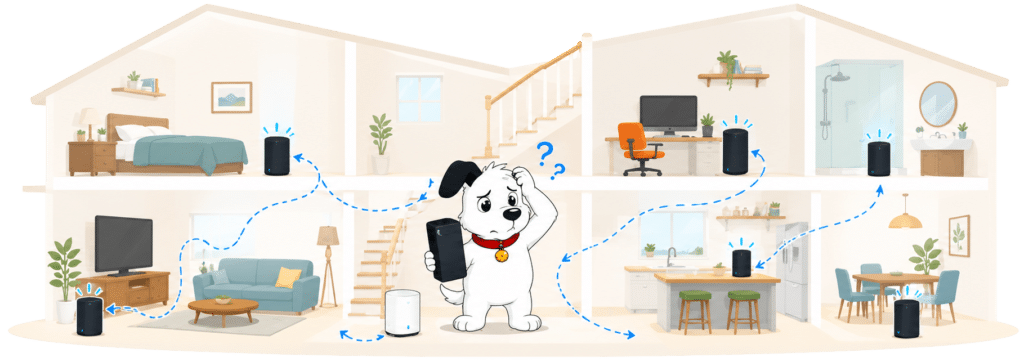
There's no published room-speed target, coverage percentage or money-back guarantee. The maximum of two Minihubs should suit many homes, but a very large property, several floors or an outbuilding may need a separately bought mesh system that allows more units.
INTERACTIVE TOOL
Whole Home Wi-Fi Calculator
Just follow these simple steps and we will calculate how many, if any, ‘Whole Home Wi-Fi’ pods you will need from your provider.
Start here. Work through the steps in order.
Step 1: Agree to M-Lab’s data policy
M-Lab stores test data, including your IP address. Tick to agree before testing.
Step 2: Connect to your home Wi-Fi
Make sure the phone, tablet or laptop you are using is connected to your home Wi-Fi network.
Step 3: Turn mobile data off
If your device has mobile data, turn it off before you start walking around the house.
Step 4: Test next to your router
Stand next to your main Wi-Fi router and press the button below. This gives us your baseline speed.
Step 5: Test your ground floor corners
Walk to each corner of your ground floor and run a test. If your home is not a perfect rectangle, do not overthink it. Just pick four sensible far-apart spots and keep the same numbering if you add another floor.
Last step: Add another floor or calculate
If you have another floor to test, add it below. If you have tested every floor you care about, press calculate.
Your Whole Home Wi-Fi result
Where would you like to go next?
Good placement matters more than the antenna count
Four internal antennas and beamforming give the Hyperhub a fair chance of covering an average home. Its slim body is easy to place openly on a shelf or wall.
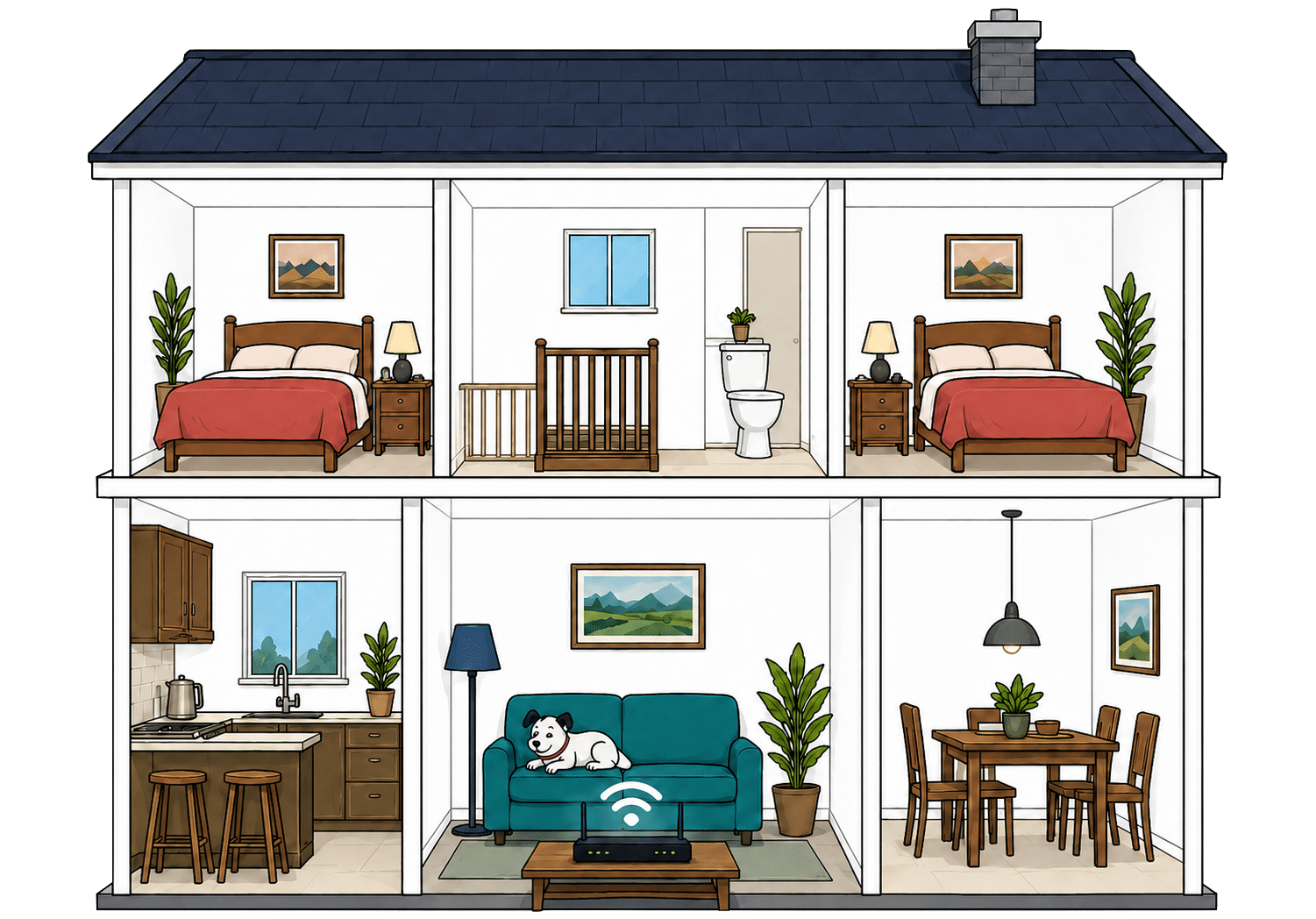
Thick walls, several floors and long distances can still create dead zones, and Hyperoptic makes no fixed range promise. Test the rooms you actually use before buying more equipment. Moving the router may solve one weak corner, while several poor rooms point towards mesh Wi-Fi or wired connections.
INTERACTIVE TOOL
Router range estimator
See how wall materials and router choice affect the quality of Wi-Fi around a typical home.
Where would you like to go next?
Four Gigabit sockets cover today's Hyperoptic packages comfortably
Four Gigabit Ethernet sockets let you wire several fixed devices, and each is fast enough for the current 900Mbps top package. A separate socket handles the incoming Full Fibre connection.
You also get a USB connection and two phone sockets. Moving files between devices at more than Gigabit speed would require another router, but that won't restrict normal internet use on any current Hyperoptic package. Most households can connect their important fixed devices without adding a separate network switch.
How a simple wired Hyperoptic network works
Plugging devices directly into your router gives them a steadier connection than Wi-Fi. These router diagrams show the physical Ethernet ports, including any ONT or internet port used by the broadband connection itself.
Use a wired connection for TVs, consoles and computers that stay in one place.
Use the fastest spare LAN port for the device or switch that needs the most speed.
The browser controls cover most everyday family needs
The Hyperhub's browser page gives you guest Wi-Fi, parental schedules, website filtering, security settings and controls for putting some internet activity first. Its software updates automatically too.
There's no management app or simple button for giving one device priority. People who want slicker controls, dedicated gaming features or more detailed network information may prefer their own router.
Hyperoptic router controls at a glance
Here’s a quick look at the router controls you can expect, including app management, browser admin tools, Wi-Fi settings, security features and the physical buttons on the router itself.
Checked from manufacturer specifications. Fibredog tracks dozens of router specification parameters across dozens of provider routers. When a provider changes its router or features, this table is swiftly updated.
Using your own router is exceptionally easy
You can connect a replacement router directly and remove the Hyperhub instead of running two routers together. The new router then controls Wi-Fi, wired devices, parental controls and internet security.
Keep the supplied Hyperhub safely stored because support may ask you to reconnect it during fault checks, and it still needs returning later. You will be responsible for setting up and updating the replacement, but Hyperoptic otherwise puts very little in the way.
Value for money
Hyperoptic gives you excellent customer service, a useful Wi-Fi 6 router and meaningful speed protection as standard. Value becomes less convincing when you need wider Wi-Fi, more equipment or flexibility at the end of the contract.
The essentials are good but there's little room to customise
Every package includes Full Fibre broadband, the current Hyperhub and exceptional customer service. The router is capable enough for most homes, so you aren't forced to buy equipment immediately.
You can't upgrade to a premium Hyperoptic router, add security software, buy mobile broadband backup or keep adding mesh units. Faster packages use the same hardware. A paid static IP address is a useful exception because few home providers offer one, but the overall package remains inflexible.
What you get with Hyperoptic
Here's what's included as standard, what may cost extra, and what's included with premium packages.
Standard kit versus paid extras
This table separates everyday included features from extras that may depend on package tier, router choice or paid add-ons.
Good to know: Included features are easier to compare because you won’t need to budget for them separately.
Worth checking: Some useful extras may only be included on selected packages or as paid add-ons.
The April price rise is predictable but still increases the bill
Standard contracts rise by £4 a month each April. Hyperoptic shows that rule before signup, so you can budget without guessing at inflation or an unknown percentage.
The advertised starting price still won't last throughout a long minimum term, and a contract can cross more than one April. Compare the total cost rather than the first monthly payment alone. The clear rule deserves credit, but it doesn't make the increase disappear.
INTERACTIVE CHART
How much will your bill rise by?
This interactive chart shows how much this provider adds to its package prices each April, and lets you compare that with literally any other provider in our database.
Package annual price rises
April price rise shown package by package
The provider-average benchmark is calculated from each provider that applies an annual price rise. Fixed-price providers are shown in the chart but are excluded from the benchmark.
The extras list is short and useful choices are missing
Total Wi-Fi, call plans and battery backup all cost more. A static IP address is available too and is a genuine positive for the smaller group of customers who need one, because few home broadband providers offer that choice at all.
There's no premium Hyperoptic router, security add-on or mobile broadband backup. Total Wi-Fi may add a regular charge if the Hyperhub can't cover every room, and you can't keep buying extra Minihubs for a very large property. Check the few useful options carefully rather than expecting a broad menu of upgrades.

The service continues but the out-of-contract price can jump
Hyperoptic doesn't switch the broadband off when the minimum term ends. It continues monthly and sends a notice beforehand, giving you enough time to renew, compare or leave.
Every current package moves to a noticeably higher standard rate without adding speed or better equipment. Staying may still suit you, but only after you have checked the renewal offer and compared it with other deals. Ignoring the notice is likely to cost more.
INTERACTIVE TOOL
What could your broadband bill roll on to?
Estimate what your monthly broadband price could look like by the end of your minimum term, and what it will jump to if you let the deal roll over.
Step 1: Choose your provider and package
Start by choosing your broadband provider, then select the package your contract is based on.
Step 2: Tell us the starting month of your contract and what you pay
Use the first full monthly price before any mid-contract April increases.
Step 3: Estimate the rollover shock
This is an estimate. Your provider’s end-of-contract notice will be the exact figure.
Your estimate
Where would you like to go next?
The service guarantees provide useful protection
Every package has a minimum speed promise, and automatic compensation covers qualifying delays, missed appointments and complete outages. These protections give the contract more substance than a vague promise to help.
If the speed reaching the router remains below the guaranteed minimum after Hyperoptic has tried to fix it, you may be able to leave without an exit charge. There's still no fixed deadline for every repair, backup connection or guaranteed speed in every room.
INTERACTIVE TOOL
Are you getting your minimum guaranteed speed?
Choose your provider and package, then run a speed test. For the cleanest test of the broadband speed coming into your home, plug a laptop or desktop directly into your router with a LAN cable. You can also test on a phone or tablet to check Wi-Fi speed, but make sure mobile data is switched off first.
Choose your provider and package
Choose your provider and package so we can compare the test result with the package's minimum guaranteed download speed.
Before you test
For an absolute line-speed check, use a computer connected to the router by Ethernet. If you test over Wi-Fi, the result may reflect your in-home Wi-Fi as much as the broadband line itself.
Run the speed test
Ready. Select a package, tick the data policy box, then run the test.
Your result
Where would you like to go next?
This tool uses M-Lab’s open measurement platform. A single speed test is a useful check, but it is not a formal fault diagnosis.
The included Hyperhub adds useful value to every package
Wi-Fi 6, four wired sockets, everyday home controls and easy support for using your own router make the Hyperhub a good starting point. Hyperoptic includes the same model with every speed, so customers on the entry package don't receive cut-down equipment.
The fastest package doesn't unlock newer Wi-Fi, a premium router or a multi-gigabit wired socket. Most homes won't need to replace the Hyperhub immediately, but people paying for the top speed may reasonably want more advanced hardware.
Some links on this page may earn us a small commission if you click through and buy. This never affects either what you pay, or our scores and recommendations. If, however, you’d rather bypass affiliate links, use this direct Hyperoptic link instead.