YOUFIBRE JOIN, SWITCH, CANCEL REVIEW

YouFibre – join, switch or cancel: How easy is it?

YouFibre is easy to join, supports modern switching and gives customers several sensible ways to cancel. Credit checks, failed installations and its strict moving-home conditions are the parts worth reading more carefully.

By Data checked  Checked weekly
YouFibre joining, switching and cancelling hero with Fibredog at a departures board

YouFibre join, switch, cancel scorecard

Six key areas. One overall score. All calculated using our transparent methodology.

Ease of joining

How simple it is to sign up, including online ordering, phone support, contact routes and whether the process feels straightforward.

9.3/10

Credit checks and eligibility

How eligibility works, including credit checks, social tariffs, affordability barriers and whether customers have clear alternatives.

5.8/10

Installation problems and compensation

What protection exists when installation goes wrong, including delays, missed appointments, compensation and how clearly problems are handled.

5.0/10

Switching from another provider

How easy it is to switch from another provider, including switching support, number porting, bill credits and avoidable disruption.

7.9/10

Moving home

How moving home is handled, including transfer options, availability checks, fees and what happens if service cannot continue.

7.0/10

Cancelling your service

How cleanly customers can leave, including cancellation routes, notice periods, early exit fees and equipment return requirements.

7.8/10

Ease of joining

Joining YouFibre is refreshingly flexible. You can order through the website, speak to sales by phone or use live chat. There is no compulsory phone call, although every order still depends on local availability, a credit check and any installation checks required at your address.

You can order without making a phone call

The website provides a normal postcode-led ordering route, while phone sales and live chat are both available if you would rather ask questions before committing.

That choice is useful because broadband orders are not always as simple as picking a speed. A new Full Fibre connection may need a survey, access arrangements or permission from a landlord. Chat or phone sales give you somewhere to raise those issues, while confident buyers can complete the order online without waiting for an adviser.

There is no published sales callback service

YouFibre does not advertise a callback ordering option, so you will need to start the conversation yourself by phone or live chat if online checkout is not suitable.

That is a small omission rather than a serious barrier. The important point is that YouFibre does not make everyone call before accepting an order. You can still choose between self-service and live help, just without booking a convenient callback slot. Anyone who dislikes waiting on hold can begin with live chat and move to the phone only when a conversation is genuinely useful.

Availability checks can still change the answer

Passing the postcode check is the beginning, not an absolute promise that every installation can go ahead exactly as ordered.

YouFibre can survey the property and cancel if safe access, permissions, network supply or a workable installation route are missing.

Have the property details ready before you order

Know whether you rent, whether the building has shared access and where a fibre cable could reasonably enter. Raising those awkward details early is better than discovering them when an engineer arrives.

YouFibre’s ordering choices are excellent, but the physical installation still decides whether service can actually be supplied. A quick online checkout cannot remove the need for property access, permissions or a viable network route. Check those practical details before treating an activation date as certain.

INTERACTIVE TOOL

Which YouFibre speed is right for me?

Tell us about your household and we will tell you the exact best-fit broadband package from YouFibre.

Start here. Adjust the numbers, then calculate your result.

Step 1: Tell us what is in your home

Use the buttons below to tell us how many people and connected devices your household has.

People
0
TVs
0
Consoles / gaming PCs
0
Non-gaming computers
0
Mobiles
0
Smart devices
0

Step 2: Calculate your best-fit package

Once you are happy with the numbers above, press calculate and we will match your household to the closest YouFibre package.

Your result

Recommended package — Estimated need: — Includes — headroom
Good fit

This speed is ideal for:

    Where would you like to go next?

    Use the sales channel that suits the questions you need answered, then save every confirmation for checking later.

    Illustration of Fibo checking the steps for joining

    How to join YouFibre without making the order harder than necessary

    1. Check what your postcode gets

      Start with the address checker to see which YouFibre packages are offered where you live.

    2. Choose the right package

      Compare the real advertised average, monthly price, minimum term and any optional extras before committing.

    3. Order online

      Complete the website order if the package and installation details are already clear to you.

    4. Ask for help

      Use phone sales or live chat when you need to discuss access, permissions or installation first.

    5. Read every order confirmation

      Check the package, price, installation date, minimum term and address while mistakes are still easy to correct.
    YouFibre is very easy to join. Online ordering is available, phone sales and live chat cover customers who want help, and nobody is forced to call just to place an order. The missing callback option is a minor inconvenience. The address check cannot settle every physical installation question, so YouFibre may still need a survey, property access or permission and can cancel where the connection cannot safely or practically be installed. Prepare those details early, then keep the confirmation so the package, price and appointment can be checked before work begins.

    9.3 /10
    Overall score

    Ease of joining score

    This score looks at how easy a provider makes it for you to start an order, choose the route that suits you, and get help before you commit.

    Credit checks and eligibility

    YouFibre tells applicants that a credit check applies, but explains very little about the check itself. It does not say whether the search is hard or soft, and publishes no no-credit-check alternative. The positive side is that it does not advertise security deposits or poor-credit upfront payments. Most accepted customers will simply continue, but anyone anxious about their credit file is left without enough detail.

    The credit check is disclosed before you order

    YouFibre can accept or reject the application

    A credit check forms part of the normal order and can affect whether YouFibre accepts you.

    The requirement is not hidden until after checkout, so applicants know that eligibility will be assessed before they submit the order.

    The type of credit search is not explained

    YouFibre does not clearly identify the check as hard or soft in its published customer information.

    That uncertainty matters to anyone carefully managing applications, because the two kinds of search can appear differently on a credit file.

    There is no published package without a credit check

    Mainstream YouFibre broadband still requires the assessment, with no separate package advertised for customers who want to avoid it.

    YouFibre also publishes no social tariff that bypasses the check, so there is no obvious alternative route within its residential range.

    Deposits are not part of the published route

    YouFibre does not advertise a security deposit as a way to rescue an application that fails its checks.

    Nor does it promise that customers with weaker credit can simply pay the broadband charges in advance.

    Account limits may still be applied after YouFibre accepts you

    YouFibre can place limits on usage or YouPhone calling, which restricts account exposure rather than creating a no-check joining option.

    Read any limit shown in the order or account confirmation carefully.

    A spending or calling limit may be sensible protection, but it should not be confused with a published deposit scheme or guaranteed route for applicants with poor credit.

    What to expect from the eligibility check

    You provide the personal and address details needed for the order, then YouFibre assesses whether it is prepared to supply the account. It may accept or reject the application after completing that eligibility check.

    The frustrating part is the lack of detail. YouFibre does not publish whether the search is hard or soft, or give applicants a clear fallback path if they are declined following the assessment.

    YouFibre publishes no pay-upfront or security-deposit fallback route anywhere

    Some providers explain that a deposit or advance payment may allow an order to continue. YouFibre makes no equivalent promise, so customers should not assume that offering money upfront will change a rejection or guarantee that the broadband order can proceed.

    If eligibility is a concern, ask YouFibre before applying, but remember that sales support may not be able to predict the result of the actual check.

    No social tariff bypass is published

    YouFibre does not advertise a social tariff with a separate no-credit-check application route.

    That leaves customers needing a protected low-cost option or alternative eligibility process to compare other providers and their published social tariffs as well.

    Keep all the application details completely accurate

    Use the correct address and personal information, then read the decision and any account limits rather than repeatedly submitting slightly different applications.

    Eligibility and credit checks

    Credit check

    Disclosed in advance, but its type is not published.

    Alternative

    No no-credit-check YouFibre package or social tariff is advertised.

    Outcome

    YouFibre may accept or reject the application after checking eligibility.

    Fallback

    No security-deposit or poor-credit advance-payment route is currently promised anywhere by YouFibre.

    Account limits

    Usage or YouPhone calling limits may be applied to control spending.

    Before you apply

    Ask YouFibre directly

    Clarify the process directly before applying if another credit search would particularly concern you.

    Check the decision

    Read any acceptance conditions and limits before treating the order as complete.

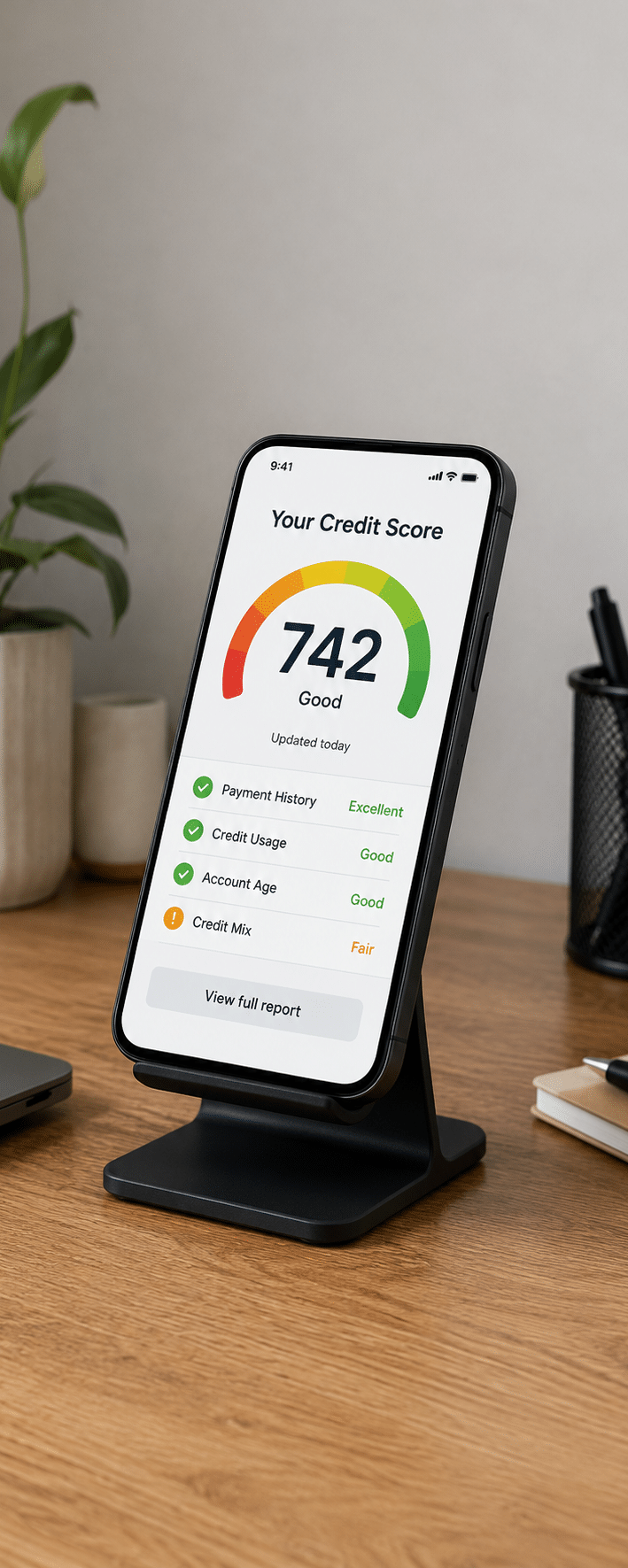
    Photograph of a smartphone displaying a credit score of 742

    YouFibre's credit check is clear enough to avoid a complete surprise

    The provider says a check applies before the order is placed, so applicants can decide whether they are comfortable proceeding with it.

    The good bit

    Most accepted customers should simply continue

    If your application passes, the check becomes one background step between choosing the package and arranging the connection.

    Keep the acceptance and order confirmation because they record the package and any account conditions that follow.

    The bad bit

    A rejection has no clearly published rescue route

    YouFibre does not promise that a security deposit will turn a failed application into an accepted one.

    It also does not advertise advance payment or a no-check social tariff, so declined customers may need to compare another provider rather than negotiate the same order.

    YouFibre gets credit for disclosing the compulsory credit check before an order is placed, and it does not surround joining with published deposit demands. The detail then runs out. Customers are not told whether the search is hard or soft, there is no advertised no-check package or social tariff, and no promised deposit or advance-payment route if the application fails. YouFibre may also place usage or YouPhone calling limits on an account. For most accepted customers this will be a quiet background step, but anyone worried about their credit file is given too little information to plan confidently.

    5.8 /10
    Overall score

    Credit checks and eligibility score

    This score looks at how clear and forgiving a provider is if your credit history might affect whether you can sign up or not, as well as whether they offer a social tariff to those on benefits.

    Installation and compensation

    YouFibre's installation protections are mixed. The company can abandon an order when a survey, permissions or safe access make the connection unworkable, without a separate failed-installation refund promise. It also lacks automatic compensation for delayed activation and missed appointments. The picture improves after activation because qualifying downtime earns automatic credit, while an unresolved guaranteed-speed failure can permit penalty-free departure after 30 days.

    A Full Fibre order can still fail after checkout

    YouFibre needs a safe, practical route from its network into the property. A postcode result and accepted order do not guarantee that every wall, access route or shared building can be connected successfully on the requested date.

    A later survey may uncover blocked access, missing permissions, unsafe work or network supply problems. YouFibre's terms allow it to cancel where installation cannot reasonably proceed, so raise anything unusual before the appointment rather than hoping the engineer can improvise. Flats, private roads and shared access can all introduce another party whose permission is needed, while a difficult cable route may require different preparation or stop the work entirely.

    There is no separate failed-installation refund promise

    YouFibre does not publish a special refund guarantee for an installation that cannot be completed. In practice, where no broadband charges have been collected for a service that never started, there may be nothing to refund. Check any activation or installation payment separately, because that is where a real dispute could remain.

    That is still weaker than a clear contractual promise covering every upfront installation payment or related cost. Check the order confirmation for charges, and challenge any amount retained for a service that YouFibre never supplied.

    Installation delays do not earn automatic compensation

    YouFibre is not part of Ofcom's automatic compensation scheme and does not promise equivalent automatic payments for delayed activation or missed engineer appointments. You can still complain and seek a discretionary remedy, but payment is not contractually automatic.

    That distinction is important. YouFibre has its own compensation for qualifying loss of service after activation, but the same protection does not extend to an installation that starts late or an appointment that is missed. A customer can therefore lose time before going live without receiving the fixed automatic payment offered by providers in Ofcom's scheme.

    Extended downtime can earn YouFibre's own credit

    A qualifying service suspension lasting more than three days can trigger automatic credit under YouFibre's contract. That is meaningful protection even though it is not branded as Ofcom automatic compensation.

    The scheme is narrower than Ofcom's wider arrangement. It helps after a prolonged total loss of service, not with every delay, missed visit or installation problem that occurs beforehand.

    The YouFibre installation process

    Ordering begins with the postcode check, but the practical work is about access, permissions and finding a safe route for the Full Fibre cable. Treat the appointment as building work rather than a parcel delivery.

    1. Check

    Enter the full address and confirm which YouFibre packages are available there.

    2. Explain

    Tell sales about flats, shared access, private roads or unusual permission issues before installation.

    3. Confirm

    Read the order confirmation for the package, appointment, charges and any actions YouFibre requires.

    4. Prepare

    Arrange landlord or property-owner permission and make the proposed cable route easy to access.

    5. Attend

    Keep an adult at home who can provide access and agree sensible equipment positions.

    6. Survey

    YouFibre may inspect the route and can stop the order if installation is unsafe or impractical.

    7. Install

    The engineer runs the fibre, fits the connection equipment and checks the service can activate.

    8. Test

    Check the new connection beside the router before the engineer leaves, where practical.

    9. Report

    Raise delays, missed appointments or faults promptly, even where compensation is not automatic.

    10. Escalate

    Use YouFibre's complaints process if installation problems remain unresolved or disputed charges appear.
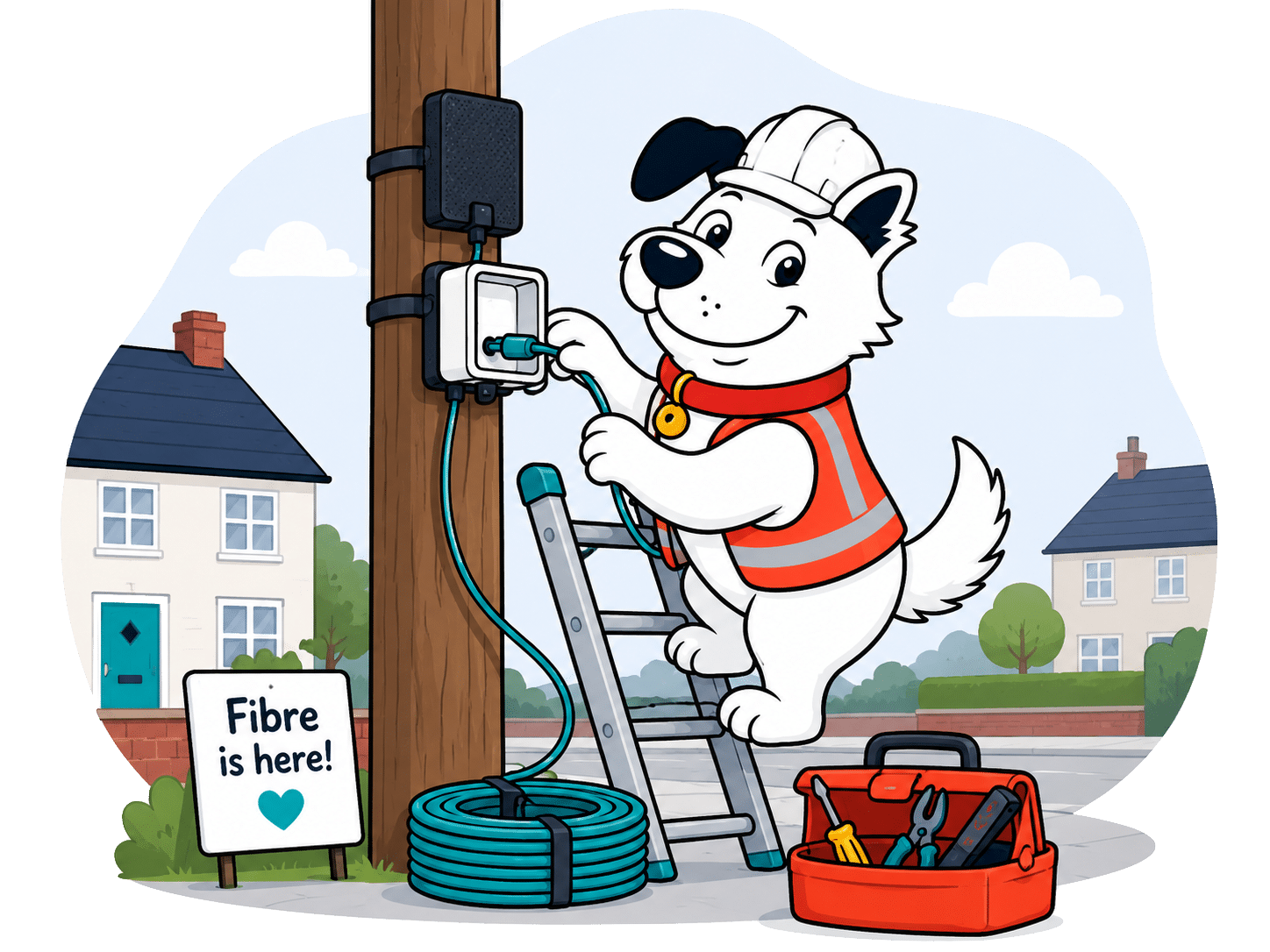
    Illustration of Fibo preparing equipment for a broadband installation

    Before the YouFibre engineer arrives

    1. Think about the equipment position

      Choose somewhere with power, ventilation and a sensible cable route, while accepting that the engineer may need a more practical position.

    2. Clear the route

      Unlock gates, move furniture and make both the inside wall and relevant outside access easy to reach.

    3. Sort permission first

      If you rent or share access, obtain the property owner's written permission before the engineer arrives.

    4. Keep your phone nearby

      Watch for appointment messages or calls so an access question does not turn into an avoidable failed visit.

    5. Check the first bill

      Confirm that installation charges match the order and that any qualifying downtime credit has appeared correctly.

    YouFibre's protections fall short before service goes live. It can cancel after a failed survey or where access, permission, safety or supply prevents installation, without a separate failed-installation refund guarantee. Delayed activation and missed appointments receive no automatic compensation. The position improves after activation: a qualifying total loss lasting more than three days can earn YouFibre's own automatic credit, while an unresolved router-level minimum-speed failure can permit penalty-free exit after 30 days. Those are genuine protections, but cover around the original appointment remains thin.

    5.0 /10
    Overall score

    Installation and compensation score

    This score looks at how well you're protected if installation is delayed, an engineer visit is missed, or your broadband can't be installed as planned.

    Switching from another provider

    Switching to YouFibre can be financially attractive. Contract Buy Out can repay up to £300 of an eligible old-provider exit charge into your bank account, while eligible geographic numbers can be ported free. You must activate, pay YouFibre's first bill and prove the old charge before reimbursement.

    Contract Buy Out and keeping your phone number

    Keep the old provider's final confirmation

    Read the old provider's final confirmation carefully. It should show the service end date, any Early Termination Charges and what happens to bundled products that may not follow the broadband connection to YouFibre.

    Keep that confirmation alongside the YouFibre order. Television, mobile, email and other extras may have separate terms, so do not assume that arranging new broadband automatically settles every part of the previous account.

    Up to £300 Contract Buy Out for exit charges

    Contract Buy Out covers an evidenced old-provider exit charge up to the £300 maximum. Approved claims are paid into your bank account rather than trapped as YouFibre bill credit once all conditions have been met.

    You must fund that charge first. YouFibre requires its new service to be active, Direct Debit to be running and the first bill to be paid before the claim is completed, so this is reimbursement rather than instant rescue money.

    Your final bill must prove the charge

    Keep the old provider's final bill and make sure it clearly shows the relevant termination charge. YouFibre accepts evidence dated within the previous 90 days, which gives you a useful but not unlimited window to claim.


    COMPARISON CHART

    How much will YouFibre pay to buy you out?

    This chart shows which providers currently offer broadband contract buyout, and how much they may pay toward leaving your old contract.

    Provider N/A Maximum broadband contract buyout offered by this provider.
    National average N/A The national average buyout amount among providers that offer it in our database.
    Providers N/A providers currently offer broadband contract buyout in our database.

    Broadband contract buyout by provider

    Maximum buyout amount by provider

    Provider view

    Where would you like to go next?

    The national average benchmark only includes providers that currently offer broadband contract buyout in our database.

    YouFibre backs switching with Contract Buy Out. Old-provider exit charges can be reimbursed up to the £300 cap, while geographic number porting remains available for 30 days after the old service ends. Payment reaches your bank rather than becoming account credit. The new service must activate, Direct Debit must be active, the first bill paid and a final bill dated within the previous 90 days must prove the charge. You pay the old provider first, so retain every bill until the claim lands.

    7.9 /10
    Overall score

    Switching from another provider score

    This score looks at how much help you get when moving from another broadband provider, including contract buyout support, number porting and protection if installation is delayed.

    Moving home

    Moving with YouFibre is fairer than it first appears. Staying inside its footprint means giving 30 days' notice, accepting a fresh minimum term and possibly paying new installation or activation charges. Move somewhere YouFibre cannot serve, provide evidence, and its contract lets you leave without Early Termination Charges.

    If you're joining YouFibre at a new home

    Check the new address before planning around a particular package or move-in date. YouFibre's network is not available everywhere, and the property may need a survey or fresh Full Fibre installation before service can start.

    Order early enough to leave room for access, permissions and engineering work. A postcode result shows what may be sold at the address, but it cannot guarantee that the physical route will be ready on moving day.

    If you already have YouFibre broadband

    YouFibre asks for 30 days' notice at the old address. Tell it the new address and moving date, then confirm whether the network reaches the property and what installation will be required.

    A move within the network starts a fresh fixed term and may bring activation or installation fees. That is less flexible than simply carrying the remaining contract across unchanged, so read the new price, term and charges before agreeing. Do not assume loyalty protects the old end date, and compare the complete moving offer with whatever else is available at the new address.

    Illustration of broadband installation vehicles travelling towards a home

    YouFibre moving-home checklist

    1. Check the new address

      Confirm availability, package speeds and whether the new property needs a survey or engineer installation.

    2. Give 30 days' notice

      Tell YouFibre the old and new addresses plus the moving date at least 30 days ahead.

    3. Read the new term

      A supported move begins another minimum term, so record its start date, length and monthly price.

    4. Check all charges

      Look for activation, installation or equipment costs before approving work at the new property.

    5. Keep evidence

      Save the move confirmation, appointment details and proof of the new address until both accounts are settled.

    If YouFibre cannot serve the new home

    YouFibre's contract provides a valuable escape route when you move outside its footprint. Give the required notice and evidence of the move, and Early Termination Charges can be waived even though the old minimum term has not ended. Ask what evidence is acceptable before the moving date.

    That is a genuine provider benefit rather than a universal Ofcom rule applying automatically to every broadband contract. It protects customers from paying for months of service that YouFibre cannot transfer, but the evidence requirement still needs taking seriously.

    YouFibre handles an out-of-area move well. With suitable evidence, customers can leave without Early Termination Charges when the new address cannot receive its service. Moving within the footprint is more demanding: YouFibre wants 30 days' notice, begins a fresh minimum term and may apply activation or installation charges. Physical work can alter the start date. Check the new address early, obtain the complete offer in writing and keep proof. The penalty-free exit is contractual protection, not something to assume without notice and evidence.

    7.0 /10
    Overall score

    Moving home score

    This score looks at how easy it is to move your broadband to a new address, and how easy it is to get a brand new service from them pre-installed for your move-in day.

    Cancelling your services

    YouFibre offers unusually sensible ways to cancel. Customers can use phone, email, post or website support, and no compulsory cancellation call stands in the way. The 14-day cooling-off period is useful, although leaving later in a fixed term can mean a heavy charge based on almost all remaining monthly payments.

    You do not have to telephone to cancel YouFibre

    YouFibre accepts cancellation through phone, email, post and its website support route. That gives customers a written option as well as a live conversation, so nobody needs to endure a retention call simply to make the request. State the account details and requested end date clearly, then keep the acknowledgement. Check that YouFibre has recorded the correct date rather than assuming that sending a message completed everything automatically.

    The cooling-off period is the cleanest exit

    YouFibre gives customers 14 days to change their mind under its cooling-off rules. Act promptly and use a written route if you want a clear timestamp showing that the cancellation was sent within the deadline.

    Cooling off does not necessarily make service already supplied free. You may still owe reasonable charges for broadband used or work completed after asking for an early start, so read the cancellation confirmation rather than assuming every payment disappears.

    Illustration of Fibo leaving to represent cancelling a broadband package

    Leaving mid-contract can be very expensive

    YouFibre's published formula begins with all remaining monthly charges and then deducts costs it saves by ending the service. Those savings are not specified in advance, so the starting point is effectively 100% of the remaining commitment. That can produce a painful bill when many months remain, particularly on an expensive multi-gigabit package.

    Ask for the exact figure before cancelling. Penalty-free routes exist where YouFibre cannot fix a qualifying minimum-speed failure within 30 days, or where an evidenced move takes you outside its network, but ordinary voluntary departure can still cost a great deal.

    Return the router and every other loaned item quickly

    YouFibre provides prepaid return packaging, but the equipment must be sent back within 14 days. That is a tight deadline, so pack it as soon as the service ends and keep the tracking receipt.

    Non-return charges are substantial and vary between the router, ONT and each mesh access point. Check the requested inventory against what you actually received before posting anything, then keep the tracking receipt.

    AT A GLANCE

    Cancelling YouFibre at a glance

    A quick view of the routes, notice periods, fees and equipment-return rules you may need to deal with.

    Rule
    Status
    Customer impact
    Notice and routes
    Notice period
    30 days
    Neutral
    Online cancellation
    Yes
    Helpful
    Phone cancellation
    Yes
    Helpful
    Postal cancellation
    Yes
    Helpful
    Phone call required
    No
    Helpful
    Cooling-off period
    14 days
    Helpful
    Early exit fees
    Early exit fee during minimum term
    Yes
    Restrictive
    Early exit fee calculation
    100% of remaining charges
    Restrictive
    Fee capped at remaining contract value
    Yes
    Helpful
    Future price rises included in fee
    No
    Helpful
    Equipment returns
    Equipment return required
    Yes
    Restrictive
    Return packaging provided
    Yes
    Helpful
    Return label provided
    Yes
    Helpful
    Free equipment return
    Yes
    Helpful
    Equipment collection
    No
    Restrictive
    Return deadline
    14 days
    Neutral
    Non-return fee
    Yes
    Restrictive
    Easier for customers
    Standard or depends on context
    Can add cost, effort or pressure

    Cancellation is flexible, but closing the account cleanly still depends on dates and evidence. Save the cancellation message, final bill and equipment tracking until every charge has been settled. A written route helps if the end date is disputed, while proof of return protects you if a device is later marked missing. Fourteen days is not much time after a move, so request packaging early and do not leave equipment buried among your belongings.

    YouFibre pre-cancellation checklist

    1. Check the contract end date

      Confirm whether the minimum term has finished and ask YouFibre for the exact exit charge if it has not.

    2. Choose a cancellation route

      Use phone, email, post or website support. A written route gives you a useful record of when notice was sent.

    3. Check for a fee-free right

      Before paying to leave, consider the cooling-off period, unresolved speed guarantee or evidenced out-of-area move rules.

    4. Arrange the equipment return

      Request the prepaid packaging, return every listed item within 14 days and keep the tracking receipt.

    5. Keep proof until it is closed

      Save cancellation confirmations, bills and return evidence until YouFibre confirms that the account balance is settled.

    YouFibre makes cancellation straightforward. Phone, email, post and website support are available, with no compulsory call. The 14-day cooling-off period helps. Mid-contract charges start with all remaining payments before unspecified saved costs are deducted. Equipment must be returned within 14 days, with substantial charges for missing items. Use a written route, ask for the exit figure and keep tracking evidence until the account is settled.

    7.8 /10
    Overall score

    Cancelling your services score

    This score looks at how easy a provider makes it for you to cancel, what it costs when you're still in contract, and how much work you need to do to return equipment afterwards.

    Some links on this page may earn us a small commission if you click through and buy. This never affects either what you pay, or our scores and recommendations. If, however, you’d rather bypass affiliate links, use this direct YouFibre link instead.

    Illustration of Fibo representing direct links to broadband providers