THE BIG YOUFIBRE REVIEW
YouFibre review: Is it any good?
YouFibre pairs some of the UK’s fastest residential broadband with matching upload speeds, excellent routers and unusually good customer support. We’ve examined the prices, contracts, installation rules and less obvious compromises to find out who should actually buy it.

YouFibre overall scorecard
Six key areas. One overall score. All calculated using our transparent methodology.
Packages and speeds
Available speeds, package range, upload speeds, gaming features, working from home suitability and changing your package.
Joining, switching and cancelling
Ease of joining, credit checks, installation, compensation, switching from another provider, moving home and cancelling your service.
Customer service
Customer experience, contact options, when something goes wrong, complaints policy, help for vulnerable customers and online support.
Routers and equipment
Wi-Fi quality, Wi-Fi range, whole-home Wi-Fi, wired connectivity, router controls and using your own router.
Value for money
What comes as standard, included router value, annual price rises, the cost of upgrades and extras, end-of-contract pricing and service guarantees.
Contracts and small print
Your contract commitments, price rise terms, early-exit fees, speed guarantees, equipment ownership, restrictions, penalties and hidden catches.
Fibredog Package Speed Calculator
Enter the number of people, TVs, consoles and so on and we’ll match you with the right package speed.
Fibredog Upload Speed Comparison
Compare any provider's upload speeds with any other as absolute numbers or as a ratio of download speed.
Fibredog Package Change Rules Checker
Answer a few simple questions to see if you should upgrade, downgrade or switch.
Fibredog Interactive Customer Experience Chart
Use the buttons to examine this provider’s customer experience performance in every dimension.
Fibredog Router Comparison Tool
Compare this provider’s routers with each other, or with any other national provider.
Fibredog Whole Home Wi-Fi Calculator
Calculates whether you need additional mesh routers, how many, and even where you should put them.
Fibredog Router Range Estimator
Provides a visual mock-up of how Wi-Fi is likely to behave in your home with this provider’s routers.
Fibredog Exit Fees Calculator
Tell us who you’re currently with and how long there is left on your contract, and we will tell you your early exit fees.
Fibredog Broadband Buyout Calculator
Check whether you’re in the zone where you can make good use of this provider’s broadband buyout offer.
Fibredog Annual Price Rise Comparison
See how much each of these provider’s packages will go up every April and compare that to any other provider.
Fibredog Rollover Price Calculator
Tell us who you’re with and what you’re paying and we will tell you how much your price will go up when your contract ends.
Fibredog Speed Guarantees Test
Tell us who you’re with and we will check if they’re delivering you the minimum speed they promised.
Joining, switching and cancelling
Joining YouFibre is simple online, switching is supported by One Touch Switch and cancellation doesn’t require a phone call. The weaker areas are credit-check transparency, installation compensation and the fresh contract that can accompany a home move.
Online ordering is quick once you know which package you want
The website checks availability, presents the packages sold at your address and lets you complete the order without calling a sales adviser.
You’ll need to choose the speed, optional mesh equipment and any phone service. That’s straightforward, but the enormous top-end packages can encourage overbuying. Check what your devices and wired network can actually use before paying for several gigabits. YouFibre’s contract buyout can reimburse qualifying old-provider charges after activation, Direct Debit setup and the first bill, but you must fund the old charge first and provide a recent final bill.
INTERACTIVE TOOL
What could your broadband bill roll on to?
Estimate what your monthly broadband price could look like by the end of your minimum term, and what it will jump to if you let the deal roll over.
Step 1: Choose your provider and package
Start by choosing your broadband provider, then select the package your contract is based on.
Step 2: Tell us the starting month of your contract and what you pay
Use the first full monthly price before any mid-contract April increases.
Step 3: Estimate the rollover shock
This is an estimate. Your provider’s end-of-contract notice will be the exact figure.
Your estimate
Where would you like to go next?
A disclosed credit check can affect acceptance, but important detail is missing
YouFibre tells applicants that an order may depend on a credit check, so rejection shouldn’t arrive as a completely hidden condition. What it doesn’t explain clearly is the type of search being made.
It doesn’t clearly identify the search as hard or soft, publish a mainstream no-check package or offer a no-check social tariff. There’s no stated poor-credit prepayment or security-deposit route either. Applicants therefore know a check exists without knowing its likely footprint or the alternatives after refusal. That limited transparency leaves this part of joining much less reassuring than the ordering process itself.
One Touch Switch removes much of the work from changing provider
Where the old and new services qualify, YouFibre can coordinate the switch so you don’t separately cancel the previous broadband.
The process reduces the risk of paying two providers or losing service because dates weren’t aligned. Installation may still be required because YouFibre uses its own Full Fibre network, and difficult properties can delay completion. Don’t cancel manually unless YouFibre tells you the switch falls outside the automatic process. The separate contract-buyout scheme may help with an old exit fee, but its evidence and activation conditions still apply.
COMPARISON CHART
How much will YouFibre pay to buy you out?
This chart shows which providers currently offer broadband contract buyout, and how much they may pay toward leaving your old contract.
Broadband contract buyout by provider
Maximum buyout amount by provider
Where would you like to go next?
The national average benchmark only includes providers that currently offer broadband contract buyout in our database.
Moving is favourable outside the network, but an in-area move starts afresh
YouFibre can transfer service when the new address is covered. The move normally starts a fresh fixed term and may involve activation or installation charges.
The old address needs 30 days’ notice. If the new home sits beyond YouFibre’s footprint, suitable evidence can waive Early Termination Charges, which is a valuable contractual benefit rather than a universal Ofcom entitlement. Contact YouFibre before committing to dates, confirm coverage and ask what happens to equipment. A fresh contract, possible installation work and the return process make this more than a simple address edit.
Cancellation is available in writing as well as by phone
You can cancel by telephone, email, post or website support, so there’s no compulsory retention call blocking the route out. The standard cooling-off period runs for 14 days from the day after order confirmation, while later cancellation requires formal notice. Keep evidence of the date and method used.
After that period, fixed-term cancellation may bring 30 days’ notice and Early Termination Charges. Keep the acknowledgement and ask for a final bill explaining the exit figure. Loaned equipment must normally be returned within 14 days using the prepaid route, which deserves immediate attention. Cancelling service doesn’t remove the remaining commitment unless a contractual waiver applies, so obtain written confirmation whenever YouFibre accepts one.
Cancelling YouFibre at a glance
A quick view of the routes, notice periods, fees and equipment-return rules you may need to deal with.
Installation is usually smooth, but an accepted order remains conditional
YouFibre can cancel an installation after survey, safety, access, permission or supply problems. Customers must arrange landlord consent and safe access where necessary, and an accepted order doesn’t guarantee that every property will prove workable on the day.
No separate failed-installation compensation promise is published, while automatic compensation covers qualifying total loss of service rather than delays or missed appointments. The provider doesn’t collect an ordinary installation charge that would need refunding when standard setup is free, but that isn’t the same as a compensation scheme. Keep an existing service until the new connection is sufficiently certain if uninterrupted broadband is essential.
Customer service
Customer service is one of YouFibre’s biggest advantages. More than 107,000 Trustpilot reviews support that view, while its app, vulnerable-customer policy and complaints process give the reputation practical substance. The short weekday phone timetable is the notable weakness.
A vast and consistently positive review history supports the reputation
YouFibre’s Trustpilot rating has stayed between 4.6 and 4.8 while its review count grew from just over 1,000 to more than 107,000.
The current profile awards 89% five-star reviews, with customers frequently praising friendly advisers, tidy installations, clear explanations and quick app or chat support. Trustpilot is voluntary and YouFibre invites reviews, so it isn’t a representative survey. Ofcom also doesn’t publish separate customer-service results for YouFibre. Even with those caveats, the scale and consistency are difficult to dismiss, and the smaller negative group mostly highlights communication when installations or faults become complicated.
INTERACTIVE CHART
Interactive YouFibre customer experience chart
You can use the various buttons here to see the YouFibre customer experience in a number of different ways.
Overall service satisfaction
Ofcom satisfaction with service overall
Sources: Ofcom, Trustpilot.
Phone, chat, email, forms and app messaging provide real choice
Customers can reach a person by phone, human Live Chat, email, an online form or messaging inside the YouFibre app. That is genuine channel choice rather than several routes leading back to the same automated assistant.
The compromise is the telephone timetable: ordinary customer service and fault support open only from 9am to 6pm, Monday to Friday. App messages can be sent whenever convenient, with replies advertised from 8am to 8pm, making digital contact much more practical outside office hours. WhatsApp, mainstream social support and a customer forum aren’t published, while interpreted BSL support remains another gap.
Support channels at a glance
YouFibre gives customers several ways to get help. This view shows which practical contact, account and fault-support routes are recorded in the fibredog dataset.
Checked from live provider data. Fibredog tracks contact routes, account tools and fault-help options separately, so this information updates soon after anything changes.
The app can diagnose problems before you contact an adviser
YouFibre’s app includes diagnostics and speed tests alongside human messaging, giving customers a sensible first step when the connection misbehaves.
Service-status information and online troubleshooting add browser checks, while faults can be reported digitally or through the weekday phone line. YouFibre’s terms provide automatic credit for a qualifying total loss lasting more than three days, although it isn’t a member of Ofcom’s voluntary scheme. There’s no backup connection or fixed repair deadline, so households that can’t tolerate downtime need a separate plan.
Vulnerable-customer support covers practical, financial, communication and temporary needs
Priority fault repair, nominees, Text Relay and information in braille, large print or audio provide useful adjustments for qualifying customers.
The policy recognises illness, disability, bereavement, job loss, low income and other circumstances that can make ordinary account management difficult. Support needs can be recorded, and the You 50 social tariff provides an affordable symmetric connection for eligible households. A general interpreted BSL route isn’t published, but the overall range of help is unusually complete and extends well beyond a vague promise to be understanding.
Accessible complaint support
Text Relay and alternative-format documents can support the complaints process, while a nominee may help manage the account when direct contact is difficult.
The complaints process gives customers a clear route beyond frontline support
YouFibre accepts complaints through familiar support channels and aims to provide an initial response within 48 hours, creating a useful early checkpoint before formal escalation becomes necessary.
The policy explains escalation, deadlock and the six-week point at which the Communications Ombudsman can independently review an unresolved dispute. That outside route is free to customers, and deadlock can unlock it sooner. Clear deadlines don’t guarantee every complaint will be solved quickly, but they stop the process becoming an undefined series of conversations with no final destination.

Independent ADR provider
If YouFibre can’t resolve your broadband complaint, the Communications Ombudsman is the approved ADR scheme for its services.
- Communications Ombudsman, P.O Box 730, Warrington WA4 6WU
- 0330 440 1614
- enquiry@commsombudsman.org
- commsombudsman.org/youfibre
The app and website handle an unusually wide range of everyday jobs
The app covers bills, payments, account details, additional users, support needs, human messages, diagnostics and speed tests. My Account provides browser-based alternatives for customers who would rather manage the service on a larger screen.

The Help Centre adds broadband, Wi-Fi, equipment and billing guidance, while service-status information and online fault reporting create a clear route from checking a problem to requesting help. There’s no customer forum for unusual peer questions, but that is a small omission beside the official tools. Customers who dislike phone queues can manage most routine tasks and begin many support conversations without calling.
Routers and equipment
YouFibre supplies Wi-Fi 7 equipment across the current package range, with excellent wired connectivity, useful controls and straightforward support for your own router. Optional YouMesh extends coverage, although it doesn’t carry a quantified Wi-Fi guarantee or a contractual remedy when one room remains difficult.
The standard routers are modern and well matched to their packages
Packages below You 8000 use the Sagemcom F@ST 5598, a dual-band Wi-Fi 7 Hub with six antennas and a 2.5Gbps device socket. It is unusually current equipment for a standard provider router and comfortably covers mainstream tiers.
Faster tiers receive the Wi-Fi 7 Sagemcom F@st 5599, providing newer wireless technology and multi-gigabit wired capability where the package needs it. YouFibre’s allocation makes more sense than giving every customer an expensive flagship router they can’t use. Device support, home layout and interference still determine real Wi-Fi performance, but the included hardware is unusually good and avoids the outdated entry-level equipment still supplied by some providers.
INTERACTIVE TOOL
Compare routers from any provider
This provider’s routers are pre-selected for comparison with one another. However, you can use this tool to compare any router from any major provider using the dropdown menus below.
| Feature | YouFibre Hub | YouFibre Hub Pro |
|---|---|---|
| Fibredog rating | ||
| Router included as standard | Yes; included on You 150, You 200, You 500, You 1000 and You 2000. | Yes; included on You 8000. |
| Router manufacturer | Sagemcom | Sagemcom |
| Router model | F@ST 5598 | F@ST 5599 |
| Wi-Fi standard | Wi-Fi 7 | Wi-Fi 7 |
| Wi-Fi bands | Dual-band | Tri-band |
| 2.4GHz supported | ✓Yes | ✓Yes |
| 5GHz supported | ✓Yes | ✓Yes |
| 6GHz supported | ×No | ✓Yes |
| Beamforming | ✓Yes | ✓Yes |
| Antenna count | 6 | 11 |
| Maximum connected devices | Up to 64 | Up to 128 |
| Stated coverage | No quantified provider coverage claim published | No quantified provider coverage claim published |
| Total Ethernet ports | 5 | 6 |
| MU-MIMO | ✓Yes | ✓Yes |
| OFDMA | ✓Yes | ✓Yes |
| WPA3 security | ✓Yes | ✓Yes |
| Guest network | ✓Yes | ✓Yes |
| Antenna type | Internal | Internal |
| Gigabit Ethernet ports | 3 | 4 |
| 2.5Gb Ethernet ports | 2 | 0 |
| 5Gb Ethernet ports | 0 | 0 |
| 10Gb Ethernet ports | 0 | 2 |
| WAN port speed | 2.5Gbps | 10Gbps |
| USB ports | 1 | 1 |
| Telephone ports | 1 | 1 |
| ONT Ethernet input | ✓Yes | ✓Yes |
| Coaxial input | ×No | ×No |
| Power connection | 12V DC barrel connector / 2.5A external power adapter | 12V DC barrel connector / 3.5A external power adapter |
| Mesh support | Provider mesh add-ons | Provider mesh add-ons |
| Provider mesh product | YouMesh | YouMesh Pro |
| Third-party router use | You can use your own router | You can use your own router |
| Modem mode | ×No | ×No |
| Compatible broadband technology | fttp | fttp |
| App management | ✓Yes | ✓Yes |
| Parental controls | ✓Yes | ✓Yes |
| QoS | ✓Yes | ✓Yes |
| Automated QoS | ×No | ×No |
| Device prioritisation | ×No | ×No |
| Anti-bufferbloat controls | ×No | ×No |
| Manual queue management (SQM/CAKE) | ×No | ×No |
| Smart channel selection | ✓Yes | ✓Yes |
| Security features | WPA3; firewall; guest network; MAC filtering; parental controls; device access controls; automatic firmware updates | WPA3; firewall; guest network; MAC filtering; parental controls; device access controls; automatic firmware updates |
| Gamer mode | ×No | ×No |
| Game traffic prioritisation | ×No | ×No |
| Gaming QoS profiles | ×No | ×No |
| Server ping routing tools | ×No | ×No |
| Latency dashboards | ×No | ×No |
| Per-device gaming presets | ×No | ×No |
| Gaming VPN routing features | ×No | ×No |
| Work from home mode | ×No | ×No |
| Automatic firmware updates | ✓Yes | ✓Yes |
| Firmware update notes | YouFibre supplies firmware updates remotely. | YouFibre supplies firmware updates remotely. |
| Router height | 215mm | 240mm |
| Router width | 75mm | 120mm |
| Router depth | 170mm | 170mm |
| Router weight | 640g | 950g |
| Power consumption | 30W | 42W |
| Router orientation | Vertical | Vertical |
| Wall mountable | ×No | ×No |
| Router colour | White | White |
| Self-installation | ✓Yes | ✓Yes |
| Browser admin interface | ✓Yes | ✓Yes |
| WPS | ✓Yes | ✓Yes |
| Status light control | ×No | ×No |
| Reset button | ✓Yes | ✓Yes |
| Wi-Fi on/off button | ✓Yes | ✓Yes |
| Where would you like to go next? | See all tools | See all tools |
| Compare all broadband deals | ||
YouMesh is useful coverage help, but it remains a paid add-on
YouMesh adds compatible units around the home, with up to two add-ons supported for either the standard Hub or Hub Pro residential arrangement. The limit reflects what YouFibre supplies and supports through the package, not necessarily a physical ceiling in the underlying mesh technology.
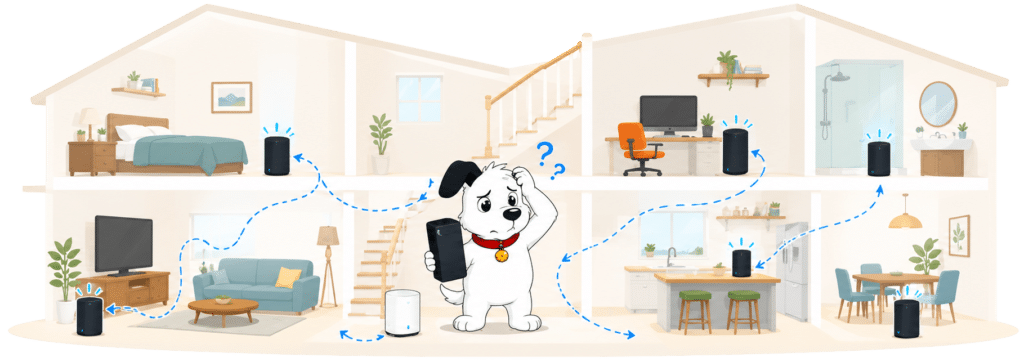
The service can improve difficult rooms and provides managed mesh features through the app. It isn’t a contractual Wi-Fi guarantee: YouFibre publishes no measurable room-by-room threshold or failure remedy. Customers should therefore treat it as extra equipment rather than insurance against every coverage problem. Try sensible router placement first, then add only the number of pods the property needs instead of assuming more hardware automatically creates faster Wi-Fi everywhere.
INTERACTIVE TOOL
Whole Home Wi-Fi Calculator
Just follow these simple steps and we will calculate how many, if any, ‘Whole Home Wi-Fi’ pods you will need from your provider.
Start here. Work through the steps in order.
Step 1: Agree to M-Lab’s data policy
M-Lab stores test data, including your IP address. Tick to agree before testing.
Step 2: Connect to your home Wi-Fi
Make sure the phone, tablet or laptop you are using is connected to your home Wi-Fi network.
Step 3: Turn mobile data off
If your device has mobile data, turn it off before you start walking around the house.
Step 4: Test next to your router
Stand next to your main Wi-Fi router and press the button below. This gives us your baseline speed.
Step 5: Test your ground floor corners
Walk to each corner of your ground floor and run a test. If your home is not a perfect rectangle, do not overthink it. Just pick four sensible far-apart spots and keep the same numbering if you add another floor.
Last step: Add another floor or calculate
If you have another floor to test, add it below. If you have tested every floor you care about, press calculate.
Your Whole Home Wi-Fi result
Where would you like to go next?
Two routers serve different package groups rather than creating needless choice
Customers don’t pick from a confusing retail shelf. Almost every package receives the standard Wi-Fi 7 Hub, while You 8000 receives the tri-band Hub Pro.
That keeps the range simple while ensuring the fastest packages receive ports and wireless technology capable of handling them. The F@st 5598 is appropriate for mainstream tiers; the F@st 5599 steps up for multi-gigabit service. Exact speeds still depend on the connected device, and older phones or laptops won’t become Wi-Fi 7 products because the router supports the standard.
INTERACTIVE TOOL
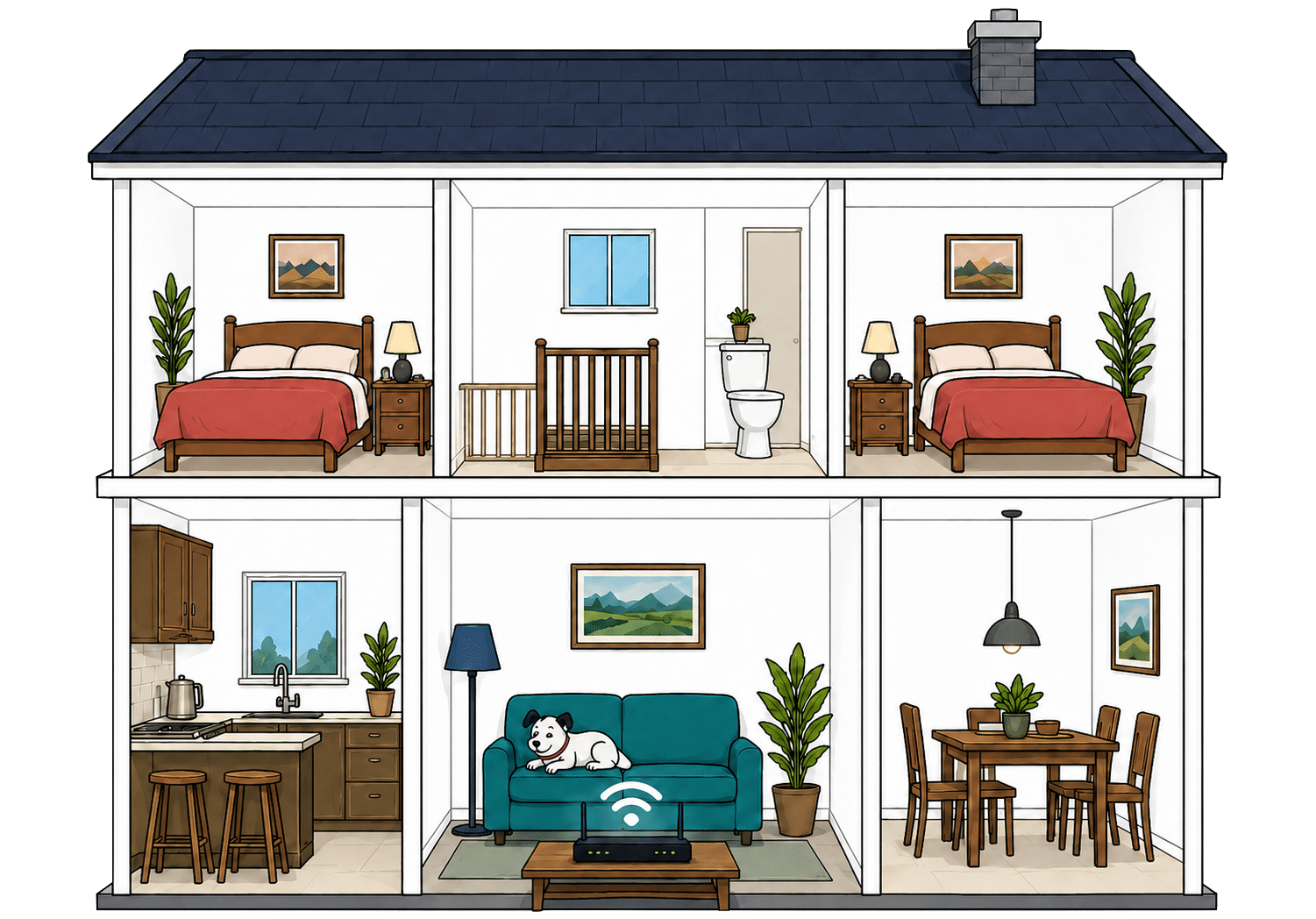
Router range estimator
See how wall materials and router choice affect the quality of Wi-Fi around a typical home.
Where would you like to go next?
Multi-gigabit ports make wired use a genuine strength
Both router arrangements provide useful Ethernet connectivity, while the higher-tier Wi-Fi 7 model includes the faster ports needed for multi-gigabit packages. This gives wired desktops and network equipment a credible way to use more of the purchased connection.
This is most useful for desktops, network storage, workstations and mesh backhaul. A 7000Mbps service is wasted if every device connects through a one-gigabit bottleneck, so the supplied hardware at least gives advanced users a route beyond it. Check the speed of cables, switches and computer adapters as well as the router port: every link in the local network must support the desired rate.
How a simple wired YouFibre network works
Plugging devices directly into your router gives them a steadier connection than Wi-Fi. These router diagrams show the physical Ethernet ports, including any ONT or internet port used by the broadband connection itself.
Use a wired connection for TVs, consoles and computers that stay in one place.
Use the fastest spare LAN port for the device or switch that needs the most speed.
Everyday app controls are useful without becoming intimidating
The YouFibre app supports account management and practical network tasks, while the Plume environment supplies controls for mesh and connected devices. The division keeps common controls accessible without presenting every customer with specialist networking menus.
Most households get the features they’re likely to use without navigating a dense professional interface. Advanced enthusiasts may find fewer exposed controls than on specialist retail routers, but that’s a common trade-off with provider-managed equipment. The app’s wider support, diagnostics and account functions make it particularly useful, and remote help is easier when YouFibre understands the supplied hardware and its current settings.
YouFibre router controls at a glance
Here’s a quick look at the router controls you can expect, including app management, browser admin tools, Wi-Fi settings, security features and the physical buttons on the router itself.
Checked from manufacturer specifications. Fibredog tracks dozens of router specification parameters across dozens of provider routers. When a provider changes its router or features, this table is swiftly updated.
Using your own router is unusually straightforward
YouFibre permits customers to connect suitable third-party routers, with connection details available rather than the provider banning replacement outright. That is useful for enthusiasts who need specialist controls, security features or a particular home-network setup.
You remain responsible for compatibility and local configuration, and support may ask you to reconnect the supplied router while diagnosing a fault. The ONT and other network equipment remain YouFibre property even when your own router handles the home network. Advanced users gain welcome freedom, while everybody else can keep the capable included device without paying for retail hardware.
Value for money
YouFibre’s value is built on very fast symmetric broadband, good routers and fixed contract pricing rather than a pile of included entertainment. The service can be excellent value for performance-focused households, but extras and steep post-contract rates need watching.
The broadband essentials are excellent, but optional benefits remain limited
Every package includes symmetric Full Fibre, an appropriate modern router and YouFibre’s unusually high router-level minimum speed guarantee. Those are valuable core benefits before any optional service is added, particularly for households that upload large files.
What you don’t get is an extensive entertainment bundle, mobile backup, quantified Wi-Fi guarantee or business-grade repair promise. YouMesh, phone services and other additions can increase the bill. That makes YouFibre easier to value as broadband than as an all-purpose household bundle. Buyers who already choose streaming services independently may prefer that simplicity; anyone expecting television, mobile and Wi-Fi guarantees in one price will find more missing.
What you get with YouFibre
Here's what's included as standard, what may cost extra, and what's included with premium packages.
Standard kit versus paid extras
This table separates everyday included features from extras that may depend on package tier, router choice or paid add-ons.
Good to know: Included features are easier to compare because you won’t need to budget for them separately.
Worth checking: Some useful extras may only be included on selected packages or as paid add-ons.
No annual price rise is one of YouFibre’s clearest selling points
The ordinary package price stays fixed throughout the 24-month minimum term, avoiding the scheduled spring increase used by many competitors. Customers can therefore compare the opening and closing monthly cost without adding two automatic annual rises.
You therefore know what the core broadband will cost at the beginning and end of the contract. Optional extras, one-off fees and exceptional contractual changes remain separate, but the package itself doesn’t creep upwards every April. Over two years, that certainty can outweigh a slightly cheaper introductory deal elsewhere that rises twice before the minimum term ends.
INTERACTIVE CHART
How much will your bill rise by?
This interactive chart shows how much this provider adds to its package prices each April, and lets you compare that with literally any other provider in our database.
Package annual price rises
April price rise shown package by package
The provider-average benchmark is calculated from each provider that applies an annual price rise. Fixed-price providers are shown in the chart but are excluded from the benchmark.
Extras can be useful, but they can also undermine the simple price
YouMesh can solve genuine coverage problems, YouPhone adds a landline-style service and the Battery Backup Unit protects equipment during a local power cut. Each has a defensible purpose, but none is essential for every customer and each needs judging against the household’s actual habits.
None should be added automatically. Mesh isn’t a quantified Wi-Fi guarantee, phone value depends on actual call use and battery backup doesn’t create an alternative broadband connection during a network outage. Paper billing, late payment, engineer visits and unreturned equipment can create further charges. Each extra should solve a specific household problem rather than simply making the order feel more complete. Start with the package and included router, then add only what has a clear job.

The post-contract price jump makes passive rolling noticeably expensive
After month 24, the service continues monthly at the standard rate unless you renew or leave. Across the ordinary packages checked, the typical increase is roughly one third.
YouFibre issues its end-of-contract notice 40 days before expiry and allows online renewal, so avoiding the higher rate is practical. The notice arrives at the outer end of Ofcom’s permitted window, leaving less comparison time than an earlier warning would. Put your own reminder in the calendar and judge any renewal against current deals rather than accepting the first offer automatically.
INTERACTIVE TOOL
What could your broadband bill roll on to?
Estimate what your monthly broadband price could look like by the end of your minimum term, and what it will jump to if you let the deal roll over.
Step 1: Choose your provider and package
Start by choosing your broadband provider, then select the package your contract is based on.
Step 2: Tell us the starting month of your contract and what you pay
Use the first full monthly price before any mid-contract April increases.
Step 3: Estimate the rollover shock
This is an estimate. Your provider’s end-of-contract notice will be the exact figure.
Your estimate
Where would you like to go next?
The service guarantees contain useful contractual substance
Every package has a router-level minimum equal to its advertised average, with a 30-day cure period and penalty-free exit after qualifying failure. YouFibre’s own terms also address prolonged complete loss of service.
YouFibre also provides automatic credit for a qualifying total loss lasting more than three days. It doesn’t cover delayed installation or missed appointments automatically, and there’s no quantified Wi-Fi or repair-time guarantee. The protection is therefore excellent where it applies, but it shouldn’t be stretched into a promise that every room, device or fault will meet a fixed performance deadline.
INTERACTIVE TOOL
Are you getting your minimum guaranteed speed?
Choose your provider and package, then run a speed test. For the cleanest test of the broadband speed coming into your home, plug a laptop or desktop directly into your router with a LAN cable. You can also test on a phone or tablet to check Wi-Fi speed, but make sure mobile data is switched off first.
Choose your provider and package
Choose your provider and package so we can compare the test result with the package's minimum guaranteed download speed.
Before you test
For an absolute line-speed check, use a computer connected to the router by Ethernet. If you test over Wi-Fi, the result may reflect your in-home Wi-Fi as much as the broadband line itself.
Run the speed test
Ready. Select a package, tick the data policy box, then run the test.
Your result
Where would you like to go next?
This tool uses M-Lab’s open measurement platform. A single speed test is a useful check, but it is not a formal fault diagnosis.
The included router adds real value across the package range
YouFibre supplies a capable Wi-Fi 7 Hub on mainstream tiers and reserves the tri-band Hub Pro, with 6GHz Wi-Fi and 10Gbps wired connectivity, for You 8000. The allocation avoids pairing the fastest package with hardware that immediately becomes its main bottleneck, while mainstream users still receive a modern router without buying one separately.
That avoids an immediate retail-router purchase for most customers and supports the headline speeds more credibly than basic hardware would. You can use your own router if advanced controls matter, while the supplied device remains available for support checks. The equipment is loaned rather than gifted, so it must be returned promptly when requested, but its quality still improves the everyday value during service.
Some links on this page may earn us a small commission if you click through and buy. This never affects either what you pay, or our scores and recommendations. If, however, you’d rather bypass affiliate links, use this direct YouFibre link instead.
