YOUFIBRE CUSTOMER SERVICE REVIEW
YouFibre customer service: How good is it?
YouFibre has built an excellent customer-service reputation alongside its Full Fibre network. We checked how easily you can reach a person, report a fault, make a complaint and arrange extra help when the standard process doesn’t suit you.

Jump to a specific section…
Where would you like to go?
Jump straight to the part you most want to read about.YouFibre customer service scorecard
Six key areas. One overall score. All calculated using our transparent methodology.
Customer experience
What customer data says about satisfaction, complaints, call waits, review sentiment and how the provider performs when judged from outside.
Contact options
How easy it is to get help, including phone, live chat, messaging, account tools, accessibility routes and fault-support channels.
When something goes wrong
How faults and outages are handled, including checking tools, reporting routes, updates, compensation and backup options.
Help for vulnerable customers
How well extra support is provided, including accessibility routes, alternative formats, priority help, financial difficulty and nominated contacts.
Complaints policy
How clear the complaints process is, including response times, escalation steps, ADR access and specialist complaints support.
Online help and account support
How useful the digital support setup is, including apps, account portals, help articles, diagnostics, fault reporting and tracking.
Customer experience
YouFibre’s customer feedback is exceptional. Its Trustpilot rating has barely moved while the review count has grown from just over 1,000 to more than 107,000. Ofcom doesn’t publish separate customer-service results for YouFibre, so we can’t check that picture against the regulator’s usual survey.
Key takeaways
A huge review history with remarkably little wobble
YouFibre had a 4.7 Trustpilot rating from 1,125 reviews in 2022. By November 2026, it still rated 4.7 after more than 107,000 reviews. That consistency is far more persuasive than an eye-catching score built from a small group of early customers.
What more than 107,000 customers actually say
You won’t find YouFibre in the separate Ofcom tables we use for satisfaction, complaint handling and call waiting. The blank spaces aren’t zero scores. They mean Trustpilot supplies the available customer evidence here, without the independent cross-check we get for the largest providers.
INTERACTIVE CHART
Compare customer experience by provider
Choose two broadband providers, then use the buttons below to compare Ofcom and Trustpilot customer experience data.
Overall service satisfaction
Ofcom satisfaction with service overall
Sources: Ofcom, Trustpilot.
Trustpilot score
4.7/5
Previous sample: 4.6/5
Trustpilot reviews
107,416
Up 68,766 since previous sample
Five-star reviews
89%
Previous sample: 89%
One-star reviews
6%
Previous sample: 6%
What people love about YouFibre
Friendly, polite staff appear throughout positive reviews. Customers regularly name advisers and engineers, praise clear explanations and say somebody took ownership of the problem rather than passing them repeatedly between several departments.
Installations attract plenty of praise too. Reviewers describe engineers arriving as arranged, working tidily and explaining the new equipment before leaving, which makes the move to Full Fibre feel straightforward.
App and chat support receive specific compliments. Customers mention quick replies, helpful troubleshooting and account questions being resolved without a long phone call, giving the positive feedback more substance than a simple five-star click.
Reliable service and fast speeds complete the positive picture. Praise covers ordering, installation, everyday broadband and later support, rather than depending on one particularly polished stage of the customer journey.
The scale is difficult to ignore. YouFibre has more than 107,000 Trustpilot reviews, with 89% awarding five stars. Trustpilot is voluntary, but a pattern this large and sustained deserves serious weight.
What negative reviews complain about
One-star reviews make up 6% of the total, so the problems below aren’t the typical experience. They do reveal what happens when an installation or fault stops following the easy route.
Delayed installations and changed appointments are the most obvious theme. Some customers describe conflicting dates, engineers unable to complete the work and too little warning before another visit becomes necessary.
Other complaints concern repeated chasing, unclear updates and broadband faults that drag on. Frustration rises when several advisers become involved but nobody can give a dependable repair or installation date.
YouFibre replies to 99% of negative reviews, usually within 24 hours, and commonly asks for account details so it can investigate. A quick public reply isn’t proof of a fix, but silence is rare.
Most reviewers describe helpful people, smooth installations and dependable broadband. The smaller negative group points to the familiar weak spot: communication and coordination when an installation or fault becomes complicated.
YouFibre’s customer feedback is exceptional. Its annual Trustpilot snapshots stayed between 4.6 and 4.8 while the review count rose from 1,125 to more than 107,000. The current profile awards 89% five stars, and the company replies to almost every negative review. Separate Ofcom results would provide a useful second opinion, but the scale and consistency of the available evidence put YouFibre among the best providers here.
Where would you like to go next?
Customer experience score
This score is based on Ofcom service-quality metrics and Trustpilot review trends over time, giving a balanced view of the overall customer experience.
How we calculate this score
This score looks at the provider’s Ofcom service-quality metrics and Trustpilot review trends over time.
We give extra weight to channels that are easy to access, available for longer hours, and useful when something has gone wrong.
Accessibility support, self-service tools and clear fault-status information also contribute to the final score. As does trajectory – whether a provider is in the process of improving or getting worse.
See all measurementsContact options
YouFibre gives you plenty of ways to reach a person, including phone, human Live Chat, email, a form and messaging through its mobile app. The app partly rescues a disappointing phone timetable: the main customer-service and fault line opens only on weekdays, from 9am to 6pm.
Plenty of routes, but short phone hours
You can contact YouFibre by phone, human Live Chat, email, online form or app message. The main number handles ordinary customer service and faults, so you don’t need to diagnose the department before asking for help.
The phone line opens from 9am to 6pm, Monday to Friday. That’s just 45 hours a week, with no published weekend opening. Anyone working similar hours may find app messaging or Live Chat more practical.
App messages can be sent whenever you like, with replies advertised from 8am to 8pm. Human Live Chat, email and the online form give you useful alternatives, although YouFibre doesn’t publish customer support through WhatsApp or the main social networks.
The app is a proper support channel
YouFibre’s app combines human messaging with troubleshooting, speed tests, bills, payments and account details. You can also record support needs and add another user, making it much more useful than an app that merely displays a monthly bill.
My Account covers bills, payments and account details in a browser, while the website publishes service-status information and practical help guides. Between those tools and the mobile app, many routine jobs can be completed without waiting for the weekday phone line to open.
Extra help is clearly signposted
YouFibre publishes dedicated help for disability, illness, bereavement, job loss, low income and other difficult circumstances. Customers can arrange a nominee, accessible documents, Text Relay and priority fault repair where their needs qualify.
The clearest communication gap is interpreted BSL support for everyday account help or complaints. YouFibre doesn’t publish a general BSL route, while WhatsApp, social support and a customer forum are missing too.
Phone, human Live Chat, email, forms and app messaging cover the contact methods most customers will need. Short phone hours are the real limitation, especially if you prefer speaking to somebody and can’t call during an ordinary working day.
Support channels at a glance
YouFibre gives customers several ways to get help. This view shows which practical contact, account and fault-support routes are recorded in the fibredog dataset.
Checked from live provider data. Fibredog tracks contact routes, account tools and fault-help options separately, so this information updates soon after anything changes.
What stands out
Several human routes
Call, use human Live Chat, send an email, submit a form or message support through the YouFibre app.
Useful accessibility help
Text Relay, accessible documents, nominees and extra help for vulnerable customers are available, although general BSL support isn’t published.
Check faults without calling
Use the service-status page, app diagnostics and online troubleshooting before reporting a remaining problem through the app, website or phone.
New customers
8am-8pm Monday-Friday; 10am-6pm Saturday; closed Sunday* Monday-Saturday
0333 443 9694Customer service
9am-6pm Monday-Friday; closed Saturday-Sunday* Monday-Friday
0330 822 2222Fault support
9am-6pm Monday-Friday; closed Saturday-Sunday* Monday-Friday
0330 822 2222*Hours may vary on public holidays
YouFibre offers a good mixture of traditional and digital contact routes. Phone, human Live Chat, email, an online form and app messaging all reach support, while the app handles an impressive range of account and troubleshooting jobs. The 9am-to-6pm weekday phone timetable is the obvious compromise. There is no weekend phone help, WhatsApp, social support, general BSL route or customer forum.
Where would you like to go next?
Contact options score
This score is based on the range, quantity and quality of provider contact routes, support tools, and the availability and ease of use of the various means available.
How we calculate this score
This score looks at the number, range and usefulness of YouFibre’s contact routes.
We give extra weight to channels that are easy to access, available for longer hours, and useful when something has gone wrong.
Accessibility support, self-service tools and clear fault-status information also contribute to the final score.
See all measurementsWhen things go wrong
When the broadband fails, YouFibre gives you several ways to check and report the problem. The app includes diagnostics and speed tests, while service-status information helps identify wider faults. YouFibre also promises automatic compensation for qualifying downtime, despite not belonging to Ofcom’s voluntary scheme.
Check service status
Start with YouFibre’s service-status information and the checks inside the mobile app. If a wider outage is already known, you’ll avoid needlessly restarting every device in the house while waiting for the same network fault to be repaired.
App diagnostics, speed tests and online guides help separate a service problem from trouble with your router, cabling or Wi-Fi.
Report the fault
If the checks don’t restore the service, send a message through the app, use human Live Chat or report the fault online. Calling remains an option during the weekday phone timetable.
The main support number opens from 9am to 6pm, Monday to Friday. App messages can be sent at any time, with replies advertised from 8am to 8pm, making digital support the better route outside office hours.
Automatic compensation, but no backup connection
YouFibre isn’t signed up to Ofcom’s voluntary automatic compensation scheme, but its own contract promises automatic compensation for a qualifying total loss of service. The useful protection is the payment itself, not the label attached to the scheme.
Compensation won’t cover every slow connection or brief Wi-Fi wobble. Report the fault promptly and keep the reference, because eligibility depends on the contractual conditions and how long the total loss continues.
YouFibre doesn’t include a mobile broadband backup or promise a fixed home repair time. If losing broadband would stop you working, keep a separate mobile fallback ready rather than assuming the router can switch networks.
Checking and reporting a fault is straightforward, and YouFibre’s own automatic compensation promise covers qualifying total loss of service. The remaining weakness is continuity: there is no included backup connection, fixed repair deadline or weekend phone line.
What to do when YouFibre goes down
Check service status and run the app or online troubleshooting. If the connection remains down, report it through the app, human Live Chat, online support or phone.
1. Check status
Look for a known outage on YouFibre’s service-status information before restarting equipment.
2. Diagnose
Run the app’s diagnostics and speed test, then follow the relevant online troubleshooting.
3. Report it
Message support in the app, use human Live Chat, report online or call during weekday hours.
4. Track
Keep the fault reference and watch the app or YouFibre’s messages for updates.
5. Check compensation
If a qualifying total loss continues, check that YouFibre’s automatic compensation has been applied.

Service-status checks
Check whether YouFibre has already identified a wider network problem.
App and online diagnostics
Use diagnostics, speed tests and troubleshooting before contacting an adviser.
Report through app, web or phone
Choose app messaging, human Live Chat, online reporting or the weekday phone line.
Automatic downtime compensation
YouFibre’s own terms cover qualifying total loss of service automatically.
No broadband backup
YouFibre doesn’t provide an automatic mobile connection when the fixed line fails.
YouFibre makes faults reasonably easy to check and report. The app supplies diagnostics, speed tests and human messaging, backed by online status information, Live Chat and weekday phone support. Its own automatic compensation for qualifying total loss is worthwhile protection even though YouFibre isn’t in Ofcom’s voluntary scheme. No included broadband backup, fixed repair deadline or weekend phone line prevents an otherwise excellent process from being complete.
Where would you like to go next?
When things go wrong score
This score reflects how well YouFibre helps you spot the fault, report it, keep tabs on the repair and stay protected if the outage keeps going.
How we calculate this score
This score looks at how easy it is to check, diagnose, report and track broadband faults.
We give weight to service-status tools, area fault checkers, online and app-based diagnostics, and both online and phone fault-reporting routes.
We also score the safety nets that apply if a fault drags on, including automatic compensation, repair-time commitments and whether broadband backup is included, or available at all.
See all measurementsHelp for vulnerable customers
YouFibre’s vulnerable-customer policy is exceptionally thorough. It covers disability and illness, but also bereavement, job loss, low income and other circumstances that can make ordinary account management difficult. Practical help includes priority fault repair, nominees, alternative formats and Text Relay.
Tell YouFibre what would make support easier
You can ask YouFibre to record disability, illness, communication needs, bereavement, job loss, low income or another circumstance affecting how you use the service. That should stop you having to explain the same difficult situation whenever a new adviser answers.
Priority fault repair is available when losing broadband creates a greater risk. It doesn’t guarantee an instant repair, but it gives qualifying customers a clear way to explain why being offline has more serious consequences.
Accessible documents, calls and accounts
YouFibre can supply information in braille, large print or audio. Text Relay helps when an ordinary voice call isn’t suitable, and support needs can be recorded through the app as well as by phone or email.
You can nominate somebody you trust to help manage the account, and add a secondary user through the app.
Temporary difficulties receive practical support from YouFibre too
YouFibre recognises that vulnerability can be temporary too. Its published support covers bereavement, job loss and financial difficulty alongside disability and illness, so customers can ask for adjustments when life changes rather than waiting for a situation to become permanent.
Eligible customers can choose the You 50 social tariff, which provides symmetric Full Fibre on a fixed-term contract. The main accessibility gap is interpreted BSL support for ordinary customer service and complaints, which YouFibre doesn’t publish.
What does YouFibre do to help vulnerable customers?
Here’s a quick look at the extra-help routes available from this provider, covering everything from accessibility support, alternative formats, nominated contacts, money worries and social tariffs.
Checked from customer-support data. Fibredog tracks the extra-help features of all providers, so this boxout updates when anything changes on the provider end.

How accessible communication and extra help work
-
1
Choose how to get in touch
Use phone, human Live Chat, email, online forms, app messaging or Text Relay, depending on how you prefer to communicate.
-
2
Ask for accessible information
Request information in braille, large print or audio, or use Text Relay when a voice call isn’t suitable.
-
3
Record what you need
Ask YouFibre to record the circumstances or communication adjustment that affects how support should work.
-
4
Arrange practical extra help
Arrange a nominee, priority fault repair or other practical adjustment where your circumstances qualify.
-
5
Keep support in place
Update the record when your needs change, including temporary difficulties such as bereavement, job loss or low income.
YouFibre provides exceptionally complete support for vulnerable customers. Priority fault repair, nominees, Text Relay and information in braille, large print or audio cover practical needs, while the policy recognises illness, bereavement, job loss and financial difficulty as well as disability. The You 50 social tariff adds affordable Full Fibre for eligible households. A published interpreted BSL route is the one notable omission.
Where would you like to go next?
Help for vulnerable customers score
This score reflects the support available for vulnerable customers, including accessibility help, priority repairs, alternative formats, financial difficulty support and social tariffs.
How we calculate this score
This score looks at the practical support available for vulnerable customers and customers with additional accessibility or financial needs.
We score vulnerable customer policies, accessibility support, priority repairs, nominated contacts, alternative-format billing, text relay, sign language support and bereavement support.
We also include financial difficulty support and whether the provider offers a social tariff for eligible customers.
See all measurementsComplaints policy
YouFibre’s complaints process is excellent. It accepts complaints through ordinary support routes, aims to respond within 48 hours, explains escalation and recognises both deadlock and the six-week route to independent review. The Communications Ombudsman supplies the final outside decision.
YouFibre’s complaints process, step by step
Raise the complaint
Start through phone, email, Live Chat, the online form or app messaging. Explain the problem, the outcome you want and any support needs that should shape how YouFibre contacts you.
Expect an initial response
YouFibre says it aims to respond within 48 hours. Keep the complaint reference and copies of messages so the history remains clear if several people become involved.
Don’t let the first answer end it
If the first answer doesn’t resolve the problem, say so clearly and use the published escalation process. Ask what will happen next, who owns the complaint and when you should expect another update.
Deadlock or six weeks
Ask for a deadlock letter if YouFibre confirms no agreement can be reached. Otherwise, the independent route becomes available once the complaint has remained unresolved for six weeks.
Independent review
YouFibre belongs to the Communications Ombudsman. It’s independent and free, and can review a dispute after deadlock or six weeks.
Give the ombudsman your complaint history, references, bills and the outcome you want. A tidy timeline is much easier to assess than a collection of disconnected messages.


A clear process with a demanding target
YouFibre publishes the routes for making a complaint and sets a 48-hour response aim. That doesn’t promise a full resolution in two days, but it gives customers a useful early deadline.
The policy explains what to do when the first response isn’t enough, rather than leaving escalation to whichever adviser answers next. It also identifies deadlock and the six-week route to independent review, giving the process a definite end instead of allowing an unresolved case to circulate indefinitely.
Escalation isn’t left vague
Customers are told how to continue an unresolved complaint and when deadlock applies. Keeping everything under the same reference helps preserve the full history.
The six-week independent-review deadline is stated clearly, so YouFibre can’t keep an unresolved complaint circulating internally forever without giving the customer an outside route.
A genuine independent final step
The Communications Ombudsman can examine disputes and require remedies where appropriate. You don’t pay to use it, and YouFibre is listed as a participating provider.
Deadlock can unlock the service early. Without a deadlock letter, you can go to the ombudsman after the complaint has remained unresolved for six weeks.

Independent ADR provider
If YouFibre can’t resolve your broadband complaint, the Communications Ombudsman is the approved ADR scheme for its services.
- Communications Ombudsman, P.O Box 730, Warrington WA4 6WU
- 0330 440 1614
- enquiry@commsombudsman.org
- commsombudsman.org/youfibre
Accessible complaint support
Text Relay and alternative-format documents can make the process easier, while a nominee may help manage the account. Tell YouFibre about any communication need when the complaint begins.
How YouFibre deals with complaints
Published complaints code
It explains how to complain, receive a response and seek independent review.
Several complaint routes
Use phone, email, Live Chat, an online form or app messaging.
A 48-hour response aim
YouFibre aims to respond within two days, giving customers a clear early checkpoint.
Deadlock letters
A deadlock letter lets you use the independent scheme without waiting six weeks.
Independent review after six weeks
The Communications Ombudsman can review an unresolved complaint once the six-week deadline is reached.
Accessible complaint support
Text Relay, alternative formats and nominees can help customers use the complaints process.
YouFibre’s complaints policy is about as complete as a customer could reasonably want. You can complain through several familiar routes, the company aims to respond within 48 hours, escalation is explained and deadlock can release a case early. Otherwise, the Communications Ombudsman becomes available after six weeks. Accessible formats, Text Relay and nominees help ensure the process isn’t limited to customers who can use an ordinary phone call.
Where would you like to go next?
Complaints policy score
This score reflects how clear and useful YouFibre’s complaints process is, including response times, escalation options, ADR access and support for vulnerable customers.
How we calculate this score
This score looks at how clear, accessible and useful the provider’s complaints policy is.
We give weight to whether the provider publishes a complaints code of practice, provides clear complaint routes, explains its response times and sets out how customers can escalate unresolved complaints.
We also score independent ADR access, including whether the ADR scheme is named, when customers can use it, and whether accessible complaints support is available.
See all measurementsOnline help and account support
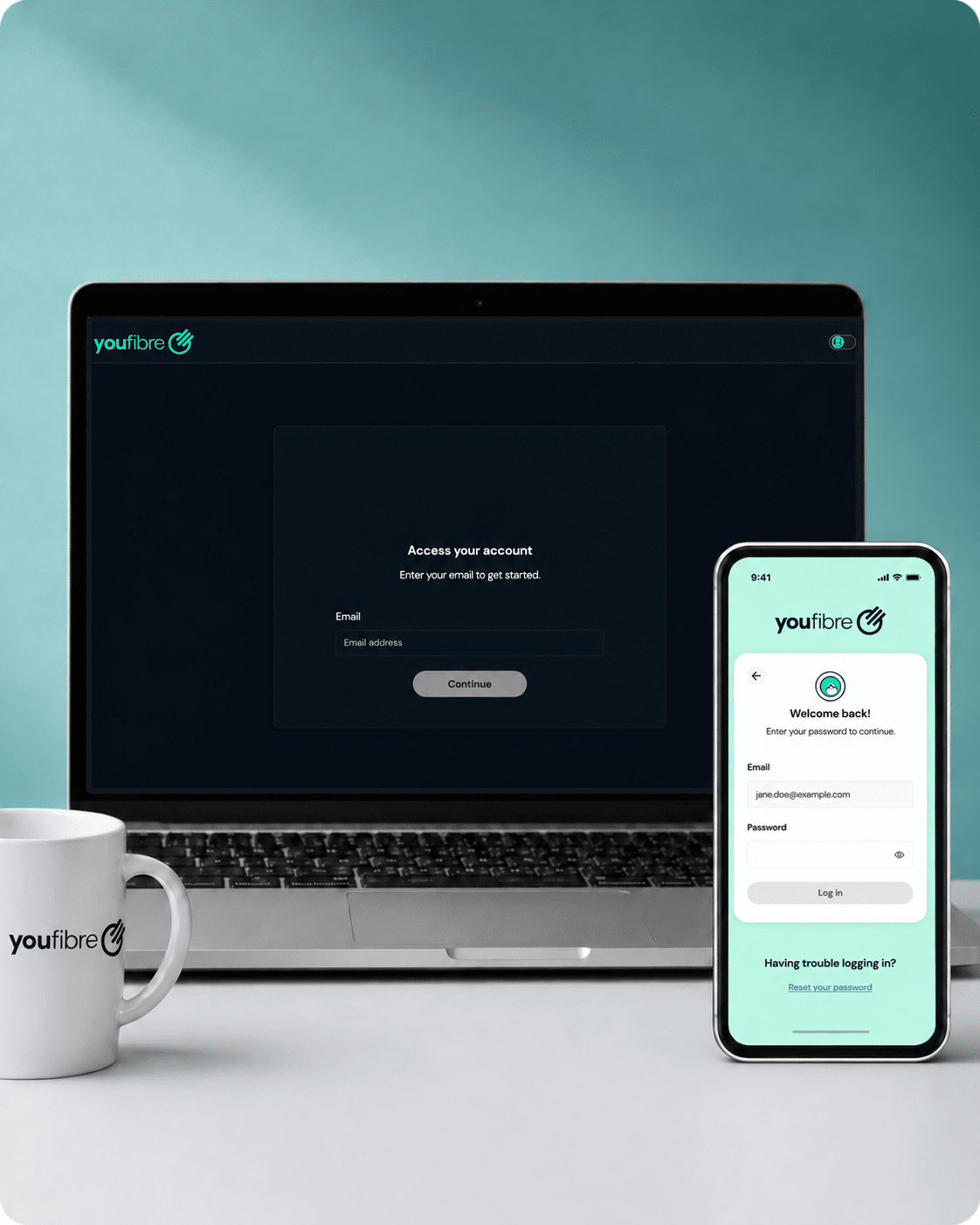
YouFibre’s digital support is excellent. Its mobile app combines account management with human messaging, diagnostics and speed tests, while My Account and the Help Centre cover browser-based jobs. The missing customer forum is a small gap rather than a reason to pick up the phone.
Bills and payments in the app or browser
The YouFibre app lets you view bills, make payments, check account details and add another user. My Account covers the main billing and account jobs in a web browser, so you aren’t forced into one device.
Eligible package changes can also be started online. For anything that needs discussion, app messaging and human Live Chat provide a written route to support.
Message a person from the app
App messages can be sent at any time, with replies advertised between 8am and 8pm. Human Live Chat, email, forms and weekday phone support remain available when another route suits you better.
The app also records support needs and allows secondary users, useful when somebody else helps manage the account.
Diagnostics and speed tests are built in
Run diagnostics and speed tests in the app, then use YouFibre’s online guides for the relevant broadband, Wi-Fi or equipment checks.
Move from checks to human help
If the tools don’t fix the problem, message support through the app, open human Live Chat, report it online or call during weekday hours. Keep the fault reference for later updates.

Email support is available
YouFibre accepts email as well as app messages, human Live Chat and online forms. Email is especially useful when you want a written record, need to attach information or prefer a reply that doesn’t require both people to be online together.
How YouFibre’s digital support fits together
-
1
Sign in online
Open the app or My Account to view billing, payments and account information.
-
2
Search the Help Centre
Search YouFibre’s help guides for broadband, Wi-Fi, equipment, billing and common account questions.
-
3
Message or call YouFibre
Use app messaging, human Live Chat, email or a form, or call during the weekday timetable.
-
4
Check service status
Run the app’s diagnostics and speed tests before reporting a connection problem.
-
5
Report faults
Keep the fault reference and follow updates through the app or YouFibre’s messages.
What you can do in the YouFibre app
The app brings together bills, payments and account details, so the everyday jobs you’d expect are available without opening a browser. You can also add another user when somebody else helps manage the service.
Human messaging is built in. Send a message whenever convenient and YouFibre advertises replies from 8am to 8pm, a much wider window than the weekday phone line.
Diagnostics and speed tests help investigate connection trouble before you contact an adviser. The app can also hold support needs, reducing the chance that an important adjustment is lost between conversations.
Use the app for account management, troubleshooting and written support. Move to the website when you need a longer guide, or call during the weekday timetable when you’d rather explain the problem by speaking directly to somebody.
What you can do online
My Account covers bills, payments, account details and eligible package changes in a browser. It provides a useful alternative if you don’t want to install the app.
The Help Centre adds guidance for broadband, Wi-Fi, equipment, billing and common account questions.
Check service-status information before reporting a fault. If no wider problem appears, run the troubleshooting, then use app messaging, human Live Chat, online reporting or the phone line.
Use My Account for routine administration, the Help Centre for guidance and the app when you want diagnostics or a written conversation with support.

No customer forum
YouFibre doesn’t provide a customer forum for searching old discussions or asking other users for help.
Start with the official Help Centre or app. If the answer isn’t there, move to human Live Chat, email, a form or phone support.
A forum can help with unusual equipment questions, so its absence leaves a small gap. Don’t rely on an unofficial post when a fault needs reporting directly to YouFibre.

YouFibre’s online support is exceptionally complete. The app handles bills, payments, account details, additional users, support needs, human messaging, diagnostics and speed tests. My Account and the Help Centre provide browser-based alternatives, while service-status information and online fault reporting make the route from checking to getting help clear. A customer forum would add useful peer support, but the official tools already cover almost everything most households need.
Where would you like to go next?
Online help and account support score
This score reflects the quality and range of self-service tools, account management, help content, diagnostics, digital support routes and written support options.
How we calculate this score
This score looks at how well a provider lets customers manage their account, find help, diagnose faults and report problems online.
Email support carries extra weight because it creates a written record and helps with issue ownership. We also score live chat with human agents, fault diagnostics, online fault reporting and service-status tools highly.
Account tools, billing, package management, help articles, chatbot support and community forums also contribute to the score, but with lower weighting.
See all measurementsSome links on this page may earn us a small commission if you click through and buy. This never affects either what you pay, or our scores and recommendations. If, however, you’d rather bypass affiliate links, use this direct YouFibre link instead.
