HEY!BROADBAND CUSTOMER SERVICE REVIEW

Hey!Broadband customer service: How good is it?

Hey!Broadband’s customer service is better than you’ll get from most broadband providers, particularly when you need a person rather than a login screen. Phone, Live Chat and email give you plenty of ways to reach staff, and its complaints process is excellent. The glaring omission is a customer login or app for routine jobs.

By Data checked  Checked weekly
Hey!Broadband customer service hero with FibreDog using a headset and laptop

Hey!Broadband customer service scorecard

Six key areas. One overall score. All calculated using our transparent methodology.

Customer experience

What customer data says about satisfaction, complaints, call waits, review sentiment and how the provider performs when judged from outside.

8.3/10

Contact options

How easy it is to get help, including phone, live chat, messaging, account tools, accessibility routes and fault-support channels.

7.6/10

When something goes wrong

How faults and outages are handled, including checking tools, reporting routes, updates, compensation and backup options.

6.9/10

Help for vulnerable customers

How well extra support is provided, including accessibility routes, alternative formats, priority help, financial difficulty and nominated contacts.

6.7/10

Complaints policy

How clear the complaints process is, including response times, escalation steps, ADR access and specialist complaints support.

9.0/10

Online help and account support

How useful the digital support setup is, including apps, account portals, help articles, diagnostics, fault reporting and tracking.

5.7/10

Customer experience

Hey!Broadband customers are unusually positive about the people who install and fix their broadband. Review after review praises friendly engineers, patient support and problems sorted quickly. It isn’t perfect: some people describe recurring outages, poor communication or billing rows. But compared with the reviews most broadband providers receive, this is a very good result.

Key takeaways

Public reviews put Hey!Broadband well ahead

Hey!Broadband has a 4.1 TrustScore from 5,916 reviews, and 71% of those reviewers gave it five stars. That’s an excellent result for a broadband provider. The score has recovered from 3.8 in late 2025, although 18% of reviewers still give it one star.

What Hey!Broadband customers actually say

Hey!Broadband isn’t included separately in Ofcom’s customer-service figures, so we have to rely mainly on Trustpilot. Anyone can leave a Trustpilot review, which makes it less balanced than an Ofcom survey. Even so, almost 6,000 people saying many of the same things gives us plenty to work with.

INTERACTIVE CHART

Compare customer experience by provider

Choose two broadband providers, then use the buttons below to compare Ofcom and Trustpilot customer experience data.

Overall service satisfaction

Ofcom satisfaction with service overall

5-year view
Latest valueN/AMost recent data point
Five-year changeN/AOldest to newest
Best yearN/ABest point shown
Worst yearN/AWeakest point shown

Sources: Ofcom, Trustpilot.

Trustpilot score

4.1/5

Previous sample: 3.8/5

Trustpilot reviews

5,916

Up 1,421 since previous sample

Five-star reviews

71%

Previous sample: 72%

One-star reviews

18%

Previous sample: 18%

What people love about Hey!Broadband

The numbers are impressive. Of the 5,916 people who’ve reviewed Hey!Broadband, 71% gave it five stars. That’s far better than most broadband providers manage, and there are enough reviews here to take the result seriously.

Engineers get more praise than anyone else. People say they arrive on time, work neatly and find sensible places for the cable, even in homes where installation isn’t easy. They also explain what they’ve done before they leave.

People also say good things about technical support. Calls are often answered quickly, advisers explain things patiently and some faults are fixed there and then. Several reviewers even name the person who helped them, which makes the praise feel genuine.

The praise doesn’t stop once the engineer leaves. Plenty of longer-standing customers say their broadband is fast and reliable, and some mention renewing without any fuss. That tells us people are happy with the everyday service, not just the installation.

Trustpilot never tells us what every customer thinks, and Hey!Broadband hasn’t recently asked people to leave reviews. But thousands have done so anyway, and the same compliments keep coming up. Most reviewers are clearly pleased.

What negative reviews complain about

The unhappy reviews still matter. Some 18% give Hey!Broadband one star, most often after losing their connection or seeing the same fault return after a temporary fix. Having to chase support while your broadband is unusable is understandably infuriating.

Things can become frustrating when a fault isn’t fixed quickly. Some reviewers describe long waits, unanswered emails, conflicting advice and being passed between teams. That isn’t what most people experience, but it makes an unresolved fault far more stressful.

Bills and cancellations cause their share of anger too. People complain about missing refunds, end-of-contract charges, equipment-return fees and payments taken after they thought the account was closed. The details differ, but nobody enjoys money leaving their account unexpectedly.

A few reviews describe poor treatment during a bereavement, house move or serious complaint. These situations need care and common sense. Being passed to another adviser or sent a standard reply when you’re struggling can make matters much worse.

Hey!Broadband replies to 96% of negative reviews, usually within two weeks. It’s good to see the company answer criticism, although a Trustpilot reply doesn’t prove the problem was fixed. The complaints are real, but most reviewers are very happy.

Hey!Broadband has some of the best public reviews we’ve seen from a UK broadband provider. Engineers and support advisers receive a lot of praise, and 71% of reviewers give the company five stars. Trustpilot isn’t as balanced as an Ofcom survey, and the 18% giving one star describe real problems with outages, communication and bills. Even with those complaints, most people who review Hey!Broadband are clearly very happy with it.

8.3 /10
Overall score

Customer experience score

This score uses the customer-experience evidence available for the provider, including long-term review trends and recurring themes in recent feedback.

Contact options

You can phone Hey!Broadband, speak to someone on Live Chat or write by email or web form. Help is available well into the evening and throughout the weekend. The frustrating part is that you still can’t sign in and sort out simple account jobs yourself.

Long hours and several ways to talk

Customer service and technical support are open from 8am to 8pm on weekdays, then 8am to 6pm at weekends. That gives you 80 hours each week when you can phone or use Live Chat. For a smaller local provider, those opening hours are unusually generous.

You can use email or a web form when the problem isn’t urgent and you’d rather put everything in writing.

The new-customer phone line stays open from 8am to 8pm every day. Existing customers get two fewer evening hours at weekends, but you can still call after work or on either weekend day. We also like that Live Chat connects you to a person instead of a chatbot pretending it understands the problem.

You can make changes in writing

You don’t have to phone Hey!Broadband to change your package. You can ask through Live Chat, email or a web form instead. That leaves you with a written record, which is useful when the change affects your speed, contract or monthly bill.

A member of staff still has to make the change for you. Hey!Broadband then sends a Service Confirmation Email showing the new package, what you’ll pay and when it starts. It isn’t as quick as changing the package yourself through an online account, but at least you can do it without having to phone.

Which one should you use?

If your broadband is down and you need help straight away, phone support makes the most sense. The same number deals with customer service and faults.

Live Chat is handy for quick questions and keeps roughly the same hours as the phone line. Email or a web form is better when you want a written record of a bill, package change or account problem.

Hey!Broadband doesn’t offer support through WhatsApp, social media or a customer forum. Phone, Live Chat, email and the web forms are the proper ways to ask for help and make sure someone deals with it.

Contact options

Support channels at a glance

Hey!Broadband gives customers several ways to get help. This view shows which practical contact, account and fault-support routes are recorded in the fibredog dataset.

Phone Real-person route Available
Live chat Human agent listed Available
WhatsApp Messaging route Unavailable
Email Written support Available
Community forum Peer help route Unavailable
Accessibility support Extra-help routes Available
Online account tools Self-service tools Unavailable
Online fault tools Diagnosis and reporting Available

Checked from live provider data. Fibredog tracks contact routes, account tools and fault-help options separately, so this information updates soon after anything changes.

What stands out

Phone, chat and email

You can reach a real person by phone, Live Chat or email.

Extra help is available

A specialist team can note the help you need and let someone you trust speak for you.

Check for an outage first

The status checker tells you whether other homes nearby have lost service too.

Customer service

Monday-Friday 8am-8pm; Saturday-Sunday 8am-6pm* Monday-Sunday

0330 822 2878

Fault support

Monday-Friday 8am-8pm; Saturday-Sunday 8am-6pm* Monday-Sunday

0330 822 2878

*Hours may vary on public holidays

Hey!Broadband makes it easy to speak to someone. Phone and Live Chat are open for 80 hours each week, including evenings and weekends, while email and web forms let you put less urgent problems in writing. The missing online account stops this section from scoring even higher, because simple jobs still need a member of staff. If you’d rather deal with a person than an app, though, Hey!Broadband does very well.

7.6 /10
Overall score

Contact options score

This score is based on the range, quantity and quality of provider contact routes, support tools, and the availability and ease of use of the various means available.

When things go wrong

Hey!Broadband makes it easy to check whether there’s an outage and tell support about a fault. What it doesn’t tell you is how quickly a serious problem will be fixed. There is no automatic compensation, promised repair time or backup connection to fall back on.

Outage or home problem?

When the internet stops working, the problem could be your device, router, Wi-Fi or Hey!Broadband’s network. The website walks you through a few simple checks, and the status page tells you whether nearby homes are offline too. That can save you reporting a problem the company already knows about.

If nothing in the house can get online, check the router and status page before contacting support.

Open a support ticket

The online outage form lets you tell technical support about the problem without phoning first.

You can also report a fault by phone while support is open. The online form is useful after closing time because it records the problem straight away. Keep the reference number and any messages you receive, because there is no online account where you can look back through the whole conversation.

A long outage leaves you exposed

Hey!Broadband isn’t part of Ofcom’s automatic compensation scheme. If your broadband stops working completely, there is no set payment or bill credit after the first day, or after any other stated number of days.

You can leave without an early-exit fee after 30 continuous days with no service. Hey!Broadband doesn’t promise to fix the fault before then. In the worst case, you could spend a month without broadband before the contract clearly lets you walk away for free.

There is no backup connection for your home broadband either. Hey!Broadband sells separate mobile SIMs, but they don’t connect to the router or switch on automatically when the fixed connection fails.

If you rely on broadband for work, medical care or home security, you’ll need to arrange your own backup. Tell Hey!Broadband as soon as the connection fails and keep the reference numbers and messages. The right to leave only begins after 30 days without service, so the dates matter.

Reporting a fault is straightforward

Start with the status page, then try the checks on the website. If the broadband still doesn’t work, use the outage form or phone support. Keep the reference number afterwards.

Area status

Check whether nearby homes are offline before changing anything at home.

Test your setup

Follow the website’s checks to test your device, Wi-Fi and router.

Create a ticket

Use the outage form online, or phone technical support while it’s open.

A saved record

Keep the reference numbers, dates and messages because you can’t see the full history online.

Escalate if needed

Make a formal complaint if support doesn’t get you back online.

Fibo investigating a website bug or mistake

Local outage checker

See whether Hey!Broadband already knows that nearby homes are offline.

Guided fault checks

Work through the common connection fixes online.

Report online or by phone

Tell technical support online or speak to someone by phone.

No automatic compensation

A total loss of service doesn’t trigger a guaranteed payment.

No router backup

Mobile SIMs don’t provide automatic backup for your home broadband.

Hey!Broadband makes faults easy to report. You can check for a local outage, try the suggested fixes, fill in a form online or phone support seven days a week. The protection afterwards is much weaker. There is no automatic compensation, promised repair time or backup connection, and you only gain a clear right to leave after 30 continuous days without service. Reporting the fault is simple; being stuck without broadband could be anything but.

6.9 /10
Overall score

When things go wrong score

This score reflects how well Hey!Broadband helps you spot the fault, report it, keep tabs on the repair and stay protected if the outage keeps going.

Help for vulnerable customers

Hey!Broadband has a specialist team for anyone who needs extra help. You can nominate someone to speak for you, use Text Relay and get help after a bereavement or when money is tight. What you can’t get is priority fault repair or bills in Braille, large print or audio.

Tell one team what you need

Tell the specialist team what would make dealing with Hey!Broadband easier for you. They can add those details to the account, so you shouldn’t have to explain everything again each time you call. You can ask for help temporarily or keep it in place for as long as you need it.

You can also nominate someone you trust to help with the account. That can make a big difference if phone calls, paperwork or important decisions are difficult to manage alone.

Text Relay is available, priority repair isn’t

If hearing or speaking on the phone is difficult, you can contact customer service through Text Relay. There is also specific help after a bereavement or when you’re struggling to pay, and people who qualify can move to the cheaper Everyday Fibre social tariff.

There is no provider-run BSL service, priority repair promise or stated Braille, large-print or audio billing option.

Good personal help, but no promise of priority repairs

This isn’t just a page saying Hey!Broadband cares about vulnerable customers. There are useful things you can actually ask for. Someone you trust can help manage the account, staff can remember how you prefer to be contacted, and there is specific help after a bereavement or when you’re struggling with payments.

None of this means your broadband will be repaired more quickly. If you depend on the connection for medical care, personal safety or keeping in touch with someone vulnerable, make sure you have another way to get online before a fault happens.

At a glance

What does Hey!Broadband do to help vulnerable customers?

Here’s a quick look at the extra-help routes available from this provider, covering everything from accessibility support, alternative formats, nominated contacts, money worries and social tariffs.

Vulnerable customer policy Published extra-help policy Available
Accessibility support Accessible support routes Available
Priority fault repair Priority repair help Unavailable
Nominated contact Trusted person support Available
Alternative-format billing Bills in other formats Unavailable
Braille, large print or audio Accessible document formats Unavailable
Text relay Relay UK-style support Available
Sign language support BSL or signed support Unavailable
Financial difficulty support Help if bills become hard Available
Bereavement support Support after a death Available
Social tariff Lower-cost eligible tariff Available

Checked from customer-support data. Fibredog tracks the extra-help features of all providers, so this boxout updates when anything changes on the provider end.

Illustration of Fibo asleep beside an unanswered customer support message

What Hey!Broadband can and can’t do for you

  1. Start with the vulnerability team

    Contact the specialist team once, and they can add the help you need to your account.

  2. Use Text Relay

    Text Relay is available for customers with hearing or speech difficulties.

  3. Explain what you need

    Tell them what makes phone calls, bills or looking after the account difficult for you.

  4. Add a nominated contact

    You can let someone you trust speak to Hey!Broadband and help with important account decisions.

  5. Keep your details up to date

    Tell the team if your circumstances change or you want to be contacted in a different way.

Hey!Broadband offers useful practical help. A specialist team can remember what you need, someone you trust can speak for you, and there’s Text Relay, bereavement support, payment help and a social tariff. However, there’s no priority fault repair, BSL service or promise of bills in Braille, large print or audio. Those gaps stop this section scoring more highly.

6.7 /10
Overall score

Help for vulnerable customers score

This score reflects the support available for vulnerable customers, including accessibility help, priority repairs, alternative formats, financial difficulty support and social tariffs.

Complaints policy

Hey!Broadband tells you how to complain, when you should hear back and when you can ask CISAS to step in. Very few broadband providers explain the whole process this well. Waiting up to 28 working days for a full answer is slow, but at least you always know what happens next.

You always know what happens next

Put it in writing

You can complain by phone or email. Explain what happened, what you’ve already tried and what you want Hey!Broadband to do. Keep a copy of the email and any reference numbers.

A quick acknowledgement

Hey!Broadband aims to confirm that it has your complaint within two working days. That only tells you the complaint has been received; it isn’t the full answer.

You can ask someone else to look

If the first person can’t sort it out, ask for the complaint to be passed to someone more senior. Keep the emails, dates and reference numbers together.

Deadlock or six weeks

You can take the complaint to CISAS after six weeks. You can go sooner if Hey!Broadband sends a deadlock letter saying it can’t resolve the problem.

CISAS

CISAS is independent of Hey!Broadband and can decide how an unresolved complaint should be put right.

Once you can use CISAS, you no longer have to keep making the same argument to Hey!Broadband’s own complaints team.

Illustration of a disappointed Fibo representing broadband complaints

Two days to confirm, longer to answer

Hey!Broadband makes an important distinction: confirming that it has received your complaint isn’t the same as answering it or putting the problem right.

You should receive confirmation within two working days, but Hey!Broadband gives itself up to 28 working days to send a proper answer. We’d much rather see the whole complaint settled sooner. Still, the policy makes the difference clear, so you won’t mistake a quick acknowledgement for a reply that actually deals with the problem.

You aren’t trapped with the first answer

The complaints code tells you that you can ask for a more senior person to look at the problem, and explains when you can request a deadlock letter.

This is useful when the same billing problem or recurring fault keeps coming back. You can ask for someone else to review the complaint instead of starting again with support. If Hey!Broadband agrees that neither side will budge, a deadlock letter lets you go to CISAS without waiting six weeks.

You can go to CISAS after six weeks

CISAS can look at the complaint after six weeks, or sooner if Hey!Broadband says it can’t reach an agreement with you. CISAS is separate from the provider, so you get an independent decision.

Keep every email, date and reference number from the beginning. Hey!Broadband may take up to 28 working days to answer, which uses most of the six-week wait for CISAS. Having everything together will save you trying to remember or prove what happened later.

Independent ADR provider

If Hey!Broadband can’t resolve your complaint, CISAS is the approved ADR scheme for its broadband services.

Accessibility during a complaint

The complaints team can see the extra help noted on your account and speak to someone you’ve nominated, so you shouldn’t have to explain those needs again.

What happens after you complain

Published complaints code

The complaints code explains what happens at each stage.

Email or phone

Email gives you a written record; phone lets you discuss it.

Two-day acknowledgement

Hey!Broadband aims to confirm receipt within two working days.

Formal outcome

A full answer may take up to 28 working days.

CISAS after six weeks

A deadlock letter lets you go to CISAS sooner.

Needs stay noted

The complaints team can follow the extra-help notes on your account.
Hey!Broadband has one of the clearest complaints policies we’ve seen. It tells you how to complain, confirms receipt within two working days and explains how to ask for a senior review. After six weeks, or sooner with a deadlock letter, you can go to CISAS. The weak point is the wait: Hey!Broadband allows up to 28 working days for a full answer. Even so, you’ll know what you can do next.

9.0 /10
Overall score

Complaints policy score

This score reflects how clear and useful Hey!Broadband’s complaints process is, including response times, escalation options, ADR access and support for vulnerable customers.

Online help and account support

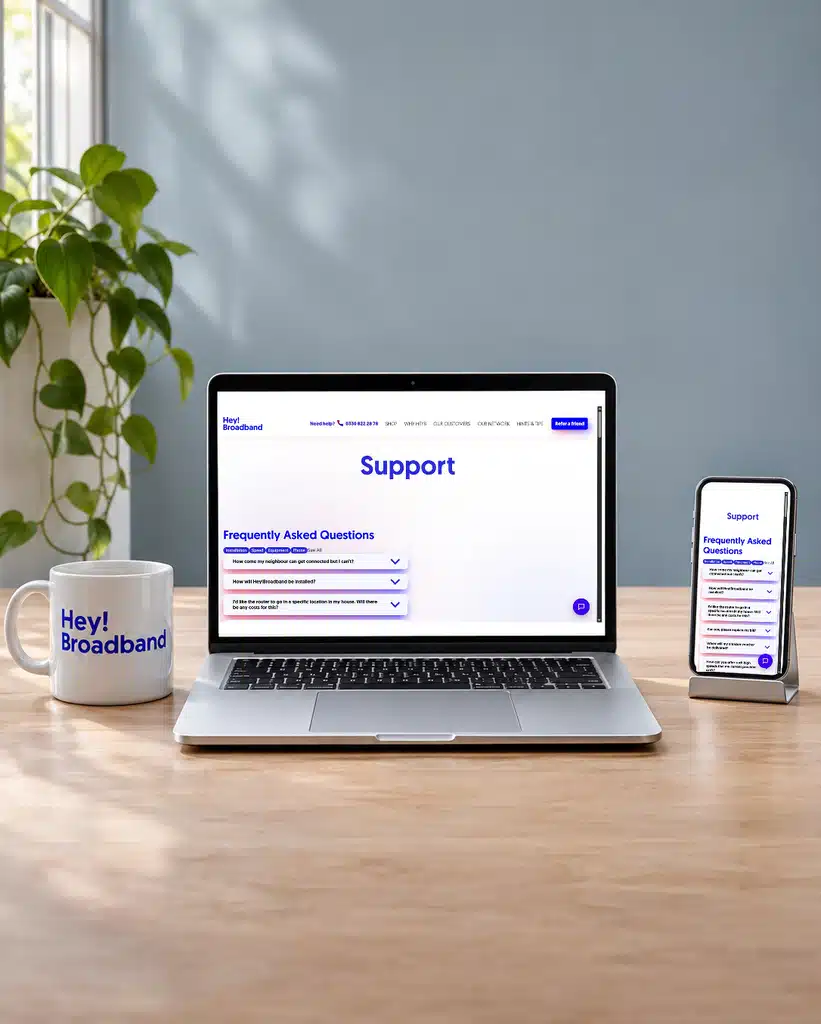
Hey!Broadband is easy to contact when you need a person, but there isn’t much you can do for yourself online. You can check for an outage, follow some troubleshooting steps and report a fault, but there’s no customer login, app, searchable help centre or chatbot. You may even have to ask someone for an old bill.

There is still no online account

Hey!Broadband sends invoices electronically, but you can’t sign in to view billing history, check account details or manage your package. Those are routine tasks that almost every established UK broadband provider lets you handle without contacting anyone.

The provider says it’s working on a customer portal or app. Until one launches, judge the service you can use today.

Staff do what the website can’t

You can phone, use Live Chat, send an email or fill in a web form when the website can’t do what you need. Staff are available seven days a week.

You don’t have to pay extra before someone will investigate a problem with your connection. Technical support is part of the normal service.

Basic troubleshooting works without a login

The help centre sorts common questions into categories and talks you through some basic connection checks. There isn’t a search box, though, so you may have to open several sections before you find the answer you need.

Online fault reporting has limits

The online outage form lets you report a problem outside phone hours. But because there’s no customer account, you can’t sign in somewhere and see every update, message and previous fault together.

Hey!Broadband official help page shown on separate laptop and mobile screens

Email is available

Email is useful when a billing or account problem is too complicated to explain again every time you call. It still doesn’t make up for the missing customer login, because a member of staff has to find the information or make the change for you.

What you can do without an account

  1. No sign-in

    There still isn’t a customer login or general Hey!Broadband app available.

  2. Help articles by category

    The help centre sorts its answers by category, but you can’t search them.

  3. Speak to someone

    Use Live Chat, send an email, fill in a web form or call.

  4. Try guided checks

    Follow the online steps to check the most common connection problems.

  5. Keep reference numbers

    Keep the messages and reference numbers because you can’t see everything in an online account.

The planned app still hasn’t arrived

Hey!Broadband says an app is coming, but don’t choose it on that promise. What matters is what you can use now.

New invoices still arrive by email, even though you can’t browse your billing history online.

For now, you have to use Live Chat, email, a form or the phone for account and package changes. Even a simple job means contacting someone.

Hey!Broadband says it’s working on a customer account or app, and it’s badly overdue. A promise doesn’t help you check a bill today, though. Unless the new service launches before you join, expect to contact a member of staff whenever you need to do something with your account.

The website handles faults better than accounts

You can check whether there’s an outage near you, follow some troubleshooting steps and report a fault without signing in. That’s enough to get started when the connection stops working.

The help centre is split into categories, but there’s no search box.

There is no chatbot, which we don’t regard as a great loss while human Live Chat remains available for 80 hours each week.

You still have to ask a member of staff for old bills or account changes. You can’t do either job yourself online.

No customer forum

Hey!Broadband doesn’t have an official customer forum where people can help one another.

Its social-media accounts aren’t official support channels either, so don’t rely on a public post when you need help.

Use Live Chat, email, a web form or the phone when you need Hey!Broadband to do something. A forum can be handy for tips from other customers, but it shouldn’t replace proper help from the company you’re paying every month.

Hey!Broadband gets an average score here because its online tools are well behind most broadband providers. You can check for an outage, follow some troubleshooting steps and report a fault, and staff are available for long hours. But you still can’t sign in to check an old bill or manage your package, and the help centre doesn’t even have a search box. It’s easier to investigate a broken connection than find an old invoice.

5.7 /10
Overall score

Online help and account support score

This score reflects the quality and range of self-service tools, account management, help content, diagnostics, digital support routes and written support options.

Some links on this page may earn us a small commission if you click through and buy. This never affects either what you pay, or our scores and recommendations. If, however, you’d rather bypass affiliate links, use this direct Hey!Broadband link instead.

Illustration of Fibo representing direct links to broadband providers