
EE BROADBAND CUSTOMER SERVICE REVIEW

EE Broadband customer service: How good is it?

We’ve put EE Broadband’s customer service to the test across over 80 individual metrics, from contact routes through to complaint handling, accessibility, account support, and much more besides.


By Data checked  Checked weekly
The fibredog mascot dog as a EE Broadband customer service agent, wearing a headset and using a laptop
fibredog mascot wearing a headset

Having trouble choosing a broadband provider?

No single best provider or package exists – only the best pick for you personally. Fibredog’s YourMatch™ system uses thousands of provider metrics and a lot of maths to find you your perfect match.

EE Broadband customer service scorecard

Six key areas. One overall score. All calculated using our transparent methodology.

Customer experience

What customer data says about satisfaction, complaints, call waits, review sentiment and how the provider performs when judged from outside.

7.6/10

Contact options

How easy it is to get help, including phone, live chat, messaging, account tools, accessibility routes and fault-support channels.

8.9/10

When something goes wrong

How faults and outages are handled, including checking tools, reporting routes, updates, compensation and backup options.

10.0/10

Help for vulnerable customers

How well extra support is provided, including accessibility routes, alternative formats, priority help, financial difficulty and nominated contacts.

9.4/10

Complaints policy

How clear the complaints process is, including response times, escalation steps, ADR access and specialist complaints support.

9.5/10

Online help and account support

How useful the digital support setup is, including apps, account portals, help articles, diagnostics, fault reporting and tracking.

9.5/10

Customer experience

Ofcom’s numbers are mostly good: Satisfaction is high, complaint handling has improved, and call waiting has only become a problem in the latest data. But complaints have jumped sharply, and Trustpilot has suddenly flipped from disaster zone to glowing praise. Something has changed quickly here, and it’s hard not to see a major surge in customers and a review-prompting push behind it.

Key takeaways

A sudden Trustpilot turnaround

EE’s Trustpilot score has jumped dramatically in the last year. That doesn’t usually happen naturally with broadband providers, so it looks like EE has been actively encouraging more people to leave reviews.

Ofcom is good, with caveats

Overall satisfaction is high, and complaint handling has improved. The awkward bits are rising complaint volumes and a much longer latest call-wait figure. So the direction is not all neat and tidy, but it is broadly good.

INTERACTIVE CHART

Compare customer experience by provider

Choose two broadband providers, then use the buttons below to compare Ofcom and Trustpilot customer experience data.

Overall service satisfaction

Ofcom satisfaction with service overall

5-year view
Latest valueN/AMost recent data point
Five-year changeN/AOldest to newest
Best yearN/ABest point shown
Worst yearN/AWeakest point shown
Where would you like to go next?

Sources: Ofcom, Trustpilot.

Latest overall
satisfaction

87%

Industry avg: 82.8%

Complaints to Ofcom rate

52 per 100k

Industry avg: 47.2 per 100k

Average call wait

2m 53s

Industry avg: 2m 39s

Satisfaction with complaint handling

66%

Industry avg: 52.8%

According to Ofcom

According to Ofcom’s data, EE does well on overall satisfaction. Its latest figure is 87%, and across the five-year view it has stayed in a fairly narrow, fairly healthy band. That suggests most EE broadband subscribers are broadly happy with the service they get.

The complaint picture is less tidy. EE’s complaints to Ofcom were low and stable from 2020 to 2023, sitting around the low twenties per 100,000 subscribers. Then in 2025, that figure more than doubled to 52 per 100,000. That is still not horror-show territory, but it is a very clear change.

Oddly, complaint handling satisfaction moved the other way. EE’s latest figure is 66%, matching its best year in the period shown. That suggests more complaints are reaching Ofcom, but the people who do complain are now more likely to feel their issue was handled properly.

The call-wait data is a bit of an anomaly. EE’s latest average wait is 2 minutes 53 seconds, much worse than the previous years shown. That may point to a sudden rise in demand, more people joining, more people needing support, or some combination of the three.

So the Ofcom story is: good satisfaction, better complaint handling, but a noticeable recent pressure point.

According to Trustpilot

Trustpilot is where things get properly interesting. EE’s average score has jumped from 1.5/5 in June 2025 to 4.2/5 in June 2026. That's not a normal gentle improvement. That's a handbrake turn, through a hedge, and into a flower show.

The review mix tells the same story. In June 2025, 76% of EE’s sampled Trustpilot reviews were one-star, with only 16% at five-star. By June 2026, that had flipped to 58% five-star and 29% one-star. For a broadband provider, that is an astonishing change.

The review count also exploded. EE went from 21,440 reviews in June 2025 to 84,149 in June 2026. That strongly suggests EE has been actively prompting far more people to leave Trustpilot reviews. Not necessarily positive reviews, but reviews full stop.

The reason we don't think EE's being nefarious in any way here is because Trustpilot scores of large, national broadband providers suffer from a huge negativity bias. People don’t normally go and review their broadband because it worked again today.

They review it because something went wrong. EE has simply widened the review pool, which explains why the score now looks much more balanced than the usual broadband Trustpilot swamp.

EE Broadband's customer experience picture is mixed, but there’s a lot to like. Ofcom's numbers are mostly good: overall satisfaction is high, complaint handling has improved, and call waiting has only recently become a weak spot. Then there’s the dramatic Trustpilot turnaround, which looks less like normal gradual improvement and more like EE actively encouraging more customers to leave reviews.

7.6 /10
Overall score

Customer experience score

This score is based on Ofcom service-quality metrics and Trustpilot review trends over time, giving a balanced view of the overall customer experience.

Contact options

EE Broadband gives you a sensible spread of ways to get help. You get phone support, live chat, account tools, fault checks, community help and accessibility support. The main gaps are WhatsApp and email.

How easy is EE Broadband to contact?

Very easy. EE lists phone support for broadband and landline, with separate numbers depending on whether you’re calling from an EE mobile or another phone. It also offers Aimee, its digital assistant, which can connect you to live chat if you need more help, but only via the EE app, which means you'll need to already be a customer to use it to access customer service.

As usual, the website would rather guide you through help pages before putting you in front of a person. That’s not unusual. Big providers don’t really want every small question turning into a phone call, because call centres are expensive and queues make everyone miserable.

The good news is that EE doesn’t bury the human routes completely. Phone support is clearly listed, live chat exists, and there’s also an EE Community if you want the ‘has anyone else had this problem?’ route before contacting support directly.

Digital support is useful, especially for faults

You can use your account, the EE app and the help centre for normal account jobs, package questions and troubleshooting. There’s no general email support route listed, though, and WhatsApp isn’t shown as a broadband support option.

The fault tools are worth a cheer. EE’s service status checker can look for local problems, test your broadband and help fix issues it finds. That’s exactly the kind of thing you want before phoning, because it separates ‘my router is sulking’ from ‘there’s a wider fault in my area’.

Accessibility and extra help are well covered

EE has a proper accessibility and vulnerable-customer support setup. You can register additional needs on your account, so advisors know what help you may need when you get in touch.

There are also alternative formats and communication routes, including large print, braille or audio bills, Relay UK and BSL support through InterpretersLive. That’s a good set of options, and it means EE does more here than just pointing everyone at the same phone number.

EE gives you a decent set of support routes without trying to pretend everything needs a phone call. You get phone support, live chat, community help, app tools, fault checks and proper accessibility support. The gaps are WhatsApp and general email support, but overall this is a solid setup.

Contact options

Support channels at a glance

EE Broadband gives customers several ways to get help. This view shows which practical contact, account and fault-support routes are recorded in the fibredog dataset.

Phone Real-person route Available
Live chat Human agent listed Available
WhatsApp Messaging route Unavailable
Email Written support Unavailable
Community forum Peer help route Available
Accessibility support Extra-help routes Available
Account/app tools Self-service tools Available
Fault status tools Outage and fault help Available

Checked from live provider data. Fibredog tracks contact routes, account tools and fault-help options separately, so this information updates soon after anything changes.

What stands out

Useful support routes

Phone, live chat, community support, account tools and fault checks are all available, so you’re not stuck with one route.

Good accessibility support

EE offers extra help for people with accessibility needs, including alternative formats, Relay UK and BSL support.

Fault checks before phone queues

The app, account tools and service-status checker can help you diagnose problems before you end up in a call queue.

*Hours may vary on public holidays

EE Broadband gives you a decent set of support routes without trying to pretend everything needs a phone call. You get phone support, live chat, community help, app tools, fault checks and proper accessibility support. The gaps are WhatsApp and general email support, but overall this is a solid setup.

9.1 /10
Overall score

Contact options score

This score is based on the range, quantity and quality of provider contact routes, support tools, and the availability and ease of use of the various means available.

When things go wrong

EE gives you online fault checks, service-status tools, phone support, automatic compensation and, on some packages, Connectivity Backup, which can keep you online through EE’s 4G network if your fixed broadband drops out.

Spotting the problem

EE’s first line of defence is its service-status and broadband-checking tools. If you log in, EE says it can check your area, test your broadband and help fix any problems it finds. That means most common faults won't need a phone call.

If the connection is slow rather than completely dead, EE also points you towards checking your speed against the speed guarantee for your package and the estimated speed for your postcode.

Reporting the issue

If the online checks don’t sort it, EE gives you plenty of options for getting in touch: Phone, live chat through its digital assistant, account tools, service-status tools and community help. The method you choose will depend on whether you’re dealing with a local fault, a router problem, a line issue or something account-specific.

EE’s tools are pretty joined-up. Service status can test the local network in and around your area, EE's help pages explain common hub and connection problems, and EE’s support routes are there if the self-service stuff runs out of road. It’s not magic, but it’s a better starting point than just ringing up and saying, ‘my internet’s knackered’.

If the outage drags on

EE is part of the automatic compensation scheme. If you have a total loss of broadband service and it isn’t fixed within two working days after you report it, EE says you’ll get compensation for each extra day it remains unfixed.

EE also has a useful optional safety net in the form of Connectivity Backup. This uses EE’s 4G mobile network if your broadband connection goes down, so you can stay online while the fixed-line problem is dealt with.

EE gives you a good set of tools for checking, diagnosing and reporting broadband faults. Automatic compensation is there if a total loss of service drags on, and Connectivity Backup can fill the gaps if staying online matters that much.

The EE Broadband fault process

From checking service status to reporting a fault, EE gives you a few useful routes before you end up waiting in a phone queue.

1. Check

Use EE’s service status checker to see whether there’s a known problem in your area or with your products.

2. Diagnose

EE can test your broadband, help fix problems it finds, and guide you through common hub and Openreach modem checks.

3. Report

If the online tools don’t sort it, contact EE by phone or live chat so the fault can be investigated properly.

4. Track

Keep checking your account, service status and any EE updates so you know whether the issue is moving or stuck.

5. Resolve

Automatic compensation can apply if a total loss of broadband or landline service isn’t fixed within EE’s repair window.

fibredog mascot looking worried beside a knocked-over plant pot

Service status checks

EE can check your area and test your broadband.

Guided broadband fixes

EE has online help for hubs, Wi-Fi and Openreach modems.

Report by phone or live chat

If the tools don’t fix it, you can contact EE for help.

Automatic compensation

It can apply for total loss, missed visits and late activation.

Connectivity Backup

Available on some packages to keep you online over 4G.

EE's whole response structure for when things go wrong is nothing short of market-leading. It covers the whole fault journey properly: Service-status checks, broadband diagnostics, phone and live-chat reporting, automatic compensation, and Connectivity Backup on some packages through EE’s 4G network.

0.0 /10
Perfect!

When things go wrong score

This score reflects the quality of fault-checking tools, reporting options, outage handling, compensation and the availability of broadband backup.

fibredog mascot wearing a headset

Having trouble choosing a broadband provider?

No single best provider or package exists – only the best pick for you personally. Fibredog's YourMatch™ system uses thousands of provider metrics and a lot of maths to find you your perfect match.

Help for vulnerable customers

EE has a broad extra-support setup for people who need help managing their account, communication, bills or service. You can register your needs, use accessibility routes such as BSL and Relay UK, nominate someone to help, and get support if money, bereavement or other difficult circumstances are affecting you.

Support when you need it

EE lets you register additional needs on your account, so advisors know what support you may need when you get in touch. That can cover disability, illness, age, communication difficulties, life events or other circumstances that make managing your service harder than usual.

There’s also priority fault repair, which matters if being without broadband or phone service would create a more serious problem for you. EE’s setup is not just a buried accessibility page; it’s a practical framework for getting extra help when the normal process isn’t enough.

EE offers a good support framework

EE covers most of the main things we look for here. You can nominate someone to help manage the account, request bills and documents in alternative formats, use text relay, and access sign language support.

Financial difficulty and bereavement support are also covered, which is important because vulnerability isn’t always permanent or medical. Sometimes it’s a life event, a money problem, or a temporary situation that means you need a bit more care than the usual script allows.

EE is very good, with one gap

EE does well here. The support routes are broad, practical and properly documented, and the vulnerable-customer policy gives the whole thing a clearer structure than you get from some providers.

The main gap is broadband social tariff branding. EE has EE Basics for mobile, but for broadband it points eligible people towards BT Home Essentials instead. So the help exists within the wider BT/EE setup, but it isn’t an EE-branded broadband social tariff, which costs it a clean sweep.

At a glance

What does EE Broadband do to help vulnerable customers?

Here’s a quick look at the extra-help routes available from this provider, covering everything from accessibility support, alternative formats, nominated contacts, money worries and social tariffs.

Vulnerable customer policy Published extra-help policy Available
Accessibility support Accessible support routes Available
Priority fault repair Priority repair help Available
Nominated contact Trusted person support Available
Alternative-format billing Bills in other formats Available
Braille, large print or audio Accessible document formats Available
Text relay Relay UK-style support Available
Sign language support BSL or signed support Available
Financial difficulty support Help if bills become hard Available
Bereavement support Support after a death Available
Social tariff Lower-cost eligible tariff Unavailable

Checked from customer-support data. Fibredog tracks the extra-help features of all providers, so this boxout updates when anything changes on the provider end.

support dog asleet

How BSL and accessible help work with EE Broadband

  1. Choose your support route

    Pick the route that works best for you: phone, live chat, Relay UK, BSL support or your online account.

  2. Use relay / BSL / accessibility support

    Use Relay UK, BSL video support through InterpretersLive, or EE’s accessibility support routes.

  3. Explain your needs

    Tell EE what help you need, such as extra time, alternative formats, BSL support or account notes for future contact.

  4. Get tailored help or escalation

    EE can guide you to the right team, update your account and arrange the practical support that applies.

  5. Ongoing support if needed

    EE can keep the support in place, including accessible bills, communication preferences and extra help when needed.

EE gives people who need extra help a seriously impressive support framework. Accessibility routes, BSL support, Relay UK, alternative formats, nominated contacts, priority fault repair, financial-difficulty help and bereavement support are all covered. The only real blemish is the lack of a social tariff. They’ll point you to BT for that, but we’re scoring EE here, so we can’t count it.

0.0 /10
Overall score

Help for vulnerable customers score

This score reflects the support available for vulnerable customers, including accessibility help, priority repairs, alternative formats, financial difficulty support and social tariffs.

Complaints policy

EE sets out how to make a complaint, what information to include, when it will treat the issue as resolved, and when you can take the complaint outside EE. The process is pretty clear, but the ADR timing is somewhat unusual: EE’s broadband complaints page says you can go to the Communications Ombudsman after six weeks (rather than the normal eight) or after receipt of a deadlock letter.

EE complaints process explained step-by-step

Raise a complaint

EE lets you complain by phone, post or online complaint form. Include your account details, what went wrong, and what you want EE to do about it.

Get a response

EE will look at the complaint and respond. If EE replies and you do not come back within 28 days, it can treat the complaint as resolved.

Keep pushing if it is not fixed

If the answer does not solve the issue, go back to EE and keep your evidence together. Dates, names, screenshots and bills all help.

Deadlock or 6 weeks

You can go to the Communications Ombudsman if EE issues a deadlock letter, or if the complaint is not resolved within six weeks.

Independent ADR

If it reaches that stage, the complaint can go to the Communications Ombudsman for independent review.

ADR is the final escalation route. EE’s broadband complaints page says you can use it after deadlock or six weeks, not only after the more familiar eight-week point.


complaints dog mascot 1

How clear is EE’s complaints process?

EE’s broadband complaints page is very direct. It explains that you can raise a complaint by phone, by post, or through its online complaint form, and it asks you to include enough detail for EE to understand what’s gone wrong and what you want done about it.

It also sets out what happens after EE responds. If EE doesn’t hear from you within 28 days, it will treat the complaint as resolved. That’s worth knowing, because if you’re still unhappy, silence may not help you.

How well does EE explain escalation?

EE explains the key escalation route clearly. If your complaint isn’t resolved, or if EE reaches deadlock with you, the next step is independent review.

The important detail is timing. EE’s broadband complaint page says you can go to the Communications Ombudsman if the complaint hasn’t been resolved within six weeks, or if EE issues a deadlock letter. That’s quicker than the usual eight-week wording people often associate with ADR.

How useful is its ADR route?

EE uses the Communications Ombudsman for independent dispute resolution. That gives you a free route outside EE if the complaint has stalled, or if EE has effectively said it has gone as far as it will go.

That’s useful because it means you’re not stuck arguing with the same provider forever. You still need to complain to EE first and keep your evidence, but once the complaint is old enough or deadlocked, there’s a proper next step.

Independent ADR provider

If EE can’t resolve your broadband complaint, the Communications Ombudsman is the approved ADR scheme for its services.

Accessible complaints support

EE provides accessible complaint handling, including Relay UK/textphone 18001 07953 966 150, BSL video relay through InterpretersLive, and extra help for customers with accessibility needs or difficult circumstances.

How EE deals with complaints

Code of practice

Publishes a complaints code of practice

Complaint routes

Phone, post and online complaint form

7-day response time

Online form currently shows a 7-day response time

Complaint closure

EE may close it if you do not respond within 28 days

ADR after 6 weeks

Deadlock letter or 6 weeks unlocks Communications Ombudsman

Accessibility support

Relay UK, BSL support and alternative formats
EE’s complaints process is clear, practical and unusually quick to open the door to independent review. You can complain by phone, post or online form, EE explains what happens next, and unresolved broadband complaints can go to the Communications Ombudsman after six weeks or a deadlock rather than the more familiar eight-week wait.

0.0 /10
Overall score

Complaints policy score

This score reflects how clear and effective EE Broadband’s complaints process is, including response times, escalation options, ADR access and support for vulnerable customers.

Online help and account support

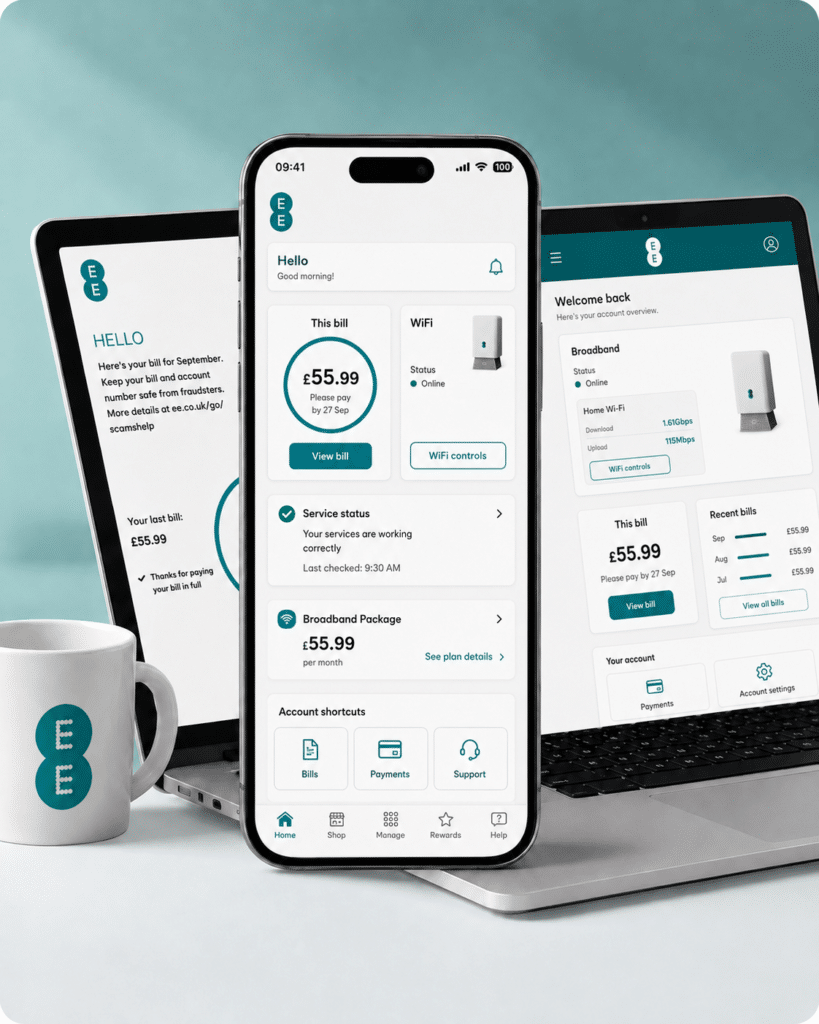
EE puts most of its self-service help into the EE app, your online account and its Help Centre. You can manage bills, check account details, test your broadband, look for service problems and get support if something needs fixing. It’s not quite as simple as one perfect dashboard, but the main tools are there.

Manage your account and bills online

Your EE account and the EE app cover the usual account admin. You can view bills, make payments, manage your payment details and keep an eye on your broadband service without needing to call for every small change.

The app also gives you access to broadband tools, including speed testing and help with connection problems, so it’s more useful than a basic billing screen.

Get help and contact support

EE’s Help Centre has searchable guides for broadband, billing, faults, accessibility and account support. You can use the app, online help, messaging routes or phone support depending on the problem.

That gives you a decent set of routes, although live chat is not always as obvious or as consistently available as it could be, since Aimee – EE's chatbot assistant – is only available through the EE app. Not much use if you're not a customer yet.

Diagnose and fix issues yourself

EE’s service-status checker can check your area, test your broadband and help fix problems it finds. There are also step-by-step guides for common hub, Wi-Fi and fibre modem issues.

Report and track faults

EE has a fault-tracking page, so once a problem has been logged, you can check progress rather than starting again every time.

EE app and account image

No email support

EE Broadband doesn't offer email support. That may seem like a small thing, but we see it as an important predictor of problem ownership: an email trail makes it easier to keep a clear record of what has been promised, instead of starting again with a different adviser each time.

How EE’s digital support works

  1. Sign in

    Sign in to your EE account or the EE app to manage your services.

  2. Check help articles

    Search EE’s Help Centre for billing, account, broadband and fault guides.

  3. Message or call EE

    Use app messaging when available, request a callback, or join the right call queue.

  4. Run diagnostics

    Use service status, broadband testing and speed checks to find connection problems.

  5. Track faults

    Use EE’s fault tracker to follow an issue after it has been logged.

What you can do on the app

The EE app gives you a quick way to manage the everyday parts of your broadband account from your phone. You can view bills, manage payments, check your broadband section and use the app’s broadband speed test to see how your connection is performing.

It’s also where EE puts some of its router and Wi-Fi tools. For example, EE’s help pages point you to the app for broadband speed testing, WiFi Optimiser/Game Mode and ping optimisation, where those features are available on your package.

That makes the app useful for quick checks and smaller account jobs. It’s not just a billing screen. It’s also part of EE’s broadband-management setup.

The limitation is that not every support route starts neatly inside the app. For full service checks, fault tracking and some contact options, EE still points you towards its wider online help pages and account tools.

What you can do online

EE’s online support is broader than the app. You can sign in to check service status, test your broadband, look for local network problems, and use the Help Centre for billing, account, router, Wi-Fi and broadband fault guidance. And of course, you'll find your router's deeper, browser-based controls, erm... in a browser.

The online account area covers the normal admin like bills, payments, account information and service details. It’s the better place to start if you want the full support route rather than a quick app-based check.

For broadband problems, EE’s online tools can help separate a local outage from a home connection issue. The service-status checker can check your area and test your broadband, while EE’s help pages walk you through hub, Wi-Fi and fibre modem (ONT) checks.

If the issue has already been logged, EE also has a fault-tracking page. Basically, online support is where the more complete process sits.

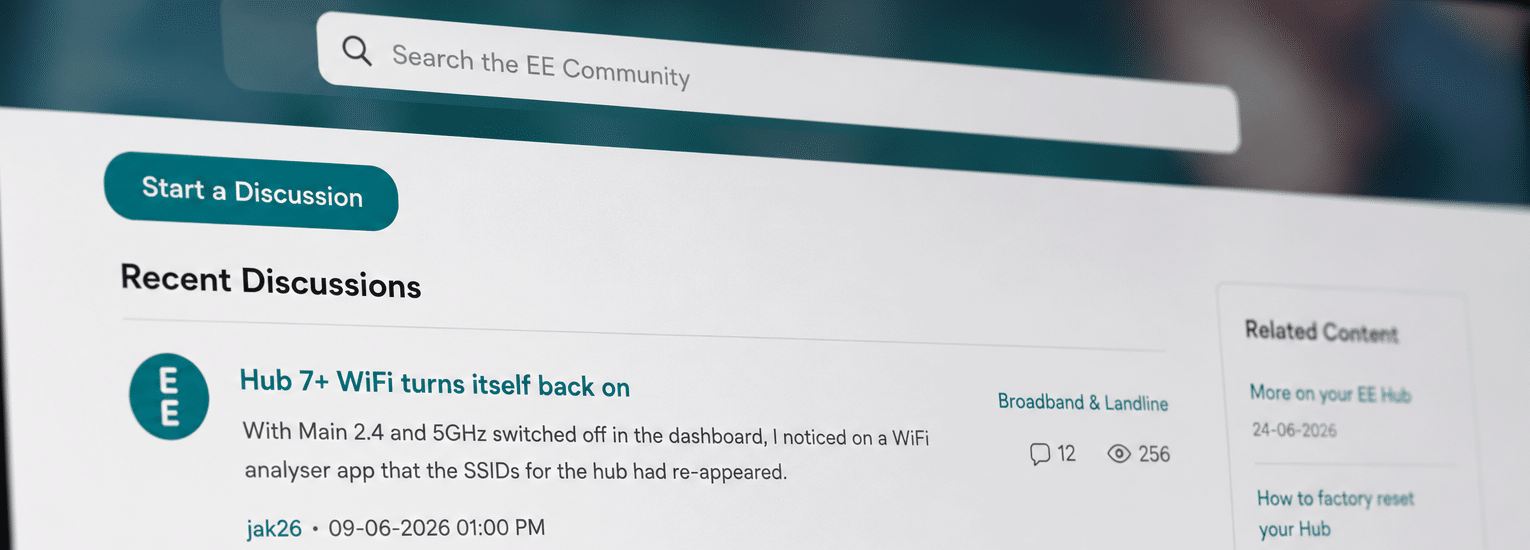
EE’s Community Forum

EE’s Community is a useful place to search for broadband and landline questions that do not always fit neatly into a normal help article.

It has sections for Broadband & Landline, Digital Home Phone, TV and gaming, with posts from other users and EE community support staff.

Available now: the EE Community is live and includes a dedicated Home Services area, so it can count as a real support route rather than just a general marketing page.
EE’s online help setup is broad and genuinely useful. The app and online account handle everyday admin, bills and service details, while the Help Centre, service-status checker, broadband tests and fault tracker give you proper routes for diagnosing and following up problems. The main gap is still email support, which means there’s no easy written trail when an issue needs ownership.

0.0 /10
Overall score

Online help and account support score

This score reflects the quality and range of self-service tools, account management, help content, diagnostics, digital support routes and written support options.

fibredog mascot wearing a headset

Having trouble choosing a broadband provider?

No single best provider or package exists – only the best pick for you personally. Fibredog's YourMatch™ system uses thousands of provider metrics and a lot of maths to find you your perfect match.

Some links on this page may earn us a small commission if you click through and buy. This never affects either what you pay, or our scores and recommendations. If, however, you’d rather bypass affiliate links, use this direct EE Broadband link instead.
