
BT BROADBAND CUSTOMER SERVICE REVIEW
BT Broadband customer service: How good is it?
As perhaps Britain’s best-known broadband provider, the stakes are high when it comes to keeping customers happy. A lot of people still treat BT as the default choice. But is it the best in how it treats its customers? Let’s find out.

Jump to a specific section…
Where would you like to go?
Jump straight to the part you most want to read about.
Having trouble choosing a broadband provider?
No single best provider or package exists – only the best pick for you personally. Fibredog’s YourMatch™ system uses thousands of provider metrics and a lot of maths to find you your perfect match.
BT Broadband customer service scorecard
Six key areas. One overall score. All calculated using our transparent methodology.
Customer experience
What customer data says about satisfaction, complaints, call waits, review sentiment and how the provider performs when judged from outside.
Contact options
How easy it is to get help, including phone, live chat, messaging, account tools, accessibility routes and fault-support channels.
When something goes wrong
How faults and outages are handled, including checking tools, reporting routes, updates, compensation and backup options.
Help for vulnerable customers
How well extra support is provided, including accessibility routes, alternative formats, priority help, financial difficulty and nominated contacts.
Complaints policy
How clear the complaints process is, including response times, escalation steps, ADR access and specialist complaints support.
Online help and account support
How useful the digital support setup is, including apps, account portals, help articles, diagnostics, fault reporting and tracking.
Customer experience
Ofcom shows BT in a mostly stable light. Satisfaction is high, complaints have come down quite a bit of late, complaint handling sits stubbornly in the mid-fifties, and the call-wait times figure is up and down like a yo-yo. Trustpilot is very interesting, though, because BT’s score has jumped up substantially, without a review-count explosion that might be explained by review prompting.
Key takeaways
A Trustpilot jump that looks real
BT’s Trustpilot score climbed from 1.3/5 in June 2025 to 3.4/5 in June 2026. The review count rose, but not wildly, so this looks less like a review-gathering campaign and more like a real improvement in customer sentiment.
Ofcom is steady, not spotless
Satisfaction is 85%, and complaints are lower than they were in 2020 and 2021. Complaint handling is still stuck at 55%, though, and the latest call-wait figure is the worst shown. BT is doing pretty good, but it hasn’t fixed every flaw quite yet.
INTERACTIVE CHART
Compare customer experience by provider
Choose two broadband providers, then use the buttons below to compare Ofcom and Trustpilot customer experience data.
Overall service satisfaction
Ofcom satisfaction with service overall
Sources: Ofcom, Trustpilot.
Latest overall
satisfaction
85%
Industry avg: 82.8%
Complaints to Ofcom rate
39 per 100k
Industry avg: 47.2 per 100k
Average call wait
3m 33s
Industry avg: 2m 39s
Satisfaction with complaint handling
55%
Industry avg: 52.8%
According to Ofcom
Overall satisfaction has moved between 80% and 88% across the five-year view, with the latest figure at 85%. That says most BT broadband customers are happy enough with the service they get.
Complaints have improved since 2020 and 2021, when BT sat at 50 complaints to Ofcom per 100,000 subscribers. The latest figure is 39, so the direction of travel is a positive, even if it isn’t miles ahead of its earlier years. For a provider BT’s size, any movement, especially in the right direction, can only be achieved with substantial effort on their part.
BT's complaint handling figures remain above average. The latest figure is 55%, and it's barely moved since 2021. That means the people who complain are still roughly split between feeling satisfied and feeling let down. But that's fairly normal.
Call waiting times are up, they're down – it's helter-skelter. The latest average wait is 3 minutes 33 seconds, the worst year of the last five, and far above the 55-second figure from 2020. If you need a person, BT may make you listen to hold muzak for longer than you'd like.
All in all the Ofcom story is one of good satisfaction and fewer escalated complaints than before, with complaint handling and call waits still looking like the parts BT needs to work on.
According to Trustpilot
Trustpilot is where BT’s customer experience gets genuinely interesting. Its score sat at 1.3/5 in June 2025, then jumped to 3.4/5 by June 2026. For a broadband provider, that’s a serious turnaround.
The review mix moved too, but not into glowing territory. One-star reviews were still 77% in June 2026, down from 88% the year before. Five-star reviews rose from 7% to 16%. Better, yes, but BT isn’t suddenly living in a blissful customer experience utopia.
The review count is the difference from EE (another very interesting provider in this regard). BT went from 19,090 reviews in June 2025 to 23,996 in June 2026. That’s a normal-looking rise, not a giant new review pool, so the score jump doesn’t look like a review-prompting campaign.
Trustpilot still has a negativity bias, especially for broadband. People don’t usually review their provider because the router worked again today. They review when billing, faults, switching or support has annoyed them enough to say something about it publicly.
That makes BT’s improvement harder to shrug off. The score isn’t brilliant, and the review mix is still heavily one-star, but the jump from 1.3/5 to 3.4/5 looks like a real improvement in customer experience.
BT’s customer experience picture is improving, but far from spotless just yet. Ofcom reports good satisfaction and fewer complaints than a few years ago, which is the bit that matters most. Call wait times are up and down over the years, and BT's Trustpilot score has jumped sharply upwards without a suspicious review-count explosion, which looks like a real improvement in customer sentiment. But that doesn't yet mean it's stellar.
Where would you like to go next?
Customer experience score
This score is based on Ofcom service-quality metrics and Trustpilot review trends over time, giving a balanced view of the overall customer experience.
How we calculate this score
This score looks at the provider’s Ofcom service-quality metrics and Trustpilot review trends over time.
We give extra weight to channels that are easy to access, available for longer hours, and useful when something has gone wrong.
Accessibility support, self-service tools and clear fault-status information also contribute to the final score. As does trajectory – whether a provider is in the process of improving or getting worse.
See all measurementsContact options
BT gives you plenty of ways to get in touch, but the best route depends on what you need. Sales, account help, faults, complaints and accessibility support don’t all live in the same place.
BT gives you plenty of ways in
BT gives you plenty of ways to get in touch once you know what kind of help you need. New customers can call BT, while existing customers get phone support, online messaging, account help and technical support. It isn’t one big 'contact' button, but the phone, messaging and app tools are there.
If you want to ask a person questions while choosing a package, call BT. Don’t waste time looking for a checkout chat route that BT doesn’t offer.
Once you're already with BT there are more ways to reach out. BT has online messaging for account, billing and broadband technical support, with human experts available 7am to 10.30pm every day. For broadband faults, you can also text HELP to 61998 and let BT run tests before it decides whether you need an engineer or a call back.
BT’s online fault tools do real work
The My BT app is useful for bills, account details, package information and support tools. That’s where it earns its keep. It isn’t the place to expect every support conversation to happen, but it should save you a phone call when you only need to check an account detail or track a fault.
BT’s fault tools are more than a help-page maze. You can check service status, look for area faults, run online diagnostics, report a broadband problem and track it afterwards without starting from scratch. If the online checks don’t settle it, BT still gives you phone support, online messaging and the text fault route instead of leaving you trapped in the Help Centre.
BT takes specialist support seriously
BT has plenty here, and the list is specific. It covers Relay UK, BSL, alternative-format bills, priority repair, nominated contacts, bereavement support, financial difficulty help and Home Essentials. That isn’t a throwaway support page.
BT deserves credit here. Listed routes don’t guarantee a good outcome, of course, but BT at least tells you where to go when accessibility, money trouble or bereavement changes the kind of help you need.
BT gives you phone support, online messaging, app tools, online fault checks, complaint routes and named accessibility help. WhatsApp is missing, but the main ways in still do the job.
Support channels at a glance
BT Broadband gives customers several ways to get help. This view shows which practical contact, account and fault-support routes are recorded in the fibredog dataset.
Checked from live provider data. Fibredog tracks contact routes, account tools and fault-help options separately, so this information updates soon after anything changes.
What stands out
Useful support routes
Phone, live chat, community support, account tools and fault checks are all available, so you’re not stuck with one route.
Good accessibility support
BT offers extra help for people with accessibility needs, including alternative formats, Relay UK and BSL support.
Fault checks before phone queues
The app, account tools and service-status checker can help you diagnose problems before you end up in a call queue.
New customers
Monday-Friday 8am-9pm; weekends and bank holidays 8am-8pm* 7 days per week
0800 800 150; 150 from BT mobileCustomer service
Monday-Friday 8am-9pm; weekends and bank holidays 8am-8pm* 7 days per week
0330 1234 150; 150 from BT mobileFault support
Monday-Friday 8am-9pm; weekends and bank holidays 8am-8pm* 7 days per week
0330 1234 150; 150 from BT mobile; text HELP to 61998*Hours may vary on public holidays
BT gives you plenty of ways to get help once you know where to go. You get phone support, online messaging for existing customers, community help, app tools, fault checks, complaint routes and accessibility support covering Relay UK, BSL and alternative-format bills. WhatsApp is missing, and live chat can't be used for joining, but all the main support routes are there.
Where would you like to go next?
Contact options score
This score is based on the range, quantity and quality of provider contact routes, support tools, and the availability and ease of use of the various means available.
How we calculate this score
This score looks at the number, range and usefulness of BT Broadband’s contact routes.
We give extra weight to channels that are easy to access, available for longer hours, and useful when something has gone wrong.
Accessibility support, self-service tools and clear fault-status information also contribute to the final score.
See all measurementsWhen things go wrong
When broadband breaks, the question isn't whether BT has a help page. It's whether the fault system can get you from mystery outage to actual repair without making you do all the detective work yourself.
Spotting the problem
BT's service-status checker and broadband diagnostics are brilliant tools, because they mean that most of the time you can fix stuff without calling. The most important thing they do is separate area faults from home-equipment problems, which is exactly what you want when your internet has died and the lights on the router have gone full Christmas tree.
These tools will test the line, the service and your home equipment, to isolate the problem and attempt to fix it, usually with a router reset.
Reporting the issue
If the automated tools can't fix it, there are a host of ways to proceed. There's online messaging, phone support and you can even text HELP to 61998.
BT says it will text back within 15 minutes if you need an engineer slot, or arrange a call within 30 minutes if an engineer isn't needed, which is a much better use of everyone's time than a long hold queue.
If the outage drags on
BT is signed up to Ofcom's automatic compensation scheme, but sadly, it isn't a payout for every annoying afternoon spent messing around with the Wi-Fi. A total loss of service has to run past two full working days before you qualify.
Automatic compensation is paid for each extra day a qualifying fault remains unrepaired after that. Problems caused by your own equipment or anything inside the home that's not BT's responsibility don't count, and BT's broadband backup option – Hybrid Connect – is a paid add-on that most people won't have.
BT's fault support is really very good. The diagnostics, text route and compensation scheme all help. But Hybrid Connect (4G broadband backup) should be standard on all packages if BT wants a perfect score.
BT gives you a good set of tools for checking, diagnosing and reporting broadband faults. Automatic compensation is there if a total loss of service drags on, and Hybrid Connect can fill the gaps if staying online matters that much – though you'll have to pay for that.
The BT Broadband fault process
BT starts with service checks and online diagnostics, but you still have phone and text routes if the automated tools run out of road.
1. Check
Use BT's service status and area fault checkers to see whether the problem is already known.
2. Diagnose
Run BT's online broadband diagnostics or use My BT for account, service and fault checks.
3. Report
If the tools don't fix it, report the fault online, call BT, or text HELP to 61998.
4. Track
Keep checking your account, service status and any BT updates so the fault doesn't vanish into a queue.
5. Resolve
Automatic compensation can apply for delayed activation, missed appointments and total loss of service.

Service status checks
BT can check area faults, service status and your broadband line.
Guided broadband fixes
BT has online diagnostics and My BT checks for service and fault problems.
Report online, phone or text
If the tools don't fix it, report online, call BT, or text HELP to 61998.
Automatic compensation
It can apply for delayed activation, missed appointments and total loss.
Paid broadband backup
BT has broadband backup available, but it isn't included as standard.
BT does a lot well when broadband breaks, especially the first annoying job of working out what has actually failed. You can check service status, run diagnostics, report the fault online or by phone, and text HELP to 61998. But Automatic compensation only applies when a problem drags on, and Hybrid Connect is (4G backup) is a paid extra.
Where would you like to go next?
When things go wrong score
This score reflects how well BT helps you spot the fault, report it, keep tabs on the repair and stay protected if the outage keeps going.
How we calculate this score
This score looks at how easy it is to check, diagnose, report and track broadband faults.
We give weight to service-status tools, area fault checkers, online and app-based diagnostics, and both online and phone fault-reporting routes.
We also score the safety nets that apply if a fault drags on, including automatic compensation, repair-time commitments and whether broadband backup is included, or available at all.
See all measurements
Having trouble choosing a broadband provider?
No single best provider or package exists – only the best pick for you personally. Fibredog's YourMatch™ system uses thousands of provider metrics and a lot of maths to find you your perfect match.
Help for vulnerable customers
Vulnerable-customer support only counts if it still works when the normal customer-service script breaks down. BT is good here because it treats extra help as an account-level need, not a separate page you have to rediscover every time something goes wrong.
Support when you need it
BT lets you register extra needs on your account, so they'll know precisely what your needs are every time you call. It covers covers disability, illness, age, communication difficulties, life events or other circumstances that make the usual customer-service script a bad fit.
If being without broadband or phone service would create a more serious problem for you, BT has a system for urgent repair support rather than treating your problem as an ordinary inconvenience.
BT has every kind of help imaginable
BT gives you Relay UK, BSL and sign language support, alternative-format billing, and bills or documents in braille, large print or audio. A vague 'contact us if you need help' promise would be useless when communication is the problem. Thankfully, BT steps up here.
BT also lets you nominate someone you trust to help manage the account. Again – extremely useful under certain circumstances.
BT is very good when it comes to difficult circumstances
Financial difficulty and bereavement support are both covered, and BT also has Home Essentials (their social tariff) for those who qualify. Vulnerability isn't always permanent, medical or easy to label. Sometimes it's a bill you can't handle, a death in the family, or a run of bad luck that makes the normal process too much.
BT support is both practical and easy to find, and its social tariff – Hoe Essentials – sits inside BT's own broadband range rather than being nudged off to a sister brand. This is one of the best vulnerable-customer support systems we have seen.
What does BT Broadband do to help vulnerable customers?
Here’s a quick look at the extra-help routes available from this provider, covering everything from accessibility support, alternative formats, nominated contacts, money worries and social tariffs.
Checked from customer-support data. Fibredog tracks the extra-help features of all providers, so this boxout updates when anything changes on the provider end.

How BSL and accessible help work with BT Broadband
-
1
Choose your support route
Choose the route that works best for you, whether that's phone, online messaging, Relay UK, BSL support or My BT.
-
2
Use accessible contact routes
Use Relay UK, BT's BSL and sign language route or its Here For You accessibility pages.
-
3
Explain your needs
Tell BT what help you need, such as BSL support, alternative-format bills or notes for future contact.
-
4
Get tailored help or escalation
BT can add a nominated contact, arrange priority repair where it applies and route you to the right team.
-
5
Ongoing support if needed
BT can keep support in place, including accessible bills, account notes and extra help when your situation changes.
BT is excellent here. You get the stuff that actually matters when life gets hard, including registered extra needs, priority repairs, nominated contacts, accessible bills, Relay UK, BSL, bereavement help, financial-difficulty support and Home Essentials, BT's social tariff. BT has clearly thought about real people, not just a box-ticking exercise.
Where would you like to go next?
Help for vulnerable customers score
This score reflects the support available for vulnerable customers, including accessibility help, priority repairs, alternative formats, financial difficulty support and social tariffs.
How we calculate this score
This score looks at the practical support available for vulnerable customers and customers with additional accessibility or financial needs.
We score vulnerable customer policies, accessibility support, priority repairs, nominated contacts, alternative-format billing, text relay, sign language support and bereavement support.
We also include financial difficulty support and whether the provider offers a social tariff for eligible customers.
See all measurementsComplaints policy
BT's complaints code is very practical. It tells you how to complain, what details BT needs, how escalation works, and when you can take the whole thing outside BT. Let's take a closer look.
BT complaints process explained step-by-step
Raise a complaint
BT lets you complain through its complaints portal, by phone, chat, email, post or BSL. Include your account number, service phone number, what went wrong and what you want BT to do.
Get a response
BT says it will try to fix the issue straight away. If you complain by email or letter, it may take up to ten days to get back to you.
Keep pushing if it is not fixed
If the answer doesn't solve the issue, ask BT to escalate it. If BT tries to close the complaint, get back in touch within 28 days.
Deadlock or 6 weeks
You can go to the Communications Ombudsman if BT issues a deadlock letter, or if the complaint is not resolved within six weeks.
Independent ADR
If it reaches that stage, the complaint can go to the Communications Ombudsman for independent review.
ADR is the final escalation route. BT's complaints code says you can use it after deadlock or six weeks, not only after the more familiar eight-week point.


How clear is BT’s complaints process?
BT gives you a decent choice of ways to complain. You can call, use online chat, log the complaint through BT's complaints page, use textphone, send an email, write by post or use BSL support.
BT asks for your account number and the phone number linked to the service, which is pretty standard if you want them to find the right account quickly. Email and post can take up to ten days, so they aren't the smartest ways to do it if the problem needs sorting quickly. It's actually better to call and tell them you wish to complain formally.
How well does BT explain escalation?
BT explains what happens if the first answer isn't good enough. You can ask BT to escalate the complaint at any point, and if that still doesn't fix it, the next stage is a final complaint review.
If BT has fixed the problem, or has tried to contact you and can't reach you, it says it will close the complaint. If you still need help, you have 28 days to get back to BT and keep it alive.
How useful is its ADR route?
BT uses the Communications Ombudsman, so there is a next step outside of BT if the complaint has dragged on or reached a deadlock. That's exactly what you want once you've gone as far as BT is willing to go.
BT says home and small business customers can go to the Ombudsman after six weeks, or after a deadlock letter. You still need to complain to BT first and keep your evidence, but you're not stuck in BT's complaints loop forever.
Independent ADR provider
If BT can’t resolve your broadband complaint, the Communications Ombudsman is the approved ADR scheme for its services.
- Communications Ombudsman, P.O Box 730, Warrington WA4 6WU
- 0330 440 1614
- enquiry@commsombudsman.org
- commsombudsman.org/ee
Accessible complaints support
BT provides accessible complaint handling, including textphone 18001 0800 800 150, BSL through bt.com/bsl, and braille, large print or audio CD versions of its complaints code.
How BT deals with complaints
Code of practice
Publishes a complaints code and explains the escalation route
Complaint routes
Complaints portal, phone, chat, email, post and BSL
Up to ten days
Email or letter complaints may take up to ten days
Complaint closure
Come back within 28 days if BT tries to close it
ADR after 6 weeks
Deadlock letter or 6 weeks opens the Communications Ombudsman route
Accessibility support
Textphone, BSL support, braille, large print and audio CD
BT's complaints code is actually useful, which is not always a given with broadband providers. It tells you how to complain, what details BT needs, how escalation works and when you can take the whole thing outside BT. Email and post can be slow, so call or use the complaints portal if you need movement.
Where would you like to go next?
Complaints policy score
This score reflects how clear and useful BT Broadband's complaints process is, including response times, escalation options, ADR access and support for vulnerable customers.
How we calculate this score
This score looks at how clear, accessible and useful the provider’s complaints policy is.
We give weight to whether the provider publishes a complaints code of practice, provides clear complaint routes, explains its response times and sets out how customers can escalate unresolved complaints.
We also score independent ADR access, including whether the ADR scheme is named, when customers can use it, and whether accessible complaints support is available.
See all measurementsOnline help and account support
BT splits self-service between My BT, the My BT app and the Help Centre. My BT handles the account stuff. The app gives you a quicker version on your phone. The Help Centre is where you go when something needs fixing or explaining.
Manage your account and bills online
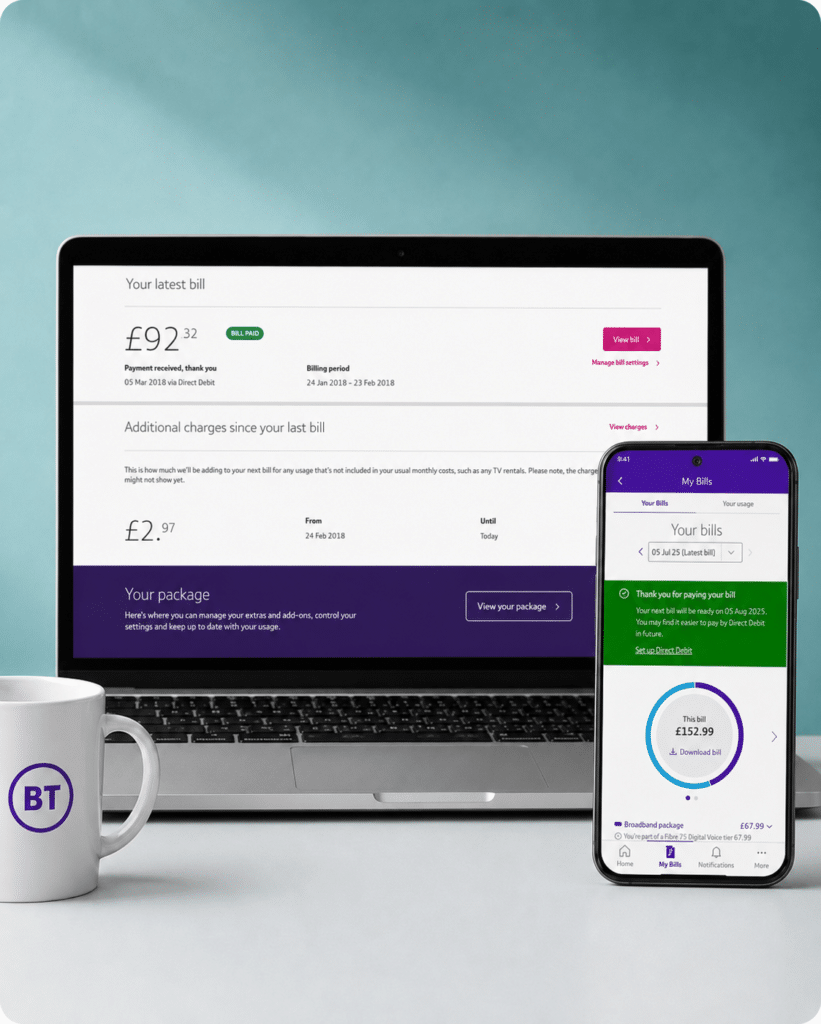
My BT covers the usual account admin. You can view bills, download old statements, check recent charges, set up or change Direct Debit details, make a payment, change your billing address and look at your payment history.
It handles package changes too. You can change or renew your package, track orders and faults, manage appointments and get support without starting with a phone call.
Get help and contact support
BT's Help Centre has pages for broadband, bills, account changes, accessibility and common faults. If the help page doesn't sort it, BT gives you online messaging, phone support, Relay UK, BSL support and the BT Community.
Online messaging is available every day from 7am to 10.30pm. Phone lines stay open later on weekdays than at weekends, but account help and fault support both run seven days a week.
Diagnose and fix issues yourself
BT's online fault tools can check for problems in your area, test your broadband and run checks before you speak to anyone. If the tests show you need an engineer, BT says it will send one.
Report and track faults
Once a problem is logged, My BT can track faults, orders and engineer appointments. For broadband faults, you can text HELP to 61998, and BT will run tests before deciding whether you need an engineer booking or a callback.

No email support
BT gives an email address for formal complaints, but not for normal account or fault support. That's a pain if you want a written trail. For ordinary help, BT points you towards My BT, online messaging, phone support, fault checks and the community.
How BT's digital support works
-
1
Sign in
Sign in to My BT or the My BT app to manage your account, bills and services.
-
2
Check help articles
Search BT Help for billing, account, broadband, router and fault guides.
-
3
Message or call BT
Use BT's online messaging where available, or call the right support team.
-
4
Run diagnostics
Use BT's service status checker, area fault checker and broadband diagnostics to find connection problems.
-
5
Track faults
Use BT's report and track route to follow a broadband problem after it has been logged.
What you can do on the app
The My BT app is best when you just want to check something from your phone. You can view bills, see recent charges, track usage, check orders, follow faults and book or manage engineer visits.
For broadband and Wi-Fi, BT says the app can manage your broadband, control connected devices, help with problems and send updates.
You can also use the app for quick account checks, fault updates and everyday broadband admin like messing with your network name to wind up your neighbours.
The app only works with your BT account – you can't really us it till you're a customer. And some jobs still send you back to the website or a contact page if they're not app functions. If the app doesn't do what you need, then My BT in a browser is the next place to try.
What you can do online
My BT in a web page is better for jobs that take more than a quick tap. You can view and download bills, change payment details, make payments, track orders or faults, change products and manage your BT Extras.
The Help Centre has broadband help, Full Fibre guidance, router and Wi-Fi fixes, account support, billing pages and contact pages for account or technical help.
For broadband problems, there's service status and troubleshooting. You can check your area, test your broadband and then move to online messaging, phone support or text HELP to 61998 if the tools don't fix it.
Use My BT online for bigger account jobs. Use the Help Centre when you need fault checks, broadband help or a real support conversation.

BT Community Forum
BT Community is useful when your broadband question is a bit too specific for a normal help article.
You can search old threads, ask other BT customers and find practical fixes for router, Wi-Fi, landline and account problems.
Available now: BT Community is live, searchable and active enough to count as a real support route. Just don't treat it as a replacement for reporting a fault to BT.
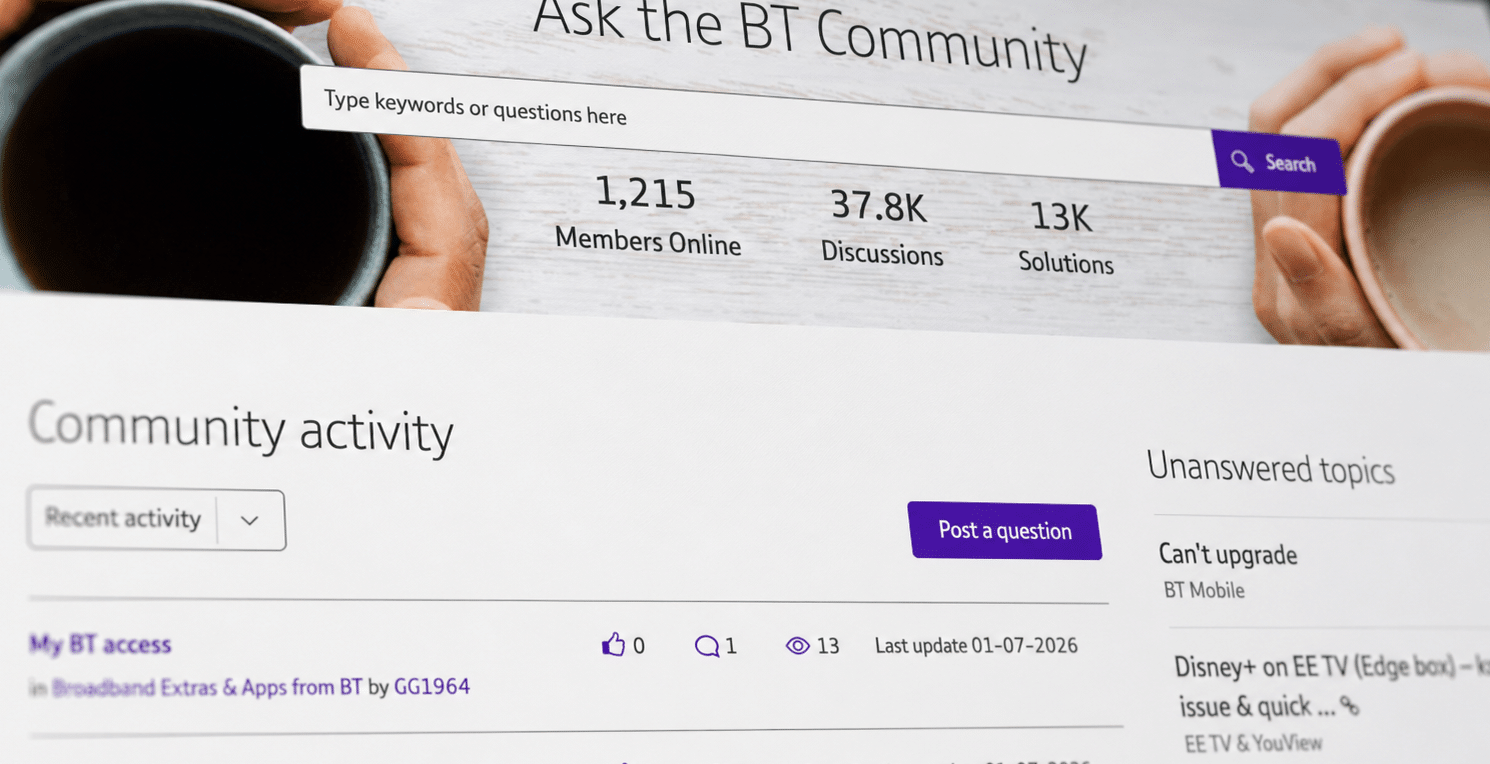
My BT handles bills and account jobs, BT Help has the guides, and the service-status checker, broadband diagnostics, and online messaging cover the fault admin. The community forum is useful when a problem is oddly specific. Email is there for complaints, but not for ordinary support, which relies on live chat, diagnostics and phone calls.
Where would you like to go next?
Online help and account support score
This score reflects the quality and range of self-service tools, account management, help content, diagnostics, digital support routes and written support options.
How we calculate this score
This score looks at how well a provider lets customers manage their account, find help, diagnose faults and report problems online.
Email support carries extra weight because it creates a written record and helps with issue ownership. We also score live chat with human agents, fault diagnostics, online fault reporting and service-status tools highly.
Account tools, billing, package management, help articles, chatbot support and community forums also contribute to the score, but with lower weighting.
See all measurements
Having trouble choosing a broadband provider?
No single best provider or package exists – only the best pick for you personally. Fibredog's YourMatch™ system uses thousands of provider metrics and a lot of maths to find you your perfect match.
Some links on this page may earn us a small commission if you click through and buy. This never affects either what you pay, or our scores and recommendations. If, however, you’d rather bypass affiliate links, use this direct BT Broadband link instead.
