BT BROADBAND JOIN, SWITCH, CANCEL REVIEW
BT Broadband – join, switch or cancel: How easy is it?
Joining most providers is easy, whether you’re switching or coming at it completely fresh. Most providers are going to do well there, including BT Broadband. But not all offer the same process, or make it painless to cancel, so the details are very much worth exploring.

Jump to a specific section…
Where would you like to go?
Jump straight to the part you most want to read about.
Having trouble choosing a broadband provider?
No single best provider or package exists – only the best pick for you personally. Fibredog’s YourMatch™ system uses thousands of provider metrics and a lot of maths to find you your perfect match.
BT Broadband join, switch, cancel scorecard
Six key areas. One overall score. All calculated using our transparent methodology.
Ease of joining
How simple it is to sign up, including online ordering, phone support, contact routes and whether the process feels straightforward.
Credit checks and eligibility
How eligibility works, including credit checks, social tariffs, affordability barriers and whether customers have clear alternatives.
Installation problems and compensation
What protection exists when installation goes wrong, including delays, missed appointments, compensation and how clearly problems are handled.
Switching from another provider
How easy it is to switch from another provider, including switching support, number porting, bill credits and avoidable disruption.
Moving home
How moving home is handled, including transfer options, availability checks, fees and what happens if service cannot continue.
Cancelling your service
How cleanly customers can leave, including cancellation routes, notice periods, early exit fees and equipment return requirements.
Fibredog Package Speed Calculator
Enter the number of people, TVs, consoles and so on and we'll match you with the right package speed.
Fibredog Broadband Buyout Comparison
Compare broadband contract buyout support and see how much a provider may pay toward leaving your old provider.
Ease of joining
BT makes joining a doddle. You put in your postcode, see what your home can get, choose a package, then order online or by phone. Ordering online is easiest, because you can see the package details before you buy. If you want questions answered while choosing, though, you'll need to call, since BT reserves Live Chat for existing customers with technical and account issues.
First, check what BT can actually sell you
Start by sticking your postcode into the BT postcode checker. BT's best speeds only matter if your address can get them. If Full Fibre isn't available, you'll be looking at slower broadband instead, which makes BT feel much less exciting.
If you're eyeing up Full Fibre 500 or Full Fibre 900, check those speeds are available at your address before you get attached to them. BT's Full Fibre range runs from Full Fibre 1 (50Mbps) to Full Fibre 900, but your postcode decides which of those packages you can actually buy, and BT does sometimes make things quite location specific. We've come across instances where the top speed isn't available, but BT Full Fibre absolutely is.
Ordering online is the easiest way
Ordering online is the least annoying way to join BT. You can check your postcode, choose a package and place the order with the details on screen. That's better than trying to hold prices, terms and installation notes in your head while someone talks you through them.
BT also tells you before the order completes that a credit check is about to be carried out. That's the right time to say it because it gives you the opportunity to intervene if you'd rather avoid it. If you're happy to go through that check, fine. If you want broadband without a credit check, BT doesn't offer that, but its sister company Plusnet does – so keep that in mind.
Phone is your only way to ask a person
BT does let you order by phone, and the hours are genuinely useful. You can call from 8am to 9pm on weekdays, and from 8am to 8pm on weekends and bank holidays.
The downside is that BT doesn't offer sales live chat or callback ordering. If you want a to speak to a person because you have questions while choosing a package, you're going to be making a phone call.
Installation is where some degree of faff can start
Ordering is straightforward, but installation can mean sorting installation permissions at your address if you're not the property owner. BT says installation requires owner or landlord permission, and a responsible adult needs to be at the property. Any charges for installation or activation will be shown to you before the order completes.
Also, remember that a new line still needs a sensible way into your property. If the only point a cable might come in is blocked by a hedge, that's likely going to be an issue on installation day. It's a good idea to scope out the place you want the line coming in and to use your common sense.
INTERACTIVE TOOL
Which BT Broadband speed is right for me?
Tell us about your household and we will tell you the exact best-fit broadband package from BT Broadband.
Start here. Adjust the numbers, then calculate your result.
Step 1: Tell us what is in your home
Use the buttons below to tell us how many people and connected devices your household has.
Step 2: Calculate your best-fit package
Once you are happy with the numbers above, press calculate and we will match your household to the closest BT Broadband package.
Your result
This speed is ideal for:
Where would you like to go next?

If you're seriously considering jumping on board with BT Broadband, our package recommendation tool (above) offers an extremely accurate answer to the question of which package you should go for.

How to join BT Broadband without making it harder than it needs to be
-
1
Check what your address can get
Start with BT's postcode checker. It tells you whether your address gets Full Fibre, and which speeds BT will actually sell you.
-
2
Pick the speed your home needs
If BT shows Full Fibre, look at the middle first. Full Fibre 150 or 300 will suit many homes; Full Fibre 900 is for heavier use.
-
3
Read the checkout terms
Before you buy, check the 24-month term, the £4 April rise, any activation or installation charge, and any paid extras you've added.
-
4
Use BT support if unsure
BT lets you order online or by phone. Call before buying if you're unsure about installation, Digital Voice or switching provider.
-
5
Check the install and switch details
If an engineer is needed, a responsible adult over 18 must be home. If you're switching, BT contacts your old provider for you.
BT makes joining easy, especially if you order online where you have all the package details right in front of you. You can check your postcode, choose a Full Fibre speed and buy a package without making a phone call. And if you're switching from another provider, BT takes care of notifying your old provider for you. However, since there's no sales Live Chat, phone is your only option if you need to ask questions along the way.
Where would you like to go next?
Ease of joining score
This score looks at how easy a provider makes it for you to start an order, choose the route that suits you, and get help before you commit.
How we calculate this score
This score mainly looks at the routes you can use to sign up. We give most credit when you can order online without being pushed into a phone call, because that usually gives you the clearest view of packages, prices and add-ons before you commit.
We also look at whether you can sign up or get sales help through other routes, including phone, live chat and callback options. More choice is better, especially if you want to ask questions before you place an order.
As a secondary layer, we look at the help available before you join. A useful help centre, searchable articles, human live chat and chatbot support can all make it easier for you to check what you need before you start.
See all measurementsCredit checks and eligibility
Almost all UK broadband providers credit check you before they let you sign up, and BT is no exception. BT does at least tell you before the order completes that a credit check applies, which is early enough to stop before you buy. After that, BT gets much less helpful. It confirms the check exists, but it doesn't pin down the type of check or explain what happens if your credit history is the problem.
How BT decides if you're eligible to sign up
First, BT checks what your address can get
Start by sticking your postcode into BT's postcode checker, because the fastest speeds only matter if your address can get them.
If Full Fibre is available, BT's range runs from Full Fibre 1 to Full Fibre 900, but your postcode decides which packages you can actually buy.
You choose your package and enter your details
BT tells you before the order completes that a credit check applies. That's useful, because you know before you buy.
Before the order moves further, slow down and check the speed, contract length, payment details, installation notes and any extras before you buy.
BT runs a credit check, but doesn't explain the type
BT confirms the check exists, but its public wording doesn't say whether the check is soft, hard or something else.
If your credit file is clean, this probably won't be a drama. If it's thin, messy or recovering, that missing detail is annoying.
If BT accepts you, the order carries on
Once BT is happy with the credit check, the order can move on to confirmation, installation and activation.
BT can still refuse installation under its credit policy, so the check is part of whether the order actually gets through.
If there's a problem, BT doesn't have a lot of other options
BT doesn't clearly promise another way through, such as an upfront payment, a security deposit or a credit limit, if the check causes a problem.
It does say a security deposit may be required in some circumstances, but it's very fluffy wording.
Remember BT discloses the credit check before you buy, which is good. The frustrating gap is what it doesn't explain. You still don't get the check type, the fallback if you fail, or whether Home Essentials avoids the problem.
BT checks your credit before it accepts you
BT's credit check isn't just another availability lookup. The postcode checker asks what your home can get, but the credit check is about whether BT is willing to take you on as a customer. BT can also refuse installation under its credit policy, so this can affect whether the order goes through.
That doesn't mean you should panic, but BT could be clearer about the nature of the check. While the credit check is disclosed before you order, the type (soft/hard) isn't pinned down in BT's own wording. If your credit file is thin, messy or recovering, that missing detail might be important.
BT doesn't spell out a fallback if you fail the check
We couldn't find clear BT wording promising an upfront-payment route, a security deposit or a credit limit if the check causes a problem. Those routes can sometimes keep an order alive and are clearly laid out with some other providers. With BT, the safer assumption is that a poor credit result will likely mean the order is dead.
In some circumstances, BT may ask you for a security deposit instead of flat-out refusing to take you on as a customer, which is a better option than no option, we suppose, but it does assume you've actually got that money lying about.
The social tariff is BT Home Essentials
BT does have its own broadband social tariff. It's BT Home Essentials, so unlike EE, for example, which passes you to BT for this, it is BT itself providing it.
Perhaps surprisingly, you'll get credit checked even when applying for the social tariff. If you're eligible because you receive certain benefits, it's still the right place to look first, but be vigilant during the application before assuming it bypasses anything.
BT Home Essentials is BT's broadband social tariff
BT Home Essentials is the low-cost broadband route if you qualify through certain benefits. Don't hunt for a discount code at checkout; you need to apply through BT's Home Essentials route.
Universal Credit
If you receive Universal Credit, you can apply for BT Home Essentials through BT's social-tariff route.
Pension Credit
Pension Credit can qualify you for BT Home Essentials, although BT lists Guarantee Credit specifically.
Income Support
Income Support is on BT's eligibility list for Home Essentials broadband.
Jobseeker's Allowance
Jobseeker's Allowance is also listed for BT Home Essentials, so check the BT application route if this applies to you.
Employment and Support Allowance
Employment and Support Allowance is another qualifying benefit listed for BT Home Essentials.
Apply through BT
New BT customers can apply, and existing BT, EE and Plusnet broadband customers who qualify can switch over for no extra charge.
BT checks your eligibility
You'll need to provide personal details, including your National Insurance number, so BT can check whether you qualify.
BT's credit check isn't scary, but it does leave a mark
BT says that when you apply for a contract, you will undergo a credit check. For most people, that won't be dramatic. But it isn't the same as a harmless availability check either.
Most people won't notice anything
If your credit history is in decent shape, the check should usually just happen in the background while BT decides whether to accept the order.
You choose your package, BT checks the account risk, and if everything's fine, you carry on with the order.
You may be declined or asked for a deposit
BT says it can ask for a security deposit based on your credit check, including when you join and the account is activated.
So if your credit file is patchy, the order may not be as simple as the headline monthly price suggests. You could be accepted, asked for money up front, or declined.
BT tells you before checkout that a credit check applies, which is the right time to say it. After that, BT leaves you guessing. It doesn't say whether the check is soft or hard, and its wording around deposits is fluffy. A security deposit may be possible, but BT doesn't clearly explain what happens if you fail the check. BT Home Essentials helps because it's BT's own social tariff, although BT still checks your eligibility when you apply.
Where would you like to go next?
Credit checks and eligibility score
This score looks at how clear and forgiving a provider is if your credit history might affect whether you can sign up or not, as well as whether they offer a social tariff to those on benefits.
How we calculate this score
This score starts with the type of credit check a provider uses. No credit check is best, but a normal soft check can still score well because it's common across most providers, and usually won't cause you any trouble.
We also look at whether the check is made clear before you order. If you're going to be checked, you should know that before you're deep into the checkout.
The biggest part is what can happen if your credit history isn't ideal. We look at whether you may be asked for money upfront, a security deposit, or a credit limit, all of which can both positively or negatively influence the score depending on the context in which they're offered.
Finally, we look for safety nets, including no-credit-check broadband options and whether the provider's social tariff lets you avoid the credit-check problem.
See all measurementsInstallation and compensation
BT installation can be very easy, but only when your home already has what BT needs. Self-installation is supported, so some orders should be little more than plugging in the router and waiting for the service to activate. If the line needs work, though, the property questions start to matter. BT can require permissions from the property owner and a responsible adult at home.
Full Fibre installation needs someone at home
If BT needs to install a new connection, don't treat the appointment as a delivery slot. The engineer will need access, decisions to be made about where the line comes in through your wall, and someone at the property who can deal with all that. BT's terms also say a responsible adult will need to be there.
So... clear the area where the engineer is likely to work, keep your phone nearby and don't assume the neatest router position in your head is the one that'll ultimately be chosen. Be flexible, because ideal placement is not always going to be possible. We recently had our Full Fibre line installed coming into our hallway, simply because the lounge was too far from the street to be feasible. These things happen.
You need permission before the engineer arrives
BT says installation requires the permission of the property owner, so if that's not you, you need to be proactive in getting something in writing from your landlord before the engineer arrives at your home.They will ask if you own the property. If you say no, they will want to see evidence of permission, and it's a really, really bad idea to lie to them.
If the engineer can't do the work because permission, access or location is a problem, the order you placed online can turn into a delayed installation, and there could be charges as a result.
Some installations are simpler than others
If a Full Fibre is already in place from a previous provider on Openreach (Virgin Media and altnets don't count), BT offers self-installation. It's way easier. You'll get the equipment you need in the mail, the on the day just plug in the router, wait for activation and check everything works.
Another thing to be aware of is that BT can cancel an installation after a failed survey. That basically means they came to your house and there was no easy way to get the line from the duct or pole over to and into your property. That won't affect most installations, but it's worth knowing beforehand. If you know your home is going to be difficult, tell BT/Openreach in advance if you can.
Missed dates can trigger compensation
BT is signed up to automatic compensation, including delayed installation, missed appointments and total loss of service. That's good, because the problem isn't just met with an apology if BT misses a covered date or appointment.
And that door swings both ways. BT can charge you if a technician visit is needed because of something that's your fault, such as you not being home at the agreed time, not having the necessary permissions or the person who is home not being an adult.
The BT Broadband install process
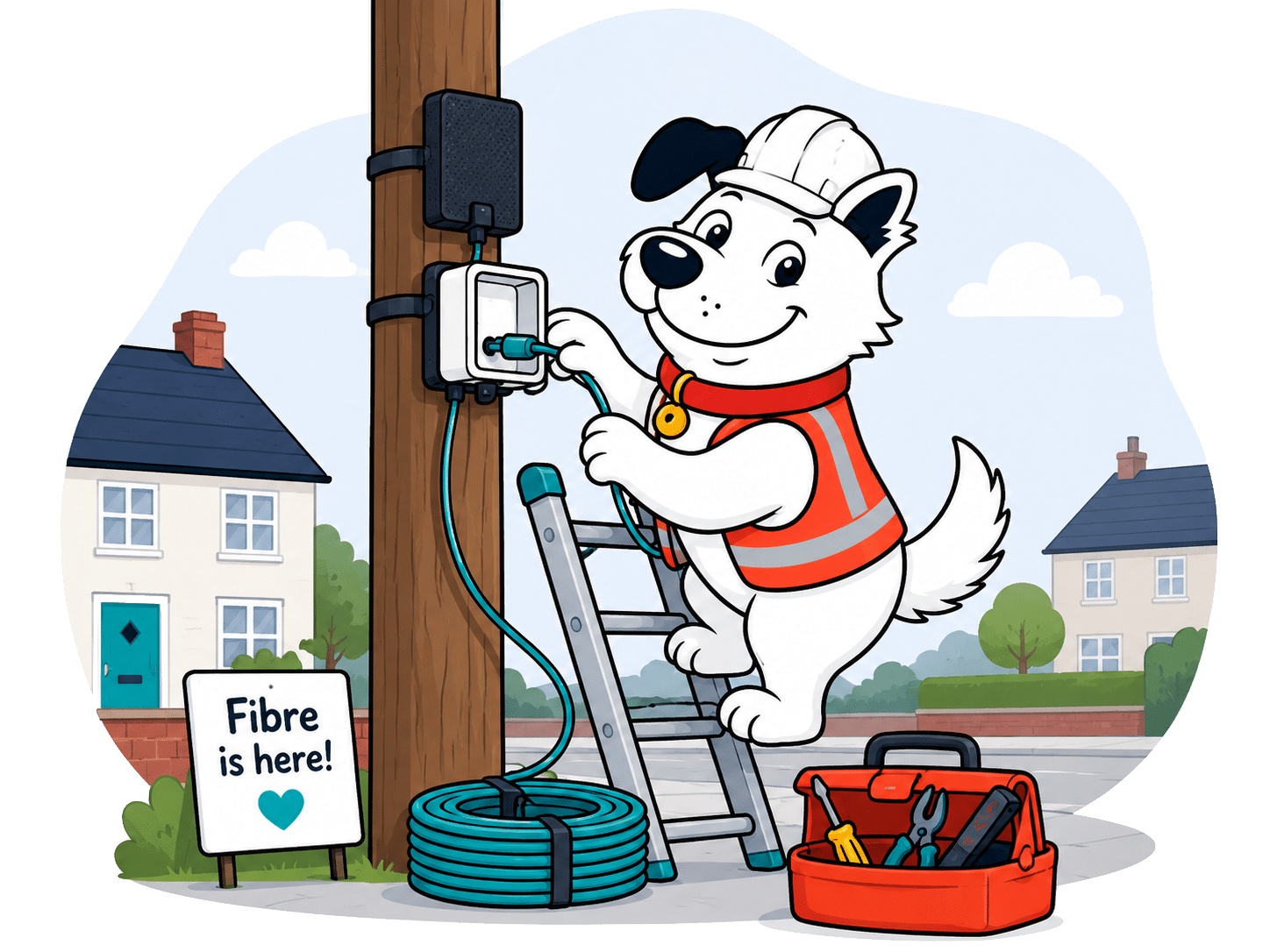
BT Full Fibre installation usually means dealing with Openreach, property access, installation permissions and any charge BT shows before you order. Choosing a package is the easy part. Making sure the line can actually get into your home is where installation day can start making demands.
1. Book
When you order BT Full Fibre, pick an installation day if your home needs an engineer visit.
2. Check
Some homes already have the right fibre equipment. Others need Openreach to fit or finish the connection.
3. Prepare
Think about where the fibre box and Smart Hub 3 should go, then clear the space before the engineer arrives.
4. Attend
A responsible adult over 18 needs to be home, because the engineer will need access and installation decisions.
5. Install
BT may need owner or landlord permission, and installation can involve work inside or outside your home.
6. Rearrange
If BT misses an appointment or changes it too late, automatic compensation may apply.
7. Claim
If BT activates your service late, automatic compensation should land as account credit.
8. Avoid fees
If you need to change or cancel the visit, tell BT in time. Leaving it too late can mean a charge.
9. Go live
Your activation date is the date BT has confirmed for the service to be available to use.
10. Escalate
If delays drag on or something goes wrong after activation, use BT support and the complaints process rather than waiting silently.
Before your BT engineer arrives
-
1
Think about the ONT position
The engineer will fit the Openreach modem inside your home, so think about where the fibre box and router should sensibly go.
-
2
Clear inside and outside
BT says the work may happen inside and outside, so clear the wall area, unlock gates and make access easy.
-
3
Sort permission first
If you rent, live in a flat or share walls and access routes, get permission before the engineer turns up.
-
4
Be ready for the call
BT says the engineer will call on the day, so keep your phone nearby and make sure someone can give access.
-
5
Check the bill afterwards
After activation, check for any appointment charges, installation charges or automatic compensation credits.
BT can be easy to install when your home already has what it needs, and it gets proper credit for automatic compensation on delayed installs, missed appointments and total loss of service. Property permission, engineer access and a responsible adult over 18 are still your problem to sort. If the visit fails because BT can't get access or permission, charges can come back your way.
Where would you like to go next?
Installation and compensation score
This score looks at how well you're protected if installation is delayed, an engineer visit is missed, or your broadband can't be installed as planned.
How we calculate this score
This score looks first at compensation protection. Providers score better when they're part of the automatic compensation scheme and when delayed installations or missed engineer visits can trigger automatic payments.
We also look at appointment fairness. It isn't automatically unfair for you to be charged if you miss an appointment, but it matters whether the provider also compensates you when it misses one.
Survey clauses, permission requirements and failed-install cancellation rights are treated as normal parts of fixed-line broadband, not automatic black marks. What matters is whether you're protected if the installation can't go ahead, including whether a refund route exists.
Finally, we look at the whole pattern together: how many protections you get, how many responsibilities sit with you, and whether the provider has a fair process when the install turns out to be more complicated than expected.
See all measurements
Having trouble choosing a broadband provider?
No single best provider or package exists – only the best pick for you personally. Fibredog's YourMatch™ system uses thousands of provider metrics and a lot of maths to find you your perfect match.
Switching from another provider
One Touch Switch means you sign up with BT and BT contacts your old provider, rather than you cancelling manually and trying to line up the dates yourself. That saves you the cancellation call. BT also offers up to £300 switching credit to pay off early exit fees from your previous provider. Which is nice.
'One Touch Switch' and broadband buyouts
Switching should now be fairly painless
BT uses One Touch Switch, so you won't need an awkward cancellation call just to move your broadband across. You choose your BT package, BT contacts your old provider, and your old service will end when the approved switch completes.
That doesn't mean you can switch and forget, though. Be sure and read the confirmation from your old provider, especially if it mentions early termination charges or bundled services. If your old package includes TV, mobile or anything else, don't assume the broadband switch sorts those too.
BT offers up to £300 switching credit
BT's switching credit is a proper plus. If your old provider charges you early termination fees, BT says it'll credit your BT account with the charge or £300, whichever is lower. That matters if you're stuck between a tempting BT deal and an old contract with fees still attached.
The catch is that this isn't cash in your hand, and it doesn't cover every charge. BT says the credit covers early termination charges only, not excess data, call charges or mobile broadband. If you have more than one old provider, send both final bills together.
You’ll need to prove the charge
Keep the paid final bill from your old provider. BT says you need to email it within four months of activation (a very generous window), with your order number, matching address and a clear breakdown of the early termination charges, or the claim can be denied.
Sources: BT Broadband, All compared providers
COMPARISON CHART
How much will BT Broadband pay to buy you out?
This chart shows which providers currently offer broadband contract buyout, and how much they may pay toward leaving your old contract.
Broadband contract buyout by provider
Maximum buyout amount by provider
Where would you like to go next?
The national average benchmark only includes providers that currently offer broadband contract buyout in our database.
BT is dead easy to switch to. One Touch Switch removes the awkward cancellation call in most cases, and BT's £300 switching credit is a proper plus if early exit fees are keeping you stuck. It isn't quite cash in your hand, though. You'll need to pay the old provider's final bill first, prove the charge, then wait for BT to credit your account.
Where would you like to go next?
Switching from another provider score
This score looks at how much help you get when moving from another broadband provider, including contract buyout support, number porting and protection if installation is delayed.
How we calculate this score
This score starts with broadband contract buyout support. Providers score better when they help cover the cost of leaving your old contract, and when the amount, claim window and claim process are useful in real life.
We also look at service continuity. Number porting matters if you still use your landline, and delayed-installation compensation matters because a switch can be painful if your new service isn't ready when expected.
The switching journey itself is judged more lightly, because signing up has its own score. Even so, it helps if you can order online, speak to someone by phone or live chat, and avoid being forced into one route.
Finally, we look at the help available before you commit. Searchable help, clear support routes and human live chat can make it easier to check what happens to your old contract, your number and your installation before you switch.
See all measurementsMoving home
BT handles home moves well, as long as you don't assume your old service can be copied across untouched in every single case. BT says the process can take two weeks, though it's often faster, and shorter notice can still sometimes work. Let's take a look at the ins and outs (pun intended).
If you’re signing up before moving in
If you're moving into a new home and want BT ready for day one, start by checking what your new address can get. You can sign up around your move date, but the date only helps if the line, hub and any installation work can all be lined up in that time frame.
If your services are going to be delayed by more than two days, BT says it'll offer a 4G Mini Hub on the EE network, with unlimited mobile data, at no extra cost. That's a useful safety net while the fixed line installation catches up.
If you’re already with BT Broadband
If you already have BT Broadband, you can use your BT login to start the home move. BT asks for your new address and moving date, and says you should give at least two weeks' notice, with shorter notice supported in some cases.
Keeping the same package is the least disruptive way of doing this. BT says you can continue on the same contract with the same account, and take your equipment with you. If you upgrade during the move, though, that starts a new contract, so don't treat the home move as an opportunity to fiddle with stuff unless you really need to. Moving is stressful enough as it is!

BT Broadband moving-home checklist
-
1
Check the new address
Check what BT can sell at the new address, including Full Fibre speeds, equipment needs and whether an engineer visit is likely.
-
2
Tell BT early
BT says you should start the move at least two weeks before moving, with your new address and moving date.
-
3
Confirm the move date
If your moving date changes, update BT before activation is lined up for a day that no longer works.
-
4
Check the order details
Read the home move confirmation for the package, hub, activation date, installation needs, charges and any new contract details.
-
5
Track the move
Track the order, check the predicted speeds and watch for any hub delivery or installation appointment before moving day.
If BT can't provide the same service
It's potentially annoying that your new address gets a vote. Your new address may have different speeds available, need a new ONT, need a line installed, or only support a different service from the one you have now. If you're attached to a particular Full Fibre speed, check it's available before assuming it is. BT will tell you either way.
BT does at least say any charges will be shown before work starts, if indeed work needs doing. If BT can't provide the same service you currently get to your new UK address, you can leave without early exit fees.
Moving with BT Broadband is dead easy, so long as your new address can actually get the services you want. It doesn't require a lot from you, just sensible stuff like giving BT enough warning about the move. It can still get fiddly if your new place needs Full Fibre fitted, engineer access arranged or a different package, but that's the same with any provider.
Where would you like to go next?
Moving home score
This score looks at how easy it is to move your broadband to a new address, and how easy it is to get a brand new service from them pre-installed for your move-in day.
How we calculate this score
This score starts with whether the provider lets you transfer your broadband service when you move home, and if you can have it installed ready for when you move in. If you can move your services across, that gives you a much cleaner route than cancelling and starting again.
We then look at the practical friction: how much notice you need to give, whether a home move fee applies, and whether moving home can start a new minimum term.
The biggest fairness check is what happens if the provider can't serve your new address. Providers score well when they waive early exit fees in that situation, because you shouldn't be trapped in a contract for something you can't receive.
We judge these points together, because some caveats are normal when you move home. What matters is whether the process is clear, manageable and fair.
See all measurementsCancelling your services
BT's cancellation rules aren't a disaster, but they aren't as painless as they could be either. You get a 30-day notice period, no online cancellation route, and early exit fees if you leave inside your minimum term. BT, like most providers, is much easier to cancel if you've only just ordered.
Cancelling is possible, but BT still wants a phone call
BT needs 30 days' notice if you're cancelling directly, so you can't just decide you're done and expect the broadband to stop that day. BT will need a phone call to cancel unless you're switching to another provider – in which case you only need sign up and your new provider will do the rest. BT doesn't offer online cancellation, even though postal cancellation is available to those living in the year 1859.
The cooling-off period is the cleanest exit
BT gives you a 14-day cooling-off period, which is the best time to back out if you've just ordered and changed your mind. The clock is measured from the moment of your order confirmation, service start date or loaned equipment delivery – whichever happened latest.
That doesn't mean every penny you thus far paid is automatically safe. If the service has already started, BT can charge for what you've used, plus any connection, activation or extra charges not covered by your regular bill. So don't sit on it if you know you want to go.

Leaving mid-contract is cheaper than it could be
BT's early cancellation charge is softer than a full remaining-contract bill. BT's own example puts the fee at about 48% of the remaining charges, but that's going to vary as it's the only supplied example BT offers and it's only one specific case. It's still money you'd rather keep, but at least BT deducts the costs it saves its end for not supplying you the service.
The best times to leave are during the cooling-off period, when your minimum term is ending, or when BT gives you a specific right to leave without paying (such as when there's a fault it can't fix). If you're still mid-contract, check the fee before you cancel, because 48% of a long contract can be a princely sum.
You'll need to return BT's routers and any other equipment
BT says its loaned equipment has to come back after cancellation, and you get 60 days before a non-return charge is going to be applied. That's more breathing room than EE's 30-day deadline, but it's still a deadline, not a suggestion.
BT provides return packaging, a return label, and equipment collection in some cases. Use whichever route BT gives you, then keep proof until the account is fully closed.
Cancelling BT Broadband at a glance
A quick view of the routes, notice periods, fees and equipment-return rules you may need to deal with.
BT’s cancellation rules are mostly normal for a major broadband provider. The 30-day notice period, early exit fees and equipment-return rules are all pretty standard. That doesn’t make them invisible, though. Cancelling is easy enough, but only if you keep an eye on the dates, the confirmation and the return of the router and any other gear they gave you.
BT Broadband pre-cancellation checklist
-
1
Check your contract end date
Find out whether you're still inside your minimum term before cancelling, because that decides whether early cancellation charges apply.
-
2
Work out the likely fee
BT's broadband early cancellation charge is about 48% of your remaining charges, so check the fee before you leave mid-contract.
-
3
Choose the right leaving route
If you're switching provider, the new provider should handle it. If you're just leaving, call BT or cancel by post and give 30 days' notice.
-
4
Sort the equipment return
Check which BT broadband or TV equipment needs sending back, then use the packaging, label, free return or collection route BT gives you.
-
5
Keep proof until it’s closed
Save cancellation confirmations, return receipts, tracking numbers and your final bill until the account is fully settled.
BT Broadband's cancellation rules are mostly normal for a major provider, which is both praise and faint warning. The 14-day cooling-off period is useful, mid-contract exit fees are softer than a full remaining-contract bill, and the 60-day equipment return window is fair. You still can't cancel online, though, which is unnecessarily annoying.
Where do you want to go next?
Cancelling your services score
This score looks at how easy a provider makes it for you to cancel, what it costs when you're still in contract, and how much work you need to do to return equipment afterwards.
How we calculate this score
This score looks at the practical steps you go through when you cancel. We consider whether you can cancel online, by phone or by post, whether you're forced into a phone call, how much notice you need to give, and how clear the cooling-off period is.
We also look at what happens if you're still inside your minimum term. Early-exit fees, the way those fees are calculated, fee caps and future price rises all matter because they decide how expensive it is for you to leave before your contract ends.
Finally, we look at equipment returns. Providers get credit when return packaging, labels, free returns and collection options make the process easier. You lose credit when you have to return kit under unreasonable deadline pressure or face a non-return fee.
See all measurements
Having trouble choosing a broadband provider?
No single best provider or package exists – only the best pick for you personally. Fibredog's YourMatch™ system uses thousands of provider metrics and a lot of maths to find you your perfect match.
Some links on this page may earn us a small commission if you click through and buy. This never affects either what you pay, or our scores and recommendations. If, however, you’d rather bypass affiliate links, use this direct BT Broadband link instead.