
REBEL INTERNET VALUE FOR MONEY REVIEW

Rebel Internet value for money: How good is it?

Rebel Internet is perhaps the best example of where the monthly price doesn’t dictate its value for money. Rebel is pricey, but it’s as much about what you get as what you pay, so the question is actually whether it’s worth the premium or not.

By Data checked  Checked weekly
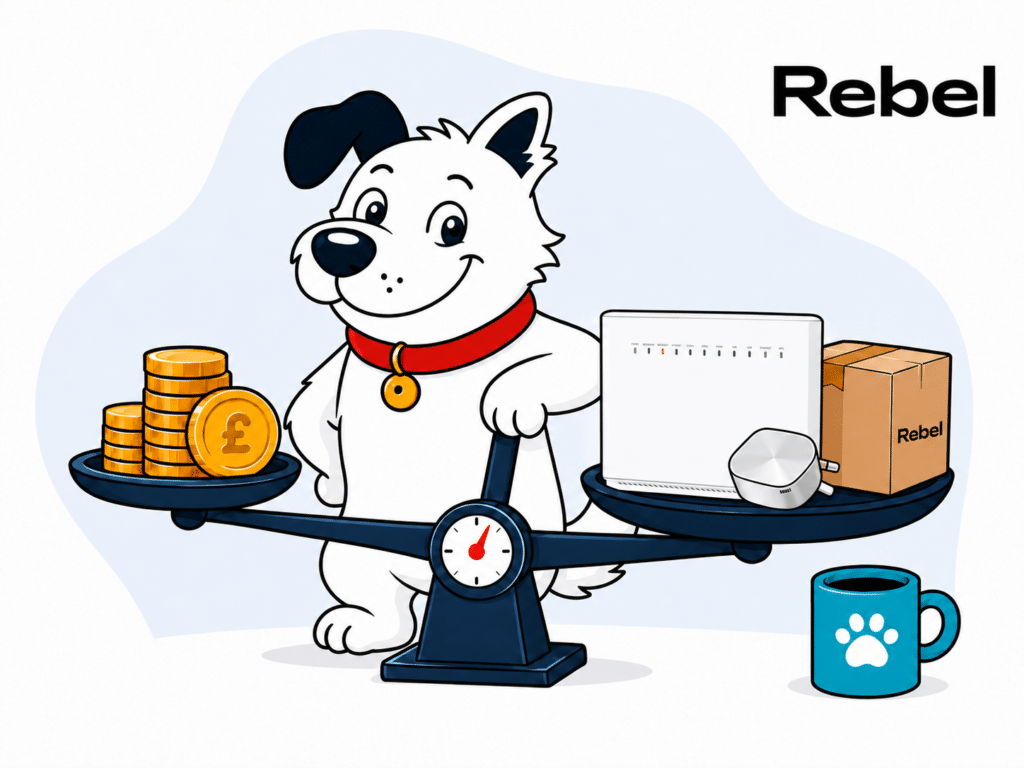
The fibredog mascot – a dog – standing over a set of scales, weighing a stack of coins against rebel internet routers and equipment, representing value for money.
fibredog mascot wearing a headset

Having trouble choosing a broadband provider?

No single best provider or package exists – only the best pick for you personally. Fibredog’s YourMatch™ system uses thousands of provider metrics and a lot of maths to find you your perfect match.

Rebel Internet Value for Money Scorecard

Six key areas. One overall score. All calculated using our transparent methodology.

What you get as standard

The features, equipment and services included as standard, before paid add-ons, premium tiers or optional upgrades are added.

5.9/10

Included router quality

How much value the included router adds to the package, including Wi-Fi standard, ports, coverage and overall hardware quality.

8.7/10

Annual price rises

How clearly annual price rises are explained, how predictable they are, and how much they add during the minimum term.

10/10

Cost of upgrades and extras

Which useful extras cost more, which are bundled in, and whether upgrades feel sensible or too easy to overspend on.

5.1/10

End-of-contract pricing

What happens when the minimum term ends, whether the price jumps, and how easy it is to avoid poor rollover value.

10/10

Service guarantees

The service guarantees, speed promises, compensation rules and fault protections that apply when the connection underperforms.

2.7/10

What you get as standard

Every package includes the same extremely capable R1 Router, automatic security, parental controls and useful app-based management. You don’t need to choose a faster package to unlock better equipment, although whole-home Wi-Fi, Home Phone and a static IP all cost extra.

The best router isn’t held back for dearer packages

Every Rebel package includes the R1 Router, so there’s no second-rate standard hub followed by a better model reserved for people who pay more. You get Wi-Fi 6, automatic updates, guest Wi-Fi, parental controls and security against malicious sites and other online threats.

The accompanying Plume Home app also lets you manage devices, pause access and prioritise important activities. It’s a good starting bundle, and unusually little of the everyday router experience has been carved out and turned into an optional upgrade.

Rebel’s SuperPods are well integrated, but none is free

If the R1 can’t reach every room, Rebel offers plug-in SuperPods that work with it as one managed Wi-Fi system. They’re simple to install, automatically adjust the network and can be added individually whenever you need another.

The catch is that every SuperPod costs extra each month and remains Rebel’s property. A difficult home could therefore become noticeably more expensive, particularly if you follow Rebel’s rather basic rooms-and-floors estimator too literally.

Whole-home Wi-Fi comes without a whole-home guarantee

Rebel talks confidently about Wi-Fi that works throughout your home, but it doesn’t promise a measurable speed in every room. There’s no minimum room result, defined remedy or refund if several paid SuperPods still leave you with a weak spot.

That doesn’t make the system poor. Wi-Fi is heavily affected by the size, shape and construction of your home, and even good equipment can struggle with thick internal walls. But you’re paying to rent hardware that should improve coverage, not buying a guaranteed outcome. Test the R1 first, then add only the pods your home actually needs.

The smaller extras are useful rather than spectacular

Rebel doesn’t include a landline, provider email address or mobile broadband backup as standard. Home Phone is available as a paid extra and includes UK landline and mobile calls, although it doesn’t support international calling and stops working if your broadband or electricity goes down.

More advanced users can also pay for a static IP, which is useful for things such as remote access, home servers or certain CCTV systems. These are sensible options, but most homes won’t need them. The important point is that Rebel includes its best router, security and management features without making you assemble the basics from a collection of add-ons.

AT A GLANCE

What you get with Rebel Internet

Here’s what's included as standard, what may cost extra, and what's only free on top-end packages.

Feature
On all standard packages
Paid extra
Free on highest speed packages
Landline
No
Yes
No
App management
Yes
No
Yes
Parental controls
Yes
No
Yes
Guest network
Yes
No
Yes
Router security features
Yes
No
Yes
Automatic firmware updates
Yes
No
Yes
Wi-Fi guarantee
No
No
No
Mesh devices
No
Yes
No
Security software
Yes
No
Yes
Provider email
No
No
No
Broadband backup
No
No
No

Standard kit versus paid extras

This table separates everyday included features from extras that may depend on package tier, router choice or paid add-ons.

Good to know: Included features are easier to compare because you won’t need to budget for them separately.

Worth checking: Some useful extras may only be included on selected packages or as paid add-ons.

Rebel gets the important things right. You receive its best router with every package, along with automatic security, parental controls, guest Wi-Fi and genuinely useful device management. You don’t have to buy a faster package simply to get the equipment you should have had in the first place.

The SuperPod system is coherent and easy to expand, but every unit costs extra and Rebel guarantees no particular result. Try the R1 on its own before ordering several pods based on a crude room count.

How to work out if Rebel Internet extras are worth it

  1. Pick your speed first

    Choose the Full Fibre speed your home needs before considering extras. Faster broadband won’t fix poor Wi-Fi in one room.

  2. Check your package

    Every package includes the capable R1 unless you opt to use your own router. SuperPods, Home Phone and a static IP are separate additions.

  3. Identify the real gap

    The R1 and Home app already include core management, security and parental controls. Don’t rent extra hardware for a feature the standard setup already provides.

  4. Assess each SuperPod

    Rebel charges £5 per month for each SuperPod. Test the R1 first and add only the number of pods the building genuinely needs.

  5. Keep optional services separate

    Home Phone and a static IP solve specific needs, while SuperPods solve coverage. Price each one independently instead of treating them as a necessary bundle.

Rebel includes a capable router, security and useful controls with every package. Its SuperPods form a well-designed whole-home system, but none are included as standard on any package tier and each costs extra every month. There’s no published Wi-Fi guarantee, and no broadband backup or provider email, although an optional Home Phone and/or static IP services are useful additional options.

5.9 /10
Overall score

What you get as standard score

This score looks at the useful extras included before you start paying more, including router controls, security features, Wi-Fi help, backup options and everyday add-ons.

Included router value

Every Rebel package comes with the R1 Router. There’s no inferior version for cheaper packages and no premium model kept aside as an upgrade. It’s a good Wi-Fi 6 router with useful controls, plenty of wired connections and security included from day one.

Rebel has one router – and it’s a good one

The R1 won’t struggle in a busy home

The R1 uses Wi-Fi 6 and is well equipped for homes where lots of phones, laptops, TVs and other devices are online together. It updates itself automatically, includes guest Wi-Fi and parental controls, and protects against malicious websites. This isn’t groundbreaking stuff, but it’s everything a decent modern router should provide.

You get four wired connections

Four Gigabit Ethernet sockets give you plenty of room for TVs, games consoles, computers and anything else you’d rather connect by cable. The Full Fibre connection has its own separate input, so it doesn’t pinch one. There’s no faster socket, however, which slightly lets down the otherwise impressive Rebel 1000 package.

The Plume app is more useful than most

The Plume Home app lets you see what’s connected, pause internet access, set parental controls and create a separate guest network. More unusually, you can tell it which devices or activities matter most. Prioritising your work laptop, video call or games console can stop less important traffic from getting in the way when your home network is busy.

It doesn’t turn the R1 into a specialist gaming router, but it’s a useful feature that many provider routers don’t have. The app also manages Rebel’s paid SuperPods if you later need better coverage around your home.

INTERACTIVE TOOL

Compare routers from any provider

This provider’s routers are pre-selected for comparison with one another. However, you can use this tool to compare any router from any major provider using the dropdown menus below.

Feature Choose router Choose router
Fibredog rating
Router included as standard
Router manufacturer
Router model
Wi-Fi standard
Wi-Fi bands
2.4GHz supported
5GHz supported
6GHz supported
Beamforming
Antenna count
Maximum connected devices
Stated coverage
Total Ethernet ports
MU-MIMO
OFDMA
WPA3 security
Guest network
Antenna type
Gigabit Ethernet ports
2.5Gb Ethernet ports
5Gb Ethernet ports
10Gb Ethernet ports
WAN port speed
USB ports
Telephone ports
ONT Ethernet input
Coaxial input
Power connection
Mesh support
Provider mesh product
Third-party router use
Modem mode
Compatible broadband technology
App management
Parental controls
QoS
Automated QoS
Device prioritisation
Anti-bufferbloat controls
Manual queue management (SQM/CAKE)
Smart channel selection
Security features
Gamer mode
Game traffic prioritisation
Gaming QoS profiles
Server ping routing tools
Latency dashboards
Per-device gaming presets
Gaming VPN routing features
Work from home mode
Automatic firmware updates
Firmware update notes
Router height
Router width
Router depth
Router weight
Power consumption
Router orientation
Wall mountable
Router colour
Self-installation
Browser admin interface
WPS
Status light control
Reset button
Wi-Fi on/off button
Where would you like to go next? See all tools See all tools

Which Rebel Internet router do you get?

Rebel R1 Router

Included with every Rebel broadband package unless you opt to use your own router.

The R1 is a dual-band Wi-Fi 6 AX5400 router with WPA3, four Gigabit LAN ports and automatic network optimisation.

Rebel SuperPods

Optional mesh units extend the R1's coverage around the home.

They work with the R1 through Rebel's Plume-managed system, but they improve coverage rather than replace the main router.

Bring your own router

You can decline the R1 and use compatible third-party equipment.

Rebel publishes the required setup details, although its SuperPods cannot be used with a customer-owned router.

Is Rebel’s included router good value for money?

Yes. Rebel could easily have supplied a cheaper router with lower-speed packages and used the R1 to tempt people into paying more. Instead, everyone gets Wi-Fi 6, four usable wired sockets, automatic security and the same set of app controls. That immediately makes the deal more generous than those from providers still handing out old or deliberately limited equipment.

There are compromises. The lack of a faster wired socket means Rebel 1000 may or may not be able to show its full speed to one device by cable, since Gigabit Ethernet ports usually top out around 900-940Mbps in practice. SuperPods cost extra if the R1 can’t cover your whole home. Neither is a serious problem for most people. The R1 is a capable router, you get it with every package and there’s no upgrade nonsense to navigate.
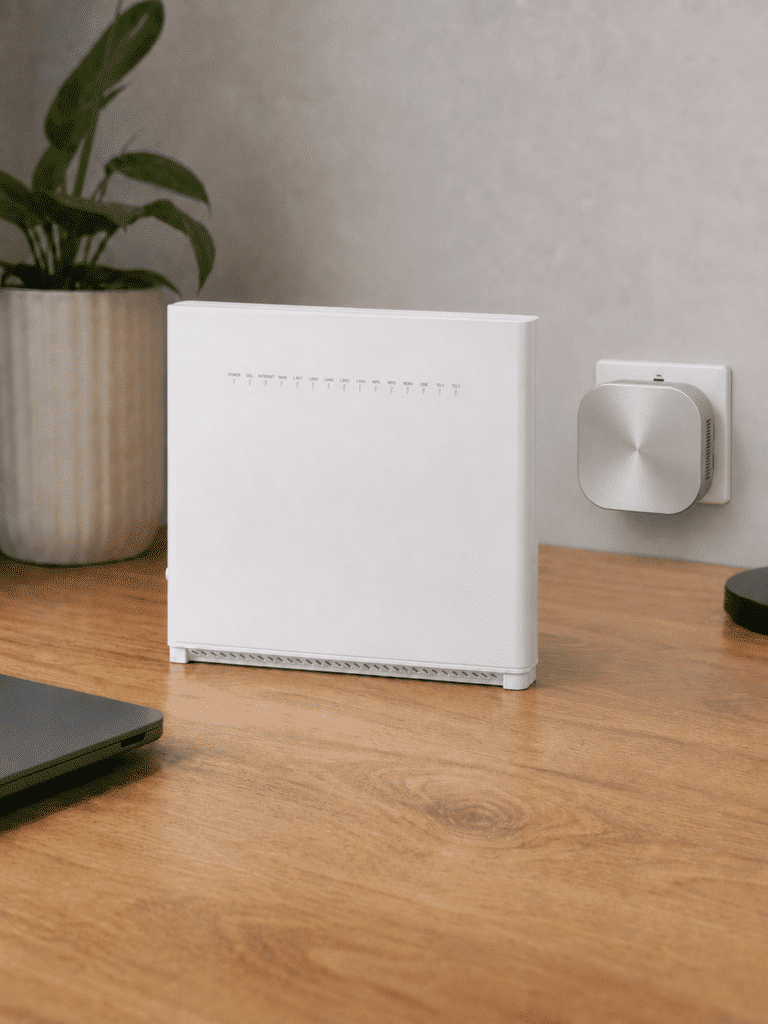
rebel r1 router with plume pod

Every Rebel package includes the same capable R1 Router. It has modern Wi-Fi, four usable wired sockets, automatic security and app controls that are genuinely useful. There’s no faster wired socket for Rebel 1000, and extending coverage costs extra, but Rebel doesn’t make you buy a dearer package simply to avoid being given second-rate equipment.

8.7 /10
Overall score

Included router value score

This score looks at whether the router you get included feels fair for the package, including the router’s overall quality, Wi-Fi generation, frequency bands and whether the best kit is easy to get.

Annual price rises

Rebel doesn’t raise the price of your broadband package every April. Hooray! Your monthly price stays fixed throughout your minimum term and continues unchanged after it ends. That gives you something most large providers no longer offer: the ability to work out what your broadband will cost without building future annual increases into the calculation.

Why doesn’t the price of Rebel broadband rise?

Your monthly price is fixed

Rebel doesn’t write an April increase into your contract. The price you agree to at the start stays the same throughout your minimum term, whether you choose a one-month, 12-month or 24-month agreement. You can therefore calculate the full package cost from day one instead of guessing what one or two future increases might add.

This hugely offsets the premium price tag of a Rebel Package. A modest increase is still an increase, and several of them can make a package much more expensive than it appeared at signup. Rebel removes that uncertainty completely. It's simply a more honest approach than is typical.

The same price continues after your contract

Your price doesn’t jump when the minimum term ends either. Rebel moves the package onto a rolling monthly basis at the same price, so there’s no sudden loyalty penalty and no need to start negotiating simply to avoid paying more.

You can still choose a new contract if you want one, but Rebel doesn’t make that necessary to keep your existing price. That’s considerably fairer than the common practice of moving people onto a more expensive standard rate once their original deal expires.

There is one very narrow exception

Rebel’s terms allow the monthly price to change if a regulatory body requires it. That isn’t an annual price-rise formula and it doesn’t give Rebel general permission to put your bill up whenever it likes. It’s a limited exception for a change imposed from outside the company.

Other costs can still change when you actively alter the service. Adding extras, moving package or incurring a late-payment, equipment or engineer charge can affect what you pay. Those aren’t increases to the agreed price of your broadband package, however. Leave the package alone, pay on time and look after the equipment, and Rebel says the monthly broadband price will stay where it is.


INTERACTIVE CHART

How much will your bill rise by?

This interactive chart shows how much this provider adds to its package prices each April, and lets you compare that with literally any other provider in our database.

Provider N/A Choose a provider
Provider average N/A The average April price rise among providers that apply one.
Compare provider N/A Choose another provider

Package annual price rises

April price rise shown package by package

Package view

The provider-average benchmark is calculated from each provider that applies an annual price rise. Fixed-price providers are shown in the chart but are excluded from the benchmark.

This is exactly how broadband pricing should work. Rebel doesn’t raise your price every April, doesn’t punish you for reaching the end of your contract and doesn’t make you recontract to avoid paying more. The price you join at is the price you keep. It’s simple, fair and completely free of the usual broadband pricing tricks. Absolutely faultless.

10 /10
Perfect!

Annual price rises score

This score looks at how a provider’s in-contract annual price rises compare with the wider market, and whether the rules are simple, consistent and easy to understand.

fibredog mascot wearing a headset

Having trouble choosing a broadband provider?

No single best provider or package exists – only the best pick for you personally. Fibredog's YourMatch™ system uses thousands of provider metrics and a lot of maths to find you your perfect match.
Cost of upgrades and extras

Rebel charges extra for SuperPods, Home Phone and a static IP. Its best router, online security and app controls are already included, however, so you won’t need to pay more simply to turn a basic broadband package into a usable one.

How to work out what your Rebel Internet package will actually cost

Start with speed and contract length

Choose the Rebel speed and one-, 12- or 24-month term that suit you before adding equipment. Setup charges vary materially with the contract length.

Every customer taking Rebel equipment receives the same capable R1 Wi-Fi 6 router.

Add SuperPods only where needed

No SuperPod is included. Rebel charges £5 per month for each pod, so test the R1 first and add only enough pods to solve genuine coverage gaps.

The managed Plume system is coherent and expandable, but Rebel gives no measurable whole-home Wi-Fi guarantee.

Price Home Phone separately

Rebel Home Phone includes unlimited calls to UK landlines and mobiles.

It is optional, has no international-call facility and depends on mains power and a working broadband connection.

Keep the included controls in mind

The R1 already includes Rebel's Plume-based management, optimisation and Guard security features.

There is no premium-router tier, so you do not need to pay extra merely to obtain Rebel's best main router or its core security tools.

Account for specialist extras

A residential static IP is available as a paid option, but Rebel does not provide broadband backup, a provider email account or a paid technical-support tier.

SuperPods cannot be used with a customer-owned router, so decide between Rebel's managed mesh system and bringing your own equipment.

Remember: Choose the Rebel Internet speed you need, include the setup cost for your chosen term, then add only the SuperPods, Home Phone or static IP you will actually use.

SuperPods are the extra most homes will consider

SuperPods extend the R1 Router’s Wi-Fi into rooms where its signal struggles. They plug into a wall socket, configure themselves and work with Rebel’s app as one network. Each pod costs extra every month, and none is included with any broadband package.

Rebel estimates how many you’ll need from your rooms and floors, but thick walls and layout matter far more. Our advice is to test the R1 before ordering any. It's more powerful than you might assume. Rebel also guarantees no minimum speed in each room, so you’re renting equipment that should improve coverage rather than paying for a guaranteed result.

Rebel doesn’t offer broadband backup

No add-on keeps your connection running over the mobile network if the Full Fibre service fails. The R1 contains technology capable of supporting mobile backup, but Rebel doesn’t sell the service needed to use it.

A broadband fault therefore leaves you relying on your phone’s data connection until service returns. That matters if you work from home, use connected security equipment or have poor indoor mobile reception. Several providers now offer backup as an upgrade, but Rebel gives you no equivalent option.

The remaining extras are useful but quite specific

Home Phone includes calls to UK landlines and mobiles, and lets you keep an existing number. It doesn’t support international calling and relies on your broadband connection, so it stops working during a power cut or broadband outage.

A paid static IP is also available for remote CCTV access, home servers and similar uses. Most homes won’t need one. Rebel already includes its best router, security, parental controls and device management, so these extras add specific services rather than unlocking features that should have been standard.

Rebel Internet add-ons at a glance

Rebel includes its best router and core Plume controls, then lets customers add mesh pods, Home Phone or a static IP without creating a separate premium-router tier.

Most likely to matter

SuperPods

Rebel charges £5 per month for each SuperPod. None is included, so test the R1 first and add only the number needed for genuine coverage gaps.

Rebel Home Phone

The optional service includes unlimited calls to UK landlines and mobiles, but not international calls.

Residential static IP

A paid static IP is available by contacting support, which is useful for remote access, servers, CCTV or VPN endpoints.

Worth checking

Plume Home and Guard

Management, optimisation and Guard security are included with Rebel's R1 ecosystem rather than being reserved for a premium router subscription.

The R1 is already the best router

Every customer taking Rebel equipment receives the same Wi-Fi 6 R1. There is no paid premium-router replacement or package gate.

Bring your own router

Rebel lets customers decline the R1 and use compatible equipment, but its SuperPods cannot be used with a customer-owned router.

Dead ends

Backup, provider email or premium support

Rebel does not sell residential broadband backup, provide an email account or offer a separate paid technical-support tier.

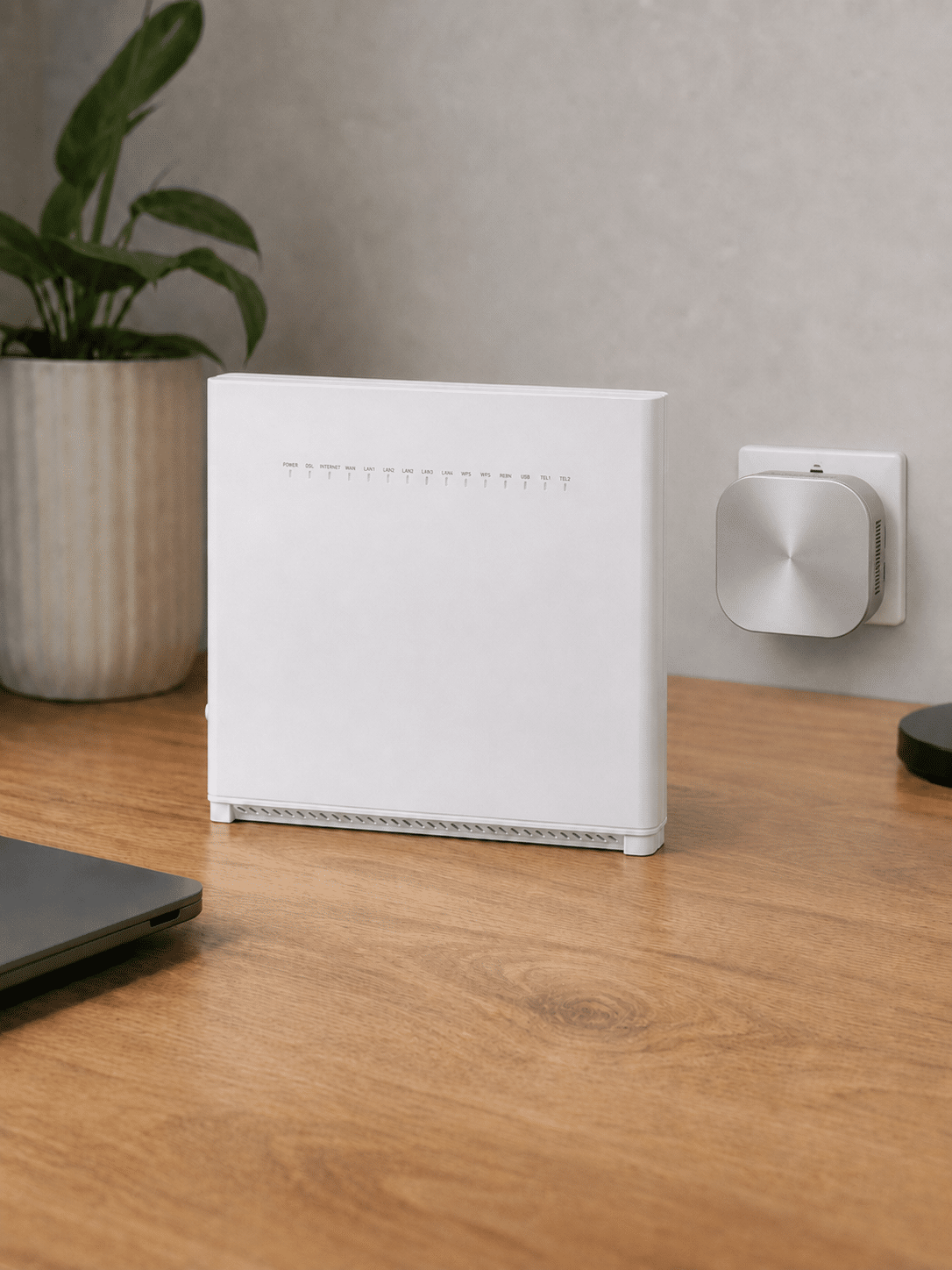
Rebel R1 router with a Plume SuperPod

Rebel starts with its best router, then adds mesh

Every customer taking Rebel equipment receives the same R1 Wi-Fi 6 router. There is no premium main-router tier; the paid upgrade route extends coverage with Plume SuperPods.

Rebel R1

The best main router is already included

The R1 provides Rebel's core Wi-Fi, Plume management, optimisation and Guard security without requiring a faster package or premium-router fee.

Rebel offers only this provider-supplied router, although customers can decline it and bring compatible equipment.

SuperPods

Pay per pod to extend coverage

No pod is included. Rebel charges £5 per month for each SuperPod added to its managed mesh system.

The pods work coherently with the R1, but carry no measurable whole-home guarantee and cannot be used with a customer-owned router.

SuperPods are Rebel’s main paid extra, but every unit costs more each month and there’s no measurable Wi-Fi guarantee. Home Phone and a static IP are useful if you need them, while broadband backup isn’t available at all. Crucially, Rebel already includes its best router, security and app controls, so the standard package doesn’t feel deliberately stripped back.

5.1 /10
Overall score

Cost of upgrades and extras score

This score looks at how close the advertised package price is likely to be to the price you actually pay once useful extras, paid add-ons and missing options are taken into account.

End-of-contract pricing

Rebel doesn’t increase your monthly price when the minimum term ends. The package continues on a rolling monthly basis at the same price, so you can stay without accepting a new contract or paying an out-of-contract loyalty penalty.

Rebel’s post-contract price increase is zero

Your monthly price stays exactly where it was when the minimum term ends. There’s no move to a more expensive standard rate and no introductory discount that suddenly disappears from your bill.

That makes Rebel exceptionally fair beside providers that reserve their worst prices for people who stay longest. You can calculate what the package will cost after the contract without guessing how large the increase might be.

You’ll still receive an end-of-contract notice

Rebel must tell you when the minimum term is approaching its end. The notice should arrive around a month beforehand and explain what happens next, including the price you’ll pay if you do nothing.

The price shouldn’t change, but the notice still gives you a useful opportunity to review your speed, compare alternatives or leave. You don’t have to respond merely to prevent your bill from rising.

Your broadband continues on a rolling basis

The package becomes a rolling monthly service after the minimum term. Your broadband stays connected, your price remains unchanged and you’re no longer tied to the original contract length.

You can then leave by giving the required notice rather than paying early cancellation charges for the remaining months of a long agreement. That gives you time to compare properly instead of rushing into another contract simply because the old one is about to end.

Taking another contract is entirely optional

A new minimum term starts if you actively choose to recontract, but Rebel doesn’t require one to preserve your existing price. Staying on the rolling arrangement is therefore a perfectly reasonable choice.

A new contract could still be worthwhile if Rebel offers something genuinely better, such as a lower price or another useful benefit. Check the full deal rather than treating renewal as urgent. If nothing improves, keeping the same package and retaining your freedom to leave makes more sense.

INTERACTIVE TOOL

What could your broadband bill roll on to?

Estimate what your monthly broadband price could look like by the end of your minimum term, and what it will jump to if you let the deal roll over.

Step 1: Choose your provider and package

Start by choosing your broadband provider, then select the package your contract is based on.

Provider
Package

Step 2: Tell us the starting month of your contract and what you pay

Use the first full monthly price before any mid-contract April increases.

Contract start month

Step 3: Estimate the rollover shock

This is an estimate. Your provider’s end-of-contract notice will be the exact figure.

Your estimate

    Where would you like to go next?

    How to use the Contract Rollover Estimator

    Like all our tools, this uses a few moving parts behind the scenes, but from your perspective it’s simple. Choose your provider and package, tell us the starting month of your contract and enter your first full monthly bill. We’ll estimate what your price will rise to during the contract, and what it will roll on to if you don’t agree a new deal.

    What to do when your Rebel Internet minimum term ends

    1. Confirm your current monthly total

      Add the broadband price and any SuperPods, Home Phone or static-IP charge. Rebel does not schedule annual increases during the minimum term.

    2. Read Rebel's notice

      Check the end date and any contract options in Rebel's notification, even though the core monthly broadband price is intended to remain unchanged.

    3. Understand the fixed-price rollover

      Rebel says the same monthly price continues after the minimum term. There is no automatic standard-rate jump and no need to recontract merely to preserve a discount.

    4. Compare flexibility as well as price

      Check current Rebel and competitor offers, but account for the value of remaining on a rolling basis without accepting another long minimum term.

    5. Continue, recontract or switch

      Choose deliberately. You can keep the rolling service at the same monthly price, select a new term if it benefits you, or switch after giving the required notice.

    You do not need to recontract to keep your price

    Rebel's fixed-price proposition is different from the usual rollover model. It says the same monthly broadband price continues after the minimum term, so there is no automatic standard-rate jump forcing you to accept another long agreement.

    You should still compare current Rebel and competitor offers, particularly if your speed, SuperPod or Home Phone needs have changed. But remaining on the rolling service can be valuable in its own right because it preserves flexibility without a loyalty penalty.

    Do not surrender flexibility for a token saving: Judge any new-term offer against Rebel's unchanged rolling price and the wider market. A recontract is worthwhile only if the benefit genuinely compensates for accepting another minimum term.

    Rebel’s end-of-contract pricing is magnificent. While other providers use the finish line as an excuse to yank away your discount, Rebel simply carries on charging exactly the same price. You don’t need to haggle, recontract or threaten to leave. Do absolutely nothing and you keep both your price and the freedom to walk away whenever you like. This. Is. Perfection.

    10 /10
    Perfect!

    End of contract pricing score

    This score looks at what happens when your minimum term ends, how much warning you get, and how easy the provider makes it to avoid sliding onto an expensive post-contract price.

    Service guarantees

    Rebel offers almost none of the formal protections you’d want when broadband goes wrong. There’s no proper minimum-speed guarantee, fixed repair deadline, automatic compensation or measurable Wi-Fi promise. You’re largely relying on Rebel choosing to handle problems fairly, rather than on clear commitments that tell you what must happen next.

    Rebel’s minimum-speed guarantee guarantees very little

    Rebel’s advertised 20Mbps minimum is an eligibility rule, not a promise covering the package you receive. It means Rebel won’t connect an address unless it believes at least 20Mbps can reach the property. It doesn’t guarantee any percentage of your chosen package speed once the service is live.

    No published process explains how long Rebel gets to fix slow broadband or when persistent underperformance lets you leave without early cancellation charges. Calling the eligibility check a guarantee makes the protection sound much better than it really is.

    There’s no repair deadline or automatic compensation

    Rebel promises no fixed repair time when your broadband fails. A fault could be handled quickly, but there’s no contractual deadline after which Rebel has missed a stated commitment. That leaves you without a clear timetable when the connection matters most.

    Rebel also sits outside Ofcom’s automatic compensation scheme. Delayed activation, missed appointments and a total loss of service won’t automatically produce payments under that system. You may still complain and ask Rebel to put things right, but the outcome isn’t built into the contract.

    INTERACTIVE TOOL

    Are you getting your minimum guaranteed speed?

    Choose your provider and package, then run a speed test. For the cleanest test of the broadband speed coming into your home, plug a laptop or desktop directly into your router with a LAN cable. You can also test on a phone or tablet to check Wi-Fi speed, but make sure mobile data is switched off first.

    Choose your provider and package

    Choose your provider and package so we can compare the test result with the package's minimum guaranteed download speed.

    Provider
    Package

    Before you test

    For an absolute line-speed check, use a computer connected to the router by Ethernet. If you test over Wi-Fi, the result may reflect your in-home Wi-Fi as much as the broadband line itself.

    Run the speed test

    Upload Mbps
    Latency ms

    Ready. Select a package, tick the data policy box, then run the test.


    Your result

    Result waiting Run the speed test to compare your download speed with the selected package’s minimum guaranteed speed.

      Where would you like to go next?

      This tool uses M-Lab’s open measurement platform. A single speed test is a useful check, but it is not a formal fault diagnosis.

      How Rebel Internet service guarantees work in practice

      Rebel offers useful diagnostics and personal support, but its formal service guarantees are much thinner than those of the large providers.

      The problem

      Your Rebel connection is slow, unavailable or weak in part of the home. Diagnose whether the failure is the incoming service, the R1 router or Wi-Fi coverage before requesting help.

      Layer 1: the contract

      Rebel must provide the service with reasonable care and skill and investigate reported faults. It is not a member of the automatic compensation scheme and publishes no general fixed repair-time guarantee.

      Layer 2: no minimum-speed exit guarantee

      Rebel's 20Mbps wording is an address eligibility rule used before supplying service, not a contractual minimum-speed remedy. It does not provide a published repair window followed by an automatic right to leave when the live connection falls short.

      Layer 3: no whole-home Wi-Fi guarantee

      Rebel sells managed SuperPods for £5 per month each, but does not promise a measurable minimum speed in every room, a guarantee-led remediation process or compensation if coverage remains inadequate.

      What this means

      Rebel's Plume diagnostics and callback model may still resolve problems effectively, but they are support tools rather than formal guarantees. Report the fault digitally, keep a written record and use the complaints process if it remains unresolved.

      fibredog mascot looking worried beside a knocked-over plant pot

      Paid SuperPods come with no Wi-Fi promise

      SuperPods can improve coverage in rooms the R1 Router struggles to reach, but Rebel promises no minimum speed in any room. There’s no stated test, guaranteed result or defined remedy if several paid pods still leave you with unreliable Wi-Fi.

      Buildings vary enormously, so a universal Wi-Fi promise is difficult to make. That doesn’t justify offering no measurable protection at all. Rebel sells SuperPods as its whole-home solution, charges extra for every unit and leaves the result entirely unguaranteed.

      Rebel’s service guarantees are exceptionally poor. Its minimum-speed wording is really an address check, while repair times, automatic compensation and room-by-room Wi-Fi performance come with zero published promises. Rebel may still resolve problems quickly in practice, but the score is justified for now until little something substantive is actually written down and promised.

      2.7 /10
      Overall score

      Service guarantees score

      This score reflects how much protection you get when your broadband speed, Wi-Fi, installation, repair or service reliability doesn’t meet expectations.

      fibredog mascot wearing a headset

      Having trouble choosing a broadband provider?

      No single best provider or package exists – only the best pick for you personally. Fibredog's YourMatch™ system uses thousands of provider metrics and a lot of maths to find you your perfect match.

      Some links on this page may earn us a small commission if you click through and buy. This never affects either what you pay, or our scores and recommendations. If, however, you’d rather bypass affiliate links, use this direct Rebel Internet link instead.
