
SKY BROADBAND VALUE FOR MONEY REVIEW
Sky Broadband value for money: How good is it?
Sky is very competitive when it comes to new customers, but quite often big provider put the sting firmly in the tail. Let’s take a look at the value offered by Sky from the beginning, all the way through to the end of your contract.


Having trouble choosing a broadband provider?
No single best provider or package exists – only the best pick for you personally. Fibredog’s YourMatch™ system uses thousands of provider metrics and a lot of maths to find you your perfect match.
Sky Broadband Value for Money Scorecard
Six key areas. One overall score. All calculated using our transparent methodology.
What you get as standard
The features, equipment and services included as standard, before paid add-ons, premium tiers or optional upgrades are added.
Included router quality
How much value the included router adds to the package, including Wi-Fi standard, ports, coverage and overall hardware quality.
Annual price rises
How clearly annual price rises are explained, how predictable they are, and how much they add during the minimum term.
Cost of upgrades and extras
Which useful extras cost more, which are bundled in, and whether upgrades feel sensible or too easy to overspend on.
End-of-contract pricing
What happens when the minimum term ends, whether the price jumps, and how easy it is to avoid poor rollover value.
Service guarantees
The service guarantees, speed promises, compensation rules and fault protections that apply when the connection underperforms.
Fibredog Router Comparison Tool
Compare this provider's routers with each other, or with any other national provider.
Fibredog Annual Price Rise Comparison
See how much each of these provider's packages will go up every April and compare that to any other provider.
Fibredog Rollover Price Calculator
Tell us who you're with and what you're paying and we will tell you how much your price will go up when your contract ends.
Fibredog Speed Guarantees Test
Tell us who you're with and we will check if they're delivering you the minimum speed they promised.
Included router value
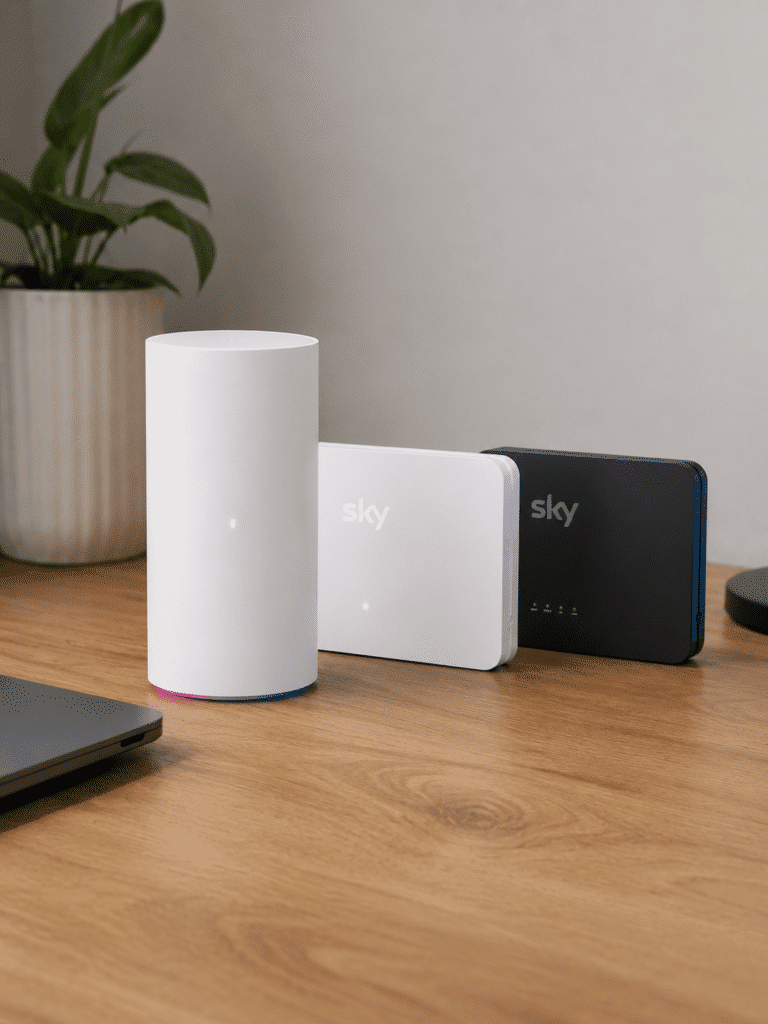
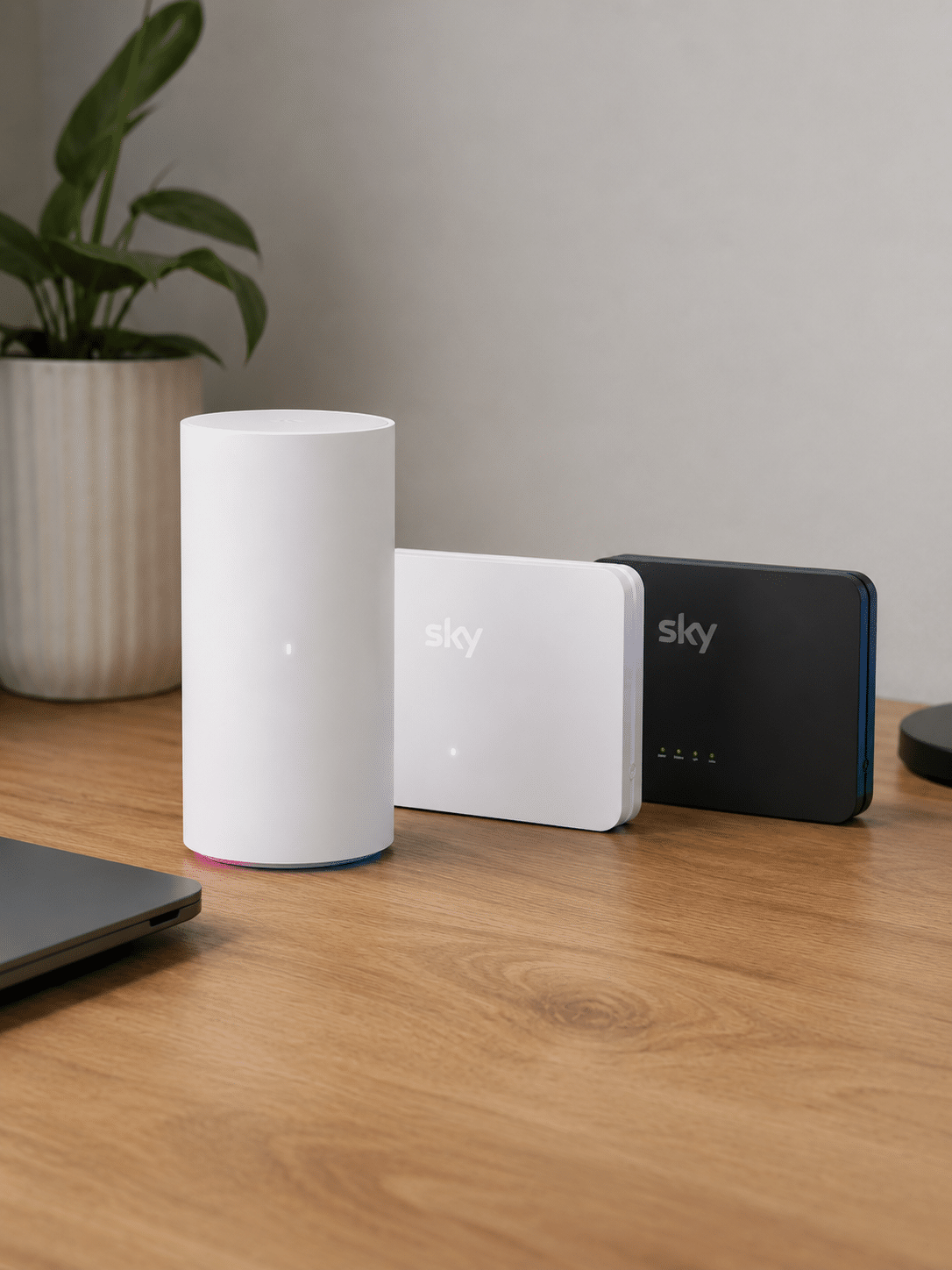
Sky’s included-router value depends heavily on which package you buy. Its range begins with the ageing Wi-Fi 5 Sky Broadband Hub, improves considerably with the Wi-Fi 6 Sky Max Hub and ends with an excellent tri-band Wi-Fi 7 router reserved for its extremely fast Gigafast+ packages.
Sky’s router range runs from dated to dazzling
The Sky Broadband Hub is showing its age
The standard Sky Broadband Hub supports dual-band Wi-Fi 5, with 2.4GHz and 5GHz connections, eight internal antennas and automatic firmware updates. It remains capable of handling ordinary browsing, streaming and video calls, but Wi-Fi 5 is now old technology. App support is limited, there’s no WPA3 and you can’t create a separate guest network.
WiFi Max come with a much better router
The Sky Max Hub moves up to Wi-Fi 6, adds WPA3, handles more connected devices and provides fuller app management. It also works with Sky Max Pods when WiFi Max’s room-by-room guarantee isn’t met. The catch is that WiFi Max costs extra, so the more capable router isn’t universally included.
The Gigafast+ Hub is exceptional
Sky’s premium Gigafast+ Hub is just a different class of router altogether. It provides tri-band Wi-Fi 7, including the 6GHz band, WPA3, eight internal antennas, two 10Gbps Ethernet ports and support for up to 300 connected devices. WiFi Max is included with the 2.5Gbps and 5Gbps packages.
The Gigafast+ Hub now also comes with Full Fibre 1.6Gbps over Openreach, making Sky’s best router available to a lot more homes. WiFi Max itself remains included only with the 2.5Gbps and 5Gbps Gigafast+ packages. Sky deserves credit for matching those extraordinary speeds with suitable hardware, but most people shouldn't consider those packages.
Sources: Sky Broadband
INTERACTIVE TOOL
Compare routers from any provider
This provider’s routers are pre-selected for comparison with one another. However, you can use this tool to compare any router from any major provider using the dropdown menus below.
| Feature | Choose router | Choose router |
|---|---|---|
| Fibredog rating | — | — |
| Router included as standard | — | — |
| Router manufacturer | — | — |
| Router model | — | — |
| Wi-Fi standard | — | — |
| Wi-Fi bands | — | — |
| 2.4GHz supported | — | — |
| 5GHz supported | — | — |
| 6GHz supported | — | — |
| Beamforming | — | — |
| Antenna count | — | — |
| Maximum connected devices | — | — |
| Stated coverage | — | — |
| Total Ethernet ports | — | — |
| MU-MIMO | — | — |
| OFDMA | — | — |
| WPA3 security | — | — |
| Guest network | — | — |
| Antenna type | — | — |
| Gigabit Ethernet ports | — | — |
| 2.5Gb Ethernet ports | — | — |
| 5Gb Ethernet ports | — | — |
| 10Gb Ethernet ports | — | — |
| WAN port speed | — | — |
| USB ports | — | — |
| Telephone ports | — | — |
| ONT Ethernet input | — | — |
| Coaxial input | — | — |
| Power connection | — | — |
| Mesh support | — | — |
| Provider mesh product | — | — |
| Third-party router use | — | — |
| Modem mode | — | — |
| Compatible broadband technology | — | — |
| App management | — | — |
| Parental controls | — | — |
| QoS | — | — |
| Automated QoS | — | — |
| Device prioritisation | — | — |
| Anti-bufferbloat controls | — | — |
| Manual queue management (SQM/CAKE) | — | — |
| Smart channel selection | — | — |
| Security features | — | — |
| Gamer mode | — | — |
| Game traffic prioritisation | — | — |
| Gaming QoS profiles | — | — |
| Server ping routing tools | — | — |
| Latency dashboards | — | — |
| Per-device gaming presets | — | — |
| Gaming VPN routing features | — | — |
| Work from home mode | — | — |
| Automatic firmware updates | — | — |
| Firmware update notes | — | — |
| Router height | — | — |
| Router width | — | — |
| Router depth | — | — |
| Router weight | — | — |
| Power consumption | — | — |
| Router orientation | — | — |
| Wall mountable | — | — |
| Router colour | — | — |
| Self-installation | — | — |
| Browser admin interface | — | — |
| WPS | — | — |
| Status light control | — | — |
| Reset button | — | — |
| Wi-Fi on/off button | — | — |
| Where would you like to go next? | See all tools | See all tools |
How Sky decides which router you get
Ordinary Full Fibre
The Sky Broadband Hub is the baseline, unless you opt for Full Fibre 1.6Gbps.
The exact hub depends on your package, network and extras, but Sky’s Wi-Fi 5 hub sits at the bottom of the current range.
Add WiFi Max
This is the route to the Sky Max Hub.
WiFi Max brings Sky’s Wi-Fi guarantee and, where required, the newer Wi-Fi 6 Sky Max Hub.
Gigafast+ over CityFibre, or Full Fibre 1.6Gbps on Openreach
You get the Gigafast+ Hub.
Sky’s 1.6Gbps, 2.5Gbps and 5Gbps packages include its tri-band Wi-Fi 7 router and WiFi Max.
Are Sky’s included routers good value for money?
That depends entirely on which one you get. The Wi-Fi 5 Sky Broadband Hub is adequate rather than impressive, making it difficult to describe such old wireless technology as particularly good value. The Wi-Fi 6 Sky Max Hub is much more respectable, although WiFi Max costs extra on all standard packages.
At the top end, the Gigafast+ Hub is truly superb. Tri-band Wi-Fi 7, 6GHz support, two 10Gbps Ethernet ports and capacity for hundreds of devices make it a proper match for Sky’s multi-gigabit services. The complete trio therefore has an unusually low floor and an exceptionally high ceiling. The value for money proposition of Sky's routers, then, is excellent at the top, but far less convincing at the bottom.
Having trouble choosing a broadband provider?
No single best provider or package exists – only the best pick for you personally. Fibredog's YourMatch™ system uses thousands of provider metrics and a lot of maths to find you your perfect match.
Sky offers two routes to a better router
The router supplied depends on your package, network and WiFi Max inclusion. That gives you better equipment at the top, but makes the choice less straightforward than simply selecting a faster broadband speed.
The route to the Sky Max Hub
WiFi Max adds the coverage guarantee, Advanced Security, Device Priority and enhanced Wi-Fi engineer benefits.
Where required, Sky also supplies the Wi-Fi 6 Sky Max Hub, making the add-on a practical router-upgrade route on ordinary fibre packages.
The best hub comes with Sky’s multi-gigabit packages
Sky’s 1.6Gbps, 2.5Gbps and 5Gbps packages include the outstanding tri-band Wi-Fi 7 Gigafast+ Hub.
The hardware is excellent, but almost no ordinary home should buy multi-gigabit broadband merely to obtain a better router.
What to do before your broadband deal rolls over
-
Get your rollover estimate
Use the calculator above with your first full monthly bill, not the price after later changes.
-
Read Sky’s notice
Check the standard price, minimum-term end date and any renewal offer as soon as Sky’s notification arrives.
-
Act within the window
Sky’s warning comes close to the end date, so compare and decide promptly rather than leaving the letter in a pile.
-
Compare the alternatives
Check Sky’s current packages and competing providers before treating the renewal offer as a genuine saving.
-
Renew, switch or leave
Choose deliberately before the discount ends. Rolling onto Sky’s standard price is the option to avoid.

You may be able to haggle it down
Sky supports online recontracting and may offer you another deal as the minimum term ends. That’s considerably better than simply accepting the standard rolling price, but it doesn’t mean the first renewal offer is the best price available.
Compare Sky’s offer with its current packages and other providers before accepting another minimum term. With such a large potential jump when the introductory discount expires, even a substantial-looking renewal saving can still leave room for a better deal elsewhere.
Don’t negotiate against the standard price alone: A renewal can look spectacular merely because Sky’s rollover price is so high. Judge the offer against the wider market, not only against the amount you’ll pay if you do nothing.

How Sky Broadband service guarantees work in practice
A broadband complaint can sit under different protections depending on what has actually gone wrong.
The problem
You’re paying for fast broadband, but the connection feels slow. Streams buffer, downloads crawl or Wi-Fi keeps failing in one room.
Layer 1: the contract
Sky must provide the service with reasonable care and skill and deal with faults when they arise. It participates in automatic compensation for delayed installation, missed appointments and total loss of service, and also provides a 48-hour repair guarantee. These are useful protections, not a promise that broadband will never fail.
Layer 2: the Speed Guarantee
If the speed reaching your hub stays below the Guaranteed Minimum Download Speed for three consecutive days, Sky’s Speed Guarantee applies. Sky gets 30 days to restore it. If the problem remains unresolved, you can move to an available slower package or leave without early termination charges.
Layer 3: the WiFi Max Guarantee
If the broadband speed reaching the hub is fine but Wi-Fi is weak around the house, WiFi Max is the relevant protection. It promises at least 10Mbps or 25Mbps in every room, depending on the package. Sky will loan you up to three Max Pods when the guarantee isn’t met.
What this means
Sky provides several worthwhile protections, but they cover different failures. Speed reaching the hub, weak Wi-Fi upstairs, a missed appointment and total loss of service aren’t interchangeable problems. Identify what has failed first, then use the guarantee designed for it.

Having trouble choosing a broadband provider?
No single best provider or package exists – only the best pick for you personally. Fibredog's YourMatch™ system uses thousands of provider metrics and a lot of maths to find you your perfect match.
Some links on this page may earn us a small commission if you click through and buy. This never affects either what you pay, or our scores and recommendations. If, however, you’d rather bypass affiliate links, use this direct Sky Broadband link instead.
