
sKY BROADBAND CUSTOMER SERVICE REVIEW

Sky Broadband customer service: How good is it?

Perhaps still better known as a TV provider, Sky Broadband is nevertheless one of the biggest broadband providers in the UK, meaning big responsibilities to a lot of customers. Let’s see how they fare.

By Data checked  Checked weekly
The fibredog mascot dog as a Sky broadband customer service agent, wearing a headset and using a laptop
fibredog mascot wearing a headset

Having trouble choosing a broadband provider?

No single best provider or package exists – only the best pick for you personally. Fibredog’s YourMatch™ system uses thousands of provider metrics and a lot of maths to find you your perfect match.

Sky Broadband customer service scorecard

Six key areas. One overall score. All calculated using our transparent methodology.

Customer experience

What customer data says about satisfaction, complaints, call waits, review sentiment and how the provider performs when judged from outside.

6.8/10

Contact options

How easy it is to get help, including phone, live chat, messaging, account tools, accessibility routes and fault-support channels.

10.0/10

When something goes wrong

How faults and outages are handled, including checking tools, reporting routes, updates, compensation and backup options.

9.2/10

Help for vulnerable customers

How well extra support is provided, including accessibility routes, alternative formats, priority help, financial difficulty and nominated contacts.

10.0/10

Complaints policy

How clear the complaints process is, including response times, escalation steps, ADR access and specialist complaints support.

9.5/10

Online help and account support

How useful the digital support setup is, including apps, account portals, help articles, diagnostics, fault reporting and tracking.

10/10

Customer experience

Ofcom's tracking data offers a very reassuring picture of Sky Broadband. Satisfaction has stayed high, complaints to Ofcom remain comfortably below the industry average, and complaint handling is generally better than average too. Call waits have also fallen dramatically. Trustpilot has improved, but Sky’s enormous growth in review numbers makes that turnaround harder to interpret with complete confidence.

Key takeaways

Ofcom has little to frighten you

Satisfaction is 84%, complaints to Ofcom remain low and complaint handling is above average. The latest 43-second call wait is also easily Sky’s best result. So some of it is spectacular, and there are no glaring weakness either.

Trustpilot has improved, with one caveat

Sky’s Trustpilot score jumped from 1.3/5 in July 2025 to 2.7/5 in July 2026. However, its review count also rose from 15,537 to 27,119. The improvement is real, but that enormous influx of reviews may have helped drive it.

INTERACTIVE CHART

Compare customer experience by provider

Choose two broadband providers, then use the buttons below to compare Ofcom and Trustpilot customer experience data.

Overall service satisfaction

Ofcom satisfaction with service overall

5-year view
Latest valueN/AMost recent data point
Five-year changeN/AOldest to newest
Best yearN/ABest point shown
Worst yearN/AWeakest point shown
Where would you like to go next?

Sources: Ofcom, Trustpilot.

Latest overall
satisfaction

84%

Industry avg: 82.8%

Complaints to Ofcom rate

21 per 100k

Industry avg: 47.2 per 100k

Average call wait

46s

Industry avg: 2m 39s

Satisfaction with complaint handling

63%

Industry avg: 52.8%

According to Ofcom

Overall satisfaction has remained between 80% and 86% across the five-year view, with the latest figure at 84%. That’s remarkably consistent and tells us most people are very happy with the service Sky Broadband provides.

Complaints to Ofcom are very low and stable. Sky recorded just 20 complaints per 100,000 subscribers in the latest year, exactly where it began in 2020 and comfortably below the industry average. Its best result was 16 in 2023, so there’s no big improvement story here, just consistency in being best, or close to best.

Complaint handling is more uneven, moving between 53.9% and 62.7%. The latest figure is 61.7%, which is close to Sky’s best and sits above the industry average. Roughly three in five people who complain are satisfied with how Sky deals with it. That’s very decent, but perhaps not dazzling.

Call waiting is the standout improvement. The average reached 3 minutes 10 seconds in 2021, stayed above two minutes in 2022 and 2023, then collapsed to just 43 seconds in 2025. If you need to speak to someone, Sky is now picking up the phone considerably faster than almost anyone else.

The Ofcom figures show a provider performing consistently well. Satisfaction is high, serious complaints are low, complaint handling is respectable and the one obvious historical weakness, call waiting, has improved enormously.

According to Trustpilot

Sky’s Trustpilot score fell gradually from 1.6/5 in the earliest sample to 1.3/5 in July 2025, then more than doubled to 2.7/5 by July 2026. That’s a major turnaround, even if 2.7/5 is still some distance from brilliant.

The review mix supports the improvement. One-star reviews fell from 85% in July 2025 to 73% a year later, while five-star reviews rose from 8% to 20%. Sky’s profile remains dominated by unhappy reviewers, but it’s considerably less hostile than it was.

The complication is review volume. Sky went from 15,537 reviews in July 2025 to 27,119 in July 2026. That's an increase of more than 11,500 in a single year. That’s far larger than any previous rise shown, so we can’t neatly separate improving sentiment from the effect of gathering many more reviews.

Trustpilot also covers the wider Sky brand, rather than Sky Broadband alone. And, as ever, people are more likely to review a provider when something has gone wrong than when their service simply works. The score shouldn’t therefore be treated as a clean broadband satisfaction measure.

Even with those caveats, the change is too large to dismiss. Sky has substantially more five-star feedback, a smaller proportion of one-star reviews and a score more than twice as high as a year earlier. Something has clearly improved, we just can’t credit the whole jump to better service with absolute certainty.

Sky’s Ofcom record is much better than average, with high satisfaction, few complaints and dramatically shorter call waits, while complaint handling satisfaction is decent rather than exceptional. Trustpilot has also improved sharply, although the enormous rise in review numbers makes that turnaround harder to judge, and one-star ratings still dominate. Sky performs well overall, especially for a large, national provider with a huge number of customers to keep happy.

6.8 /10
Overall score

Customer experience score

This score is based on Ofcom service-quality metrics and Trustpilot review trends over time, giving a balanced view of the overall customer experience.

Contact options

Sky offers an unusually broad means of support, combining long phone availability hours with live chat, account tools, fault checks, complaint routes and extensive help for people who need extra support.

Sky gives you plenty of ways to get help

Sky’s support isn’t built around one catch-all mode of contact. You can call, use live chat or online messaging, manage your account through My Sky, ask the Sky Community, or use its official social media support channels. There’s a human available through live chat, so you’re not always left negotiating with a chatbot.

Phone support runs from 8am to 9pm every day, giving you 91 staffed hours each week. Sky uses the same main number for sales, customer service and faults, with its system directing you to the right place. You can also call 150 from an eligible Sky Talk landline or Sky Mobile.

Complaints have their own routes by message, phone and post. Sky aims to respond and agree a resolution within 10 days, although complicated cases can take longer. It also explains how to escalate a complaint and when you can take it to CISAS – Sky's nominated ADR.

Sky’s online fault tools cover the essentials

Sky gives you several ways to investigate a broadband problem before joining a phone queue. Its online tools cover service status, area faults, connection checks and diagnostics, while the My Sky app offers many of the same functions alongside account and billing information.

You can report a fault online or through the app, then move to phone or messaging support if the checks don’t solve it. The Help Centre also has searchable articles and a 24-hour automated chatbot. These tools won’t fix every broadband fault, but they give you a useful first step instead of simply telling you to call.

Extra support is detailed and practical

Sky’s accessibility support covers far more than a dedicated contact page. Qualifying people can register for priority fault repair, nominate someone to help manage the account and request bills or correspondence in large print, Braille or audio. Text Relay and British Sign Language contact are also available.

There are also dedicated routes for bereavement and financial difficulty, along with a social tariff for those who qualify. Sky clearly explains what help is available and how to request it, which matters when more traditional ways of getting in touch aren't enough.

Sky gives you phone support, human live chat, My Sky account tools, online fault checks, complaint routes and one of the most detailed accessibility support services we’ve seen. Most of the practical ways to get in touch you’re likely to need are covered.

Contact options

Support channels at a glance

Sky Broadband gives customers several ways to get help. This view shows which practical contact, account and fault-support routes are recorded in the fibredog dataset.

Phone Real-person route Available
Live chat Human agent listed Available
WhatsApp Messaging route Available
Email Written support Available
Community forum Peer help route Available
Accessibility support Extra-help routes Available
Account/app tools Self-service tools Available
Fault status tools Outage and fault help Available

Checked from live provider data. Fibredog tracks contact routes, account tools and fault-help options separately, so this information updates soon after anything changes.

What stands out

Long phone support hours

Sky’s phone lines are staffed from 8am to 9pm every day, giving you 91 hours each week in which to reach a person.

Useful fault checks

The website and My Sky app can check service status, run diagnostics and help you report a broadband fault without immediately calling.

Excellent accessibility support

Priority repairs, nominated contacts, alternative-format bills, Text Relay and British Sign Language support give people with additional needs practical help.

*Hours may vary on public holidays

Sky offers one of the most complete support services available from any broadband provider. You get long phone hours, human live chat, extensive account and fault tools, clear complaint routes and outstanding accessibility support. Financial difficulty and bereavement are properly covered too. Whatever kind of help you need, Sky has built a practical way to get in touch.

0.0 /10
Perfect!

Contact options score

This score is based on the range, quantity and quality of provider contact routes, support tools, and the availability and ease of use of the various means available.

When things go wrong

When your broadband fails, Sky gives you several ways to work out what's happened, report the problem and get help. The tools are excellent, although staying connected while Sky fixes it is another matter.

Finding the fault

Sky’s service checker and online diagnostics give you a useful first look at the problem. You can check for known outages in your area, test your broadband and investigate whether the fault sits with Sky’s network or your connection at home.

The same tools are available through the My Sky app, alongside account and billing information. They won’t diagnose every possible fault, but they can save you from calling Sky about a problem it already knows about.

Getting the problem reported

If the automated checks don’t solve the problem, you can report the fault online, through the My Sky app or by phone. Sky also offers human live chat and online messaging, so you have several ways to reach someone without starting the process again elsewhere.

Fault support is available by phone from 8am to 9pm every day. Sky then uses technical data from its network and from your equipment to diagnose the problem, then it'll arrange further help or an engineer where necessary.

If the outage drags on

Sky belongs to Ofcom’s automatic compensation scheme. You may qualify when activation is delayed, an engineer misses an appointment or you report a total loss of broadband service that isn’t restored within two full working days.

Compensation for a total loss of service isn’t automatic until you tell Sky about the fault, so report it promptly rather than assuming the service checker has started the clock. Problems caused by your own equipment or home network won’t qualify as a fault with Sky’s service, though, so bear that in mind.

The main thing missing here is broadband backup. Sky doesn’t offer automatic 4G or 5G broadband that kicks in when things go down, either as standard or as a paid extra. WiFi Max provides Sky Mobile users with 2GB of mobile data after a qualifying outage, but that’s a small emergency allowance rather than a proper backup connection.

Sky gives you excellent tools for checking, diagnosing and reporting broadband faults, backed by long support hours and automatic compensation when a qualifying outage drags on. The only real gap is the lack of a mobile broadband backup option.

The Sky Broadband fault process

Sky starts with service checks and online diagnostics, with My Sky, live messaging and phone support available when the automated tools run out of road.

1. Check

Use Sky's service status and network checks to see whether the problem is already known.

2. Diagnose

Run Sky's online broadband diagnostics or use My Sky for account, service and fault checks.

3. Report

If the tools don't fix it, report the fault online, through My Sky, by live messaging or by phone.

4. Track

Keep checking My Sky, service status and Sky's updates while the fault is being investigated.

5. Resolve

Automatic compensation can apply for delayed activation, missed appointments and total loss of service.

fibredog mascot looking worried beside a knocked-over plant pot

Service status checks

Sky can check area faults, service status and your broadband connection.

Guided broadband fixes

Sky has online diagnostics and My Sky checks for service and fault problems.

Report online, app or phone

If the tools don't fix it, report online, use My Sky, message Sky or call.

Automatic compensation

It can apply for delayed activation, missed appointments and total loss.

No broadband backup

Sky doesn't offer true broadband backup as standard or as a paid extra.

Sky handles broadband faults extremely well, with service status checks, online diagnostics, app tools, human messaging and long phone support hours. Automatic compensation also covers lengthy service losses, delayed activation and missed engineer appointments. The lack of proper 4G or 5G backup is the one notable omission, but the fault handling itself is very good indeed, which goes some way to explaining how Sky has some of the best-measured complaint outcome satisfaction.

0.0 /10

When things go wrong score

This score reflects how well BT helps you spot the fault, report it, keep tabs on the repair and stay protected if the outage keeps going.

fibredog mascot wearing a headset

Having trouble choosing a broadband provider?

No single best provider or package exists – only the best pick for you personally. Fibredog's YourMatch™ system uses thousands of provider metrics and a lot of maths to find you your perfect match.

Help for vulnerable customers

Extra support only matters when it covers the difficult situations people actually face. Sky gets almost everything right here, with practical help for accessibility needs, serious illness, financial difficulty, bereavement and much more.

Support when you need it

Sky lets you register additional needs on your account, helping its support teams understand what assistance you require when you make contact. Its vulnerable-customer policy covers a wide range of circumstances rather than treating everyone as though they need the same service.

Qualifying registered broadband and landline users can receive priority fault repair when losing service would create a more serious problem. That gives the policy some practical weight instead of leaving you with a page full of sympathetic words.

Accessible support in every format

Sky offers bills and correspondence in large print, Braille and audio, alongside Text Relay and British Sign Language support. These aren’t token additions. They give you workable alternatives when an ordinary phone call or standard printed bill isn’t suitable.

You can also nominate someone you trust to help manage the account or speak to Sky on your behalf. That can make an enormous difference during illness, disability or any period when handling the account yourself becomes difficult.

Sky covers life’s most difficult moments

Financial difficulty and bereavement both have dedicated support. Sky explains how to ask for help with payments and how to deal with an account after the account holder has passed away. These are situations where a generic customer-service queue simply isn’t good enough.

A social tariff is also available for people who qualify. Taken together, Sky’s vulnerable-customer support is exceptionally complete, easy to find and built around practical forms of help. We couldn’t find a single meaningful omission.

At a glance

What does Sky Broadband do to help vulnerable customers?

Here’s a quick look at the extra-help routes available from this provider, covering everything from accessibility support, alternative formats, nominated contacts, money worries and social tariffs.

Vulnerable customer policy Published extra-help policy Available
Accessibility support Accessible support routes Available
Priority fault repair Priority repair help Available
Nominated contact Trusted person support Available
Alternative-format billing Bills in other formats Available
Braille, large print or audio Accessible document formats Available
Text relay Relay UK-style support Available
Sign language support BSL or signed support Available
Financial difficulty support Help if bills become hard Available
Bereavement support Support after a death Available
Social tariff Lower-cost eligible tariff Available

Checked from customer-support data. Fibredog tracks the extra-help features of all providers, so this boxout updates when anything changes on the provider end.

support dog asleet

How BSL and accessible help work with Sky Broadband

  1. Choose your support route

    Choose the route that works best for you, whether that's phone, online messaging, Text Relay, BSL support or My Sky.

  2. Use accessible contact routes

    Use Text Relay, Sky's BSL contact route or its accessibility pages.

  3. Explain your needs

    Tell Sky what help you need, such as BSL support, alternative-format bills or notes for future contact.

  4. Get tailored help or escalation

    Sky can add a nominated contact, arrange priority repair where it applies and route you to the right team.

  5. Ongoing support if needed

    Sky can keep support in place, including accessible bills, account notes and extra help when your situation changes.

Sky provides one of the most complete vulnerable-customer support services out there. Priority fault repair, nominated contacts, accessible bills, Text Relay and British Sign Language support are all covered, alongside dedicated help for financial difficulty and bereavement. A social tariff completes an exceptional package of practical support.

0.0 /10
Perfect!

Help for vulnerable customers score

This score reflects the support available for vulnerable customers, including accessibility help, priority repairs, alternative formats, financial difficulty support and social tariffs.

Complaints policy

Sky’s complaints policy is clear and practical. It explains how to complain, how long a response should take, what happens if the first answer isn’t good enough and when you can take the dispute outside Sky.

Sky complaints process explained step by step

Raise a complaint

Complain through Sky's online messaging, by phone or by post. Explain what went wrong, provide your account details and tell Sky what you want it to do.

Get a response

Sky aims to respond and agree a resolution within ten days. Complicated technical complaints may take longer to resolve.

Escalate if it is not fixed

If the first response doesn't solve the problem, ask Sky to escalate the complaint through its internal process.

Deadlock or 8 weeks

You can approach CISAS if Sky issues a deadlock letter or the complaint remains unresolved for eight weeks.

Independent ADR

CISAS can independently review the dispute when Sky's internal complaints process has failed to resolve it.

ADR is the final escalation method. Sky's complaints guidance allows you to use CISAS after a deadlock letter or once the complaint has remained unresolved for eight weeks.

complaints dog mascot 1

How clear is Sky’s complaints process?

Sky gives you three clearly documented ways to complain. You can use online messaging through its Help section, call 03442 414141 or even write to its complaints team by post if that's your thing. That covers the methods most people will realistically want to use.

Sky aims to respond and agree a resolution within 10 days. Complicated technical cases can take longer, but the target is clearly stated rather than hidden behind vague promises to respond as soon as possible.

How well does Sky explain escalation?

Sky’s complaints code explains how to escalate the matter when the first response doesn’t resolve it. It also sets out the circumstances in which Sky can issue a deadlock letter, giving you a defined route forward when further discussion with the provider is unlikely to help.

Accessible complaint support is available too, so the process doesn’t assume everyone can use an ordinary phone or a standard written route.

How useful is its ADR route?

Sky uses the Communications and Internet Services Adjudication Scheme. CISAS gives you an independent route outside Sky when a complaint has reached deadlock or remained unresolved for too long.

You can approach CISAS after eight weeks, or sooner if Sky issues a deadlock letter. Sky names the scheme and explains when you can use it, so you’re not left searching for the correct adjudicator after the internal process has failed.

Free to use

Independent ADR provider

If Sky can’t resolve your complaint, CISAS is the approved ADR scheme for its broadband services.

Accessible complaints support

Sky provides accessible complaint handling through Text Relay and British Sign Language support, with correspondence available in Braille, large print and audio formats.

How Sky deals with complaints

Code of practice

Publishes a complaints code and explains the escalation route

Complaint routes

Online messaging, phone and post, with accessible support available

10-day target

Sky aims to respond and agree a resolution within ten days

Internal escalation

Explains escalation and when a deadlock letter can be issued

ADR after 8 weeks

Deadlock letter or eight weeks opens the independent CISAS route

Accessibility support

Text Relay, BSL, Braille, large print and audio support
Sky’s complaints process is exceptionally well designed. You can complain online, by phone or by post, with a clear 10-day response target and a properly explained escalation route. Deadlock letters and access to CISAS after eight weeks give you a defined way out if Sky cannot resolve the problem. Very little is missing from what is one of the clearest complaints policies we’ve reviewed.

0.0 /10
Overall score

Complaints policy score

This score reflects how clear and useful this provider's complaints process is, including response times, escalation options, ADR access and support for vulnerable customers.

Online help and account support

Sky puts almost everything you need inside My Sky, the My Sky app and its Help Centre. You can manage your account, check bills, change packages, diagnose faults, report problems and move into human support without beginning with a phone call.

Manage your account and bills online

My Sky covers the everyday account jobs you’d rather handle yourself. You can view bills, manage payments and account details, check your package and make some changes online.

The My Sky app gives you many of the same functions on your phone. It combines account information, billing, package management and support tools in one place, so most routine jobs don’t require a phone call.

Get help and contact support

Sky’s Help Centre has searchable guidance for broadband, billing, account changes, accessibility and common faults. A 24-hour chatbot can direct you towards the right information, while human live chat and online messaging are available when an article isn’t enough.

You can also use phone support, official social channels and the Sky Community. Staffed phone support runs from 8am to 9pm every day, so digital help doesn’t come at the expense of being able to reach a person.

Diagnose and fix issues yourself

Sky’s online service checker can look for problems in your area and test your broadband connection before you contact support. If it detects a fault that needs an engineer, Sky will help you arrange a visit.

Report and track faults

Sky’s online tools can check service status, identify known problems in your area and run broadband diagnostics. Equivalent checks are available through the My Sky app, giving you a useful first step before you contact support or arrange further help.

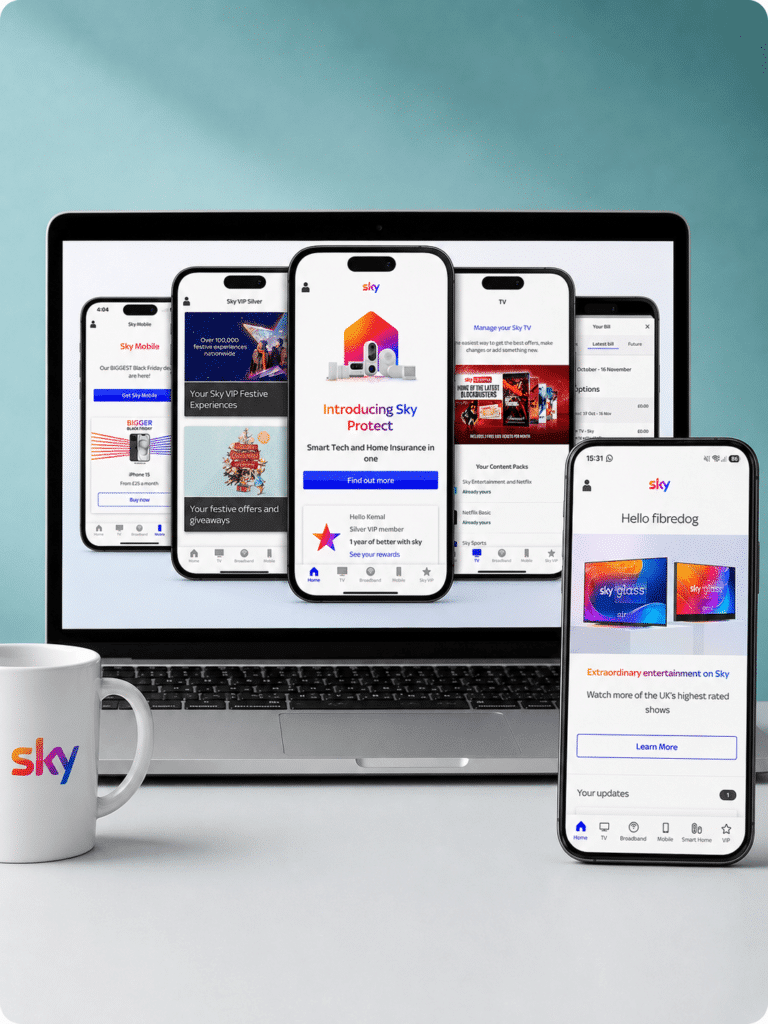
The My Sky app pictured on a laptop and mobile, saying 'hello fibredog'

Email support is available

Sky publishes mysky@sky.uk for written account notices and cancellation requests. It isn’t the fastest way to get live fault support, but it does give you a genuine email trail when you need one.

How Sky's digital support works

  1. Sign in

    Sign in to My Sky online or through the app to manage your account, bills and services.

  2. Check help articles

    Search Sky Help for billing, account, broadband, router and fault guidance.

  3. Message or call Sky

    Use Sky's human live chat and online messaging, or call the support team.

  4. Run diagnostics

    Use Sky's service checks, area fault checker and broadband diagnostics to find connection problems.

  5. Report faults

    Report a broadband problem online or through My Sky, then move to further help if needed.

What you can do on the app

The My Sky app is built for quick account and support jobs from your phone. You can check bills and account information, view your package and manage the parts of your service Sky makes available online.

Broadband support is properly integrated too. The app can run diagnostics, check your service and help identify whether a fault is already known.

You can report a broadband problem through the app and move towards further help when the automated checks don’t solve it. That makes the app useful during an outage, rather than simply another place to view your bill.

Some account changes still require direct contact, particularly cancellations. For most everyday admin and broadband support, however, the app covers most of the common jobs.

What you can do online

My Sky gives you a fuller account-management service in your browser. You can check bills and account information, manage your package and make changes without calling.

The Help Centre contains searchable articles covering broadband, routers, billing, account support, accessibility and common technical problems. Its automated chatbot is also available around the clock.

For broadband faults, you can check service status, look for area problems, run diagnostics and report the issue online. Human live chat, web messaging and phone support are available when the automated route runs out of answers.

Sky also publishes mysky@sky.uk for written account notices and cancellation requests. Written cancellation requests still require account verification, but the email route gives you a proper written record if you need one.

Sky Community

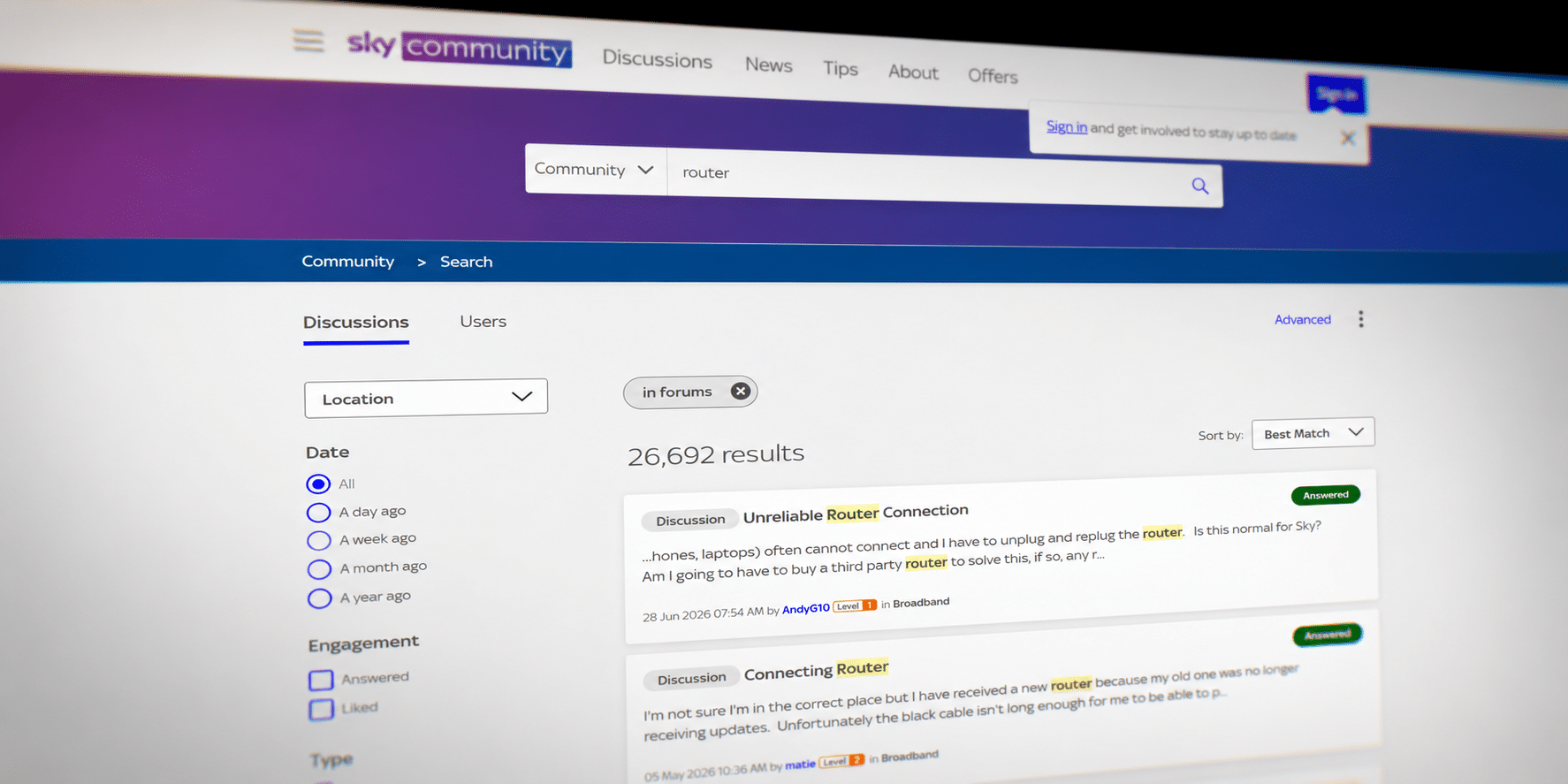
Sky Community is useful when your broadband question is too specific for an ordinary help article.

You can search existing discussions, ask other Sky users and find practical help with broadband, Wi-Fi, equipment and account problems.

Available now: Sky Community is a genuine additional support route. It can help with unusual questions, although faults still need to be reported directly to Sky.
Sky’s online support is absolutely outstanding. My Sky, the mobile app and Help Centre cover account management, billing, package changes, service checks, fault diagnostics and online reporting. Human live chat, email, phone support and the Sky Community provide clear routes forward when self-service isn’t enough. Few providers offer a digital support system this complete, practical or easy to move around in. Sky fully deserves its perfect score.

0.0 /10
Perfect!

Online help and account support score

This score reflects the quality and range of self-service tools, account management, help content, diagnostics, digital support routes and written support options.

fibredog mascot wearing a headset

Having trouble choosing a broadband provider?

No single best provider or package exists – only the best pick for you personally. Fibredog's YourMatch™ system uses thousands of provider metrics and a lot of maths to find you your perfect match.

Some links on this page may earn us a small commission if you click through and buy. This never affects either what you pay, or our scores and recommendations. If, however, you’d rather bypass affiliate links, use this direct Sky Broadband link instead.
