
THE BIG SKY BROADBAND REVIEW
Sky Broadband review: Is it any good?
Sky was once best-known for its TV service, and arguably still is. However, it serves up a substantial offering when it comes to home broadband. Our review looks at every single aspect of its service.


Having trouble choosing a broadband provider?
Fibredog’s unique Provider Matcher uses literally thousands of provider data points to find you your perfect match.
Sky Broadband overall scorecard
Six key areas. One overall score. All calculated using our transparent methodology.
Packages and speeds
Available speeds, package range, upload speeds, gaming features, working from home suitability and changing your package.
Joining, switching and cancelling
Ease of joining, credit checks, installation, compensation, switching from another provider, moving home and cancelling your service.
Customer service
Customer experience, contact options, when something goes wrong, complaints policy, help for vulnerable customers and online support.
Routers and equipment
Wi-Fi quality, Wi-Fi range, whole-home Wi-Fi, wired connectivity, router controls and using your own router.
Value for money
What comes as standard, included router value, annual price rises, the cost of upgrades and extras, end-of-contract pricing and service guarantees.
Contracts and small print
Your contract commitments, price rise terms, early-exit fees, speed guarantees, equipment ownership, restrictions, penalties and hidden catches.
Fibredog Package Speed Calculator
Enter the number of people, TVs, consoles and so on and we'll match you with the right package speed.
Fibredog Upload Speed Comparison
Compare any provider's upload speeds with any other as absolute numbers or as a ratio of download speed.
Fibredog Package Change Rules Checker
Answer a few simple questions to see if you should upgrade, downgrade or switch.
Fibredog Interactive Customer Experience Chart
Use the buttons to examine this provider's customer experience performance in every dimension.
Fibredog Router Comparison Tool
Compare this provider's routers with each other, or with any other national provider.
Fibredog Whole Home Wi-Fi Calculator
Calculates whether you need additional mesh routers, how many, and even where you should put them.
Fibredog Router Range Estimator
Provides a visual mock-up of how Wi-Fi is likely to behave in your home with this provider's routers.
Fibredog Exit Fees Calculator
Tell us who you're currently with and how long there is left on your contract, and we will tell you your early exit fees.
Fibredog Broadband Buyout Calculator
Check whether you're in the zone where you can make good use of this provider's broadband buyout offer.
Fibredog Annual Price Rise Comparison
See how much each of these provider's packages will go up every April and compare that to any other provider.
Fibredog Rollover Price Calculator
Tell us who you're with and what you're paying and we will tell you how much your price will go up when your contract ends.
Fibredog Speed Guarantees Test
Tell us who you're with and we will check if they're delivering you the minimum speed they promised.
Joining, switching and cancelling
Getting broadband into your home involves more than choosing a speed and waiting for the router. Here, we’re looking at how easy Sky makes it to join, what happens during installation and switching, how it handles a home move and how much friction you face when you want to leave.
Sky is exceptionally easy to join, provided you know what you want
Sky lets you check availability, compare packages and complete the entire order online. Prices, speeds, extras and important terms are shown before you commit, with no compulsory phone call hidden halfway through the checkout.
If you need help, you can order by phone, request a callback or speak to someone through live chat. Sky also confirms whether you’ll need an engineer, giving you every sensible ordering route without making any one of them mandatory.
INTERACTIVE TOOL
What could your broadband bill roll on to?
Estimate what your monthly broadband price could look like by the end of your minimum term, and what it will jump to if you let the deal roll over.
Step 1: Choose your provider and package
Start by choosing your broadband provider, then select the package your contract is based on.
Step 2: Tell us the starting month of your contract and what you pay
Use the first full monthly price before any mid-contract April increases.
Step 3: Estimate the rollover shock
This is an estimate. Your provider’s end-of-contract notice will be the exact figure.
Your estimate
Where would you like to go next?
Sky explains its credit check well, but offers few alternatives
Sky tells you before completing the order that it may carry out a hard credit search. That clarity is welcome because the search can appear on your credit file and be visible to other lenders.
The difficulty comes if Sky won’t accept you. There’s no no-credit-check package or guaranteed upfront-payment alternative, while its social tariff is restricted to qualifying existing account holders. Sky may request a deposit or impose credit controls, but those decisions remain entirely at its discretion.
One Touch Switch removes most of the work from changing provider
Join Sky through One Touch Switch and it’ll contact your old provider, arrange the transfer and end your previous broadband service when the switch completes. You shouldn’t need to make a separate cancellation call, and Sky can also arrange to transfer an eligible landline number.
Sky offers up to £200 towards the early termination charges from your old provider. You must pay your old provider first, though, then submit your final bill and proof of payment within 90 days of activation. Sky applies the approved amount as account credit rather than cash.
COMPARISON CHART
How much will Sky Broadband pay to buy you out?
This chart shows which providers currently offer broadband contract buyout, and how much they may pay toward leaving your old contract.
Broadband contract buyout by provider
Maximum buyout amount by provider
Where would you like to go next?
The national average benchmark only includes providers that currently offer broadband contract buyout in our database.
Moving is simple when Sky can provide the same service at your new address
Sky asks for at least 14 days’ notice and can transfer your existing broadband contract without automatically restarting its minimum term. Charges may apply if the new property needs installation work, but Sky must confirm them before completing the move.
If your current package isn’t available at the new address, you can choose another available package or leave without paying an early termination charge. A package change or new offer can start a fresh minimum term, so check your confirmation email carefully.
Cancellation is possible online, but Sky doesn’t make every route equally easy
You can cancel Sky Broadband through adviser-assisted online messaging, by phone or in writing. Online cancellation doesn’t require a follow-up call, although there’s no self-service button in My Sky that lets you choose an end date and leave without speaking to anyone.
Sky requires 31 days’ notice, and leaving during your minimum term normally triggers an early termination charge averaging about 48% of the remaining standard payments. You must also return Sky’s equipment within 30 days, although packaging, postage and collection are provided free.
Cancelling Sky Broadband at a glance
A quick view of the routes, notice periods, fees and equipment-return rules you may need to deal with.
Installation is smooth when the property is ready for it
Some Sky orders are effectively self-installed, while others require an engineer to fit or activate the Full Fibre connection if you don't already have one. You’re responsible for providing access and securing any permission required from a landlord, property owner or building manager.
If installation proves technically impossible, Sky refunds the money already paid. It also participates in automatic compensation, covering qualifying activation delays and missed engineer appointments without requiring you to negotiate over what the disruption was worth.
Customer service
You usually discover how good a provider’s support is at the exact moment something has gone wrong. Here, we’re looking at Sky’s measured service record, how easily you can get help, what happens when your broadband fails and whether its complaints and accessibility support are genuinely useful.
Sky’s service record is reassuring without being exceptional
Sky performs well in Ofcom’s figures. Overall satisfaction is above average, complaints to Ofcom remain comfortably below average and satisfaction with complaint handling is also better than most. Call waiting has improved enormously too, falling to well under a minute in the latest results.
Its Trustpilot score has more than doubled, but an enormous increase in review numbers makes that improvement difficult to interpret cleanly. One-star ratings still dominate, leaving Sky with a good measured record rather than an outstanding one.
INTERACTIVE CHART
Interactive Sky Broadband customer experience chart
You can use the various buttons here to see the Sky Broadband customer experience in a number of different ways.
Overall service satisfaction
Ofcom satisfaction with service overall
Sources: Ofcom, Trustpilot.
Sky gives you almost every practical way to get help
You can reach Sky by phone, human live chat, online messaging, email and official social channels, or ask for peer support through the Sky Community. Phone lines operate from 8am to 9pm every day, giving you 91 staffed hours each week.
My Sky, online fault checks and dedicated complaint and accessibility contact routes add further options. So Sky doesn’t force every problem through one catch-all channel. Rather, it provides a dedicated route for almost every kind of support you’re likely to need.
Support channels at a glance
Sky Broadband gives customers several ways to get help. This view shows which practical contact, account and fault-support routes are recorded in the fibredog dataset.
Checked from live provider data. Fibredog tracks contact routes, account tools and fault-help options separately, so this information updates soon after anything changes.
Sky gives you a clear route from diagnosis to repair
Sky’s service-status checks, online diagnostics and My Sky tools can identify known outages and investigate problems with your connection. If they don’t solve it, you can report the fault online, through the app, by live messaging or by phone.
Automatic compensation covers qualifying service losses, delayed activation and missed appointments. The one significant omission is proper 4G or 5G broadband backup. Sky does offer a small mobile-data allowance in some circumstances, though, provided you're a Sky Mobile customer, so that's something.
Sky’s support for vulnerable people is exceptionally complete
Sky offers priority fault repair for qualifying customers, nominated contacts, accessible bills and correspondence in Braille, large print or audio. Text Relay and British Sign Language support provide practical alternatives when an ordinary phone call isn’t suitable.
Dedicated help is also available for financial difficulty and bereavement, while eligible households can access Sky’s social tariff. We couldn’t identify a meaningful gap in one of the most complete vulnerable-user support services we’ve reviewed.
Accessible complaints support
Sky provides accessible complaint handling, including Relay UK for people with hearing or speech impairments, alternative-format copies of its complaints code, and extra help through its accessibility team for registered customers.
Sky’s complaints process gives you a clear route forward
You can complain through online messaging, by phone or by post, and Sky aims to respond and agree a resolution within ten days. Its complaints code also explains how to escalate the matter when the first answer doesn’t resolve it.
If the complaint remains unresolved for eight weeks, or Sky issues a deadlock letter sooner, you can take it to CISAS for independent adjudication. The routes, timescales and final destination are all unusually easy to find.
 Free to use
Independent ADR provider
If Sky can’t resolve your complaint, CISAS is the approved ADR scheme for its broadband services.
- 70 Fleet Street, London EC4Y 1EU
- 0207 520 3814
- cisas@cedr.com
- cedr.com/cisas
My Sky handles most everyday account and support jobs well
My Sky and the My Sky app let you check bills, manage payments, view your package, complete supported account changes and run broadband diagnostics. Sky’s Help Centre adds searchable guidance, service-status checks, fault reporting and a 24-hour automated chatbot.

Human live chat, online messaging, email, phone support and the Sky Community are available when self-service runs out of answers. Some changes, particularly downgrades and cancellations, still require direct contact, but Sky’s overall digital support is exceptionally complete.
Having trouble choosing a broadband provider?
Fibredog's unique Provider Matcher uses literally thousands of provider data points to find you your perfect match.
Routers and equipment
Your broadband speed only matters if the router can deliver it where you use it. Sky supplies three very different hubs, ranging from dated Wi-Fi 5 hardware to one of the most capable provider routers available, but your package and extras determine which one you receive.
Sky’s standard router is capable enough, but long in the tooth
The standard Sky Broadband Hub uses Wi-Fi 5, supports up to 64 devices and provides four Gigabit Ethernet sockets. It remains perfectly usable in an ordinary home, but lacks WPA3, 6GHz Wi-Fi and several features found on newer hardware.
WiFi Max provides the most obvious upgrade, replacing it with the Wi-Fi 6 Sky Max Hub. Sky’s exceptional Wi-Fi 7 Gigafast+ Hub towers above both in its specifications. It now comes with Full Fibre 1.6 Gbps over Openreach as well as Sky’s 2.5Gbps and 5Gbps CityFibre packages, making the best Sky router available to considerably more homes.
INTERACTIVE TOOL
Compare routers from any provider
This provider’s routers are pre-selected for comparison with one another. However, you can use this tool to compare any router from any major provider using the dropdown menus below.
| Feature | Choose router | Choose router |
|---|---|---|
| Fibredog rating | — | — |
| Router included as standard | — | — |
| Router manufacturer | — | — |
| Router model | — | — |
| Wi-Fi standard | — | — |
| Wi-Fi bands | — | — |
| 2.4GHz supported | — | — |
| 5GHz supported | — | — |
| 6GHz supported | — | — |
| Beamforming | — | — |
| Antenna count | — | — |
| Maximum connected devices | — | — |
| Stated coverage | — | — |
| Total Ethernet ports | — | — |
| MU-MIMO | — | — |
| OFDMA | — | — |
| WPA3 security | — | — |
| Guest network | — | — |
| Antenna type | — | — |
| Gigabit Ethernet ports | — | — |
| 2.5Gb Ethernet ports | — | — |
| 5Gb Ethernet ports | — | — |
| 10Gb Ethernet ports | — | — |
| WAN port speed | — | — |
| USB ports | — | — |
| Telephone ports | — | — |
| ONT Ethernet input | — | — |
| Coaxial input | — | — |
| Power connection | — | — |
| Mesh support | — | — |
| Provider mesh product | — | — |
| Third-party router use | — | — |
| Modem mode | — | — |
| Compatible broadband technology | — | — |
| App management | — | — |
| Parental controls | — | — |
| QoS | — | — |
| Automated QoS | — | — |
| Device prioritisation | — | — |
| Anti-bufferbloat controls | — | — |
| Manual queue management (SQM/CAKE) | — | — |
| Smart channel selection | — | — |
| Security features | — | — |
| Gamer mode | — | — |
| Game traffic prioritisation | — | — |
| Gaming QoS profiles | — | — |
| Server ping routing tools | — | — |
| Latency dashboards | — | — |
| Per-device gaming presets | — | — |
| Gaming VPN routing features | — | — |
| Work from home mode | — | — |
| Automatic firmware updates | — | — |
| Firmware update notes | — | — |
| Router height | — | — |
| Router width | — | — |
| Router depth | — | — |
| Router weight | — | — |
| Power consumption | — | — |
| Router orientation | — | — |
| Wall mountable | — | — |
| Router colour | — | — |
| Self-installation | — | — |
| Browser admin interface | — | — |
| WPS | — | — |
| Status light control | — | — |
| Reset button | — | — |
| Wi-Fi on/off button | — | — |
| Where would you like to go next? | See all tools | See all tools |
Sky WiFi Max is great, but it’s another paid add-on
WiFi Max combines the Wi-Fi 6 Sky Max Hub with a room-by-room speed guarantee and access to as many as three Sky Max Pods if the promised speeds aren’t achieved. It’s a proper whole-home system rather than a vague claim that the router should reach everywhere.
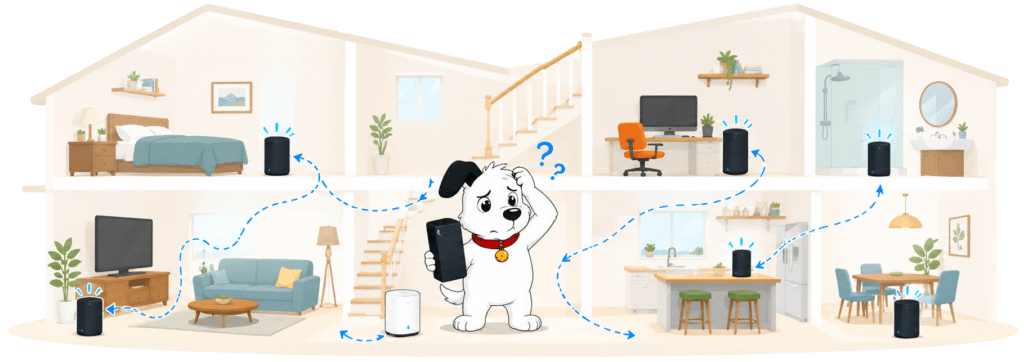
The problem is cost. Ordinary Full Fibre packages don’t include WiFi Max, and you don’t receive a any pods automatically. It's very good once you have it, but it still means the most useful Wi-Fi upgrades sit behind a paywall, and with the standard router now feeling very old-hat, the system comes scarily close to creating the problem then selling you the solution.
INTERACTIVE TOOL
Whole Home Wi-Fi Calculator
Just follow these simple steps and we will calculate how many, if any, ‘Whole Home Wi-Fi’ pods you will need from your provider.
Start here. Work through the steps in order.
Step 1: Agree to M-Lab’s data policy
M-Lab stores test data, including your IP address. Tick to agree before testing.
Step 2: Connect to your home Wi-Fi
Make sure the phone, tablet or laptop you are using is connected to your home Wi-Fi network.
Step 3: Turn mobile data off
If your device has mobile data, turn it off before you start walking around the house.
Step 4: Test next to your router
Stand next to your main Wi-Fi router and press the button below. This gives us your baseline speed.
Step 5: Test your ground floor corners
Walk to each corner of your ground floor and run a test. If your home is not a perfect rectangle, do not overthink it. Just pick four sensible far-apart spots and keep the same numbering if you add another floor.
Last step: Add another floor or calculate
If you have another floor to test, add it below. If you have tested every floor you care about, press calculate.
Your Whole Home Wi-Fi result
Where would you like to go next?
All of Sky's routers offer decent range
All three Sky hubs use eight internal antennas, beamforming and both 2.4GHz and 5GHz Wi-Fi. The Gigafast+ Hub adds 6GHz, which can provide exceptional speeds nearby but loses integrity through walls more quickly than either lower-frequency band.
That makes 6GHz a local speed upgrade rather than a whole-home coverage solution. The Sky Max Hub offers the most sensible balance for an ordinary home, while Sky Max Pods are the equipment that actually extends coverage into difficult rooms.
INTERACTIVE TOOL
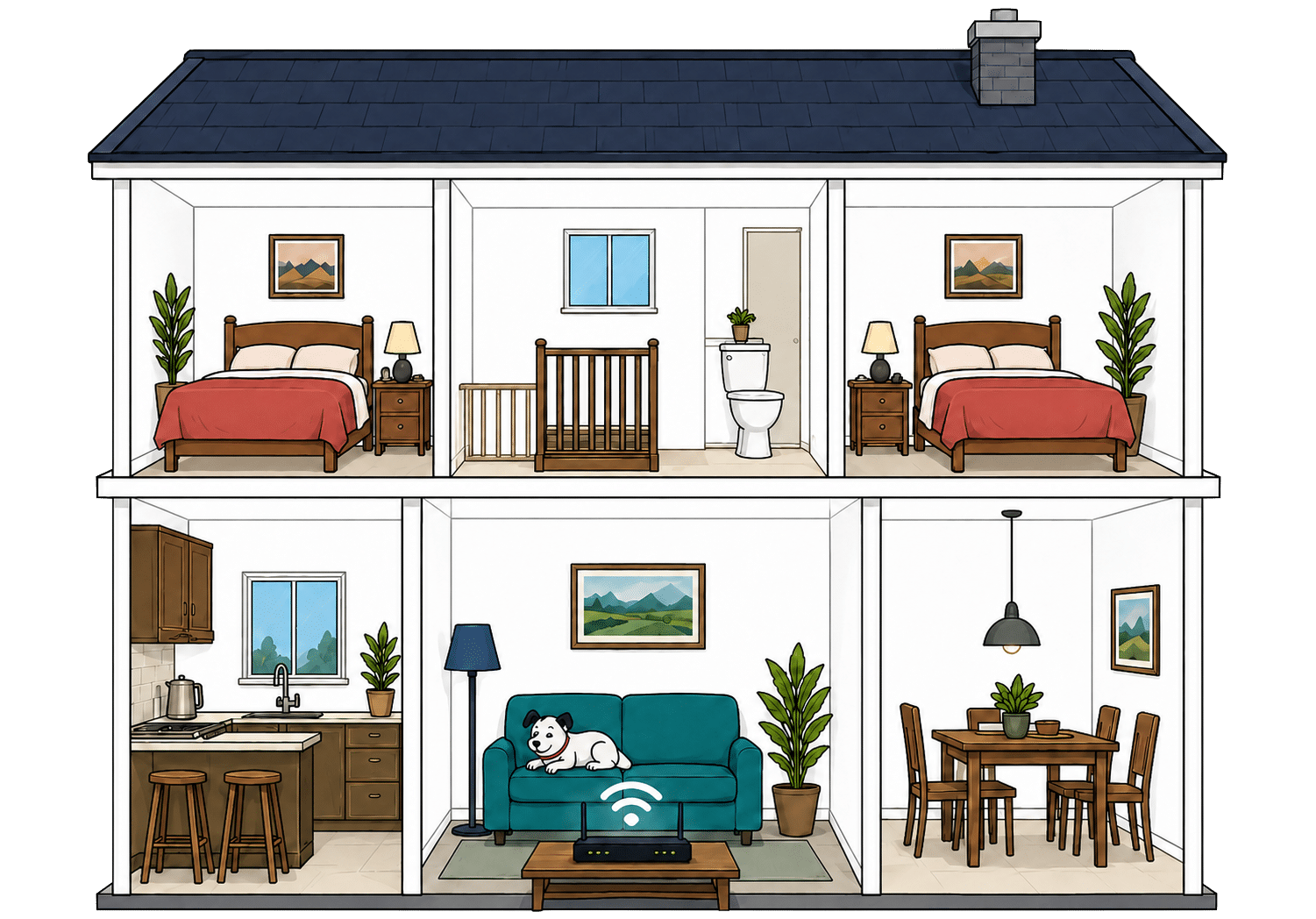
Router range estimator
See how wall materials and router choice affect the quality of Wi-Fi around a typical home.
Where would you like to go next?
Sky provides plenty of sockets for wired devices
The Sky Broadband Hub and Sky Max Hub each have four Gigabit Ethernet sockets. One is used to connect the router to the Full Fibre ONT, leaving three available for devices such as a TV, games console and desktop computer.
The Gigafast+ Hub adds a dedicated 10Gbps WAN port, three Gigabit Ethernet sockets and a separate 10Gbps LAN port. That means it can actually pass multi-gigabit speeds to one compatible wired device rather than advertising broadband its own equipment can’t deliver.
How a simple wired Sky broadband network works
Plugging devices directly into your router gives them a steadier connection than Wi-Fi. These router diagrams show the physical Ethernet ports, including any ONT or internet port used by the broadband connection itself.
Check which port is the internet input before counting how many wired device ports you have spare.
Use the fastest spare LAN port for the device or switch that needs the most speed.
The everyday controls are useful, but advanced options are limited
Sky’s newer hubs provide app-based device management, profiles, schedules, parental controls and the ability to pause devices. WiFi Max also adds Sky Device Priority, while browser-based settings remain available for jobs that don’t belong in the app.
There’s no conventional user-configurable QoS, dedicated gaming control or guest Wi-Fi on any current Sky hub. That last omission is particularly difficult to explain because even the expensive Gigafast+ Hub can’t create a separate network for visitors.
Sky Broadband router controls at a glance
Here’s a quick look at the router controls you can expect, including app management, browser admin tools, Wi-Fi settings, security features and the physical buttons on the router itself.
Checked from manufacturer specifications. Fibredog tracks dozens of router specification parameters across dozens of provider routers. When a provider changes its router or features, this table is swiftly updated.
Using your own router is extremely straightforward
Sky lets you replace its supplied hub with a compatible third-party router connected directly to the Full Fibre ONT. You don’t have to leave the Sky hub in place or rely on an awkward bridge mode workaround.
You’re responsible for compatibility, connection settings and making sure your router’s ports can handle your package speed. You’ll also lose Sky-managed features, but otherwise Sky places remarkably few obstacles in your way.
Value for money
Value for money isn’t simply a question of finding the lowest monthly price. It also depends on what Sky includes, what costs extra, how prices can change during the contract and what happens when your introductory discount ends.
Sky covers the essentials, but plenty still costs extra
Every Sky package includes unlimited usage, a suitable hub, automatic firmware updates and Sky Broadband Shield. That gives you network-level security and parental controls without requiring another subscription.
The standard package is otherwise fairly lean. WiFi Max contains most of Sky’s desirable extras, including the room-by-room guarantee, Sky Advanced Security and Sky Device Priority. There’s no provider email or broadband backup, and Sky Talk (a digital landline) costs extra.
What you get with Sky Broadband
Here’s what's included as standard, what may cost extra, and what's only free on top-end packages.
Standard kit versus paid extras
This table separates everyday included features from extras that may depend on package tier, router choice or paid add-ons.
Good to know: Included features are easier to compare because you won’t need to budget for them separately.
Worth checking: Some useful extras may only be included on selected packages or as paid add-ons.
Sky’s latest price increase was modest, but future rises remain unpredictable
Sky increased its current broadband packages by £3 per month in April 2026, which was below the provider average. However, that amount isn’t written into the contract as a fixed annual formula or ceiling.
Sky reserves the right to decide future increases, making the total minimum-term cost difficult to calculate in advance. If it introduces an increase you didn’t agree to when signing up, you’ll normally have the right to leave without early termination charges.
INTERACTIVE CHART
How much will your bill rise by?
This interactive chart shows how much this provider adds to its package prices each April, and lets you compare that with literally any other provider in our database.
Package annual price rises
April price rise shown package by package
The provider-average benchmark is calculated from each provider that applies an annual price rise. Fixed-price providers are shown in the chart but are excluded from the benchmark.
WiFi Max is the main extra worth thinking about
WiFi Max adds the room-by-room Wi-Fi guarantee, potential Sky Max Pods, Sky Advanced Security, Sky Device Priority and enhanced access to Sky engineers. And you'll get the far-better Sky Max Hub, making it a substantial upgrade rather than a token collection of extras.
Sky Broadband Shield is already included, while Sky Talk remains optional. Broadband backup, a residential static IP and a new Sky email address aren’t available at any price, so don’t waste time searching Sky’s extras for those features.

Sky’s end-of-contract price increase is enormous
When your 24-month minimum term ends, the introductory discount disappears and Sky moves you onto its standard rolling price. Across the nine Full Fibre packages examined, that produced an average increase of 89%.
Sky warns you before the contract ends and lets you recontract online, but neither feature makes the rollover price acceptable. Compare the renewal offer with Sky’s current packages and other providers, then renew, change package or leave before the higher rate takes over.
INTERACTIVE TOOL
What could your broadband bill roll on to?
Estimate what your monthly broadband price could look like by the end of your minimum term, and what it will jump to if you let the deal roll over.
Step 1: Choose your provider and package
Start by choosing your broadband provider, then select the package your contract is based on.
Step 2: Tell us the starting month of your contract and what you pay
Use the first full monthly price before any mid-contract April increases.
Step 3: Estimate the rollover shock
This is an estimate. Your provider’s end-of-contract notice will be the exact figure.
Your estimate
Where would you like to go next?
Sky’s service guarantees have useful substance
Sky gives you a personalised Guaranteed Minimum Download Speed and 30 days to resolve a persistent failure. If it can’t restore the promised speed, you can move to an available slower package or leave without early termination charges.
WiFi Max adds a precise 10 or 25Mbps room-by-room guarantee (depending on your package speed), while Sky’s automatic compensation scheme and 48-hour repair guarantee cover other failures. These protections are valuable, provided you use the right guarantee for the right kind of problem.
INTERACTIVE TOOL
Are you getting your minimum guaranteed speed?
Choose your provider and package, then run a speed test. For the cleanest test of the broadband speed coming into your home, plug a laptop or desktop directly into your router with a LAN cable. You can also test on a phone or tablet to check Wi-Fi speed, but make sure mobile data is switched off first.
Choose your provider and package
Choose your provider and package so we can compare the test result with the package's minimum guaranteed download speed.
Before you test
For an absolute line-speed check, use a computer connected to the router by Ethernet. If you test over Wi-Fi, the result may reflect your in-home Wi-Fi as much as the broadband line itself.
Run the speed test
Ready. Select a package, tick the data policy box, then run the test.
Your result
Where would you like to go next?
This tool uses M-Lab’s open measurement platform. A single speed test is a useful check, but it is not a formal fault diagnosis.
Router value depends entirely on which Sky hub you receive
Sky’s standard Broadband Hub uses ageing Wi-Fi 5 technology and is merely adequate. The Wi-Fi 6 Sky Max Hub is much better, but generally requires the paid WiFi Max add-on on ordinary packages.
At the top, the tri-band Wi-Fi 7 Gigafast+ Hub is exceptional, with 6GHz Wi-Fi and two 10Gbps Ethernet ports. Sky now supplies it with Full Fibre 1.6 Gbps over Openreach as well as its 2.5Gbps and 5Gbps CityFibre packages. That makes the company’s best router much more widely available, although 1.6Gbps remains far more speed than an ordinary home needs. Seriously, it's far to fast to be useful in any way, though we do give Sky some credit for this sort of chutzpah.
Having trouble choosing a broadband provider?
Fibredog's unique Provider Matcher uses literally thousands of provider data points to find you your perfect match.
Some links on this page may earn us a small commission if you click through and buy. This never affects either what you pay, or our scores and recommendations. If, however, you’d rather bypass affiliate links, use this direct Sky Broadband link instead.
