
THE BIG PLUSNET REVIEW

Plusnet broadband review: Is it any good?

Once the groovy independent, it’s fair to say the Plusnet brand has seen better days. Nevertheless, its now one of only a couple of providers that’ll let you join without a credit check. Let’s take a proper look.


By Data checked  Checked weekly
fibredog dog mascot wearing a lab coat and looking at the Plusnet logo under a microscope to denote our Plusnet broadband review
fibredog mascot wearing a headset

Having trouble choosing a broadband provider?

Fibredog’s unique Provider Matcher uses literally thousands of provider data points to find you your perfect match.

Plusnet overall scorecard

Six key areas. One overall score. All calculated using our transparent methodology.

Packages and speeds

Available speeds, package range, upload speeds, gaming features, working from home suitability and changing your package.

7.6/10

Joining, switching and cancelling

Ease of joining, credit checks, installation, compensation, switching from another provider, moving home and cancelling your service.

7.5/10

Customer service

Customer experience, contact options, when something goes wrong, complaints policy, help for vulnerable customers and online support.

7.7/10

Routers and equipment

Wi-Fi quality, Wi-Fi range, whole-home Wi-Fi, wired connectivity, router controls and using your own router.

6.5/10

Value for money

What comes as standard, included router value, annual price rises, the cost of upgrades and extras, end-of-contract pricing and service guarantees.

5.8/10

Contracts and small print

Your contract commitments, price rise terms, early-exit fees, speed guarantees, equipment ownership, restrictions, penalties and hidden catches.

6.5/10

Packages and speeds

Five clearly named Full Fibre packages cover average download speeds from 74Mbps to 900Mbps. The range is easy to understand and should suit almost any household. Look beyond the download figures, though, and Plusnet becomes less impressive. Uploads are modest, the Hub Two is dated and useful package extras are almost entirely absent.

Five sensible speeds with a job to do

Full Fibre 74 covers light use, while 145Mbps and 300Mbps give smaller households more room. Full Fibre 500 is the comfortable choice for a normal device-filled home, and 900Mbps tackles huge downloads and properly busy households without breaking a sweat.

The progression makes sense, with no pointless near-duplicates or glaring holes. Plusnet also names each package after its advertised speed, so you know exactly what you’re comparing. It’s an exceptionally clear and practical Full Fibre line-up.

INTERACTIVE TOOL

Which Plusnet speed is right for me?

Tell us about your household and we will tell you the exact best-fit broadband package from Plusnet.

Start here. Adjust the numbers, then calculate your result.

Step 1: Tell us what is in your home

Use the buttons below to tell us how many people and connected devices your household has.

People
0
TVs
0
Consoles / gaming PCs
0
Non-gaming computers
0
Mobiles
0
Smart devices
0

Step 2: Calculate your best-fit package

Once you are happy with the numbers above, press calculate and we will match your household to the closest Plusnet package.

Your result

Recommended package Estimated need: Includes headroom
Good fit

This speed is ideal for:

    Where would you like to go next?


    Simple to compare, painfully bare

    Plusnet’s five packages are sensibly spaced and easy to compare. Every speed gets the same router and security tools, so you don’t need to buy more broadband simply to unlock features that should have been included anyway.

    Unfortunately, the standard offering is desperately thin. Every package gets the ageing Wi-Fi 5 Hub Two, with no premium router, mesh system, Wi-Fi guarantee or broadband backup available. Plusnet hasn’t refined its packages around the essentials. It has stripped almost everything away.


    Uploads are adequate, but badly outpaced

    Upload speeds run from 20Mbps to 115Mbps and should comfortably handle video calls, gaming, cloud saves and ordinary photo sharing. Plusnet’s average upload-to-download balance also sits above our national-provider benchmark, so the overall picture is respectable rather than poor.

    The balance worsens with every faster package, though. Full Fibre 900 combines 900Mbps downloads with just 115Mbps uploads, and Plusnet offers no symmetrical package or paid upgrade. Large backups, video uploads and serious file sharing expose a range designed mainly for receiving data.

    INTERACTIVE CHART

    How much upload speed do you get?

    This interactive chart allows you to see not only how upload speeds for this provider compare to its download speeds (the ratio), but also to compare the upload speeds of this provider with any provider in our database.

    Provider N/A Choose a provider
    National average N/A The national average based on 8 national providers.
    Compare provider N/A Choose another provider

    Package upload ratios

    Upload speed shown as a percentage of download speed

    Package view

    Symmetrical packages are shown in provider results, but excluded from the national-average benchmark and providers' own averages unless symmetrical upload speeds are common and available to all customers.

    The connection suits gaming better than the router

    Plusnet Full Fibre should deliver low latency, little variation and enough speed for online gaming on every package. It can also give time-sensitive traffic automatic priority, helping games, internet calls and VPN connections avoid delays when the line is busy.

    The Hub Two has no Game Mode, gaming profiles, anti-bufferbloat controls or latency tools. Its ageing Wi-Fi may also struggle to reach a distant console, with no Plusnet mesh upgrade available. Use Ethernet where possible or expect to buy your own mesh system.

    AT A GLANCE

    Plusnet routers have no specific gaming features

    You can still game on these routers, especially over Ethernet, but they don't appear to include dedicated gamer-focused controls.

    Gaming feature
    Plusnet Hub Two
    Dedicated gamer mode
    No
    Game traffic prioritisation
    No
    Anti-bufferbloat controls
    No
    Gaming QoS profiles
    No
    Server/ping routing tools
    No
    Latency dashboards
    No
    Per-device gaming presets
    No
    Gaming VPN/routing features
    No
    Manual queue management like SQM/CAKE
    No

    No specific gaming tools

    These routers look like standard broadband routers for gaming. They may still be fast enough, but they don't appear to include dedicated gaming modes, traffic priority systems or advanced latency management.

    Plusnet Hub Two

    Still usable for gaming: speed, Ethernet and decent Wi-Fi can be enough for many homes.

    No dedicated gaming controls: you don't get specific router tools for prioritising games or managing latency.


    Fine for home working, risky for a home business

    Email, cloud systems, research and video calls need far less speed than most people imagine. Even Plusnet’s slower packages can support ordinary remote work, while its Full Fibre connection should remain responsive enough for calls and shared online systems.

    Large outgoing files expose the modest uploads, and the Hub Two may struggle to reach an awkwardly placed office. More importantly, there’s no mobile broadband backup if the line fails. Plusnet is fine for everyday home working, but difficult to recommend when being offline means losing money.


    Plusnet lets you pay less as well as more

    You can move between Plusnet’s Full Fibre speeds in either direction, including during your minimum term. Upgrades and downgrades are both available through My Account, with no advance notice required. That’s unusually fair in a market where paying more is normally much easier than paying less.

    A package change can start a new minimum term, although Plusnet may instead carry over the time remaining on your existing agreement. Check the confirmation before accepting. That caveat barely dents an excellent policy that lets you correct a poor initial choice without being trapped by it.

    INTERACTIVE TOOL

    Broadband Package Change Checker

    Check whether your provider lets you upgrade or downgrade your broadband package, and what to watch before you agree.

    Step 1: Which provider are you currently with?

    We have selected the provider from this page, but you can switch it below.

    Step 2: What are you trying to do?

    Choose whether you want to move to a faster package or reduce what you pay for broadband.

    Step 3: What are you trying to change?

    Choose upgrade or downgrade first, then pick the closest reason.

    Step 4: Are you still inside your minimum contract term?

    Mid-contract changes are where the stricter rules apply.

    Step 5: What’s the situation?

    Once you have answered the questions above, we will show the package-change rules for your provider.

    Your package change result

      Where would you like to go next?

      Plusnet packages and speeds scorecard

      Six key areas. One overall score. All calculated using our transparent methodology.

      Available speeds

      The range of download speeds available across the provider's packages.

      9.2/10

      Package range

      The breadth and flexibility of the provider's package range.

      7.0/10

      Upload speeds

      How the provider's upload speeds compare with its download speeds.

      7.7/10

      Gaming features

      How well the service supports gaming, and whether dedicated gaming features are present.

      5.5/10

      Plusnet offers five sensibly spaced Full Fibre speeds, clear package names and one of the fairest package-changing policies around. Uploads are adequate and the connection should suit gaming and home working well. The ageing Hub Two, complete absence of whole-home Wi-Fi and painfully thin collection of extras stop an excellent speed ladder becoming an equally impressive package range.

      0.0 /10
      Overall score

      Packages and speeds score

      This score brings together available speeds, package range, upload speeds, gaming features, working from home and changing your package.

      Joining, switching and cancelling

      You can join Plusnet entirely online, switch through One Touch Switch and leave without making a cancellation call if another provider handles the move. Several unusually fair policies sit beneath that simple journey, including no broadband credit check and excellent automatic compensation. Moving home and cancelling involve more friction, while Plusnet offers nothing towards your old provider’s exit fee.

      The online order really is online

      Enter your postcode, check the available Full Fibre packages and complete the whole order online. Plusnet doesn’t funnel you towards a salesperson at the final step. Telephone ordering is also available if you need to discuss installation or switching before committing.

      The missing options are live chat and a sales callback. That leaves you choosing between doing everything yourself online or making a phone call. Those routes cover the essentials, but Plusnet gives you less choice than providers offering more flexible sales support.

      INTERACTIVE TOOL

      What could your broadband bill roll on to?

      Estimate what your monthly broadband price could look like by the end of your minimum term, and what it will jump to if you let the deal roll over.

      Step 1: Choose your provider and package

      Start by choosing your broadband provider, then select the package your contract is based on.

      Provider
      Package

      Step 2: Tell us the starting month of your contract and what you pay

      Use the first full monthly price before any mid-contract April increases.

      Contract start month

      Step 3: Estimate the rollover shock

      This is an estimate. Your provider’s end-of-contract notice will be the exact figure.

      Your estimate

        Where would you like to go next?


        Plusnet leaves your credit file alone

        Plusnet doesn’t run a credit check for residential broadband. Applying won’t add a hard search to your credit file, and damaged or limited credit history won’t be used to reject your order. Among major providers, that’s exceptionally rare and genuinely valuable.

        The first month’s payment is ordinary advance billing, not a poor-credit deposit or a way around a failed assessment. Plusnet’s obvious omission is a social tariff for people receiving qualifying benefits. Eligibility is unusually open, but affordability support remains disappointingly absent.


        Plusnet handles the switch, but not your old bill

        One Touch Switch lets Plusnet contact your existing provider and coordinate the transfer, removing the need to cancel the old service yourself. Delayed activation and missed appointments receive automatic compensation, while an existing landline number can be transferred if you add Plusnet’s optional phone service.

        Plusnet offers no switching credit or contract buyout. If your old minimum term hasn’t ended, its early-exit fee remains entirely yours. That omission can make switching early poor value, particularly when several competitors will help cover the cost of leaving.

        COMPARISON CHART

        How much will Plusnet pay to buy you out?

        This chart shows which providers currently offer broadband contract buyout, and how much they may pay toward leaving your old contract.

        Provider N/A Maximum broadband contract buyout offered by this provider.
        National average N/A The national average buyout amount among providers that offer it in our database.
        Providers N/A providers currently offer broadband contract buyout in our database.

        Broadband contract buyout by provider

        Maximum buyout amount by provider

        Provider view

        Where would you like to go next?

        The national average benchmark only includes providers that currently offer broadband contract buyout in our database.

        A free home move buys another contract

        Plusnet asks for four weeks’ notice before you move, which is inconveniently long when completion dates and rental arrangements can change quickly. It then checks the new address and arranges any installation needed to transfer your broadband.

        Starting a fresh minimum term normally removes the home-move fee, while keeping your existing agreement can cost extra. That isn’t truly a free move. If Plusnet can’t supply your existing service at the new address, however, you can leave without an early-exit fee.


        Fair cancellation rules with dated practicalities

        Plusnet accepts cancellation by telephone or post and requires 14 days’ notice. There’s no complete online route, despite broadband being available to buy online. Posting a printed form is a thoroughly dated alternative, although One Touch Switch removes that problem when another provider handles your move.

        Early-exit charges reflect the costs Plusnet saves rather than demanding every remaining payment in full. Returning the Hub Two is less considerate. Plusnet covers postage but gives you 14 days to find packaging, generate a label and visit a Post Office, with no free collection service.

        AT A GLANCE

        Cancelling Plusnet at a glance

        A quick view of the routes, notice periods, fees and equipment-return rules you may need to deal with.

        Rule
        Status
        Customer impact
        Notice and routes
        Notice period
        14 days
        Helpful
        Online cancellation
        No
        Restrictive
        Phone cancellation
        Yes
        Helpful
        Postal cancellation
        Yes
        Helpful
        Phone call required
        No
        Helpful
        Cooling-off period
        14 days
        Helpful
        Early exit fees
        Early exit fee during minimum term
        Yes
        Restrictive
        Early exit fee calculation
        40% of remaining charges
        Neutral
        Fee capped at remaining contract value
        Yes
        Helpful
        Future price rises included in fee
        Yes
        Restrictive
        Equipment returns
        Equipment return required
        Yes
        Restrictive
        Return packaging provided
        No
        Restrictive
        Return label provided
        Yes
        Helpful
        Free equipment return
        Yes
        Helpful
        Equipment collection
        No
        Restrictive
        Return deadline
        14 days
        Neutral
        Non-return fee
        Yes
        Restrictive
        Easier for customers
        Standard or depends on context
        Can add cost, effort or pressure
        cancellation dog 1

        Installation problems come with proper protection

        A working Openreach Full Fibre line can usually be activated remotely, while a new connection may need an engineer or survey. If unexpected work is required, Plusnet explains the delay and any additional charge before you decide whether to proceed.

        Qualifying activation delays and missed appointments earn automatic compensation without a separate claim. Plusnet also refunds applicable payments when installation proves impossible. You remain responsible for access and property permissions, but failures belonging to Plusnet or Openreach are handled exceptionally well.

        Plusnet join, switch, cancel scorecard

        Six key areas. One overall score. All calculated using our transparent methodology.

        Ease of joining

        How easy is it to sign up, including methods and contact routes?

        7.5/10

        Moving home

        Can you transfer your services easily? Do fees apply?

        6.7/10

        Plusnet is easy to join, skips credit checks entirely and provides excellent protection when installation goes wrong. One Touch Switch handles ordinary transfers, but there’s no contract buyout. Four weeks’ notice makes moving awkward, while cancellation suffers from a missing online route and unnecessarily fiddly equipment returns. The underlying rules are mostly fair, even when the practical process feels dated.

        0.0 /10
        Overall score

        Join, switch and cancel score

        This score brings together ease of joining, credit checks, installation problems, switching from another provider, moving home and cancelling your service.

        Customer service

        Plusnet’s customer service is difficult to judge from reputation alone. Ofcom’s latest figures are excellent, while Trustpilot makes the provider look dreadful. Behind that contradiction sits a capable support operation with long telephone hours, useful fault tools, exceptional accessibility help and an unusually clear complaints process. The missing app and live digital contact routes feel increasingly dated.

        Ofcom and Trustpilot describe different providers

        Ofcom reports high overall satisfaction, fewer complaints than average, better complaint handling and dramatically shorter call waits. Plusnet has recovered impressively from a difficult period between 2020 and 2022, and its latest controlled results compare extremely well with the wider broadband market.

        Trustpilot offers a brutal counterargument. More than three quarters of reviewers award Plusnet one star, leaving its public reputation in pieces. Ofcom’s broadband-specific research deserves greater weight, but feedback this hostile can’t simply be dismissed as a handful of unhappy voices.

        INTERACTIVE CHART

        Interactive Plusnet customer experience chart

        You can use the various buttons here to see the Plusnet customer experience in a number of different ways.

        Overall service satisfaction

        Ofcom satisfaction with service overall

        5-year view
        Latest value N/A Most recent data point
        Five-year change N/A Oldest to newest
        Best year N/A Best point shown
        Worst year N/A Weakest point shown

        Sources: Ofcom, Trustpilot.


        Excellent phone support, fewer modern alternatives

        Plusnet’s telephone lines open for 12 hours every day, giving you 84 staffed support hours each week. Online diagnostics, fault reporting, service-status information and 24-hour testing by text mean you’re not forced to call whenever something goes wrong.

        There’s no live chat, WhatsApp, general support email or customer app. An online contact form, community forum and official social channels provide alternatives, but the choice still feels narrow. Plusnet covers the important jobs well without offering the modern flexibility found elsewhere.

        Contact options

        Support channels at a glance

        Plusnet gives customers several ways to get help. This view shows which practical contact, account and fault-support routes are recorded in the fibredog dataset.

        Phone Real-person route Available
        Live chat Chat route listed Unavailable
        WhatsApp Messaging route Unavailable
        Email Written support Unavailable
        Community forum Peer help route Available
        Accessibility support Extra-help routes Available
        Account/app tools Self-service tools Available
        Fault status tools Outage and fault help Available

        Checked from live provider data. Fibredog tracks contact routes, account tools and fault-help options separately, so this information updates soon after anything changes.

        Fault handling is thorough, but there’s no backup

        You can check service information, test your line through My Account and continue into online fault reporting. Plusnet’s 24-hour text service can run connection tests, arrange an engineer or organise a callback, giving you a useful route even when the phone team is closed.

        Automatic compensation covers qualifying activation delays, missed appointments and lengthy total outages. Slow connections also come with a 30-day fix process and a penalty-free exit if Plusnet can’t restore the guaranteed speed. The major omission is mobile broadband backup, so a serious fault can still leave you completely offline.


        Additional-needs support has real substance

        Eligible people can receive priority fault repair, nominate someone to manage the account and request documents in large print, Braille or audio. Relay UK and British Sign Language support provide accessible contact routes, while Plusnet also documents help for bereavement and financial difficulty.

        This is one part of Plusnet that hasn’t been stripped back. The support is detailed, practical and designed around genuine needs rather than producing an accessibility page for appearances. The only serious gap is the lack of a Plusnet social tariff for people receiving qualifying benefits.

        Accessible complaints support

        Plusnet provides accessible complaint handling, including Relay UK for people with hearing or speech impairments, alternative-format copies of its complaints code, and extra help through its accessibility team for registered customers.


        The complaints process is exceptionally clear

        You can complain by phone or through an online ticket, with Plusnet aiming to reply to online complaints within five working days. Its published process explains internal escalation, deadlock and accessible support without making you fight through vague layers of corporate procedure.

        The Communications Ombudsman becomes available after six unresolved weeks or sooner when Plusnet issues a deadlock letter. Ofcom’s latest figures also show better-than-average complaint handling and relatively few escalations. Plusnet’s wider reputation is mixed, but the formal complaints policy itself is about as complete as it could be.

        Independent ADR provider

        If Plusnet can’t resolve your broadband complaint, the Communications Ombudsman is the approved ADR scheme for its services.


        Capable online help in a dated wrapper

        My Account covers bills, package changes and routine account management, while the searchable Help Centre and active community provide plenty of guidance. The fault tools are particularly useful, taking you from checking service status through line diagnostics and into reporting the problem online.

        Plusnet customer service mascot

        Everything remains tied to the website and separate text service. There’s no customer app, live chat, WhatsApp, support email or chatbot bringing the experience together. Plusnet has built the important functions, but accessing them feels more like assembling several useful parts than using one modern support system.

        Plusnet customer service scorecard

        Six key areas. One overall score. All calculated using our transparent methodology.

        Contact options

        How easy it is to get in touch and the channels available.

        6.4/10

        Plusnet combines excellent recent Ofcom results with a dreadful Trustpilot reputation. Its long telephone hours, fault tools, accessibility provision and complaints process deserve considerable credit, while the 24-hour text service is genuinely useful. Missing live chat, WhatsApp, a customer app and broadband backup leave the wider operation feeling capable and reassuring, but increasingly old-fashioned.

        0.0 /10
        Overall score

        Customer service score

        This score brings together customer experience, contact options, problem resolution, support for vulnerable customers, complaints handling and online help.

        fibredog mascot wearing a headset

        Having trouble choosing a broadband provider?

        Fibredog's unique Provider Matcher uses literally thousands of provider data points to find you your perfect match.

        Routers and equipment

        Every Plusnet Full Fibre package receives the same Hub Two, including Full Fibre 900. It’s a capable example of an old Wi-Fi 5 router, with respectable wireless hardware and useful Gigabit Ethernet. Unfortunately, Plusnet offers no newer model, mesh system or supported coverage upgrade. Its excellent third-party-router policy provides an escape, but you’ll have to fund it yourself.

        A respectable router from another era

        Seven internal antennas, beamforming and capable 5GHz Wi-Fi give the Hub Two more substance than its age suggests. It should serve an ordinary collection of phones, televisions and computers reasonably well, particularly in a modest home without too many competing devices.

        Wi-Fi 5 is badly dated for a new Full Fibre service, though. You don’t get Wi-Fi 6 efficiency, the 6GHz band or WPA3 security. Supplying the same router with Full Fibre 900 makes those omissions especially difficult to defend.

        INTERACTIVE TOOL

        Compare routers from any provider

        This provider’s routers are pre-selected for comparison with one another. However, you can use this tool to compare any router from any major provider using the dropdown menus below.

        Feature Choose router Choose router
        Fibredog rating
        Router included as standard
        Router manufacturer
        Router model
        Wi-Fi standard
        Wi-Fi bands
        2.4GHz supported
        5GHz supported
        6GHz supported
        Beamforming
        Antenna count
        Maximum connected devices
        Stated coverage
        Total Ethernet ports
        MU-MIMO
        OFDMA
        WPA3 security
        Guest network
        Antenna type
        Gigabit Ethernet ports
        2.5Gb Ethernet ports
        5Gb Ethernet ports
        10Gb Ethernet ports
        WAN port speed
        USB ports
        Telephone ports
        ONT Ethernet input
        Coaxial input
        Power connection
        Mesh support
        Provider mesh product
        Third-party router use
        Modem mode
        Compatible broadband technology
        App management
        Parental controls
        QoS
        Automated QoS
        Device prioritisation
        Anti-bufferbloat controls
        Manual queue management (SQM/CAKE)
        Smart channel selection
        Security features
        Gamer mode
        Game traffic prioritisation
        Gaming QoS profiles
        Server ping routing tools
        Latency dashboards
        Per-device gaming presets
        Gaming VPN routing features
        Work from home mode
        Automatic firmware updates
        Firmware update notes
        Router height
        Router width
        Router depth
        Router weight
        Power consumption
        Router orientation
        Wall mountable
        Router colour
        Self-installation
        Browser admin interface
        WPS
        Status light control
        Reset button
        Wi-Fi on/off button
        Where would you like to go next? See all tools See all tools

        Whole-home Wi-Fi is simply missing

        Plusnet offers no mesh system, Wi-Fi boosters, upgraded router or coverage guarantee on any package. There isn’t even a paid provider-managed option. The Hub Two must cover your entire property alone, whether you live in a small flat or a long house with several floors.

        mascot whole home

        A faster package won’t fix a Wi-Fi blackspot caused by walls or distance. You can buy third-party mesh equipment or another router, but choosing, configuring and supporting it becomes your job. Plusnet’s answer to poor coverage is effectively to leave you to it.

        INTERACTIVE TOOL

        Whole Home Wi-Fi Calculator

        Just follow these simple steps and we will calculate how many, if any, ‘Whole Home Wi-Fi’ pods you will need from your provider.

        Start here. Work through the steps in order.

        Upload Mbps
        Latency ms

        Step 1: Agree to M-Lab’s data policy

        M-Lab stores test data, including your IP address. Tick to agree before testing.

        Step 2: Connect to your home Wi-Fi

        Make sure the phone, tablet or laptop you are using is connected to your home Wi-Fi network.

        Step 3: Turn mobile data off

        If your device has mobile data, turn it off before you start walking around the house.

        Step 4: Test next to your router

        Stand next to your main Wi-Fi router and press the button below. This gives us your baseline speed.

        Recorded result Router baseline
        Mbps

        Step 5: Test your ground floor corners

        Walk to each corner of your ground floor and run a test. If your home is not a perfect rectangle, do not overthink it. Just pick four sensible far-apart spots and keep the same numbering if you add another floor.

        Corner 1 Mbps
        Corner 2 Mbps
        Corner 3 Mbps
        Corner 4 Mbps

        Last step: Add another floor or calculate

        If you have another floor to test, add it below. If you have tested every floor you care about, press calculate.

        Your Whole Home Wi-Fi result

        Result waiting Run your tests, then press calculate.

          Where would you like to go next?


          Reasonable reach with no promises behind it

          The Hub Two’s seven antennas, beamforming and dual-band Wi-Fi should provide usable coverage across many smaller and average-sized homes. Its 2.4GHz signal offers better reach, while 5GHz provides more speed when you’re nearer the router.

          Plusnet publishes no coverage figure, room guarantee or minimum in-home Wi-Fi speed. Thick walls, floors and interference can still defeat the signal, and every property receives the same router. If it falls short, Plusnet has no better model waiting.

          INTERACTIVE TOOL

          Router range estimator

          See how wall materials and router choice affect the quality of Wi-Fi around a typical home.
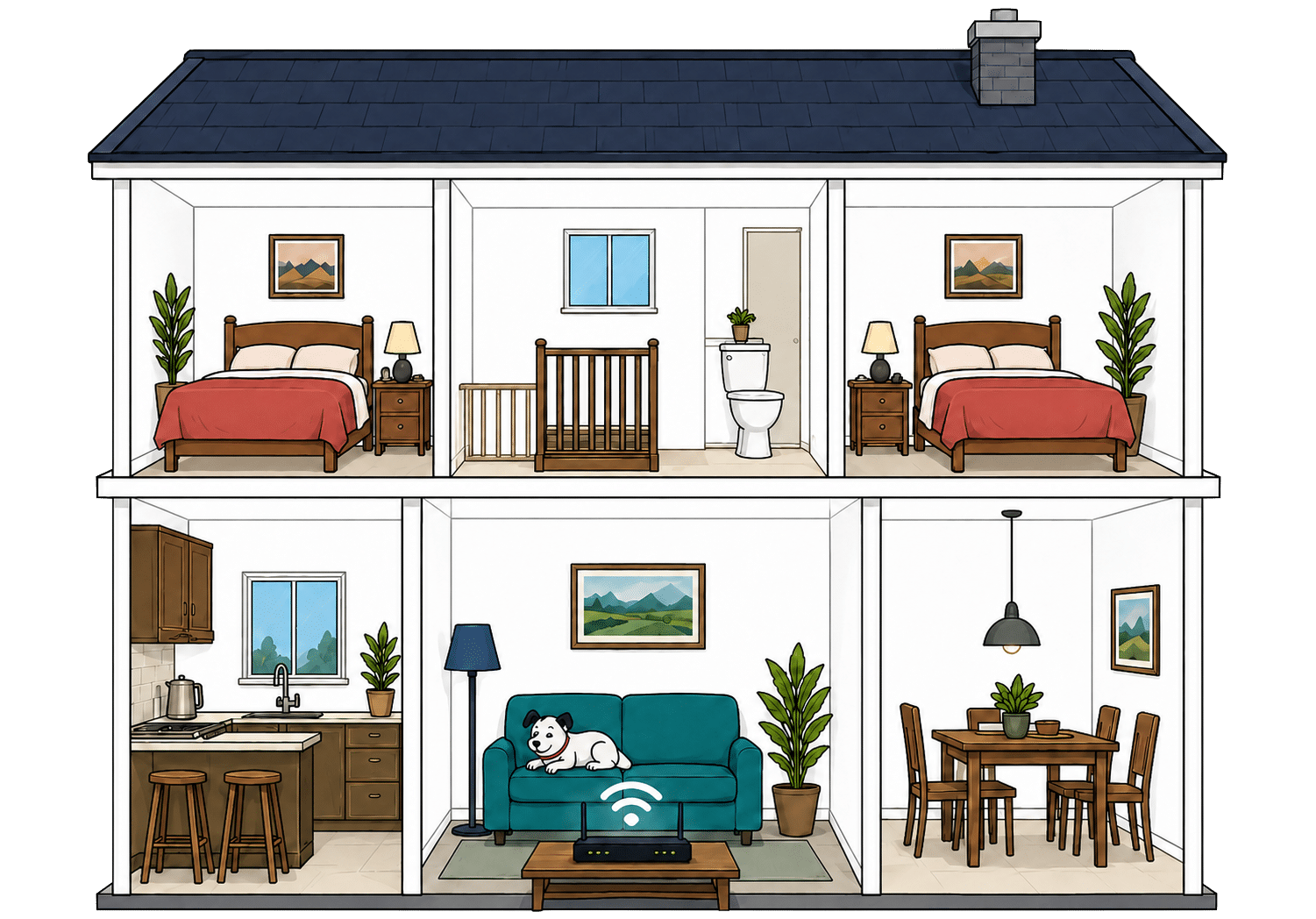
          What are your internal walls mostly made from?
          Which of these routers are you estimating?
          Perfect reception – strong, reliable Wi-Fi. Average reception – slower speeds may happen. Poor reception – weak signal or drop-outs.

          Where would you like to go next?


          Three wired sockets cover the essentials

          The Hub Two has four Gigabit Ethernet sockets, with one used to connect it to the Openreach Full Fibre equipment. That leaves three for a television, games console, computer or any other device that benefits from a steadier wired connection.

          Each socket is fast enough for every current Plusnet package, including Full Fibre 900. There’s no multi-gigabit connection for advanced home networks, but that won’t trouble most households. If three sockets aren’t enough, an inexpensive Ethernet switch can add more.

          How a simple wired Plusnet network works

          Plugging devices directly into your router gives them a steadier connection than Wi-Fi. These router diagrams show the physical Ethernet ports, including any ONT or internet port used by the broadband connection itself.

          Plusnet Hub Two
          1 ONT / internet port 1Gbps
          3 usable ports 1Gbps 1Gbps each

          Check which port is the internet input before counting how many wired device ports you have spare.

          Use the fastest spare LAN port for the device or switch that needs the most speed.


          Useful controls scattered across several places

          The Hub Two has a traditional browser settings page, while Plusnet SafeGuard supplies parental filtering and its broadband firewall adds basic network protection. Automatic updates and smart channel selection cover several important everyday jobs without requiring much attention.

          There’s no router app, guest network, device prioritisation or joined-up control centre. Managing the router, parental controls and security means moving between separate browser-based services. The essentials are present, but the experience feels fragmented and firmly rooted in the past.

          Router controls

          Plusnet router controls at a glance

          Here’s a quick look at the router controls you can expect, including app management, browser admin tools, Wi-Fi settings, security features and the physical buttons on the router itself.

          App management App-based controls Unavailable
          Browser admin page Browser-based controls Available
          Parental controls Household controls Available
          Guest network Separate guest Wi-Fi Unavailable
          QoS Traffic priority controls Unavailable
          Device prioritisation Per-device priority Unavailable
          Smart channel selection Wi-Fi optimisation Available
          Security features Built-in security notes Available
          Automatic updates Firmware updates Available
          WPS Push-button pairing Available
          Reset button Physical reset control Unavailable
          Wi-Fi on/off button Physical Wi-Fi control Unavailable

          Checked from manufacturer specifications. Fibredog tracks dozens of router specification parameters across dozens of provider routers. When a provider changes its router or features, this table is swiftly updated.


          Your own router can take over completely

          A compatible third-party router can replace the Hub Two and connect directly to the Openreach Full Fibre box on your wall. Plusnet publishes the required connection settings, so it doesn’t deliberately obstruct people who want better Wi-Fi, mesh coverage or more advanced controls.

          Compatibility, setup and router troubleshooting become your responsibility. Keep the Hub Two available because Plusnet may ask you to reconnect it during fault diagnosis. Even with that caveat, this is an exceptionally clean and flexible route for using your own equipment.

          Plusnet routers and equipment scorecard

          Six key areas. One overall score. All calculated using our transparent methodology.

          Wi-Fi quality

          How good the standard router's Wi-Fi is in everyday use.

          6.6/10

          Wi-Fi range

          How far the router's Wi-Fi should reach around the home.

          7.2/10

          Whole-home Wi-Fi

          Whether the provider offers mesh or extra help for larger homes.

          2.4/10

          Router controls

          How much control you get through the app, admin page and settings.

          6.2/10

          The Hub Two remains a competent old router with decent range potential, useful Gigabit Ethernet and basic security controls. Unfortunately, Wi-Fi 5 now looks badly dated, router management is fragmented and Plusnet offers no mesh system, coverage guarantee or hardware upgrade. Its outstanding support for third-party routers provides a welcome escape from equipment Plusnet should have replaced years ago.

          0.0 /10
          Overall score

          Routers and equipment score

          This score brings together Wi-Fi quality, Wi-Fi range, whole-home Wi-Fi, wired connectivity, router controls and using your own router.

          Value for money

          Plusnet keeps broadband simple, but simple doesn’t always mean good value. You get useful security tools and very few surprise add-ons, yet the ageing router, lack of upgrade options and steep post-contract pricing weaken the deal. Whether it makes financial sense depends heavily on the price you’re offered and whether the basic setup meets your needs.

          The essentials are included, but little else is

          Plusnet gives you unlimited broadband, its Hub Two router and a respectable collection of security tools. Plusnet Protect is included for the first 24 months, while SafeGuard parental controls and a network-level firewall add some useful protection without increasing your starting bill.

          Beyond those basics, the cupboard is almost bare. There’s no provider email, home phone service, broadband backup, mesh system or whole-home Wi-Fi guarantee. A stripped-back package can work perfectly well, but Plusnet needs to be noticeably cheaper than better-equipped rivals to make these omissions feel worthwhile.

          AT A GLANCE

          What you get with Plusnet

          Here’s what's included as standard, what may cost extra, and what's only free on top-end packages.

          Feature
          On all standard packages
          Paid extra
          Free on highest speed packages
          Landline
          No
          No
          No
          App management
          No
          No
          No
          Parental controls
          Yes
          No
          Yes
          Guest network
          No
          No
          No
          Router security features
          Yes
          No
          Yes
          Automatic firmware updates
          Yes
          No
          Yes
          Wi-Fi guarantee
          No
          No
          No
          Mesh devices
          No
          No
          No
          Security software
          Yes
          No
          Yes
          Provider email
          No
          No
          No
          Broadband backup
          No
          No
          No

          Standard kit versus paid extras

          This table separates everyday included features from extras that may depend on package tier, router choice or paid add-ons.

          Good to know: Included features are easier to compare because you won’t need to budget for them separately.

          Worth checking: Some useful extras may only be included on selected packages or as paid add-ons.


          The annual rise is clear, but cheaper deals feel it most

          Plusnet applies a fixed cash increase each spring, including during your minimum term. The amount is disclosed before you join, which makes it easier to understand than an inflation-linked formula. It also means you normally can’t leave without a charge when the scheduled increase arrives.

          Applying the same amount to every package is less even-handed than it sounds. The rise represents a much larger percentage of a cheaper deal, so Plusnet’s most budget-conscious customers are hit hardest. Check how many spring increases fall within your contract before comparing its total cost.

          INTERACTIVE CHART

          How much will your bill rise by?

          This interactive chart shows how much this provider adds to its package prices each April, and lets you compare that with literally any other provider in our database.

          Provider N/A Choose a provider
          Provider average N/A The average April price rise among providers that apply one.
          Compare provider N/A Choose another provider

          Package annual price rises

          April price rise shown package by package

          Package view

          The provider-average benchmark is calculated from each provider that applies an annual price rise. Fixed-price providers are shown in the chart but are excluded from the benchmark.


          There are very few extras waiting to inflate your bill

          Plusnet deserves credit for avoiding a maze of upgrades and paid add-ons. Its useful security features are initially included, and there’s no premium router, backup service or whole-home Wi-Fi package tempting you into a more expensive version of the same deal.

          The catch is that most of these extras are absent rather than free. If you need better Wi-Fi, a landline, connection backup or specialist features, you’ll have to arrange them elsewhere. Include those third-party costs when comparing packages, because the advertised price may not represent the complete setup your home needs.

          extras mascot

          Letting your contract roll over gets painfully expensive

          Your broadband continues on a rolling basis when the minimum term finishes, but the introductory discount disappears. Plusnet’s standard prices can be far higher, turning an initially competitive package into poor value without changing the service you receive.

          Plusnet sends an end-of-contract notice and lets you view renewal offers online, so avoiding the increase is reasonably straightforward. Don’t automatically accept the first offer, though. Compare its full contract cost with current Plusnet deals and equivalent packages elsewhere before you recontract or switch.

          INTERACTIVE TOOL

          What could your broadband bill roll on to?

          Estimate what your monthly broadband price could look like by the end of your minimum term, and what it will jump to if you let the deal roll over.

          Step 1: Choose your provider and package

          Start by choosing your broadband provider, then select the package your contract is based on.

          Provider
          Package

          Step 2: Tell us the starting month of your contract and what you pay

          Use the first full monthly price before any mid-contract April increases.

          Contract start month

          Step 3: Estimate the rollover shock

          This is an estimate. Your provider’s end-of-contract notice will be the exact figure.

          Your estimate

            Where would you like to go next?


            The fault protection is useful, although the speed promise is weak

            Plusnet participates in automatic compensation for qualifying activation delays, missed appointments and complete outages. If the speed reaching your Hub Two remains below your personal minimum, Plusnet gets 30 days to investigate and restore it before you can leave without an early termination charge.

            That protection is welcome, but the guaranteed minimum averages only around half the advertised package speed. It also applies to the connection reaching the router, not Wi-Fi performance around your home. Plusnet provides no whole-home coverage guarantee or broadband backup, leaving two common sources of frustration largely unprotected.

            INTERACTIVE TOOL

            Are you getting your minimum guaranteed speed?

            Choose your provider and package, then run a speed test. For the cleanest test of the broadband speed coming into your home, plug a laptop or desktop directly into your router with a LAN cable. You can also test on a phone or tablet to check Wi-Fi speed, but make sure mobile data is switched off first.

            Choose your provider and package

            Choose your provider and package so we can compare the test result with the package's minimum guaranteed download speed.

            Provider
            Package

            Before you test

            For an absolute line-speed check, use a computer connected to the router by Ethernet. If you test over Wi-Fi, the result may reflect your in-home Wi-Fi as much as the broadband line itself.

            Run the speed test

            Upload Mbps
            Latency ms

            Ready. Select a package, tick the data policy box, then run the test.


            Your result

            Result waiting Run the speed test to compare your download speed with the selected package’s minimum guaranteed speed.

              Where would you like to go next?

              This tool uses M-Lab’s open measurement platform. A single speed test is a useful check, but it is not a formal fault diagnosis.


              The Hub Two is usable, but well past its best

              Every current Plusnet package comes with the same Hub Two. It has Gigabit Ethernet and should cope with ordinary browsing, streaming and video calls, but its Wi-Fi 5 technology now looks dated beside the Wi-Fi 6 and Wi-Fi 7 routers supplied elsewhere.

              Choosing Full Fibre 900 won’t unlock better equipment. Plusnet offers no premium router or supported mesh upgrade, so weak coverage becomes your problem to solve. You can install compatible third-party equipment, but you’ll need to buy, configure and support it yourself.

              Plusnet value for money scorecard

              Six key areas. One overall score. All calculated using our transparent methodology.

              Included router quality

              How good the supplied router is for everyday use, Wi-Fi coverage, reliability and home network control.

              7.0/10

              Annual price rises

              How clearly annual price increases are explained, and how they affect the price you pay.

              6.8/10

              End-of-contract pricing

              What happens when the minimum term ends and how easy it is to re-contract at a fair price.

              4.8/10

              Service guarantees

              The guarantees, compensation promises and service commitments included, or not included.

              7.4/10

              Plusnet avoids costly add-on traps and provides useful fault protection, but too much of the package feels dated or absent. The basic router, limited features and severe post-contract price jump are difficult to excuse unless your introductory deal is genuinely cheap. Compare the full contract cost and act before the discount ends.

              0.0 /10
              Overall score

              Value for money score

              This score brings together what you get as standard, included router quality, annual price rises, upgrades and extras, end-of-contract pricing and service guarantees.

              Contracts and small print

              Plusnet’s contracts are fairer than they first appear in a few important places. You can move down as well as up between Full Fibre packages, its early-exit calculation is relatively forgiving and the service becomes monthly when your minimum term ends. Less appealing are the annual price rises, weak speed promise and needlessly awkward equipment returns.

              Two years is a long commitment, but you’re not completely trapped

              Every current Plusnet Full Fibre package ties you in for 24 months. There’s no shorter or rolling option for new customers, so you’re making the same lengthy commitment whichever speed you choose. Leaving early will normally cost you unless one of Plusnet’s contractual escape routes applies.

              Plusnet is unusually accommodating if your needs change during that time. You can move to a slower as well as a faster Full Fibre package, although the change may begin a new minimum term. Once the original term ends, your service continues monthly and you can leave with 14 days’ notice.

              INTERACTIVE TOOL

              When can I switch to a new provider?

              See whether the provider you want to move to may cover your current broadband early exit fee.

              Step 1: Which provider are you currently with?

              Choose your current broadband provider.

              Step 2: Which provider are you looking to move to?

              Choose the provider you are thinking of switching to.

              Step 3: How many months are left on your current contract with your current provider?

              Enter the number of payments left, or tell us your minimum term has finished.

              or

              Step 4: How much are you paying per month?

              Enter your current broadband monthly price.

              £

              Step 5: When can I switch to Plusnet?

              We calculate your current exit fee and compare it with the switching credit from the provider you want to move to.

              Your switching result

                Where do you want to go next?


                The annual rise is clear, unavoidable and still rather cheeky

                Plusnet tells you before joining that your monthly price will rise by a fixed amount each spring. That’s easier to understand than an inflation-based formula, but you’re still accepting a higher bill during a 24-month commitment without receiving anything better in return.

                Applying the same cash increase to every package hits cheaper deals hardest as a percentage. Plusnet also keeps broad rights to alter other charges and terms when its costs or obligations change. You can normally leave after a new detrimental change, but not when the annual rise you already accepted arrives.


                Leaving early costs money, but Plusnet’s calculation is reasonably fair

                Cancelling during your minimum term can still produce a substantial bill, particularly if you’ve only recently joined. One Touch Switch simplifies the move to another provider, but it doesn’t erase what you owe Plusnet under the contract.

                Plusnet doesn’t simply demand every remaining payment in full. It starts with your discounted price, then deducts tax, saved costs and an allowance for receiving the money early. Future scheduled rises can still be included, but the overall method is considerably fairer than the approach taken by many providers.

                INTERACTIVE TOOL

                How much will I pay to leave my broadband contract early?

                Select your current provider, choose your package, then tell us how long you have left and what you pay each month. We'll estimate what your provider may ask you to pay if you leave early.

                Step 1: Which provider are you currently with?

                Choose your current broadband provider.

                Step 2: Choose your package

                Pick the package you are currently on.

                Step 3: How many months have you got left?

                Enter the number of payments left, or tell us your minimum term has finished.

                or

                Step 4: How much are you paying per month?

                Enter your current broadband monthly price.

                £

                Step 5: How much might I pay to leave early?

                We calculate your estimated fee from your remaining months, monthly cost and your provider's early-exit rules.

                Your early exit fee estimate

                  Where do you want to go next?

                  The speed guarantee gives you an exit, but sets a low bar

                  Plusnet gives you a personalised minimum speed and lets you report problems through your online account. If the connection remains below that figure, Plusnet gets 30 days to investigate and put it right before you can leave without paying an early-exit fee.

                  That protection is useful, but the promised minimum averages only around half the advertised speed. It also covers the connection reaching your Hub Two rather than Wi-Fi around your home. With no separate Wi-Fi guarantee or supported whole-home system, poor coverage remains entirely your problem.

                  COMPARISON CHART

                  How does Plusnet's minimum speed guarantee compare with other providers?

                  This chart compares each provider's minimum speed guarantee as a percentage of its advertised download speed.

                  Provider N/A Minimum guaranteed speed as a percentage of advertised download speed.
                  Provider average N/A The average minimum-speed percentage among providers in our database.
                  Providers N/A providers currently have minimum speed guarantee data in our database.

                  Minimum speed guarantee by provider

                  Percentage of advertised download speed

                  Provider view

                  The provider-average benchmark only includes providers with a minimum speed guarantee and an average percentage of advertised download speed in our database. Providers that do not offer a speed guarantee are included in the chart but are not included in the average.


                  Returning Plusnet’s router is more awkward than it needs to be

                  The Hub Two remains Plusnet’s property and must be returned when requested. Plusnet explains that clearly and covers the postage, but you’re responsible for looking after the router and can be charged if it’s lost, damaged or not sent back.

                  Plusnet normally leaves you to find suitable packaging, create the return label and take the parcel to a Post Office. The deadline is short, and home collection costs extra. Several rivals send everything needed for the return, so Plusnet’s process feels unnecessarily mean for equipment it still owns.


                  The remaining catches are mostly ordinary broadband small print

                  Plusnet deserves some credit for avoiding charges for paper bills and non-Direct-Debit payments. Its Full Fibre packages are unlimited too, so there’s no monthly data allowance waiting to punish heavy use. Late payments, failed payments, service changes and customer-caused engineer visits can still add to your bill.

                  You’re responsible for installation permission, access and the behaviour of everyone using your connection. Plusnet can also alter equipment, withdraw packages and restrict service after misuse. None of this is especially outrageous, but the contract still protects Plusnet’s freedom rather more enthusiastically than it protects yours.

                  AT A GLANCE

                  Cancelling Plusnet at a glance

                  A quick view of the routes, notice periods, fees and equipment-return rules you may need to deal with.

                  Rule
                  Status
                  Customer impact
                  Notice and routes
                  Notice period
                  14 days
                  Helpful
                  Online cancellation
                  No
                  Restrictive
                  Phone cancellation
                  Yes
                  Helpful
                  Postal cancellation
                  Yes
                  Helpful
                  Phone call required
                  No
                  Helpful
                  Cooling-off period
                  14 days
                  Helpful
                  Early exit fees
                  Early exit fee during minimum term
                  Yes
                  Restrictive
                  Early exit fee calculation
                  40% of remaining charges
                  Neutral
                  Fee capped at remaining contract value
                  Yes
                  Helpful
                  Future price rises included in fee
                  Yes
                  Restrictive
                  Equipment returns
                  Equipment return required
                  Yes
                  Restrictive
                  Return packaging provided
                  No
                  Restrictive
                  Return label provided
                  Yes
                  Helpful
                  Free equipment return
                  Yes
                  Helpful
                  Equipment collection
                  No
                  Restrictive
                  Return deadline
                  14 days
                  Neutral
                  Non-return fee
                  Yes
                  Restrictive
                  Easier for customers
                  Standard or depends on context
                  Can add cost, effort or pressure

                  Plusnet contracts and small print scorecard

                  Six key areas. One overall score. All calculated using our transparent methodology.

                  Contract commitment

                  All about contract lengths, alternatives like rolling monthly, notice periods and what happens at the end.

                  7.8/10

                  Price rise terms

                  Specifically covering the terms around price rises, including clauses that might see prices go up unexpectedly.

                  5.0/10

                  Early-exit fees

                  The cost of getting out early, according to the exact wording of your contract.

                  6.9/10

                  Speed guarantees

                  Covering everything your contract says about the minimum speeds to expect and how they affect your rights.

                  6.1/10

                  Equipment ownership

                  Who owns what, when, and what happens to your equipment when you leave.

                  5.6/10

                  Hidden catches

                  A roundup of the tiny details that can come back to bite you if you go in blind.

                  7.0/10

                  Plusnet balances a long initial commitment with some unusually fair terms. You can downgrade, its early-exit calculation deducts saved costs and unresolved speed failures give you a way out. Annual rises, a weak minimum-speed promise and a fiddly router return stop the contract from feeling genuinely generous, but there are few nasty surprises buried within it.

                  0.0 /10
                  Overall score

                  Contracts and small print score

                  This score brings together contract commitment, price-rise terms, early-exit fees, speed guarantees, equipment ownership and hidden catches.

                  fibredog mascot wearing a headset

                  Having trouble choosing a broadband provider?

                  Fibredog's unique Provider Matcher uses literally thousands of provider data points to find you your perfect match.

                  Some links on this page may earn us a small commission if you click through and buy. This never affects either what you pay, or our scores and recommendations. If, however, you'd rather bypass affiliate links, use this direct Plusnet link instead.
