THE BIG HEY!BROADBAND REVIEW

Hey!Broadband review: Is it any good?

Hey!Broadband is a very good local Full Fibre provider with excellent uploads, modern routers and customer service that people genuinely like. Its weak guarantees and harsh leaving terms need careful reading, though. This review explains where it excels, where the contract bites and whether it suits your home.

By Data checked  Checked weekly
Hey!Broadband review hero with FibreDog examining the provider through a microscope

Hey!Broadband overall scorecard

Six key areas. One overall score. All calculated using our transparent methodology.

Packages and speeds

Available speeds, package range, upload speeds, gaming features, working from home suitability and changing your package.

8.4/10

Joining, switching and cancelling

Ease of joining, credit checks, installation, compensation, switching from another provider, moving home and cancelling your service.

6.3/10

Customer service

Customer experience, contact options, when something goes wrong, complaints policy, help for vulnerable customers and online support.

7.8/10

Routers and equipment

Wi-Fi quality, Wi-Fi range, whole-home Wi-Fi, wired connectivity, router controls and using your own router.

7.8/10

Value for money

What comes as standard, included router value, annual price rises, the cost of upgrades and extras, end-of-contract pricing and service guarantees.

6.1/10

Contracts and small print

Your contract commitments, price rise terms, early-exit fees, speed guarantees, equipment ownership, restrictions, penalties and hidden catches.

5.9/10

Packages and speeds

Hey!Broadband keeps its range refreshingly simple. You choose 150Mbps, 400Mbps or 900Mbps, and every package uploads just as quickly as it downloads. The speeds are excellent. What we don’t like is the lack of a proper minimum-speed guarantee.

Three well-spaced packages make choosing the right speed for your home easier

Superfast 150 is already quick enough for most households, including several people streaming, browsing and joining video calls at once. Megafast 400 gives a busy home more breathing room, while Gigafast 900 is for very large downloads or lots of demanding devices.

The 400Mbps middle option is unusual because most national providers jump to something around 500Mbps. Don’t let that make it look slow. It downloads the same large file in well under half the time of 150Mbps, and the gap to 900Mbps is big enough to make the top package feel like a proper upgrade.

INTERACTIVE TOOL

Which Hey!Broadband speed is right for me?

Tell us about your household and we will tell you the exact best-fit broadband package from Hey!Broadband.

Start here. Adjust the numbers, then calculate your result.

Step 1: Tell us what is in your home

Use the buttons below to tell us how many people and connected devices your household has.

People
0
TVs
0
Consoles / gaming PCs
0
Non-gaming computers
0
Mobiles
0
Smart devices
0

Step 2: Calculate your best-fit package

Once you are happy with the numbers above, press calculate and we will match your household to the closest Hey!Broadband package.

Your result

Recommended package — Estimated need: — Includes — headroom
Good fit

This speed is ideal for:


    The entry package is already fast enough for most homes

    A household doesn’t need Gigabit broadband simply because several people live there. Superfast 150 can comfortably handle ordinary family use, provided the Wi-Fi reaches the rooms where it’s needed.

    Move up when you regularly download enormous games, work with very large files or have several people doing demanding things online at the same time. More speed won’t push Wi-Fi through a thick wall, so fix poor coverage before buying a faster package. Hey!Broadband’s mesh service can help in a long or multi-storey home, although it costs extra and doesn’t promise a minimum speed in every room.


    Uploads are every bit as fast as downloads

    Every Hey!Broadband package is symmetrical. That means the 150Mbps package also uploads at 150Mbps, rather than giving you the much smaller upload speed common on Openreach and cable networks.

    You’ll notice that most when sending large work files, backing up photos or video to the cloud, streaming live video or running several calls at once. Better still, you don’t have to buy the fastest package to get the advantage. Superfast 150 includes it from the start, so you don’t need an add-on or a special local upgrade.

    INTERACTIVE CHART

    How much upload speed do you get?

    This interactive chart allows you to see not only how upload speeds for this provider compare to its download speeds (the ratio), but also to compare the upload speeds of this provider with any provider in our database.

    Provider N/A Choose a provider
    National average N/A The national average based on 13 national providers.
    Compare provider N/A Choose another provider

    Package upload ratios

    Upload speed shown as a percentage of download speed

    Package view

    Symmetrical packages are included in providers' own averages, but excluded from the national-average benchmark unless symmetrical upload speeds are common and available to all customers.

    The connection is excellent for gaming, but the router controls are basic

    Independent testing found very low latency, almost no variation and no packet loss, with barely any change during the evening rush. That is exactly what online games need, and it matters far more than chasing the largest download number.

    The supplied routers are less exciting. None has a dedicated gaming mode, latency dashboard or anti-bufferbloat controls, and only the Linksys lets you prioritise a particular device. Most players should still get a responsive connection, especially over Ethernet. If you like tuning every part of the network or protecting games while somebody else hammers the line, you may prefer your own router.

    AT A GLANCE

    Hey!Broadband routers have no specific gaming features

    You can still game on these routers, especially over Ethernet, but none includes dedicated gaming controls.

    Gaming feature
    Adtran 854-v6
    Linksys SPNMX56HF-UK
    Nokia WiFi Beacon 3.1
    Dedicated gamer mode
    No
    No
    No
    Game traffic prioritisation
    No
    No
    No
    Anti-bufferbloat controls
    No
    No
    No
    Gaming QoS profiles
    No
    No
    No
    Server/ping routing tools
    No
    No
    No
    Latency dashboards
    No
    No
    No
    Per-device gaming presets
    No
    No
    No
    Gaming VPN/routing features
    No
    No
    No
    Manual queue management like SQM/CAKE
    No
    No
    No

    No specific gaming tools

    These are standard broadband routers rather than gaming routers. They support ordinary online play, but none includes dedicated gaming modes, traffic-priority controls or advanced latency management.

    Adtran 854-v6 Linksys SPNMX56HF-UK Nokia WiFi Beacon 3.1
    ✓

    Still usable for gaming: speed, Ethernet and decent Wi-Fi can be enough for many homes.

    ✕

    No dedicated gaming controls: you don't get specific router tools for prioritising games or managing latency.


    Matching uploads make Hey!Broadband particularly good for working from home

    The 150Mbps package is easily enough for calls, cloud documents and ordinary office work. Symmetrical uploads become even more useful if you send large design files, photographs or video.

    The problem is what happens if the connection goes down. Residential packages don’t include a backup connection or guaranteed repair time, so anyone whose income depends on staying online should have another way to connect. A mobile hotspot may be enough. Sort out the Wi-Fi around your desk before upgrading too, because a faster package won’t fix a weak signal in a back bedroom.


    You can change speed without waiting for the contract to end

    Hey!Broadband lets you request an upgrade or downgrade during the minimum term. An upgrade doesn’t restart the contract, so you can start on a slower package and move up later if you need to.

    A downgrade is possible too, and you start paying for the new package rather than keeping the old monthly price. Hey!Broadband can charge a separate one-off early-exit fee, and the new package begins a new minimum term. Ask exactly what it will cost and when the new contract will end before agreeing. That is still more flexible than providers that refuse every mid-contract downgrade, but it isn’t a free undo button.

    INTERACTIVE TOOL

    Broadband Package Change Checker

    Check whether your provider lets you upgrade or downgrade your broadband package, and what to watch before you agree.

    Step 1: Which provider are you currently with?

    We have selected the provider from this page, but you can switch it below.

    Step 2: What are you trying to do?

    Choose whether you want to move to a faster package or reduce what you pay for broadband.

    Step 3: What are you trying to change?

    Choose upgrade or downgrade first, then pick the closest reason.

    Step 4: Are you still inside your minimum contract term?

    Mid-contract changes are where the stricter rules apply.

    Step 5: What’s the situation?

    Once you have answered the questions above, we will show the package-change rules for your provider.

    Your package change result

      Where would you like to go next?

      Packages and speeds scorecard

      Six key areas. One overall score. All calculated using our transparent methodology.

      Available speeds

      The range of download speeds available across the provider’s packages.

      8.8/10

      Package range

      The breadth and flexibility of the provider’s package range.

      7.3/10

      Upload speeds

      How the provider’s upload speeds compare with its download speeds.

      10/10

      Gaming features

      How well the service supports gaming, and whether dedicated gaming features are present.

      7.2/10

      Hey!Broadband’s package range is excellent because the choices are simple, the speeds are far enough apart to mean something and every tier includes equally fast uploads. Superfast 150 is a sensible starting point, while 400Mbps and 900Mbps serve genuinely busier homes. Low, steady latency also suits gaming and video calls, and mid-contract speed changes are unusually flexible. The main weakness is contractual rather than technical: there’s no enforceable minimum-speed guarantee if the connection repeatedly falls short.

      Packages and speeds score

      This score brings together available speeds, package range, upload speeds, gaming features, working from home and changing your package.

      0.0 /10
      Overall score

      Joining, switching and cancelling

      Joining and switching to Hey!Broadband are easy. You can place the whole order online, One Touch Switch handles the old service and qualifying customers can get a broadband buyout. Moving, installation problems and cancellation are much less forgiving.

      You can check availability and place the whole order online

      Because Hey!Broadband only covers certain areas, the postcode checker has to come first. If your exact address qualifies, you can choose the package and complete the order online without sitting through a sales call.

      Phone, callback and Live Chat are there if you want help before committing. Passing the postcode check doesn’t guarantee that your property can be connected, as the final survey may uncover access, safety or construction problems. Be honest about the building and get your landlord’s permission beforehand if you rent, because special work or a failed visit can create avoidable costs.

      INTERACTIVE TOOL

      What could your broadband bill roll on to?

      Estimate what your monthly broadband price could look like by the end of your minimum term, and what it will jump to if you let the deal roll over.

      Step 1: Choose your provider and package

      Start by choosing your broadband provider, then select the package your contract is based on.

      Provider
      Package

      Step 2: Tell us the starting month of your contract and what you pay

      Use the first full monthly price before any mid-contract April increases.

      Contract start month

      Step 3: Estimate the rollover shock

      This is an estimate. Your provider’s end-of-contract notice will be the exact figure.

      Your estimate

        Where would you like to go next?


        Hey!Broadband won’t say whether its credit check is hard or soft

        Hey!Broadband tells you that it will run a credit check before accepting the order. What it doesn’t say is whether that search is hard or soft, which is important if you’re trying to protect your credit file.

        A failed assessment can stop the order, and there’s no published alternative involving a deposit, advance payment or package without a credit check. Everyday Fibre, the social tariff, doesn’t avoid the assessment either. Most applicants may pass without drama, but anyone who has been refused broadband before gets too little information and no obvious fallback.


        One Touch Switch does most of the switching work for you

        Give Hey!Broadband your old provider’s details when you order and it can arrange the switch, including closing the previous service. That removes the awkward job of coordinating two providers yourself.

        If you use One Touch Switch and take a 24-month contract, Hey!Broadband currently gives you a £100 broadband buyout as a bill credit after activation. It’s applied automatically, so you don’t need to send in your old provider’s final bill. Check that the old service actually closes and don’t cancel it yourself unless Hey!Broadband tells you to, or you could interrupt the managed switch.

        COMPARISON CHART

        How much will Hey!Broadband pay to buy you out?

        This chart shows which providers currently offer broadband contract buyout, and how much they may pay toward leaving your old contract.

        Provider N/A Maximum broadband contract buyout offered by this provider.
        National average N/A The national average buyout amount among providers that offer it in our database.
        Providers N/A providers currently offer broadband contract buyout in our database.

        Broadband contract buyout by provider

        Maximum buyout amount by provider

        Provider view

        Where would you like to go next?

        The national average benchmark only includes providers that currently offer broadband contract buyout in our database.

        A move inside the network is manageable, but leaving it can be expensive

        Tell Hey!Broadband before moving so it can check the new address and arrange another installation. If service is available, the move may start a fresh minimum term, so ask for the new end date before agreeing.

        The real problem comes if your new home is outside the network. Hey!Broadband can still charge the remaining contract balance even though it can’t serve the new property. That is especially harsh for a local provider with a limited footprint. If there’s any chance you’ll move during the next two years, a 12-month or rolling contract may be worth more than the cheapest headline deal.


        Cancelling is straightforward only when the contract has already finished

        You can cancel through customer service, and One Touch Switch should handle it when you move to another provider. Cancelling during the minimum term is much tougher. Hey!Broadband can ask for every monthly payment left, and it doesn’t publish a standard deduction for the money it saves after your service ends.

        You’ll also need to return the router and any other loaned equipment within 14 days, at your own expense. Use tracked post and keep the receipt until the final account is settled, because missing or damaged equipment can add another charge after you leave.

        AT A GLANCE

        Cancelling Hey!Broadband at a glance

        A quick view of the routes, notice periods, fees and equipment-return rules you may need to deal with.
        Rule
        Status
        Customer impact
        Notice and routes
        Notice period
        30 days
        Neutral
        Online cancellation
        Yes
        Helpful
        Phone cancellation
        Yes
        Helpful
        Postal cancellation
        No
        Restrictive
        Phone call required
        No
        Helpful
        Cooling-off period
        14 days
        Helpful
        Early exit fees
        Early exit fee during minimum term
        Yes
        Restrictive
        Early exit fee calculation
        100% of remaining charges
        Restrictive
        Fee capped at remaining contract value
        Yes
        Helpful
        Future price rises included in fee
        Yes
        Restrictive
        Equipment returns
        Equipment return required
        Yes
        Restrictive
        Return packaging provided
        No
        Restrictive
        Return label provided
        No
        Restrictive
        Free equipment return
        No
        Restrictive
        Equipment collection
        No
        Restrictive
        Return deadline
        14 days
        Neutral
        Non-return fee
        Yes
        Restrictive
        Easier for customers
        Standard or depends on context
        Can add cost, effort or pressure
        Illustration of Fibo leaving to represent cancelling a broadband package

        Installation is easy until the property needs something unusual

        Full Fibre may need a new cable route, a small box inside the home and drilling through an outside wall. Decide where the equipment should go, clear the likely route and make sure an authorised adult can let the engineer in.

        Hey!Broadband doesn’t pay automatic compensation for a delayed start or missed appointment. A failure caused by the provider should normally bring a refund, but completed preparation, inaccurate property information or work you requested can still leave a bill. Get any non-standard work and cost confirmed in writing before it starts, particularly if the survey finds a blocked route or permission problem.

        Hey!Broadband join, switch, cancel scorecard

        Six key areas. One overall score. All calculated using our transparent methodology.

        Ease of joining

        How easy is it to sign up, including methods and contact routes?

        9.0/10

        Moving home

        Can you transfer your services easily? Do fees apply?

        4.5/10

        Hey!Broadband makes joining and switching easy. You can order online, get human help if you want it and use One Touch Switch to coordinate the move from your old provider. It loses ground when something doesn’t go to plan, because the costs can mount quickly: there’s no automatic installation compensation, a failed credit check has no published fallback, moving outside the network doesn’t remove the remaining-contract charge and equipment returns cost you postage. Joining is friendly; changing plans later can be much harsher.

        Join, switch and cancel score

        This score brings together ease of joining, credit checks, installation problems, switching from another provider, moving home and cancelling your service.

        0.0 /10
        Overall score

        Customer service

        Hey!Broadband’s people are one of its best features. Customers praise the engineers and support staff, phone and Live Chat stay open for long hours, and complaints are handled through a clear process. Its online account tools are years behind.

        Customers are unusually positive about the people working at Hey!Broadband

        Hey!Broadband has some of the best public reviews we’ve seen for a UK broadband provider. Installers receive particularly warm praise for arriving on time, working neatly and explaining what they’ve done.

        Support advisers are often described as patient and quick to solve faults too. Trustpilot isn’t a representative Ofcom survey, so it can’t tell us what every customer thinks. The unhappy minority also describes real problems with recurring outages, muddled communication and bills. Even with those cautions, the volume and detail of the positive reviews are hard to dismiss.

        INTERACTIVE CHART

        Interactive Hey!Broadband customer experience chart

        You can use the various buttons here to see the Hey!Broadband customer experience in a number of different ways.

        Overall service satisfaction

        Ofcom satisfaction with service overall

        5-year view
        Latest value N/A Most recent data point
        Five-year change N/A Oldest to newest
        Best year N/A Best point shown
        Worst year N/A Weakest point shown

        Sources: Ofcom, Trustpilot.


        You can reach a person without rearranging your entire day

        Phone and human Live Chat are open for 80 hours each week, including evenings and weekends. Email and web forms give you a written option when the problem isn’t urgent or you want a record.

        That choice suits people who would rather explain a problem to somebody than wrestle with an app. There’s no supported WhatsApp or social-media help, but you can still contact Hey!Broadband in all the usual ways. The bigger problem is that staff must also handle routine requests that a decent online account should let you complete yourself.

        Contact options

        Support channels at a glance

        Hey!Broadband gives customers several ways to get help. This view shows which practical contact, account and fault-support routes are recorded in the fibredog dataset.

        Phone Real-person route Available
        Live chat Human agent listed Available
        WhatsApp Messaging route Unavailable
        Email Written support Available
        Community forum Peer help route Unavailable
        Accessibility support Extra-help routes Available
        Online account tools Self-service tools Unavailable
        Online fault tools Diagnosis and reporting Available

        Checked from live provider data. Fibredog tracks contact routes, account tools and fault-help options separately, so this information updates soon after anything changes.

        Faults are easy to report, but repair promises are weak

        The status checker can show a wider local outage, while online troubleshooting helps separate a device or Wi-Fi problem from a broken connection. You can then create a support ticket online or phone the team.

        What happens afterwards is less reassuring. There’s no automatic compensation, fixed repair deadline or home-broadband backup. You only gain a clear fee-free exit after 30 continuous days without service. Report a fault immediately and keep the ticket details, especially because there’s no customer portal showing a complete case history.


        Useful personal support comes with some important accessibility gaps

        A specialist team can record what help you need, let somebody you trust speak for you and support customers after a bereavement or during financial difficulty. Text Relay is available too.

        Hey!Broadband also has a social tariff for eligible households. What it doesn’t promise is priority fault repair, a BSL contact service or bills in Braille, large print or audio. Those omissions matter most to people who can’t simply switch to an ordinary phone call or wait through an outage without extra risk.

        Help with complaints

        The specialist team can record your communication needs and let a nominated person speak for you throughout a complaint.


        The complaints policy tells you exactly how to escalate

        You can complain by phone, email, web form or post. Hey!Broadband aims to confirm receipt within two working days, gives you a named way to request a senior review and explains when outside adjudication becomes available.

        After six weeks, or sooner if you receive a deadlock letter, you can take the dispute to CISAS. Few providers explain that escalation so clearly. Hey!Broadband does allow itself up to 28 working days for a full response, though. You may wait too long, but you shouldn’t be left wondering what the next step is.

        Independent ADR provider

        If Hey!Broadband can’t resolve your complaint, CISAS is the approved ADR scheme for its broadband services.


        The missing customer account makes simple jobs unnecessarily difficult

        You can check for an outage, read troubleshooting advice and report a fault online. There’s also a help centre, but it has no search box, and there’s no customer login, account app or chatbot.

        Hey!Broadband customer service hero with FibreDog using a headset and laptop

        That means you may need to contact staff to check an old bill, follow a case or make changes to the account. It’s a remarkable gap for a broadband provider and the clearest weakness in an otherwise good service. Hey!Broadband says it’s working on an online account, but you can only use what’s available today.

        Hey!Broadband customer service scorecard

        Six key areas. One overall score. All calculated using our transparent methodology.

        Contact options

        How easy it is to get in touch and the channels available.

        7.6/10

        Hey!Broadband scores well because customers genuinely like its engineers and advisers, contact hours are generous and the complaints process is exceptionally clear. It misses an excellent result because self-service is badly underdeveloped: there’s no customer account or app, the help centre lacks search and repair protections remain weak. You can get good human help, but you’ll need it for jobs that should be easy online.

        Customer service score

        This score brings together customer experience, contact options, problem resolution, support for vulnerable customers, complaints handling and online help.

        0.0 /10
        Overall score

        Routers and equipment

        Whichever service you choose, Hey!Broadband supplies a modern Wi-Fi 6 router with WPA3 security and automatic updates. The exact model depends on whether you take standard broadband, a home phone or managed mesh. They’re all good, but they don’t offer identical sockets or controls.

        Every customer gets a router that is genuinely worth using

        The Linksys SPNMX56HF-UK, Adtran 854-v6 and Nokia WiFi Beacon 3.1 all support Wi-Fi 6, WPA3, beamforming, MU-MIMO and OFDMA. Nobody is quietly handed an obsolete bargain-bin router for choosing the cheapest speed.

        None uses the newer 6GHz band or Wi-Fi 7, but that won’t bother most households. The more important differences are practical. The Linksys has a polished app and useful coverage, the Adtran includes phone sockets but no supported app or parental controls, and the Nokia is designed to work with Hey!Broadband’s mesh service. Your service choice, not the speed tier, decides which one arrives.

        INTERACTIVE TOOL

        Compare routers from any provider

        This provider’s routers are pre-selected for comparison with one another. However, you can use this tool to compare any router from any major provider using the dropdown menus below.

        Feature Adtran 854-v6 Linksys SPNMX56HF-UK
        Fibredog rating 7.2/10 7.4/10
        Router included as standard Yes; allocated to residential home-phone installations, subject to availability and installation requirements. Yes; allocated to standard broadband-only installations, subject to availability and installation requirements.
        Router manufacturer Adtran Linksys
        Router model 854-v6 SPNMX56HF-UK
        Wi-Fi standard Wi-Fi 6 Wi-Fi 6
        Wi-Fi bands Dual-band Dual-band
        2.4GHz supported ✓Yes ✓Yes
        5GHz supported ✓Yes ✓Yes
        6GHz supported ×No ×No
        Beamforming ✓Yes ✓Yes
        Antenna count 9 5
        Maximum connected devices Up to 100 Up to 30
        Stated coverage 360-degree coverage; no quantified floor-area figure published Up to 2,700 sq ft (about 251 m²) per node
        Total Ethernet ports 5 4
        MU-MIMO ✓Yes ✓Yes
        OFDMA ✓Yes ✓Yes
        WPA3 security ✓Yes ✓Yes
        Guest network ✓Yes ✓Yes
        Antenna type Internal H-Pol omnidirectional antennas Internal dipole and metal antennas
        Gigabit Ethernet ports 4 3
        2.5Gb Ethernet ports 1 1
        5Gb Ethernet ports 0 0
        10Gb Ethernet ports 0 0
        WAN port speed 2.5Gbps 2.5Gbps
        USB ports 1 0
        Telephone ports 2 0
        ONT Ethernet input ✓Yes ✓Yes
        Coaxial input ×No ×No
        Power connection 12V DC barrel connector / external power adapter 12V DC barrel connector / external power adapter
        Mesh support Provider mesh add-ons Provider mesh add-ons
        Provider mesh product Mesh WiFi (Nokia WiFi Beacons) Mesh WiFi (Nokia WiFi Beacons)
        Third-party router use You can use your own router You can use your own router
        Modem mode ✓Yes ✓Yes
        Compatible broadband technology fttp fttp
        App management ×No ✓Yes
        Parental controls ×No ✓Yes
        QoS ✓Yes ✓Yes
        Automated QoS ✓Yes ×No
        Device prioritisation ×No ✓Yes
        Anti-bufferbloat controls ×No ×No
        Manual queue management (SQM/CAKE) ×No ×No
        Smart channel selection ✓Yes ✓Yes
        Security features WPA3; firewall; NAT/NAPT; access-control lists; VPN pass-through; DMZ; port forwarding; guest network WPA2/WPA3; safe browsing; firewall; guest network; parental controls; device prioritisation
        Gamer mode ×No ×No
        Game traffic prioritisation ×No ×No
        Gaming QoS profiles ×No ×No
        Server ping routing tools ×No ×No
        Latency dashboards ×No ×No
        Per-device gaming presets ×No ×No
        Gaming VPN routing features ×No ×No
        Work from home mode ×No ×No
        Automatic firmware updates ✓Yes ✓Yes
        Firmware update notes The model supports provider-managed TR-069 firmware delivery; Hey!Broadband does not publish a customer update schedule. The Hey!Broadband-specific firmware supports automatic configuration through ACS/TR-069 and Linksys firmware updating; Hey!Broadband does not publish an update schedule.
        Router height 249mm 185mm
        Router width 90mm 86mm
        Router depth 195mm 86mm
        Router weight 1176g 500g
        Power consumption 36W 24W
        Router orientation Vertical Vertical
        Wall mountable ✓Yes ×No
        Router colour White White
        Self-installation ✓Yes ✓Yes
        Browser admin interface ✓Yes ✓Yes
        WPS ✓Yes ✓Yes
        Status light control ×No ×No
        Reset button ✓Yes ✓Yes
        Wi-Fi on/off button ×No ×No
        Where would you like to go next? See all tools See all tools
        Compare all broadband deals

        The Nokia mesh can cover homes one router can’t

        Mesh WiFi includes a Nokia Beacon extender, while Wi-Fi Pro can use up to three Beacons around the home. Because the router and extra units belong to one system, devices can move between them without joining separate networks.
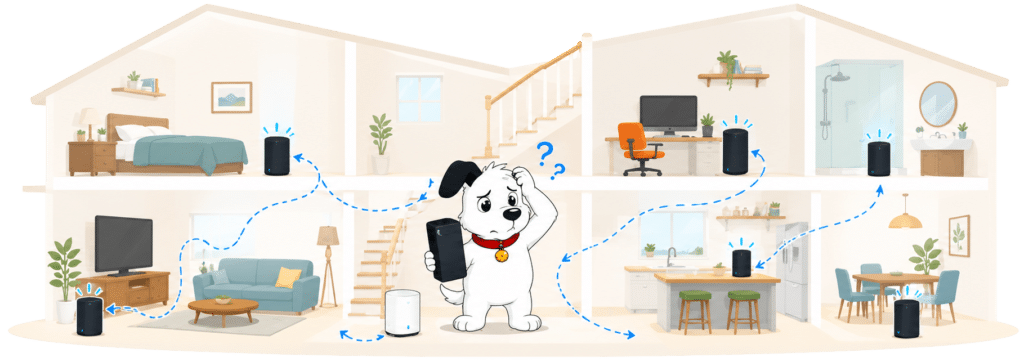
        Illustration of Fibo checking Wi-Fi coverage throughout a home

        That can be valuable in a long house, across several floors or anywhere thick walls defeat a single router. It isn’t included with ordinary broadband, though, and adding it later means changing the router. There’s also no minimum room-by-room speed, refund or other measurable promise if coverage still disappoints. Buy it for extra reach, not as a guarantee.

        INTERACTIVE TOOL

        Whole Home Wi-Fi Calculator

        Just follow these simple steps and we will calculate how many, if any, ‘Whole Home Wi-Fi’ pods you will need from your provider.

        Start here. Work through the steps in order.

        Upload — Mbps
        Latency — ms

        Step 1: Agree to M-Lab’s data policy

        M-Lab stores test data, including your IP address. Tick to agree before testing.

        Step 2: Connect to your home Wi-Fi

        Make sure the phone, tablet or laptop you are using is connected to your home Wi-Fi network.

        Step 3: Turn mobile data off

        If your device has mobile data, turn it off before you start walking around the house.

        Step 4: Test next to your router

        Stand next to your main Wi-Fi router and press the button below. This gives us your baseline speed.

        Recorded result Router baseline
        — Mbps

        Step 5: Test your ground floor corners

        Walk to each corner of your ground floor and run a test. If your home is not a perfect rectangle, do not overthink it. Just pick four sensible far-apart spots and keep the same numbering if you add another floor.

        Corner 1 — Mbps
        Corner 2 — Mbps
        Corner 3 — Mbps
        Corner 4 — Mbps

        Last step: Add another floor or calculate

        If you have another floor to test, add it below. If you have tested every floor you care about, press calculate.

        Your Whole Home Wi-Fi result

        Result waiting Run your tests, then press calculate.


          Your chosen services decide which of the three routers arrives

          Standard broadband customers receive the Linksys. Add a home phone and the Adtran takes over because it has the necessary phone sockets. Choose managed mesh and you get the Nokia system instead.

          That is a genuine choice at sign-up, even though you can’t simply point at your favourite model. The arrangement also explains why three routers support three packages: they aren’t matched to speed. Before ordering an add-on, look at the router it brings with it as well as the service itself, particularly if parental controls, an app or spare Ethernet sockets matter to you.

          INTERACTIVE TOOL

          Router range estimator

          See how wall materials and router choice affect the quality of Wi-Fi around a typical home.
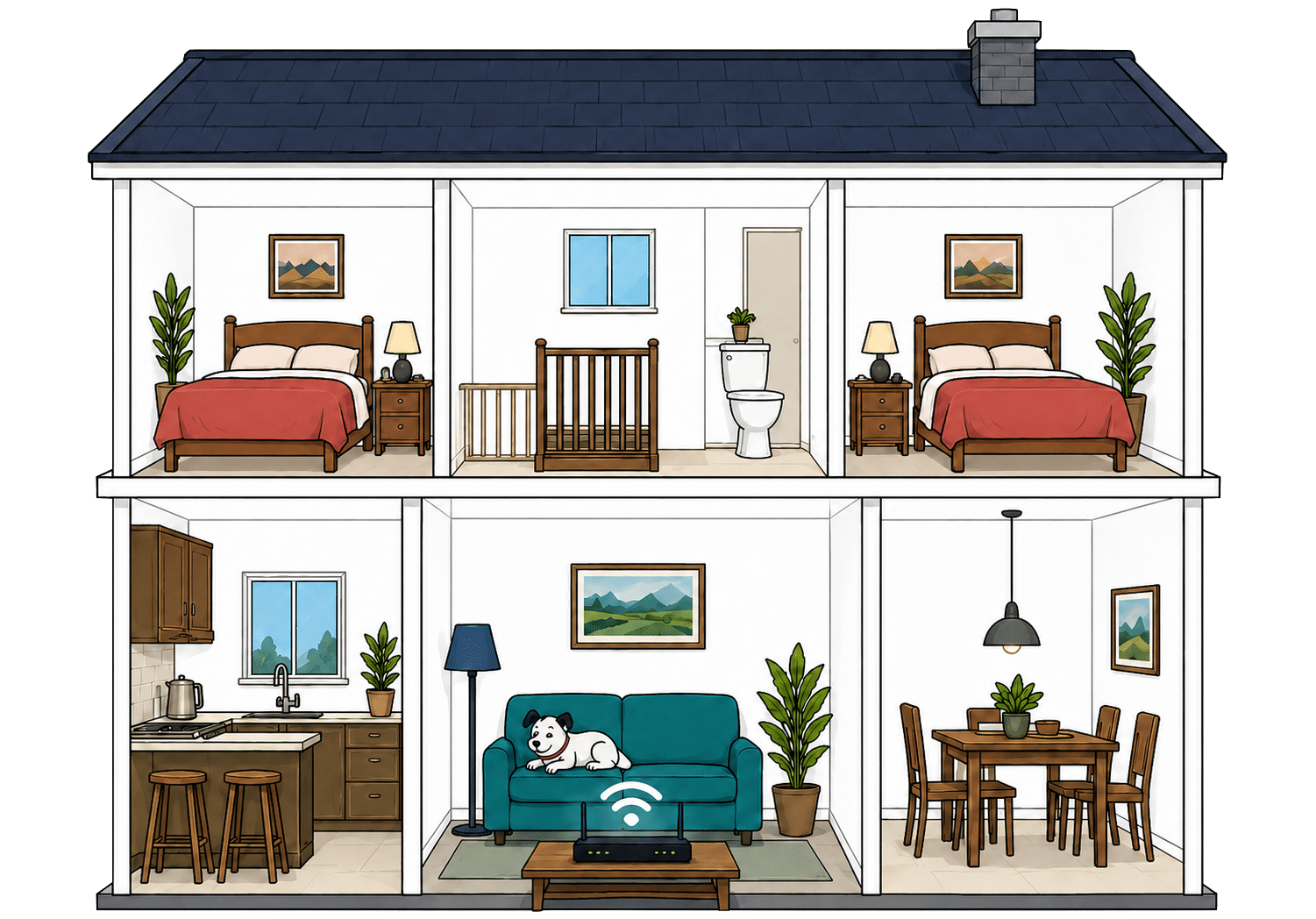
          What are your internal walls mostly made from?
          Which of these routers are you estimating?
          Cutaway illustration showing connected devices throughout a family home
          Perfect reception – strong, reliable Wi-Fi. Average reception – slower speeds may happen. Poor reception – weak signal or drop-outs.

          Where would you like to go next?


          Gigabit Ethernet covers every current Hey!Broadband package comfortably

          The Adtran gives you four Gigabit LAN ports and the Linksys has three, while the Nokia leaves fewer spare sockets once it is connected. Every current package can run at full speed through those ports.

          The Linksys and Adtran can accept a 2.5Gbps connection from the fibre box, but none can send more than 1Gbps to one wired device. That only becomes a real limit if Hey!Broadband launches a package above 1Gbps or you run unusually fast equipment inside the home. If the problem is simply too few sockets, an inexpensive Ethernet switch is easier than replacing the router.

          How a simple wired Hey!Broadband network works

          Plugging devices directly into your router gives them a steadier connection than Wi-Fi. These router diagrams show the physical Ethernet ports, including any ONT or internet port used by the broadband connection itself.

          Adtran 854-v6
          1 ONT / internet port 2.5Gbps
          4 usable ports 1Gbps 1Gbps each
          Linksys SPNMX56HF-UK
          1 ONT / internet port 2.5Gbps
          3 usable ports 1Gbps 1Gbps each
          Nokia WiFi Beacon 3.1
          1 ONT / internet port 1Gbps
          2 usable ports 1Gbps 1Gbps each
          ★

          Use a wired connection for TVs, consoles and computers that stay in one place.

          ✓

          Use the fastest spare LAN port for the device or switch that needs the most speed.


          Everyday controls are good, but enthusiasts will want more

          Linksys and Nokia provide useful apps, and every router also has a browser settings page, guest Wi-Fi, WPA3 security and automatic firmware updates. That covers what most households actually need.

          Home-phone customers lose the supported app and parental controls with the Adtran. Across all three models, detailed traffic management and dedicated gaming features are limited. If you want anti-bufferbloat settings, sophisticated quality-of-service rules or complete control over firmware, use your own router instead.

          Router controls

          Hey!Broadband router controls at a glance

          Here’s a quick look at the router controls you can expect, including app management, browser admin tools, Wi-Fi settings, security features and the physical buttons on the router itself.

          App management App-based controls Varies by router
          Browser admin page Browser-based controls Available
          Parental controls Household controls Varies by router
          Guest network Separate guest Wi-Fi Available
          QoS Traffic priority controls Available
          Device prioritisation Per-device priority Varies by router
          Smart channel selection Wi-Fi optimisation Available
          Security features Built-in security notes Available
          Automatic updates Firmware updates Available
          WPS Push-button pairing Available
          Reset button Physical reset control Available
          Wi-Fi on/off button Physical Wi-Fi control Unavailable

          Checked from manufacturer specifications. Fibredog tracks dozens of router specification parameters across dozens of provider routers. When a provider changes its router or features, this table is swiftly updated.


          Using your own router is refreshingly easy

          Hey!Broadband offers a free bridge mode service, allowing your own router to take over the Wi-Fi, Ethernet and network controls. This is official support rather than a fragile workaround hidden in an online forum.

          Hey!Broadband continues to look after the fibre connection, while you configure and support the router you chose. That’s fair, and it’s more flexible than many providers. Requesting bridge mode after installation can mean returning equipment or arranging an engineer visit, so mention it before the installation if you already know you’ll use different hardware.

          Routers and equipment scorecard

          Six key areas. One overall score. All calculated using our transparent methodology.

          Wi-Fi quality

          How good the standard router’s Wi-Fi is in everyday use.

          8.0/10

          Wi-Fi range

          How far the router’s Wi-Fi should reach around the home.

          7.6/10

          Whole-home Wi-Fi

          Whether the provider offers mesh or extra help for larger homes.

          6.8/10

          Router controls

          How much control you get through the app, admin page and settings.

          8.3/10

          Hey!Broadband’s equipment is very good. Every customer gets Wi-Fi 6, WPA3 and automatic updates, and your router is chosen by the service you need rather than the speed you buy. Managed Nokia mesh helps larger homes, while officially supported bridge mode makes using your own router unusually easy. It misses an excellent score because the Adtran has fewer useful controls, none of the routers uses 6GHz and every LAN port tops out at Gigabit speed.

          Routers and equipment score

          This score brings together Wi-Fi quality, Wi-Fi range, whole-home Wi-Fi, wired connectivity, router controls and using your own router.

          0.0 /10
          Overall score

          Value for money

          Hey!Broadband is good value if you mainly want a fast connection and a decent router. Uploads are as fast as downloads, the annual increase is lower than most and the price doesn’t shoot up when the contract ends. Mesh Wi-Fi, a phone and security can still make the bill noticeably larger, while the service guarantees offer very little comfort.

          The standard package includes the things most people actually need

          Every package includes symmetrical Full Fibre and a proper Wi-Fi 6 router. Those are useful benefits, not decorative freebies, and they come with the entry tier as well as the fastest deal.

          The bundle becomes less generous when your household needs more than broadband. Mesh Wi-Fi, a home phone, Norton security, a static IP address and mobile service all cost extra, while automatic broadband backup isn’t available at all. That makes Hey!Broadband best suited to people who already have their other household services sorted and don’t need a bundle full of additions.

          AT A GLANCE

          What you get with Hey!Broadband

          Here's what's included as standard, what may cost extra, and what's included with premium packages.

          Feature
          On all standard packages
          Paid extra
          Included with premium packages
          Landline
          No
          Yes
          No
          App management
          No
          No
          No
          Parental controls
          No
          No
          No
          Guest network
          Yes
          No
          Yes
          Router security features
          Yes
          Yes
          Yes
          Automatic firmware updates
          Yes
          No
          Yes
          Wi-Fi guarantee
          No
          No
          No
          Mesh devices
          No
          Yes
          Yes
          Security software
          No
          Yes
          No
          Provider email
          No
          No
          No
          Broadband backup
          No
          No
          No

          Standard kit versus paid extras

          This table separates everyday included features from extras that may depend on package tier, router choice or paid add-ons.

          ✓

          Good to know: Included features are easier to compare because you won’t need to budget for them separately.

          ✕

          Worth checking: Some useful extras may only be included on selected packages or as paid add-ons.


          The April price rise is small, clear and still unwelcome

          The monthly package price rises by £2 each April. We’d rather the price stayed fixed, obviously, but a fixed cash amount is much easier to understand than an inflation formula you can’t calculate in advance.

          The same rise applies to standard packages regardless of speed, so you can work it out before deciding whether the deal fits your budget. That’s much clearer than a percentage increase. It doesn’t freeze every other charge, though: extras and one-off fees can change separately, while the contract leaves room for other changes in certain circumstances.

          INTERACTIVE CHART

          How much will your bill rise by?

          This interactive chart shows how much this provider adds to its package prices each April, and lets you compare that with literally any other provider in our database.

          Provider N/A Choose a provider
          Provider average N/A The average April price rise among providers that apply one.
          Compare provider N/A Choose another provider

          Package annual price rises

          April price rise shown package by package

          Package view

          The provider-average benchmark is calculated from each provider that applies an annual price rise. Fixed-price providers are shown in the chart but are excluded from the benchmark.


          Buy an extra only when you can name the problem

          Managed mesh can solve weak coverage, a home phone suits people who still use one, and a static IP address has specific technical uses. None is automatically poor value. The mistake is adding several at checkout because they sound reassuring, then discovering that the attractive broadband deal has become a much larger monthly commitment.

          The broadband and router are the sensible starting point. An extra is worth adding only if it solves a real problem in your home. More speed won’t fix weak Wi-Fi, Norton may duplicate security you already have and Hey!Broadband’s mobile SIM is a separate mobile service rather than automatic backup for the router. When you compare providers, use the total monthly cost after adding everything your home needs.

          Illustration of Fibo comparing broadband package extras and add-ons

          Rollover pricing is comparatively restrained, but doing nothing still costs more

          When the minimum term ends, the service continues on a monthly basis and the typical increase is modest beside the jumps imposed by some larger providers. One accidental month shouldn’t wreck the household budget.

          You should still act, because paying more for the same broadband is hardly a loyalty reward. Hey!Broadband should warn you around 30 days before the contract ends. Use that notice to compare alternatives and ask what it will offer to keep you. Returning to a discounted deal normally means accepting another minimum term.

          INTERACTIVE TOOL

          What could your broadband bill roll on to?

          Estimate what your monthly broadband price could look like by the end of your minimum term, and what it will jump to if you let the deal roll over.

          Step 1: Choose your provider and package

          Start by choosing your broadband provider, then select the package your contract is based on.

          Provider
          Package

          Step 2: Tell us the starting month of your contract and what you pay

          Use the first full monthly price before any mid-contract April increases.

          Contract start month

          Step 3: Estimate the rollover shock

          This is an estimate. Your provider’s end-of-contract notice will be the exact figure.

          Your estimate

            Where would you like to go next?


            The guarantees are poor

            Hey!Broadband will investigate low speeds, but it doesn’t publish an enforceable minimum, a low-speed repair deadline or an automatic right to leave when repeated tests fall short. Paying for mesh doesn’t create a measurable room-by-room promise either.

            A total outage brings no automatic compensation or guaranteed repair time. The clearest fee-free exit only arrives after 30 continuous days without service. That leaves customers depending on their own records and the complaints process when something serious goes wrong, which is a weak safety net for an essential household service.

            INTERACTIVE TOOL

            Are you getting your minimum guaranteed speed?

            Choose your provider and package, then run a speed test. For the cleanest test of the broadband speed coming into your home, plug a laptop or desktop directly into your router with a LAN cable. You can also test on a phone or tablet to check Wi-Fi speed, but make sure mobile data is switched off first.

            Choose your provider and package

            Choose your provider and package so we can compare the test result with the package's minimum guaranteed download speed.

            Provider
            Package

            Before you test

            For an absolute line-speed check, use a computer connected to the router by Ethernet. If you test over Wi-Fi, the result may reflect your in-home Wi-Fi as much as the broadband line itself.

            Run the speed test

            Upload — Mbps
            Latency — ms

            Ready. Select a package, tick the data policy box, then run the test.


            Your result

            Result waiting Run the speed test to compare your download speed with the selected package’s minimum guaranteed speed.

              Where would you like to go next?

              This tool uses M-Lab’s open measurement platform. A single speed test is a useful check, but it is not a formal fault diagnosis.


              The included router adds real value whichever speed you choose

              All three supplied models use Wi-Fi 6 and WPA3, with useful wired connections and automatic updates. The model follows your chosen service rather than the package speed, so somebody buying Superfast 150 isn’t given old equipment simply because they spend less on the broadband. Most homes can use what arrives instead of immediately buying a replacement.

              The differences still deserve attention. Home-phone customers get the Adtran without an app or parental controls, while managed mesh customers receive the Nokia system. There’s no premium Wi-Fi 7 upgrade, but officially supported bridge mode makes it unusually easy to use your own router if you want capabilities the supplied hardware lacks.

              Value for money scorecard

              Six key areas. One overall score. All calculated using our transparent methodology.

              Included router quality

              How good the supplied router is for everyday use, Wi-Fi coverage, reliability and home network control.

              8.5/10

              Annual price rises

              How clearly annual price increases are explained, and how they affect the price you pay.

              8.1/10

              End-of-contract pricing

              What happens when the minimum term ends and how easy it is to re-contract at a fair price.

              7.4/10

              Service guarantees

              The guarantees, compensation promises and service commitments included, or not included.

              3.0/10

              Hey!Broadband offers decent rather than irresistible value. The connection is excellent, uploads match downloads, every package includes a modern router and both the annual rise and post-contract price are lower than most. Costs grow once you need mesh Wi-Fi, a home phone or security, and the standard price includes little beyond broadband and the router. You get good broadband for the money, but very little protection or compensation when it fails.

              Value for money score

              This score brings together what you get as standard, included router quality, annual price rises, upgrades and extras, end-of-contract pricing and service guarantees.

              0.0 /10
              Overall score

              Contracts and small print

              Hey!Broadband gives you excellent freedom over contract length and explains its scheduled annual rise clearly. Much of the remaining small print is far less friendly. Early exit, prolonged outages and equipment returns place too much cost and risk on the customer.

              You can choose a two-year, one-year or monthly rolling contract

              The usual promotional deals run for 24 months, but Hey!Broadband also offers 12-month and rolling choices. That is unusually flexible and gives renters, likely movers and anyone wary of a long tie-in a sensible alternative.

              Service continues after the fixed term instead of suddenly stopping, and you should receive an end-of-contract notice. A package downgrade or home move can begin a new commitment, so check the new end date before agreeing any change. The shorter options may cost more, but they can be valuable insurance against a very expensive early departure.

              INTERACTIVE TOOL

              When can I switch to a new provider?

              See whether the provider you want to move to may cover your current broadband early exit fee.

              Step 1: Which provider are you currently with?

              Choose your current broadband provider.

              Step 2: Which provider are you looking to move to?

              Choose the provider you are thinking of switching to.

              Step 3: How many months are left on your current contract with your current provider?

              Enter the number of payments left, or tell us your minimum term has finished.

              or

              Step 4: How much are you paying per month?

              Enter your current broadband monthly price.

              £

              Step 5: When can I switch to Hey!Broadband?

              We calculate your current exit fee and compare it with the switching credit from the provider you want to move to.

              Your switching result

                Where do you want to go next?


                The main price rise is clear, but not every charge is fixed

                Hey!Broadband states that the monthly package price rises by £2 each April. You know the cash amount before joining and can calculate the later bill without guessing what inflation will do, which is much fairer than an unpredictable percentage formula.

                Extras and one-off fees can change separately. The contract also allows changes for costs, suppliers, technology, business decisions and legal or regulatory reasons. A seriously disadvantageous change normally lets you leave, although that protection is weaker when the reason is legal or regulatory.


                Leaving early can cost every monthly payment you have left

                Hey!Broadband says the charge won’t be more than all the monthly payments you have left, but it doesn’t publish a complete formula. Recent customers report being quoted the full balance, and there’s no standard deduction for the money Hey!Broadband saves after disconnecting you.

                The charge can still apply if you move beyond the provider’s network, which is particularly harsh given its local footprint. Cooling off, certain contract changes, an eligible social-tariff move or 30 continuous days without service can provide a fee-free exit. Simply moving or finding a better deal won’t.

                INTERACTIVE TOOL

                How much will I pay to leave my broadband contract early?

                Select your current provider, choose your package, then tell us how long you have left and what you pay each month. We'll estimate what your provider may ask you to pay if you leave early.

                Step 1: Which provider are you currently with?

                Choose your current broadband provider.

                Step 2: Choose your package

                Pick the package you are currently on.

                Step 3: How many months have you got left?

                Enter the number of payments left, or tell us your minimum term has finished.

                or

                Step 4: How much are you paying per month?

                Enter your current broadband monthly price.

                £

                Step 5: How much might I pay to leave early?

                We calculate your estimated fee from your remaining months, monthly cost and your provider's early-exit rules.

                Your early exit fee estimate

                  Where do you want to go next?

                  There is no proper minimum-speed guarantee to protect your household when speeds fall

                  Hey!Broadband promises to investigate poor speeds, but it doesn’t publish an enforceable minimum, a deadline for fixing slow speeds or an automatic right to leave when the connection repeatedly falls short. Wi-Fi Pro doesn’t promise a measurable speed in every room either.

                  A complete outage is different, but hardly generous. There’s no automatic compensation or promised repair time, and the clear fee-free exit arrives only after 30 continuous days without service. Keep test results, fault references and messages from the first day, because the contract gives you very little automatic protection.

                  COMPARISON CHART

                  How does Hey!Broadband's minimum speed guarantee compare with other providers?

                  This chart compares each provider's minimum speed guarantee as a percentage of its advertised download speed.

                  Provider N/A Minimum guaranteed speed as a percentage of advertised download speed.
                  Provider average N/A The average minimum-speed percentage among providers in our database.
                  Providers N/A providers currently have minimum speed guarantee data in our database.

                  Minimum speed guarantee by provider

                  Percentage of advertised download speed

                  Provider view

                  Where do you want to go next?

                  The provider-average benchmark only includes providers with a minimum speed guarantee and an average percentage of advertised download speed in our database. Providers that do not offer a speed guarantee are included in the chart but are not included in the average.


                  The router stays theirs, but returning it is your expense

                  The router and related connection equipment remain Hey!Broadband’s property. When the agreement ends, you have 14 days to package and return everything. Hey!Broadband doesn’t promise a prepaid label, free collection or any other way to return it without paying.

                  Missing or damaged items can create a substantial final charge. Send the equipment by tracked post, photograph what goes into the parcel and keep the receipt until Hey!Broadband confirms the return and settles the account. The address and deadline are clear, but making you pay the return postage is still stingy.


                  Most hidden terms are reasonable, but small mistakes can still cost you

                  Hey!Broadband doesn’t routinely throttle ordinary household traffic, permits normal home working and usually gives you a way out after a seriously disadvantageous contract change. Those are sensible terms, and the acceptable-use policy isn’t unusually restrictive.

                  There are extra charges for failed payments, wasted engineer visits, unusual installation work and service changes. Keeping your account details current and reading important emails will avoid some. Before changing package or moving home, you’ll need to ask exactly what it will cost. The worst terms aren’t hidden: full-balance exit charges, weak guarantees and customer-funded equipment returns are much harsher than they should be.

                  AT A GLANCE

                  Cancelling Hey!Broadband at a glance

                  A quick view of the routes, notice periods, fees and equipment-return rules you may need to deal with.

                  Rule
                  Status
                  Customer impact
                  Notice and routes
                  Notice period
                  30 days
                  Neutral
                  Online cancellation
                  Yes
                  Helpful
                  Phone cancellation
                  Yes
                  Helpful
                  Postal cancellation
                  No
                  Restrictive
                  Phone call required
                  No
                  Helpful
                  Cooling-off period
                  14 days
                  Helpful
                  Early exit fees
                  Early exit fee during minimum term
                  Yes
                  Restrictive
                  Early exit fee calculation
                  100% of remaining charges
                  Restrictive
                  Fee capped at remaining contract value
                  Yes
                  Helpful
                  Future price rises included in fee
                  Yes
                  Restrictive
                  Equipment returns
                  Equipment return required
                  Yes
                  Restrictive
                  Return packaging provided
                  No
                  Restrictive
                  Return label provided
                  No
                  Restrictive
                  Free equipment return
                  No
                  Restrictive
                  Equipment collection
                  No
                  Restrictive
                  Return deadline
                  14 days
                  Neutral
                  Non-return fee
                  Yes
                  Restrictive
                  Easier for customers
                  Standard or depends on context
                  Can add cost, effort or pressure

                  Contracts and small print scorecard

                  Six key areas. One overall score. All calculated using our transparent methodology.

                  Contract commitment

                  All about contract lengths, alternatives like rolling monthly, notice periods and what happens at the end.

                  8.9/10

                  Price rise terms

                  Specifically covering the terms around price rises, including clauses that might see prices go up unexpectedly.

                  5.6/10

                  Early-exit fees

                  The cost of getting out early, according to the exact wording of your contract.

                  3.8/10

                  Speed guarantees

                  Covering everything your contract says about the minimum speeds to expect and how they affect your rights.

                  3.2/10

                  Equipment ownership

                  Who owns what, when, and what happens to your equipment when you leave.

                  3.9/10

                  Hidden catches

                  A roundup of the tiny details that can come back to bite you if you go in blind.

                  7.0/10

                  Contracts and small print are Hey!Broadband’s weakest area despite its excellent choice of term lengths. A clear fixed annual rise and sensible everyday usage rules help, but the serious protections are weak. Leaving early can cost the whole remaining balance, moving outside the network offers no escape, there’s no enforceable minimum-speed guarantee and equipment must be returned quickly at your expense. Choose the shortest commitment that suits your plans and keep careful records whenever service fails.

                  Contracts and small print score

                  This score brings together contract commitment, price rise terms, early-exit fees, speed guarantees, equipment ownership and hidden catches.

                  0.0 /10
                  Overall score

                  Some links on this page may earn us a small commission if you click through and buy. This never affects either what you pay, or our scores and recommendations. If, however, you’d rather bypass affiliate links, use this direct Hey!Broadband link instead.

                  Illustration of Fibo representing direct links to broadband providers