THE BIG NOW BROADBAND REVIEW
NOW Broadband review: Is it any good?
NOW Broadband is easy to join, simple to leave and backed by Sky’s large support network. Its three Full Fibre packages will suit many homes, but the range stops at 300Mbps, uploads are slow and the standard router is showing its age.

NOW Broadband overall scorecard
Six key areas. One overall score. All calculated using our transparent methodology.
Packages and speeds
Available speeds, package range, upload speeds, gaming features, working from home suitability and changing your package.
Joining, switching and cancelling
Ease of joining, credit checks, installation, compensation, switching from another provider, moving home and cancelling your service.
Customer service
Customer experience, contact options, when something goes wrong, complaints policy, help for vulnerable customers and online support.
Routers and equipment
Wi-Fi quality, Wi-Fi range, whole-home Wi-Fi, wired connectivity, router controls and using your own router.
Value for money
What comes as standard, included router value, annual price rises, the cost of upgrades and extras, end-of-contract pricing and service guarantees.
Contracts and small print
Your contract commitments, price rise terms, early-exit fees, speed guarantees, equipment ownership, restrictions, penalties and hidden catches.
Fibredog Package Speed Calculator
Enter the number of people, TVs, consoles and so on and we’ll match you with the right package speed.
Fibredog Upload Speed Comparison
Compare any provider's upload speeds with any other as absolute numbers or as a ratio of download speed.
Fibredog Package Change Rules Checker
Answer a few simple questions to see if you should upgrade, downgrade or switch.
Fibredog Interactive Customer Experience Chart
Use the buttons to examine this provider’s customer experience performance in every dimension.
Fibredog Router Comparison Tool
Compare this provider’s routers with each other, or with any other national provider.
Fibredog Whole Home Wi-Fi Calculator
Calculates whether you need additional mesh routers, how many, and even where you should put them.
Fibredog Router Range Estimator
Provides a visual mock-up of how Wi-Fi is likely to behave in your home with this provider’s routers.
Fibredog Exit Fees Calculator
Tell us who you’re currently with and how long there is left on your contract, and we will tell you your early exit fees.
Fibredog Broadband Buyout Calculator
Check whether you’re in the zone where you can make good use of this provider’s broadband buyout offer.
Fibredog Annual Price Rise Comparison
See how much each of these provider’s packages will go up every April and compare that to any other provider.
Fibredog Rollover Price Calculator
Tell us who you’re with and what you’re paying and we will tell you how much your price will go up when your contract ends.
Fibredog Speed Guarantees Test
Tell us who you’re with and we will check if they’re delivering you the minimum speed they promised.
Joining, switching and cancelling
Joining NOW Broadband is exceptionally easy. You can order online, there is no credit check, One Touch Switch handles the change from your old provider and you can cancel without being forced to telephone.
You can complete the whole NOW Broadband order entirely online
Enter your address, choose a package and finish the order online. Telephone sales, callbacks and live chat are there if you would rather speak to someone.
Installation still depends on the line and the work needed at your home, but NOW Broadband explains the steps before you commit. If Sky cannot provide the service after its checks, you should receive back what you have paid.
INTERACTIVE TOOL
What could your broadband bill roll on to?
Estimate what your monthly broadband price could look like by the end of your minimum term, and what it will jump to if you let the deal roll over.
Step 1: Choose your provider and package
Start by choosing your broadband provider, then select the package your contract is based on.
Step 2: Tell us the starting month of your contract and what you pay
Use the first full monthly price before any mid-contract April increases.
Step 3: Estimate the rollover shock
This is an estimate. Your provider’s end-of-contract notice will be the exact figure.
Your estimate
Where would you like to go next?
No credit check removes a major barrier when you join
NOW Broadband does not run a credit check when you order. That is rare among large broadband providers and makes joining much easier if you have little credit history or have had problems in the past.
You still need to pass the normal address and service checks, and you must pay the bills once the service starts. Neither requirement turns the order into a back-door credit assessment.
Switching your broadband takes very little work from you
One Touch Switch means NOW Broadband contacts your old provider and arranges the change. You should not need to cancel the old broadband service yourself.
Qualifying customers can also claim up to £200 towards an old provider's exit charges. You must pay that bill first, provide the evidence within 90 days of activation and accept the credit on your Sky account rather than as cash.
COMPARISON CHART
How much will NOW Broadband pay to buy you out?
This chart shows which providers currently offer broadband contract buyout, and how much they may pay toward leaving your old contract.
Broadband contract buyout by provider
Maximum buyout amount by provider
Where would you like to go next?
The national average benchmark only includes providers that currently offer broadband contract buyout in our database.
Moving to another home does not automatically restart your existing broadband contract
Give Sky at least 14 days' notice and it will arrange the move. Your minimum term does not automatically start again simply because your address changes.
Everything depends on what is available at the new home. You may have to change package or pay for work, and leaving can still cost money if Sky can provide a suitable service but you decide not to take it.
You can cancel online, by phone or by post
NOW Broadband does not trap you in a telephone queue when you want to leave. Online cancellation is available alongside telephone and post, so you can choose the method that suits you best and keep a written record if you prefer.
The cancellation period lasts 31 days, which is more generous than the usual 14-day cooling-off period. You can still be charged for service already supplied or work completed before you cancel.
Cancelling NOW Broadband at a glance
A quick view of the routes, notice periods, fees and equipment-return rules you may need to deal with.
Installation protections are better than those from most providers
A home with an existing Full Fibre connection may only need the router delivered and activated. Where an engineer visit is needed, Sky arranges the appointment and explains any work required.
Automatic compensation covers qualifying delayed starts, missed appointments and complete losses of service. That does not prevent disruption, but it means you are not left arguing for a goodwill payment when the published rules apply.
Customer service
NOW Broadband customers use Sky's large support operation, with long phone hours, human messaging, excellent accessibility help and a clear complaints process. Public customer reviews are extremely poor, however, and they cannot simply be ignored.
Public customer reviews are brutally bad for NOW Broadband
The dedicated NOW Broadband Trustpilot profile scores 1.1, and 91% of its 441 reviews award one star.
Those reviews are voluntary and Trustpilot says NOW Broadband has not been inviting customers to take part, so they are not a representative survey. Even with that warning, the result is far too poor to wave away. Ofcom publishes only part of the picture for NOW Broadband, so it does not give us a complete second view.
INTERACTIVE CHART
Interactive NOW Broadband customer experience chart
You can use the various buttons here to see the NOW Broadband customer experience in a number of different ways.
Overall service satisfaction
Ofcom satisfaction with service overall
Sources: Ofcom, Trustpilot.
Sky gives you plenty of ways to ask for help
Telephone support runs for 91 hours a week. You can also use human messaging, the Sky app, online account help and social support on X, Facebook and Instagram.
WhatsApp is the obvious missing option. The move from NOW branding to Sky support can also feel confusing at first, but you are getting Sky's full support operation rather than a small separate NOW Broadband team.
Support channels at a glance
NOW Broadband gives customers several ways to get help. This view shows which practical contact, account and fault-support routes are recorded in the fibredog dataset.
Checked from live provider data. Fibredog tracks contact routes, account tools and fault-help options separately, so this information updates soon after anything changes.
Fault help starts online and reaches an engineer when needed
The app and website can test the connection, check known problems and guide you through common fixes before you contact an adviser.
If the line cannot be repaired remotely, Sky can arrange an engineer. Qualifying complete outages are covered by automatic compensation, and the published repair framework gives the provider 48 hours before those payments begin.
Extra help is unusually broad and genuinely useful in practice
Sky offers accessible bills, priority fault repair, nominated contacts, Relay UK, BSL contact and help after a bereavement or during financial difficulty.
These are practical services rather than a vague promise to be understanding. Powered by Sky Basics also provides a social tariff for eligible customers who need a cheaper connection.
Help with complaints
If you need help making a complaint, you can use Relay UK or BSL video support, request information in another format or ask a nominated person to act for you.
Complaints have a clear route through to independent help
Sky aims to give you a proper response and an agreed resolution within 10 days. The complaints code explains how to escalate the case if the first answer does not solve it.
If the complaint remains unresolved for six weeks, or Sky sends a deadlock letter sooner, you can take it to CISAS. That gives you a named independent service rather than leaving the final decision with the provider.

Independent ADR provider
If NOW Broadband can’t resolve your complaint, CISAS is the approved ADR scheme for its broadband services.
- 100 St Paul’s Churchyard, London EC4M 8BU
- 0207 520 3814
- cisas@cedr.com
- cedr.com/consumer/cisas
The app and online account cover everyday jobs
You can check bills, manage the account, test the connection and find help without calling. The online information is extensive and easy to search.
WiFi Max customers also get controls for the Sky Max Hub, including device priority and security features. Standard Sky Broadband Hub users have a more basic browser screen instead.
Routers and equipment
NOW Broadband's standard Sky Broadband Hub is dependable but dated. You get Wi-Fi 5, four Gigabit Ethernet ports and basic browser controls. Paying for WiFi Max brings a much better Wi-Fi 6 router, app controls, device priority and mesh pods where Sky decides they are needed.
The standard router does the job, but feels dated
The Sky Broadband Hub uses Wi-Fi 5 and WPA2 security. It will run an everyday home broadband connection perfectly well, but many rivals now include Wi-Fi 6 as standard.
It is a flat black router with four Gigabit Ethernet ports and simple controls through a web browser. There is no 6GHz Wi-Fi, multi-gigabit socket, bridge mode or specialist gaming software. On Full Fibre, one Ethernet port connects to the small box on the wall, leaving three for your devices.
INTERACTIVE TOOL
Compare routers from any provider
This provider’s routers are pre-selected for comparison with one another. However, you can use this tool to compare any router from any major provider using the dropdown menus below.
| Feature | Sky Broadband Hub | Sky Max Hub |
|---|---|---|
| Fibredog rating | ||
| Router included as standard | Yes, supplied as standard with NOW Full Fibre 75, NOW Full Fibre 100 and NOW Full Fibre 300 | No, supplied when WiFi Max is added to an eligible NOW Full Fibre package |
| Router manufacturer | Sky CP Limited | Sky CP Limited |
| Router model | SR203 | SR213 / SR213A |
| Wi-Fi standard | Wi-Fi 5 | Wi-Fi 6 |
| Wi-Fi bands | Dual-band | Dual-band |
| 2.4GHz supported | ✓Yes | ✓Yes |
| 5GHz supported | ✓Yes | ✓Yes |
| 6GHz supported | ×No | ×No |
| Beamforming | ✓Yes | ✓Yes |
| Antenna count | 8 | 8 |
| Maximum connected devices | Up to 64 | Up to 120 |
| Stated coverage | Not stated | Whole-home coverage when used with WiFi Max and any required Sky Max Pods |
| Total Ethernet ports | 4 | 4 |
| MU-MIMO | ✓Yes | ✓Yes |
| OFDMA | ×No | ✓Yes |
| WPA3 security | ×No | ✓Yes |
| Guest network | ×No | ×No |
| Antenna type | Internal | Internal |
| Gigabit Ethernet ports | 4 | 4 |
| 2.5Gb Ethernet ports | 0 | 0 |
| 5Gb Ethernet ports | 0 | 0 |
| 10Gb Ethernet ports | 0 | 0 |
| WAN port speed | 1Gbps | 1Gbps |
| USB ports | 0 | 0 |
| Telephone ports | 2 | 2 |
| ONT Ethernet input | ✓Yes | ✓Yes |
| Coaxial input | ×No | ×No |
| Power connection | DC barrel connector / external power adapter | DC barrel connector / external power adapter |
| Mesh support | Open mesh standard | Provider mesh and some third-party systems |
| Provider mesh product | N/A | Sky Max Pods |
| Third-party router use | You can use your own router | You can use your own router |
| Modem mode | ×No | ×No |
| Compatible broadband technology | Standard Fibre and Full Fibre | Standard Fibre and Full Fibre |
| App management | ×No | ✓Yes |
| Parental controls | ✓Yes | ✓Yes |
| QoS | ×No | ×No |
| Automated QoS | ×No | ×No |
| Device prioritisation | ×No | ✓Yes |
| Anti-bufferbloat controls | ×No | ×No |
| Manual queue management (SQM/CAKE) | ×No | ×No |
| Smart channel selection | ✓Yes | ✓Yes |
| Security features | WPA2; built-in firewall; Sky Broadband Shield; automatic security and firmware updates | WPA2/WPA3; built-in firewall; Sky Broadband Shield; WiFi Max Advanced Security; malicious-site and phishing protection; security alerts and monitoring |
| Gamer mode | ×No | ×No |
| Game traffic prioritisation | ×No | ×No |
| Gaming QoS profiles | ×No | ×No |
| Server ping routing tools | ×No | ×No |
| Latency dashboards | ×No | ×No |
| Per-device gaming presets | ×No | ×No |
| Gaming VPN routing features | ×No | ×No |
| Work from home mode | ×No | ×No |
| Automatic firmware updates | ✓Yes | ✓Yes |
| Firmware update notes | Firmware is delivered and managed automatically by Sky; no supported manual firmware-update process | Firmware is installed and managed automatically by Sky; there is no supported manual firmware-update process |
| Router height | 165mm | 165mm |
| Router width | 255mm | 255mm |
| Router depth | 63mm | 63mm |
| Router weight | 1100g | 500g |
| Power consumption | 10W | 12W |
| Router orientation | Vertical | Vertical |
| Wall mountable | ×No | ×No |
| Router colour | Black | White |
| Self-installation | ✓Yes | ✓Yes |
| Browser admin interface | ✓Yes | ✓Yes |
| WPS | ✓Yes | ✓Yes |
| Status light control | ×No | ×No |
| Reset button | ✓Yes | ✓Yes |
| Wi-Fi on/off button | ×No | ×No |
| Where would you like to go next? | See all tools | See all tools |
| Compare all broadband deals | ||
WiFi Max is a worthwhile paid upgrade
WiFi Max replaces the standard hub with the newer Sky Max Hub. That gives you Wi-Fi 6, WPA3 security, app controls and the option to prioritise important devices.
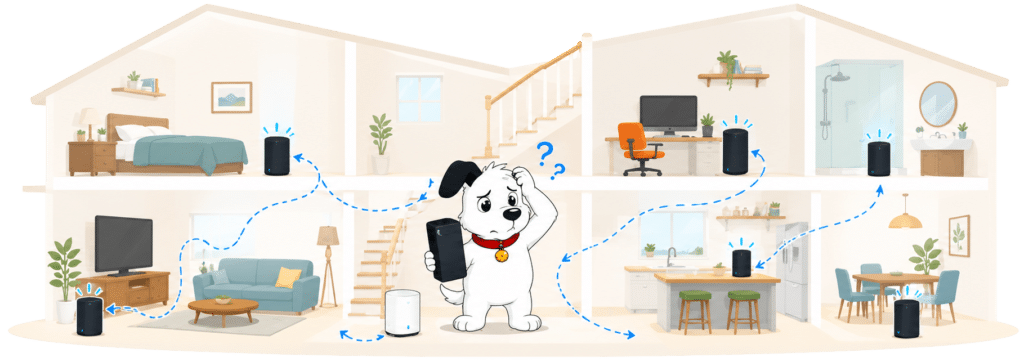
Sky can send up to three Max Pods if its checks show they are needed, and the add-on includes a room-speed promise plus engineer support. It is unusually useful for a paid Wi-Fi extra, but it starts its own 24-month commitment.
INTERACTIVE TOOL
Whole Home Wi-Fi Calculator
Just follow these simple steps and we will calculate how many, if any, ‘Whole Home Wi-Fi’ pods you will need from your provider.
Start here. Work through the steps in order.
Step 1: Agree to M-Lab’s data policy
M-Lab stores test data, including your IP address. Tick to agree before testing.
Step 2: Connect to your home Wi-Fi
Make sure the phone, tablet or laptop you are using is connected to your home Wi-Fi network.
Step 3: Turn mobile data off
If your device has mobile data, turn it off before you start walking around the house.
Step 4: Test next to your router
Stand next to your main Wi-Fi router and press the button below. This gives us your baseline speed.
Step 5: Test your ground floor corners
Walk to each corner of your ground floor and run a test. If your home is not a perfect rectangle, do not overthink it. Just pick four sensible far-apart spots and keep the same numbering if you add another floor.
Last step: Add another floor or calculate
If you have another floor to test, add it below. If you have tested every floor you care about, press calculate.
Your Whole Home Wi-Fi result
Where would you like to go next?
Your package does not decide which router you get
Every current package starts with the Sky Broadband Hub. Choosing WiFi Max is what moves you to the newer Sky Max Hub.
That makes the choice clear at checkout: keep the included router or pay for the better one and its extra services. You do not need to choose a faster broadband package just to qualify for the Sky Max Hub.
INTERACTIVE TOOL
Router range estimator
See how wall materials and router choice affect the quality of Wi-Fi around a typical home.
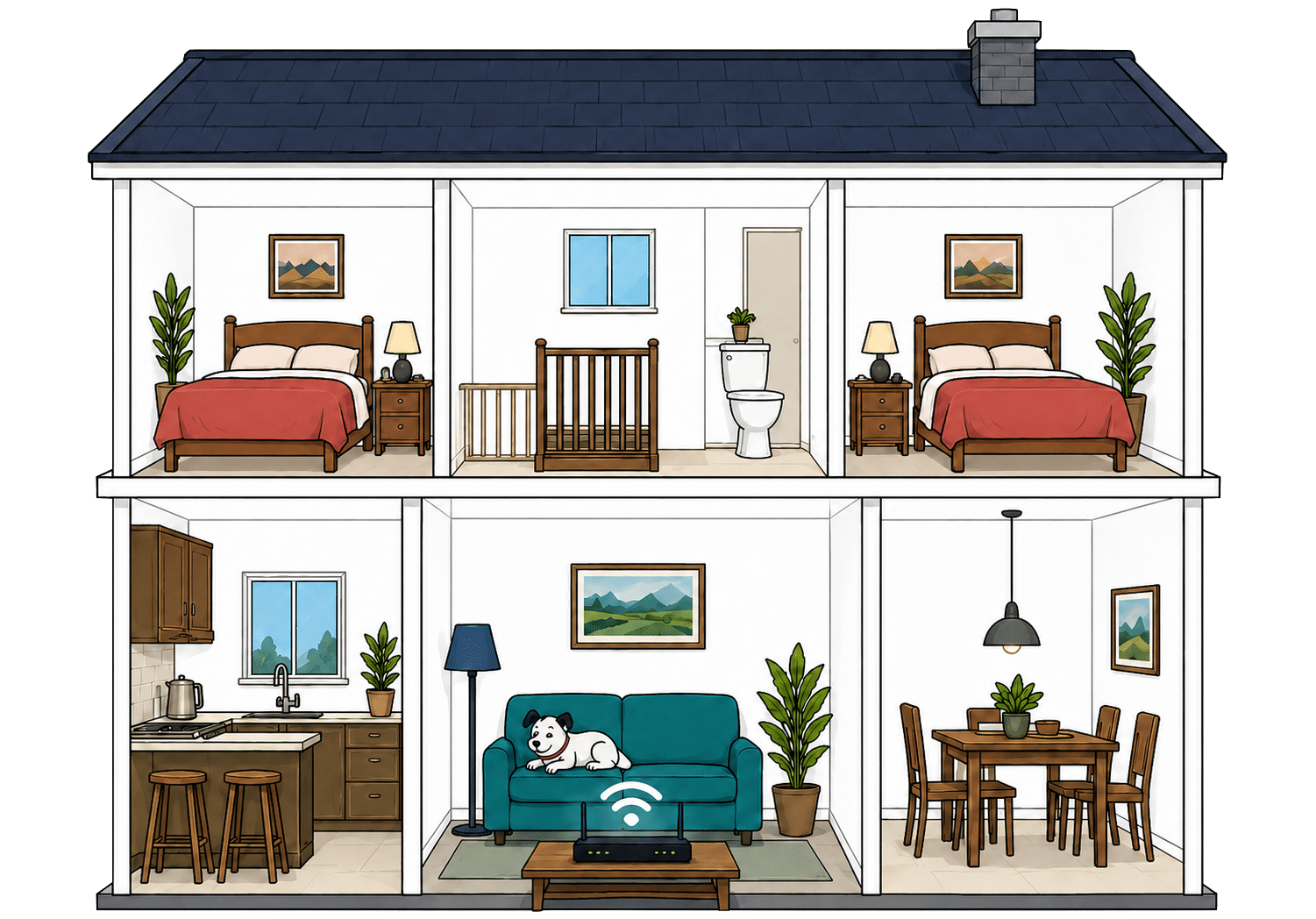
Where would you like to go next?
Four Ethernet ports give wired devices enough room
Both hubs have four Gigabit Ethernet ports. On Full Fibre, one connects to the wall-mounted fibre box, so three remain for a computer, games console, television or network switch.
Gigabit ports are quick enough for NOW Broadband's 300Mbps maximum speed, even when several wired devices share the connection. There is no faster multi-gigabit port, but that would add little while the broadband itself remains well below one gigabit. A cheap network switch can add more sockets if three are not enough.
How a simple wired NOW Broadband network works
Plugging devices directly into your router gives them a steadier connection than Wi-Fi. These router diagrams show the physical Ethernet ports, including any ONT or internet port used by the broadband connection itself.
Use a wired connection for TVs, consoles and computers that stay in one place.
Use the fastest spare LAN port for the device or switch that needs the most speed.
WiFi Max gives you much better router controls
The standard hub gives you basic settings through a browser. WiFi Max adds much easier app controls, device priority, WPA3 and Sky's Advanced Security features.
Neither router offers bridge mode or detailed manual traffic controls. Most people will not need those features, but keen home-network users may prefer their own router.
NOW Broadband router controls at a glance
Here’s a quick look at the router controls you can expect, including app management, browser admin tools, Wi-Fi settings, security features and the physical buttons on the router itself.
Checked from manufacturer specifications. Fibredog tracks dozens of router specification parameters across dozens of provider routers. When a provider changes its router or features, this table is swiftly updated.
You can use your own router
NOW Broadband does not stop you replacing the supplied hub. You need a compatible router and the correct settings, and Sky may ask you to reconnect its hub during fault checks.
There is no bridge mode, so replacement is cleaner than trying to run two routers together. Keep the supplied hub safe because it remains Sky's property and must be returned when the service ends.
Value for money
NOW Broadband includes a landline and useful online security, while WiFi Max is a substantial upgrade rather than a token extra. The standard package is fairly bare, though, and the bill can rise dramatically if you let the contract roll beyond its minimum term.
The basics are included, but whole-home Wi-Fi costs extra
Every package includes Sky Talk Pay As You Talk and Sky Broadband Shield. You do not get a mesh pod, provider email, home broadband backup or a bundled Netflix subscription.
The newer router, app controls, device priority, advanced security and room-speed promise all sit behind WiFi Max. You will pay extra for every one of them, regardless of which broadband speed you choose, and a mesh pod is not included with the standard package either.
What you get with NOW Broadband
Here's what's included as standard, what may cost extra, and what's included with premium packages.
Standard kit versus paid extras
This table separates everyday included features from extras that may depend on package tier, router choice or paid add-ons.
Good to know: Included features are easier to compare because you won’t need to budget for them separately.
Worth checking: Some useful extras may only be included on selected packages or as paid add-ons.
Recent price rises give you a useful planning figure
NOW Broadband does not write a fixed annual increase into the contract. We use £3 as the planning figure because it applied exactly that monthly rise in both 2024 and 2025.
That history helps you estimate the likely effect on your bill, but it is not a promise about the next rise. If Sky announces a qualifying change that puts you at a disadvantage, you can reject it and leave without an early exit charge.
INTERACTIVE CHART
How much will your bill rise by?
This interactive chart shows how much this provider adds to its package prices each April, and lets you compare that with literally any other provider in our database.
Package annual price rises
April price rise shown package by package
The provider-average benchmark is calculated from each provider that applies an annual price rise. Fixed-price providers are shown in the chart but are excluded from the benchmark.
WiFi Max earns its price in homes that need it
The add-on gives you the Sky Max Hub, up to three Max Pods when needed, app controls, device priority, Advanced Security, engineer help and a measured room-speed promise. Together, those extras can make a real difference in a home where the standard router does not reach every room.
A home where the standard router already reaches every room may gain very little from it. The separate 24-month commitment also deserves careful attention, especially if you add WiFi Max after your broadband contract has already started and the two end dates no longer match.

Letting the contract roll over can hammer your bill
Across the three current broadband packages, the standard price after the minimum term rises by an average of about 72%. That increase is far too large to ignore.
Sky must warn you before the contract ends. Use that notice to renegotiate or switch, because doing nothing can turn a reasonably priced package into poor value almost overnight.
INTERACTIVE TOOL
What could your broadband bill roll on to?
Estimate what your monthly broadband price could look like by the end of your minimum term, and what it will jump to if you let the deal roll over.
Step 1: Choose your provider and package
Start by choosing your broadband provider, then select the package your contract is based on.
Step 2: Tell us the starting month of your contract and what you pay
Use the first full monthly price before any mid-contract April increases.
Step 3: Estimate the rollover shock
This is an estimate. Your provider’s end-of-contract notice will be the exact figure.
Your estimate
Where would you like to go next?
Slow speeds can give you a way out
Every package has a minimum speed. Sky gets 30 days to fix a connection that keeps falling below it, and you can leave without an early exit fee if it cannot.
Automatic compensation also covers qualifying delayed starts, missed appointments and complete outages. The whole-home Wi-Fi promise is useful too, but only customers paying for WiFi Max receive it.
INTERACTIVE TOOL
Are you getting your minimum guaranteed speed?
Choose your provider and package, then run a speed test. For the cleanest test of the broadband speed coming into your home, plug a laptop or desktop directly into your router with a LAN cable. You can also test on a phone or tablet to check Wi-Fi speed, but make sure mobile data is switched off first.
Choose your provider and package
Choose your provider and package so we can compare the test result with the package's minimum guaranteed download speed.
Before you test
For an absolute line-speed check, use a computer connected to the router by Ethernet. If you test over Wi-Fi, the result may reflect your in-home Wi-Fi as much as the broadband line itself.
Run the speed test
Ready. Select a package, tick the data policy box, then run the test.
Your result
Where would you like to go next?
This tool uses M-Lab’s open measurement platform. A single speed test is a useful check, but it is not a formal fault diagnosis.
The included router is the wrong place to save money
The standard Sky Broadband Hub has four Gigabit Ethernet ports and will handle NOW Broadband's top speed without any difficulty, but its Wi-Fi 5 and WPA2 look dated when many competitors now include Wi-Fi 6 and WPA3 without charging anything extra.
WiFi Max fixes most of that with the Sky Max Hub. It is a good product, but making customers pay extra for the modern router weakens the value of the standard packages.
Some links on this page may earn us a small commission if you click through and buy. This never affects either what you pay, or our scores and recommendations. If, however, you’d rather bypass affiliate links, use this direct NOW Broadband link instead.
