
VODAFONE BROADBAND VALUE FOR MONEY REVIEW

Vodafone Broadband value for money: How good is it?

Vodafone, in our opinion, is one of the most consistently underrated national providers out there when it comes to value. Competitive pricing, great routers, extras and exceptional speeds make it a true contender. Let’s take a closer look.


By Data checked  Checked weekly
The fibredog mascot – a dog – standing over a set of scales, weighing a stack of coins against vodafone broadband routers and equipment, representing value for money.
fibredog mascot wearing a headset

Having trouble choosing a broadband provider?

No single best provider or package exists – only the best pick for you personally. Fibredog’s YourMatch™ system uses thousands of provider metrics and a lot of maths to find you your perfect match.

Vodafone Broadband Value for Money Scorecard

Six key areas. One overall score. All calculated using our transparent methodology.

What you get as standard

The features, equipment and services included as standard, before paid add-ons, premium tiers or optional upgrades are added.

6.1/10

Included router quality

How much value the included router adds to the package, including Wi-Fi standard, ports, coverage and overall hardware quality.

8.5/10

Annual price rises

How clearly annual price rises are explained, how predictable they are, and how much they add during the minimum term.

7.2/10

Cost of upgrades and extras

Which useful extras cost more, which are bundled in, and whether upgrades feel sensible or too easy to overspend on.

5.4/10

End-of-contract pricing

What happens when the minimum term ends, whether the price jumps, and how easy it is to avoid poor rollover value.

6.8/10

Service guarantees

The service guarantees, speed promises, compensation rules and fault protections that apply when the connection underperforms.

8.2/10

What you get as standard

Vodafone gives you a capable router and the essentials needed to get online, but not much else. Its best Wi-Fi coverage, security, broadband backup and technical support are either paid extras or bundled into the premium Pro 3 service.

The standard package gets the basics right

Every ordinary Vodafone Full Fibre package comes with the Power Hub. It’s a capable Wi-Fi 6 router with automatic updates, app controls and support for Vodafone’s mesh boosters, so the basic package doesn’t feel as though it has been deliberately lumbered with outdated equipment.

You don’t get a home phone, provider email or automatic broadband backup as standard. Secure Net Home is initially available as a trial, but you’ll need to pay if you want to keep its online protection and parental controls after that ends.

Most meaningful improvements cost extra

Super WiFi adds Vodafone’s whole-home coverage service, boosters and a guarantee of at least 10Mbps in every room. That’s a worthwhile improvement if parts of your home struggle for signal, but it’s a paid add-on rather than something included with an ordinary package.

Automatic 4G backup, permanent Secure Net Home and Vodafone’s best router are also held back for Pro 3. Vodafone’s standard offering is perfectly serviceable, but almost every feature that makes it more reliable, secure or easier to use around a larger home sits behind an additional monthly cost.

Pro 3 puts the best extras into one bundle

Pro 3 includes the Ultra Hub 7, one Super WiFi 7 Booster, automatic 4G backup, Secure Net Home and enhanced technical support. Vodafone monitors the connection proactively during the first 90 days and gives you priority calling after that, so this is more than a simple router upgrade.

It’s a coherent bundle for a household that values coverage and resilience. The catch is that you’re paying for the whole collection, whether you need every part of it or not. If your Power Hub already covers the home comfortably, Pro 3 may solve problems you simply don’t have.

The Wi-Fi guarantee has some genuine bite

Vodafone starts you with one booster and can supply two more if they’re needed, giving you up to three in total. Importantly, it doesn’t charge separately for the second and third boosters when they’re required to meet the whole-home guarantee.

If Vodafone still can’t deliver at least 10Mbps in every room after installing all three and trying to fix the problem, you can leave without an early termination fee. You must tell Vodafone within 30 days of receiving the third booster, but it’s still a meaningful remedy rather than an empty coverage promise.

AT A GLANCE

What you get with Vodafone Broadband

Here’s what's included as standard, what may cost extra, and what's only free on top-end packages.

Feature
On all standard packages
Paid extra
Free on highest speed packages
Landline
No
Yes
No
App management
Yes
No
Yes
Parental controls
Yes
No
Yes
Guest network
Yes
No
Yes
Router security features
Yes
Yes
Yes
Automatic firmware updates
Yes
No
Yes
Wi-Fi guarantee
No
Yes
Yes
Mesh devices
No
Yes
Yes
Security software
No
Yes
No
Provider email
No
No
No
Broadband backup
No
Yes
No

Standard kit versus paid extras

This table separates everyday included features from extras that may depend on package tier, router choice or paid add-ons.

Good to know: Included features are easier to compare because you won’t need to budget for them separately.

Worth checking: Some useful extras may only be included on selected packages or as paid add-ons.

Vodafone’s ordinary Full Fibre package is fairly lean, but the Power Hub gives it a decent foundation. You’re getting a capable modern router rather than something that immediately needs replacing.

The more interesting features sit inside Super WiFi or Pro 3. Pro 3 is unusually complete, bringing together better equipment, whole-home coverage, broadband backup, security and enhanced support. It could make sense in a large or connectivity-dependent home, but most people should first decide whether the standard Power Hub leaves them with a problem worth paying to fix.

How to work out if Vodafone Broadband extras are worth it

  1. Pick your speed first

    Choose the Full Fibre speed your home needs before considering extras. Faster broadband won’t fix poor Wi-Fi in one room.

  2. Check your package

    The Power Hub is standard on ordinary tiers, while Pro 3 and multi-gigabit services use the Ultra Hub 7 and a broader premium feature bundle.

  3. Identify the real gap

    Separate the need for better coverage, 4G backup, enhanced support and Secure Net Home instead of assuming the complete Pro 3 bundle is necessary.

  4. Compare Super WiFi with Pro 3

    Super WiFi targets coverage, while Pro 3 combines the Ultra Hub 7, boosters, backup, security and enhanced support. Pay for the bundle only if those additions matter.

  5. Don’t overbuy broadband

    Vodafone's fastest tiers include premium equipment, but don’t buy a multi-gigabit connection solely to obtain the Ultra Hub 7 or better Wi-Fi features.

Vodafone supplies a capable router, but little else comes permanently included with an ordinary package. Pro 3 brings its best router, whole-home Wi-Fi, mobile backup, security and enhanced support into one useful bundle. It’s comprehensive, but it leaves much of Vodafone’s most desirable kit and protection behind an extra monthly charge.

6.1 /10
Overall score

What you get as standard score

This score looks at the useful extras included before you start paying more, including router controls, security features, Wi-Fi help, backup options and everyday add-ons.

Included router value

Vodafone’s ordinary Full Fibre packages come with the Power Hub, and that is a very good deal. It’s a modern Wi-Fi 6 router that should suit most homes. Paying for Pro 3 gets you the Ultra Hub 7, although its Wi-Fi 7 badge hides one surprising omission.

Vodafone gets the standard router right, then muddies the upgrade

The Power Hub is better than most included routers

The Power Hub supports Wi-Fi 6, WPA3 security and automatic Wi-Fi adjustments to work around interference from neighbouring networks. It can handle more than 100 connected devices and works with Vodafone’s booster system. For ordinary browsing, streaming, gaming and video calls, there’s little here to complain about.

Pro 3 gets you the Ultra Hub 7

The Ultra Hub 7 moves up to Wi-Fi 7 and is designed to cope with Vodafone’s fastest packages. You can also get it with Pro 3 on lower speed tiers. That means you don’t have to buy far more broadband speed than you need purely to obtain the better router.

The missing 6GHz channel is difficult to excuse

SThe Ultra Hub 7 has a strange hole in its specification. It uses only the 2.4GHz and 5GHz channels, leaving out the faster, less congested 6GHz channel that can make the biggest difference when you’re close to the router. Vodafone’s previous premium Ultra Hub included it.

That doesn’t make the new router a fake Wi-Fi 7 model. It still has useful improvements that can make connections faster and more efficient. Even so, dropping 6GHz while moving to a newer Wi-Fi standard is a backwards step in one important area. The Ultra Hub 7 is better than the Power Hub, but not by as much as its name might lead you to expect.

INTERACTIVE TOOL

Compare routers from any provider

This provider’s routers are pre-selected for comparison with one another. However, you can use this tool to compare any router from any major provider using the dropdown menus below.

Feature Choose router Choose router
Fibredog rating
Router included as standard
Router manufacturer
Router model
Wi-Fi standard
Wi-Fi bands
2.4GHz supported
5GHz supported
6GHz supported
Beamforming
Antenna count
Maximum connected devices
Stated coverage
Total Ethernet ports
MU-MIMO
OFDMA
WPA3 security
Guest network
Antenna type
Gigabit Ethernet ports
2.5Gb Ethernet ports
5Gb Ethernet ports
10Gb Ethernet ports
WAN port speed
USB ports
Telephone ports
ONT Ethernet input
Coaxial input
Power connection
Mesh support
Provider mesh product
Third-party router use
Modem mode
Compatible broadband technology
App management
Parental controls
QoS
Automated QoS
Device prioritisation
Anti-bufferbloat controls
Manual queue management (SQM/CAKE)
Smart channel selection
Security features
Gamer mode
Game traffic prioritisation
Gaming QoS profiles
Server ping routing tools
Latency dashboards
Per-device gaming presets
Gaming VPN routing features
Work from home mode
Automatic firmware updates
Firmware update notes
Router height
Router width
Router depth
Router weight
Power consumption
Router orientation
Wall mountable
Router colour
Self-installation
Browser admin interface
WPS
Status light control
Reset button
Wi-Fi on/off button
Where would you like to go next? See all tools See all tools

Which Vodafone Broadband router do you get?

Vodafone Power Hub

Included with Vodafone's ordinary Full Fibre packages.

It is a capable dual-band Wi-Fi 6 router with WPA3, intelligent optimisation, mesh expansion and support for more than 100 devices.

Vodafone Ultra Hub 7

Supplied when you choose the premium Pro 3 service.

The Wi-Fi 7 upgrade is faster and supports premium features, although its dual-band design does not include 6GHz Wi-Fi.

Multi-gigabit packages

The Ultra Hub 7 is automatically used on Vodafone's fastest tiers.

On eligible lower-speed Full Fibre packages, the same router is available by opting into Pro 3 rather than choosing a particular speed.

Are Vodafone’s included routers good value for money?

Yes, particularly if you take an ordinary Full Fibre package. The Power Hub is a current Wi-Fi 6 router, handles more than 100 connected devices and adjusts its Wi-Fi automatically to avoid interference. It also works with Vodafone’s boosters if parts of your home need extra coverage. Better still, it becomes yours 14 days after activation, so there’s normally nothing to return when you leave.

The Ultra Hub 7 is a more difficult sell. It’s faster and uses genuine Wi-Fi 7 technology, but losing the 6GHz channel makes it less impressive than Vodafone’s previous premium router in one important respect. Pro 3 can still make sense if you want its booster, broadband backup and extra support. If it’s only the router you want, the Power Hub already gives most homes everything they need.
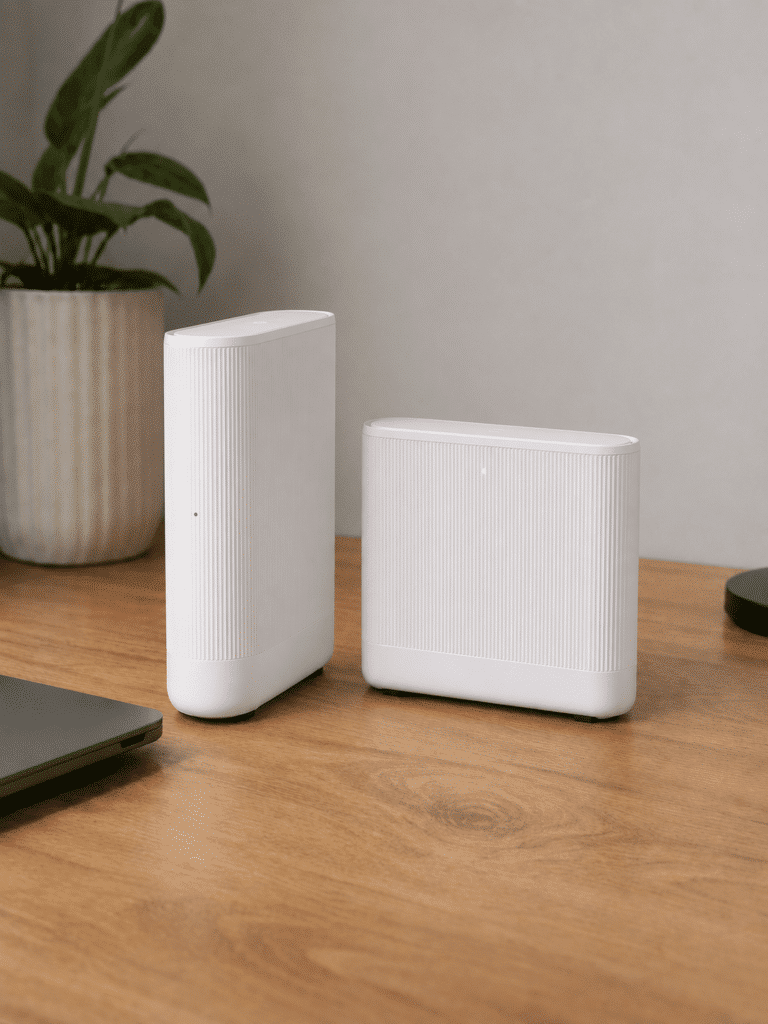
vodafone power hub and ultra hub 7 routers

Vodafone’s Power Hub is one of the better routers supplied with an ordinary Full Fibre package. The Ultra Hub 7 adds real Wi-Fi 7 improvements, but inexplicably drops the 6GHz channel found on Vodafone’s previous premium router. That makes the standard router excellent value, while the paid upgrade is much harder to recommend on its own.

8.5 /10
Overall score

Included router value score

This score looks at whether the router you get included feels fair for the package, including the router’s overall quality, Wi-Fi generation, frequency bands and whether the best kit is easy to get.

Annual price rises

Vodafone adds £3.50 to the monthly price of its broadband packages every 1 April. The amount is written into the contract, so you can see the effect before signing up. That makes Vodafone more predictable than providers using inflation, although a 24-month package can still be hit twice.

How Vodafone’s annual price rise works

Your monthly price rises by £3.50 every April

Vodafone writes a £3.50 increase into its current broadband contracts, with the higher price taking effect on 1 April each year. It’s a fixed amount rather than an inflation-based calculation, and the increase should appear in the contract summary and service confirmation you receive before joining.

A mainstream Vodafone contract lasts 24 months, so your price may rise twice before the minimum term ends. The timing of your order matters too. Joining shortly before April could mean paying the original price for only a small part of your contract before the first increase arrives.

The fixed figure makes the total easier to predict

A pounds-and-pence increase lets you calculate the cost of your contract without guessing what inflation might do next year. You know each April will add the same amount to your monthly payment, which is much clearer than a formula tied to an economic figure that hasn’t yet been published.

The same rise applies regardless of the starting price, though, so it hits cheaper packages harder in percentage terms. Vodafone Essentials is exempt, but ordinary Full Fibre packages aren’t. Predictable doesn’t mean painless. It simply means Vodafone tells you the damage in advance.

The agreed annual rise doesn’t give you a free exit

The £3.50 increase counts as a permitted contract change because Vodafone tells you about it before you sign up. When it arrives in April, you can’t use the rise as a reason to leave without paying an early termination fee. That matters because Vodafone’s exit charge can take 80% of your remaining discounted payments.

A different change can give you a way out. If Vodafone makes a change that negatively affects your service and isn’t already permitted by the contract, it will usually give you at least 30 days’ notice and let you leave without an early termination fee. You must act within that notice period. Ignore the message and Vodafone will treat the change as accepted.


INTERACTIVE CHART

How much will your bill rise by?

This interactive chart shows how much this provider adds to its package prices each April, and lets you compare that with literally any other provider in our database.

Provider N/A Choose a provider
Provider average N/A The average April price rise among providers that apply one.
Compare provider N/A Choose another provider

Package annual price rises

April price rise shown package by package

Package view

The provider-average benchmark is calculated from each provider that applies an annual price rise. Fixed-price providers are shown in the chart but are excluded from the benchmark.

Vodafone’s fixed £3.50 annual rise isn’t welcome, but at least you can calculate it before signing up. A 24-month package may receive two increases, and the agreed April rise won’t let you leave for free. It’s transparent and predictable, but it still adds materially to the full contract cost.

7.2 /10
Overall score

Annual price rises score

This score looks at how a provider’s in-contract annual price rises compare with the wider market, and whether the rules are simple, consistent and easy to understand.

fibredog mascot wearing a headset

Having trouble choosing a broadband provider?

No single best provider or package exists – only the best pick for you personally. Fibredog's YourMatch™ system uses thousands of provider metrics and a lot of maths to find you your perfect match.
Cost of upgrades and extras

Vodafone puts nearly every worthwhile upgrade behind either Super WiFi or Pro 3. Super WiFi deals with weak rooms, while Pro 3 adds the Ultra Hub 7, automatic 4G backup, permanent security and better support. The separate Xtra add-on is aimed at homes that still want television and inclusive landline calls.

How to work out what your Vodafone Broadband package will actually cost

Start with speed and delivery network

Choose the Full Fibre speed your home needs, then check the network available at your address because Vodafone's upload profiles and equipment can vary.

Ordinary packages use the Power Hub, while the Ultra Hub 7 is tied to the paid Pro 3 proposition on eligible tiers.

Compare Super WiFi with Pro 3

Super WiFi costs extra on an ordinary package and adds Vodafone's managed whole-home service and 10Mbps room guarantee.

Pro 3 includes the Ultra Hub 7, one Super WiFi 7 Booster and can supply up to two more boosters when needed, alongside 4G backup and enhanced support.

Price phone and Xtra separately

A home phone is optional rather than standard. Paid calling choices and Vodafone Xtra sit on top of the broadband package.

Only include them in your comparison if the household will genuinely use the calls or entertainment benefits.

Check the security charging point

Secure Net Home is not permanently included across ordinary Vodafone packages: Power Hub customers receive a trial before it becomes chargeable, while Pro includes the service.

Compare that protection with security already built into your devices before paying twice.

Separate premium benefits from essentials

Automatic 4G backup, the best router and premium support require Pro 3, while residential static IP is not offered.

Build the comparison from the full monthly cost of the options you actually need, not Vodafone's entry broadband price alone.

Remember: Choose the Vodafone Broadband speed you need, then compare ordinary broadband plus Super WiFi with the complete Pro 3 price before adding phone or Xtra options.

Pro 3 is Vodafone’s big all-in upgrade

Pro 3 replaces the standard Power Hub with the Ultra Hub 7 and includes one Super WiFi 7 Booster, a 10Mbps room-by-room Wi-Fi guarantee, automatic 4G backup and permanent Secure Net Home. Vodafone also monitors your connection during the first 90 days and gives your calls priority after that.

The value depends on how many of those features you’ll actually use. A home with difficult Wi-Fi and people who can’t afford an outage may find plenty here to justify the extra monthly cost. If your Power Hub already covers every room and brief downtime isn’t a disaster, you could end up paying for several solutions to problems you don’t have.

Super WiFi fixes coverage without making you buy everything else

Super WiFi adds Vodafone’s managed booster service and guarantees at least 10Mbps in every room. It costs extra each month on an ordinary Full Fibre package, but lets you tackle a genuine Wi-Fi coverage problem without also paying for Pro 3’s premium router, broadband backup, security and enhanced support.

Vodafone can supply up to three boosters when they’re needed, and it doesn’t charge separately for the second and third units. If the guarantee still isn’t met after all three have been installed and Vodafone has tried to fix the problem, you can leave without an early termination fee. You must tell Vodafone within 30 days of receiving the third booster.

Security, television and calls are separate decisions

Secure Net Home protects connected devices from malicious sites, malware and phishing, while adding fuller parental controls. Ordinary Power Hub packages receive a trial, after which it becomes a paid extra unless you cancel. Pro 3 includes it permanently, so check what you already receive before adding security separately.

Vodafone Xtra combines an Apple TV 4K device, a short Apple TV subscription and inclusive calls to UK landlines and mobiles. It could suit a home that wants all three, but makes less sense if you stream through equipment you already own or rarely use a home phone. Vodafone doesn’t sell residential static IP addresses, and there’s no provider email account to add.

Vodafone Broadband add-ons at a glance

Vodafone offers several substantial upgrades, but its best router, managed Wi-Fi, backup and enhanced support can push the real price well above the standard broadband tariff.

Most likely to matter

Pro 3

The premium service adds the Ultra Hub 7, one Super WiFi 7 Booster, automatic 4G backup, enhanced support and included Secure Net Home on eligible packages.

Super WiFi

Ordinary Power Hub customers can add the managed Wi-Fi service for £7 per month, including a 10Mbps room guarantee and extra boosters where Vodafone decides they are needed.

Home phone and Vodafone Xtra

A home phone, Anytime calls and Vodafone Xtra are optional paid choices rather than standard parts of the broadband package.

Worth checking

Secure Net Home

Power Hub packages receive a trial before the service becomes chargeable, while Pro includes it. Check your existing device protection before continuing to pay.

Up to three managed boosters

Pro 3 starts with one booster and Vodafone can provide two more at no extra device charge when required under its managed Wi-Fi process.

Your own router

Vodafone permits compatible third-party routers, but app control, managed mesh, 4G backup and potentially Digital Voice features may be lost.

Dead ends

Residential static IP or email

Vodafone does not currently sell a residential static-IP option or provide a Vodafone broadband email account.

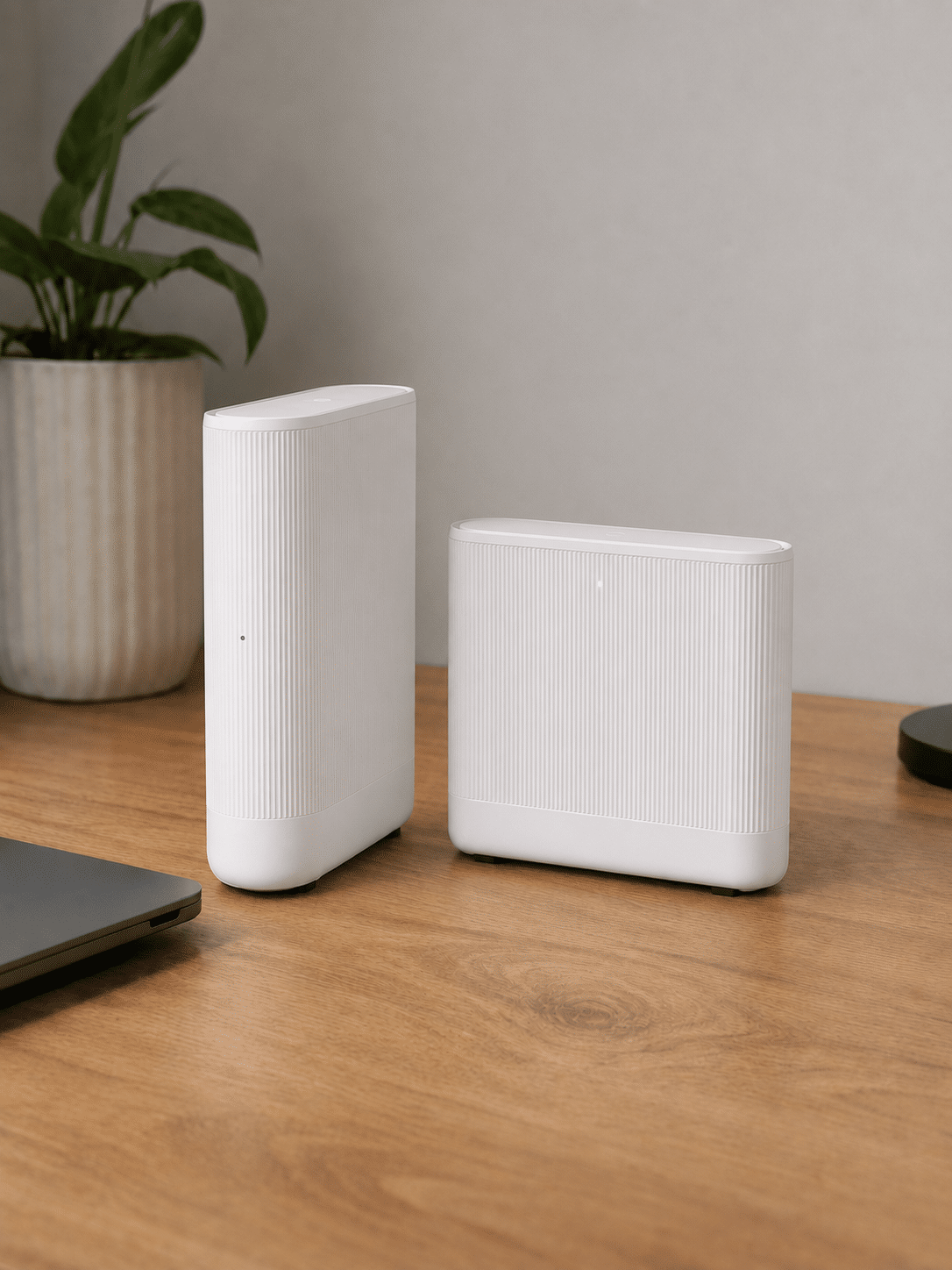
Vodafone Power Hub and Ultra Hub 7 routers

Vodafone has coverage and main-router upgrade routes

Standard packages use the Power Hub. Super WiFi improves the managed coverage setup, while eligible Pro 3 packages move customers to the substantially more capable Ultra Hub 7.

Super WiFi

Keep the Power Hub and add managed coverage

The additional-cost service adds Vodafone's 10Mbps room guarantee and starts the process for supplying managed boosters where needed.

It improves whole-home coverage, but it does not turn the Power Hub into Vodafone's best main router.

Pro 3

The route to the Ultra Hub 7

Eligible Pro 3 packages include the tri-band Wi-Fi 7 Ultra Hub 7, one Super WiFi 7 Booster, automatic 4G backup and enhanced support.

This is the genuine router upgrade, but its complete premium monthly cost should be compared rather than treating the hardware as free.

Pro 3 packs Vodafone’s best router, whole-home Wi-Fi, automatic backup, security and better support into one substantial upgrade. Super WiFi is the more focused choice if poor coverage is your only problem. Both can be useful, but neither is cheap enough to buy without first checking exactly what your home is missing.

5.4 /10
Overall score

Cost of upgrades and extras score

This score looks at how close the advertised package price is likely to be to the price you actually pay once useful extras, paid add-ons and missing options are taken into account.

End-of-contract pricing

Vodafone’s promotional discount ends automatically when your minimum term expires. Your broadband continues, but the monthly price moves to the out-of-contract rate shown in Vodafone’s price guide at that time. Unless you renew or leave, you could start paying considerably more for exactly the same service.

The discounted price disappears automatically

Vodafone removes any discount, promotion or special offer attached to your package when its minimum term ends. Your monthly payment then moves to the applicable out-of-contract price. There’s no single percentage increase across every package because the size of the jump depends on the discount you received when you joined.

The annual £3.50 increases applied during your contract don’t prevent another rise at the end. You may therefore pay more because your discount has vanished as well as having absorbed April’s annual increases along the way. Check the actual replacement price in Vodafone’s warning rather than assuming the final in-contract payment will continue.

Vodafone must warn you before the discount ends

Vodafone must send an end-of-contract notification between 10 and 40 days before your minimum term expires. It has to show when the contract ends, what you pay now, what you’ll pay afterwards, how much notice you must give to leave and the best deals Vodafone can offer you.

Ten days is the minimum warning guaranteed by the rules, which isn’t long if you want to compare providers properly. Open the message when it arrives and note the date. Leaving it unread can mean slipping onto the higher price before you’ve decided whether to renew, switch or cancel.

Your broadband continues on a rolling basis

Vodafone doesn’t disconnect you when the minimum term finishes. Your broadband continues month by month at the new price until you renew, change package or leave. That avoids any interruption, but it also makes doing nothing the most expensive and easiest option.

Once the minimum term has ended, you can cancel without an early termination fee, although Vodafone still requires 30 days’ notice. Your router normally became your property 14 days after activation, so there’s usually no equipment-return job waiting for you either. The only real obstacle is remembering to act.

Renewing online puts the discount back

Vodafone supports online renewal, so you shouldn’t need to telephone simply to secure another discounted price. Accepting a new deal starts a fresh minimum term, however, and the next package will still carry its own annual price rises and end-of-contract conditions.

Compare Vodafone’s renewal offer with both its new joiner prices and the deals available elsewhere. Staying may be easiest, particularly if the price is competitive and the service has worked well, but convenience alone isn’t worth paying more for another two years. Make Vodafone earn the renewal rather than accepting its first offer automatically.

INTERACTIVE TOOL

What could your broadband bill roll on to?

Estimate what your monthly broadband price could look like by the end of your minimum term, and what it will jump to if you let the deal roll over.

Step 1: Choose your provider and package

Start by choosing your broadband provider, then select the package your contract is based on.

Provider
Package

Step 2: Tell us the starting month of your contract and what you pay

Use the first full monthly price before any mid-contract April increases.

Contract start month

Step 3: Estimate the rollover shock

This is an estimate. Your provider’s end-of-contract notice will be the exact figure.

Your estimate

    Where would you like to go next?

    How to use the Contract Rollover Estimator

    Like all our tools, this uses a few moving parts behind the scenes, but from your perspective it’s simple. Choose your provider and package, tell us the starting month of your contract and enter your first full monthly bill. We’ll estimate what your price will rise to during the contract, and what it will roll on to if you don’t agree a new deal.

    What to do before your Vodafone Broadband deal rolls over

    1. Get your rollover estimate

      Use the calculator above with your starting promotional price and the £3.50 annual increases applied during the minimum term.

    2. Read Vodafone's notice

      Check the exact end date, the post-contract standard price and Vodafone's best renewal offers as soon as the regulated notification arrives.

    3. Act before the discount ends

      Vodafone's service rolls on monthly, but the promotional discount ends and the price can rise materially. Do not assume the current monthly charge will continue.

    4. Compare complete packages

      Compare Vodafone's renewal offer with other providers, including the cost of Pro 3, Super WiFi, phone or Xtra features you actually use.

    5. Renew, switch or leave

      Choose before the standard rate takes effect. You can recontract online or switch once the minimum term ends without paying an early termination charge.

    You may be able to haggle it down

    Vodafone supports online recontracting and may offer another deal as the minimum term ends. That is considerably better than simply accepting the standard rolling price, because the promotional discount ends and the monthly charge can rise materially.

    Compare Vodafone's offer with its current packages and other providers before accepting another minimum term. Include any Pro 3, Super WiFi, phone or Xtra features in the comparison so that both prices cover the same service.

    Don't negotiate against the standard price alone: A renewal can look dramatic merely because Vodafone's post-contract price is high. Judge it against equivalent packages across the wider market, not only against the cost of doing nothing.

    Vodafone removes your promotional discount when the minimum term ends, while the broadband itself rolls on at a higher price. It must warn you beforehand and supports online renewal, so avoiding the increase is straightforward if you act. Ignore the notice, though, and you could pay considerably more without receiving anything new.

    6.8 /10
    Overall score

    End of contract pricing score

    This score looks at what happens when your minimum term ends, how much warning you get, and how easy the provider makes it to avoid sliding onto an expensive post-contract price.

    Service guarantees

    Vodafone covers slow speeds, failed installations, missed appointments, total outages and poor Wi-Fi through several different protections. The 10Mbps whole-home Wi-Fi promise is clear and useful, while automatic compensation covers major failures. Its Full Fibre minimum-speed wording is far less convincing and leaves an important gap.

    Vodafone’s Full Fibre speed promise is frustratingly unclear

    Vodafone gives you personalised minimum and maximum speeds in your service confirmation. The minimum applies to the connection reaching the small fibre box installed in your home, not the Wi-Fi speed received by a phone, television or laptop elsewhere in the house. That’s the correct place to judge the underlying broadband connection.

    Vodafone’s terms say you may move to a slower package or leave without an early termination fee if it can’t fix a qualifying speed problem. However, the same wording expressly excludes Fibre to the Home, and no numbered Full Fibre repair period is published. That leaves Vodafone’s main speed remedy looking worryingly unclear for the very packages covered here.

    Automatic compensation pays you, but doesn’t set a repair time

    Vodafone belongs to Ofcom’s automatic compensation scheme, covering delayed activation, missed engineer appointments and a total loss of broadband service. Compensation for a complete outage starts when the service hasn’t been fully restored after two full working days, and qualifying payments should be made automatically rather than requiring a separate claim.

    Two working days is the point at which compensation begins, not a promise that Vodafone will repair the fault by then. Vodafone publishes no separate fixed repair deadline for ordinary home broadband. You could therefore receive compensation while remaining offline, which softens the financial impact but doesn’t solve the far more immediate problem of having no connection.

    INTERACTIVE TOOL

    Are you getting your minimum guaranteed speed?

    Choose your provider and package, then run a speed test. For the cleanest test of the broadband speed coming into your home, plug a laptop or desktop directly into your router with a LAN cable. You can also test on a phone or tablet to check Wi-Fi speed, but make sure mobile data is switched off first.

    Choose your provider and package

    Choose your provider and package so we can compare the test result with the package's minimum guaranteed download speed.

    Provider
    Package

    Before you test

    For an absolute line-speed check, use a computer connected to the router by Ethernet. If you test over Wi-Fi, the result may reflect your in-home Wi-Fi as much as the broadband line itself.

    Run the speed test

    Upload Mbps
    Latency ms

    Ready. Select a package, tick the data policy box, then run the test.


    Your result

    Result waiting Run the speed test to compare your download speed with the selected package’s minimum guaranteed speed.

      Where would you like to go next?

      This tool uses M-Lab’s open measurement platform. A single speed test is a useful check, but it is not a formal fault diagnosis.

      How Vodafone Broadband service guarantees work in practice

      Vodafone separates incoming broadband performance, complete service loss and managed in-home Wi-Fi into different processes.

      The problem

      Your Vodafone connection feels slow or unreliable, but the cause could be the line reaching the router, weak Wi-Fi in one room or a complete loss of service.

      Layer 1: the contract

      Vodafone must provide the service with reasonable care and skill and participates in automatic compensation for qualifying delays, missed appointments and total loss. Compensation after two full working days is not a promise to repair every fault within a fixed time.

      Layer 2: the minimum speed

      Vodafone supplies personalised speed information in the Service Confirmation Letter and gives qualifying customers a route to downgrade or leave if it cannot resolve performance below the minimum. Its published Full Fibre wording contains important gaps, so check the terms supplied for your exact service.

      Layer 3: Super WiFi

      If the incoming connection is fine but coverage is weak, Super WiFi is the relevant protection. It promises at least 10Mbps in every room and can provide up to three boosters. If Vodafone still cannot meet the promise after the process is completed, a penalty-free exit right applies under its conditions.

      What this means

      Do not treat automatic compensation, minimum incoming speed and the Super WiFi promise as interchangeable. Establish where the failure occurs and whether your package includes the protection before starting the claim.

      fibredog mascot looking worried beside a knocked-over plant pot

      Super WiFi promises 10Mbps in every room

      Super WiFi guarantees at least 10Mbps in every room and can provide up to three boosters where they’re needed. The service costs extra on ordinary packages and is included with Pro 3. Its promise deals specifically with weak Wi-Fi around the home, which is separate from a slow connection arriving at the router.

      Vodafone can try to fix the problem and supply all three boosters before the exit right applies. If it still can’t meet the guarantee, you can leave without an early termination fee, provided you notify Vodafone within 30 days of receiving the third booster. That’s a meaningful remedy, and the 10Mbps threshold is much more useful than the token promises offered elsewhere.

      Vodafone’s automatic compensation and 10Mbps whole-home Wi-Fi promise provide useful protection when installations, appointments, outages or coverage go wrong. The weak point is its muddled Full Fibre speed wording, which publishes no clear repair period and expressly excludes Fibre to the Home from the main contractual remedy. That uncertainty costs Vodafone heavily here.

      8.2 /10
      Overall score

      Service guarantees score

      This score reflects how much protection you get when your broadband speed, Wi-Fi, installation, repair or service reliability doesn’t meet expectations.

      fibredog mascot wearing a headset

      Having trouble choosing a broadband provider?

      No single best provider or package exists – only the best pick for you personally. Fibredog's YourMatch™ system uses thousands of provider metrics and a lot of maths to find you your perfect match.

      Some links on this page may earn us a small commission if you click through and buy. This never affects either what you pay, or our scores and recommendations. If, however, you’d rather bypass affiliate links, use this direct Vodafone Broadband link instead.
