
THE BIG VODAFONE BROADBAND REVIEW
Vodafone Broadband review: Is it any good?
We’re calling it right here in the intro. Vodafone is probably the UK’s most underrated provider, too often overlooked for the likes of BT, Sky and Virgin Media when it’s stronger in many areas. Let’s drill down into that.


Having trouble choosing a broadband provider?
Fibredog’s unique Provider Matcher uses literally thousands of provider data points to find you your perfect match.
Vodafone Broadband overall scorecard
Six key areas. One overall score. All calculated using our transparent methodology.
Packages and speeds
Available speeds, package range, upload speeds, gaming features, working from home suitability and changing your package.
Joining, switching and cancelling
Ease of joining, credit checks, installation, compensation, switching from another provider, moving home and cancelling your service.
Customer service
Customer experience, contact options, when something goes wrong, complaints policy, help for vulnerable customers and online support.
Routers and equipment
Wi-Fi quality, Wi-Fi range, whole-home Wi-Fi, wired connectivity, router controls and using your own router.
Value for money
What comes as standard, included router value, annual price rises, the cost of upgrades and extras, end-of-contract pricing and service guarantees.
Contracts and small print
Your contract commitments, price rise terms, early-exit fees, speed guarantees, equipment ownership, restrictions, penalties and hidden catches.
Fibredog Package Speed Calculator
Enter the number of people, TVs, consoles and so on and we'll match you with the right package speed.
Fibredog Upload Speed Comparison
Compare any provider's upload speeds with any other as absolute numbers or as a ratio of download speed.
Fibredog Package Change Rules Checker
Answer a few simple questions to see if you should upgrade, downgrade or switch.
Fibredog Interactive Customer Experience Chart
Use the buttons to examine this provider's customer experience performance in every dimension.
Fibredog Router Comparison Tool
Compare this provider's routers with each other, or with any other national provider.
Fibredog Whole Home Wi-Fi Calculator
Calculates whether you need additional mesh routers, how many, and even where you should put them.
Fibredog Router Range Estimator
Provides a visual mock-up of how Wi-Fi is likely to behave in your home with this provider's routers.
Fibredog Exit Fees Calculator
Tell us who you're currently with and how long there is left on your contract, and we will tell you your early exit fees.
Fibredog Broadband Buyout Calculator
Check whether you're in the zone where you can make good use of this provider's broadband buyout offer.
Fibredog Annual Price Rise Comparison
See how much each of these provider's packages will go up every April and compare that to any other provider.
Fibredog Rollover Price Calculator
Tell us who you're with and what you're paying and we will tell you how much your price will go up when your contract ends.
Fibredog Speed Guarantees Test
Tell us who you're with and we will check if they're delivering you the minimum speed they promised.
Joining, switching and cancelling
Vodafone makes joining and switching remarkably painless, with excellent contact options, automatic compensation and help towards an old provider’s exit fee. Cancelling is straightforward too, provided you aren’t trapped inside the minimum term. Its hard credit check and particularly nasty moving-home rules are where an otherwise polished process starts showing its teeth.
Vodafone lets you join whichever way suits you
You can order Vodafone Broadband entirely online without being bounced into an unwanted sales call. Phone ordering, callbacks and live chat are also available, so you can choose between completing everything yourself and getting help before you commit.
Vodafone’s three-network package range could make ordering horribly confusing, but its address checker does the sorting for you. Enter your postcode and it shows the relevant packages, speeds and network versions available at your home. It turns a complicated national range into a manageable local choice.
INTERACTIVE TOOL
What could your broadband bill roll on to?
Estimate what your monthly broadband price could look like by the end of your minimum term, and what it will jump to if you let the deal roll over.
Step 1: Choose your provider and package
Start by choosing your broadband provider, then select the package your contract is based on.
Step 2: Tell us the starting month of your contract and what you pay
Use the first full monthly price before any mid-contract April increases.
Step 3: Estimate the rollover shock
This is an estimate. Your provider’s end-of-contract notice will be the exact figure.
Your estimate
Where would you like to go next?
The hard credit check offers no second chance
Vodafone warns you before running a hard credit check, which is important because the search can remain visible to other lenders even if your application fails. Rejection doesn’t necessarily mean bad credit. Identity details, address history and Vodafone’s own scoring can all affect the decision.
Fail the assessment and Vodafone publishes no deposit, advance-payment or restricted-account alternative. You can correct information or appeal, but that merely asks Vodafone to reconsider the same decision. Even its Essentials social tariff requires a credit check, making Vodafone unusually unforgiving when the first application goes wrong.
Switching support covers almost every loose end
One Touch Switch means you normally order from Vodafone and let it coordinate the move with your existing provider. You avoid a separate cancellation call, while Vodafone supports transferring your home-phone number where technically possible and pays automatic compensation for qualifying activation delays.
Switch and Save can contribute towards an eligible exit charge from your old provider. You must pay that bill first, submit evidence within 90 days of activation and receive the approved amount as Vodafone account credit rather than cash. There’s paperwork involved, but it can make an early switch considerably less painful.
COMPARISON CHART
How much will Vodafone pay to buy you out?
This chart shows which providers currently offer broadband contract buyout, and how much they may pay toward leaving your old contract.
Broadband contract buyout by provider
Maximum buyout amount by provider
Where would you like to go next?
The national average benchmark only includes providers that currently offer broadband contract buyout in our database.
Moving home can leave you paying for Vodafone’s absence
Vodafone wants 30 days’ notice before transferring your broadband to a new address. Availability must be checked again, and the move may bring connection charges, installation work, a different package and another minimum term. This isn’t a simple case of carrying your existing agreement into another house.
Vodafone reserves the right to charge an early termination fee when it can’t serve your new UK address. Its standard calculation takes 80% of the remaining discounted package payments, so its own lack of coverage can leave you with a substantial bill. That is exceptionally harsh and drags the whole moving process down.
Cancelling is easy unless you’re still in contract
Vodafone accepts cancellations online, by phone or in writing, with no compulsory telephone conversation. Its 14-day cooling-off period starts after activation, rather than disappearing while you wait for installation. After those first 14 days, the router belongs to you and normally doesn’t need returning either.
The 30-day notice period is less appealing, but the real punishment is leaving during the minimum term. Vodafone charges 80% of your remaining discounted payments, saving you very little for surrendering the service. The practical cancellation process is excellent. The financial escape route is anything but.
Cancelling Vodafone Broadband at a glance
A quick view of the routes, notice periods, fees and equipment-return rules you may need to deal with.
Installation problems come with excellent protection
An existing usable Full Fibre connection can make activation wonderfully uneventful. New installations may require cabling, an engineer visit and a small fibre box inside your home. You must provide access and secure permission from a landlord or property owner where the work affects somebody else’s building or land.
Vodafone can refuse an installation that proves impractical or excessively expensive after its final checks, but money paid towards work it can’t complete should be refunded. Qualifying activation delays and missed engineer appointments also earn automatic compensation. Those are sensible limitations backed by unusually good protection when Vodafone causes the problem.
Customer service
Vodafone’s customer service has improved enormously. Ofcom now records high satisfaction, better complaint handling and the shortest average call wait in its latest comparison. Add extensive contact hours, excellent fault support and unusually thorough help for vulnerable users, and Vodafone has become one of the better national providers to deal with when you need help.
Vodafone’s customer service turnaround is real
Vodafone’s broadband satisfaction reached 86% in Ofcom’s latest figures, while complaints reaching the regulator fell from 115 to 50 per 100,000 subscribers. Satisfaction with complaint handling has climbed to 63% too. It isn’t perfect, but every important measure is moving in the right direction.
The standout result is Vodafone’s average call wait, which has fallen from more than three minutes to just 25 seconds. Its Trustpilot rating has also rocketed, although that profile combines mobile and broadband reviews. Ofcom’s broadband-specific evidence provides the more convincing reason to be impressed.
INTERACTIVE CHART
Interactive Vodafone Broadband customer experience chart
You can use the various buttons here to see the Vodafone Broadband customer experience in a number of different ways.
Overall service satisfaction
Ofcom satisfaction with service overall
Sources: Ofcom, Trustpilot.
Getting hold of Vodafone is rarely difficult
Vodafone’s general phone lines are staffed for 94 hours each week, while its Broadband Xperts operate from 8am to 8pm every day, including public holidays. You can also use human live chat, TOBi, My Vodafone, a contact form or official social channels.
Just Ask Once is particularly useful. It lets you send a message through the My Vodafone app, gives one person ownership and keeps you updated without trapping you in a live conversation. There’s no general support email, WhatsApp service or community forum, but the remaining options cover almost every practical need.
Support channels at a glance
Vodafone Broadband gives customers several ways to get help. This view shows which practical contact, account and fault-support routes are recorded in the fibredog dataset.
Checked from live provider data. Fibredog tracks contact routes, account tools and fault-help options separately, so this information updates soon after anything changes.
Fault support covers almost every base
Vodafone gives you service-status checks, area-fault information and online or app-based diagnostics before you report a problem. If those tools can’t fix it, you can report the fault digitally, use live chat or speak to a Broadband Xpert every day of the year.
Automatic compensation can apply when activation is delayed, an appointment is missed or a total loss of service lasts beyond two full working days. Pro 3 packages also include automatic 4G backup. That protection costs extra rather than coming as standard, but Vodafone’s overall fault support is excellent.
Extra support is properly thought through
Vodafone can record your accessibility needs against your account, provide bills in alternative formats and let a nominated person help manage it. Relay UK, British Sign Language support and a dedicated accessibility number give you practical alternatives to an ordinary phone conversation.
Eligible vulnerable users can receive priority fault repair and battery backup where the connection is medically important. Vodafone Essentials is equally impressive, with no setup fee, in-contract price rise or early termination charge. Dedicated financial difficulty, bereavement and major life event support completes an unusually comprehensive service.
Accessible complaints support
Vodafone Broadband provides accessible complaint handling, including Relay UK and BSL video interpretation, a dedicated accessibility phone line, and complaint documents in Braille, large print, audio and other alternative formats through its specialist accessibility team.
The complaints process gives you firm deadlines
Vodafone aims to resolve complaints within five days. More complicated cases can take longer, but publishing a clear target is far better than leaving you with an acknowledgement and no idea when anything will actually happen.
If Vodafone can’t put things right, its complaints code explains internal escalation, final responses and deadlock letters. You can take an unresolved broadband complaint to CISAS after six weeks, or sooner when Vodafone declares deadlock. The process is clear, accessible and unusually consumer-friendly.
 Free to use
Independent ADR provider
If Vodafone can’t resolve your complaint, CISAS is the approved ADR scheme for its broadband services.
- 70 Fleet Street, London EC4Y 1EU
- 0207 520 3814
- cisas@cedr.com
- cedr.com/cisas
Vodafone’s digital support does more than deflect calls
My Vodafone handles bills, payments, account information and package management. The separate Vodafone Broadband app focuses on connection checks, Wi-Fi problems and router diagnostics. Splitting everything between two apps is less tidy than one complete service, but the division makes sense once you know it exists.

Just Ask Once is the best feature, giving your message an owner without making you wait in live chat. Online fault checking and reporting are excellent too. Vodafone’s various apps, chat services and support routes can feel fragmented, but they rarely leave you stranded behind a chatbot.
Having trouble choosing a broadband provider?
Fibredog's unique Provider Matcher uses literally thousands of provider data points to find you your perfect match.
Routers and equipment
Vodafone gives you a capable router whichever Full Fibre package you choose. The standard Power Hub covers ordinary homes well, while Pro 3 adds the newer Ultra Hub 7, mesh boosters, automatic 4G backup and a whole-home guarantee. The premium router makes a few baffling compromises, but Vodafone’s overall equipment setup is among the better ones available.
The standard router is better than standard suggests
Vodafone’s Power Hub is a perfectly respectable Wi-Fi 6 router with WPA3 security, automatic wireless optimisation and support for more than 100 devices. It’s included with ordinary Full Fibre packages and should be capable enough for most busy households without demanding an immediate paid upgrade.
Pro 3 replaces it with the Ultra Hub 7, which supports Wi-Fi 7 and handles up to 128 devices. The baffling part is that Vodafone has removed the 6GHz band found on its previous premium router. It’s still an upgrade, but not the technological leap its name suggests.
INTERACTIVE TOOL
Compare routers from any provider
This provider’s routers are pre-selected for comparison with one another. However, you can use this tool to compare any router from any major provider using the dropdown menus below.
| Feature | Choose router | Choose router |
|---|---|---|
| Fibredog rating | — | — |
| Router included as standard | — | — |
| Router manufacturer | — | — |
| Router model | — | — |
| Wi-Fi standard | — | — |
| Wi-Fi bands | — | — |
| 2.4GHz supported | — | — |
| 5GHz supported | — | — |
| 6GHz supported | — | — |
| Beamforming | — | — |
| Antenna count | — | — |
| Maximum connected devices | — | — |
| Stated coverage | — | — |
| Total Ethernet ports | — | — |
| MU-MIMO | — | — |
| OFDMA | — | — |
| WPA3 security | — | — |
| Guest network | — | — |
| Antenna type | — | — |
| Gigabit Ethernet ports | — | — |
| 2.5Gb Ethernet ports | — | — |
| 5Gb Ethernet ports | — | — |
| 10Gb Ethernet ports | — | — |
| WAN port speed | — | — |
| USB ports | — | — |
| Telephone ports | — | — |
| ONT Ethernet input | — | — |
| Coaxial input | — | — |
| Power connection | — | — |
| Mesh support | — | — |
| Provider mesh product | — | — |
| Third-party router use | — | — |
| Modem mode | — | — |
| Compatible broadband technology | — | — |
| App management | — | — |
| Parental controls | — | — |
| QoS | — | — |
| Automated QoS | — | — |
| Device prioritisation | — | — |
| Anti-bufferbloat controls | — | — |
| Manual queue management (SQM/CAKE) | — | — |
| Smart channel selection | — | — |
| Security features | — | — |
| Gamer mode | — | — |
| Game traffic prioritisation | — | — |
| Gaming QoS profiles | — | — |
| Server ping routing tools | — | — |
| Latency dashboards | — | — |
| Per-device gaming presets | — | — |
| Gaming VPN routing features | — | — |
| Work from home mode | — | — |
| Automatic firmware updates | — | — |
| Firmware update notes | — | — |
| Router height | — | — |
| Router width | — | — |
| Router depth | — | — |
| Router weight | — | — |
| Power consumption | — | — |
| Router orientation | — | — |
| Wall mountable | — | — |
| Router colour | — | — |
| Self-installation | — | — |
| Browser admin interface | — | — |
| WPS | — | — |
| Status light control | — | — |
| Reset button | — | — |
| Wi-Fi on/off button | — | — |
| Where would you like to go next? | See all tools | See all tools |
Super WiFi offers proper whole-home protection
Vodafone’s Super WiFi service uses up to three boosters to carry your connection into rooms the main router struggles to reach. Pro 3 includes the first Super WiFi 7 Booster, with another two available at no additional cost when Vodafone decides they’re needed.
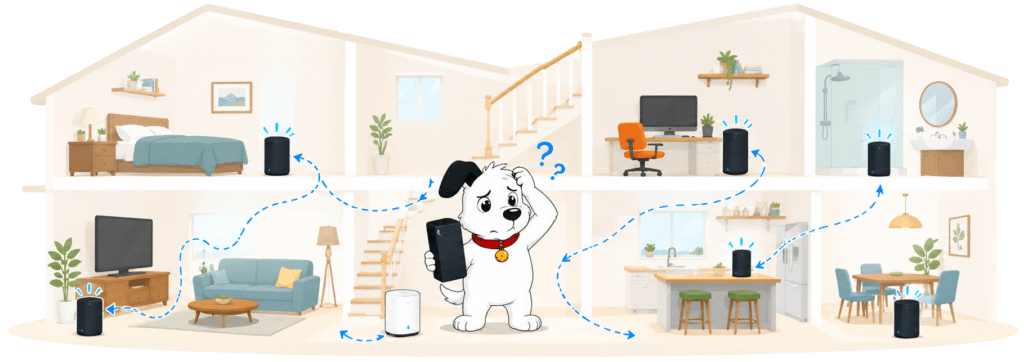
The 10Mbps room-by-room guarantee gives the service some bite. If Vodafone still can’t meet it after supplying three boosters and trying to fix the problem, you can leave without an early termination fee. It’s a convincing system, although ordinary packages receive neither a booster nor the guarantee as standard.
INTERACTIVE TOOL
Whole Home Wi-Fi Calculator
Just follow these simple steps and we will calculate how many, if any, ‘Whole Home Wi-Fi’ pods you will need from your provider.
Start here. Work through the steps in order.
Step 1: Agree to M-Lab’s data policy
M-Lab stores test data, including your IP address. Tick to agree before testing.
Step 2: Connect to your home Wi-Fi
Make sure the phone, tablet or laptop you are using is connected to your home Wi-Fi network.
Step 3: Turn mobile data off
If your device has mobile data, turn it off before you start walking around the house.
Step 4: Test next to your router
Stand next to your main Wi-Fi router and press the button below. This gives us your baseline speed.
Step 5: Test your ground floor corners
Walk to each corner of your ground floor and run a test. If your home is not a perfect rectangle, do not overthink it. Just pick four sensible far-apart spots and keep the same numbering if you add another floor.
Last step: Add another floor or calculate
If you have another floor to test, add it below. If you have tested every floor you care about, press calculate.
Your Whole Home Wi-Fi result
Where would you like to go next?
Good placement matters more than the Wi-Fi badge
Both Vodafone routers use 2.4GHz and 5GHz Wi-Fi, giving you the familiar balance between longer range and faster nearby performance. The Power Hub should cover many ordinary homes perfectly well, but neither router can simply punch its fastest connection through thick walls, several floors or a badly placed cupboard.
The Ultra Hub 7 manages busy networks more efficiently, although Wi-Fi 7 doesn’t rewrite the laws of physics. Vodafone’s Super WiFi boosters provide the meaningful range upgrade for larger or awkwardly shaped homes. They work well, but you’ll need Pro 3 or a paid add-on to get them.
INTERACTIVE TOOL
Router range estimator
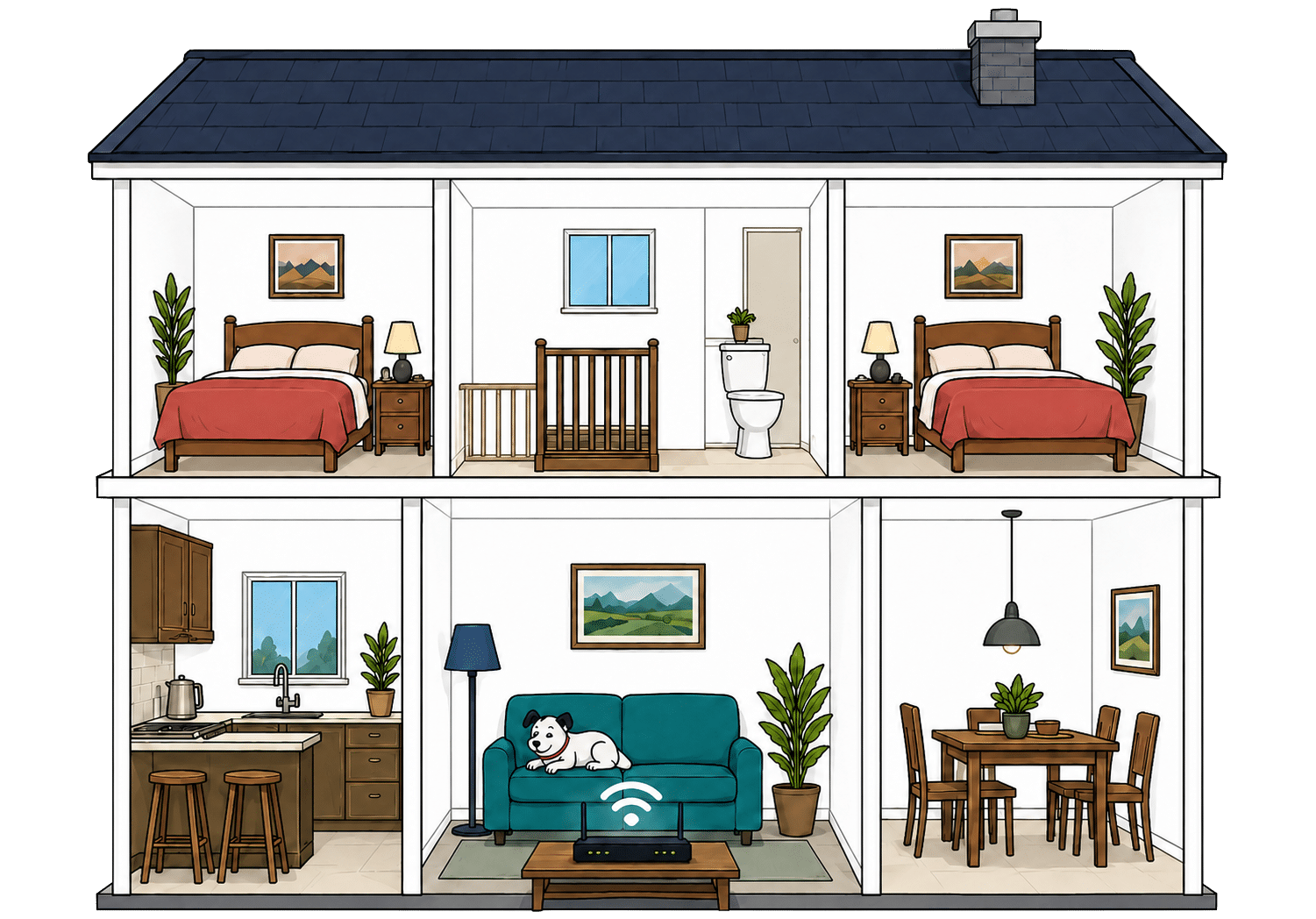
See how wall materials and router choice affect the quality of Wi-Fi around a typical home.
Where would you like to go next?
Wired devices are very well served
The Power Hub gives you four Gigabit Ethernet sockets, leaving plenty of room for televisions, consoles, computers and network storage. Each can handle the speeds available from Vodafone’s ordinary Full Fibre packages, so the standard router creates no obvious wired bottleneck.
The Ultra Hub 7 adds faster 2.5Gbps connectivity for Vodafone’s multi-gigabit packages. You’ll need suitably capable equipment to benefit, since most televisions and consoles still use ordinary Gigabit Ethernet. Even so, Vodafone has sensibly matched its premium router to the faster broadband it accompanies.
How a simple wired Vodafone broadband network works
Plugging devices directly into your router gives them a steadier connection than Wi-Fi. These router diagrams show the physical Ethernet ports, including any ONT or internet port used by the broadband connection itself.
Check which port is the internet input before counting how many wired device ports you have spare.
Use the fastest spare LAN port for the device or switch that needs the most speed.
Useful controls are scattered across too many places
Vodafone’s Broadband app lets you check connected devices, share your Wi-Fi details and investigate common connection problems. Parental controls, guest Wi-Fi, device prioritisation and automatic optimisation are available too, giving most households everything they’re realistically likely to use.
Vodafone favours automatic management over endless technical settings, which is the right choice for most people. The weakness is fragmentation. Router controls, account management and advanced security sit across different apps and services, while Secure Net Home costs extra unless you take Pro 3.
Vodafone Broadband router controls at a glance
Here’s a quick look at the router controls you can expect, including app management, browser admin tools, Wi-Fi settings, security features and the physical buttons on the router itself.
Checked from manufacturer specifications. Fibredog tracks dozens of router specification parameters across dozens of provider routers. When a provider changes its router or features, this table is swiftly updated.
Your own router can take over completely
Vodafone properly supports compatible third-party routers, allowing one to connect directly to the Full Fibre box and replace its supplied hub. That’s excellent flexibility if you already own a good mesh system, need specialist controls or simply want to keep an existing home network unchanged.
You’ll become responsible for compatibility, setup and faults caused by your equipment. Vodafone’s app management, Super WiFi, automatic 4G backup and potentially Digital Voice may also stop working. Keep the supplied hub somewhere safe, since Vodafone may ask you to reconnect it during fault testing.
Value for money
Vodafone gets the expensive essentials right. Its standard router is excellent, its premium extras are thoughtfully bundled and its service guarantees contain some genuinely useful protections. Ordinary packages are rather lean, though, while annual rises and the loss of your introductory discount can steadily erode the value if you join and then stop paying attention.
The standard package is capable but rather bare
Every ordinary Full Fibre package includes Vodafone’s Power Hub, a modern Wi-Fi 6 router with app controls, automatic updates and support for mesh boosters. That gives the basic service a very decent foundation, although you won’t receive a home phone, provider email or automatic broadband backup as standard.
Most of Vodafone’s meaningful extras cost more. Super WiFi, permanent online security, automatic 4G backup and its best router all sit inside paid upgrades or Pro 3. The standard package gets you online perfectly well, but almost everything that improves coverage, resilience or support is kept behind another monthly charge.
What you get with Vodafone Broadband
Here’s what's included as standard, what may cost extra, and what's only free on top-end packages.
Standard kit versus paid extras
This table separates everyday included features from extras that may depend on package tier, router choice or paid add-ons.
Good to know: Included features are easier to compare because you won’t need to budget for them separately.
Worth checking: Some useful extras may only be included on selected packages or as paid add-ons.
The annual rise is clear but still expensive
Vodafone adds a fixed amount to your monthly broadband price every April. It tells you the figure before you join, making the total much easier to predict than an increase tied to future inflation. A mainstream 24-month contract can still be hit twice, particularly if you join shortly before April.
The same cash increase applies regardless of your starting price, so cheaper packages take the larger percentage hit. Because the rise forms part of the deal you accepted, it doesn’t give you a fee-free way out. Vodafone tells you the damage in advance, which is welcome, but that doesn’t make it painless.
INTERACTIVE CHART
How much will your bill rise by?
This interactive chart shows how much this provider adds to its package prices each April, and lets you compare that with literally any other provider in our database.
Package annual price rises
April price rise shown package by package
The provider-average benchmark is calculated from each provider that applies an annual price rise. Fixed-price providers are shown in the chart but are excluded from the benchmark.
The extras are useful if you choose carefully
Pro 3 combines the Ultra Hub 7, whole-home Wi-Fi, automatic 4G backup, permanent online security and enhanced technical support. It’s a coherent premium package rather than a random collection of minor add-ons, and it can be worthwhile for a large home or one that depends heavily on staying connected.
Super WiFi is the more focused option if coverage is your only problem. Home phone services, inclusive calls and Vodafone Xtra provide further choices, but costs can accumulate quickly. Vodafone’s extras are mostly worthwhile rather than frivolous, although you should identify the actual problem before paying for an entire bundle.

Doing nothing after the contract ends costs you
Vodafone removes your promotional discount when the minimum term finishes. Your broadband continues on a rolling monthly basis, but at the applicable out-of-contract price. That increase can arrive after the annual rises already applied during the contract, leaving you paying considerably more for exactly the same service.
Vodafone must warn you before this happens and supports online renewal, so avoiding the higher price is straightforward if you act. Once the minimum term has ended, you can also leave without an early termination fee. The problem isn’t escaping. It’s noticing the warning before the discount disappears.
INTERACTIVE TOOL
What could your broadband bill roll on to?
Estimate what your monthly broadband price could look like by the end of your minimum term, and what it will jump to if you let the deal roll over.
Step 1: Choose your provider and package
Start by choosing your broadband provider, then select the package your contract is based on.
Step 2: Tell us the starting month of your contract and what you pay
Use the first full monthly price before any mid-contract April increases.
Step 3: Estimate the rollover shock
This is an estimate. Your provider’s end-of-contract notice will be the exact figure.
Your estimate
Where would you like to go next?
The guarantees are useful but oddly uneven
Automatic compensation covers qualifying installation delays, missed appointments and complete outages lasting beyond two full working days. Super WiFi also promises at least 10Mbps in every room, with up to three boosters and a fee-free escape route if Vodafone still can’t meet the guarantee.
Vodafone’s Full Fibre speed protection is much less convincing. Its published terms exclude Fibre to the Home from the main contractual remedy and provide no clear repair period for those packages. The compensation and Wi-Fi promises are excellent, but the muddled wording around the underlying Full Fibre speed leaves an important gap.
INTERACTIVE TOOL
Are you getting your minimum guaranteed speed?
Choose your provider and package, then run a speed test. For the cleanest test of the broadband speed coming into your home, plug a laptop or desktop directly into your router with a LAN cable. You can also test on a phone or tablet to check Wi-Fi speed, but make sure mobile data is switched off first.
Choose your provider and package
Choose your provider and package so we can compare the test result with the package's minimum guaranteed download speed.
Before you test
For an absolute line-speed check, use a computer connected to the router by Ethernet. If you test over Wi-Fi, the result may reflect your in-home Wi-Fi as much as the broadband line itself.
Run the speed test
Ready. Select a package, tick the data policy box, then run the test.
Your result
Where would you like to go next?
This tool uses M-Lab’s open measurement platform. A single speed test is a useful check, but it is not a formal fault diagnosis.
The Power Hub adds real value
Vodafone’s standard Power Hub is one of the better routers included with an ordinary Full Fibre package. It supports Wi-Fi 6, WPA3 security, automatic wireless optimisation and more than 100 connected devices. Most homes should have no reason to replace it immediately or pay more simply to get acceptable equipment.
The Ultra Hub 7 supplied with Pro 3 brings genuine Wi-Fi 7 improvements, but inexplicably drops the 6GHz band found on Vodafone’s previous premium router. It’s still the better device, although not by as much as its name suggests. The standard Power Hub is consequently the more convincing value proposition.
Having trouble choosing a broadband provider?
Fibredog's unique Provider Matcher uses literally thousands of provider data points to find you your perfect match.
Some links on this page may earn us a small commission if you click through and buy. This never affects either what you pay, or our scores and recommendations. If, however, you'd rather bypass affiliate links, use this direct Vodafone Broadband link instead.
