
THE BIG VIRGIN MEDIA BROADBAND REVIEW
Virgin Media Broadband review: Is it any good?
The UK’s most complete Virgin Media Broadband review – built from around 400 provider metrics, six detailed sub-reviews, interactive tools where you need them, and a consistent scoring model applied across every provider that allows for consistent, detailed comparison.


Having trouble choosing a broadband provider?
No single best provider or package exists – only the best pick for you personally. Fibredog’s YourMatch™ system uses thousands of provider metrics and a lot of maths to find you your perfect match.
Virgin Media overall scorecard
Six key areas. One overall score. All calculated using our transparent methodology.
Packages and speeds
Available speeds, package range, upload speeds, gaming features, working from home suitability and changing your package.
Joining, switching and cancelling
Ease of joining, credit checks, installation, compensation, switching from another provider, moving home and cancelling your service.
Customer service
Customer experience, contact options, when something goes wrong, complaints policy, help for vulnerable customers and online support.
Routers and equipment
Wi-Fi quality, Wi-Fi range, whole-home Wi-Fi, wired connectivity, router controls and using your own router.
Value for money
What comes as standard, included router value, annual price rises, the cost of upgrades and extras, end-of-contract pricing and service guarantees.
Contracts and small print
Your contract commitments, price rise terms, early-exit fees, speed guarantees, equipment ownership, restrictions, penalties and hidden catches.
Fibredog Package Speed Calculator
Enter the number of people, TVs, consoles and so on and we'll match you with the right package speed.
Fibredog Upload Speed Comparison
Compare any provider's upload speeds with any other as absolute numbers or as a ratio of download speed.
Fibredog Package Change Rules Checker
Answer a few simple questions to see if you should upgrade, downgrade or switch.
Fibredog Interactive Customer Experience Chart
Use the buttons to examine this provider's customer experience performance in every dimension.
Fibredog Router Comparison Tool
Compare this provider's routers with each other, or with any other national provider.
Fibredog Whole Home Wi-Fi Calculator
Calculates whether you need additional mesh routers, how many, and even where you should put them.
Fibredog Router Range Estimator
Provides a visual mock-up of how Wi-Fi is likely to behave in your home with this provider's routers.
Fibredog Exit Fees Calculator
Tell us who you're currently with and how long there is left on your contract, and we will tell you your early exit fees.
Fibredog Broadband Buyout Calculator
Check whether you're in the zone where you can make good use of this provider's broadband buyout offer.
Fibredog Annual Price Rise Comparison
See how much each of these provider's packages will go up every April and compare that to any other provider.
Fibredog Rollover Price Calculator
Tell us who you're with and what you're paying and we will tell you how much your price will go up when your contract ends.
Fibredog Speed Guarantees Test
Tell us who you're with and we will check if they're delivering you the minimum speed they promised.
Joining, switching and cancelling
All broadband providers make it as easy to join as possible – that’s a given. But there are quite a few aspects of joining or switching to a new provider that are worth exploring in detail. What if you have bad credit? What if you encounter installation problems or you’re moving home? And what about cancelling? That’s where things usually become stickier. Let’s see how Virgin Media does.
Virgin Media makes joining easy once you know what you want
Virgin Media’s sign-up process is straightforward, especially if you order online and already know which package suits your home. The main thing to check first is availability, because Virgin runs on its own network and does not cover every UK address. If your home is covered, you can order online, use live chat if you need help, or phone if you prefer talking it through.
Online is usually the cleanest route because you can see the packages, speeds, extras, discounts and current offers in one place. Live chat is useful if you want to ask questions while keeping the online prices in front of you. There is no callback ordering route, so phone ordering means phoning Virgin directly rather than asking it to ring you back.
INTERACTIVE TOOL
What could your broadband bill roll on to?
Estimate what your monthly broadband price could look like by the end of your minimum term, and what it will jump to if you let the deal roll over.
Step 1: Choose your provider and package
Start by choosing your broadband provider, then select the package your contract is based on.
Step 2: Tell us the starting month of your contract and what you pay
Use the first full monthly price before any mid-contract April increases.
Step 3: Estimate the rollover shock
This is an estimate. Your provider’s end-of-contract notice will be the exact figure.
Your estimate
Where would you like to go next?
A soft credit check is part of the joining process
Virgin Media runs a soft credit check before confirming your order. For most people, this will not be a major obstacle, and it is not the same as applying for a mortgage or loan. However, it still matters, because poor credit history can affect whether Virgin accepts your order on normal terms.
Failing the check does not automatically close the door. Virgin Media can still ask for a security deposit or upfront payment instead, but that can make joining less attractive. If your credit history is messy, a no-credit-check provider such as Plusnet or NOW Broadband may be simpler. Virgin’s Essential Broadband social tariff is also worth checking if you receive qualifying benefits.
Virgin Media’s contract buyout makes switching mid-contract less painful
Switching to or from Virgin Media is easier than it used to be, because One Touch Switch now covers broadband moves between different networks. That matters because Virgin Media does not use Openreach like most major broadband providers, so switching used to involve more manual faff than a standard provider-to-provider move.
The standout switching feature is Virgin Media’s broadband contract buyout. If you leave your old provider early and pay exit fees, Virgin can cover those fees over the course of your Virgin contract, up to £250. You still need to pay the old provider first and show proof, so it is not instant cash, but it can take some of the sting out of leaving a contract early.
COMPARISON CHART
How much will Virgin Media pay to buy you out?
This chart shows which providers currently offer broadband contract buyout, and how much they may pay toward leaving your old contract.
Broadband contract buyout by provider
Maximum buyout amount by provider
Where would you like to go next?
The national average benchmark only includes providers that currently offer broadband contract buyout in our database.
Moving home is simple only if Virgin can serve the new address
If you already have Virgin Media and move home, the key question is whether your new address can get the same service. If it can, Virgin can move your broadband across and your existing minimum term carries on. If you change package, speed or service type, a new contract can apply, so it is worth checking the details before assuming it is just a straight transfer.
If Virgin Media cannot provide service at your new address, you can cancel without an early disconnection fee. That is helpful, but you need to give the right notice and provide valid evidence of your new address within the required deadline. Without that proof, Virgin can still charge an early disconnection fee first and sort it out afterwards.
Cancelling is not unusually hard, but leaving mid-contract is expensive
Virgin Media gives you a standard 30-day notice period, and you can cancel online, by phone, through live chat or by post. That is better than providers that force everything through a phone queue, although Virgin will still ask why you are leaving and may try to retain you. It is not instant one-click cancellation, but it is not unusually difficult by broadband standards.
The expensive bit is leaving during your minimum term. Early disconnection fees can apply for the remaining months of your contract, including expected future price rises. You’ll also need to return Virgin’s kit, including the router, power supply and any TV boxes or WiFi Max Pods. Virgin provides return packaging and a label, and collection is available, but non-return fees apply if the equipment is not sent back.
Cancelling Virgin Media at a glance
A quick view of the routes, notice periods, fees and equipment-return rules you may need to deal with.

Virgin Media installs on its own network, so the survey matters
Virgin Media installation is usually simple, but it depends more heavily on your property than an Openreach-based switch. Your home needs to be inside Virgin’s network area, technically serviceable and suitable for the cable route, wall box and internal socket position. If you already have a Virgin line, setup can be fairly painless. If not, an engineer visit or extra work may be needed.
You’ll agree an installation, delivery or activation date when signing up, and someone aged 18 or over must be home if an engineer visit is required. Missed visits can cut both ways: Virgin can charge you if you miss the appointment, but automatic compensation can apply if Virgin misses an appointment or delays activation.
Customer service
When it comes to customer service it's more important to assess a provider on the experience felt when things go wrong than it is by how polite/delightful the agent was on the phone when you signed up. Problem, fault, and complaint handling are key here, as well as how regulators like Ofcom, and independent review platforms like Trustpilot view them. Let's take a look at Virgin Media.
Customer experience is Virgin Media’s weak spot
Virgin Media gives you plenty of ways to get help, but the customer experience data still holds it back. Ofcom results show below-average satisfaction in some areas across the past several years, while Trustpilot is chock-full of very negative reviews from customers who feel passed around, ignored or forced to repeat themselves ad infinitum.
The picture isn't all bad, though – especially looking at trajectory. Call waits have improved enormously, and recent Ofcom satisfaction figures are better than they used to be. But this is still the part of Virgin Media’s service that feels the least convincing. The tools and contact routes are good – the consistency of the human support behind them... not so much.
INTERACTIVE CHART
Interactive Virgin Media customer experience chart
You can use the various buttons here to see the Virgin Media customer experience in a number of different ways.
Overall service satisfaction
Ofcom satisfaction with service overall
Sources: Ofcom, Trustpilot.
Virgin Media gives you lots of ways to get in touch
Virgin Media does very well on contact options. You can get support by phone, live chat, WhatsApp, other social media, through the app, via your online account and more. There are fault checkers, accessibility routes and the community forum when it's up and running. Compared with many broadband providers, that's extremely good.
The catch is Virgin Media often pushes you towards self-service first. Which is fine when you need something simple, such as checking a bill, testing your connection or tracking a known fault. But it's less helpful when you need a person to take ownership of a more awkward problem. The lack of email support is both a symptom and a cause of that, because email creates an unbroken chain of custody for your problem.
Support channels at a glance
Virgin Media gives customers several ways to get help. This view shows which practical contact, account and fault-support routes are recorded in the fibredog dataset.
Checked from live provider data. Fibredog tracks contact routes, account tools and fault-help options separately, so this information updates soon after anything changes.
Fault support is clear, but there's no broadband backup yet
When something goes wrong, Virgin Media gives you a clear route to check, diagnose, report and track the issue. You can use service-status tools, in-app diagnostics and online fault reporting, and Virgin Media also offers automatic compensation where a qualifying total loss of service isn't fixed quickly enough.
That's a good safety net, but it doesn't solve everything. One gap is broadband backup. If your Virgin Media connection goes down and you need a guaranteed fallback, there's no standard backup service included. For people who work from home or rely heavily on their connection, that matters. A bit. Most people will be able to fall back on their mobile data, but it would still be a nice feature to see, and one that would be easy for Virgin to implement since O2 is now part of the same company.
Vulnerable-customer support is market-leading
Virgin Media’s support for vulnerable customers is the best in the business. It covers accessibility help, alternative formats, BSL video relay, text relay, nominated contacts, priority repair, financial difficulty support and bereavement support. This is not just a token accessibility page – it's a proper support framework. Virgin, we salute you.
That's why Virgin Media scores so highly here. Some providers offer bits of this support, but Virgin Media covers literally every practical route we assess. If you need extra help with communication, billing, account access or staying connected during a difficult time, Virgin Media is the don.
Virgin Media is best in class for this category
Virgin Media provides all of the major accessibility and vulnerable-customer support features we assess.
Virgin Media’s complaints process is clearly defined
Virgin Media’s complaints policy is clear, with defined routes for raising a complaint, getting a response, escalating internally and taking the issue to independent ADR if needed. You can complain by phone, live chat, WhatsApp, email, post, online account tools or even through the My Virgin Media app.
Escalation is also set out clearly. If the complaint isn't resolved or resolvable, Virgin explains how it can be reviewed internally and when you can go to CISAS, the third-party mediator. It's easier to understand here than it is with providers that bury the ADR route or make you work too hard to find it.
 Free to use
Independent ADR provider
If Virgin Media can’t resolve your complaint, CISAS is the approved ADR scheme for its services.
- 70 Fleet Street, London EC4Y 1EU
- 0207 520 3814
- cisas@cedr.com
- cedr.com/cisas
Online help is useful, but email support is missing
Virgin Media’s online help and account support is good overall. The My Virgin Media app and your online account let you manage bills, check package details, track your service status, run basic diagnostics, and report faults. The Help Centre pages on its site also give you searchable guides, as well as routes into livechat support when you need more help.

The obvious omission is email support. Virgin Media offers several digital support routes, but no standard email contact option. That makes it harder to keep a simple written record of what has been promised, especially when a problem needs chasing more than once.
Having trouble choosing a broadband provider?
No single best provider or package exists – only the best pick for you personally. Fibredog's YourMatch™ system uses thousands of provider metrics and a lot of maths to find you your perfect match.
Routers and equipment
A good, bad or merely average router can have the single greatest impact on your experience of the service day to day, in your home. In addition to whether Virgin Media's routers are actually any good or not, we look at things like whether a premium router is offered, what it will cost, or if it's reserved for the most expensive packages. We also look at things like whether you can use your own router, Wi-Fi quality, range, wired connectivity and whole-home mesh Wi-Fi options.
Virgin Media’s routers are solid, not cutting edge
Virgin Media’s Hub 5 and Hub 5x are both decent, everyday routers. They use Wi-Fi 6, support dual-band Wi-Fi, offer beamforming, handle a decent number of connected devices, and there are optional WiFi Pods available via the WiFi Max add-on if you need extra reach around your home.
The main thing to understand is that the router you get depends on Virgin Media’s network at your address. Cable areas get the Hub 5, while Virgin XGS-PON areas get the Hub 5x. Neither is a premium, future-proof showpiece, but both of them are perfectly adequate for most homes.
INTERACTIVE TOOL
Compare routers from any provider
This provider’s routers are pre-selected for comparison with one another. However, you can use this tool to compare any router from any major provider using the dropdown menus below.
| Feature | Choose router | Choose router |
|---|---|---|
| Fibredog rating | — | — |
| Router included as standard | — | — |
| Router manufacturer | — | — |
| Router model | — | — |
| Wi-Fi standard | — | — |
| Wi-Fi bands | — | — |
| 2.4GHz supported | — | — |
| 5GHz supported | — | — |
| 6GHz supported | — | — |
| Beamforming | — | — |
| Antenna count | — | — |
| Maximum connected devices | — | — |
| Stated coverage | — | — |
| Total Ethernet ports | — | — |
| MU-MIMO | — | — |
| OFDMA | — | — |
| WPA3 security | — | — |
| Guest network | — | — |
| Antenna type | — | — |
| Gigabit Ethernet ports | — | — |
| 2.5Gb Ethernet ports | — | — |
| 5Gb Ethernet ports | — | — |
| 10Gb Ethernet ports | — | — |
| WAN port speed | — | — |
| USB ports | — | — |
| Telephone ports | — | — |
| ONT Ethernet input | — | — |
| Coaxial input | — | — |
| Power connection | — | — |
| Mesh support | — | — |
| Provider mesh product | — | — |
| Third-party router use | — | — |
| Modem mode | — | — |
| Compatible broadband technology | — | — |
| App management | — | — |
| Parental controls | — | — |
| QoS | — | — |
| Automated QoS | — | — |
| Device prioritisation | — | — |
| Anti-bufferbloat controls | — | — |
| Manual queue management (SQM/CAKE) | — | — |
| Smart channel selection | — | — |
| Security features | — | — |
| Gamer mode | — | — |
| Game traffic prioritisation | — | — |
| Gaming QoS profiles | — | — |
| Server ping routing tools | — | — |
| Latency dashboards | — | — |
| Per-device gaming presets | — | — |
| Gaming VPN routing features | — | — |
| Work from home mode | — | — |
| Automatic firmware updates | — | — |
| Firmware update notes | — | — |
| Router height | — | — |
| Router width | — | — |
| Router depth | — | — |
| Router weight | — | — |
| Power consumption | — | — |
| Router orientation | — | — |
| Wall mountable | — | — |
| Router colour | — | — |
| Self-installation | — | — |
| Browser admin interface | — | — |
| WPS | — | — |
| Status light control | — | — |
| Reset button | — | — |
| Wi-Fi on/off button | — | — |
| Where would you like to go next? | See all tools | See all tools |
Whole-home Wi-Fi depends on your package
Virgin Media’s whole-home Wi-Fi system (WiFi Max) is good, but not a standard feature of all of its packages. WiFi Max is included with Gig1, Gig2 and Volt packages, but if you're on something slower you're going to need to pay extra.
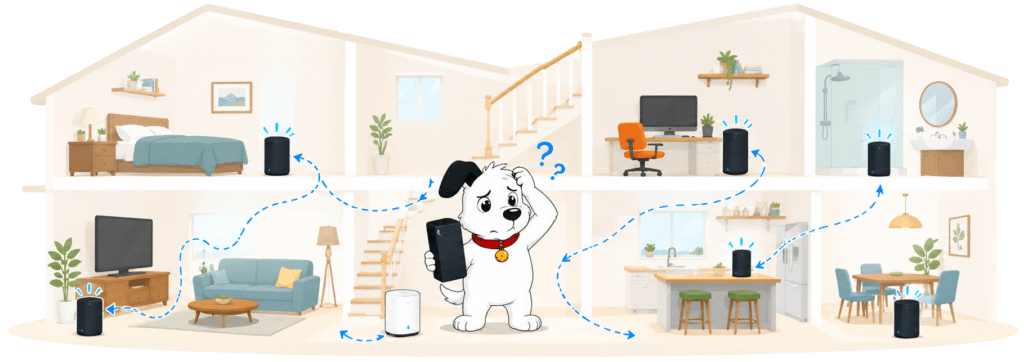
That makes this section a bit of a mixed bag. The system itself is good, and the limit of three Pods isn't really limiting at all unless you live in the Palace of Versailles. But it would be better if Virgin Media included WiFi Max as standard for any home that can prove they need it. Some providers offer their mesh systems in this way and are all the better for it. If you're not sure if you'll need WiFi Max, you can actually check (using your existing broadband connection) with this here tool.
INTERACTIVE TOOL
Whole Home Wi-Fi Calculator
Just follow these simple steps and we will calculate how many, if any, ‘Whole Home Wi-Fi’ pods you will need from your provider.
Start here. Work through the steps in order.
Step 1: Agree to M-Lab’s data policy
M-Lab stores test data, including your IP address. Tick to agree before testing.
Step 2: Connect to your home Wi-Fi
Make sure the phone, tablet or laptop you are using is connected to your home Wi-Fi network.
Step 3: Turn mobile data off
If your device has mobile data, turn it off before you start walking around the house.
Step 4: Test next to your router
Stand next to your main Wi-Fi router and press the button below. This gives us your baseline speed.
Step 5: Test your ground floor corners
Walk to each corner of your ground floor and run a test. If your home is not a perfect rectangle, do not overthink it. Just pick four sensible far-apart spots and keep the same numbering if you add another floor.
Last step: Add another floor or calculate
If you have another floor to test, add it below. If you have tested every floor you care about, press calculate.
Your Whole Home Wi-Fi result
Where would you like to go next?
Wi-Fi range is good enough for most homes
Virgin Media’s router range is better than average, but not exceptional. The Hub 5 and Hub 5x both have seven antennas, beamforming and automatic channel selection, and there's nothing between them when it comes to Wi-Fi range.
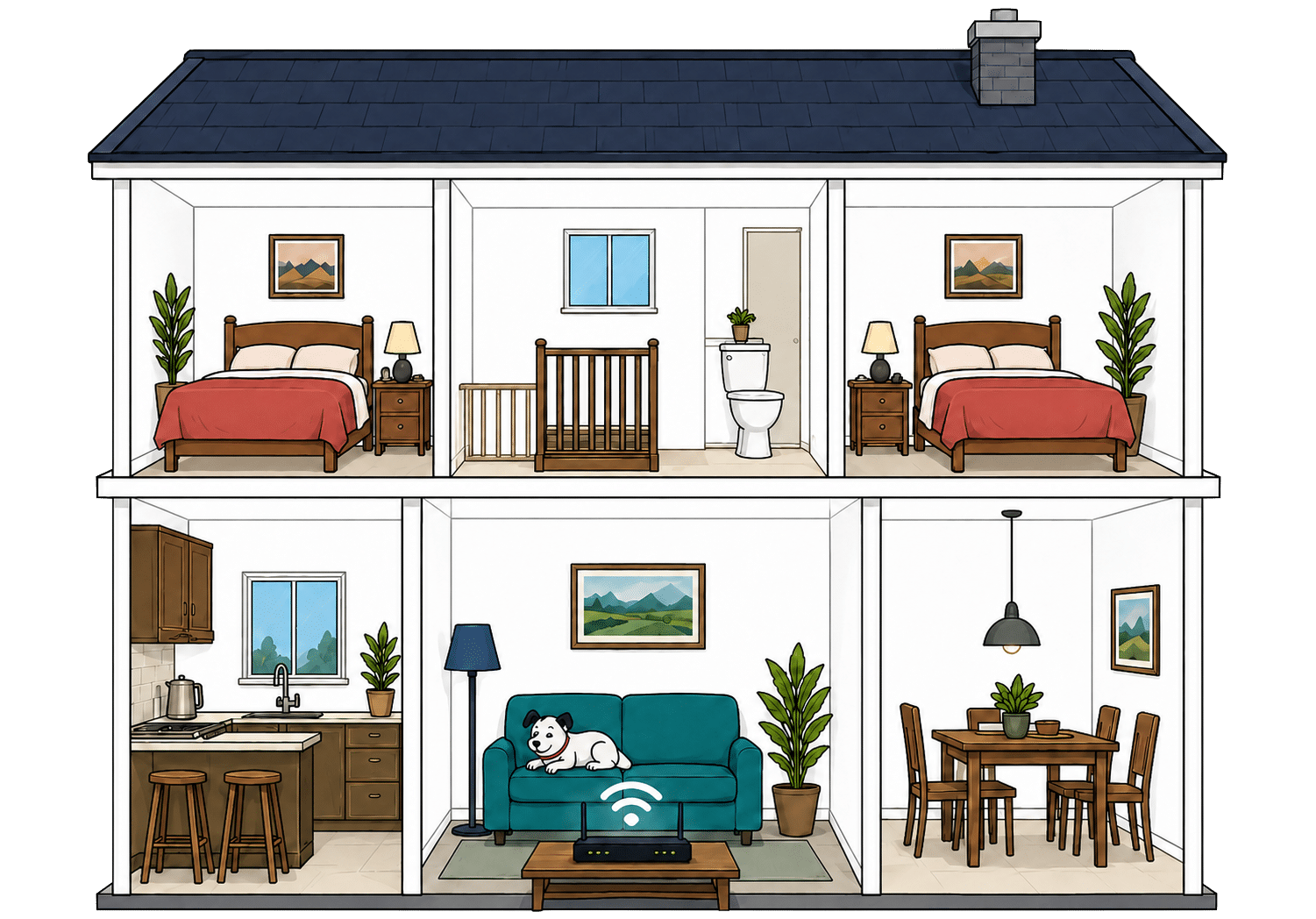
As always, your home itself matters more than the router spec sheet. Thick walls, awkward layouts and neighbour interference can all reduce Wi-Fi range, no matter which router you have. For larger homes or dead spots, you may need Virgin Media’s WiFi Max Pods rather than relying on the router alone.
INTERACTIVE TOOL
Router range estimator
See how wall materials and router choice affect the quality of Wi-Fi around a typical home.
Where would you like to go next?
Wired connectivity is one of Virgin Media’s strengths
Virgin Media does pretty well when it comes to wired connectivity. Both the Hub 5 and Hub 5x give you four Ethernet ports, including one faster port for the device where a wired connection matters most. That's useful for games consoles, desktop PCs, and any other device where large downloads are going to be commonplace.
There's one difference between the two routers here. The Hub 5 has one 2.5Gbps port, while the Hub 5x has one 10Gbps port. It's not going to make a huge practical difference, though, since Virgin doesn't offer speeds over 1.13Gbps on the Hub 5 with the 2.5Gbps port, and nothing over 2Gbps on the 5x.
How a simple wired Virgin Media network works
Plugging devices directly into your router gives them a steadier connection than Wi-Fi. Both Virgin Media routers let you connect several devices by cable.
Use the extra-fast port for the device that needs the most speed.
The standard ports are still plenty for most everyday devices.
Router controls are decent, but with a few limits
Virgin Media gives you a sensible enough set of router controls. You get app management, a browser admin page, parental controls, guest Wi-Fi, automated QoS, smart channel selection, security features, automatic updates, WPS and a reset button. For most households, that covers the basics well.
The app is good for simple jobs but doesn't touch the deeper settings. You can check faults, see if there is an issue with your hub and get routed towards support, but more detailed router changes still need the browser admin page. There's also no Wi-Fi on/off button (which might be a good thing considering how many people might accidentally turn off their Wi-Fi), and device prioritisation beyond the automated version of QoS isn't available, making it slightly less useful than some other routers when it comes to working from home.
Virgin Media router controls at a glance
Here’s a quick look at the router controls you can expect, including app management, browser admin tools, Wi-Fi settings, security features and the physical buttons on the router itself.
Checked from manufacturer specifications. Fibredog tracks dozens of router specification parameters across dozens of provider routers. When a provider changes its router or features, this table is swiftly updated.
Using your own router is a better experience on the Hub 5
Virgin Media lets you use your own router, which is useful if you want better Wi-Fi coverage, to add your own mesh system, more control, better parental settings or a more capable setup for lots of smart devices. For many larger homes, the ability to use your own router system can be quite critical, and Virgin's got you covered.
The Hub 5 is the cleaner option, though, because it has modem mode, which lets your own router take over the home Wi-Fi network properly. The Hub 5x doesn't have modem mode, so while you can still connect your own router, it continues to broadcast its own Wi-Fi network on top of the one you actually want to use, potentially leading to more interference and therefore slower Wi-Fi speeds.
Value for money
Value for money can be a hard thing to judge, but only if you think of it in terms of the ever-changing cost of a package. We don't look at it that way because it's both too volatile and too subjective. Instead, we look at measurable aspects of what's offered, such as what comes as standard, the quality of the free router, annual price rise fairness, the cost of upgrades and extras, end-of-contract pricing rules, and the included service guarantees.
Virgin Media gives you the basics, but then charges you for the nice-to-haves
Virgin Media includes a decent set of everyday features as standard. You get app management, parental controls, guest networking, router security features and automatic firmware updates. Virgin Media is a premium provider, so you're never going to get just the bare bones no matter which package you pick.
The catch is, some of the more useful extras are only free on higher-tier packages, or as paid add-ons for everything else. WiFi Max is the obvious example. It's included with Gig1, Gig2 and Volt packages, but anyone on a slower package will need to pay extra.
What you get with Virgin Media
Here’s what's included as standard, what may cost extra, and what's only free on top-end packages.
Standard kit versus paid extras
This table separates everyday included features from extras that may depend on package tier, router choice or paid add-ons.
Good to know: Included features are easier to compare because you won’t need to budget for them separately.
Worth checking: Some useful extras may only be included on selected packages or as paid add-ons.
Annual price rises are clear, but still annoying
Virgin Media is clear about its annual price rises. It shows the pounds-and-pence increase before you sign up (just as Ofcom demands), which makes the rise easier to understand than the old percentage-based approach. In that sense, Virgin Media is doing what Ofcom now expects.
The actual rise is broadly in line with the average. We cannot for the life of us understand why Virgin, and other national providers, don't simply skip ahead of the next most obvious Ofcom ruling and implement fixed pricing across the entire contract term. Not only would they score a lot better here, but they'd have a fantastic unique selling point.
INTERACTIVE CHART
How much will your bill rise by?
This interactive chart shows how much this provider adds to its package prices each April, and lets you compare that with literally any other provider in our database.
Package annual price rises
April price rise shown package by package
The provider-average benchmark is calculated from each provider that applies an annual price rise. Fixed-price providers are shown in the chart but are excluded from the benchmark.
Extras are keenly priced, but check whether you actually need them
Virgin Media does quite well on upgrades and extras. There's no paid premium router upgrade being pushed at you, which is good because you're not being nudged into renting a better router just to make everything work optimally.
The main extra to watch for is WiFi Max. It can be worth paying for if your home has dead spots, but it's included on Gig1 and Gig2. Landlines and Advanced Security can also add cost, but neither is essential for most homes.

End-of-contract pricing is every provider's greatest sin, including Virgin Media
Virgin Media’s worst policy when it comes to value for money is what happens when your minimum term ends. And we want to be clear here, we are not singling out Virgin Media because this is something that is universally awful.
Like many other providers, Virgin sells broadband at a 'discounted' introductory price, then moves you onto a much higher monthly price if you do nothing when your contract comes to an end.
It's frustrating, because the end-of-contract price is often double, or nearly double the new-customer 'discounted' rate. Virgin Media does tell you when your contract is ending, but the system still relies on you noticing the email, comparing prices, haggling and/or switching before the rollover price bites. It's ludicrous that the only way to get some sort of continuity pricing at the end of your contract is to begin the process of switching to another provider.
INTERACTIVE TOOL
What could your broadband bill roll on to?
Estimate what your monthly broadband price could look like by the end of your minimum term, and what it will jump to if you let the deal roll over.
Step 1: Choose your provider and package
Start by choosing your broadband provider, then select the package your contract is based on.
Step 2: Tell us the starting month of your contract and what you pay
Use the first full monthly price before any mid-contract April increases.
Step 3: Estimate the rollover shock
This is an estimate. Your provider’s end-of-contract notice will be the exact figure.
Your estimate
Where would you like to go next?
Service guarantees are better than the bare minimum
Virgin Media gives you the standard contractual protections you would expect, plus it signs up to Ofcom’s voluntary speed code. That means you get a realistic minimum speed promise, and the right to leave penalty-free if Virgin Media can't fix a speed problem within the required time.
WiFi Max gives you a separate in-home Wi-Fi guarantee, but it's not included on every package. There's also no standard broadband backup service. Even so, Virgin Media’s guarantee setup is good overall, especially on speed protections.
INTERACTIVE TOOL
Are you getting your minimum guaranteed speed?
Choose your provider and package, then run a speed test. For the cleanest test of the broadband speed coming into your home, plug a laptop or desktop directly into your router with a LAN cable. You can also test on a phone or tablet to check Wi-Fi speed, but make sure mobile data is switched off first.
Choose your provider and package
Choose your provider and package so we can compare the test result with the package's minimum guaranteed download speed.
Before you test
For an absolute line-speed check, use a computer connected to the router by Ethernet. If you test over Wi-Fi, the result may reflect your in-home Wi-Fi as much as the broadband line itself.
Run the speed test
Ready. Select a package, tick the data policy box, then run the test.
Your result
Where would you like to go next?
This tool uses M-Lab’s open measurement platform. A single speed test is a useful check, but it is not a formal fault diagnosis.
The included router is decent value, but not premium
Virgin Media’s supplied routers are good enough for most homes. Both the Hub 5 and Hub 5x offer Wi-Fi 6, dual-band Wi-Fi, beamforming, seven antennas and a reasonable number of Ethernet ports. They're solid – good enough that most homes will never have to worry about what they're up to or what they can and can't do.
But they're not quite premium hardware. You don't get Wi-Fi 7 or a 6GHz band. They're kind of designed for 'most' homes, but unusually large or populated homes may struggle with them. And it matters more on the fastest packages, where the speeds can be much higher than the router’s real-world Wi-Fi performance is capable of delivering.
Having trouble choosing a broadband provider?
No single best provider or package exists – only the best pick for you personally. Fibredog's YourMatch™ system uses thousands of provider metrics and a lot of maths to find you your perfect match.
Some links on this page may earn us a small commission if you click through and buy. This never affects either what you pay, or our scores and recommendations. If, however, you’d rather bypass affiliate links, use this direct Virgin Media link instead.
